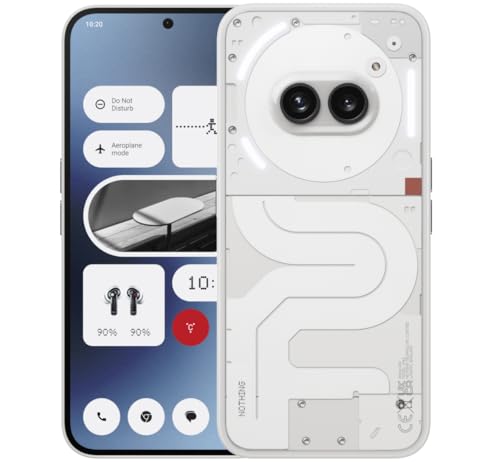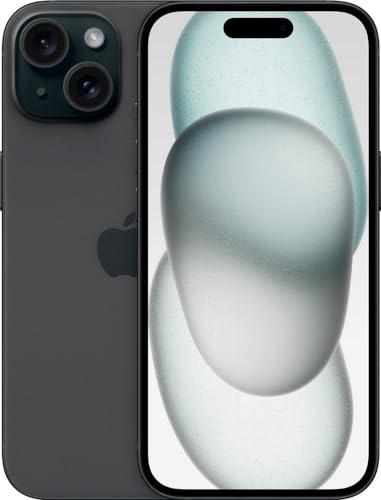
The android vs iphone debate is the oldest argument in smartphones, and it survives because both platforms are genuinely good — the differences that remain are about priorities, not quality. Android offers choice: many brands, many sizes, many price points and deep customisation. iPhone offers cohesion: one maker, long updates, and an ecosystem where the phone, watch, tablet and computer are designed to work as one system.
This comparison works through the criteria that decide real ownership — software experience, app stores, hardware choice, cameras, updates, privacy, price tiers and switching costs — so you can match the platform to your habits rather than to anyone else’s loyalty.
Disclosure: As an Amazon Associate, kajuandouglas.com earns from qualifying purchases. Links to Amazon on this page are affiliate links; they cost you nothing extra. Listing details such as price and availability change often, so check the current Amazon listing before you buy.
The Short Answer
Choose iPhone if you value long software support, the tightest app quality control, effortless pairing with other Apple devices and strong resale value. Choose Android if you want hardware choice at every budget, features like expandable storage or dual SIM on many models, deeper customisation and better value in the mid-range. If your family and close friends live in one ecosystem, that social gravity is a legitimate deciding factor.
In this guide
Gear for This Guide
One representative of each camp, both verified listings, shows what the current generations look like in practice.

Apple iPhone 15, 128GB, Black – Unlocked (Renewed Premium) — A recent iPhone in renewed premium condition, representing the Apple route: long updates, tight ecosystem integration and strong cameras. Check price on Amazon.

Samsung Galaxy S24 Ultra Cell Phone, 256GB AI Smartphone, Unlocked Android, 200MP, 100x… — A flagship Android phone with a stylus, a versatile multi-lens camera system and the kind of hardware variety Android is known for. Check price on Amazon.

OnePlus 12R, 8GB RAM+128GB, Dual-SIM, US Factory Unlocked Android Smartphone, 5500 mAh… — A performance-led Android alternative showing the platform’s strength below flagship level: big battery and fast charging. Check price on Amazon.
Android vs iPhone at a Glance
The headline differences, before we work through each one in depth.
| Criterion | Android | iPhone |
|---|---|---|
| Hardware choice | Many brands, sizes and price tiers, including foldables and rugged models | A small range of models from one maker, in a few sizes |
| Software updates | Varies by brand; leading makers now promise many years on flagships | Long, uniform support across the range, delivered to all models at once |
| Customisation | Home screens, launchers, default apps and widgets are highly flexible | More structured; widgets and themes within Apple’s framework |
| App store | Google Play plus alternative stores and sideloading on most devices | App Store only, with stricter review of every app |
| Ecosystem | Works with any computer; pairs best with Google services and varied accessories | Deepest integration with Mac, iPad, Watch and AirPods |
| Price range | From very cheap to ultra-premium; strongest value in the mid-range | Premium pricing throughout, with older models as the entry point |
| File handling | Open file system, easy USB transfer, expandable storage on some models | Managed through apps and iCloud; no expandable storage |
Software Experience and Updates
Living with each system feels different. iOS is consistent: every iPhone works the same way, settings live in predictable places, and features arrive for everyone on the same day. Android varies by brand — Samsung, Google and others each add their own layer — which means more choice in how your phone behaves, but also more variation in quality and update timing.
Update support is where the gap has narrowed most. Apple still leads for uniformity and length of support across its whole range. Leading Android makers have responded with long commitments on their flagships and better promises in the mid-range, but cheap Android phones can still be abandoned quickly. If you keep a phone for four or five years, check the specific model’s update promise on Android; on iPhone it is rarely a concern.
Day to day, both systems handle messaging, maps, photography, banking and entertainment superbly. The honest differences are at the edges: Android lets you set default apps for almost everything and automate tasks deeply, while iOS offers polish, consistency and accessories that simply work together.
Apps, Stores and Freedom
Most major apps launch on both platforms with near-identical features, so the old app-gap argument is mostly history. Where they differ is the rules. Apple’s single store enforces strict review, which keeps quality and safety high but blocks categories Apple disapproves of. Android’s Play Store is more permissive, and most Android phones allow installing apps from other sources entirely — freedom that suits power users and carries real risk for the careless.
Gaming and creative tools occasionally favour one side: some pro video and music apps are iOS-first, while Android leads for emulators, system tools and automation apps that iOS restrictions forbid. If one specific app category drives your work, check its home platform before choosing.
Subscription and purchase pricing can differ slightly between stores, and your existing purchases do not transfer across platforms. A large library of paid apps is a genuine switching cost worth counting before you jump.
Hardware, Cameras and Battery
Hardware is Android’s structural advantage. You can buy a basic phone, a compact phone, a huge phone, a foldable, a rugged phone or a gaming phone, from many makers, at every price. iPhone offers a handful of excellent models but no foldable, no rugged option and no budget tier beyond older models still on sale.
Cameras at the flagship level are superb on both sides, with different tastes: iPhones are prized for consistent colour and class-leading video, while top Android phones offer longer zoom ranges, larger sensors and more manual control. In the mid-range, Android’s variety usually wins on hardware per pound spent, though software processing keeps cheaper iPhones competitive in photos.
Battery and charging show a philosophical split. Many Android phones charge dramatically faster and offer bigger batteries, while iPhones prioritise efficiency and battery longevity features. Wireless charging exists on both; accessory ecosystems like magnetic snap-on chargers are most developed around iPhone.
Privacy, Security and Resale
Apple builds its pitch on privacy: strong default tracking controls, on-device processing where possible and a business model based on hardware rather than advertising. Google has steadily added privacy controls and permissions dashboards to Android, but its advertising business means data collection is more central to the platform, though the controls to limit it are genuinely improving.
Security outcomes in practice depend heavily on updates and user behaviour. A current iPhone or a flagship Android with years of patches, used with official-store apps and two-factor authentication, is a secure device either way. An abandoned budget Android that stopped receiving patches is the risky outlier in this comparison.
Resale values favour iPhone clearly: used iPhones hold value better, which reduces the true cost of ownership for people who upgrade regularly and sell the old phone. Android flagships depreciate faster, which hurts sellers but makes them excellent used buys — a point worth remembering if you buy second-hand.
Who Each Option Suits
Choose iPhone if your household already uses Apple devices, if you want the longest and simplest update story, if you value accessories and cases being available everywhere, or if you plan to resell at upgrade time. It is also the easier recommendation for less technical users, because consistency makes help from family and shops straightforward.
Choose Android if you want choice of size, price or special features, if you rely on Google services, dual SIM or expandable storage, if fast charging matters, or if you enjoy customising your device. It is also the only option if your budget is firmly in the entry or mid-range tiers and you want a current model.
The switching costs are real but manageable in both directions: photos, contacts and files move with the platforms’ transfer tools, while paid apps and some chat histories need planning. The best time to switch is at a natural upgrade, with a full backup and an afternoon set aside.
A Closer Look: Messaging, Photos and Everyday Glue
The platforms differ most in the glue services you use a hundred times a day. Messaging is the famous example: iPhone users get iMessage with its high-quality media, reactions and seamless group chats among Apple devices, falling back to basic texting with Android users, though modern cross-platform standards have steadily improved that experience. Android users rely on their platform’s messaging with similar modern features inside its own world. The practical consequence is social: the best messaging platform is the one your family and friends already inhabit.
Photo management splits similarly. Apple’s Photos app with iCloud keeps libraries effortlessly in step across iPhone, iPad and Mac, with editing that follows the photo everywhere. Google Photos is the more platform-agnostic service, working superbly on Android and well on iPhone, with search and organisation many consider the best available. Both are excellent; the question is whether your other devices make one of them the obvious home for a decade of photographs.
Even small glue matters over years: how passwords sync, how the phone unlocks your computer, how easily you share a file with the person next to you, how your car integrates. None of these decides a purchase alone, but together they form the texture of ownership, and they are why switching platforms feels larger than changing a handset — you are moving house, not just changing cars.
The Verdict by Buyer Type
For the buyer who wants one recommendation and no homework: if your household is Apple-shaped — Mac, iPad, Watch, family on iMessage — buy the iPhone and enjoy the cohesion. If your household is a mixture, your budget is a real constraint, or you have a specific hardware wish like a foldable, a stylus phone or extreme battery life, Android’s range will contain a better-fitting phone than Apple’s deliberately narrow line.
For the photographer, the platforms split by style: iPhone for consistency and video, Android flagships for zoom range, resolution and variety, including specialist models no single maker could justify. For the gamer, iPhone offers polish and early releases while Android offers dedicated gaming hardware. For the value hunter, Android wins the mid-range decisively and the used market inverts the advantage, since depreciated Android flagships are the best bargains in phones.
Whichever verdict fits you, hold one principle above the platform war: buy enough storage, check the update commitment, and protect the phone from day one. Those three decisions will shape your ownership more than the logo on the back, and they are entirely within your control on either side of the divide.
Total Cost of Ownership: The Honest Ledger
Comparing these platforms on sticker prices alone misleads in both directions, because the costs arrive at different times. The iPhone asks more at the till and returns more at resale, holds its value through a longer supported life, and surrounds itself with an accessory market where quality cases, chargers and mounts are everywhere because the models are few and long-lived. For an owner who upgrades every two or three years and sells the old phone, the net cost of the iPhone can undercut an Android flagship that depreciated to a fraction of its price in the same period.
Android’s ledger wins elsewhere: the mid-range offers capability per unit of currency that Apple does not contest, repairs and parts for popular models are widely available, and the platform’s openness can save money in small ways forever — storage expansion on some models instead of a pricier tier, any quality charger rather than a proprietary one, file transfer without intermediary software. For a keeper who runs a phone for five years and never resells, Android’s lower entry price is simply lower cost.
Accessories and services add their quiet lines to both ledgers. Ecosystem devices — watches, earbuds, trackers — are priced as premium goods on the Apple side and span every price on the Android side. Cloud storage, app subscriptions and in-app purchases are priced by their own markets and occasionally differ between the stores. None of these lines is decisive alone; together they mean the platforms’ true prices are personal, computable only from your own pattern of keeping, upgrading and accessorising.
The disciplined method is to price your actual plan: the phone, the case and protector, the storage tier your library needs, the years you will keep it, and the resale you realistically expect at the end — for one candidate on each platform. Most buyers who do this arithmetic discover the gap is smaller than the argument suggests, which frees the decision to be made where it should be: on the daily experience of the software and the fit with the rest of your digital life.
And if the ledgers tie, choose the platform your people use. The value of effortless sharing, compatible accessories borrowed in a pinch, and family who can help with settings never appears in a spreadsheet, and it compounds daily for years.
Common Mistakes to Avoid
- Choosing by brand loyalty alone. Both platforms changed enormously over the years. Decide on your current priorities — budget, camera, updates, ecosystem — not on an argument from five years ago.
- Ignoring your existing ecosystem. Watches, earbuds, computers and family sharing plans all interact with the phone. A technically better phone that orphans your other devices may be the worse buy.
- Forgetting switching costs. Paid apps, in-game purchases and some subscriptions do not transfer. Count them before switching, not after.
Pro Tips
- If your close family uses iMessage and FaceTime heavily, treat that as a feature of iPhone, not peer pressure — group chats are a real daily cost of switching.
- On Android, the brand matters almost as much as the platform: update policy, software quality and camera processing vary widely between makers.
- Whichever you choose, buy enough storage. Neither platform lets you add it later on most models, and storage regret outlives platform regret.
Living With Each System for Three Years, Not Three Days
Most comparisons test phones for a week. Ownership lasts years, and the differences that dominate year three are different from the ones that impress in week one. Software support is the clearest example. iPhones receive new operating system versions for many years, delivered to old and new models on the same day, which keeps apps compatible and security current. Android support has improved dramatically, with leading makers now promising long update windows, but delivery still varies by brand, model and sometimes carrier, so the specific phone you buy matters as much as the platform name on the box.
Everyday friction also compounds. On an iPhone, the experience is consistent: one way to message, one app store, one backup system, and accessories designed against a stable target. On Android, you choose your defaults, your launcher, your browser and your assistant, and that freedom rewards people who enjoy shaping a device and mildly taxes people who do not. Neither is objectively better; the question is whether you experience choice as pleasure or as homework. Be honest about which person you are, because you will live inside that answer every day.
Battery ageing and repairs follow the same pattern. Both platforms now report battery health and offer optimised charging, and both have authorised repair networks whose prices and turnaround differ by country. Where they diverge is parts availability for older models and the second-hand market: iPhones hold value and stay easy to sell, while Android offers far more choice when buying second-hand at lower budgets. If you plan to hand a phone down to a family member, check how long each candidate will keep receiving security updates from the date you hand it over, not from the date it launched.
Messaging, Files and the Social Cost of Switching
The hardest part of this choice is rarely the phone; it is the people. Messaging ecosystems differ by region and by friendship group. Where one platform’s messaging service is the default social glue, leaving it can mean worse group chats, compressed videos and missed reactions, even though cross-platform apps solve most of this where everyone agrees to use them. Before switching, look at your five most active conversations and ask what they actually run on. If the honest answer is a cross-platform app, switching is easy. If it is a platform-specific service, budget for some friction and warn your regulars.
File handling reveals a deeper philosophical split. Android treats the phone like a small computer: plug it in, browse folders, move files freely, and set any capable app as the default for a task. The iPhone approach routes sharing through apps and its own files interface, which is tidier and safer for many people but can frustrate anyone whose work involves moving unusual file types between services. If your job or hobby involves sideloading reference documents, music production files, or development tools, spend time with both file systems before deciding, because this difference touches your workflow weekly.
Photos and backups complete the social picture. Both platforms back up beautifully inside their own clouds, and both make leaving slightly awkward, which is deliberate. The practical defence is the same on either side: keep an independent copy of irreplaceable photos in plain folders somewhere you control, and use services that exist on both platforms for the things you cannot afford to migrate painfully. Choose your phone for its merits, but keep your memories portable, and a future switch stays a choice instead of a hostage negotiation.
Switching costs people forget to count
- Purchased apps and subscriptions usually do not transfer between the two stores.
- Cases, chargers and some accessories may not fit or work identically with the new phone.
- Smartwatches pair best inside their own platform, so a watch can lock you in more than a phone.
- Saved game progress depends on the game offering a cross-platform account.
- Work and school logins may need re-enrolling with your IT department after a switch.
Cameras and Creative Work on Both Sides
Camera comparisons online focus on stills in good light, where both platforms are excellent, and underplay the differences that creators actually feel. Video is the iPhone’s traditional stronghold: consistent colour across lenses, strong stabilisation, and formats that editing software handles smoothly. Android flagships answer with more flexible hardware, longer optical reach on some models, higher-resolution options and manual controls that stills photographers love. If you shoot for social platforms, check how each phone’s footage looks inside the apps you publish to, because some apps historically treated uploads from the two platforms differently.
For photographers, the ecosystems around the camera matter as much as the sensor. Both offer powerful built-in editing, but the file formats, the desktop software they pair with, and the way libraries sync to a computer differ. If you already edit in a particular application or store a decade of photos in one service, staying makes sense unless the other side offers a feature you genuinely need. If you are starting fresh, judge cameras on your own subjects: your children indoors, your dog at dusk, your products for a small shop, not a reviewer’s test chart.
Audio is the forgotten creative spec. Musicians, podcasters and video makers should test microphone quality, support for external USB microphones, and latency with their instruments or apps, because these vary more between individual models than between platforms. The right conclusion is usually model-specific: this Android phone for that creator, that iPhone for this one. Platform loyalty is a poor substitute for a ten-minute test with your own gear and your own material.
Privacy, Control and What Each Company Wants From You
The two platforms are built on different business models, and it is reasonable to let that inform your choice. One company sells devices and services and markets privacy as a product feature, with on-device processing and prominent permission controls. The other is supported substantially by advertising and services, offering powerful free tools in exchange for data that improves targeting, while also providing detailed privacy dashboards and controls for those who use them. Both have suffered breaches and controversies; neither deserves blind trust. What differs is the default posture and where the settings live, so spend ten minutes in each system’s privacy section and judge the defaults you will actually live with.
Control runs in the opposite direction. Android permits alternative app stores, deep customisation, automation and file access that the other platform restricts in the name of safety and simplicity. For tinkerers, developers and users in regions where official stores lack local apps, that openness is not a luxury but a requirement. For parents, employers and less technical users, the tighter garden is a feature that prevents whole categories of mistake. Again, the platforms are not ranked; they are aimed. Your task is to recognise which aim matches your household.
Whichever you choose, apply the same hygiene: review permissions quarterly, use a password manager and strong two-factor protection, keep the system updated, and be sceptical of free apps that ask for everything. Platform choice sets the terrain, but your habits still decide most of your real-world privacy and security outcomes on either side of this famous divide.
Living With Each System for Three Years, Not Three Days
Most comparisons test phones for a week. Ownership lasts years, and the differences that dominate year three are different from the ones that impress in week one. Software support is the clearest example: one platform delivers new versions to old and new models on the same day for many years, keeping apps compatible and security current, while the other’s support has improved dramatically at the top end, with leading makers now promising long update windows, but still varies by brand, model and sometimes carrier. The specific phone you buy therefore matters as much as the platform name on the box, and the update end date deserves to be checked in writing before money moves.
Everyday friction compounds in the opposite direction. On the more guided system, the experience is consistent: one way to message, one store, one backup, and accessories designed against a stable target, which lowers the mental cost of every task. On the more open system, you choose your defaults, your launcher, your browser and your assistant, and that freedom rewards people who enjoy shaping a device while mildly taxing people who experience choice as homework. Neither is objectively better; the question is which kind of person you honestly are, because you will live inside that answer every day, in a thousand small interactions, for the entire life of the phone.
Battery ageing and repairs follow the same pattern of platform tendencies filtered through specific models. Both systems now report battery health and offer optimised charging, and both have authorised repair networks whose prices and turnaround differ by country and by city. Where they diverge is parts availability for older models and the second-hand market that depends on it. If you plan to hand a phone down, check how long each candidate will keep receiving security updates from the date of the hand-down, not from the date of launch, because that remaining window is the true gift you are giving the next owner.
Messaging, Files and the Social Cost of Switching
The hardest part of this choice is rarely the phone; it is the people. Messaging ecosystems differ by region and by friendship group, and where one platform’s service is the default social glue, leaving it can mean worse group chats, compressed videos and missed reactions, even though cross-platform apps solve most of this wherever everyone agrees to use them. Before switching, look at your five most active conversations and ask what they actually run on. If the honest answer is a cross-platform app, switching is easy and this whole section is a footnote. If it is a platform-specific service, budget for friction, warn your regulars, and migrate deliberately rather than discovering the cost mid-conversation.
File handling reveals a deeper philosophical split that touches working life weekly. One system treats the phone like a small computer: plug it in, browse folders, move files freely, and set any capable app as the default for a task. The other routes sharing through apps and its own files interface, which is tidier and safer for many people but can frustrate anyone whose work involves moving unusual file types between services. If your job or hobby involves reference documents, music production files, development tools or archives, spend time with both file systems before deciding, because this difference will not fade with familiarity; it is a worldview, and you will either love living in it or resent it forever.
Photos and backups complete the social picture. Both platforms back up beautifully inside their own clouds, and both make leaving slightly awkward, which is deliberate and worth planning around rather than resenting. The practical defence is identical on either side: keep an independent copy of irreplaceable photos in plain folders somewhere you control, and use services that exist on both platforms for anything you cannot afford to migrate painfully. Choose your phone for its merits, but keep your memories portable, and a future switch stays a free choice instead of a hostage negotiation conducted over a decade of birthdays.
Switching costs people forget to count
- Purchased apps and subscriptions usually do not transfer between the two stores.
- Cases, chargers and some accessories may not fit or work identically with the new phone.
- Smartwatches pair best inside their own platform, so a watch can lock you in more than a phone.
- Saved game progress depends on the game offering a cross-platform account of its own.
- Work and school logins may need re-enrolling with your IT department after a switch.
Cameras and Creative Work on Both Sides
Camera comparisons online focus on stills in good light, where both platforms are excellent, and underplay the differences creators actually feel over a year of work. Video is one traditional stronghold of the guided platform: consistent colour across lenses, strong stabilisation, and formats that editing software handles smoothly from the first import. The open platform answers with more flexible hardware, longer optical reach on some models, higher-resolution options and manual controls that stills photographers love and return to. If you shoot for social platforms, check how each phone’s footage looks inside the apps you publish to, because some apps have historically treated uploads from the two platforms differently, and your audience sees the app’s version, not your camera’s.
For photographers, the ecosystems around the camera matter as much as the sensor behind it. Both offer powerful built-in editing, but the file formats, the desktop software they pair with, and the way libraries sync to a computer differ enough to shape a workflow. If you already edit in a particular application or store a decade of photos in one service, staying makes sense unless the other side offers a feature you genuinely need for work you actually do. If you are starting fresh, judge cameras on your own subjects: your children indoors, your dog at dusk, your products for a small shop, not a reviewer’s test chart photographed in a studio.
Audio is the forgotten creative spec on both sides. Musicians, podcasters and video makers should test microphone quality, support for external USB microphones, and latency with their instruments or apps, because these vary more between individual models than between platforms and can decide a purchase more completely than any lens. The right conclusion is usually model-specific: this phone for that creator, that phone for this one. Platform loyalty is a poor substitute for a ten-minute test with your own gear and your own material, recorded in your own room, listened to on your own headphones.
Tablets, Computers and the Gravity of the Rest of Your Desk
Phones are bought one at a time but lived with as part of a deskful of devices, and each platform pulls that desk in its own direction. One phone beside a computer and tablet from the same maker shares a clipboard, hands off calls and documents, unlocks its companions, and treats the screens as one workplace with unusual smoothness. The other phone beside a mixed desk of computers has its own integrations, through linking apps, shared services and the browser, which are powerful precisely because they are built from cross-platform parts that survive any single device being replaced. Judge the pairings you actually own and use, not the showroom ideal of either side, because interoperability you never touch has a value of exactly zero.
Tablets and cars sharpen the difference further. One ecosystem’s tablet is a larger sibling of its phone, sharing apps, purchases and habits almost completely. The other’s tablets vary enormously by maker, from superb media machines to forgotten hardware with abandoned software, which means the brand matters as much as the platform and research cannot be skipped. Cars add another pairing: both phone-projection systems are now common, but their reliability and features can differ by vehicle model and software version, so a driver choosing a phone should test it in their own car, with their own navigation and music apps, before assuming parity from a specification table.
The mature conclusion is that ecosystems reward commitment and punish dabbling, on both sides equally. A household standardised on either platform shares chargers, knowledge, spare devices and troubleshooting wisdom accumulated over years. A household split down the middle gets the worst of both unless its members genuinely prefer different tools for considered reasons. There is no shame in choosing a phone partly because your family’s other devices already speak its language; that is interoperability doing its job, provided you keep photos and documents portable enough that the choice remains yours to revisit at the next upgrade, on evidence rather than on habit.
Privacy Dashboards and Permissions: A Practical Tour of Both
Beyond the philosophies, both systems now give you instruments, and the instruments deserve a tour rather than a slogan. Each offers a privacy dashboard showing which apps used your location, camera and microphone and when, permission controls that can grant access once, while in use, or not at all, and indicators that light up when a sensor is live. The practical difference is in defaults and in how the systems nudge you: one restricts more by default and asks less often, the other offers finer-grained choices and expects you to make them. Spend the first evening with any new phone inside these screens, on either platform, and you will have done more for your real privacy than a year of platform arguments achieves.
Advertising and tracking controls follow the same pattern. Both systems let you limit cross-app tracking and reset advertising identifiers, and both are moving toward asking apps to request tracking permission explicitly, with predictable results for the apps that depended on silence. Browsers, search engines and the services you sign into matter as much as the operating system here, because a platform can only govern what passes through its own gates. The honest privacy strategy is therefore platform-agnostic: choose the phone you prefer, then set its controls deliberately, choose services with business models you understand, and review permissions quarterly, whoever made your phone.
For Developers, Tinkerers and the Perpetually Curious
One audience should choose with its head already made up by its hobbies. If you build apps, automate your home with scripts, run emulators, test beta systems, or simply enjoy reshaping a device until it fits your hand like a tool you forged, the open platform’s freedoms are not features but the entire point, and its flagship hardware now matches the rival’s closely enough that you will not pay for your freedom with your camera. Conversely, if your creativity lives in music, video and photography apps that arrive first and work smoothest in the other garden, or your work issues equipment from that ecosystem, follow your tools. Platforms serve crafts; crafts should not serve platforms.
Families of tinkerers should note the support asymmetry with love. The household’s technical person will be asked to fix everyone’s phone eventually, and a family standardised on the system that person knows deeply will be served faster and kinder than a family split across both, however principled the split. Choose the household platform the way you choose a household car: for the life it will actually live, maintained by the people who will actually maintain it. That pragmatism, applied without ideology, is the final wisdom this comparison has to offer, and it applies with equal force in both directions.
Related Guides
- best smartphones under 500
- best smartphones under 300
- best smartphones for photography
- best smartphones for business
- best smartphones under 600
- how to choose a smartphone
- flagship vs mid range smartphone
- smartphone buying guide
Frequently Asked Questions
Is Android or iPhone better for privacy?
Apple’s platform is built around minimising data collection, with strong tracking controls and a business model that does not depend on advertising, so it holds the edge by default. Android has gained serious privacy tools — permission dashboards, approximate location, photo pickers — and a careful Android user can be well protected. The practical gap is defaults: iPhone asks less of the user to reach a private setup.
Which platform gets updates for longer?
iPhones typically receive major updates for many years across the whole range, delivered simultaneously. On Android it depends on the maker and model: flagship lines from the biggest brands now carry long commitments rivalling Apple, while budget models may get far fewer. If longevity matters, on Android buy the update promise in writing for that specific model rather than assuming the platform provides it.
Can I switch platforms without losing my photos and contacts?
Yes. Both Apple and Google provide move tools used during setup of the new phone, and photos stored in Google Photos or iCloud can be accessed or exported across platforms. Contacts and calendars sync through your Google or Apple account. What does not move are paid app purchases and some app data, and chat histories need each app’s own transfer feature, so run full backups and follow each app’s migration steps.
Which is better value for money?
Android, especially in the entry and mid-range tiers, where competition delivers large screens, big batteries and capable cameras for far less than any current iPhone. At the flagship level prices converge, and the calculation shifts to resale value, where iPhone’s slower depreciation can make it cheaper to own over a two-year cycle if you sell the old phone. Value depends on tier and on whether you resell.
Which is better for gaming?
Both run the same major games well at flagship level. iPhones offer consistent performance and sometimes earlier access to big releases, plus a huge accessory range. Android counters with gaming-specific phones featuring active cooling, shoulder triggers and faster charging for long sessions. For casual gaming either is fine; for dedicated mobile gaming hardware, Android’s specialist models have no iPhone equivalent.
Do iPhones really last longer than Android phones?
The hardware of good phones on both sides lasts similarly; the difference is software support. A phone that stops receiving security updates should be retired from banking and work use even if it still runs. Because iPhones are supported uniformly for longer, they tend to stay in service longer in practice — but a flagship Android with a long update commitment closes most of that gap.
Can I use the same apps on both platforms?
Most major apps exist on both, and your subscriptions to services usually follow your account with the service rather than the phone. What does not transfer is the purchase of the app itself from one store to the other, and occasionally a feature arrives on one platform months before the other. Before switching, list your ten essential apps, confirm each exists and works fully on the other side, and check whether your data inside them, notes, projects, game progress, moves by account or is trapped on the device. That half-hour audit prevents the only switching surprises that actually hurt.
Which platform is better for gaming?
Both play the mainstream catalogue beautifully, and the differences are at the edges. One platform’s consistent hardware makes it a favourite target for developers optimising demanding titles, while the other offers a wider range of gaming-focused hardware, higher refresh screens at lower prices, and easier access to game streaming and emulation for enthusiasts. Judge by your own library: check that your specific games run well on the specific handset you are considering, and weigh controller support and storage, because a downloaded game library is one of the largest things a phone can hold.
How long will each platform support my phone?
It depends on the exact model more than on the platform’s reputation, so check the maker’s published commitment for the handset in your hand. One platform supports its phones uniformly for many years from launch. On the other, support ranges from excellent at the flagship end, where long written commitments now match or approach that standard, to brief on the cheapest models. The date that matters is the end of security updates, and you should know it before you buy, in writing, because it decides when the phone must retire from banking and sensitive use.