Disclosure: As an Amazon Associate, kajuandouglas.com earns from qualifying purchases. Links to Amazon on this page are affiliate links; they cost you nothing extra. Listing details such as price and availability change often, so check the current Amazon listing before you buy.
Where to buy
Every linked pick in this guide to the best laptops for authors is sold on Amazon, where you can check the current price, availability and delivery options before you order. Prices and stock change often, so the listing — not any guide — is the final word at checkout. Orders are placed with Amazon, and qualifying purchases made through these links may earn a commission at no extra cost to you. The shortlist below follows the same order as the full reviews further down the page.
- Lenovo ThinkPad X1 Carbon Gen 13 — Chosen as the best overall option — built for executives and frequent travellers who type all day.
- Apple MacBook Air 13 (M5) — Chosen as the best battery for writing days option — built for almost anyone who wants a premium everyday laptop.
- Apple MacBook Air 15 (M5) — Chosen as the best big-screen pick option — built for users who want a big screen without gaming-laptop bulk.
- Acer Swift Go 14 (Core Ultra 7 155H) — Chosen as the best windows pick option — built for travellers and professionals who want speed in a slim body.
- HP EliteBook 640 G11 (Core Ultra 7 165U) — Chosen as the best office pick option — built for business travellers and IT-managed fleets.
- Acer Aspire Go 15 — Chosen as the best budget pick option — built for home users who want a roomy screen and smoother everyday Windows use.
Read the full guide ↓
Finding the best laptops for authors means ignoring most of the laptop market on purpose. The machines that matter for authors are the ones built around long hours of typing and document work, where the keyboard, screen comfort, battery life and silence decide everything. This guide narrows the field to six picks that cover the realistic range — a clear best overall, honest budget options and premium machines for readers whose work justifies them — and every linked pick below has been cross-checked against the manufacturer’s specification for the exact model named. Prices move too often to print responsibly, so each pick links to its live Amazon listing instead; what this guide gives you is the part that does not change weekly: which machine fits which kind of user, and why.
The short version: start with the Lenovo ThinkPad X1 Carbon Gen 13, which earns the top spot for most authors. If the budget is the binding constraint, the budget-badged pick further down protects the components that decide long-term satisfaction and trims the ones that do not. And if your version of writing, revising and publishing books is heavier than average — bigger projects, longer days, more demanding software — the premium picks are not decoration; they are the machines whose headroom you will actually use.
Below you will find the quick-picks table, the reasoning behind the selection, a full review of each machine, a side-by-side comparison, a buying guide for this specific use, a practical how-to section, the mistakes buyers in this category keep making, and answers to the questions authors ask most. Read the reviews for the two or three picks closest to your situation and the choice usually makes itself.
Key Takeaways
- Best overall for most buyers: the Lenovo ThinkPad X1 Carbon Gen 13.
- The deciding factors for this use are long hours of typing and document work, where the keyboard, screen comfort, battery life and silence decide everything.
- Memory and storage headroom matter more than a small processor difference — buy for year three, not week one.
- Every linked pick was verified against the exact model specification; check the live listing for current price and stock.
- Sale prices change constantly — the configuration matters more than the discount banner.
In this guide
Quick Picks
Six machines made the cut for authors. The table summarises the verdicts; the full reviews below explain each one.
| Badge | Pick | Why it stands out | Link |
|---|---|---|---|
| Best Overall | Lenovo ThinkPad X1 Carbon Gen 13 | Featherweight carbon build with a superb keyboard | Check price on Amazon |
| Best Battery for Writing Days | Apple MacBook Air 13 (M5) | M5 performance with total silence — no fan | Check price on Amazon |
| Best Big-Screen Pick | Apple MacBook Air 15 (M5) | Big 15.3-inch screen in a still-slim chassis | Check price on Amazon |
| Best Windows Pick | Acer Swift Go 14 (Core Ultra 7 155H) | Core Ultra 7 with Arc graphics is genuinely quick | Check price on Amazon |
| Best Office Pick | HP EliteBook 640 G11 (Core Ultra 7 165U) | 32GB RAM and 1TB SSD in a travel-size business laptop | Check price on Amazon |
| Best Budget Pick | Acer Aspire Go 15 | 8GB DDR5 memory, double most entry-level rivals | Check price on Amazon |
How These Picks Were Chosen
The selection started from what writing, revising and publishing books actually demands of a laptop, then filtered the current market against it. Machines were excluded for failing the basics — too little memory for the workload, screens that undermine the work, or designs whose compromises this audience would feel daily — regardless of how impressive their headline specifications looked.
- Fit for the job: each pick is genuinely suited to long hours of typing and document work, where the keyboard, screen comfort, battery life and silence decide everything, not merely powerful in the abstract.
- Verified specification: every linked pick’s processor, memory, storage and display were cross-checked against the exact model listing before inclusion.
- Balanced configurations: picks favour the configuration a buyer should actually order, not the stripped variant used to advertise a low starting price.
- Honest compromises: each review states the trade-offs plainly, including where a cheaper or dearer pick would serve better.
- Price discipline: because prices change constantly, no fixed prices are printed — each pick links to its live listing so you judge value at the moment you buy.
The Best Laptops For Authors
Six picks, reviewed in the same order as the tables above. Each review covers who the machine suits, its verified specification, three strengths, three honest trade-offs, and a plain verdict.
Lenovo ThinkPad X1 Carbon Gen 13
Badge: Best Overall
| Processor | Intel Core Ultra 7 258V |
| Memory | 32GB RAM |
| Storage | 1TB SSD |
| Display | 14-inch 2.8K OLED |
| OS | Windows 11 |
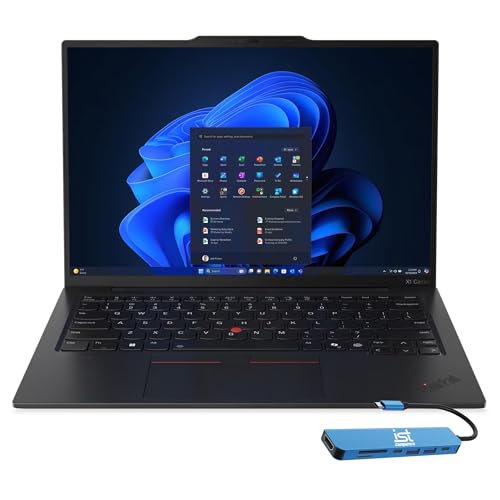
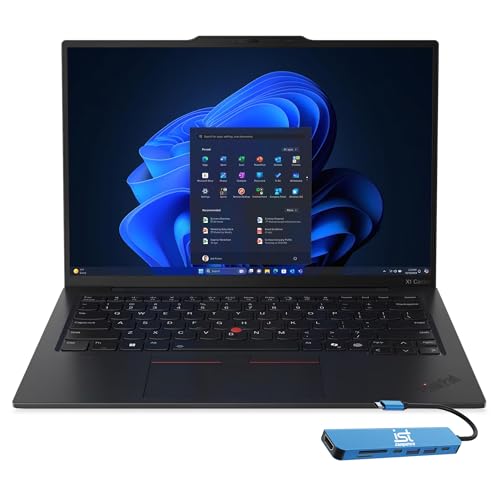
The X1 Carbon Gen 13 Aura Edition is the business ultrabook perfected: a featherweight carbon-fibre chassis, a 14-inch 2.8K OLED screen, a Core Ultra 7 258V with Arc 140V graphics, 32GB of memory and a 1TB SSD. The keyboard is the best in the business, the NPU handles Copilot+ AI tasks efficiently, and battery life stretches across long travel days. It costs like a flagship because it is one. Executives and frequent flyers who type all day will understand the appeal immediately.
Judged against what this job actually demands — long hours of typing and document work, where the keyboard, screen comfort, battery life and silence decide everything — this machine is well matched. Its fast processor and 32GB of memory set the everyday pace, and the 1TB SSD of storage decides how much of your working library lives on the machine itself. Graphics acceleration here is mid-tier and genuinely useful — enough to speed the GPU-assisted parts of the workload without paying flagship prices for power this job rarely touches. The conventional clamshell design is a virtue here: stable on any desk or lap, with a keyboard deck built for long sessions. Windows 11 keeps the widest range of software open to you, including the specialist tools this audience often grows into.
Living with it day to day adds a few more facts worth weighing. Day to day, this is a low-drama machine: modern standby, fast wake and the current generation of Wi-Fi keep it feeling responsive, and its port selection decides how cleanly it docks into a desk setup. As with most modern laptops, confirm the upgrade story before assuming memory or storage can grow later. Taken together with its badge in this guide, that ownership profile is why it sits where it does in the running order for this audience.
Strengths
- Featherweight carbon build with a superb keyboard
- 2.8K OLED screen and 32GB memory
- Long battery life and Copilot+ efficiency
Trade-offs
- Flagship pricing
- Soldered memory cannot be upgraded later
- Not a gaming machine despite the strong iGPU
Choose it if you are looking for a machine built for executives and frequent travellers who type all day. Skip it if your situation matches the other side of its design: it is not the right tool for budget buyers or gamers. Readers whose needs sit between those poles should weigh the badge it carries in this guide — best overall — against the picks either side of it.
Best for: executives and frequent travellers who type all day / Not suited for: budget buyers or gamers

Apple MacBook Air 13 (M5)
Badge: Best Battery for Writing Days
| Processor | Apple M5 |
| Memory | 16GB unified memory |
| Storage | 512GB SSD |
| Display | 13.6-inch Liquid Retina |
| OS | macOS |
The 13-inch MacBook Air with M5 is the default recommendation for most people for a reason: it is fast, silent, light and lasts all day, with a bright 13.6-inch Liquid Retina screen, a 12MP Center Stage camera and Touch ID. The 16GB of unified memory and 512GB SSD in this configuration remove the compromises of older base models, so it handles photo editing, coding, dozens of tabs and light video work without complaint. It has no fan, so sustained rendering jobs throttle eventually — the Pro exists for that — but for everyday excellence it is hard to beat.
For long hours of typing and document work, where the keyboard, screen comfort, battery life and silence decide everything, the specification here lines up well. Its fast processor and 16GB of memory set the everyday pace, and the 512GB SSD of storage decides how much of your working library lives on the machine itself. Graphics acceleration here is mid-tier and genuinely useful — enough to speed the GPU-assisted parts of the workload without paying flagship prices for power this job rarely touches. The conventional clamshell design is a virtue here: stable on any desk or lap, with a keyboard deck built for long sessions. Running macOS, it suits buyers inside Apple’s ecosystem, with the battery efficiency Apple silicon is known for during long unplugged stretches.
Beyond the headline specification, the ownership experience matters. Ownership is defined by efficiency and integration: long battery life, silent or near-silent running, and effortless cooperation with an iPhone or iPad if you own them. Memory and storage are fixed at purchase, so the configuration decision is permanent — choose it with the whole ownership period in mind. Taken together with its badge in this guide, that ownership profile is why it sits where it does in the running order for this audience.
Strengths
- M5 performance with total silence — no fan
- 16GB memory and 512GB storage as configured here
- Excellent screen, camera, keyboard and battery life
Trade-offs
- Fanless design throttles on very long renders
- Port selection is minimal without a hub
- macOS only — no Windows apps without extra software
Choose it if you are looking for a machine built for almost anyone who wants a premium everyday laptop. Skip it if your situation matches the other side of its design: it is not the right tool for sustained heavy rendering or Windows-only workflows. Readers whose needs sit between those poles should weigh the badge it carries in this guide — best battery for writing days — against the picks either side of it.
Best for: almost anyone who wants a premium everyday laptop / Not suited for: sustained heavy rendering or Windows-only workflows

Apple MacBook Air 15 (M5)
Badge: Best Big-Screen Pick
| Processor | Apple M5 |
| Memory | 16GB unified memory |
| Storage | 512GB SSD |
| Display | 15.3-inch Liquid Retina |
| OS | macOS |
The 15-inch MacBook Air takes everything that makes the 13-inch model good — M5 speed, silence, 16GB of memory, a 512GB SSD — and stretches it over a 15.3-inch Liquid Retina display with better speakers. The bigger screen makes spreadsheets, timelines and side-by-side documents noticeably more comfortable, yet the chassis stays slim and travel-friendly. It is the pick for buyers who work on the laptop screen all day rather than at a desk monitor. Like the smaller Air it is fanless, so very long exports are Pro territory.
Judged against what this job actually demands — long hours of typing and document work, where the keyboard, screen comfort, battery life and silence decide everything — this machine is well matched. Its fast processor and 16GB of memory set the everyday pace, and the 512GB SSD of storage decides how much of your working library lives on the machine itself. Graphics acceleration here is mid-tier and genuinely useful — enough to speed the GPU-assisted parts of the workload without paying flagship prices for power this job rarely touches. The conventional clamshell design is a virtue here: stable on any desk or lap, with a keyboard deck built for long sessions. Running macOS, it suits buyers inside Apple’s ecosystem, with the battery efficiency Apple silicon is known for during long unplugged stretches.
Beyond the headline specification, the ownership experience matters. Ownership is defined by efficiency and integration: long battery life, silent or near-silent running, and effortless cooperation with an iPhone or iPad if you own them. Memory and storage are fixed at purchase, so the configuration decision is permanent — choose it with the whole ownership period in mind. Taken together with its badge in this guide, that ownership profile is why it sits where it does in the running order for this audience.
Strengths
- Big 15.3-inch screen in a still-slim chassis
- M5 speed, 16GB memory and silent running
- Better speakers than the 13-inch model
Trade-offs
- Fanless cooling limits marathon rendering
- Larger footprint needs a bigger bag
- Premium pricing versus Windows rivals
Choose it if you are looking for a machine built for users who want a big screen without gaming-laptop bulk. Skip it if your situation matches the other side of its design: it is not the right tool for heavy sustained rendering workloads. Readers whose needs sit between those poles should weigh the badge it carries in this guide — best big-screen pick — against the picks either side of it.
Best for: users who want a big screen without gaming-laptop bulk / Not suited for: heavy sustained rendering workloads

Acer Swift Go 14 (Core Ultra 7 155H)
Badge: Best Windows Pick
| Processor | Intel Core Ultra 7 155H |
| Memory | 16GB LPDDR5X |
| Storage | 512GB SSD |
| Display | 14-inch 1920×1200 touch |
| OS | Windows 11 |
The Swift Go 14 is Acer’s thin-and-light done right: a Core Ultra 7 155H with Intel Arc graphics, 16GB of fast LPDDR5X memory and a 512GB SSD in a slim 14-inch body with a 1920×1200 touch display. It is quick enough for photo editing, coding and heavy browser work, carries Intel Evo certification for responsiveness and battery behaviour, and the taller screen suits documents. For travellers who want real performance without a gaming laptop’s bulk, this is one of the strongest mid-priced options.
The fit for long hours of typing and document work, where the keyboard, screen comfort, battery life and silence decide everything comes down to a few specifics. Its fast processor and 16GB of memory set the everyday pace, and the 512GB SSD of storage decides how much of your working library lives on the machine itself. Graphics are integrated, which suits this workload’s lighter visual demands; the money has gone into the processor, memory and screen instead of a discrete GPU this job would seldom use. The conventional clamshell design is a virtue here: stable on any desk or lap, with a keyboard deck built for long sessions. Windows 11 keeps the widest range of software open to you, including the specialist tools this audience often grows into.
Beyond the headline specification, the ownership experience matters. Day to day, this is a low-drama machine: modern standby, fast wake and the current generation of Wi-Fi keep it feeling responsive, and its port selection decides how cleanly it docks into a desk setup. As with most modern laptops, confirm the upgrade story before assuming memory or storage can grow later. Taken together with its badge in this guide, that ownership profile is why it sits where it does in the running order for this audience.
Strengths
- Core Ultra 7 with Arc graphics is genuinely quick
- Thin, light Evo-certified design for travel
- Taller 1920×1200 touch display suits work
Trade-offs
- 512GB storage may pinch large media libraries
- Integrated graphics cap gaming at lighter settings
- Touch display adds cost some buyers will not use
Choose it if you are looking for a machine built for travellers and professionals who want speed in a slim body. Skip it if your situation matches the other side of its design: it is not the right tool for AAA gamers. Readers whose needs sit between those poles should weigh the badge it carries in this guide — best windows pick — against the picks either side of it.
Best for: travellers and professionals who want speed in a slim body / Not suited for: AAA gamers
HP EliteBook 640 G11 (Core Ultra 7 165U)
Badge: Best Office Pick
| Processor | Intel Core Ultra 7 165U |
| Memory | 32GB RAM |
| Storage | 1TB SSD |
| Display | 14-inch FHD+ anti-glare |
| OS | Windows 11 Pro |
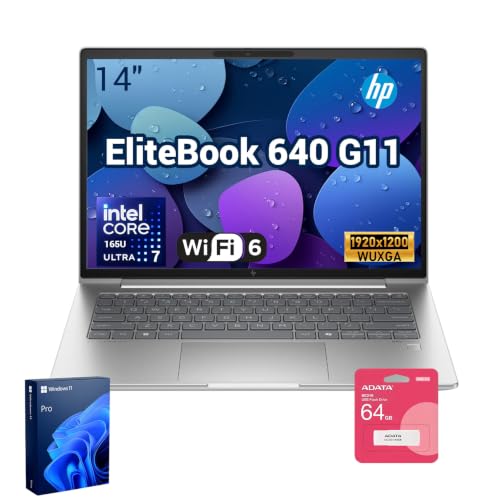
The EliteBook 640 G11 is the compact business traveller: a 14-inch anti-glare screen, Core Ultra 7 165U, a generous 32GB of memory and 1TB SSD, plus the ports offices actually use — including Ethernet and Thunderbolt 4 — and a 5MP IR camera for sharp, secure video calls. Windows 11 Pro and HP’s manageability tools make it fleet-friendly, while the size and weight suit regular travel. Graphics are integrated, so creative GPU work belongs elsewhere, but for office productivity it is thoroughly sorted.
For long hours of typing and document work, where the keyboard, screen comfort, battery life and silence decide everything, the specification here lines up well. Its fast processor and 32GB of memory set the everyday pace, and the 1TB SSD of storage decides how much of your working library lives on the machine itself. Graphics are integrated, which suits this workload’s lighter visual demands; the money has gone into the processor, memory and screen instead of a discrete GPU this job would seldom use. The conventional clamshell design is a virtue here: stable on any desk or lap, with a keyboard deck built for long sessions. Windows 11 keeps the widest range of software open to you, including the specialist tools this audience often grows into.
Beyond the headline specification, the ownership experience matters. Day to day, this is a low-drama machine: modern standby, fast wake and the current generation of Wi-Fi keep it feeling responsive, and its port selection decides how cleanly it docks into a desk setup. As with most modern laptops, confirm the upgrade story before assuming memory or storage can grow later. Taken together with its badge in this guide, that ownership profile is why it sits where it does in the running order for this audience.
Strengths
- 32GB RAM and 1TB SSD in a travel-size business laptop
- Ethernet, Thunderbolt 4 and a 5MP IR camera
- Windows 11 Pro with business security features
Trade-offs
- Integrated graphics only
- Anti-glare FHD+ panel is practical, not cinematic
- Business pricing above consumer equivalents
Choose it if you are looking for a machine built for business travellers and IT-managed fleets. Skip it if your situation matches the other side of its design: it is not the right tool for gamers or video editors. Readers whose needs sit between those poles should weigh the badge it carries in this guide — best office pick — against the picks either side of it.
Best for: business travellers and IT-managed fleets / Not suited for: gamers or video editors
Acer Aspire Go 15
Badge: Best Budget Pick
| Processor | Intel Core 3 N355 |
| Memory | 8GB DDR5 |
| Storage | 128GB UFS |
| Display | 15.6-inch FHD IPS |
| OS | Windows 11 Home (S Mode) |
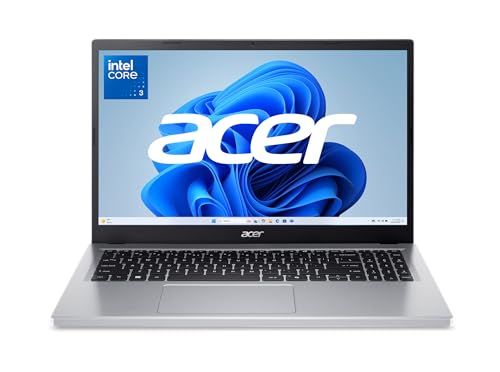
The Aspire Go 15 doubles the memory of most entry laptops — 8GB of DDR5 — which makes Windows feel noticeably less cramped when you keep a browser, mail and a document open together. The Intel Core 3 N355 handles everyday work, the 15.6-inch FHD IPS panel is a genuine step up from the washed-out screens common at this level, and Wi-Fi 6 is standard. It ships in S Mode, which restricts installs to the Microsoft Store until you switch out of it for free. Storage is a modest 128GB, so pair it with cloud or external drives.
The fit for long hours of typing and document work, where the keyboard, screen comfort, battery life and silence decide everything comes down to a few specifics. Its modest processor and 8GB of memory set the everyday pace, and the 128GB UFS of storage decides how much of your working library lives on the machine itself. There is no discrete graphics card, and for this job that is the right allocation — the budget sits in the components the work actually exercises every day. The conventional clamshell design is a virtue here: stable on any desk or lap, with a keyboard deck built for long sessions. Windows 11 keeps the widest range of software open to you, including the specialist tools this audience often grows into.
Ownership details round out the picture. Day to day, this is a low-drama machine: modern standby, fast wake and the current generation of Wi-Fi keep it feeling responsive, and its port selection decides how cleanly it docks into a desk setup. As with most modern laptops, confirm the upgrade story before assuming memory or storage can grow later. Taken together with its badge in this guide, that ownership profile is why it sits where it does in the running order for this audience.
Strengths
- 8GB DDR5 memory, double most entry-level rivals
- 15.6-inch FHD IPS display with decent viewing angles
- Modern Wi-Fi 6 and a clean, light design
Trade-offs
- 128GB storage is tight for photos and games
- S Mode must be switched off to install normal desktop apps
- Integrated graphics only — fine for video, not for gaming
Choose it if you are looking for a machine built for home users who want a roomy screen and smoother everyday Windows use. Skip it if your situation matches the other side of its design: it is not the right tool for gamers or heavy multitaskers. Readers whose needs sit between those poles should weigh the badge it carries in this guide — best budget pick — against the picks either side of it.
Best for: home users who want a roomy screen and smoother everyday Windows use / Not suited for: gamers or heavy multitaskers
Comparison Table
| Pick | Processor | Memory | Storage | Display |
|---|---|---|---|---|
| Lenovo ThinkPad X1 Carbon Gen 13 | Intel Core Ultra 7 258V | 32GB RAM | 1TB SSD | 14-inch 2.8K OLED |
| Apple MacBook Air 13 (M5) | Apple M5 | 16GB unified memory | 512GB SSD | 13.6-inch Liquid Retina |
| Apple MacBook Air 15 (M5) | Apple M5 | 16GB unified memory | 512GB SSD | 15.3-inch Liquid Retina |
| Acer Swift Go 14 (Core Ultra 7 155H) | Intel Core Ultra 7 155H | 16GB LPDDR5X | 512GB SSD | 14-inch 1920×1200 touch |
| HP EliteBook 640 G11 (Core Ultra 7 165U) | Intel Core Ultra 7 165U | 32GB RAM | 1TB SSD | 14-inch FHD+ anti-glare |
| Acer Aspire Go 15 | Intel Core 3 N355 | 8GB DDR5 | 128GB UFS | 15.6-inch FHD IPS |
Specifications are for the configurations described in the reviews; manufacturers sell variants of most models, so confirm the exact configuration on the listing before ordering.
Buying Guide: How to Choose a Laptop for Authors
This section steps back from individual models to the decisions underneath them, so you can judge any machine — including next season’s — against the needs of writing, revising and publishing books.
The Keyboard Is the Whole Review
For people who produce words, the laptop is a keyboard with a computer attached. For best laptops for authors, key travel, spacing, backlighting and the absence of deck flex decide whether eight hours of drafting feels like flow or fatigue — and the ThinkPad pick above leads this list because its keyboard is the industry benchmark. The MacBook Air’s keyboard is a close second in a far lighter machine, which matters if the writing happens in cafés and on trains.
Screen comfort is the second pillar: a matte or anti-glare finish, enough brightness for bright rooms, and a taller 16:10 aspect that shows more of the page. Every pick above was chosen with long reading and writing sessions in mind, and none of them will make fan noise part of your writing soundtrack.
Battery and Silence: The Café Writer’s Specs
Writing is bursty, light work — which means efficient machines last extraordinary lengths of time at it. For best laptops for authors, the fanless and efficient picks can genuinely cover a full day of drafting away from a socket, and they do it silently, which matters in libraries, shared offices and quiet houses. Heavier machines on this list earn their place through keyboards and screens, not endurance.
Storage and software are simple here: documents are tiny, so any configuration works, and the real software question is your writing tool — a mainstream office suite, a dedicated book-writing application or plain text. All run everywhere on this list; choose the machine whose keyboard you love and let the software follow.
Writers ask about screen size more than any other spec. The honest pattern: drafts benefit from the biggest screen you will actually carry — the 15-inch Air above is the compromise most travelling writers settle on, while desk writers should simply budget for an external monitor.
Lastly, buy the machine in front of you, not the rumoured one. There is always a newer model a season away, and waiting for it is a strategy only if your current machine still serves you. If it does not, the best laptop is the well-chosen one you can order today from this list, verified, checked in its first week and put to work.
Noise, heat and light are the three comfort taxes nobody lists in a specification table. A machine that runs its fans during a call, warms the desk under your wrists or washes out beside a window will be resented daily regardless of its benchmark scores — which is why the reviews above mention these traits wherever they are known, and why your first week with the machine should include using it in the brightest, quietest room you work in.
One more consideration that rarely appears in listings: how a laptop ages. Batteries lose capacity, keyboards polish smooth and software grows heavier, so the configuration with headroom — memory above the minimum, storage above the immediate need — is the one that still feels competent in year four. Every pick in this guide was chosen with that horizon in mind rather than for its first-week benchmarks alone.
It is also worth deciding where this laptop sits in your wider setup. If a monitor, keyboard and dock wait at a desk, the laptop’s own screen and weight matter less and its ports matter more; if the laptop is the whole setup, its screen, keyboard and speakers carry the full weight of your satisfaction. The reviews above note which picks lean each way, so match the machine to the life it will actually live.
Finally, a note on timing and configuration discipline. Laptop lines refresh frequently, and the exact model you researched can quietly change memory or screen specification between seasons. When you order, screenshot the configuration on the listing, verify it against the manufacturer’s page, and check the delivered machine against both in its first days — that small ritual prevents nearly every ‘not what I ordered’ story.
Accessories deserve one paragraph of honesty: the right case, a second charger for the bag or desk, and — for desk workers — a decent external mouse often improve daily life more than one component tier would have. Budget for the two or three you will genuinely use, and ignore the rest of the accessory wall.
Support and warranty are part of the product, too. Before ordering, read how repairs work for the brand you are buying, how long the included warranty runs and whether accidental-damage cover is offered at a sane price for your risk profile — a machine that travels or serves children lives a different life from one that never leaves a desk.
Consider the second-user test as well: a laptop in this category is often shared, borrowed or handed down. Machines with standard ports, replaceable batteries where the design allows, and a clean reinstall path age more gracefully through a household or a small team than sealed designs bought purely on first impressions.
How Do You Set Up a Laptop for Distraction-Free Writing?
The machine can help the habit. Configure it once.
Step 1: Create a writing-only user profile or workspace with notifications off and only the writing app and reference tools pinned.
Step 2: Turn on automatic cloud sync for the manuscript folder and confirm it with a test file — a book is too valuable for a single copy.
Step 3: Set the display scaling and font sizes for comfort at your real working distance, and enable the warm night mode for evening sessions.
Step 4: Configure the autosave and version-history features of your writing app before the first real chapter, not after the first scare.
Step 5: Keep a simple backup ritual
end each writing day by letting the sync finish before closing the lid.
Troubleshooting
Problem: the laptop feels slow a month after setup → Check what starts with the machine. Launch-at-login lists grow silently; disable everything you do not use daily, confirm the drive is not nearly full, and let pending updates finish — most ‘slow new laptop’ cases are one of those three.
Problem: Wi-Fi drops or crawls in one room → Update the wireless driver from the manufacturer’s site, try the other Wi-Fi band on your router, and test beside the router to separate a laptop fault from a coverage problem before changing settings at random.
Problem: the battery drains faster than expected → Screen brightness and background sync are the usual causes. Lower brightness a step, check which apps the battery report blames, and pause cloud uploads during long unplugged stretches.
Problem: fans are louder than you would like → Confirm the vents are unobstructed and the machine sits on a hard surface, then check for a runaway background process in the task manager. Sustained heavy work will always be audible; idle noise is the fault worth chasing.
Common Buying Mistakes
Skipping the keyboard and webcam check
If you type or join calls for hours, keyboard feel, backlighting and webcam quality shape your day more than a small processor difference. Look for backlit keys if you work in dim rooms, and treat a 1080p camera as a real feature if you are on video calls daily.
Believing headline battery claims without context
Manufacturers quote battery life under light video-playback tests, not under your real workload. Heavy tasks can cut runtime to a fraction of the headline figure. Read the claim as a best case, check the battery capacity where it is published, and plan charging around your longest unplugged stretch.
Ignoring the screen because the specs look fine
You look at the screen every second you use the laptop, yet buyers often choose on processor alone. Resolution, brightness and panel type decide whether text is crisp and whether you can work near a window. If two machines are close on performance, the better display is usually the better purchase.
Ignoring weight until the first commute
A laptop that feels fine on a desk feels different after a day in a backpack with its charger. Add the power brick to the quoted weight, think about the bag you actually carry, and be honest about how often the machine will travel before choosing a large, heavy model.
Trusting one listing’s description over the manufacturer’s spec sheet
Retailer listings occasionally mix up configurations — memory, storage and even screen resolution can differ between variants sold under one product name. Cross-check the exact configuration against the manufacturer’s page before ordering, and re-check the delivered machine against your order.
Final Recommendation
For most authors, the answer is the Lenovo ThinkPad X1 Carbon Gen 13. It matches the demands of writing, revising and publishing books without forcing the compromises that cheaper machines hide or the overspend that flagship machines invite.
The runner-up is the Apple MacBook Air 13 (M5), which suits readers whose priorities tilt slightly differently — read its review alongside the winner’s and the difference will be obvious. Everyone else should find their machine by badge: follow the label that describes your situation, and let the detailed reviews confirm it.
Whichever pick you choose, do the two things this guide keeps repeating: verify the exact configuration before ordering, and check the live listing for the current price and availability on the day you buy. Do those, and the best laptops for authors question answers itself.
Related Guides
- best laptops for writing a book
- best laptops for word processing
- best laptops for typing
- best appliction for laptops for sound on windows 10
- best sites for buying laptops
Frequently Asked Questions
Is the top pick in this guide powerful enough for writing, revising and publishing books?
Yes — the Lenovo ThinkPad X1 Carbon Gen 13 was chosen as the lead recommendation precisely because it handles writing, revising and publishing books with headroom to spare. Its specification leaves room for the heavier end of the workload, not just the average day. If your work is lighter than typical for this category, the budget picks further down the list will still serve you well; if it is heavier, look at the premium options, which trade portability and price tier for sustained performance.
What makes a laptop keyboard good for long sessions?
Key travel, consistent spacing, a solid deck that does not flex and backlighting for dim rooms. You cannot judge feel from a specification sheet, which is why the return window matters: type a few hundred real words on the machine in its first days, at your real desk, before deciding it is a keeper. For best laptops for authors, the picks above were chosen partly on the strength of their keyboards, with the business-class models leading on feel and durability.
How much battery life should I realistically expect?
Treat the manufacturer’s figure as a best case measured on light video playback. Real mixed use — browsing, documents, calls and streaming — typically lands well below it, and heavy work like gaming or rendering can cut runtime to a small fraction. For best laptops for authors, the practical approach is to choose a machine whose quoted battery life comfortably exceeds your longest unplugged stretch, and to remember that battery health declines gradually over the years you own it.
Which operating system is best for this use?
The right answer follows your software, not fashion. Windows runs the widest range of applications and games; macOS is required for Apple’s ecosystem and some creative workflows; Chrome OS is the simplest and most secure option for browser-based work. Every pick in this guide was chosen to run the software this audience typically needs — check the operating system line in each pick’s spec box against your essential programs.
How long should a laptop bought today last?
A sensibly specified laptop should stay comfortable for four to six years of everyday use. Longevity is decided mostly by memory and storage headroom, battery health and build quality rather than the processor badge. Choosing one tier above your minimum needs today is the most reliable way to stretch the machine’s useful life, and a battery replacement midway can refresh an otherwise healthy laptop.
How much storage should I get?
Match storage to what lives on the machine. Cloud-centred users who stream media can live with 256GB; most people are happier with 512GB; and anyone storing game installs, video projects or large photo libraries should look at 1TB or plan an external drive. Remember that the operating system and applications take their share before your files get any room.


