The best home security system with cameras and no monthly fee solves a problem that many buyers only discover after the purchase: the camera works, but the recordings live behind a subscription. A system that records locally, to a hard drive, a hub, or a built-in card, keeps working month after month without a bill, and the footage stays in the house instead of on somebody else’s server. That is the whole point of the systems on this list.
No monthly fee does not mean no features. The systems below include solar-powered cameras, pan-and-tilt coverage, colour night vision, multi-camera kits, and network video recorders with terabytes of storage, all without a subscription for basic recording. What they do not include is a cloud plan, and for many households that is a feature in itself: no recurring cost, no footage uploaded by default, and no surprise when a free trial ends.
Every system on this list comes from the site’s own product lookup, and every listing was checked in full before it earned a link: the brand and the complete model name had to match exactly, and any listing marked as renewed or used was set aside. The picks cover solar wireless kits, wired recorder systems, and hybrid kits, so there is a no-fee system here for a small home and for a large property.
In this guide
Quick picks: best home security system with cameras no monthly fee
| # | Product | Where to buy |
|---|---|---|
| 1 | Carltec solar security camera system | Check on Amazon |
| 2 | Hiseeu solar security camera system | Check on Amazon |
| 3 | aosu D1 Classic security camera kit | Check on Amazon |
| 4 | Hiseeu CCTV security camera system | Check on Amazon |
| 5 | REOLINK PoE security camera system | Check on Amazon |
| 6 | REOLINK 8CH security camera system | Check on Amazon |
How the picks were chosen
Local storage came first. A system earned a place here when its listing described recording to a hard drive, a hub, or built-in storage, and stated plainly that there is no monthly fee or no subscription required. Systems that depended on a cloud plan for recording were not considered, because the article is about systems that work without one.
The picks were checked for the whole system, not the camera count alone. A security system is only useful if its cameras cover the property, its recorder holds enough footage, and its night vision and detection actually work, so camera resolution, field of view, storage size, and the number of channels were all weighed. The list mixes solar wireless kits with wired recorder systems, and each listing states its storage and camera details plainly so the comparison is honest.
Every listing was verified in full before linking. The brand and the complete model name in the listing had to match the system described, including the camera count and any suffix that changes the model. Listings marked as renewed or used were dropped, and any listing whose title described a different model was set aside even when it looked close at first glance.
Quick comparison
| Product | Standout feature | Best for |
|---|---|---|
| Carltec solar security camera system | No monthly fee with solar power and a home hub | a small home or a first security system |
| Hiseeu 8-cam solar system | Eight solar cameras with a 1TB local drive | a large property with full coverage |
| aosu D1 Classic 4-cam kit | Four solar cameras with auto tracking and no subscription | a typical house with four-camera coverage |
| Hiseeu 3MP CCTV system | 24/7 recording to a 1TB drive with no fee | continuous recording without charging |
| REOLINK 16CH 12MP PoE system | Sixteen channels with a 4TB drive and 12MP cameras | a large property or business with room to grow |
| REOLINK 8CH 4K PoE system | 4K PoE cameras with a 2TB local drive | a wired 4K system for a family home |

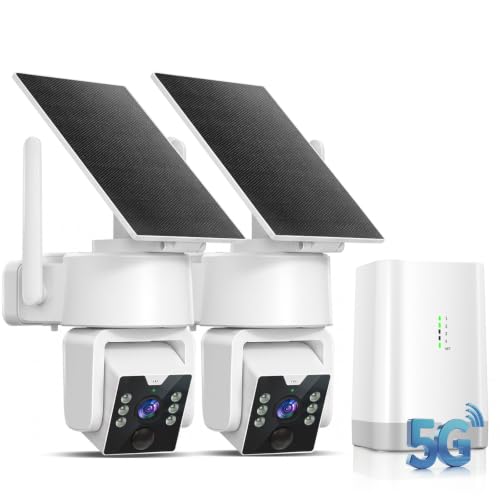
Carltec No Monthly Fee Solar Security Camera System With Home Hub (2-Pack)
The Carltec system leads this list because its listing states the promise in its name: a no monthly fee solar security camera system with a home hub, two 4MP cameras with 360-degree pan-and-tilt coverage, local storage, colour night vision, and dual-band Wi-Fi for the home exterior. Two cameras and a hub is the right size for a buyer who wants to cover a front door and a driveway without wiring a whole house.
The solar power is the practical detail that makes this system easy to live with. Each camera charges from its own panel, so there is no cable to run and no battery to bring inside for charging, and the home hub keeps recordings local instead of sending them to a cloud service. The 360-degree pan-and-tilt coverage means one camera can watch a wide area instead of a fixed slice of it, which matters when two cameras have to cover a whole property.
For a household that wants a small, subscription-free system that installs without an electrician, this is the natural first pick. It is the simplest system on the list, and its simplicity is the point: two cameras, a hub, and no monthly bill.
Key specifications: 2-pack 4MP 360° PTZ wireless outdoor cameras; home hub; solar powered; local storage; colour night vision; 5GHz and 2.4GHz Wi-Fi; IP66.
This system fits a household that wants to cover a door and a driveway with a simple solar system and no subscription.
Strengths
- No monthly fee, with recordings kept on local storage at home.
- Solar power means no cables to run and no batteries to charge indoors.
- 360-degree pan-and-tilt coverage watches a wide area per camera.
Trade-offs
- Two cameras cover a small property, not a large one.
- Solar charging needs daylight on the panels to keep working.
- The hub must sit within Wi-Fi range of the cameras.
The Carltec system suits renters and small-home owners, first-time security buyers, and anyone who wants cameras without wiring.
Best for: a small home or a first security system / Not suited for: a large property needing many cameras
Check price on Amazon: Carltec solar security camera system

Hiseeu Solar Security Cameras Wireless Outdoor System (8-Cam Kit)
The Hiseeu 8-cam kit is the large-property answer on this list, and its listing describes a solar-powered wireless outdoor system with eight cameras, expandable to ten channels, no monthly fee, 4MP colour night vision, dual-band Wi-Fi, and a 1TB hard drive. Eight cameras is enough to watch every side of a house, a yard, and a driveway at once, and the 1TB drive holds the recordings locally without a cloud plan.
The expandable design is the detail that makes this kit flexible. A buyer can start with eight cameras and add two more later if a blind spot appears, without replacing the recorder or the system, and the solar panels keep each camera charged without running power cables around the property. Colour night vision matters more than it sounds: a camera that records colour at night gives a much better description of a person or a vehicle than a black-and-white image.
For a household with a large property and no wish to pay a monthly fee, this is the most complete system here. It is the biggest kit on the list, and it is priced and built for a buyer who wants full coverage in one purchase.
Key specifications: 8-cam kit, expandable to 10CH; solar powered; no monthly fee; 4MP colour night vision; 2.4G and 5G Wi-Fi; 1TB HDD.
This system fits a household with a large property that wants full camera coverage and no subscription.
Strengths
- Eight cameras with room to expand to ten cover a large property.
- A 1TB hard drive stores recordings locally with no monthly fee.
- Solar power avoids running cables to every camera position.
Trade-offs
- Eight cameras take longer to install and aim than two.
- Solar panels need sunlight to keep the cameras charged.
- The kit is larger and more expensive than the small systems here.
The Hiseeu 8-cam kit suits large-home owners, rural properties, and buyers who want to expand later without replacing the system.
Best for: a large property with full coverage / Not suited for: a small flat or a single-door setup
Check price on Amazon: Hiseeu solar security camera system
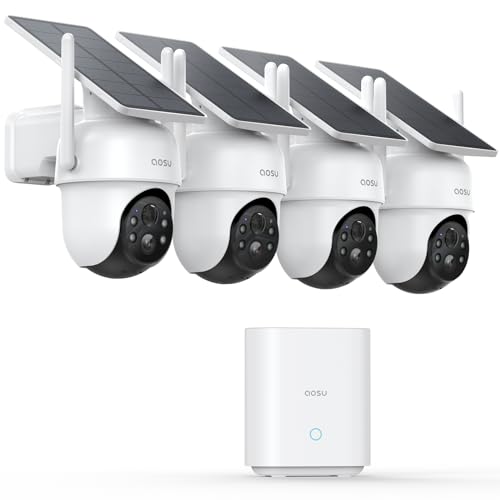
aosu D1 Classic 4-Cam Kit
The aosu D1 Classic is the balanced middle of this list: a four-camera kit of wireless outdoor cameras, solar powered, with no subscription required, 32GB of built-in storage, 360-degree auto tracking, and 2K full-colour night vision. Four cameras is the right number for a typical house, covering the front door, the back door, a driveway, and a side gate, and the built-in storage means there is no recorder box to find a home for.
The auto tracking is the feature that earns this kit its place. A camera that turns to follow movement keeps a person or a vehicle in frame instead of watching them walk out of view, and the 360-degree coverage means one camera can watch a whole yard. The 32GB of built-in storage holds recordings on the camera itself, which keeps the system simple: no hub, no hard drive, no monthly fee.
For a household that wants a complete four-camera system without a recorder box or a subscription, this is the easiest pick to live with. It installs like four cameras, not like a project, and it records locally from the first day.
Key specifications: 4-cam kit; wireless outdoor; solar powered; no subscription required; 32GB built-in storage; 360° auto tracking; 2K full-colour night vision.
This system fits a household that wants four-camera coverage with no hub, no hard drive, and no monthly fee.
Strengths
- Four cameras cover a typical house without a recorder box.
- Auto tracking follows movement instead of losing it at the edge of frame.
- Built-in storage keeps recordings local with no subscription.
Trade-offs
- 32GB of built-in storage holds less footage than a 1TB drive.
- Solar charging depends on daylight reaching the panels.
- Four cameras may not cover a very large property.
The aosu D1 Classic suits typical family homes, buyers who want simple installation, and anyone who dislikes recorder boxes.
Best for: a typical house with four-camera coverage / Not suited for: a property that needs weeks of stored footage
Check price on Amazon: aosu D1 Classic security camera kit
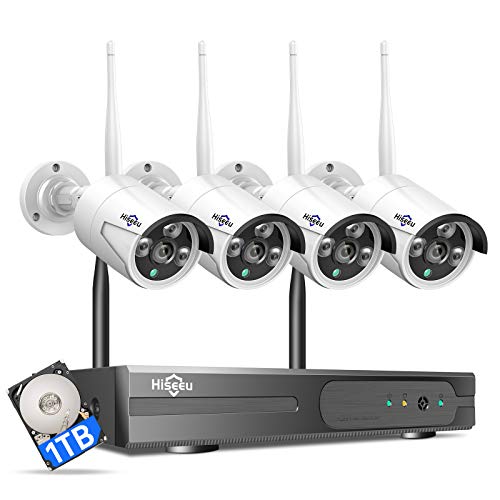
Hiseeu 3MP CCTV Home Security Camera System (4-Cam, 1TB HDD)
The Hiseeu 3MP CCTV system is the wired workhorse on this list, and its listing describes an outdoor camera system with dual-band wireless Wi-Fi, 24/7 recording, a 1TB hard drive, no monthly fee, and four wired plug-in powered 3MP cameras, expandable to ten channels with a 4K recorder. Wired power means these cameras never need charging and never run out of battery, which is the trade-off that makes a wired system the right choice for a buyer who wants recording that never stops.
The 24/7 recording is the detail that separates this system from battery cameras that only record on motion. A camera that records all the time captures the moments before and after an event, not just the event itself, and the 1TB drive holds that footage locally. The four cameras are plug-in powered, so they need a power outlet nearby, but they do not need a battery swap or a solar panel.
For a household that wants continuous recording and never wants to think about charging, this is the pick. It is the most dependable recording system here, and its 1TB drive and expandable recorder make it easy to grow.
Key specifications: 4pcs 3MP cameras; 2.4G/5G wireless Wi-Fi; 24/7 recording; 1TB HDD; no monthly fee; wired plug-in powered; expandable 10CH 4K NVR.
This system fits a household that wants continuous recording and does not mind running power to the cameras.
Strengths
- 24/7 recording captures everything, not just motion events.
- A 1TB hard drive stores footage locally with no monthly fee.
- Wired power means no charging and no dead batteries.
Trade-offs
- Each camera needs a power outlet nearby.
- 3MP resolution is lower than the 4MP kits on this list.
- Wired power takes more installation effort than solar cameras.
The Hiseeu CCTV system suits buyers who want 24/7 coverage, properties with power near camera spots, and anyone who dislikes charging cameras.
Best for: continuous recording without charging / Not suited for: a renter who cannot run power cables
Check price on Amazon: Hiseeu CCTV security camera system
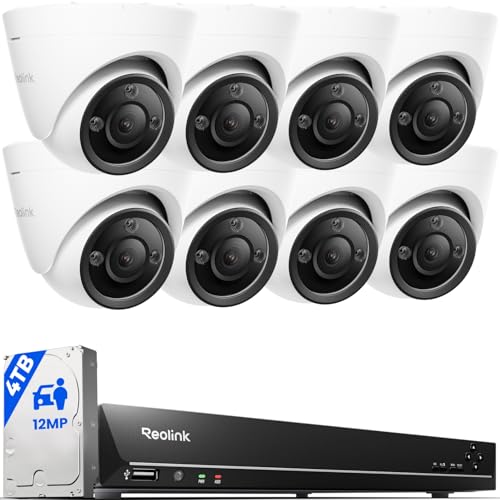
REOLINK 16CH 12MP PoE Security Camera System (RLK16-1200D8-A)
The REOLINK RLK16-1200D8-A is the most capable recorder system on this list, and its listing describes a 16-channel 12MP PoE security camera system with a 4TB hard drive, eight H.265 12MP PoE cameras, person, vehicle, and pet detection, two-way talk, spotlights, and colour night vision. Sixteen channels means the system can grow to sixteen cameras, and the 4TB drive holds weeks of footage from all of them without any cloud plan.
The PoE design is the detail that makes this system practical at scale. Power over Ethernet carries power and video over a single cable per camera, so there is no separate power adapter at each camera and no Wi-Fi congestion from eight cameras streaming at once. The 12MP cameras record the finest detail on this list, and the spotlights and colour night vision mean the footage stays useful after dark.
For a large property or a small business that wants a professional-grade system with room to grow, this is the pick. It is the biggest and most capable system here, and its 4TB drive and 16 channels are built for a buyer who wants to install once and expand later.
Key specifications: 16CH; 12MP PoE cameras, 8pcs; 4TB HDD; H.265; person, vehicle, pet detection; two-way talk; spotlights; colour night vision.
This system fits a large property or small business that wants professional-grade coverage with room to grow.
Strengths
- Sixteen channels and a 4TB drive support a large, growing system.
- 12MP cameras record the finest detail on this list.
- PoE carries power and video over one cable per camera.
Trade-offs
- PoE installation needs Ethernet cables run to each camera.
- It is the largest and most expensive system on this list.
- Eight cameras and a 16-channel recorder take real planning to install.
The REOLINK 16-channel system suits large homes, small businesses, and buyers planning a system that expands over time.
Best for: a large property or business with room to grow / Not suited for: a small home that needs two or three cameras
Check price on Amazon: REOLINK PoE security camera system

REOLINK 8CH 4K PoE Home Security Camera System (RLK8-800D4)
The REOLINK RLK8-800D4 is the smaller sibling of the 16-channel system above, and its listing describes an 8-channel 4K home security camera system with a 2TB hard drive, four H.265 PoE wired turret cameras, person and vehicle detection, and an 8-channel recorder built for 24/7 recording. Eight channels is enough for a house and a yard with room to add cameras later, and the 2TB drive holds the footage locally.
The 4K turret cameras are the right shape for a home system. Turret cameras mount neatly under eaves, resist being knocked out of aim, and record in 4K, which is enough detail to identify a face or read a plate at the distances that matter around a house. Person and vehicle detection cuts down on false alerts from trees and animals, so the system only calls for attention when something worth seeing moves.
For a household that wants a wired PoE system without the scale or the cost of the 16-channel model, this is the balanced pick. It records locally to its 2TB drive, it can grow to eight cameras, and it covers a typical home properly.
Key specifications: 8CH; 4K/8MP PoE cameras, 4pcs; 2TB HDD; H.265; person and vehicle detection; 8CH NVR for 24/7 recording.
This system fits a household that wants a wired 4K PoE system with local recording and room to grow to eight cameras.
Strengths
- 4K turret cameras record clear detail around a home.
- A 2TB drive stores footage locally with no monthly fee.
- Eight channels leave room to add cameras later.
Trade-offs
- PoE cameras need Ethernet cables run to each position.
- Four cameras may not cover a very large property.
- The recorder needs a sheltered spot indoors.
The REOLINK 8-channel system suits family homes, buyers who prefer wired reliability, and anyone planning to add cameras later.
Best for: a wired 4K system for a family home / Not suited for: a renter who cannot run Ethernet cables
Check price on Amazon: REOLINK 8CH security camera system
Best home security system with cameras no monthly fee: what matters most: what matters most
Local storage is the first thing to check, because it is what makes a system truly fee-free. A hard drive in a recorder, a hub with storage, or a camera with a built-in card all keep footage at home, while a system that only records to the cloud will stop recording, or stop letting the owner view recordings, when the trial ends. The listings on this list state their storage plainly, and a buyer should confirm the storage size before ordering, because it decides how many days of footage the system keeps.
Camera count and coverage matter more than any single camera’s resolution. Two cameras cover a door and a driveway, four cover a typical house, and eight cover a large property, and a camera that cannot see a side gate is no use however sharp its image is. Buyers should walk the property, list the doors, the driveway, and the dark corners, and then choose a kit with enough cameras and enough channels to add more later.
Power decides how much maintenance a system needs. Solar cameras charge themselves and suit positions far from an outlet, battery cameras need regular charging, and wired or PoE cameras need cables but never need charging at all. There is no best answer for every home, only the answer that fits the property: a renter should favour solar or battery, while a homeowner planning to stay put should consider wired for its reliability.
Night vision and detection decide whether the footage is useful. Colour night vision gives a better description of a person or a vehicle than black-and-white, spotlights help cameras see in the dark, and person and vehicle detection reduces false alerts from trees, pets, and passing cars. A buyer should weigh these features as heavily as resolution, because a sharp recording of nothing is worth nothing.
Buying guide: choosing home security systems with cameras and no monthly fee
Start by counting the places that need watching. A front door, a back door, a driveway, and a side gate is four cameras for most houses, and a large property or a business will need more. Choose a system with at least as many channels as cameras planned, plus one or two spare channels, so a blind spot discovered later can be fixed by adding a camera rather than replacing the recorder.
Choose the power type that fits the property. Solar kits suit homes with sunny camera positions and no nearby outlets, wired systems suit homes where power is available and reliability matters most, and PoE suits a buyer who wants one cable per camera and a recorder that handles everything. Renters should avoid systems that need cables run through walls.
Check the storage size and the recording mode before ordering. A 1TB or larger drive holds days or weeks of footage depending on how many cameras record and whether they record continuously or only on motion, while a camera with 32GB of built-in storage holds less and overwrites sooner. Continuous recording captures more but fills storage faster, so a buyer should match the drive to the recording mode.
Confirm what the system needs to view footage. Some systems view through an app on a phone, some through a monitor connected to the recorder, and some through both. A buyer should make sure the viewing method suits the household, and that the app or monitor is included or already owned, before the system arrives.
Using and caring for your home security systems with cameras and no monthly fee
Aim each camera before fixing it in place. A camera mounted too high sees the tops of heads, a camera pointed at a bright window sees silhouettes, and a camera aimed at a busy road records every passing car. Test the view on a phone or monitor, adjust the angle, and only then tighten the mount, because a well-aimed camera is worth more than a sharper one pointed at the wrong place.
Keep solar panels and lenses clean. Dust, leaves, and bird droppings cut the light reaching a solar panel and the image reaching a lens, so a quick wipe every few weeks keeps both working. Check the recordings every month, confirm the drive is not full, and back up any footage worth keeping, because a system that nobody checks is a system that fails quietly.
Update the system software when the maker offers it. Firmware updates fix detection mistakes and security issues, and a camera that is never updated slowly becomes less reliable. Change the default password on the recorder and the cameras, and keep the system on the home network rather than exposing it directly to the internet.
Common mistakes to avoid
The most common mistake is buying a system for its camera count and ignoring storage. A kit with eight cameras and a small drive overwrites its footage quickly, so a buyer who wants to review last week’s recordings needs a drive sized for the camera count and the recording mode. Always check the drive size in the listing before ordering.
A second mistake is mounting cameras where the sun blinds them. A camera facing the sunrise or sunset will record glare instead of detail for part of every day, and a camera under a bright light will see a white circle instead of a face. Aim cameras away from direct sun and bright lights, and use the angle of the house to shade them.
A third mistake is assuming no monthly fee means no cost at all. Solar panels, hard drives, and cameras all wear out eventually, and a larger drive or an extra camera costs money when it is added. The saving is real, a system without a subscription costs less over years than one with a monthly bill, but it is a saving, not a promise of zero cost forever.
Budget and value
No-fee systems repay their cost over time. A system with a monthly fee can cost more in two years of subscriptions than the hardware itself, while a local-storage system costs the purchase price and then very little. The right comparison is not the cheapest system on the shelf, but the total cost over three years, and on that measure the systems on this list are hard to beat.
Larger systems cost more up front and save more later. A two-camera solar kit is the cheapest way to start, a four-camera kit covers a typical house, and an eight or sixteen-channel PoE system is a serious purchase that suits a large property or a business. A buyer should buy the system the property needs, not the biggest one available, because unused channels and cameras are wasted money.
Final recommendation
For most households, the aosu D1 Classic four-camera kit is the best balance in this guide: four solar cameras, auto tracking, built-in storage, and no subscription, with no recorder box to install. It covers a typical house properly and it is simple enough to install in an afternoon.
For a small home or a first system, the Carltec two-camera solar kit is the easiest start, and for a large property the Hiseeu eight-camera kit or the REOLINK PoE systems offer the coverage and storage to grow. Whichever system fits the property, the important thing is the same: the footage stays at home, and there is no monthly bill for the privilege of watching it.
Frequently asked questions
Do these systems really have no monthly fee?
Yes. Each system on this list records to local storage, a hard drive, a hub, or built-in storage, and its listing states no monthly fee or no subscription required for recording. There is no cloud plan needed to record or to view stored footage.
How long does local storage keep recordings?
It depends on the drive size, the number of cameras, and whether the system records continuously or only on motion. A 1TB or larger drive typically holds days to weeks of footage, while a camera with 32GB of built-in storage holds less and overwrites sooner.
Are solar cameras reliable in winter?
Solar cameras work in winter as long as their panels receive daylight, though shorter days and snow on the panels reduce charging. Positioning the panels for maximum sun and clearing snow helps, and a system with a hub or a large battery copes better with dark weeks.
Do I need Wi-Fi for these systems?
Most of the wireless systems on this list use Wi-Fi to connect cameras to the hub or recorder, and to let the owner view footage on a phone. Wired PoE systems use Ethernet cables instead, which is more reliable but needs cables run to each camera.
Can I add more cameras later?
Many of these systems can expand: the Hiseeu kits expand to ten channels and the REOLINK systems to eight or sixteen. A buyer should check the channel count in the listing and choose a recorder with spare channels for future cameras.
Is local storage safer than cloud storage?
Local storage keeps footage in the home and avoids a monthly bill, while cloud storage keeps a copy off-site if the recorder is stolen or damaged. Some owners use local storage as their main recording and back up important clips separately, which gives both benefits.
Wired, wireless, and solar: choosing the right system type
Wired systems are the most reliable and the most work to install. A PoE system carries power and video over one Ethernet cable per camera, which means no batteries, no charging, and no Wi-Fi congestion, but it also means running cables through walls or along eaves, which is a job for a confident homeowner or an installer. The REOLINK systems on this list are wired, and they suit a buyer who plans to stay in the home and wants a system that works for years without attention.
Wireless systems are easier to install and easier to move. A solar wireless kit like the Carltec or the Hiseeu needs no cables at all, which makes it the right choice for a renter, a buyer who does not want to drill holes, or a property where running cables is impractical. The trade-off is maintenance: solar panels need sunlight, and batteries need charging, so a wireless system asks a little more attention in exchange for its flexibility.
Solar power sits between the two. A solar camera charges itself in daylight and works like a wireless camera the rest of the time, which makes it the easiest system to live with when the panels get enough sun. A buyer should check the sun on each camera position through the day before choosing solar, because a panel in deep shade will not keep its camera charged, and a shaded position is better served by a wired camera or a battery camera that is easy to take down for charging.
Storage, retention, and viewing your footage
Storage size decides how long footage is kept, and the right size depends on how the system records. A system that records continuously fills its drive much faster than one that only records on motion, so a 1TB drive on a four-camera motion system can hold weeks of footage, while the same drive on an eight-camera continuous system holds far less. A buyer should check the drive size and the recording mode together, because either one alone does not tell the whole story.
Retention is about what happens when the drive fills up. Most systems overwrite the oldest footage automatically, which means the recordings that matter are the most recent ones, and a buyer who needs to keep something should save it before it is overwritten. Checking the recordings every week, and saving any clip worth keeping, is a small habit that prevents the frustration of discovering too late that the footage is gone.
Viewing footage should be easy, because a system that is hard to check will not be checked. Most of the systems on this list can be viewed on a phone app, and the recorder systems can also be viewed on a monitor connected to the recorder. A buyer should make sure the viewing method suits the household, and that everyone who needs access knows how to use it, before the system is needed in earnest.
Cameras, neighbours, and the law
A home security system watches the owner’s property, but its cameras often see beyond it: a neighbour’s garden, a public pavement, or a shared driveway. Most places allow a homeowner to record their own property, but recording a neighbour’s garden or a public space can raise legal questions, and a system that records audio as well as video is treated more strictly in many areas. A buyer should check the local rules before installing cameras, and should aim them at the property they own rather than at the street or a neighbour’s windows.
Neighbours deserve the same consideration as the law requires. A camera that points at a neighbour’s garden will create friction, however good the intention, and a short conversation before installation prevents most disputes. The best systems are the ones nobody notices: cameras aimed at the owner’s own doors and driveway, recording the owner’s own property, and storing the footage at home where it belongs.
More guides from KajuanDouglas
home security systems with cameras outdoor wireless security cameras for home 4K security cameras for home DIY cameras for home security