Disclosure: As an Amazon Associate, kajuandouglas.com earns from qualifying purchases. Links on this page are affiliate links; they cost you nothing extra. Prices and availability change often, so check the current Amazon listing before you buy.
75 Mechanical Keyboards: The Compact Layout That Keeps Almost Everything
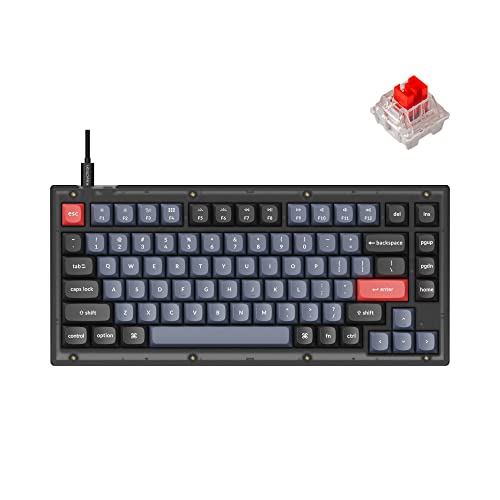
If you have been shopping for 75 mechanical keyboards, you have probably noticed that this layout has quietly become the default recommendation in gaming and enthusiast circles, and for good reason. A 75 percent board keeps the function row, the arrow keys, and a slim navigation column, then trims the empty space a tenkeyless or full-size board wastes on bezels and gaps. The result is a keyboard that still handles spreadsheets, shooters, MOBAs, code, and chat commands without forcing you into layers for everyday keys, while leaving noticeably more room for your mouse hand. That mouse room is not a cosmetic detail. Low-sensitivity FPS players sweep wide arcs, and a full-size board pushes the mouse pad into awkward territory; a 75 percent board pulls the right edge of the keyboard several inches closer to your WASD hand, which changes both aim comfort and desk posture over a long session.
This guide does three things. First, it explains exactly what defines the layout, because “75 percent” covers everything from exploded designs with visible gaps between clusters to ultra-compact boards where every key is packed shoulder to shoulder. Second, it walks through six specific, currently sold models that were verified against Amazon’s own catalog data before being linked here, covering wireless all-rounders, budget wired boards, gasket-mounted enthusiast picks, and an aluminum build for players who want weight and stability. Third, it gives you a practical buying framework and a setup routine, so the board you pick is the board that still feels right after a month of ranked matches and workdays, not just after the unboxing.
Where to Buy and How the Picks Were Chosen
Every linked model in this article was checked through the Creators API on Amazon before drafting: the product title, brand, and listing identity were confirmed, and only listings with a confident match received a product link. Where a well-known board could not be matched confidently, it is discussed in prose only, with no link and no invented details. Each linked pick uses a plain “Check price on Amazon” link, because prices on mechanical keyboards move constantly with sales, switch variants, and colorway stock. Nothing in this article quotes a fixed price, a fixed rating, or a fixed review count for any product, because those numbers go stale and mislead more than they help.
The selection criteria were consistent across all six picks. The board had to be a genuine 75 percent layout with a physical function row and dedicated arrow keys. It had to be hot-swappable or offer a meaningful switch choice, because locking a gaming board to one soldered switch in 2026 is hard to justify. Keycaps had to be PBT or clearly upgradeable. Connectivity had to suit real use: wired-only boards were judged as desk-tethered gaming boards, and wireless boards needed a 2.4 GHz mode for gaming rather than Bluetooth alone. Finally, each pick had to earn its slot by being the best answer to a specific buyer’s question, not by being another near-identical rectangle.
In this guide
Quick Picks
- Best overall wireless: Keychron V1 Max — QMK programmability, a knob, tri-mode connectivity, and double-shot PBT caps in a sensible plastic case.
- Best budget wireless: RK Royal Kludge RK84 — 84 keys, triple-mode connectivity, and hot-swap sockets at an entry tier.
- Best enthusiast sound and feel: Akko 5075B Plus — knob, gasket-style build, and Akko’s creamy switch tuning out of the box.
- Best with a screen: EPOMAKER TH80 V2 Pro — a display plus knob, a very large battery, and tri-mode links for a feature-heavy desk.
- Best value gasket board: AULA F75 Pro — pre-lubed switches, side-printed PBT caps, and tri-mode connectivity at a value tier.
- Best aluminum build: LEOBOG x AULA Hi75C Pro — a metal case, tri-mode connectivity, and a heavy, planted feel.
Keep the shortlist in mind while you read the layout and buying-guide sections, because the right pick depends heavily on which 75 percent sub-style you prefer: exploded or compact, knob or no knob, plastic or metal. The detailed reviews after the comparison table explain exactly who each board suits and, just as honestly, who should skip it.
What “75 Percent” Actually Means
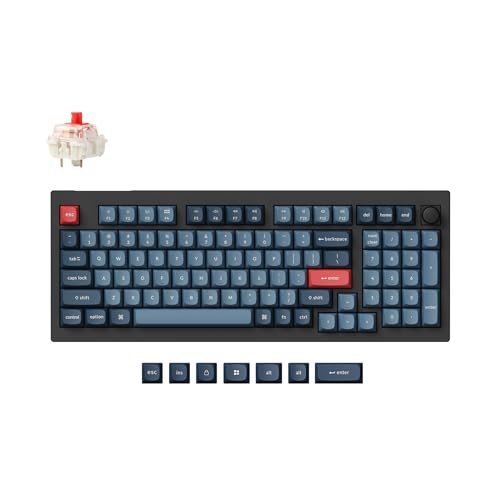
Keyboard percentages describe how much of a full-size layout survives. A full-size board carries roughly 104 to 108 keys, including the number pad. A 75 percent board typically carries 81 to 86 keys. You keep the number row, a compressed function row, the alphas, modifiers, dedicated arrow keys, and usually three or four navigation keys such as Delete, Page Up, Page Down, Home, or End. You lose the number pad entirely, and the editing cluster that sits above the arrows on a tenkeyless board gets folded into a single right-hand column.
Exploded vs compact 75 percent
The split that matters most is exploded versus compact. An exploded 75 percent board keeps small visible gaps between the function row, the main cluster, and the arrow area, so your fingers can find clusters by touch the way they do on a tenkeyless board. A compact 75 percent board eliminates nearly all gaps, packing every key into one dense rectangle. Compact boards are smaller and look clean, but the arrow keys and right column sit directly against the main cluster, which causes more mis-presses during the first week. Neither style is objectively better. Players who rely on tactile landmarks for F-key combos in MMOs usually prefer exploded; minimalists and travelers usually prefer compact. Several picks in this guide are compact, and their reviews say so plainly.
The knob question
Many current 75 percent boards put a rotary knob in the top-right corner, most often mapped to volume by default and reprogrammable on QMK or VIA boards. A knob sounds like a gimmick until you spend a week muting Discord, nudging game volume mid-round, or scrubbing a timeline without reaching for a mixer. It also costs one key position, usually where Delete or Insert would sit. Decide which you value more. If you use Print Screen or Insert constantly for work, check the board’s default top-right arrangement before buying, and check whether the knob can be remapped or the lost key moved to a layer you can live with.
What you give up versus TKL and 65 percent
Against a tenkeyless board, a 75 gives up the separated editing cluster and a little key spacing in exchange for several inches of width. Against a 65 percent board, a 75 adds the function row back, which matters for games that bind skills, camera views, or push-to-talk to F-keys, and for anyone whose work software leans on F5, F11, or F12. The honest summary: 75 percent is the smallest layout that still behaves like a complete keyboard for mixed gaming and productivity, and that is exactly why it has become the enthusiast default. For the deeper layout walkthrough, see the 75 percent keyboard layout guide, and for the smaller alternative, our 65 keyboard layout guide.
Detailed Reviews of the Six Picks

Keychron V1 Max — Best Overall Wireless 75 Percent Board
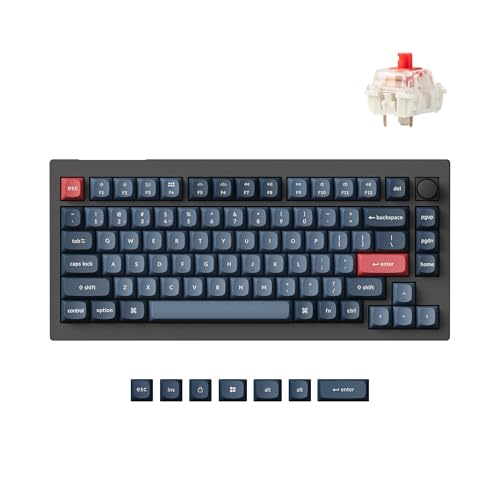
Badge: Best overall. The V1 Max is the board to hand to someone who wants one 75 percent keyboard that does everything competently: gaming over 2.4 GHz, three-device Bluetooth for a laptop and tablet, wired play at the desk, full QMK and Launcher-based remapping, a volume knob, and Mac and Windows keycaps in the box. Its gasket-mounted plate and double-shot PBT keycaps give it a softer, quieter bottom-out than the tray-mount boards that used to define this tier, and south-facing RGB keeps shine-through legends and aftermarket keycap compatibility simple.
- Layout: 75 percent with knob and compressed function row
- Connectivity: 2.4 GHz, Bluetooth 5.1, USB-C wired
- Switches: Hot-swappable, multiple factory options
- Keycaps: Double-shot PBT
- Software: QMK with web-based Launcher configuration
Strengths
- Full remapping, layers, and macros through QMK, with no bloated desktop app required.
- Tri-mode connectivity that genuinely covers gaming, office, and travel in one board.
- PBT caps and a gasket mount deliver a finished typing feel with no immediate upgrades needed.
Trade-offs
- The plastic case feels less premium than aluminum rivals, even if it keeps weight and cost sensible.
- The compact right column takes a few days to learn if you live on Page Up and Page Down.
- Wireless polling and battery behavior depend on mode; serious competitive play still belongs on 2.4 GHz or a cable.
Best for: players and professionals who want one programmable wireless board for both a gaming PC and a work laptop. Not suited for: buyers who specifically want a heavy metal case or a wired-only esports board. Check price on Amazon
RK Royal Kludge RK84 — Best Budget Wireless Pick
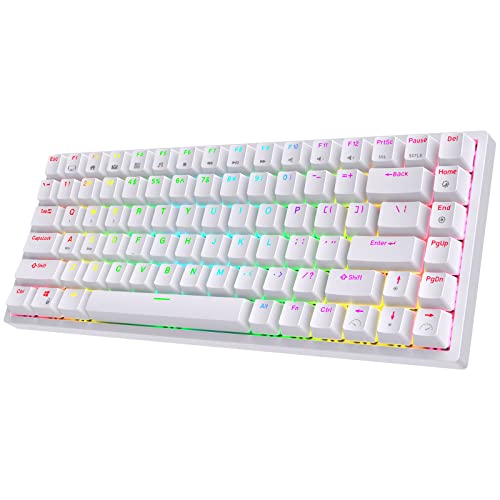
Badge: Best budget wireless. The RK84 has been a gateway board for years because it answers the basic questions correctly: 84 keys in a 75 percent footprint, Bluetooth, 2.4 GHz, and USB-C in one package, hot-swappable sockets, and a detachable frame design that makes cleaning and modding easy. It is the board people buy to find out whether the layout suits them before spending enthusiast money, and many never feel the need to upgrade because the fundamentals are sound.
- Layout: 75 percent, 84 keys
- Connectivity: Bluetooth 5.0, 2.4 GHz, USB-C wired
- Switches: Hot-swappable RK switch options
- Frame: Detachable frame for easier cleaning and modding
- Software: Vendor driver support for remapping and lighting
Strengths
- Triple-mode connectivity at an entry tier where many rivals are wired-only.
- Hot-swap sockets let you experiment with switches without soldering or a new board.
- The removable frame makes switch pulling, cleaning, and tape-mod style tweaks beginner friendly.
Trade-offs
- Stock stabilizers and case acoustics are a step behind gasket-mounted enthusiast boards.
- The vendor software is functional rather than elegant, and QMK-level depth is not on offer.
- Keycap quality varies by variant, so check the listing configuration before ordering.
Best for: first-time 75 percent buyers and budget gaming setups that still want wireless freedom. Not suited for: enthusiasts chasing a refined stock sound or deep firmware customization. Check price on Amazon
Akko 5075B Plus — Best for Sound and Feel Out of the Box
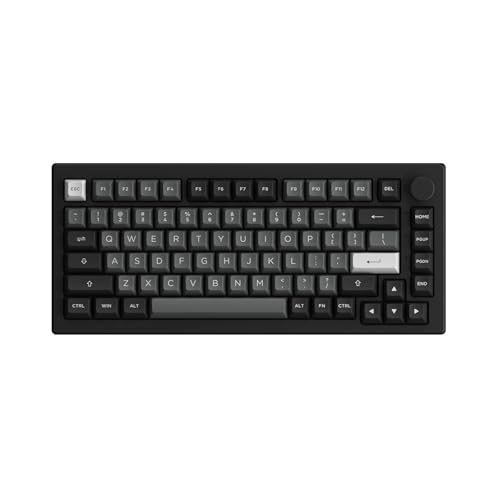
Badge: Enthusiast favorite. Akko built its reputation on boards that sound finished without a weekend of modding, and the 5075B Plus follows that formula: a knob in the corner, PBT double-shot keycaps in the taller ASA profile, and Akko’s V3 Creamy Yellow Pro linear switches, which arrive smooth and soft-bottoming from the factory. The Black and Silver colorway keeps it desk friendly, and the board’s tuning suits players who type as much as they game and care about how the spacebar sounds at midnight.
- Layout: 75 percent with rotary knob
- Switches: Akko V3 Creamy Yellow Pro, hot-swappable
- Keycaps: PBT double-shot, ASA profile
- Connectivity: Tri-mode wireless and wired (see listing variant)
- Extras: South-facing RGB, enthusiast-tuned stabilizers
Strengths
- Factory switch and stabilizer tuning that needs no lube, film, or clipping to enjoy.
- Taller ASA-profile PBT caps give a deep sound and a sculpted feel many typists prefer.
- The knob is genuinely useful for volume and media control during games and calls.
Trade-offs
- ASA profile is taller than Cherry profile, which some FPS players find slower for rapid strafing keys.
- Themed colorways and switch variants sell unevenly, so your preferred combination may need patience.
- It is a compact 75, so the right column is tight against the main cluster.
Best for: enthusiasts who want creamy factory tuning and a knob without building a custom board. Not suited for: players who demand the lowest keycap profile or an exploded layout. If Akko’s wider range interests you, our Akko keyboards guide covers the brand in depth. Check price on Amazon

EPOMAKER TH80 V2 Pro — Best Feature Stack, Screen Included
Badge: Most features. The TH80 V2 Pro leans into the modern enthusiast checklist: a small display beside the knob, a very large battery for wireless use, tri-mode connectivity, hot-swap sockets, PBT keycaps, and full-key rollover. The screen shows connection status, battery, and can carry a custom image, which is either delightful or unnecessary depending on your taste. Under the novelty, it is a properly specified gaming board with the latency-friendly 2.4 GHz mode competitive players actually need.
- Layout: 75 percent with knob and display
- Connectivity: 2.4 GHz, Bluetooth, USB-C wired
- Battery: Very large capacity cell (see listing for the exact figure)
- Switches: Hot-swappable, multiple factory options including silent variants
- Keycaps: PBT
Strengths
- The display makes battery and connection state visible at a glance, ending the blinking-LED guessing game.
- A big battery suits players who hate charging cables cluttering the desk.
- Complete gaming spec: NKRO, hot-swap, and a proper 2.4 GHz mode.
Trade-offs
- The screen and its software add complexity that minimalists will never use.
- Feature-heavy boards weigh more than plain 75 percent models, which matters for travel.
- Driver software is required to get the most from the display and macros.
Best for: feature lovers and wireless-first gaming desks. Not suited for: minimalists or LAN travelers who count grams. Check price on Amazon

AULA F75 Pro — Best Value Gasket Board
Badge: Best value. The F75 line earned its following by putting gasket mounting, pre-lubed switches, and tri-mode connectivity into a price tier that used to mean hollow cases and scratchy switches. The Pro variant adds side-printed PBT keycaps, which keep the tops clean for a minimalist look while legends stay readable under RGB. Its factory linear switches are smooth enough that many buyers skip the switch upgrade entirely and spend their budget on a keycap set instead.
- Layout: 75 percent with knob
- Connectivity: 2.4 GHz, Bluetooth 5.0, USB-C wired
- Switches: Pre-lubed Reaper linear, hot-swappable
- Keycaps: Side-printed PBT
- Mounting: Gasket mount with case foam
Strengths
- Gasket mount and foam deliver a soft, quiet sound profile unusual at this tier.
- Pre-lubed switches feel consistent across the board with no scratchy outliers.
- Tri-mode connectivity covers gaming PC, work laptop, and tablet without cable swaps.
Trade-offs
- Side-printed legends are harder to read in dim rooms than top-printed caps.
- The plastic case cannot match aluminum boards for sheer planted weight.
- Firmware and software depth trail QMK boards for power users.
Best for: value hunters who want the modern gasket-board experience without enthusiast pricing. Not suited for: QMK power users or anyone who reads legends constantly in the dark. Check price on Amazon

LEOBOG x AULA Hi75C Pro — Best Aluminum Build
Badge: Best metal case. The Hi75C Pro takes the Hi75 formula — aluminum alloy case, gasket mounting, a knob, and creamy factory switches — and adds tri-mode wireless. The metal shell changes the board’s character completely: it sits planted through aggressive mouse-adjacent gameplay, sounds deep and muted, and feels like a piece of hardware rather than an accessory. It is the pick for buyers who tried a plastic 75 and immediately wanted the same layout in a serious case.
- Layout: 75 percent with knob
- Case: Aluminum alloy
- Connectivity: Bluetooth, 2.4 GHz wireless, USB-C wired
- Switches: Hot-swappable, creamy factory options
- Mounting: Gasket mount
Strengths
- Aluminum case adds stability, weight, and a deeper stock sound.
- Tri-mode connectivity means the premium build is not chained to one PC.
- Gasket mounting keeps the metal case from sounding harsh or pingy.
Trade-offs
- Weight makes it a poor travel board compared with plastic rivals.
- Metal cases show desk bumps and cable nicks more honestly than plastic.
- It costs more than plastic gasket boards with similar switch specs.
Best for: desk-bound players who want a permanent, premium-feeling 75 percent board. Not suited for: commuters, LAN regulars, or strict budgets. Check price on Amazon
Comparison Table
| Board | Connectivity | Knob | Case | Keycaps | Best for |
|---|---|---|---|---|---|
| Keychron V1 Max | 2.4 GHz / BT / wired | Yes | Plastic | Double-shot PBT | Programmable all-rounder |
| RK Royal Kludge RK84 | BT / 2.4 GHz / wired | No | Plastic, detachable frame | Varies by variant | Budget wireless |
| Akko 5075B Plus | Tri-mode | Yes | Plastic | PBT double-shot ASA | Factory sound and feel |
| EPOMAKER TH80 V2 Pro | 2.4 GHz / BT / wired | Yes, plus screen | Plastic | PBT | Feature stack |
| AULA F75 Pro | 2.4 GHz / BT / wired | Yes | Plastic | Side-printed PBT | Value gasket board |
| LEOBOG Hi75C Pro | BT / 2.4 GHz / wired | Yes | Aluminum | Varies by variant | Premium metal build |
How to Choose the Right 75 Percent Board
Start with how you connect
Wired boards are the simplest and most consistent choice for a single gaming PC: no charging, no interference, no mode switching. Wireless boards earn their keep when the same keyboard serves a PC, a work laptop, and maybe a tablet or handheld. If you go wireless for gaming, insist on a 2.4 GHz mode with a USB receiver; Bluetooth is fine for typing and casual games but adds latency that fast-paced players can feel in rhythm games, fighters, and high-refresh shooters. Also check what the receiver situation means for your ports — a board that stores its dongle in the case is a board whose dongle you will not lose.
Pick switches for your games and your household
Linear switches are the gaming default because the press is smooth from top to bottom with no tactile bump to manage during rapid repeated inputs. Tactile switches give a small bump that helps typists confirm presses and suits strategy, MMO, and mixed use. Clicky switches are satisfying and loud in equal measure, and they are a poor gift for anyone sharing a room. Weight matters too: lighter springs favor fast actuation and long sessions with less finger fatigue, while heavier springs reduce accidental presses on resting fingers. Because every pick in this guide is hot-swappable, the switch choice is a starting point, not a life sentence — a point these easy mechanical keyboard modifications expand on if you enjoy tuning.
Decide what the keycaps need to do
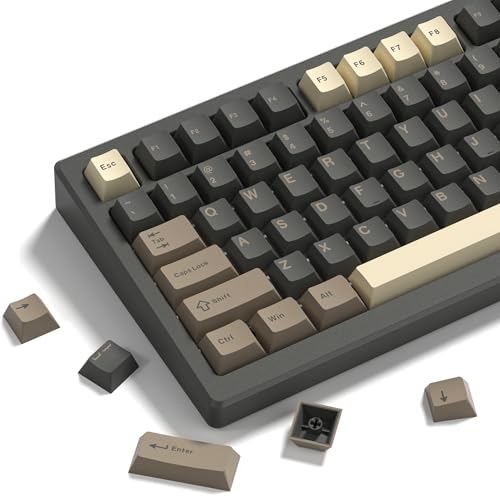
PBT keycaps resist the shine that makes heavily used WASD keys look greasy, and double-shot or dye-sub legends do not fade. ABS caps feel smoother and can carry brighter colors, but gaming keys polish quickly under daily use. Profile shapes your speed and sound: lower Cherry-profile caps suit fast gaming, taller profiles such as ASA or MDA feel sculpted and sound deeper for typing. If material science is your rabbit hole, our ABS vs PBT keycaps explainer goes far deeper than this guide can.
Check the software before you need it
Remapping sounds boring until a game needs a key your compact layout moved. QMK and VIA or Launcher boards let you move anything, build layers, and set macros from a clean interface that works across computers. Vendor drivers vary from excellent to tolerable, and they usually tie your profiles to one Windows machine. If you play MMOs with F-key rotations, edit video with custom shortcuts, or swap between Mac and Windows daily, software depth should rank near the top of your list, right beside switches.
Think about sound honestly
Gasket mounting, case foam, plate material, and keycap profile combine into the sound you will hear for thousands of hours. A deep, muted board keeps late-night sessions household friendly; a brighter, clackier board gives sharper feedback that some competitive players genuinely prefer for timing. Neither is a quality ranking. Watch your room, your microphone, and your housemates, and choose accordingly — streamers in particular should remember that a keyboard is an instrument their audience hears constantly.
Setup and Tuning: Your First Week With a 75 Percent Board
Day one, update nothing and change nothing. Play and type on the stock configuration for a full session so you have a baseline. Then work through a short routine. First, set your connection deliberately: wired or 2.4 GHz for gaming, Bluetooth reserved for the second and third devices. Second, build one layer. Move the keys the compact layout displaced — commonly Print Screen, Scroll Lock, or Home and End — onto a function layer you can reach without looking, and put media controls where your hand already rests. Third, if your board has a knob, assign it intentionally: volume for most players, zoom or timeline scrub for editors, and in-game wheel alternatives where the software allows it.
Fourth, tune the switches you actually use. Hot-swap boards invite experimentation, so try a slightly heavier switch on WASD if you rest your fingers and mis-press, or a faster linear on movement keys if your game rewards rapid counter-strafing. Fifth, check stabilizers. The spacebar, Enter, Shift, and Backspace keys should return cleanly without rattle; a small amount of rattle on a budget board is normal and fixable later, but a sticking stabilizer on day one is a reason to contact the seller. Finally, give the compact right column a fair week. Nearly every new 75 percent owner mis-hits Delete or an arrow key for the first few days, then stops entirely as muscle memory updates. Judge the layout on day seven, not hour one. Players shrinking further can compare with the 40 percent keyboard guide to see where the layout ladder ends.
Common Mistakes When Buying a 75 Percent Keyboard
- Buying Bluetooth-only for competitive gaming. Bluetooth is convenient and noticeably laggier; ranked play deserves 2.4 GHz or a cable.
- Ignoring the right column. Boards differ in whether Delete, Page Up, or a knob owns the top-right corner. Check the key map against your habits before ordering.
- Assuming all 75 percent boards are the same size. Exploded and compact designs differ in width and feel; measure your desk space and mouse area.
- Paying for RGB you cannot use. North-facing LEDs can clash with Cherry-profile keycaps; south-facing boards are the safer pick for cap swappers.
- Skipping hot-swap. A soldered board locks your switch choice forever. At modern prices, hot-swap should be the default expectation.
- Judging sound from a phone recording. Desk material, microphone placement, and room echo change everything; use recordings to compare boards, never as absolute truth.
Final Recommendation
Most buyers should start with the Keychron V1 Max: it is programmable, wireless in the ways that matter, finished with proper PBT keycaps, and equally at home in a ranked queue and a spreadsheet. Budget buyers lose surprisingly little with the RK84, and value hunters who care about sound should look hard at the AULA F75 Pro. Enthusiasts who want factory tuning should pick the Akko 5075B Plus, feature collectors the EPOMAKER TH80 V2 Pro, and anyone who wants their board to feel like permanent hardware should save for the aluminum Hi75C Pro. Whichever you choose, the 75 percent layout itself is the real upgrade — a complete keyboard that finally leaves your mouse hand room to play.
Latency, Polling, and What Competitive Players Should Actually Care About
Keyboard marketing loves big polling numbers, and some current boards advertise rates far beyond the long-standing 1000 Hz standard. The honest picture is more nuanced. Polling rate describes how often the keyboard reports to the PC; the jump from older 125 Hz office boards to 1000 Hz is real and worth having, while gains beyond that shrink quickly and depend on the whole chain — switch debounce, firmware scanning, connection type, and the game engine itself — behaving well. For a 75 percent gaming board, the practical checklist is simpler than the spec sheet. Use the cable or the 2.4 GHz receiver for competitive play. Keep the receiver close, ideally on a short extension at the desk rather than buried in a rear port behind a metal case. Turn off aggressive power-saving modes if the vendor software offers them. Then stop worrying: at that point your own reaction time and monitor are the bottlenecks, not the keyboard.
Actuation technology is the other live debate. Traditional mechanical switches actuate at a fixed point in the press. Hall effect and magnetic switches, which have spread quickly through gaming lines, can offer adjustable actuation points and rapid-trigger behavior that resets a key the instant it starts rising — a genuine advantage in tactical shooters built around counter-strafing. The trade-off is ecosystem lock-in and a different, often smoother but less tactile feel. None of the six main picks in this guide depends on magnetic switches, because this roundup optimizes for the complete package of layout, caps, connectivity, and value. If rapid trigger is your single priority, shop the gaming-specific magnetic boards as a separate category and accept their compromises elsewhere.
Switch Feel, Explained for Buyers Who Cannot Try Before Ordering
Since most 75 percent boards are bought online, here is how to translate switch descriptions into expectations. A linear switch such as the creamy factory linears in several picks here travels straight down with consistent resistance; in game terms, movement keys feel predictable and repeated taps stay effortless. A tactile switch adds a bump partway down: you feel the press register without bottoming out, which typists and MOBA or strategy players often prefer for ability keys where a mis-press costs a cooldown. A clicky switch adds a deliberate sound mechanism to the bump; it is the easiest feel to love in a shop and the hardest to live with in a shared room at night.
Two numbers shape the experience more than the color of the stem. Operating force, expressed in grams, tells you how heavy the press feels; light springs around the lower end of the common range favor speed and reduce fatigue, while heavier springs suit deliberate typists. Bottom-out force and travel distance shape the landing: full-travel switches feel classic and forgiving, while shorter-travel gaming switches register and reset faster but can feel abrupt for long writing sessions. Factory pre-lubing, now common on enthusiast-leaning boards like the AULA and Akko picks, smooths the travel and removes the scratchiness that used to be the first mod every owner performed. If you are torn between two switch options on the same board, choose the one matching your primary game genre and remember that hot-swap sockets make the decision reversible for the price of a switch pack — a theme advanced keyboard modding techniques take to its logical extreme.
Matching the Board to Your Game Library
FPS and tactical shooters
Prioritize mouse room, a reliable 2.4 GHz or wired link, and light linear switches. The function row matters less here, so even compact boards shine; the win is purely spatial. The V1 Max and F75 Pro both fit this brief, and both leave budget for the mousepad upgrade that a smaller board suddenly makes possible.
MOBA, MMO, and strategy
Prioritize the function row, remapping depth, and a right column you can hit blind. F-keys carry item actives, camera groups, and control groups, so exploded spacing or a well-learned compact cluster matters. QMK boards lead here because per-layer macros survive across PCs and reinstalls.
Rhythm, fighting, and retro
Prioritize consistent switches and a board that stays put. Heavy aluminum builds such as the Hi75C Pro resist the desk drift that intense sessions cause, and NKRO support — standard on every pick here — keeps dense simultaneous inputs honest.
Work by day, games by night
Prioritize tri-mode connectivity, quiet tuning, and Mac/Windows support. This is the V1 Max’s home turf, with the TH80 V2 Pro close behind for buyers who want the display and battery headroom. Your coworkers and your ranked teammates will both approve of a gasket-mounted board with PBT caps.
Care and Maintenance: Keeping a 75 Percent Board Fast and Clean
A compact board concentrates the same amount of dust, hair, and snack debris into a smaller area, so maintenance matters. Monthly, unplug the board, turn it upside down, and shake gently, then blow out the case with short bursts of air and wipe the caps with a slightly damp microfiber cloth. Quarterly, pull the keycaps with a wire puller — never your fingers on tight stems — and wash the caps in warm water with a drop of mild soap, then let them dry completely before reinstalling; PBT tolerates this routine indefinitely. Switches rarely need attention, but a key that double-registers can often be reseated in its hot-swap socket before you conclude it has failed. Keep the cable or receiver routine simple: charge wireless boards on a schedule, such as during a weekly cleaning, rather than waiting for the low-battery warning mid-match. A board maintained this way keeps its sound, its feel, and its resale value for years, which is more than can be said for most gaming peripherals.
The Upgrade Path: What Owners Change First, and What to Skip
One reason the 75 percent category retains owners is that the boards grow with you. The upgrade order that experience recommends is unfashionable but reliable. First comes a keycap set, because caps change feel, sound, and looks in one reversible step and because stock caps are the most common weak point on budget boards. Second comes a switch sampler: buy small packs of three or four candidate switches and load them into your most-used keys for a week before committing to a full set — WASD, the spacebar row, and your ability keys will tell you more than any written description. Third comes stabilizer tuning on boards that need it, which usually means balancing wires and adding a modest amount of lubricant, a Saturday-morning job with a permanent payoff in spacebar sound.
What should you skip? Skip the exotic cable until the board itself is settled; a coiled cable is jewelry, and jewelry comes last. Skip artisan keycaps for keys you strike in competition until you have lived with their taller, heavier profile in practice matches. Skip firmware adventures — beta builds and exotic keymaps — on the week of a tournament or a deadline. And skip replacing a board over a single annoyance that a layer, a remap, or a switch swap solves for a fraction of the cost. The owners who stay happiest in this hobby treat the first board as a platform, and every pick in this guide was chosen partly because it supports that platform mindset with hot-swap sockets, standard keycap compatibility, and sane software.
Desk Setup Notes: Making the Small Footprint Pay Off
A 75 percent board only delivers its ergonomic promise if the desk follows through. Center the alphas — the B key is a good reference — on your torso rather than centering the whole board, because the missing number pad shifts the visual center left of the typing center. Slide the mouse pad so your mouse hand lands at a natural shoulder width; the inches you saved should become mouse travel, not a speaker stand. If you use a monitor arm, the narrower board lets you pull the screen slightly closer without crowding the keyboard tray. Cable users should route from the board’s port side with slack for the board’s tilt feet or angle, and wireless users should park the receiver on the desk edge nearest the board, not behind a metal PC case that shields the signal. Small details, but together they are the difference between owning a compact keyboard and actually playing on a compact setup.
Who Should Not Buy a 75 Percent Keyboard
Honesty about the layout’s limits saves returns. If your work is data entry, accounting, or heavy spreadsheet modeling, the missing number pad is not a layer problem you will learn to love; it is a daily tax, and you should be reading about 96 percent boards instead — the comparison in our 96 vs 1800 keyboards guide is written for exactly your situation. If you depend on dedicated macro columns, media clusters, or the wide spacing of a full-size board because of hand size or accessibility needs, a TKL or full-size board will serve you better than any amount of enthusiasm here. If your games live on a handheld or a couch setup, a lighter 65 percent board travels better. And if you know you will never remap a key, never swap a switch, and never clean under a keycap, a simpler membrane or scissor board at a fraction of the cost is a legitimate choice rather than a compromise. The 75 percent layout is the enthusiast sweet spot, not a universal answer, and this guide’s picks are strongest exactly where the layout itself is strongest: at a desk, in front of a PC, with games and real work sharing the same keyboard.
A Note on Variants, Colorways, and Buying the Exact Board You Researched
One practical warning applies to every pick in this roundup. Modern keyboard listings bundle several variants — switch types, colors, wired and wireless versions, sometimes entirely different generations — under one product page, and the headline specifications describe the flagship variant, not necessarily the one in your cart. Before ordering, confirm the four things that define your daily experience: the switch named in the variant selector, the connectivity the variant actually includes, the keycap material, and whether the knob is present on that configuration. A minute in the variant menu prevents the classic disappointment of unboxing a wired board when the review you read described the wireless one. It also explains most contradictory owner reports you will encounter: two buyers describing different variants of the same listing are both telling the truth about different keyboards.
Warranty, Support, and the Boring Details That Matter in Month Six
Roundups rarely discuss support, and owners always end up caring about it. Before buying, note how each brand handles a dead switch, a failed receiver, or a battery that fades early: established brands publish warranty terms and keep replacement receivers and cables available, while the thinnest white-label listings can leave a good board orphaned by a two-dollar part. Hot-swap design quietly insures you here — most switch failures become a thirty-second swap rather than a claim — and standard USB-C cables and MX keycaps mean the consumables are never exotic. Buy the board you love, but buy it from a listing and a brand whose support page you have actually seen.
Reading a 75 Percent Listing Like an Engineer
Two boards can share a layout, a switch name and a marketing headline while being very different purchases underneath. The picks above were chosen on the details listings tend to bury, so this section teaches the reading skill itself: which lines of a specification actually predict your experience, and which are decoration. It takes five minutes per listing and prevents the most common disappointment in this category — a board that is exactly as described and somehow not what you expected.
Mounting and PCB details the headline hides
Start below the keycaps. The mounting style — gasket, tray, top-mount — sets the board’s basic character for flex and sound, but the useful detail is what the listing says about the plate and the foam stack between plate and PCB, because those decide whether the mounting can do its job. A gasket board with a rigid plate and no flex cuts in the PCB will feel firmer than its headline promises; that is not dishonesty, it is a tuning choice aimed at a crisper response. Hot-swap sockets are worth confirming explicitly rather than assuming, along with which switch pin counts they accept, if you ever plan to change switches. South-facing sockets matter if you care about keycap compatibility and backlight behaviour with taller profiles. None of these lines sell keyboards, which is exactly why they are the ones worth reading.
Wireless claims, translated into evenings
Battery figures in listings are given in hours, under conditions the listing chooses. Translate them into your own evenings before comparing models: a board used four hours a night with the backlight on lives a completely different life from the same board used all day with lighting off, and both are far from the laboratory figure. The claims worth trusting are comparative rather than absolute — a much larger cell genuinely does last longer in the same hands — and the features worth valuing are the unglamorous ones: a physical connection-mode switch you can find by touch, a battery indicator you can check without software, and wired behaviour that charges while you play. Polling and latency claims deserve the same translation. Beyond the point your games and your hands can perceive, extra specification is comfort rather than performance, and it should be priced in your head accordingly.
The five-line check before checkout
Run this sequence on any finalist, in this order, because each line can end the decision. One: does the right-hand column carry the specific keys your games and work use, in positions your hands accept? Two: is the board hot-swappable, and does the switch type match the spares and replacements you can actually buy later? Three: does the keycap set cover this layout’s unusual keys — the short right Shift above all — if you plan to change caps? Four: does the software, if you need it, support your operating system today, not in a promised update? Five: what does the return route look like if the board’s sound and feel are simply not yours? A board that passes all five is rarely a purchase you regret, because the remaining differences between good boards are taste — and taste can only be settled by typing.
How the picks above were checked against this method
The six boards in the Quick Picks survive this reading exercise in instructively different ways. The wireless all-rounder earns its place on connection discipline and a specification that says what it means; the budget pick passes the five-line check with its compromises printed openly rather than buried; the aluminium board’s listing rewards close reading, because its mounting details explain its feel better than its headline does. Two of the six ask more of the reader — variant naming that needs care, and feature lists long enough to hide the two or three features that matter — and both are flagged for exactly that in their reviews. That spread is the real lesson of this section: in this category, a listing you must read carefully is not a warning sign. A listing that cannot survive careful reading is.
Frequently Asked Questions
Is a 75 percent keyboard good for gaming?
Yes, and it is arguably the sweet spot for gaming. You keep the function row for game bindings, dedicated arrows for menus and strategy games, and a compact footprint that frees mouse space for low-sensitivity aiming. The only players who should look elsewhere are number-pad-dependent simulation or MMO players and those who need a separated editing cluster for work software.
What keys does a 75 percent keyboard lose?
You lose the number pad and the standalone editing cluster. Delete, Home, End, Page Up, and Page Down survive in a compressed right column on most models, though the exact set varies by board, and a knob sometimes replaces one of them. Anything missing physically can be restored on a function layer on programmable boards.
75 percent vs TKL: which should I buy?
Buy the TKL if you want familiar spacing and a separated navigation cluster and your desk has room. Buy the 75 if mouse space, a cleaner desk, or portability matters more. Performance in games is identical; the difference is ergonomics and footprint, not capability. Our 75 percent keyboard layout guide walks through the spacing trade-offs in detail.
Do I need a knob on my keyboard?
No, but most owners who try one keep using it. Volume is the obvious job, yet editors map knobs to scrubbing and zoom, and streamers use them as a hardware mute-and-level control within reach. If the choice is between a knob and a Delete key you press fifty times a day, choose the key and remap volume to a layer instead.
Are hot-swappable switches worth it for a first board?
Yes. Hot-swap sockets turn a switch preference you have not formed yet into a cheap experiment instead of a new keyboard purchase, and they make replacing a single failed or chattering switch a two-minute job with a puller instead of a soldering project.
How long does a wireless 75 percent keyboard battery last?
It depends heavily on backlight use. With RGB off, most tri-mode boards run for weeks of daily use between charges; with full-brightness RGB, expect days rather than weeks. Boards with very large batteries extend both figures, which is one reason the feature-focused pick in this guide highlights its cell capacity in the listing.
Should I buy a barebones 75 percent kit or a complete board?
Complete, for almost every first-time buyer — and the reasoning is about diagnosis, not skill. A finished board gives you a known-good reference: if a switch feels wrong, it is the switch; if the sound displeases you, you can change one variable at a time. A barebones kit asks you to choose switches and keycaps before you have a baseline, and when the result disappoints, three suspects share the blame. Kits make their case for a second board, when you know your switch weight and your preferred profile from experience and want to assemble exactly that combination. There is also a budgeting honesty to apply: a kit’s headline figure excludes the switches and caps that complete it, so compare the finished total against complete boards in the same tier before calling it the value option.
How can I make a 75 percent board quieter for late-night play without changing switches?
Work from the outside in, cheapest first. A desk mat under the board removes a surprising share of the sound a hard desk returns. In the board’s settings, nothing about lighting affects noise — but your own technique does: most late-night volume is bottom-out force, and a week of deliberately lighter presses in single-player games retrains more than any accessory. Inside the board, if it opens easily and is yours to open, case foam is the standard next step, and the modifications guide linked from this page covers the process in detail. What not to do is buy your way down the volume scale one accessory at a time in a single evening; change one thing, play a night, and listen again. Quiet, like sound quality generally, is a direction rather than a destination.