Searching how to fix a phone that will not charge usually happens at the worst moment: a nearly empty battery, a cable that suddenly does nothing, and a day that depends on the phone working. The reassuring news is that most charging failures are not a dead phone. They are a failed cable, a tired charger, a pocket-lint-packed port or a software glitch — all things you can test at home in minutes.
This guide orders the causes from most to least common and walks through safe fixes in the right sequence: swap the accessories first, clean the port gently, restart and check settings, and only then consider battery or hardware faults that need a repair shop. Nothing here involves opening the phone.
Disclosure: As an Amazon Associate, kajuandouglas.com earns from qualifying purchases. Links to Amazon on this page are affiliate links; they cost you nothing extra. Listing details such as price and availability change often, so check the current Amazon listing before you buy.
The Short Answer
Swap the cable first, then the charger, then the socket — accessories cause most charging failures. Clean lint from the port gently with a wooden toothpick, restart the phone, and try wireless charging if your phone supports it to isolate whether the port is at fault. If the phone charges only at certain cable angles, the port or cable is worn; if it charges from nothing at all, including wireless, suspect the battery or charging circuit and book a repair.
In this guide
Gear for This Guide
A quality replacement charger and cable from a reputable maker are the cheapest diagnostic tools and the most common cure.
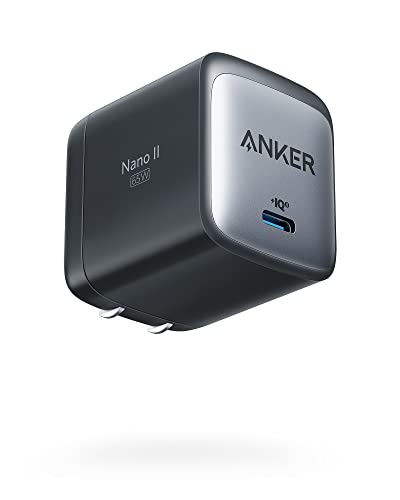
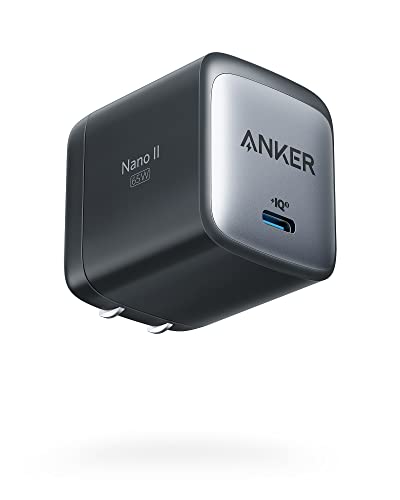
Anker Nano 65W GaN II PPS USB C Charger, Fast Compact Foldable Charger — A compact, reputable fast charger that supports modern fast-charging standards for both iPhone and Android, ideal as a known-good test charger. Check price on Amazon.
Likely Causes, Most Common First
Start with the statistics of real life: cables fail more than anything else in the chain. They are bent at the same two points thousands of times, run over by chair wheels and chewed by the strain relief until internal wires break invisibly. Chargers fail second, especially cheap ones that have overheated for years. Wall sockets and power strips fail third. The phone itself is, perhaps surprisingly, the least likely culprit at the start of the investigation.
Inside the phone, the most common fault is not electronic at all: compacted pocket lint in the charging port. Lint packs tighter with every plug insertion until the cable can no longer seat fully, so charging becomes intermittent or stops. This is fixable in two minutes with the right technique and is covered in the steps below.
After that come software glitches that freeze the charging process, moisture detected in the port, a battery that has degraded or failed, and finally damage to the port or charging circuitry from drops or liquid. The fixes are ordered to rule out the cheap, common causes before you spend money on the rare ones.
How to Fix a Phone That Will Not Charge: Step-by-Step Fixes
Step 1: Test a different cable and charger
Use a cable and charger you know work on another device, ideally the ones that came with a phone or from a reputable brand. If the phone charges, your old accessory was the fault — replace it rather than nursing it. Test the suspect cable on another device to confirm before throwing it away.
Step 2: Try a different socket and remove the case
Plug directly into a wall socket rather than a power strip or laptop port, which may supply little power. Remove the case temporarily: thick cases can prevent some cables from seating fully and can block wireless charging alignment.
Step 3: Inspect and clean the charging port
With the phone off, shine a light into the port. If you see a grey mat of lint, tease it out with a wooden toothpick using almost no pressure, avoiding the contact strip in the centre. Never use metal tools, liquids or strong compressed air. Re-test with the cable, which should now click in fully.
Step 4: Restart the phone
A restart clears software states that can block charging, including a crashed charging service or a false moisture warning that will not clear. If the battery is completely flat, leave the phone plugged into a wall charger for at least fifteen minutes before judging — deeply discharged phones can sit at a black screen for a while before showing any sign of life.
Step 5: Check for moisture and temperature warnings
If the phone reports moisture in the port, believe it: unplug, let the port dry in moving air for several hours, and charge wirelessly meanwhile if supported. If the phone is very hot or very cold, bring it to room temperature; charging pauses automatically outside safe ranges to protect the battery.
Step 6: Test wireless charging if available
If your phone supports wireless charging, place it on a working pad. Charging wirelessly but not by cable points squarely at the port or cable. Charging neither way points at the battery or internal circuitry and moves you toward professional help.
Diagnostic Checklist
Match your symptom to the most likely cause before spending money.
| Symptom | Most Likely Cause | First Fix |
|---|---|---|
| Charges with a different cable | Broken cable | Replace the cable with a quality one |
| Cable feels loose, charges at an angle | Lint in port or worn port | Clean the port gently; if still loose, repair shop |
| Charges very slowly | Weak charger, laptop USB port, or heavy use while charging | Use a wall charger rated for your phone’s fast charging |
| Moisture detected warning | Liquid in the port | Dry for several hours; charge wirelessly meanwhile |
| No response at all, even wireless | Failed battery or charging circuit | Professional diagnosis |
| Charges to a point then stops | Battery protection, heat, or degraded battery | Cool the phone; check battery health in settings |
When to Get Professional Repair or Replace It
Book a repair if the port is visibly damaged or loose after cleaning, if the phone fails to charge by cable and wireless with known-good accessories, if the battery has swollen — shown by a lifting screen or a case that no longer sits flat — or if charging stopped immediately after a drop or liquid exposure. A swollen battery is a safety issue: stop using and charging the phone and take it to a service centre promptly.
An authorised service centre can test the battery and charging circuit properly and replace a battery or port with genuine parts that preserve water resistance where possible. Independent repairers may be cheaper; ask about part quality and warranty on the repair itself.
Replacement becomes the sensible option when the phone is old, no longer receives security updates, and faces a repair bill approaching the value of a newer model. If you do replace it, your backup is what makes the switch painless — one more reason to keep backups automatic.
Preventing Charging Problems
Treat cables as consumables: replace them when the jacket cracks or the connector loosens, favour braided or reinforced designs, and avoid yanking them out by the cord. Keep the phone’s port cleaner by carrying the phone pocket-up where practical and giving the port a gentle clean every few months before lint compacts.
Use chargers from reputable makers that match your phone’s charging standard. Bargain chargers with poor regulation can overheat and, in the worst cases, damage batteries. Finally, avoid routinely charging in hot environments — a phone baking on a sunny windowsill while fast charging ages its battery faster than any other habit.
Understanding Fast Charging and Why It Sometimes Refuses
Modern phones negotiate charging speed with the charger through standards built into the cable and the power brick. When any link in that chain — an old cable, a low-power charger, a dirty port adding resistance — fails to meet the standard, the phone falls back to slow charging or refuses the negotiation in ways that look like faults. This is why a phone can charge happily from one charger and sulk on another that appears identical: the difference is invisible protocol and quality, not magic.
Heat governs the negotiation too. A phone that is hot — from gaming, a sunny dashboard or a thick case in summer — will deliberately slow or pause charging to protect its battery, and resume when it cools. Owners often meet this as a phone that charges slowly in the car and normally at home, and the cure is shade, airflow and removing the case while charging, not a new battery.
Battery protection features add a third pattern: many phones can be set to stop at a percentage, or to hold below full until shortly before your usual wake time. If your phone consistently stops at the same percentage on the same charger, read its battery settings before suspecting hardware. A feature doing its job looks exactly like a fault until you know it exists.
Charging Safety: The Rules That Matter
Charging is the moment a phone handles the most energy, and a few safety habits deserve emphasis. Replace cables whose insulation has cracked or whose connectors are loose or visibly damaged; a damaged cable is a heat and short-circuit risk, not a thrifty saving. Likewise retire chargers that buzz, run unusually hot or smell of hot plastic, and buy replacements from reputable makers whose products meet the standards printed on them.
Never charge a phone with a swollen battery, and stop using one that becomes hot while idle or deforms its case. Keep charging phones on hard, clear surfaces rather than bedding or sofas, where heat builds and fabrics smoulder in the worst failures. These events are rare, but they concentrate exactly where worn accessories, damaged batteries and soft furnishings meet.
Water and charging are enemies in a specific way worth remembering: a phone that has been wet should be fully dry before it is plugged in, because moisture in the port plus power invites corrosion and shorting. The moisture warning some phones display is protecting the port, not being fussy — honour it, charge wirelessly if you must, and let time and airflow finish the drying.
Charging Myths That Waste Money
Charging attracts folklore, and acting on it wastes money that the diagnostic steps in this guide would have saved. The most persistent myth is that a phone that will not charge needs a new battery. Batteries do fail, but they are outnumbered many times over by failed cables, tired chargers and lint-filled ports — causes that cost nothing or nearly nothing to test. Replacing a battery to cure a broken cable is the charging world’s most expensive misunderstanding, and it is entirely avoidable by swapping accessories first.
A second myth holds that any charger with the right plug is equivalent. The plug is merely the shape of the connection; behind it, chargers differ in power delivery, regulation quality and the standards they negotiate. A phone sipping slowly from an ancient low-power brick is not faulty, and a phone refusing a bargain charger may be protecting itself. Known-good, reputable charging gear is the reference standard every diagnosis in this guide depends on.
A third myth advises rice for a wet phone. Rice is a poor desiccant, its dust adds contamination to ports, and the hours spent in the rice bowl are hours the phone sits wet inside. Airflow, patience and professional help for serious immersion beat the rice ritual on every measure, and the moisture warning’s instructions — unplug, wait, dry — should be followed literally rather than folklorically.
A fourth myth claims that charging overnight destroys batteries and should be avoided entirely. Modern phones manage their charging intelligently, and the real accelerant of battery ageing is heat, not the hours connected. Charge overnight on a cool, hard surface without anxiety; spend the worry instead on damaged cables and swollen batteries, where it belongs.
The pattern across all four myths is the same: they substitute a memorable story for a cheap test. The tests in this guide take minutes and cost nothing. Let them speak first.
Common Mistakes to Avoid
- Forcing the cable in when it resists. Resistance usually means lint or misalignment. Forcing it can bend the port’s contacts and turn a free clean into a paid repair.
- Cleaning the port with a metal SIM tool. Metal can short pins and chip the connector. Wood or plastic, gently, is the safe method.
- Assuming the phone is dead after five minutes on charge. A fully flat battery can need fifteen to thirty minutes before the phone shows any response. Patience first, panic later.
Pro Tips
- Keep one known-good cable and charger at home as your reference set; every charging mystery gets faster with a trusted comparison.
- If charging works only when the cable is held at an angle, stop using that port for charging and use wireless if available until it is repaired — repeated forcing worsens the wear.
- Photograph the port with your flash on: lint that is invisible to the eye shows clearly in a zoomed photo.
A Diagnostic Order That Finds the Fault Without Guesswork
Charging faults feel mysterious because several components can produce the same symptom: a dead screen and a phone that will not wake. The way out is to change one variable at a time, cheapest and most likely first, and to write down what each test proves. Start by confirming the wall socket works with another device, because building wiring and switched sockets fool more people than any phone fault. Then try a different cable with your usual charger, then your usual cable with a different charger or a computer port. In a few minutes you will usually know whether the problem travels with the cable, sits in the charger, or stays with the phone no matter what you plug into it.
Pay attention to how the phone behaves during these tests rather than only whether the battery percentage rises. A phone that shows a charging symbol but gains nothing may be using power as fast as it arrives, which points at a heavy background load or a very weak power source. A phone that charges only when the cable is held at an angle points at a worn cable, a damaged plug, or debris and wear inside the port. A phone that charges slowly from everything, runs hot, and loses charge quickly while idle is telling a battery story. Each pattern narrows the search more than any single app or error code.
Resist the urge to try everything at once. Swapping cable, charger and socket simultaneously and seeing success teaches you nothing, and the fault will return on a night when you have no spares. Methodical testers keep a known-good cable and charger in a drawer precisely for this purpose, labelled if necessary, so that the next charging mystery takes five minutes instead of an evening of anxiety before a day when the phone is essential.
The Port Itself: Cleaning, Wear and What Not to Do
Pocket lint remains the most common physical cause, compacted into the back of the port until the plug cannot travel its last fraction and the contacts barely meet. The phone may charge on a desk if the cable hangs at a helpful angle and stop in a bag where it does not. Clean the port only with the phone switched off, using a wooden or plastic pick and gentle strokes along the floor of the port, never metal tools that can short or gouge the contacts, and never liquids. If you retrieve a surprising felt-like pad of grey fibres, you have likely found your fault, and the improvement is usually immediate and total.
Wear looks different from dirt. A healthy port grips the plug with a definite, snug engagement. A worn port, or a worn plug, feels loose, disconnects when the phone is moved, and may show the plug sitting at a slight angle. Test with a brand-new cable before condemning the port, because plugs wear faster than sockets and are cheap to replace. If a new cable still wanders in the port, the socket itself needs a repairer’s attention; continued wiggling to find a working angle enlarges the damage and can turn a port replacement into a board-level repair.
Moisture is the third port story. Many phones detect liquid in the port and refuse to charge until it dries, displaying a warning that should be believed rather than overridden. Let the phone dry in moving air with the port facing down, tap it gently against your hand to dislodge droplets, and use wireless charging if you must charge before the port is dry. Never use heat, compressed blasts at close range, or a hair dryer on hot settings, and never insert absorbent objects that leave fibres behind to become tomorrow’s lint problem.
Results that mean it is time for a repairer, not more home tests
- The battery is visibly swollen, the screen is lifting, or the back is bulging.
- The phone smells of chemicals or burning, or the port area is too hot to touch.
- A known-good cable and charger work on other phones but nothing registers on this one.
- The port is physically damaged, corroded green or white, or has a missing contact tongue.
- The phone charges only while switched completely off, after all basic tests.
Software, Settings and the Charging That Stops at a Percentage
Not every charging complaint is a fault. Many phones deliberately pause or slow charging to protect the battery: holding at a high percentage overnight and finishing before your alarm, limiting maximum charge when you enable a longevity setting, or slowing down when the phone is hot or heavily used while plugged in. Before diagnosing a defect, read your battery settings and learn which of these features your phone has switched on, because owners regularly present a perfectly healthy phone for repair whose only crime was obeying its own battery-care instructions.
Genuine software faults do exist. A phone that refuses to recognise any charger after an update, or whose percentage freezes and then jumps, may need a restart, a calibration cycle of a full discharge and uninterrupted charge, or in stubborn cases a backup and reset. Battery statistics can also drift so the displayed percentage lies while the phone charges normally underneath, which shows up as sudden shutdowns at apparently healthy percentages. One careful calibration usually re-teaches the gauge; repeated shutdowns after calibration point back to a physically ageing battery.
Accessories complicate the software picture. Some cases are thick enough to misalign wireless charging, some magnetic mounts shift the phone off its coil sweet spot as a car moves, and some cheap cables negotiate the wrong charging mode with fast chargers. When a fault appears, remove the case, charge on a flat surface with the original or a reputable cable, and eliminate the accessory layer before blaming the phone. A surprising share of charging mysteries live in a two-pound cable bought at a petrol station, and they leave with it.
Prevention: Making Charging Boring for the Next Three Years
Ports and batteries reward gentle routines. Insert and remove plugs straight, gripping the plug body rather than pulling the cable, because side-loading is what loosens sockets over thousands of cycles. Keep a short, good cable at your main charging spot so the phone rests flat without tension, and retire cables the moment their jackets split or their plugs loosen, before they start damaging the port they wobble in. A small cap or a case with a port cover helps in dusty trades and workshops, and a monthly glance into the port with a torch catches lint while it is still a thirty-second job.
Battery longevity habits are equally unglamorous. Avoid routinely charging in hot environments, do not leave the phone baking on a sunny dashboard while it charges, and do not panic about perfect percentages; modern batteries prefer being used over being managed obsessively. Use the built-in longevity features if your routine is predictable, such as overnight charging at the same time daily, and let the phone do the thinking it was designed to do.
Finally, keep spares like a person who depends on their phone, because you do. One known-good cable and charger at home, one in the bag or car, and the knowledge of whether your phone supports wireless charging as an emergency route will convert almost any future charging failure from a crisis into a minor errand. The fault in this guide’s title will probably visit you once in a phone’s life; preparation decides whether it costs you an evening or a week.
Wireless Charging as a Diagnostic Tool and a Lifeline
If your phone supports wireless charging, a pad is the finest diagnostic instrument you own for this fault, because it bypasses the entire wired path at once. A phone that charges happily on a pad while refusing every cable has told you the battery and charging circuitry are alive, and the fault lives in the cable, charger, port or their negotiation. A phone that refuses both routes, from known-good equipment, has a deeper problem in its power system or battery, and further home swapping is unlikely to teach you more. That single experiment, two minutes long, divides this guide’s entire decision tree in half.
Wireless charging also serves as a dignified temporary life while a port repair is arranged. It is slower and warmer than wired charging, so use modest speeds, keep the phone aligned and ventilated, and treat it as a bridge rather than a permanent cure if the port is your daily fast route. For a phone whose port has failed near the end of its life, however, wireless charging can be the cure itself, extending a device’s useful years at the cost of one pad, which is among the cheapest rescues in this whole subject.
Remember the pad’s own failure modes before it confuses your diagnosis. A pad fed by a weak supply delivers weak results, a thick or metal case can block charging entirely, and misalignment imitates every symptom of a dying battery. Test the pad with another phone if one is available, remove the case for the test, and centre the phone deliberately. Diagnostics are only as good as their instruments, and a pad is an instrument the moment you use it to judge another device.
Charging After Water, Drops and Repairs: Special Cases
A phone that stops charging after a soaking, a drop or a repair is telling a more specific story, and the timeline is your best evidence. After water exposure, corrosion begins invisibly inside the port and on internal contacts, sometimes days later, which is why a phone can survive its swim and fail the following week. Do not charge a phone that may still be wet inside, do not attempt to dry it with heat, and have it assessed promptly, because early professional cleaning can stop corrosion that no home method reaches. Photograph and document the incident if any insurance or warranty claim may follow.
After a drop, the likely culprits are mechanical: a port loosened from its board, a battery connector disturbed, a cable inside displaced, damage that often coexists with a perfectly unmarked exterior. A phone that charges only when pressed, rested at an angle, or held in a particular position after a fall is describing a connection problem in physical language, and continued wiggling to find the sweet spot enlarges it. That phone needs a repairer’s bench, not a firmer plug, and it needs it before the intermittent connection becomes a complete one at an inconvenient hour.
After a repair, return to the repairer first. A charging fault appearing immediately after a screen or battery replacement is commonly a connector not fully seated or a part mismatch, and reputable repairers warranty their work precisely for this situation. Keep your receipt, describe the timeline plainly, and resist opening the phone yourself, which voids the very warranty that makes the fix free. The same courtesy applies to manufacturer repairs under warranty: document the fault, back up before sending, and let the process work, because charging systems are interconnected enough that amateur investigation can muddy a clear claim.
Choosing Chargers and Cables That Will Not Recreate the Problem
Many charging faults are purchased. Underspecified cables, anonymous chargers and bargain multi-packs seed the drawer with equipment that negotiates badly, delivers unstable power, loosens ports with ill-fitting plugs, and then imitates phone faults for months. The cure is a small, deliberate charging fleet: chargers from makers you can name, with the protocols your phone actually uses, cables rated for the power involved, and one known-good pair kept aside as your diagnostic reference. That fleet costs a little more than the bargain drawer and repays it the first time a fault is isolated in five minutes instead of five days.
Match the fleet to your phone’s real appetite. A charger vastly more powerful than the phone accepts is harmless, because the phone negotiates what it takes, but a charger or cable below the phone’s fast standard silently caps every charge, and an elderly low-power unit pressed into fast service runs hot and dies young. Read the phone’s own charging specification once, write it on a label on its main charger if your household shares equipment, and future purchases become trivially easy for anyone in the family to get right.
Close the loop with the habits that keep the new fleet honest: retire cables at the first fray or wobble, keep ports clean and dry, charge on hard cool surfaces, and test any new charger or cable on its first evening while returns are painless. Charging is the one interaction your phone has with the mains every day of its life. Treating it as a system worth ten minutes of thought converts the most common phone emergency into the rarest, and that is the true destination of this entire guide.
Wireless Charging as a Diagnostic Tool and a Lifeline
If your phone supports wireless charging, a pad is the finest diagnostic instrument you own for this fault, because it bypasses the entire wired path at once: cable, charger, port and their negotiation all leave the experiment in a single gesture. A phone that charges happily on a pad while refusing every cable has told you the battery and charging circuitry are alive, and the fault lives somewhere in the wired chain you just eliminated. A phone that refuses both routes, from known-good equipment, has a deeper problem in its power system or battery, and further home swapping is unlikely to teach you more. That single experiment, two minutes long, divides this guide’s entire decision tree cleanly in half.
Wireless charging also serves as a dignified temporary life while a port repair is arranged. It is slower and warmer than wired charging, so use modest speeds, keep the phone aligned and ventilated, and treat it as a bridge rather than a permanent cure if the port is your daily fast route and your schedule depends on it. For a phone whose port has failed near the end of its life, however, wireless charging can be the cure itself, extending a device’s useful years at the cost of one pad, which is among the cheapest rescues in this whole subject and one that requires no tools, no appointments and no surrendering the phone to a workshop.
Remember the pad’s own failure modes before it confuses your diagnosis, because an instrument with faults produces evidence with faults. A pad fed by a weak supply delivers weak results, a thick or metal case can block charging entirely, and misalignment imitates every symptom of a dying battery with cruel accuracy. Test the pad with another phone if one is available, remove the case for the test, and centre the phone deliberately rather than dropping it hopefully. Diagnostics are only as good as their instruments, and a pad becomes an instrument the moment you use it to judge another device, so it must pass its own inspection first.
Charging After Water, Drops and Repairs: Special Cases
A phone that stops charging after a soaking, a drop or a repair is telling a more specific story, and the timeline is your best evidence. After water exposure, corrosion begins invisibly inside the port and on internal contacts, sometimes days later, which is why a phone can survive its swim and fail the following week at an ordinary bedside charge. Do not charge a phone that may still be wet inside, do not attempt to dry it with heat, and have it assessed promptly, because early professional cleaning can stop corrosion that no home method reaches. Photograph and document the incident carefully if any insurance or warranty claim may follow, while the details are still fresh.
After a drop, the likely culprits are mechanical: a port loosened from its board, a battery connector disturbed, an internal cable displaced, damage that often coexists with a perfectly unmarked exterior that invites disbelief. A phone that charges only when pressed, rested at an angle, or held in a particular position after a fall is describing a connection problem in physical language, and continued wiggling to find the sweet spot enlarges it a little more each time. That phone needs a repairer’s bench, not a firmer plug, and it needs it before the intermittent connection becomes a complete one at an inconvenient hour, such as the night before travel.
After a repair, return to the repairer first and promptly. A charging fault appearing immediately after a screen or battery replacement is commonly a connector not fully seated or a part mismatch, and reputable repairers warranty their work precisely for this situation. Keep your receipt, describe the timeline plainly and without accusation, and resist opening the phone yourself, which voids the very warranty that makes the fix free. The same courtesy applies to manufacturer repairs under warranty: document the fault, back up before sending, and let the process work, because charging systems are interconnected enough that amateur investigation can muddy a clear claim and delay a straightforward one.
Choosing Chargers and Cables That Will Not Recreate the Problem
Many charging faults are purchased, weeks or months before they appear. Underspecified cables, anonymous chargers and bargain multi-packs seed the drawer with equipment that negotiates badly, delivers unstable power, loosens ports with ill-fitting plugs, and then imitates phone faults faithfully for months while the phone takes the blame. The cure is a small, deliberate charging fleet: chargers from makers you can name, with the protocols your phone actually uses, cables rated for the power involved, and one known-good pair kept aside as your diagnostic reference. That fleet costs a little more than the bargain drawer and repays it the first time a fault is isolated in five minutes instead of five days of anxiety.
Match the fleet to your phone’s real appetite rather than to a headline. A charger vastly more powerful than the phone accepts is harmless, because the phone negotiates what it takes, but a charger or cable below the phone’s fast standard silently caps every charge, and an elderly low-power unit pressed into fast service runs hot and dies young in the attempt. Read the phone’s own charging specification once, write it on a label on its main charger if your household shares equipment, and future purchases become trivially easy for anyone in the family to get right without a research project at the shop.
Close the loop with the habits that keep the new fleet honest: retire cables at the first fray or wobble, keep ports clean and dry, charge on hard cool surfaces, and test any new charger or cable on its first evening while returns are painless. Charging is the one interaction your phone has with the mains every day of its life, in the dark, while you sleep. Treating it as a system worth ten minutes of thought converts the most common phone emergency into the rarest, and that, rather than any single fix, is the true destination of this entire guide.
Related Guides
- best accessories for smartphones
- best smartphones under 300
- best smartphones under 500
- best smartphones for seniors
- best cases for smartphones
- how to fix phone battery draining fast
- how to fix a slow phone
- how to protect a smartphone
Frequently Asked Questions
Why does my phone only charge at certain angles?
That pattern almost always means the connection is mechanically marginal: either compacted lint prevents the plug seating fully, the cable’s connector is worn, or the port’s contacts have loosened from years of use. Clean the port gently and test a new cable first. If a known-good cable still needs holding at an angle, the port itself is worn and needs professional repair; forcing it will only accelerate the damage.
Is it safe to clean a charging port myself?
Yes, with the right tool and a light touch. Work with the phone switched off, use a wooden toothpick, apply minimal pressure, and keep away from the central contact strip. Avoid metal objects, liquids and canned air at close range. If you are not confident, a phone shop will clean a port in minutes for little or no cost, and that is far cheaper than repairing a port damaged by enthusiastic cleaning.
Why is my phone charging so slowly?
Common causes are a low-power charger or laptop USB port, a damaged cable that cannot carry full current, heavy use while charging, heat causing the phone to throttle charging, or a battery near the end of its life. Test with the charger and cable the phone came with, plugged into a wall socket, with the phone cool and idle. If it is still slow, check battery health in settings and consider a battery service.
Can a software update break charging?
Occasionally an update introduces a bug or resets a setting, and more often the update process itself leaves a temporary glitch that a restart clears. Updates can also enable stricter battery protection that looks like a fault, such as stopping at a percentage to preserve battery health. Restart first, check battery settings for optimisation limits you may have enabled, and install any follow-up patch before assuming hardware failure.
My phone says moisture detected but it has not been wet. What should I do?
Humidity, condensation from moving between cold and warm environments, or pocket moisture can trigger the sensor, and occasionally the warning gets stuck. Leave the port open to moving air for several hours, restart the phone, and charge wirelessly in the meantime if supported. Do not use a hairdryer or insert anything to dry it. If the warning persists for a day with a visibly dry port, a service centre can check the sensor.
How long should I leave a completely dead phone charging?
Give it at least fifteen to thirty minutes on a wall charger before concluding anything. A deeply discharged battery charges very slowly at first while the phone protects it, and the screen may stay black during that phase. After thirty minutes with a known-good charger and cable, try holding the power button. If there is still no response at all, the battery or charging circuit likely needs professional attention.
Why does my phone charge only when the cable is held at an angle?
That symptom almost always means a mechanical connection problem: compacted lint preventing the plug from seating fully, a worn plug that no longer grips, or a port whose contacts or mounting have loosened. Clean the port gently with the phone off, then test with a brand-new, quality cable. If the new cable sits snugly and charges from every position, the old cable was the fault and should be retired. If every cable wobbles and needs holding, the port itself needs a repairer, and continued wiggling will only enlarge the damage.
Is it safe to use my phone while it is charging?
Yes, for normal use such as messaging, reading and calls, with a quality charger and cable on a hard surface. Heavy use while fast charging, gaming or navigation in a warm room, stacks heat on heat and will make the phone slow its charging to protect itself, which is correct behaviour rather than a fault. Avoid using a phone with a damaged cable, a swollen battery or a charger that is uncomfortably hot, whatever you are doing, and never charge under bedding or pillows, where heat cannot escape and fabrics meet electricity unsupervised.
Why does charging stop or slow down near full?
Because your phone is protecting its battery, and it is supposed to. All modern phones taper charging speed as the battery fills, and many deliberately pause at a high percentage overnight, finishing just before your usual waking time, or hold at a limit you or the system have set for longevity. A phone that flies to eighty percent and then strolls the rest of the way is behaving exactly as designed. Check your battery settings before diagnosing a fault, because a longevity limit switched on and forgotten imitates a failing charger perfectly.