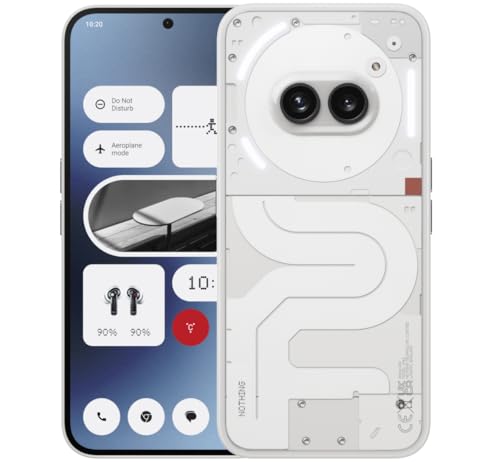
Knowing how to clean a smartphone properly matters because the average phone screen carries a film of skin oil, makeup, pocket lint and whatever your hands touched on the bus. A phone is handled hundreds of times a day and pressed against your face, yet most people clean it with a shirt sleeve, which mostly moves the grime around and can grind grit across the glass.
This guide covers the safe routine: what to use, what to avoid, how to clean the screen, body, case, ports and speaker grilles, and how often to do it. Everything here is home-user safe, uses inexpensive supplies, and will not damage the oleophobic coating that helps your screen resist fingerprints.
Disclosure: As an Amazon Associate, kajuandouglas.com earns from qualifying purchases. Links to Amazon on this page are affiliate links; they cost you nothing extra. Listing details such as price and availability change often, so check the current Amazon listing before you buy.
The Short Answer
Power the phone down, remove the case, and wipe the screen and body with a clean microfiber cloth lightly dampened with water. For a deeper clean use a cloth barely dampened with a manufacturer-approved solution, clean the case separately with mild soap, and use a dry soft brush around ports and speakers. Never spray liquid directly on the phone and never submerge it, even if it is water resistant.
In this guide
Gear for This Guide
A proper screen cleaner kit and quality microfiber cloths make this job faster and safer than improvised tissues or shirt sleeves.

WHOOSH! Screen Shine Pro – Refillable TV Screen Cleaner & Cloth, 16.9 fl oz — A large-format screen cleaner kit with a big microfiber cloth, designed for screens and equally at home on a phone, tablet or laptop. Check price on Amazon.

WHOOSH! Screen Shine Duo – Screen Cleaner and Wipe Kit, 3.4 + 0.3 fl oz — A duo pack with two bottle sizes and cloths, handy for keeping one kit at home and the small bottle in a bag. Check price on Amazon.

WHOOSH! Microfiber Glasses & Screen Cleaning Cloth, 3 Pack, 14×14″, Orange — A three-pack of large washable microfiber cloths sized for electronics, so you can rotate a clean cloth while others are in the wash. Check price on Amazon.
What You Need and What to Avoid
You need very little: two soft microfiber cloths, a small amount of clean water, mild soap for the case, a soft-bristled brush or a wooden toothpick for ports, and optionally a screen-cleaning solution made for electronics. Microfiber is the key tool because its split fibres lift oil and dust without scratching, and it works dry for light smudges.
Avoid paper towels, tissues and rough fabrics, which can leave lint and fine scratches over time. Avoid window cleaner, bleach, ammonia-based sprays, aerosol sprays and hand sanitiser gels on the screen, because harsh chemicals strip the oleophobic coating; once that coating is gone, fingerprints appear faster and wipe away harder for the rest of the phone’s life.
Manufacturers generally approve wiping the exterior gently with a cloth lightly dampened with a disinfectant solution made for electronics or a small amount of isopropyl alcohol on the cloth, but guidance varies by brand, so check your maker’s support page if your phone is under warranty and you want to disinfect rather than simply clean. When in doubt, water on a cloth is always safe.
How to Clean a Smartphone Step by Step
Step 1: Power down and unplug
Switch the phone off and disconnect any charger or headphones. Cleaning a powered-off phone is safer, and a dark screen makes smudges and dust far easier to see.
Step 2: Remove the case and accessories
Take the phone out of its case and remove any pop socket or ring. The case traps grit against the phone’s back and edges, and it needs its own wash, so clean the two separately.
Step 3: Dry-wipe the screen and body
With a clean, dry microfiber cloth, wipe the screen in small circles, then the back and frame. This removes most dust and loose grit first, which matters: dragging grit across glass under a wet cloth is how fine scratches happen.
Step 4: Damp-wipe for oils and smudges
Lightly dampen a corner of the second cloth with water — damp, never dripping — and wipe the screen, back and frame again. Follow immediately with the dry cloth to buff away streaks. If fingerprints resist, a purpose-made screen cleaner on the cloth, never sprayed on the phone, lifts them easily.
Step 5: Clean around buttons, speakers and the camera
Use a dry soft brush to sweep dust from speaker grilles, the earpiece and around buttons. Work gently around camera lenses with the microfiber cloth only; lens coatings scratch more easily than the front glass.
Step 6: Clear the charging port carefully
Shine a light into the port. If you see compacted lint, tease it out with a wooden toothpick using almost no pressure, keeping away from the connector pins in the middle. Never use metal objects, and never blow with compressed air at close range.
Step 7: Wash the case separately
Silicone and plastic cases wash well in warm water with a drop of mild soap; rinse and dry them completely before refitting. Leather cases should only be wiped with a barely damp cloth and left to air dry away from heat.
How Often Should You Clean Your Phone?
A quick dry wipe whenever the screen looks smeared keeps the phone pleasant to use and takes ten seconds. A full clean, including the case and ports, makes sense weekly if your phone travels in pockets and bags, and immediately after illness in the household, after travel, or after the phone has been handled by lots of other people, such as when it has been passed around showing photos.
Build the habit around an existing routine: many people clean their phone while it charges on a Sunday evening, wash the case at the same time, and check the port for lint monthly. That small cadence prevents the compacted-lint charging problems and the permanently cloudy screen that neglect eventually produces.
If you use your phone in a kitchen, workshop or gym, increase the frequency. Flour, metal dust and chalk work into speaker grilles and ports quickly, and a phone used with sweaty hands during workouts benefits from a wipe after every session.
Keeping the Phone Cleaner Between Washes
Most grime arrives via hands, so washing your hands before long phone sessions genuinely reduces how dirty the screen gets. Keeping the phone out of the bathroom, off restaurant tables and out of the bottom of a bag where it tumbles with keys and coins all reduce both dirt and scratches.
A screen protector takes the abrasion instead of your glass and can be replaced when it gets cloudy or scratched, which keeps the underlying screen looking new for resale or trade-in. Likewise a case with a raised lip keeps the screen off surfaces when the phone lies face down.
Finally, retire microfiber cloths when they feel gritty or stiff. Wash them without fabric softener, which coats the fibres and makes them smear, and air dry them. A worn cloth is the most common reason a careful cleaning still leaves streaks.
Cleaning the Fiddly Parts: Speakers, Buttons and Seams
Speaker and earpiece grilles collect a paste of dust, skin oil and pocket debris that gradually muffles sound, and they clean best dry. Hold the phone with the grille facing downward so debris falls out rather than in, and brush across it with a soft, dry brush using short strokes. For stubborn build-up, a small piece of reusable adhesive putty pressed gently onto the grille lifts debris without pushing it deeper; replace the putty surface as it dirties and never force it into the openings.
Buttons and the seams between screen and frame trap a line of grime that a cloth cannot reach. A wooden toothpick drawn lightly along the seam — not dug into it — lifts the line out, and the microfiber cloth finishes the job. Work slowly around the SIM tray and buttons, and never use enough force to flex the tray or scratch the frame’s finish. This is also the moment to check the tray seal if your phone has one, since a perished seal undermines the water resistance you may be relying on.
Camera lenses deserve their own pass with the lens discipline described elsewhere in this guide: clear loose dust first, then polish with light circular strokes. Finish the whole job by cleaning the inside of the case before refitting it, because a dirty case re-soils a clean phone within days and traps grit against the back glass, where it grinds quietly every time the phone is set down.
Disinfecting Sensibly: What the Guidance Actually Says
There is a difference between cleaning, which removes dirt and most microbes with it, and disinfecting, which aims to kill germs on the surface. For everyday life, thorough cleaning with a microfiber cloth and a little water achieves most of the practical benefit, because the physical removal of the film that microbes live in does the heavy lifting. Disinfection becomes worth the extra care after illness in the household, after hospital visits, or when the phone has passed through many hands.
If you disinfect, follow your phone maker’s published guidance, which generally permits wiping the hard exterior surfaces with a cloth lightly moistened with an approved disinfectant solution or alcohol-based wipe intended for electronics, while keeping liquid out of every opening and off fabric or leather parts. Never spray the phone directly, never use bleach products unless the maker explicitly approves them for your model, and never submerge the phone in disinfectant regardless of its water rating.
Frequency is a judgement call rather than a rule: daily disinfection with even approved products adds wear to coatings over years, while never disinfecting leaves a heavily handled object out of your hygiene routine entirely. Most people land sensibly in the middle — clean often, disinfect when circumstances suggest it — and that balance protects both the phone and its owner without turning maintenance into a ritual of anxiety.
Cleaning for Specific Lives: Kitchens, Gyms, Workshops and Children
A phone that lives in a kitchen accumulates a particular film: cooking oil aerosol settles invisibly on every surface, flour dust works into seams, and the phone is handled with wet or greasy fingers between recipe steps. Kitchen phones benefit from a more frequent damp wipe — weekly at least — and from living on a stand away from the hob’s plume rather than flat beside the chopping board. If you follow recipes on the phone, a washable stand is a better investment than any cleaning product.
Gym phones meet sweat, chalk and shared equipment. Wipe the phone and case after sessions, because sweat is salty and corrosive over time, and pay attention to the earpiece and speaker grilles where chalk dust packs. A phone that lives in a gym bag’s outer pocket, separate from damp kit, stays cleaner and drier than one buried with the training gear, and its charging port will thank you.
Workshop and site phones face abrasive dust — the enemy that turns cleaning into scratching if it is wiped dry and careless. Blow or brush debris off before any cloth touches the phone, keep the phone in a case with port covers, and treat the end-of-day clean as part of tool maintenance. Metal filings deserve special care: they cling to speaker magnets and can be drawn across the screen by a cloth, so remove them with adhesive putty rather than wiping.
Children’s phones — and phones handed to children — collect the stickiest contamination known to science and are licked, chewed and dropped into things best not examined. Clean them more often, wash their cases properly, and check ports for the debris of small pockets: crumbs, sand and fluff. A phone regularly used by a toddler should be wiped before an adult presses it to their own face, which is less a rule than a courtesy to your future self.
Across all these lives the principle is constant: match the cleaning cadence to the contamination, use the gentlest method that works, and never let grit meet glass under pressure. The phone does not need a laboratory routine; it needs the right routine for the life it actually leads.
Common Mistakes to Avoid
- Spraying cleaner directly on the phone. Liquid pools around speakers, buttons and the SIM tray and can work inside. Always apply liquid to the cloth, and use very little of it.
- Using paper towels or tissues. Wood-pulp fibres are abrasive at a fine scale and shed lint into ports. Microfiber is cheaper than a screen repair and lasts for years.
- Washing a water-resistant phone under the tap. Water resistance protects against accidents, not deliberate washing; seals age, and tap pressure can force water past them. Wipe, do not rinse.
- Cleaning the port with a metal pin. Metal can short or bend the connector contacts and can chip the port lining. A wooden toothpick and patience are the safe tools.
Pro Tips
- Keep a small microfiber cloth in your bag or car; a ten-second dry wipe daily prevents most build-up, so deep cleans stay quick.
- Photograph your port with the flash on if charging becomes unreliable; compacted lint is visible as a grey mat at the back of the port.
- Clean a brand-new screen protector with the same routine; protectors attract static dust during fitting, and a final buff settles them.
Cleaning by Material: Glass, Metal, Plastic and Coated Finishes
Not every phone surface wants the same treatment. The front and back glass on most modern phones carries an oleophobic coating that helps fingerprints wipe away easily, and that coating is the most delicate layer you own. It wears gradually with normal use, but harsh solvents, abrasive powders and rough paper towels accelerate the wear dramatically, leaving a screen that smears the moment you touch it. A soft microfibre cloth, barely dampened with water, respects that coating while still lifting grease, which is why it remains the default recommendation from manufacturers themselves.
Metal frames, whether aluminium or titanium, tolerate a little more enthusiasm but still scratch when grit is trapped under a cloth. Always shake out or rinse your cloth before a deep clean, because a single grain of sand dragged across a polished rail can leave a permanent bright line. Plastic backs are the most forgiving and the most prone to picking up dye from jeans and cases, so a mild soap solution on a cloth, followed by a clean damp pass to remove residue, works well. Matte and frosted finishes hide fingerprints beautifully yet can develop shiny patches if you scrub one spot aggressively, so use even pressure and let the solution do the work.
Special finishes deserve special caution. Leather backs, fabric cases and wooden accessories should never be soaked or sprayed directly; wipe them with a cloth that is damp rather than wet and let them air dry away from radiators. Vegan leather and silicone respond well to diluted washing-up liquid, while clear cases that have yellowed cannot be restored by cleaning, because the change is chemical ageing inside the plastic rather than dirt on its surface.
The Ports, Speakers and Microphones: Where Dirt Actually Causes Faults
Most cleaning-related phone faults do not come from the screen at all. They come from the charging port, where pocket lint compresses a little further every time you push a cable in, until one day the plug no longer seats fully and charging becomes intermittent. Shine a torch into the port with the phone powered off. If you see a grey mat of fibres, tease it out gently with a wooden toothpick or a plastic pick, working along the edges and never levering against the central tongue that carries the electrical contacts. Compressed air, used in short bursts from a distance, can help afterwards, but blasting at close range can drive moisture and debris deeper.
Speaker grilles and microphone holes collect a different mixture: dust, skin oils and, for many people, makeup and sunscreen. Blocked grilles make calls sound muffled and can trick you into thinking the earpiece is failing. A soft, dry brush with short strokes across the grille, holding the phone grille-down so debris falls out rather than in, clears most of it. A small piece of reusable cleaning putty pressed lightly onto the grille can lift stubborn particles, but never push putty or any tool into the holes themselves, and keep liquids away from these openings entirely because the acoustic meshes behind them are easily damaged.
The camera lenses need the lightest touch of all. Their coatings are thin, and a dirty lens is the single most common cause of hazy, low-contrast photos that owners blame on the camera itself. Breathe on the lens lightly or use a lens cloth kept separately from your general cleaning cloth, because a cloth that has wiped tables and hands carries grit that will mark the coating. Wipe in small circles from the centre outward, and store the phone face-up or in a case with a raised lip so the lens is not grinding against desk surfaces all day.
A safe order of operations for a full clean
- Power the phone down, remove the case, and wash and dry your own hands first.
- Brush loose grit away dry before any damp cloth touches the surface.
- Clean the case separately and let it dry completely before refitting it.
- Do the screen and back with a barely damp microfibre cloth, then buff dry.
- Finish with the port and grilles, working dry, gently, and with the openings facing down.
Cleaning Around Cases, Screen Protectors and Accessories
A case traps exactly the grit you are trying to remove, pressed against the phone by the case’s own snug fit. Take the case off at least monthly, sooner if you work outdoors, at the beach, or around flour, sawdust or building dust. You will often find a fine abrasive dust along the edges that, left for a year, can dull the frame’s finish in a pattern that mirrors the case. Wash hard cases with warm soapy water and a soft brush, rinse well, and dry them fully; a case refitted while damp traps moisture against buttons and ports and can make volume keys feel spongy.
Screen protectors change the cleaning picture in your favour. A glass protector can be cleaned a little more vigorously than a bare coated screen, and when its own coating wears out you can replace the protector instead of living with a smeary display. If liquid creeps under the edge of a protector and leaves a spreading rainbow patch, remove and replace it rather than pressing harder, because trapped moisture against the display is worse than a bare screen. Film protectors on folding phones are a special case: follow the maker’s guidance, use only a soft dry or barely damp cloth, and never peel at the crease area yourself.
Do not forget the accessories that touch the phone daily. Charging cables wiped with a dry cloth stay grippy and make less mess in bags. Wireless charging pads accumulate a ring of dust that can let the phone slide off its sweet spot overnight, so wipe the pad weekly. Earbud cases, which live in the same pockets as the phone, transfer lint straight back onto a freshly cleaned device, so give the case a brush-out at the same time and the whole kit stays cleaner for longer.
When Cleaning Is Not the Problem: Knowing the Limits
Some symptoms look like dirt but are not. A touchscreen that misses touches in one stripe may have a failing digitiser rather than a greasy patch, and repeated cleaning will not revive it. A charging port that has been scraped clean yet still wobbles with every cable may have worn or bent contacts that need a repairer. A speaker that crackles at high volume after the grilles are clear may have a torn diaphragm. Recognising the boundary saves you from scrubbing harder at a hardware fault and turning a repairable phone into a damaged one.
Water exposure changes the rules completely. If a phone has been dropped in water, do not charge it, do not press buttons to check it, and do not use heat to dry it. Wipe the exterior, remove the SIM tray if the design allows it, and let it dry in moving air while you arrange assessment, because corrosion begins quietly and cleaning the outside does nothing for moisture inside. Rice is a poor desiccant compared with simply leaving the phone in a dry, ventilated place, and grains and dust from it add a cleaning problem to a water problem.
Finally, build cleaning into a rhythm rather than a rescue mission. A thirty-second wipe at the end of the day, a case-off clean once a month, and a port inspection whenever charging feels different will keep a phone looking and working like new for years. The owners whose phones age gracefully are rarely doing anything dramatic; they are simply never letting grime, grit and lint accumulate to the point where gentle methods stop being enough.
Cleaning for Different Lives: Offices, Workshops, Kitchens and Clinics
Where a phone works decides what grows and gathers on it. An office phone mostly collects skin oil, desk dust and the occasional coffee splash, and a weekly wipe with a monthly case-off clean keeps it immaculate. A phone that works in a kitchen meets flour, steam, grease mist and raw-food handling, often in the same hour, and it deserves a wipe at the end of every cooking session plus serious attention to the speaker grilles where grease congeals. Anyone who uses a phone while cooking should also think about positioning: a phone propped away from the preparation area, operated with clean hands where possible, stays cleaner and keeps food preparation safer in both directions.
Trades and outdoor work are harder on phones than any laboratory imagines. Building dust is abrasive, metal filings are conductive, and agricultural dust carries everything a farm contains. Workers in these environments should treat cleaning as part of the end-of-shift routine: brush the phone down dry before leaving the site, keep it in a sealed pouch or a rugged case with port covers during work, and never blow dust out of ports with workshop compressed air, which is far more powerful and often oilier than the canned air sold for electronics. A phone cleaned daily in a dusty trade lasts visibly longer than the same phone cleaned monthly, because grit never gets the weeks it needs to work into seals, buttons and ports.
Healthcare, childcare and food-service workers carry an extra responsibility, because their phones move between vulnerable people and contaminated surfaces all day. For them the manufacturer’s guidance on approved disinfectant wipes matters more than for anyone else, as does the discipline of cleaning the phone when hands are cleaned, not as a separate chore that gets postponed. Phones used by children deserve the same regular attention with gentler methods, plus a check of the case for trapped crumbs and moisture, because a child’s phone lives in lunchboxes, school bags and garden soil in a way no adult device ever does.
Disinfection Done Properly: Killing Germs Without Killing Coatings
Cleaning and disinfecting are different jobs that are often confused. Cleaning removes dirt and grease you can see; disinfecting reduces the microbes you cannot, and it only works properly on a surface that has been cleaned first, because grime shields microbes from the disinfectant. Most phone makers now allow wipes with a high concentration of isopropyl alcohol on the hard, non-porous surfaces of the phone, applied as a wipe rather than a spray, kept away from openings, and never used on leather or fabric accessories. Read your own maker’s current guidance before the first disinfection, because coatings and materials differ, and the guidance for your exact model overrides any general article, including this one.
Technique matters as much as chemistry. Wipe the whole surface methodically so no area is missed, keep the surface visibly moist for the contact time the wipe’s own instructions specify, and let it air dry rather than polishing it off immediately, because a disinfectant wiped away in two seconds has not disinfected anything. Do not submerge a phone in any liquid, do not spray any liquid directly at it, and do not use bleach, abrasive cleaners, window cleaners or hand sanitiser gels on the device, however convenient they seem; several of these attack coatings, adhesives and seals that you cannot see being damaged until the phone’s water resistance or screen feel has quietly gone.
Ultraviolet sanitising boxes occupy a middle ground that many households like: no liquids, no wiping, and a cycle that treats the whole surface including awkward edges. They work best as a complement to physical cleaning rather than a replacement, because ultraviolet light does nothing about the grease, grit and lint that cause mechanical problems, and shadowed areas such as ports receive little exposure. A household that wipes the phone clean and occasionally sanitises it has covered both jobs honestly, without turning a thirty-second routine into a laboratory procedure that nobody will maintain past the first week.
Storing Cleaning Supplies and Building a Kit That Lives Where You Do
Cleaning happens when the tools are where the dirt is, so assemble a tiny kit and place it deliberately: two quality microfibre cloths in rotation so one is always clean, a soft brush, wooden toothpicks or plastic picks for the port, a spare cloth reserved only for camera lenses, and, if your maker approves them, a small pack of suitable wipes. Keep the kit in the drawer or bag where the phone charges overnight, because that is the moment a daily wipe costs no extra time at all. Wash the cloths regularly without fabric softener, which coats their fibres and turns a cleaning cloth into a smearing cloth, and replace them when they stay gritty after washing.
Retire the improvised tools that cause the damage this guide exists to prevent. Paper towels and tissues shed fibres and can be surprisingly abrasive on coatings over months of use. Shirt tails carry whatever the day has deposited on them, including the grit that scratches. Metal pins, needles and SIM tools have no business inside a charging port, however many videos suggest them, because the contacts they can bend and the short circuits they can cause turn a free cleaning job into a paid repair. Compressed air deserves respect rather than a ban: short bursts, from a distance, held at an angle so debris exits rather than compacts, and never with the can inverted into spraying propellant liquid.
Finish by making the routine social and sustainable. Teach children to clean their devices with the same calm method, keep a spare cloth in the car for the navigation phone that lives there, and add a case-off clean to an existing monthly habit such as paying bills or backing up photos, so it happens without willpower. A phone does not need to be sterile or showroom-perfect; it needs to be free of the grit that scratches, the lint that blocks, and the grime that degrades, and that standard is reached by small, regular, gentle attention rather than by occasional heroic scrubbing.
The Screen Protector and Case Deep-Clean Day
Once or twice a year, give the accessories their own deep-clean day, because they accumulate what the phone sheds. Remove the screen protector if it is cracked, lifting at its edges, or so clouded at the borders that cleaning no longer restores it, and replace it rather than nursing it; a protector is a sacrificial layer and its retirement is a success, not a failure. Before fitting the new one, clean the bare screen meticulously in good light, work in a steamy bathroom if dust in your home is relentless, since the humidity settles airborne particles, and take your time aligning, because a rushed protector fitted over one trapped speck will annoy you every day of its life.
Cases reward the same occasion. Wash hard and silicone cases in warm water with a drop of washing-up liquid, scrub the button covers and port cut-outs with an old soft toothbrush, rinse until no soap remains, and dry completely, ideally overnight, before the phone goes back in. Inspect the case’s inner surface for embedded grit and its corners for the cracks that mean it can no longer absorb a fall honestly. A case that has gone loose, yellowed into brittleness, or lost its raised edges has finished its job, and replacing it is cheaper than the screen it exists to protect. End the day by cleaning the charging cable ends and the pad or stand the phone lives on, and the whole small ecosystem returns to service as if new.
Cleaning a Phone You Are About to Sell, Gift or Hand Down
A phone changing owners deserves a deeper clean than any in this guide, because you are preparing it for someone else’s hands and habits. Start with the data, not the cloth: back up everything, sign out of every account, remove the device from your trusted lists, and only then factory reset it, in that order, so the next owner is not locked out by your accounts and your information does not travel with the hardware. Photograph the phone’s condition after cleaning if you are selling it, in good light, including any marks you have described, because honest photographs prevent disputes that no amount of polishing can.
Then clean it as a gift rather than as a chore. Case off, port gently cleared, grilles brushed, screen and body wiped and disinfected by the approved method for that model, and the case washed or replaced if it has yellowed, cracked or gone loose. Include a clean, known-good charging cable if you can spare one, coil it properly, and write the phone’s battery health and any quirks on a note inside the box. The recipient of a hand-me-down phone judges the giver by these details, and a parent receiving a child’s old phone, cleaned and reset with care, receives a tool rather than a problem.
If the phone is being recycled rather than reused, the same data discipline applies and the cleaning matters less, but remove the SIM and any memory card first, because those small items carry numbers, photos and accounts of their own and are routinely forgotten in trays. Check drawers for the phone’s companions one last time: the case, the spare protector, the cable that only it used. A device retired completely, with its data wiped and its accessories accounted for, closes its chapter cleanly, and the household’s next phone starts without inheriting a tangle of the last one’s remains.
Seasonal Deep Cleans: Tying the Habit to the Year
Habits survive when they are attached to events, so attach your phone’s deep clean to the seasons you already observe. At the start of summer, clean the phone that will meet beaches, sun cream and festival dust, check its case still fits snugly, and consider a fresh screen protector before the sand season rather than after it. After any beach or building project, do the dry brush-down the same day, while grit is still on the surface and not yet ground into seals and ports by a week of pockets. Seasonal attention is short because it is timely; the dirt never gets its quarter of accumulation.
At the start of winter, clean the phone that will live in coat pockets with tissues, crumbs and damp gloves, and check the port before the season of charging in cars and kitchens begins. Before a holiday or a family gathering where the phone will be passed around for photos, give it the full treatment, case off and lenses polished, because a clean lens is the cheapest camera upgrade in existence and the one most often mistaken for a new phone. After illness in the household, add the disinfection routine, done by the maker’s approved method, to the ordinary cleaning, because the phone is the one object every sick person touches and every well person borrows.
Once a year, on the phone’s birthday in your household if you like ceremony, do the complete audit this guide describes: case off and washed, port inspected with a torch, grilles brushed, protector assessed, cloth kit washed and renewed, and the cleaning supplies themselves checked and replaced. Fifteen minutes, once a year, plus the small seasonal attentions, will keep any phone in the condition its owner believes it is in. Cleanliness in this subject is not vanity and not fussiness; it is maintenance, of exactly the same kind as every other machine you own, performed on the machine you touch most.
Related Guides
- best cases for smartphones
- best screen protectors for smartphones
- best accessories for smartphones
- best smartphones for photography
- best smartphones under 300
- how to protect a smartphone
- how to clean the lens of a camera phone
- how to back up a smartphone
Frequently Asked Questions
Can I use hand sanitiser to clean my phone?
It is not recommended for the screen. The alcohol concentration and added ingredients in many gels can damage the oleophobic coating over time and leave residue. If you want to disinfect, use a cloth lightly dampened with a solution your phone’s manufacturer approves, applied to the cloth rather than the phone, and keep liquid away from openings. For routine cleaning, plain water on microfiber is enough.
How do I clean a phone that has been dropped in something unpleasant?
Power it off, remove the case, and wipe the exterior with a cloth dampened with water and a tiny amount of mild soap, keeping moisture away from ports and speakers. Clean the case separately and let everything dry fully before charging. If liquid or contamination may have entered the charging port, let the phone dry for many hours and watch for corrosion or charging warnings before plugging in.
Why does my screen still look streaky after cleaning?
Streaks usually mean the cloth was too wet, the cloth itself is dirty, or soap residue was left behind. Buff with a completely dry second microfiber cloth in small circles. If streaks persist, wash your cloths without fabric softener and try again with less water; a barely damp cloth followed by a dry buff is the reliable combination.
Is it safe to clean the charging port?
Yes, if you are gentle and use the right tool. Work with the phone off, use a wooden toothpick, apply almost no pressure, and avoid the contact pins in the centre of the port. Never use metal objects, liquids or strong compressed air. If the port is damaged, corroded or the cable still will not sit properly after cleaning, a repair shop can inspect it safely.
How do I clean a leather phone case?
Wipe it with a cloth barely dampened with water, and for heavier marks use a very small amount of soap made for leather, tested on a hidden area first. Never soak leather, never dry it with a hairdryer or radiator, and keep it away from alcohol-based cleaners, which dry and crack the surface. Let it air dry fully before putting the phone back in.
Can cleaning damage my phone’s warranty?
Normal exterior cleaning with a microfiber cloth and water will not affect a warranty. Problems arise when liquid gets inside through damaged seals or when harsh chemicals visibly damage coatings, which manufacturers may class as accidental damage. Following the maker’s published cleaning guidance keeps you safely within warranty terms, so it is worth a quick check of their support page for your model.
Can I clean my phone with the same cloth I use for my glasses?
Yes, provided the cloth is clean, soft and reserved for glass rather than shared with rougher jobs. A glasses cloth is usually a fine microfibre that suits a phone screen well. The caution is about contamination: a cloth that has wiped a kitchen counter, a car dashboard or a child’s face carries grit and grease that will smear or scratch a screen coating. Keep one cloth for screens and lenses only, wash it regularly without fabric softener, and replace it when it no longer leaves the glass clear in a single gentle pass.
How often should I clean the charging port?
Inspect it whenever charging starts to feel different, and give it a gentle clean every few months if your phone lives in pockets, bags or dusty workplaces. Most owners need to remove lint only a few times in a phone’s life, but those few times matter, because compacted lint is the most common cause of intermittent charging. Work with the phone off, use a wooden or plastic pick rather than anything metal, and stop if you meet resistance you cannot explain, because a damaged or corroded port belongs to a repairer rather than to a braver attempt.
Is it safe to clean a phone that has a cracked screen?
Clean it gently and dryly, and treat the crack as a change in the phone’s rules. A cracked screen compromises the seals that kept moisture out, so keep liquids to the absolute minimum, never spray anything near the device, and use a barely damp cloth only on intact areas away from the damage. Tape over a sharp crack can protect fingers temporarily, but the honest answer is that a cracked phone should be backed up and repaired soon, because cleaning cannot restore the protection the glass once provided against water, dust and further cracking.