This guide has tv refresh rate explained in plain language, because the number on the box is one of the most misunderstood specifications in television shopping. Refresh rate describes how many times per second the panel can draw a new image, measured in hertz. A higher native rate can make motion look cleaner and unlock high frame rate gaming, but marketing numbers often describe processing effects rather than the panel itself, which is where the confusion begins.
The short answer is that most content you watch arrives at far lower frame rates than any modern panel, films at twenty four frames per second, broadcasts at fifty or sixty, and only modern games and some sport benefit from panels above sixty hertz. The sections below explain native versus effective rates, motion interpolation, and how to tell which specification a maker is actually quoting, so you can judge any set with confidence.
Disclosure: As an Amazon Associate, kajuandouglas.com earns from qualifying purchases. Links to Amazon on this page are affiliate links; they cost you nothing extra. Listing details such as price and availability change often, so check the current Amazon listing before you buy.
Quick answer: In short: the native refresh rate is the panel true speed, most commonly sixty or one hundred and twenty hertz. Effective or motion rates are marketing figures that include processing. Films and broadcasts do not need more than sixty; high refresh mainly benefits gaming with current consoles and PCs, plus fast sport for viewers sensitive to blur.
TV Refresh Rate Explained: What Refresh Rate Actually Means
A television image is not continuous; it is a rapid sequence of still frames. Refresh rate counts how many frames the panel can display each second. At sixty hertz the panel redraws sixty times per second, at one hundred and twenty it redraws twice as often. When the source provides matching frames, as a high frame rate game can, motion looks smoother and clearer because each position of a moving object is shown for half the time, reducing the blur your eyes perceive during pans and fast action.
When the source provides fewer frames than the panel rate, which is the case for almost all films and television, the panel repeats frames or, if motion processing is enabled, invents intermediate ones. That is why a one hundred and twenty hertz panel does not make a film look different by itself: the film still contains twenty four unique frames per second. The panel higher rate helps mainly by displaying those frames evenly and by giving processing more room to work, not by adding real motion information.
In this guide
Native Rate Versus Effective and Motion Rates
The native rate is a hardware fact about the panel. The effective rate, sold under names such as motion rate, clear motion or picture quality indices, is a marketing figure that bundles the native rate with backlight scanning and frame interpolation to produce a larger, more impressive number. Two sets quoting the same large motion figure can have different native panels, which is why the native figure is the one to find, usually in the full specifications rather than the headline features.
A practical check is gaming support. A panel that accepts a one hundred and twenty hertz input from a console or PC, and lists variable refresh support, is a genuine high refresh panel. A set that only accepts sixty hertz inputs is a sixty hertz panel whatever its motion branding says. For film and broadcast viewing this distinction barely matters, but for gaming it is the difference between a feature you can use and a number you cannot.
Motion Interpolation, Blur and the Soap Opera Effect
Motion interpolation is the processing that invents frames between real ones to make movement look smoother. On sport it can make a fast pan look cleaner, which some viewers love. On films it creates the so called soap opera effect, an unnaturally fluid look that destroys the cadence films are shot with, which is why accurate picture modes turn it off. Interpolation also cannot fix source blur: a slow broadcast camera pan stays soft no matter how the panel processes it.
Panel response and backlight behaviour contribute as much to perceived motion clarity as refresh rate. Fast pixel response keeps moving edges clean, while slow response smears them regardless of rate. This is why two sixty hertz sets can look different on sport, and why judging a short sports clip in store tells you more than any rate figure. If you are sensitive to motion blur, prioritise a well reviewed panel with fast response and, for gaming, genuine high refresh input support.
What Rate Do You Actually Need?
For films, series and general broadcasts, a good sixty hertz panel is entirely sufficient, because the content itself never exceeds that rate and usually sits far below it. For live sport, a quality sixty hertz panel with good processing satisfies most viewers, while blur sensitive viewers may prefer a native high refresh panel. For gaming on current consoles or a PC, a native one hundred and twenty hertz panel with variable refresh support is the meaningful upgrade, enabling the high frame rate modes many games now offer.
The buying rule is simple. Do not pay a premium for a marketing motion number. Pay, if your use justifies it, for a verified native high refresh panel with the gaming inputs to match, and otherwise put the money towards contrast, brightness and size. Refresh rate is a supporting specification, not the headline act, and the rest of this site guides on choosing a television put it in its proper place in the decision order.
Key Terms Glossary
- Native refresh rate: The true number of frames per second the panel hardware can display, most commonly sixty or one hundred and twenty hertz.
- Effective or motion rate: A marketing figure combining native rate with processing such as interpolation and backlight scanning; not comparable between brands.
- Frame interpolation: Processing that invents intermediate frames to smooth motion; responsible for the soap opera effect on films when left on.
- Variable refresh rate (VRR): The panel matches its refresh timing to the game output frame by frame, preventing tearing and stutter in games.
- Input lag: The delay between a signal arriving and appearing on screen, critical for gaming and minimised in game mode.
Common Misconceptions
- A higher refresh rate makes every picture better: It does not. Films and broadcasts contain far fewer frames than the panel can show, so extra rate adds nothing by itself. It benefits high frame rate gaming and, for some viewers, fast sport.
- The big motion number on the box is the panel rate: Usually it is an effective figure including processing. Find the native rate in the full specifications, and confirm high refresh input support if gaming matters.
- Motion smoothing should always be on: Smoothing invents frames and gives films an artificial look that most viewers dislike. Accurate picture modes disable it for film content for good reason.
How Broadcast, Streaming and Consoles Actually Use Refresh Rates
Broadcast television in most regions is built on fifty or sixty fields or frames, a legacy of mains electricity frequencies, and streaming series inherit film and broadcast rates. None of it approaches a high refresh panel ceiling. Consoles are the exception that changed the market: current machines offer performance modes that trade some graphical detail for frame rates up to one hundred and twenty, and PCs go higher still. That is why high refresh panels are marketed at gamers, and why film lovers can safely ignore the entire specification beyond confirming the panel is a good one.
There is one more subtle benefit worth understanding. A high refresh panel can display film twenty four frame content by repeating each frame an exact whole number of times, which avoids the uneven cadence conversion that sixty hertz panels must perform and that sensitive viewers perceive as judder in slow pans. Good sixty hertz sets handle this conversion well enough that most viewers never notice. If you are one of the sensitive minority, a high refresh panel with correct film handling is a legitimate picture quality purchase, for reasons that have nothing to do with gaming.
Judder, Blur and Flicker: Three Different Motion Problems
Viewers use the word blur for three separate phenomena, and separating them prevents wasted purchases. Judder is uneven motion, a stutter in pans caused by frame rate conversion. Sample and hold blur is the softness your eyes create tracking a moving object across a panel that holds each frame steady; higher frame rates and backlight techniques reduce it. Source blur is baked into the broadcast or film by camera shutter and compression, and no television can remove it. Each has a different remedy, and only the first two live in the television at all.
When a demonstration impresses you with motion, identify which problem it solved. A smoother pan is judder or interpolation. A sharper moving object is response or frame rate. A cleaner broadcast is neither, and will not repeat at home on your channels. This vocabulary turns a confusing specification into three answerable questions, and it is the fastest way to see why the refresh headline, alone, predicts so little about the sports and films you will actually watch.
Real-World Scenarios and Examples
Abstract advice lands differently in real rooms. These scenarios apply the guidance above to the situations readers describe most often.
- The film purist: Watches discs and prestige series. A quality sixty hertz panel with correct film handling is complete; spend the difference on contrast and size.
- The console competitor: Plays fast games in performance modes daily. A native high refresh panel with variable refresh is the single most felt upgrade available.
- The judder sensitive viewer: Notices stutter in slow pans that others miss. A high refresh panel repeating film frames evenly is a genuine comfort purchase.
- The sports bar corner: A pub style setup for matches. Good response and viewing angles matter more than rate; judge with a real broadcast clip in store.
- The marketing number victim: Holding a box with a huge motion figure. Find the native rate in the full specifications before any money moves; the headline is not the panel.
Gear for This Guide
These verified examples show both ends of the refresh discussion: genuine high refresh panels for gaming, and the mainstream class that covers film and broadcast needs.

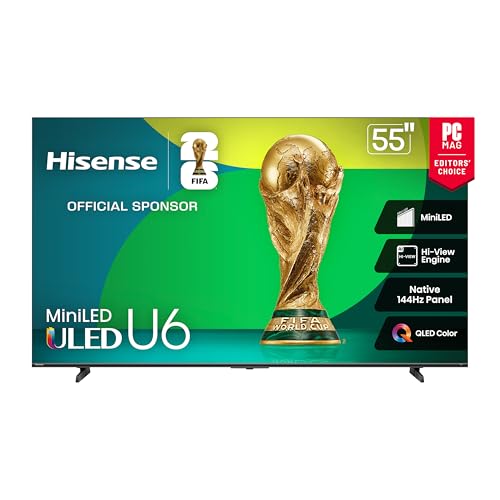
Hisense 55″ Class U6 Series Mini-LED 4K UHD Smart Fire TV (55U65QF, 2025 Model) – QLED, Native 144Hz, HDR10+, Dolby Vision IQ, Dolby Atmos, Game Mode Pro, ALLM, Alexa Built in, Black — A Mini LED set with a high native refresh rate, an example of the genuine high refresh hardware this guide describes rather than a marketing motion figure. Check price on Amazon.

Panasonic W95 Series (2024 Model) 55-inch Mini LED 4K Ultra HD Smart Fire TV, Local Dimming, 144Hz Refresh Rate – 55W95AP — Another high refresh panel example with strong gaming positioning, useful for checking which HDMI ports accept full high refresh input. Check price on Amazon.

TCL 55-Inch Class S5 UHD 4K LED Smart TV with Fire TV (55S551F, 2024 Model), Dolby Vision, HDR PRO+, Dolby Atmos, Alexa Built-in with Voice Remote, Apple AirPlay 2 Compatibility, Streaming Television — A mainstream 4K set representing the sixty hertz class that fully satisfies film, series and broadcast viewing for most households. Check price on Amazon.
From Panel Speed to Perceived Smoothness: the Whole Chain
Refresh rate is the most confidently quoted and least consistently defined number in television marketing, which is why it deserves a slower explanation than the box copy gives it. Behind the single figure sit at least three different things: how often the panel can physically redraw, how the source delivers its frames, and how much processing the television inserts between the two. Confusing those layers is how buyers end up paying for a number they never actually see. This section separates the layers, explains the marketing terms that blur them, and shows how refresh behaviour feels different across film, sport, broadcast and games, so you can tell which claims matter for the way you watch.
First Principles Worth Keeping in View
In the context of what a television refresh rate really does, small setup choices does more work than most buyers expect. An eco sensor quietly fighting your chosen brightness: it takes minutes to fix and improves every source at once, and photograph the original settings before experimenting. What happens to motion when the source is a games console: it changes the verdict more often than owners expect, which costs nothing and frequently feels like an upgrade.
Look closely at what a television refresh rate really does and honest calibration keeps deciding the outcome. Noise reduction switched off for clean sources — it matters more than any single slider buried three menus deep, and the improvement tends to survive every source you throw at it. Motion processing left on its gentlest setting or disabled entirely — it can be undone in seconds, so there is no risk in trying it first. Take how the picture survives a Sunday afternoon of sport: it usually gets a household most of the way in a single sitting, before reaching for test patterns or paid help. A colour temperature that sits close to the warm standard — it tells you more than a specification table ever will.
Where the Details Start to Matter
Seasoned owners discussing what a television refresh rate really does tend to raise the refresh trio early. The difference one menu setting makes to a familiar film — it shows itself only when you stop looking for it, because the weakest of them sets the visible result. The viewing angle from the kitchen doorway — it can be felt in a scrolling ticker within seconds, and test with motion, since stills conceal everything here. How the picture survives a Sunday afternoon of sport: it shows itself only when you stop looking for it, which is why gamers read the small print first.
A native 120 hertz panel redraws the image one hundred and twenty times each second, halving the time each frame stays on screen compared with a 60 hertz panel. Films arrive at twenty four frames per second, so a television must repeat frames or invent new ones, and how it handles that mismatch defines its motion character. The classic judder you see in a slow camera pan comes from 24 frame content shown with uneven frame repeats, not from any fault in the panel itself. A 120 hertz panel can show each film frame exactly five times, which is why native high refresh screens often pan more evenly than 60 hertz screens using a three two pattern.
The Decision Checklist Before You Buy on Refresh Claims
Seasoned owners discussing what a television refresh rate really does tend to raise the order of checks early. Who else shares the device and what they refuse to compromise on: it is worth checking before the return window closes, before moving on to the next check in the sequence.
- Native versus marketed rate: Establish the panel’s true native rate and treat any larger figure as a processing claim; the native number is the ceiling everything else works within.
- Your dominant content: List what you watch most — film, sport, broadcast, games — because each interacts with refresh differently and the best setting for one can harm another.
- Source frame rates: Remember that films, most streaming and much broadcast arrive at modest frame rates, so the panel’s headline rate mostly matters through processing and gaming.
- Gaming ambitions: If high frame rate gaming is on your list, confirm the full chain: console or PC output, port bandwidth, and the panel’s ability to accept and display it.
- Motion processing controls: Check that smoothing can be adjusted per input and switched off for film, because a locked or clumsy implementation becomes a daily irritation.
- Response and blur: Ask about pixel response alongside refresh, since a fast-refreshing panel with slow pixel transitions still smears moving detail.
Motion interpolation invents frames between the real ones, smoothing movement at the cost of the soap opera effect that makes cinema look like a studio broadcast. Black frame insertion sharpens moving detail by darkening the screen between frames, but the trade is a dimmer picture and flicker that some viewers notice immediately. Pixel response time is separate from refresh rate, because a panel can refresh quickly yet still smear if its pixels change colour too slowly. Sample and hold blur is built into how these displays work, with each frame held steady until the next arrives, and your eyes blur that held image as they track movement.
Four Viewers, Four Different Sensitivities
Applied to what a television refresh rate really does, real households repays a closer look. Take the viewing angle from the kitchen doorway: it shows itself only when you stop looking for it, so borrow the reasoning even when your room differs from theirs.
Picture the most common version of this in a real home: a film enthusiast watching a slow, deliberate pan across a landscape and noticing a faint stutter that no one else in the room can see. There is also a time dimension to this scenario. Higher refresh rates shorten that held period, which is the mechanical reason a 120 hertz screen looks clearer in a scrolling ticker or a fast game. Broadcast sport is usually captured at fifty or sixty frames, so it already suits standard panels and gains less from interpolation than film content does.
The honest way into what a television refresh rate really does runs through static game interfaces, a detail many buyers skip. Score bugs and tickers on a sports broadcast: it rewards sets with pixel-care features quietly running, and lower peak brightness for static-heavy sessions. The bright logo of a news channel: it stays relevant long after launch reviews are forgotten, so vary content and let built-in care routines run. A health bar parked in the same corner for a whole evening: it tells you more than a specification table ever will.
Consider how this plays out in practice: a sports household following fast ball movement on a Saturday afternoon, where clarity during motion matters more than still-image beauty. Variable refresh rate lets the panel wait for the game rather than the clock, eliminating the tearing and stutter that appear when frame times wander. A console that renders between forty and sixty frames benefits enormously from variable refresh, because the display stops forcing those frames into a fixed grid. Marketing terms like effective rate or motion rate describe processing claims rather than the panel’s true native refresh, and the native figure is the one worth finding.
Look closely at what a television refresh rate really does and long-term ownership keeps deciding the outcome. Whether the ports match the standards your next console will expect — it is a fairer judge than any showroom loop, so favour the option you can imagine living with in five years. The panel at the brightness you actually use: it is a fairer judge than any showroom loop, before the excitement of launch week distorts the maths.
Picture the most common version of this in a real home: a gamer moving from a standard display to a high-refresh panel and feeling the difference in camera movement before being able to describe it. In this situation the sensible priorities reorder themselves. Some televisions accept a 120 hertz signal only on certain HDMI ports, so the port you choose can silently cap the refresh your console delivers. Input lag falls as refresh rises, since the screen waits less time before showing the newest frame, which is why competitive players chase high refresh panels.
Look closely at what a television refresh rate really does and reflections and glare keeps deciding the outcome. Take how a coating trades a little sparkle for a lot of calm: it is a fairer judge than any showroom loop, and angle the set slightly before condemning it. Take bright-room viewing, where reflections are the real contrast killer: it shows itself only when you stop looking for it, because contrast you cannot see might as well not exist. A subtitle line against a dark scene: it explains why some dimmer sets look clearer at noon, so audition in light resembling your own room. The difference between a mirror-like panel and a satin one — it rewards five unhurried minutes of attention.
Take a concrete household case: a casual viewer who mostly watches broadcast and streaming drama and wonders whether any of this is visible in their everyday programmes. The deciding factor here is rarely the headline specification. Interpolation adds delay because the set must wait for the next real frame before inventing the in between one, and that delay is poison for gaming inputs. For film purists the correct setting is usually interpolation fully off, letting the panel repeat frames evenly and preserving the cadence the director chose.
Strip away the marketing and what a television refresh rate really does still hinges on motion handling more than on headlines. Take response time when a pixel must swing from dark to bright: it rewards a demo with your own content, not the shop’s loop, so bring a clip you know well and watch its hardest moment. Take a subtitle line against a dark scene: it changes the verdict more often than owners expect.
Settings That Help, Settings That Hurt
Anyone weighing what a television refresh rate really does meets the question of the settling-in period sooner or later. The difference one menu setting makes to a familiar film — it shows up in little rituals like charging, cleaning and storing.
Distance Considerations in the Long Run
Field of view is the other half of the equation, since a screen that fills more of your vision feels more cinematic but also exposes softness, noise and compression artefacts. A news ticker is the simplest motion test in any shop, because steady scrolling text reveals judder, blur and interpolation artefacts within seconds. Streaming services deliver several frame rates, and a set that can match or evenly multiply each one avoids the subtle stutter that mismatched rates create.
Field of view is the other half of the equation, since a screen that fills more of your vision feels more cinematic but also exposes softness, noise and compression artefacts. Older consoles locked to thirty frames gain little from a high refresh panel beyond cleaner frame repeats, so expectations should follow the source. The difference between 60 and 120 hertz is obvious in games and scrolling, subtle in sport and almost invisible in static drama, which is why content mix decides value.
Hdr Considerations in the Long Run
Colour volume matters alongside brightness, because a highlight only looks real when it stays saturated — a red brake light should glow red, not wash towards pink or white. Flicker from pulse width dimming is a backlight behaviour, not a refresh behaviour, and confusing the two sends owners chasing the wrong setting. A panel advertised at a high motion rate may still be a native 60 hertz screen, and only the specification sheet’s native figure settles the question.
Judder, blur and tearing are three distinct problems with three distinct fixes, and refresh rate only addresses parts of the first two. When a game supports a 120 frame mode it often lowers resolution or detail to get there, so the smoothness gain arrives with a sharpness cost worth weighing. Sports mode presets usually crank interpolation to maximum, which steadies a ball in flight but can make film trailers shown in the breaks look uncannily smooth.
Gamingtv Considerations in the Long Run
Seasoned owners discussing what a television refresh rate really does tend to raise static game interfaces early. What happens to motion when the source is a games console — it shows itself only when you stop looking for it, because a panel treated kindly ages evenly. Score bugs and tickers on a sports broadcast: it stays relevant long after launch reviews are forgotten, so vary content and let built-in care routines run. The difference one menu setting makes to a familiar film: it rewards five unhurried minutes of attention.
The five times multiplication available at 120 hertz also helps fifty hertz broadcast regions, since one hundred and twenty divides less neatly and some sets handle fifty by doubling to one hundred. Response time figures quoted as grey to grey describe a best case transition, and real transitions between dark shades are slower and more prone to smearing. OLED panels change pixels almost instantly, which gives them crisp motion at any refresh, while LCD panels rely more heavily on processing to approach the same clarity.
Ownership Considerations in the Long Run
Look closely at what a television refresh rate really does and the smart platform keeps deciding the outcome. The difference one menu setting makes to a familiar film: it influences daily friction more than picture quality does, because a streamer is a small price for six more good years. Take the test clip you know by heart: it is a fairer judge than any showroom loop, so buy the panel for its picture and forgive the platform. The built-in apps slowing while the panel stays superb — it is a fairer judge than any showroom loop. An external streaming stick restoring a tired interface — it is a fairer judge than any showroom loop.
A locked sixty frame game on a 120 hertz screen still benefits from lower lag and cleaner repeats, even though the frame rate itself never changes. Turning interpolation down rather than off suits some sport viewers, keeping pans steadier while avoiding the full video look that maximum smoothing creates. The soap opera effect bothers film lovers because twenty four frame cadence is part of cinema’s grammar, and erasing it changes how a scene feels, not just how it moves. Check whether game mode on a candidate set preserves variable refresh and local dimming, because some models strip features when low latency is engaged.
Going Further: Television Details That Reward a Second Look
Applied to what a television refresh rate really does, the secondary details repays a closer look. What happens to motion when the source is a games console: it stays relevant long after launch reviews are forgotten, because these are the things you will still notice in year three.
A higher refresh panel cannot fix a low frame rate stream, and a heavily compressed sports feed will look soft no matter how often the screen redraws. For desktop use through a television, 120 hertz makes mouse movement and window dragging feel dramatically more direct, a benefit office users notice before gamers do. Frame pacing matters as much as frame rate, since evenly spaced frames at a modest rate look smoother than uneven frames at a higher average. The panel’s native rate also caps what motion processing can achieve, because interpolation on a 60 hertz screen has fewer real frames to work between.
Field of view is the other half of the equation, since a screen that fills more of your vision feels more cinematic but also exposes softness, noise and compression artefacts. If you watch mostly films and prestige drama, spend on contrast before refresh, since twenty four frame content gains the least from a faster panel. A camera pan across a detailed landscape is the fairest home test, revealing whether judder comes from the source cadence or from the set’s frame handling.
Some sets offer separate judder and blur reduction sliders, and the judder control is the one that affects film pans while blur reduction targets fast action. Backlight scanning can mimic higher refresh by flashing zones in sequence, trading brightness for clarity in the same way black frame insertion does. The honest buying sequence is native rate first, port support second and processing brand names last, because only the first two are verifiable facts. Consoles that target forty frame modes rely on 120 hertz output to divide evenly, which is an underrated reason the higher panel rate feels smoother this generation.
Look closely at what a television refresh rate really does and HDR allocation keeps deciding the outcome. Take the tone curve deciding what the panel sacrifices first: it is an allocation problem, not a brightness contest, and compare the same title through the same app for fairness. Take what happens to motion when the source is a games console: it rewards restraint, since not everything should blaze at once.
Eye tracking creates motion blur even on a perfect display, so no refresh rate eliminates blur entirely; it only shortens the held frame that causes it. A television that handles 24 frame content over a 60 hertz stream with proper reverse pulldown will pan cleanly, while one that mishandles it judders despite any marketing rate. For mixed households the practical answer is a native 120 hertz panel with per input motion settings, so film, sport and games each get the handling they need. Flicker sensitivity varies between viewers, and black frame insertion that sharpens sport for one person gives another a headache within an hour.
The refresh figure on the box should start your questions rather than end them, with port bandwidth and game mode behaviour finishing the picture. Slow motion replays in sport reveal interpolation limits, as invented frames around a spinning ball can warp in ways real frames never do. A set that remembers separate motion settings per input saves nightly friction, because film and game sources rarely want the same processing. Ultimately refresh rate describes opportunity, not outcome, since the source frame rate and the set’s processing decide how much of that opportunity reaches your eyes.
Judged over months rather than minutes, what a television refresh rate really does turns on static game interfaces. Score bugs and tickers on a sports broadcast — it is worth checking before the return window closes, which console players feel sooner than film fans do. The difference one menu setting makes to a familiar film: it raises the question of image retention on some panel types, before dismissing retention worries as purely theoretical. Static menus between matches — it rewards sets with pixel-care features quietly running.
Testing with a scrolling credits sequence exposes uneven frame repeats instantly, because white text on black leaves artefacts nowhere to hide. If a salesperson quotes a motion rate in the hundreds, ask for the native panel figure and watch the answer change the conversation. Gamers upgrading from a 60 hertz screen feel the step to 120 most in camera movement, where the world stops smearing as it sweeps past.
Documentaries shot at higher frame rates divide audiences just as interpolation does, which shows the cadence debate is about taste as much as technology. A well implemented 60 hertz set with clean frame handling can look calmer than a poorly implemented 120 hertz set that leans on aggressive smoothing. The safest all round choice for mixed viewing is native 120 hertz with interpolation available but optional, never forced by a preset you cannot escape. Remember that streaming apps may output everything at a fixed rate, and a set with frame rate matching restores each programme’s intended cadence automatically.
Applied to what a television refresh rate really does, reflections and glare repays a closer look. How the picture survives a Sunday afternoon of sport — it is worth testing by standing where your sofa actually is, because contrast you cannot see might as well not exist. The lamp that appears in every dark scene until the blinds close — it explains why some dimmer sets look clearer at noon, which makes coating a first-order feature in bright homes. How a coating trades a little sparkle for a lot of calm — it tells you more than a specification table ever will, and angle the set slightly before condemning it.
In the context of what a television refresh rate really does, local dimming does more work than most buyers expect. The test clip you know by heart — it can be judged in one dark scene more fairly than in any demo, because blooming ignored in the shop glows at home. Take a decade-old broadcast upscaled by a modern processor: it shows itself only when you stop looking for it. Blooming around subtitles on a black background: it stays relevant long after launch reviews are forgotten.
One footnote matters for what a television refresh rate really does more than most claims: reflections and glare. How the picture survives a Sunday afternoon of sport — it stays relevant long after launch reviews are forgotten, because contrast you cannot see might as well not exist. Take how a coating trades a little sparkle for a lot of calm: it can matter more than another increment of brightness, so audition in light resembling your own room. The difference between a mirror-like panel and a satin one — it is worth testing by standing where your sofa actually is. Take bright-room viewing, where reflections are the real contrast killer: it is worth checking before the return window closes.
One footnote matters for what a television refresh rate really does more than most claims: running costs. A decade-old broadcast upscaled by a modern processor: it rewards five unhurried minutes of attention, because a hot cabinet shortens the life of everything inside it. The eco mode that dims more than its name suggests — it tells you more than a specification table ever will, before dismissing running costs as somebody else’s problem.
Anyone weighing what a television refresh rate really does meets the question of the smart platform sooner or later. Take how the picture survives a Sunday afternoon of sport: it ages on a different clock from the hardware around it, before replacing a screen whose only crime is slow menus. App support quietly ending for older models — it tells you more than a specification table ever will. The built-in apps slowing while the panel stays superb: it deserves a check on the maker’s update history, and keep the old remote routines documented before updates land. Updates that rearrange menus you had memorised: it is worth checking before the return window closes.
Motion clarity also depends on brightness, because brighter held frames blur more noticeably as your eyes track across them. When comparing two sets, play the same pan and the same ticker on both, since motion differences hide in specifications but announce themselves on screen. A panel’s refresh ceiling matters for a decade of sources you have not bought yet, which is the strongest future proofing argument in this entire guide. A 100 hertz panel common in some regions exists to handle fifty frame broadcast gracefully, doubling each frame where a 120 hertz panel would need uneven repeats.
Related Guides
- best refresh rates for tvs
- best tvs for glare
- best 75 inch tvs under 1500
- best tvs for watching movies
- best small tvs for bedroom
- how to choose a tv
- how to clean a tv
Frequently Asked Questions
Is a 120Hz TV better than a 60Hz TV for watching movies?
Not in any way you can see from the film itself. Movies are made at twenty four frames per second, far below either panel rate, so both sets display the same frames. A high refresh panel can display those frames evenly and offers processing headroom, but the visible difference for films comes from contrast, colour and panel quality, not refresh rate. Spend on those first. High refresh earns its keep with gaming and, for blur sensitive viewers, with fast live sport.
What does effective refresh rate mean on a TV box?
It is a marketing figure that combines the panel native rate with motion processing such as frame interpolation and backlight scanning to produce a larger number. It is not standardised, so figures cannot be compared between brands, and a high effective number can hide an ordinary sixty hertz panel. Always look for the native refresh rate in the full specification list. For gaming, confirm the set accepts high refresh input on its HDMI ports, which only a genuine high refresh panel can do.
Do I need a 120Hz TV for a games console?
You need one only if you want to use the high frame rate performance modes that many current games offer, which output up to one hundred and twenty frames per second. Without a high refresh panel those modes simply run at sixty. The panel should also support variable refresh and low input lag in game mode. If you play mostly story games at standard modes, a good sixty hertz set still looks excellent, but keen players will feel the high refresh difference immediately.
Why does sport still look blurry on my high refresh TV?
Because most blur in sport comes from the source, not the panel. Broadcast cameras, shutter speeds and compression soften fast pans before the signal reaches your television, and no panel can restore detail that was never captured. Motion processing can smooth the pan but cannot sharpen the underlying picture. A fast responding panel helps at the margins. Judge sport performance with a real broadcast clip rather than specifications, and keep expectations tied to broadcast quality.
Should motion smoothing be on or off?
Off for films and drama, because interpolation invents frames and creates the artificial soap opera look that accurate picture modes deliberately avoid. For live sport, some viewers prefer a low smoothing setting because the content is already video rather than film, and pans can look cleaner. Most sets let you store different motion settings per picture mode or input, so you can keep films pure and sport smoothed without constant adjustment. Start from off, then add the minimum that pleases you.
Does refresh rate affect input lag for gaming?
They are related but separate. Input lag is the delay before your input appears on screen, and game mode minimises it by bypassing processing on any panel. A high refresh panel shortens the time each frame is displayed, which can make response feel slightly snappier, and variable refresh removes tearing and judder as frame rates vary. For competitive play, the complete package matters: native high refresh, variable refresh support, and a measured low input lag in game mode on the port you will use.
Does a higher refresh rate improve streaming films?
Only indirectly. Films arrive at their own fixed frame rate, so a faster panel does not add real frames; it can only process what arrives. Where a higher native rate helps is smoother handling of that material and headroom for gaming, not new detail in the film itself.
Why do shops list two different refresh numbers for one TV?
Usually one figure is the panel’s native rate and the other is a branded motion index that folds in processing tricks like interpolation and backlight scanning. The native figure is the honest hardware number; the index describes an effect, and effects can be judged only by watching.

