Disclosure: As an Amazon Associate, kajuandouglas.com earns from qualifying purchases. Links to Amazon on this page are affiliate links; they cost you nothing extra. Listing details such as price and availability change often, so check the current Amazon listing before you buy.
Learning how to fix one speaker not working is mostly learning to think in chains: source, cable, amplifier channel, speaker wire, speaker. When one side of a stereo pair falls silent, the fault lives at exactly one link of that chain, and a few swaps will identify it with certainty. The encouraging statistic is that the speaker itself is the least likely culprit — connections, balance settings and cables account for the overwhelming majority of silent channels.
This guide runs the diagnosis in safe order, from the settings people forget (balance, mute, output selection) through cable and channel swaps that isolate the fault, to the visual checks that confirm a genuinely failed speaker. It covers stereo pairs, powered speakers and desktop systems, and it is explicit about what not to do: no opening cabinets, no poking drivers, no testing with the volume at maximum. Work the steps in order and you will know exactly what is broken, and whether it is fixable at home.
How to fix one speaker not working: The Short Answer
Check the balance control and source first — a slipped balance knob silences one side perfectly. Then swap the left and right cables at the amplifier: if the silence moves, the speaker is fine and the fault is in the cable, connection or source channel. If the silence stays with the speaker, inspect its terminals and wire, then test it on the working channel.
In this guide
Likely Causes, Most Common First
| Likely cause | What you will notice | The fix |
|---|---|---|
| Balance control off-centre | One side silent or much quieter; happened ‘suddenly’ | Centre the balance in the amplifier, app or device settings |
| Loose or failed cable on one side | Silence began after moving or cleaning; wiggling may restore sound | Reseat or replace that side’s cable |
| Corroded or stray speaker wire | Intermittent or silent channel; wire ends discoloured | Trim to bright copper, reconnect, clear stray strands |
| Source outputs one channel only | Same side silent on every speaker or headphone | Test another source; check the source’s own balance/mono settings |
| Amplifier channel fault | Silence follows the amplifier channel in swap tests | Bench repair; do not open the amplifier |
| Failed speaker driver or crossover | Silence stays with the speaker through every swap | Professional repair or replacement |
Step-by-Step Fixes, in Safe Order
Step 1: Check balance, mute and output settings first
Before touching a cable, check the balance control on the amplifier, receiver, app or computer — it is astonishing how often a bumped balance knob or a software slider has sent everything to one side. Confirm the source is not set to mono with a dead channel, that the correct output is selected, and that volume is at a normal level. Play a track you know is stereo. This step costs thirty seconds and solves a humiliating share of ‘broken speaker’ reports, so never skip it out of pride.
Step 2: Test with headphones or another source
Plug headphones into the source or amplifier: if one side is silent there too, the fault is in the source or the amplifier’s early stages, not your speakers. Then try a completely different source into the system. These two tests split the chain in half instantly — everything before the speakers, or the speakers and their cables — and every later step depends on knowing which half you are working in. Write down what you observe; memory blurs quickly once the swapping starts.
Step 3: Reseat the silent side’s connections
Power off. Unplug and firmly replug the silent side’s cable at both ends — interconnects, and especially speaker wire. Bare wire ends deserve a hard look: corrosion, fraying and a single stray strand touching the other terminal can each silence or mute a channel. Trim damaged ends back to bright copper, twist them neatly, and reconnect with correct polarity. Power up and test before moving on; a large fraction of cases end here, with a connection that looked fine and was not.
Step 4: Swap channels at the amplifier to isolate the fault
This is the decisive test. Power off and swap the left and right speaker connections at the amplifier or receiver — not at the speakers. Power up and listen. If the silence moves to the other speaker, your speakers are both healthy and the fault is in the amplifier channel, the cable run or upstream. If the silence stays with the same physical speaker, the fault is in that speaker or its own cable, and the next step separates those two. Keep track of what you swapped; label with tape if needed.
Step 5: Swap the cables themselves
If the silence stayed with the speaker, power off and exchange the two speaker cables (or interconnects, for powered speakers) while leaving everything else as it was. If the silence now moves, the cable was the fault — replace it permanently rather than trusting it again. If the silence still stays with the same speaker after both swaps, you have proven the fault is inside that speaker or its terminals, because every other link has been exchanged around it. That certainty is what the swapping method is for.
Step 6: Inspect the speaker’s terminals and driver
Power off and examine the speaker’s own terminals for looseness, corrosion or a wire that has slipped out entirely — a speaker knocked during cleaning often loses one connector. If the terminals are sound, remove the grille if it comes off easily and look at the drivers while a test tone plays at low volume: a woofer that does not move at all, while its partner works, suggests a failed driver or internal crossover fault. Do not press the cone or open the cabinet; there is nothing inside for a home user to repair safely.
Step 7: Decide between repair, warranty and replacement
A speaker proven faulty by swap tests, still under warranty, goes back to the seller — take your notes, because ‘silent on all sources, fault isolated by channel swaps’ is exactly what support teams need. Out of warranty, weigh the speaker’s value: quality speakers justify a repairer’s diagnosis (a failed crossover capacitor or a replacement driver can be economical), while inexpensive speakers with dead drivers usually do not. If one of a pair has failed and the model is discontinued, ask the repairer about repairing rather than replacing, to keep the pair matched.
As you work through this guide, keep the bigger picture in mind. Our roundup of best speakers for music shows how the main options compare, and the companion piece on how to fix speaker crackling covers the neighbouring decision in the same detail.
When to Get Professional Repair or Replace It
Professional help is appropriate when swap tests have isolated the fault to a speaker or amplifier channel and the equipment is worth repairing. Amplifiers and powered speakers must never be opened at home — internal capacitors can hold a dangerous charge — and driver or crossover work needs parts and measurement gear a bench provides. Bring your test notes; a repairer who knows the fault follows the speaker, on all sources, with cables swapped, can go straight to the driver and crossover instead of charging you to repeat the diagnosis.
Replace rather than repair when the failed unit is an inexpensive speaker, when both the driver and crossover are suspect, or when a repair quote approaches the cost of a current equivalent. For a matched stereo pair, repair of one speaker usually beats replacing one, because a different model on one side unbalances everything. And if the ‘fault’ turned out to be a cable or a balance knob — the most common outcomes — spend the saved money on a spare cable and a label maker, the two true cures for silent channels.
Preventing a Silent Channel From Returning
Silent channels are born at connections, so prevention is connection hygiene: firm terminals, clean bright wire ends, cables supported so their weight does not pull on sockets, and a photograph of the wiring before anything is moved for cleaning or decorating. Banana plugs, where terminals accept them, make connections more reliable and swaps for testing far easier. Keep a known-good spare cable in the house; it turns the next diagnosis from an expedition into a two-minute test.
Settings deserve the same discipline. After any app update, houseguest or film-night fiddling, a quick balance-and-output check should be your reflex when sound seems wrong — before the cables come out. Teach the household the balance control’s location; half of prevention is ensuring the person who finds the problem also knows the thirty-second check that solves most cases.
Gear for This Guide

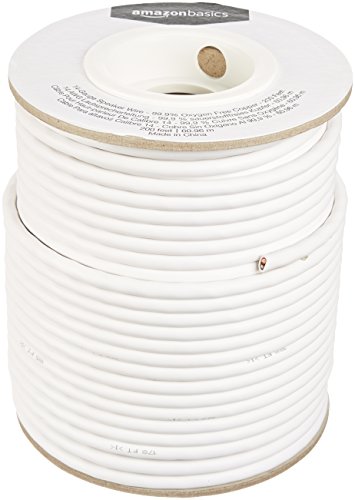
Amazon Basics 14-Gauge Speaker Wire, 200 Feet
A long spool of 14-gauge oxygen-free copper speaker wire with colour-coded conductors, suited to longer runs between an amplifier and passive speakers. Thicker wire matters most on long runs, where thin wire can waste amplifier power. Check price on Amazon.
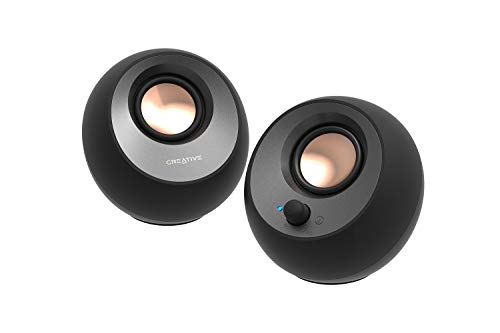
Creative Pebble V3 Desktop Speakers
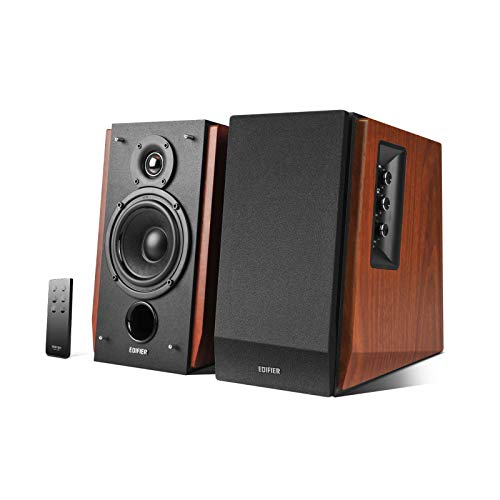
Compact USB-C powered desktop speakers with Bluetooth, sized for laptop desks and small monitors. Their angled drivers aim sound up toward your ears when they sit below a screen. Check price on Amazon.

Logitech Z407 Bluetooth Computer Speakers
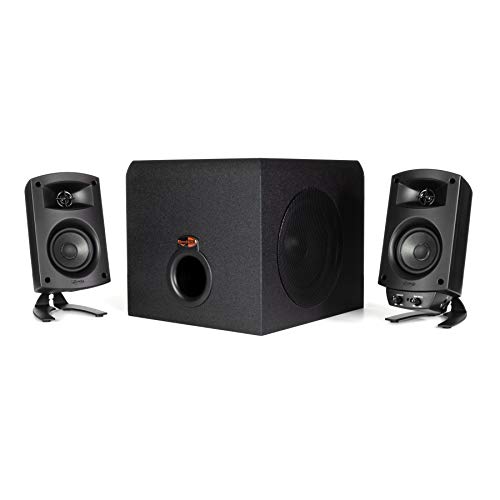
A 2.1 computer speaker system with a wireless control dial, Bluetooth, USB and 3.5 mm inputs, and a down-firing subwoofer. The mix of wired and wireless inputs suits a desk that hosts both a computer and a phone. Check price on Amazon.
Common Mistakes
Assuming the speaker has failed and replacing it
The speaker is the least likely link in the chain. Swap tests take minutes and routinely prove the speaker innocent — do them before spending anything.
Swapping cables at both ends at once
Changing two things destroys the logic of the test. Swap one connection point at a time, note the result, and let the pattern identify the fault.
Testing at high volume
A channel that suddenly returns at full volume can damage hearing and speakers. Test at low to moderate volume and raise it only when both sides are proven working.
Opening the amplifier or powered speaker
There are no user-serviceable parts inside, and capacitors can hold a dangerous charge. Every home-fixable cause of a silent channel is outside the cabinet.
Prevention Habits
- Balance first, cables second, swaps third, conclusions last.
- Label left and right cables with tape before swap tests.
- A known-good spare cable is the fastest diagnostic tool you can own.
- Photograph the wiring before moving any component.
Going Deeper: Context That Helps
Whatever the product, the cheapest upgrade is usually time spent with the manual and the settings menu. Manufacturers bury genuinely useful options — EQ presets, dialogue modes, level trims, firmware updates — several layers deep, and most owners never find them. An hour spent exploring settings with familiar content playing will teach you more about your system than a week of reading reviews, and it costs nothing. Keep notes of what you changed so you can undo anything that makes things worse, and change one thing at a time so you know which adjustment caused which result.
Returns windows are part of the buying process for audio gear, and you should use them deliberately. Sound is personal and room-dependent, so a product that reviews well can still disappoint in your space. Buy from sellers with clear return policies, keep packaging until you are sure, and test with your own content at your own volumes in the first days — not the night before the window closes. A structured test, with the same three songs or scenes each time, reveals differences that casual listening misses and turns a vague feeling into a decision you can act on.
Hearing safety deserves a mention in any audio guide. Comfortable TV and music listening sits well below the levels that risk hearing damage, but portable speakers at parties, and headphones especially, can creep upward in noisy environments as you compete with background sound. If you have to shout to be heard over your own system, it is too loud for long sessions. Many devices offer volume limiting — worth enabling for children — and taking listening breaks during long sessions protects both your ears and your enjoyment, because tired ears judge sound poorly.
Speaker sound is shaped as much by the room as by the speaker itself. Hard floors, bare walls and large windows reflect sound back at you, which can make even a good speaker seem harsh or echoey, while soft furnishings, rugs and curtains absorb those reflections and calm the result. Before blaming a speaker for disappointing sound, look at the room: a rug between the speakers and your seat, curtains over a large window, or a bookshelf filled with books behind you can change the sound more than a modest upgrade would. This is why the same speaker can sound impressive in a shop demo room and merely ordinary at home — the demo room was treated, and yours is not.
Stereo imaging depends on symmetry. When the left and right speakers are at different distances from you, or one is tucked into a corner while the other sits in open space, the stereo image pulls toward the closer or louder side and voices stop sounding centred. Aim for a rough triangle: the two speakers and your head at the corners, with both speakers the same distance from your seat and at the same height. Small adjustments — ten centimetres here, a slight toe-in there — are free, reversible and often more rewarding than new cables or accessories, so always finish placement before spending money on upgrades.
Bass behaves differently from the rest of the sound. Low frequencies are long waves that build up in corners and along walls, which is why a speaker can sound boomy in one spot and thin a metre away. Moving a speaker even slightly out from a wall reduces the wall’s reinforcement of the bass; moving your seat away from the back wall often fixes boominess that no tone control can. If your system has a subwoofer, its position matters even more, because a single subwoofer excites the room unevenly and your seat may sit in a peak or a null in the bass response.
Speaker sensitivity and impedance explain more about real-world loudness than headline wattage. Sensitivity tells you how loud a speaker plays with a given amount of power; a sensitive speaker on a modest amplifier can easily outplay an insensitive speaker on a powerful one. Impedance, measured in ohms, describes the load the speaker presents to the amplifier — most home speakers are nominally 8 or 6 ohms, and amplifiers are happiest when the speaker’s impedance stays within the range the amplifier is rated for. Matching these two figures sensibly matters far more than chasing the biggest watt number on a box.
Every speaker is a compromise between size, bass and efficiency — engineers call it Hoffman’s Iron Law: pick two, sacrifice the third. A tiny speaker can be efficient or produce deep bass, but not both at once, which is why small portable speakers sound impressive for their size yet cannot reproduce the lowest notes of a film soundtrack. Understanding this trade-off sets honest expectations. If a product promises room-filling deep bass from a box the size of a paperback, physics says the claim needs salt; the sound may still be enjoyable, but the lowest octave will be suggested rather than truly reproduced.
Burn-in and warm-up are debated endlessly, but the bigger variable is your own hearing. Your ears adapt to a new speaker over the first days of listening, which is why a speaker that sounded bright on day one often seems balanced by day five — your brain has recalibrated, not the hardware. The practical lesson is to live with a new setup for a week of normal listening before judging it or changing settings. Judge with familiar recordings you know well, at the volume you actually use, in the seat you actually sit in; first impressions in a shop or in the first ten minutes at home are unreliable.
Frequently Asked Questions
Why did one speaker suddenly stop working?
Sudden silence is usually mechanical or a setting, not electronic death: a cable pulled loose during cleaning, a wire end that finally corroded through, a balance control knocked off-centre, or a software update that changed an output setting. Speakers that fail electronically more often degrade — distortion, crackling, fading — than stop outright. That is why the guide starts with settings and connections: sudden faults live there, and the swap tests will prove it one way or the other.
How do I know if the speaker or the amplifier is broken?
Swap the left and right speaker connections at the amplifier. If the silence moves to the other speaker, the amplifier channel (or something upstream) is at fault and both speakers are healthy. If the silence stays with the same speaker, swap its cable next; if it still stays, the speaker is at fault. This pair of tests gives a certain answer with no instruments, and it is exactly what a repairer would do first — doing it yourself saves the diagnostic fee.
One speaker is much quieter than the other, not silent. Is it the same problem?
Usually the same family of causes, in milder form: a partially corroded connection, a balance control slightly off, one speaker closer to a wall or corner (which changes its loudness), or a failing cable adding resistance. Work the same steps — settings, reseat, swaps. Also check that both speakers sit in similar positions; a speaker in a corner plays louder than its partner in open space, which can masquerade as a fault. If swaps prove the speaker itself is quieter on every channel, a driver or crossover is ageing and a repairer should measure it.
Can a speaker wire being reversed cause silence?
Reversed polarity on one speaker does not silence it, but it thins the sound dramatically — bass cancels between the two speakers and voices lose their centre focus — which some people describe as the system ‘not working’. If your symptom is weak, hollow sound rather than silence, check that positive goes to positive on both speakers. True silence needs a broken connection, a setting or a failed component; polarity is the first check for the hollow-sound variant.
My powered speaker’s partner is silent. What is different?
In many powered pairs, one speaker contains the amplifier and feeds the second through a speaker cable. A silent partner usually means that linking cable is loose, damaged or plugged into the wrong terminals — check it first. If the link is sound, swap in a known-good cable. Note also that some powered pairs only play the partner when the main unit receives stereo input; a mono source setting can mute one side. The same logic applies: settings, cable, then the unit itself.
Is it worth repairing a speaker with a dead driver?
It depends on the speaker’s quality and the fault. A replacement driver or a crossover repair on a good speaker is often economical and keeps a matched pair together. On inexpensive speakers, parts and labour usually exceed the value, and replacement is rational. Get a quote before deciding, and mention your swap-test results — a repairer who trusts your diagnosis will quote the real job instead of a diagnostic fishing trip. Never attempt driver replacement inside powered speakers yourself; the electronics make it bench work.
Mapping the Signal Path Before You Touch Anything
Understanding where one channel can disappear
- A stereo signal passes through more hands than most people realise: the source creates two channels, a cable or wireless link carries them, the amplifier processes left and right separately through its volume and balance stages, and two sets of terminals and cables feed two speakers. One silent side means the chain is broken at exactly one of those points for exactly one channel, and your job is to find which point without disturbing the evidence. That is why the order of tests matters more than the tests themselves.
- Write down the current state before changing anything: which side is silent, on which sources, at which settings. Then change one thing, test, and either restore it or note the result before moving on. Random swapping feels faster but destroys the information you need, and it is the main reason a simple fault turns into an afternoon of confusion. A phone recording of the working side’s test tone can also help you confirm later that a faint channel has genuinely returned rather than you imagining an improvement.
Complete silence versus a faint or distorted side
- A channel that is completely silent suggests a break: a disconnected cable, a muted or panned setting, a blown fuse in older equipment, or a failed output stage. A channel that plays very quietly, distorts, or cuts in and out suggests a partial connection: oxidised contacts, a cable with an internal break that still touches sometimes, or a driver whose lead-in wires have fatigued where they flex. Treat these as different faults, because the fixes and the urgency differ.
- Listen also for what the silent side does at switch-on. A thump, a brief burst of sound that fades, or crackle when you move the volume control are all clues. Sound that appears when the volume control moves points to a dirty control track. A channel that works for ten minutes then fades as the equipment warms up points toward a heat-sensitive component inside the amplifier, which is a professional repair rather than a home fix, and continuing to run it rarely makes the eventual bill smaller.
Mono, balance, and the settings everyone forgets
- Modern sources hide channel-killing settings in surprising places. Phones have an audio balance slider in accessibility settings that owners set once for a faulty earbud and forget. Streaming boxes and televisions offer mono output for compatibility. Some amplifiers remember a balance offset per input, so one source can be panned hard to one side while others are fine. Before any cable work, play a familiar stereo track and deliberately move the balance fully left, fully right, and back to centre, confirming the working channel responds as expected.
- Also confirm the source material itself is stereo in the way you expect. Old recordings, some podcasts, and certain video clips are effectively mono or heavily one-sided, and testing with them sends people chasing faults that do not exist. Keep one reference track you know intimately, ideally something with obvious left-right movement such as a duet with singers placed on opposite sides, and use it for every test in this guide so your comparisons are honest.
Cable and Connection Faults in Depth
Why cables fail one channel at a time
- Stereo cables carry the two channels as separate conductors sharing one jacket, so damage is naturally one-sided. A cable that has been trapped under furniture, rolled over by a chair, or bent sharply at the plug can break its left conductor while the right survives untouched. Speaker cables fail similarly at their ends, where repeated flexing work-hardens the copper until strands snap one by one. The result is a channel that may still work when the cable hangs one way and fail when it is moved, which is why wiggle-testing each cable while listening is so informative.
- Interconnect plugs add their own failure modes. On an RCA plug, the centre pin carries the signal and the outer shell carries the return; either can lose contact independently. A plug that spins freely in its socket or slides out with no resistance is telling you the socket has loosened. Swap in a completely different cable rather than trying to nurse a suspect one along, and if the fault follows the old cable to a different system, retire that cable permanently rather than keeping it as a spare that will confuse a future diagnosis.
Speaker terminals and the stray strand problem
- At the speaker end, check that the cable is clamped on bare, clean conductor and not on its plastic insulation, a beginner mistake that produces exactly one working speaker because one side was wired carefully and the other was not. Look closely for stray strands: a single whisker of copper bridging the two terminals can mute or distort a channel and stress the amplifier. Binding posts should be firmly hand-tight, and spring-clip terminals should grip hard enough that a gentle tug does not move the wire.
- While you are behind the speaker, confirm polarity has not been disturbed, with the amplifier’s positive terminal feeding the speaker’s positive terminal on both sides. Reversed polarity on one side does not silence it, but it makes bass thin and imaging vague, and owners sometimes describe that wrongness as one speaker not working properly. If the system has recently been moved, rewired, or cleaned around, assume a connection has been disturbed until you have physically checked every one of them.
- Test order that wastes the least time: settings and balance, headphones at the source, reseat the silent side, swap speaker cables at the amplifier, swap speakers, then suspect the amplifier.
- If the silence moves to the other speaker when you swap cables at the amplifier, the fault is upstream: amplifier channel, interconnect, or source.
- If the silence stays with the same physical speaker through every swap, the speaker itself or its own short cable is guilty.
- If both speakers fall silent on one source only, look at that source and its cable, not the speakers.
When the Amplifier Is the Problem
Dirty controls and tired relays
- On amplifiers and receivers, one channel dropping out at low volume is a classic symptom of a dirty volume control or a tired speaker relay. The clue is that the channel often returns when you turn the volume up sharply, because the stronger signal punches through the contamination. Working the volume control through its range a few dozen times with the power off can temporarily clean the track and confirm the diagnosis, but treat it as a test rather than a cure; the contamination will return, and a technician can clean or replace the control properly.
- Never spray contact cleaner into equipment you have not been trained to open, and never open mains-powered equipment yourself. The safe home-level actions are external: controls exercised from the front panel, connections remade at the back, ventilation checked so the unit is not cooking itself. Anything inside the case, including fuses that are not user-accessible from outside, belongs to a repairer. Keep a note of exactly how the fault behaves, because intermittent amplifier faults are notoriously shy when they reach the workbench.
Protection mode, heat, and one-sided shutdowns
- Many amplifiers monitor each output and shut down a channel that draws abnormal current. A speaker cable with damaged insulation that shorts only when it warms or moves can trigger this, so inspect the full cable run, including behind furniture, before condemning the amplifier. Check also that the amplifier’s vents are clear and that it is not stacked under another hot component; a channel that dies after half an hour of loud listening and returns when cool is describing a thermal problem in plain language.
- If the amplifier has a headphone socket, use it as a diagnostic window. If the missing channel is also missing in headphones, the fault is in the preamplifier stages, source, or settings. If headphones are perfect in both ears while the speaker output is one-sided, the fault is in the power stage, relay, terminals, or speaker cable. That single observation halves the repairer’s search area and is worth writing down and handing over with the unit.
Checking the Silent Speaker Itself
Terminal plates, crossovers, and internal leads
- Inside every passive speaker, the terminals connect to a crossover network that splits the signal between woofer and tweeter, and each driver connects with short leads. Any of those joints can fail with age, heat, or a knock during moving. From outside, your evidence is behavioural: a speaker silent on every amplifier and cable combination, or one that plays only its tweeter’s thin output or only its woofer’s muffled output, has an internal fault. A speaker that plays only treble has lost its woofer path; one that sounds like it is under a blanket has lost its tweeter.
- Do not open the cabinet to chase this. Sealed and ported cabinets are built to be serviced with the right tools, and clumsy opening damages gaskets, veneers, and your warranty. Instead, gather your swap-test results, which will let a repairer go straight to the guilty component. Crossover capacitors are inexpensive parts, and driver lead repairs are routine, so a silent speaker is very often an economical repair, especially on a model you otherwise like.
Powered and wireless speakers: a different checklist
- When the silent unit is a powered speaker or one half of a wireless stereo pair, add power and pairing to the suspect list. Check that its power supply is its own correct one, since similar-looking supplies with different ratings circulate in most households, and confirm any standby or auto-sleep behaviour has not simply put it to sleep. Stereo pairs can lose their link and default to one unit playing alone; re-pairing the set following the maker’s sequence, and updating both units to the same firmware version, resolves a large share of these cases.
- Factory resets on powered speakers wipe their network and pairing information, so treat a reset as a later step after you have noted your settings, not as a first reflex. If one unit of a pair will not power on at all with a known-good supply, stop testing and contact support, because powered speakers contain mains circuitry that is not user-serviceable. Keep both units’ serial numbers together in your note, as pairs are sometimes serviced or replaced as a matched set.
Preventing a Repeat and Knowing When to Stop
Habits that keep both channels alive
- Most one-channel failures are born during moves and cleaning. When you move a system, photograph the back panel before disconnecting anything, label each cable at both ends, and coil cables loosely rather than wrapping them tightly around your hand, which twists conductors at the plugs. Reconnect methodically and test both channels with your reference track before pushing furniture back, while the connections are still easy to reach.
- Give connections a gentle annual review: reseat plugs, confirm terminal tightness, and look for cable damage where runs pass doors, radiators, or chair legs. Route cables so they cannot be trapped or tripped over, because a single hard yank is the most common cause of the internal cable breaks that produce intermittent one-sided sound. These few minutes a year prevent the majority of the faults described in this guide.
The honest stopping point
- Stop home diagnosis when the evidence points inside a powered product, when a channel fault is accompanied by heat, smell, or repeated protective shutdowns, or when you have completed the swap tests twice with contradictory results, which usually means two small faults are overlapping. At that point a repairer’s bench equipment will find in an hour what guesswork cannot find in a weekend. Take your notes, your cables if they are suspects, and both speakers if the fault could not be isolated to one side.
- Weigh repair against replacement with clear eyes. A cable, a control cleaning, or a crossover component is cheap; a failed output stage on a very old amplifier may not be. But a speaker you love that needs a routine internal repair deserves it, and a matched pair should stay matched rather than replacing one side with a different model that will never image quite the same way.
Scenario Walkthroughs: Applying the Tests to Real Setups
A turntable system with a silent right side
- Vinyl systems lose one channel in their own characteristic places. The cartridge has four tiny connecting pins, the headshell leads that join them are fragile, and the phono cable from turntable to amplifier carries both channels in one jacket. If the right channel vanishes after a cartridge change or a stylus replacement, suspect a headshell lead that has slipped off its pin or been refitted onto the wrong one before anything else. Work with the power off, good light, and tweezers if you have them, and photograph the wiring before you touch it so you can restore the original arrangement.
- If the wiring is untouched and correct, swap the phono cable’s left and right plugs at the amplifier end only. If the silence changes sides, the fault is in the cable or the turntable’s output; if it stays on the right, the amplifier’s phono stage or a later connection is responsible. Remember that a turntable’s channels can also be lost to a dirty or worn stylus that no longer traces both groove walls properly, so a known-good record and a clean stylus belong in the test before any money is spent.
A television and soundbar setup that plays on one side
- With televisions, a speaker that seems dead is often a setting wearing a disguise. Check the television’s audio output format first: some sets, when set to pass through certain surround formats to equipment that cannot decode them, produce partial or one-sided sound. Setting the output to plain stereo PCM for testing removes that whole class of problem in one step. Then check the cable between television and sound system, especially an HDMI connection that is not fully seated, because a partially inserted plug can pass picture while mangling audio.
- If the setup uses separate speakers fed by a receiver, run the receiver’s built-in test tone, which cycles noise through each speaker in turn. A speaker silent during the test tone but wired correctly has a hardware fault in its chain; a speaker that plays the test tone but not television sound has a source or format problem. That distinction, which takes two minutes to establish, is exactly the information a support line will ask for first, and having it ready shortens any call considerably.
A desk setup where one powered speaker sleeps
- Near-field desk systems often pair one powered speaker with a passive partner joined by a single cable, and the passive side is the one that goes quiet. Check that linking cable at both ends first, because it is routinely knocked loose by feet, cleaning, or desk adjustments, and its connectors are small and easily bent. If the link is sound, swap the partner cable for any suitable spare and retest before suspecting the passive speaker itself.
- Also check the powered unit’s balance and any per-channel trim in its companion app, and confirm the computer’s own output balance, which lives in sound settings and can be altered by other software. Computers add one more suspect: a front-panel headphone socket or a USB audio device that the operating system has silently chosen as the output, sending one channel’s worth of confusion through the wrong path. Selecting the correct output device explicitly, rather than trusting automatic switching, closes that line of enquiry cleanly.
A multiroom pair that will only play solo
- Wireless multiroom speakers fail one-sided in a distinct way: each unit plays happily alone, but as a stereo pair one side is silent or drops out. Start by confirming both units are on the same network band and the same firmware version, because a pair split across bands or versions can behave exactly like this. Bring both units into the same room as the router for testing, removing walls and distance from the equation while you diagnose.
- If the pair still refuses, unpair them completely, restart both, and build the pair again from scratch following the maker’s sequence, rather than repeatedly toggling the existing pairing. Give the units a few minutes after pairing before judging, since some systems distribute roles and updates quietly in the background. A pair that works beside the router but fails in its real position is telling you the network, not the speakers, needs attention, and a repositioned router or an additional access point is the honest fix.
Related Guides
These guides and roundups cover the closest decisions and fixes in this category:
- best wire for speakers
- best amplifier for speakers
- best speakers under 200
- best computer speakers for music
- how to clean a speaker
- speaker buying guide
Why does my speaker work with some songs and not others?
It almost certainly works or fails consistently, but material that is mixed mostly to one side, or very quiet passages in the affected channel, can make a weak or intermittent channel seem song-dependent. Test with a reference track you know has strong content in both channels, and use the balance control to compare sides directly before drawing conclusions.
Can a software update really silence one speaker?
Yes. Updates can reset balance, enable mono output, change which output device is selected, or alter how a wireless stereo pair is linked. If the silence began immediately after an update to the source, amplifier, or speaker firmware, check those audio settings first and re-pair wireless pairs before suspecting hardware.
Is it safe to swap speaker cables while music is playing?
No. Always turn the volume fully down or power the amplifier off before moving speaker cables. A loose speaker lead touching the wrong terminal while the amplifier is playing can short its output. Interconnect swaps are safer but can still produce loud pops, so muting first is the right habit for every change you make during testing.