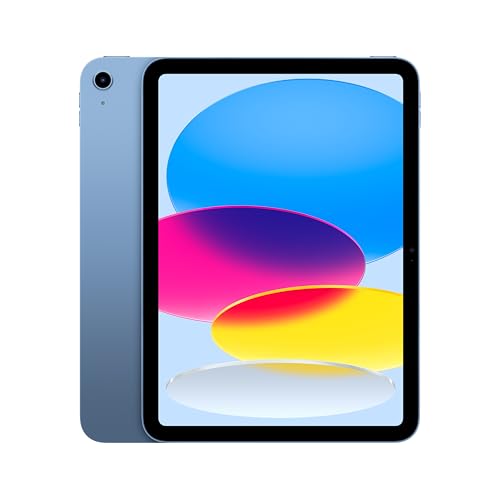
The tablet vs laptop question has changed as tablets gained fast processors, keyboard cases and desktop-style multitasking: for a growing number of people, a tablet genuinely can be the only computer. But the overlap is not total. Laptops still own serious typing, complex software, file management and multi-window work, while tablets own portability, battery life, touch and pen input, and instant-on media use.
This comparison avoids the lazy answer of ‘it depends’ by walking through the concrete criteria — software, typing, multitasking, ports, battery, durability and cost of the full setup — and then giving direct recommendations for students, writers, artists, travellers and office workers. Read the criteria with your own week in mind; the right answer is the one that matches your actual tasks, not your aspirational ones.
Disclosure: As an Amazon Associate, kajuandouglas.com earns from qualifying purchases. Links to Amazon on this page are affiliate links; they cost you nothing extra. Listing details such as price and availability change often, so check the current Amazon listing before you buy.
Quick Verdict
Choose a tablet if your computing is browsing, email, documents, video calls, reading, media and notes — especially if you value portability, battery life or pen input. Choose a laptop if you rely on specific desktop software, type for hours daily, juggle many windows and files, or connect lots of peripherals. Many households end up with a laptop for heavy work and a tablet for everything else, which is a valid answer too.
In this guide
Gear for This Guide
Verified examples of each side at the premium end:

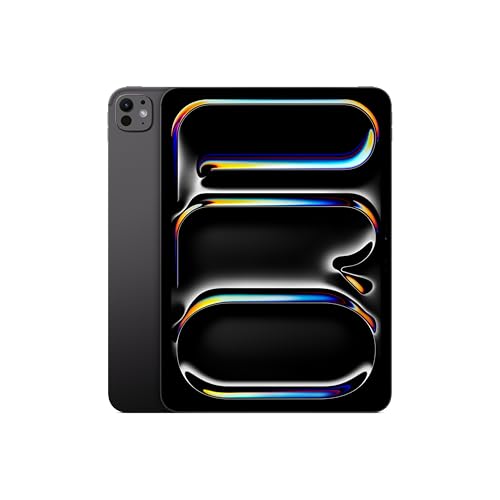
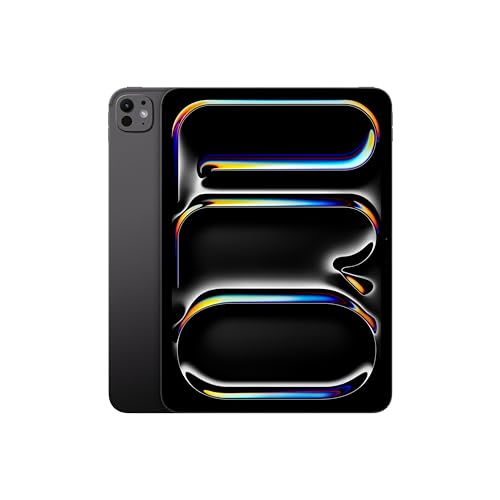
Apple iPad Pro 11-Inch (M4): Built for Apple Intelligence, Ultra Retina XDR Display, 256GB, 12MP Front/Back Camera, LiDAR Scanner, Wi-Fi 6E, Face ID, All-Day Battery Life — Space Black — the iPad Pro with M4 shows the tablet ceiling: laptop-class power, an OLED display and pen support in a slate thinner than most laptops. Check price on Amazon.

Samsung Galaxy Tab S9 11” 128GB WiFi 7 Android AI Tablet, Snapdragon 8 Gen 2 Processor, AMOLED Screen, Durable Design, S Pen Included, Long Battery Life, Auto Focus Camera, US Version, 2023, Graphite — the Galaxy Tab S9 is the Android equivalent, pairing flagship power with an included S Pen for notes and drawing. Check price on Amazon.
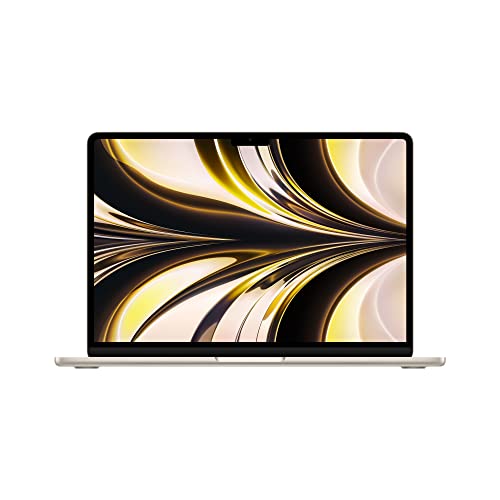
Apple 2022 MacBook Air Laptop with M2 chip: Built for Apple Intelligence, 13.6-inch Liquid Retina Display, 8GB RAM, 512GB SSD Storage, Backlit Keyboard, 1080p FaceTime HD Camera; Starlight — a MacBook Air represents the laptop side: a full desktop operating system, a real keyboard and trackpad, and all-day battery in a light chassis. Check price on Amazon.
Tablet vs Laptop at a Glance
The honest structural differences:
| Criterion | Tablet | Laptop |
|---|---|---|
| Operating system | Mobile OS (iPadOS/Android) — simple, app-centred | Full desktop OS — any software, deep file control |
| Typing | On-screen or accessory keyboard, usually smaller | Full keyboard and trackpad built in |
| Multitasking | Two apps split-screen; windowing on premium models | Many windows, multiple monitors, free arrangement |
| Battery life | Typically longer; instant on; sips power | Good on modern models, but heavier workloads drain faster |
| Portability | Lighter, thinner, works standing or on a sofa | Needs a desk or lap; heavier with charger |
| Pen and touch | Native strength: drawing, notes, marking up PDFs | Touch on some models; pen support uncommon |
| Ports | Often a single USB-C port | Multiple ports, easy docks and drives |
| Repairs and upgrades | Sealed; storage fixed at purchase | Some models allow storage/memory upgrades and easier repair |
Software: The Deciding Criterion
Everything else is secondary to this: list the programs your work or study actually requires. If they are a browser, office apps, mail, video calls and media, a tablet covers them completely — the mobile versions of Word, Excel, Google Docs and their rivals are capable for everyday documents. If you need full desktop Excel with macros, professional engineering or development tools, specific exam software, or complex creative suites with plug-ins, only a laptop runs them properly. Students should check course requirements explicitly; some programmes mandate desktop software or lockdown exam browsers that tablets cannot run.
File handling follows the same split. Tablets think in apps and cloud libraries, which is fine until you need to reorganise thousands of files, work with external drives in odd formats, or move data between programs that do not share nicely. Laptops treat files as first-class citizens. People who feel constant friction with tablet file systems are usually telling you they need a laptop.
Typing, Multitasking and Desk Work
A good keyboard case makes a tablet fine for emails, essays and reports, and many people write happily on them for an hour or two. But the keys are usually slightly cramped, lap-typing is wobbly on most case designs, and there is no comparison with a laptop’s stable, full-size keyboard and precise trackpad for all-day work. Multitasking tells the same story: two apps side by side is genuinely useful, while the overlapping windows, second monitors and rapid app-switching of a laptop remain in another league for research, spreadsheets and anything involving copying between sources.
At a fixed desk, a laptop with a dock, monitor and full keyboard is the ergonomic winner. Away from the desk — sofa, train, site visit, lecture hall — the tablet’s lightness, instant wake and touch interface win just as clearly. Many people solve this by choosing based on where most of their hours happen, not where the glamorous minority do.
Media, Reading, Pen and Battery
For consumption the tablet is simply better: it is the superior device for reading, streaming in bed, recipes in the kitchen, sheet music, and video calls that move around the house. Pen input is a genuine tablet-only advantage for most buyers — handwritten notes, sketching, annotating PDFs and signing documents feel natural, while pen support on laptops is limited to specific convertible models. Battery life also favours tablets, which routinely outlast laptops away from a socket and charge from small USB-C bricks, a real benefit for travel and field work.
The True Cost of Each Setup
Compare complete setups, not headline devices. A tablet bought for work also needs a keyboard case, possibly a pen, a stand and enough storage, since none can be added later. A laptop’s price includes its keyboard and trackpad, and many models accept a storage upgrade down the line. At the premium end, a fully accessorised flagship tablet and a good ultraportable laptop land surprisingly close in total cost, which removes price as the tiebreaker and returns the decision to software and working style, where it belongs.
Who Each Option Suits
Students in lecture-and-essay courses, field workers, sales staff, readers, artists and frequent travellers usually thrive tablet-first. Writers, analysts, developers, engineers, accountants and anyone chained to specific desktop software should stay laptop-first. If you can only own one device and your needs straddle both, a laptop is the safer single device — it does everything adequately — while a tablet is the better single device only when your software list is fully mobile-friendly.
The Hybrid Answers: Convertibles and Dual Devices
Between the pure tablet and the pure laptop sit the convertibles: laptops whose screens fold back into tablet mode, and detachables whose keyboards remove entirely. They run full desktop systems with touch and often pen support, which makes them the honest answer for people who need desktop software and occasional pen work in one bag. Their compromises are weight and elegance — as tablets they are thick and heavy, as laptops they are excellent — and their pen ecosystems are narrower than the iPad’s or Galaxy Tab’s.
The other hybrid is simply owning both, which costs less than folklore suggests when each device is bought for its tier: a capable laptop for desk work and a modest tablet for reading, media and travel often totals less than one flagship tablet fully accessorised to imitate a laptop. Each device then does what it is good at, batteries are shared across two devices, and the failure of one is an inconvenience rather than a crisis. For households, this split is frequently the rational endpoint of the whole comparison.
What rarely works is the forced single device bought against its nature: the tablet straining under desktop workloads through remote access and workarounds, or the laptop carried everywhere for reading and films it does clumsily. The comparison criteria in this guide exist to prevent exactly that purchase.
Performance, Longevity and Repairs Compared
Raw performance at the top end has converged — flagship tablets carry laptop-class chips — but sustained performance still favours laptops, whose fans and larger bodies shed heat during long renders, compiles and exports, while tablets throttle to protect their sealed, fanless designs. For bursty work the difference is invisible; for hour-long heavy tasks it is decisive. Storage speed, memory ceilings and port bandwidth likewise remain laptop territory at the professional end.
Longevity cuts both ways. Tablets receive long software support and have few moving parts, but their sealed batteries age and are costly to replace, and storage is fixed forever at purchase. Laptops age through replaceable parts — many accept new batteries, storage and sometimes memory — but their software demands grow faster. In practice both serve five-plus years when bought a tier above your minimum, and both disappoint when bought at the floor.
Repairability follows the same pattern: a laptop’s keyboard, battery or drive can often be replaced in an afternoon, while a tablet’s cracked screen or dead battery is a specialist job at specialist prices. If you are accident-prone or buying for a teenager, factor the repair reality into the choice — or into the case and cover you buy alongside it.
Making the Decision With Your Own Week
Take your last seven days and list every computing task you actually performed, with rough durations. Mark each task T (tablet does it well), L (laptop required) or E (either). If the L column is empty or holds under an hour, you are a tablet person and can buy with confidence. If L holds your profession’s core hours, you are a laptop person and the tablet, if any, is a companion. If both columns are heavy, you have your answer too: two devices, or a convertible, chosen without guilt.
Weight the list by pain, not just hours. A task that takes twenty minutes but cannot fail — the exam, the client presentation, the tax filing — outranks three hours of comfortable browsing. Devices should be chosen for the tasks where failure is expensive, and merely adequate for the rest.
Finally, project one year forward: the course starting, the job changing, the hobby deepening. Tablets and laptops both punish buyers who purchase for a life they are leaving. Buy for the week you are entering, with the checklist above, and the tablet-versus-laptop question answers itself.
For Specific Jobs: A Rapid-Fire Round
The accountant: laptop, for full spreadsheet software, multiple monitors and ten-key entry — a tablet serves as the client-meeting companion. The photographer: laptop for culling and editing at volume, tablet for tethered review and portfolio showing; if forced to one, the laptop, because the archive lives there. The teacher: genuinely split — a tablet walks the classroom and marks with a pen, a laptop builds the materials; schools increasingly issue both because the jobs differ. The salesperson: tablet-first, because the work is presenting, signing and note-taking in other people’s spaces, with a laptop at base for administration.
The writer of fiction: either, by temperament — the tablet’s single-app focus suits drafting, the laptop’s research windows suit revision, and many do exactly that split across one manuscript. The student of medicine or law: tablet for annotation-heavy reading, laptop for examinations and long papers — check the exam software first, as always. The retail or warehouse worker: tablet, rugged-cased, because the job is standing and moving. The developer: laptop, unambiguously, with the tablet as a test device and second screen.
The pattern across the round: jobs defined by software choose laptops, jobs defined by place and movement choose tablets, and jobs defined by both choose both. Your job’s definition is knowable in advance, which is why this comparison can be settled at a desk with a list rather than in a shop with a salesperson.
Environmental and Practical Footnotes
Tablets sip power, charge from small bricks and phone chargers, and survive being carried daily without a thought for fans or vents — practical virtues that compound over years of commuting and travel. Laptops consume more, need their chargers, and reward a desk. In homes where the computer migrates between rooms, laps and beds, the tablet’s frictionlessness is not a luxury; it is the reason the device gets used for the hundred small tasks that never justify fetching a laptop.
Repair and waste close the comparison: a laptop’s modular parts extend its life through accidents, while a tablet’s sealed design makes its battery the usual expiry date — though that date now sits many years out on quality models. Buying either device a tier above your minimum, casing it properly and keeping it updated is the shared recipe; the choice between them is about fit, not virtue.
The Software Divide, Examined Honestly
Where tablets genuinely match laptops now
- The overlap is larger than sceptics admit. Writing, email, research, video calls, document collaboration, presentations, photo organisation, and most web-based work run beautifully on a modern tablet, often with better battery life and instant wake that a laptop cannot match. Cloud versions of office suites handle the documents most people actually produce, and the tablet’s touchscreen and pen make annotation, signing, and sketching easier than a laptop manages without extra hardware. For a large share of students and professionals, the honest answer is that a tablet covers their real workload entirely.
- Tablets also win whole categories outright: reading and annotating PDFs, handwritten notes, drawing, media consumption, presenting from a handheld device, working in cramped transport, and any job done standing or moving, from stock checks to site inspections. If your shortlist of tasks reads like that paragraph, a laptop is the heavier, slower-starting tool for the job, and its theoretical versatility is weight you carry for nothing.
Where laptops still stand apart
- The laptop’s territory is equally real: software that exists only in full desktop form, heavy spreadsheets and databases, programming environments, professional video and audio production with large files and plug-ins, precise multi-window work across several large documents, and any workflow built on specific peripherals or legacy systems. File management at scale, running several demanding applications simultaneously, and connecting multiple external devices without negotiation all remain laptop strengths that tablets approximate rather than equal.
- The test is specificity. ‘Office work’ is too vague to decide anything; your employer’s actual applications, your course’s required software, and your hobby’s real tools decide it. List them, check each against the tablet platform with the same rigour you would apply to a job specification, and let any single non-negotiable desktop application make the decision without shame. A tablet bought in defiance of one essential program becomes an expensive second screen.
- Tablets fully cover writing, communication, research, annotation, media, and most cloud-based work.
- Laptops remain essential for desktop-only software, heavy files, programming, and complex multi-window work.
- Decide from your named applications, not from general categories like office work.
- A tablet’s instant wake, battery, pen, and portability are real advantages, not consolations.
Ergonomics and the Working Day
Posture, keyboards, and long sessions
- A laptop is an ergonomic unit: screen and keyboard at a fixed, workable relationship, usable on a desk or a lap without accessories. A tablet becomes a workstation only when assembled: a case or stand for the screen, a keyboard for typing, and ideally a mouse or trackpad, at which point its weight advantage has narrowed and its setup time is real. For occasional desk work that assembly is fine; for eight-hour days, the laptop’s unity and the ability to raise its screen or dock it properly pull ahead.
- Neither device is kind to posture used badly. Tablets invite the hunched, head-down posture that necks resent, and laptops on sofas do the same. If the device will be your main work tool, budget for the ergonomics either way: a stand and separate keyboard for the tablet, or a riser and external keyboard for the laptop at your main desk. The device decision and the posture decision are separate, and conflating them produces aching owners of excellent hardware.
Battery, travel, and the shape of a day
- Tablets typically outlast laptops away from sockets, wake instantly, and slip into bags without chargers for day trips. Laptops offer more power per minute plugged in and a full working environment the moment they open. Commuters and travellers feel this difference daily: the tablet is the device that is simply always ready, in the seat-back pocket, at the gate, on the train table too small for a laptop. Field workers, inspectors, and anyone whose desk is wherever they are standing should weight this heavily.
- Consider also the failure modes of a working day. A tablet’s battery dies and it becomes a mirror; a laptop’s battery dies sooner but its owner planned around sockets. A tablet dropped is one pane of glass; a laptop dropped is a heavier, more complex casualty. Neither thought should dominate, but your day’s shape, socket-rich office or socket-poor rounds, is a legitimate deciding factor that specification comparisons never mention.
Money Over the Whole Ownership
Counting the complete tablet workstation
- A tablet’s headline price is the beginning of its workstation cost: keyboard case, pen, perhaps a hub for connections, and possibly higher-tier storage to hold a working life. Assemble the full basket for the tablet setup you would actually use, then compare it with the laptop that does the same jobs. Sometimes the tablet wins clearly; sometimes the gap closes to nothing, and the laptop’s included keyboard, ports, and storage make it the simpler value. Either result is useful, but only the complete comparison produces it.
- Laptops answer with their own hidden costs: shorter battery life may mean a second charger for the office, and their greater complexity means repairs can involve more components. Against that, a laptop’s longer typical service life and broader repairability can make its cost per year lower than a tablet replaced more often. Do the arithmetic over the years you realistically keep devices, not over the excitement of purchase day.
Second devices and the two-device answer
- Many people resolve this comparison by refusing it: a modest laptop for heavy work and an inexpensive tablet for reading, media, and notes can cost less together than one flagship attempting everything, and each device is better at its half of life. The two-device answer deserves honest consideration whenever your workload spans both territories, because compromise devices tend to be expensive precisely where they are weakest.
- The costs of two devices are real too: two chargers, two sets of updates, files disciplined into cloud storage so both stay current, and the low-grade irritation of reaching for the one you left in another room. Households that already keep files in the cloud feel these costs least. If your digital life is cloud-centred, the pair is easy to run; if it lives on one machine’s drive, one device, chosen for your heaviest essential task, is the wiser shape.
Longevity, Repairs, and the Environment of Use
How long each serves, and what ends them
- Laptops commonly serve longer in front-line roles because their software support stretches further and their parts, batteries, storage, memory on some models, can be serviced or upgraded. Tablets are ended less by slowness than by software: updates cease, apps withdraw, and a perfectly good screen is demoted. When comparing, weigh the tablet’s stated update horizon and the laptop’s expected support equally seriously, because both are predictions of the same thing: how many years before the device stops being safe and compatible.
- Environment matters too. A device for a workshop, kitchen, or site cabin favours the tablet’s sealed, fanless, wipeable form; a device for a desk favours the laptop’s ports and screen size. Dust, moisture, gloves, and standing work all vote tablet; multi-monitor desks, heavy peripherals, and marathon typing vote laptop. Let the room have its say in the decision, because the device will live there long after the comparison articles are forgotten.
The decision, in one honest paragraph
- If your named software runs fully on a tablet, your work is communication, documents, annotation, and media, and your days are mobile, buy the tablet and its keyboard without anxiety. If any essential program is desktop-only, your files are heavy, or your desk is a true multi-window workstation, buy the laptop and let a tablet, if you want one, be its inexpensive companion. The mistake is not choosing either; it is choosing against your own evidence because a category’s reputation argued louder than your task list.
Three Lives, Three Decisions
The writer and researcher
- A writer whose tools are a browser, documents, and reference material is the tablet’s happiest professional: the device wakes instantly, lasts the day, types perfectly well with a good keyboard, and reads like a book when the writing is done. The risks are distraction and file sprawl, both manageable with the setup habits in our guides. A writer handling enormous manuscripts with complex formatting, tracked changes from many collaborators, or specialist publishing software should test that exact workflow, because publishing pipelines are where tablet office suites meet their edges.
- For the researcher, the pen changes everything: annotating sources directly, sketching relationships between ideas, and marking up drafts by hand are tablet-native acts that a laptop imitates clumsily. If your research life is reading-shaped, the tablet is not a compromise at all; it is the specialist tool, and the laptop is the generalist you may still keep for the final assembly of heavy documents.
The creative professional
- Illustrators, designers, and musicians live closest to the line. Drawing and painting are tablet triumphs, with pens and touch interfaces that laptops cannot replicate without a graphics tablet peripheral. Yet the production end of creative work, large layered files, colour-managed output, plug-in ecosystems, and multi-application pipelines, remains laptop and desktop territory for most professionals. Many creatives therefore run both, sketching and drafting on the tablet and finishing on the computer, with cloud storage carrying work between them.
- The deciding question is where your paid hours concentrate. If clients pay for finished production files, the computer is the essential tool and the tablet its brilliant assistant. If your work is concepts, sketches, storyboards, and presentations, the tablet may carry the whole practice. Answer from invoices, not aspirations, because creative tools are seductive and rent is not.
The family and the shared household
- Households often find the comparison dissolves into roles: the laptop is the household’s office, handling tax, forms, printing, and the children’s project work, while the tablet is the household’s companion, handling media, recipes, video calls, reading, and travel. Framed that way, the question becomes which role is currently unfilled or failing, and the budget follows the gap. A family whose laptop is sound but whose evenings lack a shared screen needs the tablet; a family whose only computer is a dying tablet needs the laptop first.
- Shared use also argues for the tablet’s simplicity: it is the device grandparents and children operate without instruction, the one that can be handed over without exposing a filing system. Households that buy in this order, laptop for work capacity, tablet for shared life, rarely regret either purchase, because each device was bought for a named job rather than as a bet against the other category.
The Hidden Specifications: Noise, Heat, and Attention
Working in the real world’s rooms
- Tablets are silent and cool; laptops have fans, warmth, and a faint insistence on being a machine. In libraries, meetings, studios, and bedrooms, that difference is not trivial. A fan spinning up during a recording, a lecture, or a quiet call is a genuine defect in context, and the tablet’s silence is one of its professional virtues. Conversely, a laptop’s active cooling is what lets it sustain heavy work for hours, where a tablet may slow itself to protect its components during very long demanding tasks.
- Attention is the other hidden specification. A tablet’s single-app heritage makes it a focusing instrument: one document, one canvas, one book, filling the screen and the mind. A laptop is a switching machine, glorious for juggling and treacherous for depth. Writers, students, and readers who know their weakness for the other window often choose the tablet for exactly this reason, and their productivity argument deserves as much respect as any benchmark. Choose the machine whose temptations match your discipline, not just your workload.
Repairs, accidents, and downtime
- When a device is your livelihood, downtime is the specification nobody lists. A laptop can often be repaired locally, sometimes with parts swapped the same day, and its work can be rescued by removing its storage or booting from a backup. A tablet is a sealed unit: repairs route through the maker or authorised channels, and your continuity depends on cloud backups being genuinely current. Professionals who choose tablets as main devices should treat backup verification as part of the job, because it is their entire disaster recovery plan in one switch.
- Accident profiles differ too. The tablet’s exposed glass is its vulnerability and its simplicity; a case and protector address most of its risk. The laptop’s hinge, keyboard, and ports give it more ways to be injured and more ways to be repaired. Neither profile is better, but the owner who has thought about the bad day in advance, spare charger, current backup, repair route known, is protected on either device, and the one who has not is exposed on both.
What to Buy If You Can Only Buy Once
The five-year test
- Project both candidates five years forward. The laptop in year five: slower, perhaps on a replacement battery, but running current software and your full applications. The tablet in year five: possibly past its update horizon, demoted to media duties, its keyboard case worn. If your main job must still be done in year five on the same purchase, the laptop usually survives the projection better. If you replace devices on a shorter rhythm anyway, the tablet’s front-loaded virtues, battery, weight, immediacy, dominate the years you will actually spend together.
- Also project your own life, not just the devices. The job that is desk-bound today may be mobile in two years; the course ends and the career begins; the children arrive and the desk becomes a kitchen table. Buy for the life you can reasonably foresee, keep files portable so a later switch is cheap, and remember that the wrong device bought honestly for a life that changed is no failure at all. The only true mistake is buying against the evidence of the life you already have.
The Classroom, the Clinic, and the Counter: Specialist Verdicts
Education at every level
- Schools choose tablets for their manageability, instant start, and the way a young child’s hands understand them, and they choose laptops when typing, coding, and examination software enter the picture. Parents buying alongside a school should ask what the school issues and teaches with, because matching the home device to the school’s platform multiplies the value of both: the same apps, the same accounts, the same skills practised in both places. A magnificent device on the other platform can be, for a schoolchild, simply the wrong one.
- University students face the most individual version of this choice, and the honest method is the course audit described earlier: list the software, the writing load, the data work, and the library hours, then decide. Many humanities and social science students are perfectly served by a tablet with a keyboard; many science and engineering students are not. The students who regret their purchase are rarely those who chose the less powerful device; they are those who chose without auditing and discovered the exception in examination season.
Workplaces that hand devices to people
- Businesses issuing devices weigh management, security, replacement cost, and the shape of the job. Tablets win where work is a form, a checklist, a catalogue, a signature, or a photograph: hospitality, healthcare rounds, logistics, field service, and retail floors. Laptops win where work is a document factory, a spreadsheet estate, or a development environment. The deciding exercise is to shadow the job for a day and count the tasks in each column, because job titles mislead and task lists do not.
- Households can borrow that discipline. Shadow your own week, counting the computing tasks and sorting them by which device serves them better, and let the tally, not the advertising, allocate the budget. People are consistently surprised by their own data: the media-and-messages household discovers it barely needs a laptop at all, while the hobbyist photographer discovers their quiet editing habit was the main event all along.
Creativity as a hobby, not a job
- Hobbyist creatives deserve their own verdict, because their economics differ from professionals: the tool must invite use, not merely enable output. A tablet that is always charged, always near, with a pen that makes sketching, journaling, photo play, and music experiments frictionless, will be used ten times more than a more powerful laptop that must be fetched, booted, and set up. For hobbies, the best device is the one that removes the excuse, and that is very often the tablet.
- The exception is the hobby that is secretly a second profession: the photographer with a vast library and print ambitions, the musician producing finished tracks, the writer building a book for publication. Those pursuits grow into laptop workflows naturally, and the tablet becomes their sketchbook and companion. Recognise which kind of hobby yours is becoming, and buy for its trajectory rather than its first month.
Environmental and Practical Footnotes That Still Matter
Power, repairs, and the planet
- A tablet sips electricity compared with a laptop, charges from almost anything, and contains fewer materials, which makes it the lighter environmental choice for the work it can cover. A laptop counters with longevity and repairability: a device kept in front-line service for seven years, with a battery swap along the way, can be the greener purchase than two tablets consumed in the same span. The honest environmental answer follows the same rule as the financial one: the device that does your real job for the longest time is the responsible purchase, and buying either category carelessly, to be replaced in frustration within a year, is the waste to avoid.
- Practically, think about peripherals you already own. A household with a good monitor, keyboard, and printer may find a laptop docks into that estate instantly, while a tablet negotiates with each item. A household starting from nothing faces no such gravity and can build around the tablet’s simpler needs. Existing equipment is sunk cost arguing quietly in the background of this comparison, and it deserves a hearing before the new money is committed.
Insurance, warranties, and the bad day, compared
- Both devices benefit from the same cold arithmetic about cover: weigh premiums and excesses against repair costs and your own accident history. Tablets concentrate their risk in one pane of glass, which cases and protectors address cheaply, making paid cover harder to justify for careful owners. Laptops spread risk across hinges, keyboards, and boards, and their repairs can be pricier, which strengthens the case for cover on a machine that travels daily. Students and field workers, whose devices live dangerously, should price cover for either choice; desk-bound owners can reasonably decline it for both.
- Whichever you buy, register it, record its serial number, and set up its finding service and backups on day one, because those free protections outperform any policy when a device is lost. The comparison between tablet and laptop has many chapters, but the final one is identical for both: the protected, backed-up, documented device is the one whose bad day stays a bad day instead of becoming a bad month.
The Trial Week: Borrowing the Decision Before Buying It
How to test your own workload honestly
- If you can borrow either device for a week, or buy from a retailer with a genuine returns window, run your real life through the candidate rather than admiring it. Do the week’s actual tasks: the documents, the calls, the commute, the sofa, the desk, including the annoying edge cases you usually delegate to the other machine. Keep a short note of every moment you reached for the device you do not own; those reaches are the data. Three reaches in a week is a preference; three a day is a verdict.
- Judge also the unglamorous transitions: printing the document, joining the call with the right camera and microphone, finding the file from last month, working through a low-battery afternoon. Devices are bought on their highlights and lived with on their transitions, and a trial week is the only honest way to meet the transitions before the money is committed. Whichever device survives your week with the fewest reaches for its rival has earned the purchase, whatever the comparisons, including this one, predicted.
Related Guides
- best tablets for work
- best tablets for students
- best tablets for productivity
- best tablets for writing
- how to choose a tablet
- iPad vs Android tablet
- how to choose a tablet keyboard
Frequently Asked Questions
Can a tablet replace a laptop for college?
For many courses, yes — lectures, notes, essays, research and video calls are all tablet-friendly, especially with a keyboard case and pen. But check your programme first: engineering, computer science, statistics and some exam systems require desktop software. When in doubt, a laptop is the safer primary device, with a tablet as the companion.
Is a tablet or laptop better for writing?
For short and medium writing — emails, posts, essays, reports — a tablet with a good keyboard case is comfortable and distraction-light. For book-length or all-day professional writing, a laptop’s full-size keyboard, stable lap use and superior window management for research make it the better tool. Your daily word count decides.
Which is better for drawing and design?
Drawing clearly favours tablets: pen latency, pressure sensitivity and apps built for touch make them the natural canvas, and flagship tablets rival dedicated drawing displays. Graphic design that involves layout, typography and production files still leans laptop, so many designers use a tablet for sketching and a laptop for finishing.
Do tablets last longer than laptops?
Tablets often feel fast for longer because their systems are lighter, and their batteries typically outlast laptop batteries per charge. Laptops counter with repairability and, on some models, replaceable batteries and storage. Software support decides real lifespan on both: check the update commitment before buying either.
What about a 2-in-1 laptop instead?
Convertible laptops with touchscreens and pens split the difference: full desktop software with a fold-back tablet mode. They are heavier and thicker than pure tablets and their tablet mode is less elegant, but for one-device buyers who need desktop software plus occasional pen work, they are often the smartest compromise.
Which is better for travel?
Tablets win for most travellers: lighter, longer battery life, smaller chargers, better for films and reading, and less painful to lose. The exception is working travel with heavy documents or software — then a light laptop earns its weight. Many frequent travellers carry a tablet and leave the laptop at home whenever the trip allows.
Can a tablet with a keyboard really replace a laptop for a student?
For many students, yes: lectures, notes, essays, research, and library work are tablet strengths, and the battery and weight advantages are felt daily. The exceptions are courses requiring specific desktop software, such as some engineering, statistics, programming, and media production programmes. Check the course’s software list before deciding, and remember universities provide computer labs that can cover occasional desktop needs for an otherwise tablet-based student.
Which is better value over five years?
It depends on your replacement rhythm and workload. A laptop often serves five years in a front-line role with perhaps a battery service, while a tablet may move to lighter duties sooner as its software support ends, though it continues usefully for media and reading. Count the complete cost, including the tablet’s keyboard and pen, and divide by the years each will do your main job, not merely the years it will switch on.
Should I buy a convertible laptop instead of choosing?
A convertible or two-in-one laptop is a legitimate third answer, offering full desktop software with a folding touchscreen and pen. The compromises are weight and battery life compared with a pure tablet, and tablet-mode ergonomics that are good rather than great. For someone whose work is laptop-shaped but who annotates and presents often, it can be the single device that genuinely covers both lives.