Disclosure: As an Amazon Associate, kajuandouglas.com earns from qualifying purchases. Links to Amazon on this page are affiliate links; they cost you nothing extra. Listing details such as price and availability change often, so check the current Amazon listing before you buy.
Battery claims are the most confusing numbers in the smartwatch aisle, which is why smartwatch battery life explained in plain terms is worth your time before you buy: one watch promises eighteen hours, another promises fourteen days, and both are telling a kind of truth — measured under different assumptions, on devices designed for different lives. Understanding what drains a smartwatch, and how manufacturers measure their claims, turns those numbers from marketing into information.
This explainer covers the main drains in order of impact, why sport watches last so much longer than full-featured ones, how to read battery claims sceptically, and the habits that stretch any watch’s runtime without giving up the features you bought it for.
The short answer: The screen is the biggest battery drain, followed by GPS workouts, LTE use and notification volume. Full-featured watches with bright always-on displays are designed around daily charging; sport and fitness watches last many days by using efficient displays and software. Read every battery claim as a best case, and judge a watch by whether its real runtime fits your charging routine.
Smartwatch Battery Life Explained
In this guide
Gear for This Guide

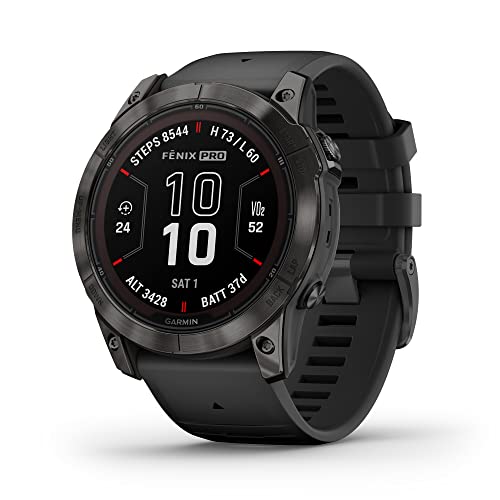
Garmin fenix 7X Pro Sapphire Solar Smartwatch — The long-battery end of the category: a multisport watch with solar charging capability designed for weeks of use between plugs. Check price on Amazon.

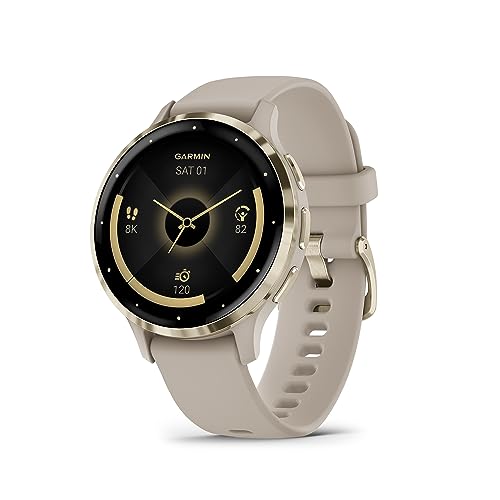
Garmin epix Pro (Gen 2) Sapphire Smartwatch — Shows the trade directly — a bright AMOLED display with a shorter runtime than its solar sibling line. Check price on Amazon.

Apple Watch Series 10 GPS — The daily-charge end: a full-featured watch whose runtime is designed around a nightly or morning top-up routine. Check price on Amazon.
Why Smartwatch Batteries Are Small in the First Place
A smartwatch battery is tiny because the watch is tiny: the entire device weighs less than the battery alone in a modern phone. Every design decision is therefore a negotiation between capability and capacity. A brighter, larger, always-on display, a cellular radio, a GPS receiver and a shelf of sensors all draw from that small store, and the software’s job is to ration it. When you see two watches with wildly different runtimes, you are mostly seeing two different rationing philosophies — not one honest watch and one liar.
The Biggest Drains, in Order
First, the display. An always-on, bright AMOLED screen is the hungriest component in daily use, which is why turning off always-on, lowering brightness and shortening the wake duration are the highest-impact settings changes. Second, GPS: satellite tracking during workouts draws heavily, and a long GPS session can consume a large share of a full-featured watch’s day. Third, LTE: a cellular connection used away from the phone — calls and streaming especially — is the most expensive radio work the watch does. Fourth, notifications and interactions: each buzz wakes the screen, the motor and the radios, so a noisy notification setup is quietly a battery setting too.
Behind those headline drains sits background work: heart-rate sampling frequency, blood-oxygen checks during sleep, Wi-Fi syncing, music storage transfers and software updates. Individually small, together they explain why two owners of the same watch can report runtimes differing by half — their settings and habits differ, not their batteries. The watches gathered in smartwatches picked for battery life earn their place by managing exactly these trade-offs well.
Why Sport Watches Last So Much Longer
Sport and outdoor watches achieve multi-day and multi-week runtimes through a stack of choices: memory-in-pixel or transflective displays that sip power (or AMOLED models with disciplined brightness), larger cases that fit larger batteries, software that samples sensors efficiently, and a feature philosophy that skips app stores and rich animations. Solar models add a trickle of energy in daylight that meaningfully extends outdoor use. The trade is real — these watches are less delightful as tiny phones — but for owners whose priority is tracking without charging anxiety, the exchange is obviously right.
Full-featured watches make the opposite trade on purpose: the bright always-on screen, the app ecosystem and the cellular option are the product, and the battery is sized to a daily routine rather than a weekly one. Neither philosophy is a flaw. The mistake is buying one philosophy while expecting the other’s runtime — the mismatch behind most battery complaints, including many about the otherwise excellent models in long-runtime sport watches in our sport roundup.
How to Read Battery Claims Sceptically
Manufacturers test under their own ‘typical use’ definitions, which assume a modest number of notifications, brief interactions, limited or no GPS, and often the always-on display off. Treat every headline figure as the ceiling of a range, then discount by your own habits: heavy notification users, daily GPS exercisers and LTE users should expect the lower end or below. ‘Smartwatch mode’ figures on sport watches exclude GPS activity; the same brand will quote a much smaller number for GPS mode, and that smaller number is the honest one for athletes.
Reviews that report real-world runtime across several days are more useful than any specification, and owner forums for your exact model are better still. Also note that battery health declines slowly with age and charge cycles — a two-year-old watch holding noticeably less than it did new is normal physics, not a defect, though a sudden drop usually signals a software or settings cause worth investigating.
Habits That Stretch Any Watch’s Runtime
- Turn off always-on display, or keep it and lower brightness — the screen is the budget, so spend it deliberately.
- Prune notifications to people and priorities; every buzz is a battery event as well as an interruption.
- Download music and maps in advance rather than streaming over LTE or Wi-Fi on the move.
- Use the phone’s GPS where your model allows it for casual walks, saving the watch’s receiver for real workouts.
- Keep software updated — battery fixes are a common, unglamorous part of watch updates.
- Charge in short daily top-ups (for example while showering) rather than rare full drains, which suits modern batteries.
Common Misconceptions About Smartwatch Batteries
The first misconception is that a short runtime means a cheap watch — the most expensive watches in the category are daily-chargers by design, because their features demand it. The second is that turning everything off is the path to happiness: a watch with its screen, sensors and notifications disabled has great battery life and no purpose. The third is that a new watch’s first-day drain predicts its life — setup, syncing and exploration make day one unrepresentative. The fourth is that all ‘days’ in marketing are equal: one brand’s day of smartwatch mode and another’s day of typical use are different units wearing the same word.
The healthy way to judge is by routine fit. If a daily charge slots into your morning without thought, a full-featured watch’s battery is a non-issue for years. If you know you will not sustain that routine — travel-heavy, forgetful, or simply unwilling — buy the runtime that forgives you. That self-knowledge, applied before purchase, is worth more than any capacity figure printed on a box, and how to choose a smartwatch builds it into the choosing process from the start.
Battery Health Over the Life of the Watch
A smartwatch battery ages with charge cycles and heat, gradually holding less than it did when new. In daily-charge watches this shows up after a couple of years as a watch that once comfortably finished the day now asking for an evening top-up; in long-life watches, as a slow shortening of the interval between charges. You can slow the process — avoid chronic heat, do not leave the watch baking on a sunny windowsill charger, and prefer regular top-ups over repeated full drains — but you cannot stop it, and planning for it is part of honest ownership. Many platforms show a battery-health estimate in settings; check it before buying any second-hand watch, where it is the single most informative number about the device’s remaining life.
When runtime no longer fits your routine, your options are a battery service from the manufacturer (worth pricing on premium watches), a change of habits or settings, or replacement. What is rarely true is that the watch has ‘gone wrong’ — it has aged exactly as its chemistry promised, which is why this explainer treats battery as a lifecycle to plan around rather than a specification to win.
Matching Runtime to Real Routines: Three Examples
The office worker who charges at her desk each morning while answering email can own any watch in the shop; runtime is a solved problem in her routine, so she should choose on features and fit. The nurse on twelve-hour shifts with no desk access needs a watch that comfortably outlasts a shift plus a commute on a single charge — comfortably into the multi-day category if sleep tracking matters too, since charging windows are scarce. The trail runner training for long events needs GPS-mode hours, not smartwatch-mode days, and should read only the GPS figures in the specifications. Three buyers, three different correct answers, all from the same shop shelf — which is the whole argument of this explainer in miniature: battery life is not a score, it is a fit between a device and a routine.
Charging Speed and the Shape of a Routine
Runtime is only half the battery story; the other half is how fast the watch refuels. Fast-charging models can recover a large share of their day in the time a shower takes, which transforms daily charging from a discipline into a non-event. Slow-charging long-life watches ask for a rarer but longer appointment. When comparing watches, ask both questions — how long does it run, and how long does it charge — because the product of the two is your actual battery lifestyle. A watch that runs a day and charges in minutes may fit your life better than one that runs three days and charges in hours, and no specification table will tell you that; only your routine can.
Settings Audit: a Ten-Minute Battery Review
Whatever watch you own, a ten-minute audit finds the settings quietly spending your battery: always-on display enabled by an update, a watch face with a live complication refreshing constantly, background app refresh for apps you never open on the wrist, Wi-Fi left hunting in a phone-centric life, blood-oxygen sampling every few minutes through the night. Work through the display, notifications, background and health-sampling menus once a season and reclaim the spendthrifts. Owners are routinely surprised by the improvement, and the surprise teaches the real lesson of this explainer: battery life is not a fixed property of the watch but a negotiation between the watch and its owner’s settings, renewed every time either side changes.
The Traveller’s Battery Problem
Travel stresses every battery assumption: roaming radios, navigation, boarding-pass brightness, time-zone changes and chargers forgotten in hotel rooms. The defences are boring and effective — charge during the flight or the airport wait, download maps and music before leaving, carry the puck in hand luggage rather than the checked bag, and know your watch’s low-power mode before you need it at an unfamiliar station at midnight. A watch bought partly for travel, as many are, should be rehearsed for travel like any other kit.
Frequently Asked Questions
Why does my smartwatch battery drain so fast?
The usual causes are an always-on display at high brightness, heavy notification volume waking the screen all day, frequent GPS workouts, LTE use away from your phone, or a recent update still settling. Work through the display and notification settings first — they account for most cases — and give a new watch or new update a few days before judging.
How long should a smartwatch battery last?
It depends entirely on the type. Full-featured watches are designed for roughly a day to two days per charge. Fitness-focused watches commonly last the better part of a week or more, and outdoor sport watches can run for weeks in smartwatch mode. Judge your watch against its own category, not against the longest claim in the shop.
Does always-on display use much battery?
Yes — it is typically the single largest daily drain, because the screen is the most power-hungry component. Turning it off can extend runtime substantially. Many owners compromise: always-on during the day with a scheduled off period overnight, or raise-to-wake only, which modern watches make quick enough for most people.
Is it bad to charge my smartwatch every day?
No. Modern watch batteries are designed for daily top-up routines, and shallow, frequent charging is gentle on them. What ages a battery fastest is heat and time, not the number of charges. Charge in a cool spot, avoid leaving the watch on the charger in direct sun, and the battery will serve for years.
Why does GPS drain the battery so much?
GPS requires the watch to listen continuously to satellite signals and calculate position constantly, which is expensive work for a tiny device. A long run can use a significant share of a full-featured watch’s daily budget. Sport watches manage this with larger batteries and efficient chipsets, which is part of why athletes prefer them.
My watch suddenly drains much faster than before. What changed?
A sudden change usually has a software cause: a recent update, a new app misbehaving, a stuck sync, or a setting changed by an update — always-on display re-enabled is a classic. Restart the watch, check for further updates, review notification and display settings, and unpair/re-pair only if the problem persists for several days.
The Battery’s Day, Hour by Hour: Where the Charge Actually Goes
Abstract drain rankings become useful when they are mapped onto a real day, because the same feature costs differently at different hours and the owner who sees the pattern can intervene at the cheap moments rather than the expensive ones.
The night is the first shift. A watch worn to bed spends its darkness on sleep tracking: sensors sampling periodically, the display dark, the radio quiet — a modest, predictable cost that buys the morning’s sleep summary, and one of the best-value expenditures in the whole budget. The morning is the expensive hour: the wake-up face at full brightness, the night’s data syncing, the weather and calendar refreshing, the news of the world arriving in a burst after the night’s quiet — a spike owners mistake for a fault when they watch the percentage fall faster before breakfast than it will all afternoon. The working day settles into the background rate: notifications, glances, the occasional timer or reply, each a sip. Exercise is the day’s feast: continuous heart-rate sampling, GPS where used, music streaming and a bright screen in daylight can spend in an hour what the desk day spends in five, which is why a long weekend ride rearranges the charging week more than any setting does. The evening mirrors the morning at lower intensity, and the pattern completes: a watch’s battery life is not a number but a shape, and owners who learn their own shape stop being surprised by it, which is most of what battery anxiety ever was.
Charging Habits and Battery Health Across Years
The battery in a smartwatch is a small lithium cell living a hard life: charged daily, drained deeply, warmed against skin and by its own processor, in a case with no room for the generous capacity that lets phone batteries age gracefully. Its health — the share of its original capacity it retains — declines with cycles and with heat, and the owner’s habits influence the pace more than any other factor within their control.
The kind habits are unglamorous. Charge before the battery is exhausted rather than after, because deep discharges are the cycles that cost the most health; top up during the day’s natural pauses — the shower, the desk hour — rather than running the cell to empty and refilling it in one long, warm session. Keep the watch out of heat while charging: a charger on a sunny windowsill or a watch charging under a pillow ages its cell measurably faster than the same charge on a cool nightstand, and a watch that feels hot on its charger deserves a different charging place, not a shrug. Use the charger the watch came with or a reputable equivalent, because charging is a negotiation between the puck and the cell, and cheap negotiators cut corners the battery pays for.
Expect, even with kind habits, a gentle decline: a watch that lasted comfortably when new will, in its third or fourth year, begin asking for its top-up earlier in the evening, and that is ageing, not failure. The owner’s decision at that point is economic and personal — a battery service where the maker offers one, a successor watch, or a rhythm adjustment that accommodates the older cell — and it is made easier by having noticed the decline gradually, in the weekly pattern, rather than discovering it on the morning of a marathon. Batteries, like the people who wear them, age better when somebody is paying kind attention.
Reading the Battery Graph Like a Detective
Every platform offers some view of battery behaviour — a graph, a list of hungry apps, a history — and owners who learn to read it stop guessing. The graph’s shape is a diary: the cliff during the morning’s workout is exercise, honestly spent; the slow overnight slope is sleep tracking and the always-on face; the sudden staircase at midday, unexplained by anything you did, is the anomaly worth hunting, because anomalies, not averages, are what troubleshooting exists for.
Hunt in order of likelihood. A recently installed or updated app that now refreshes, syncs or senses in the background is the classic staircase author, and the remedy is its settings, its removal, or the platform’s background restrictions. A watch face heavy with complications that update constantly — weather, news, markets — spends steadily in a way owners misattribute to the watch itself; change the face for a day and compare slopes before condemning anything else. A connection struggling at the edge of range spends on reconnection, so a battery mystery that keeps office hours may be the phone’s new desk location rather than any software. And a genuine step-change in the baseline, persisting across days and restarts, is the signature of the ageing cell or a software fault, distinguishable by whether a restart and a calm week restore the old slope.
Keep one reference graph from a known-good week — a screenshot in your setup notes — because battery judgement is comparative and memory flatters. With a reference, every future mystery becomes a subtraction problem: what changed between that slope and this one. Without one, every mystery is a fog. The detective work is five minutes, once, and it converts the battery from a source of ambient worry into the most legible system on the watch.
Power-Saving Modes: What They Trade and When to Use Them
Every platform offers some form of low-power or battery-saving mode, and owners tend to discover it in a panic at a low percentage, which is the worst moment to learn its terms. Learn them in advance, because the trade each mode makes — which radios sleep, which sensors pause, which features vanish — decides whether it is a lifeline for your situation or a quiet sabotage of the very thing you needed the watch for.
Typical modes dim or kill the always-on display, ration background refresh, pause or reduce sensor sampling, and restrict the radio, while preserving time, alarms and basic notifications in some form. For a traveller stretching a watch across a long day away from its charger, that trade is excellent: the watch survives as a watch and an alerter, and the deep tracking can resume tonight. For an athlete mid-event, the same mode may throttle the GPS or heart-rate sampling that is the entire point of the exercise, and the correct tool there is the sport-specific battery settings many platforms provide — reduced GPS precision, display discipline — which spend the budget on the recording and starve everything else. Know which mode serves which crisis before either crisis arrives, and set up the quick access to both while your battery is full and your temper calm.
There is also a legitimate everyday use: owners who wear the watch primarily for time, alerts and payments can live in a gentler power profile permanently, trading background richness they never consult for days of freedom from the charger. Power modes are not an admission of defeat; they are the budget made visible, and the owner who allocates deliberately — full richness on full days, austerity on long ones — gets more watch from the same small cell than the owner who lets defaults spend it for them.
Why Two Identical Watches Report Different Battery Lives
Few battery mysteries frustrate like the colleague whose identical watch lasts half again as long as yours, and the resolution is almost never that one device is blessed. Battery life is a product of the watch and the life it is worn inside, and lives differ in the exact dimensions the cell keeps accounts of: notification volume, which for a person in busy group chats can be tenfold another’s; screen wakes, driven by gesture habits and sleeve friction; cellular signal strength at home and office, which taxes one owner’s radio all day and rests another’s; exercise hours; the face chosen; the apps installed; even the climate, since a watch under a winter coat lives warmer and dimmer than one on a summer wrist in bright sun all day.
The comparison that matters is therefore never between two owners but between one owner and their own baseline, which is why this guide keeps returning to the reference graph and the weekly pattern. If your watch’s life satisfies your rhythm — charged when you charge it, alive at every moment you reach for it — then its battery life, by the only definition that survives contact with real life, is good, whatever the forum’s champion reports. Specifications promise hours; ownership delivers a fit between a cell and a life, and fits are not comparable across lives. Judge yours by whether you ever think about it. The best battery life in this entire category is the one its owner never has to consider, and it is achievable at several different hour-counts, in several different watches, by the simple method of matching the watch’s appetite to the day’s shape and the charger’s place in it.
Battery Life and Sleep Tracking: The Night Shift’s True Cost
Sleep tracking forces the category’s central bargain into the open: the watch can only watch the night if it is not on its charger, so every owner must allocate the same hours to either rest for the battery or data for the morning. The platforms have softened the bargain — fast charging means a watch can take its charge during the evening wind-down or the morning routine and still wear the night — but the allocation remains, and it deserves making deliberately rather than by drift.
Cost the night honestly. Sleep tracking itself is one of the cheaper continuous duties, far lighter than GPS exercise, because its sensors sample periodically and its screen sleeps with its owner. The real price is the lost charging window, and owners solve it in three durable patterns: the morning top-up while washing and dressing, the evening top-up while cooking or reading, and the alternating rhythm in which the watch charges on the nights its owner judges the data least necessary. Any of the three, held as a habit, dissolves the dilemma; what fails is the absence of a pattern, in which the watch is sometimes dead at midnight and sometimes absent at breakfast, and its owner concludes wrongly that the battery, rather than the routine, is the problem.
When Battery Life Suddenly Changes: A Calm Diagnostic Sequence
A sudden change in battery life is information, and it should be read before it is mourned. Work the sequence in order: first, what changed — an update, a new app, a new face, a new phone, a new desk further from the phone, a trip to a place with weaker signal — because sudden drain almost always has a biography, and the biography names the remedy. Second, restart the watch; a surprising share of post-update drain is a process stuck in a loop that one honest restart retires. Third, give it two ordinary days, because indexing, re-syncing and the owner’s own heightened attention all inflate the first day’s figures, and many sudden drains are the battery equivalent of a watched pot.
If the change survives those three, consult the battery graph against your reference with the detective method from this guide, and let the shape accuse the culprit. Only after all of that should age or fault be entertained, and by then the evidence will usually distinguish them: age declines gradually and forgives nothing, while faults begin on a date and often end with a setting. Sudden battery change feels like the watch breaking; read properly, it is usually the watch reporting that something in its world moved — and reporting, as this guide has argued throughout, is what the battery does best for owners who learn its language.
Battery Life Across the Category: Why Sport Watches and Fashion Watches Live in Different Worlds
The main guide notes that dedicated sport watches outlast mainstream smartwatches severalfold, and the reason is architectural philosophy rather than battery size alone. The sport watch is designed around a hierarchy in which the recording is sacred and everything else is negotiable: its display technology sips, its interface is austere, its background life is minimal, and its maker treats every milliamp as the athlete’s property. The mainstream smartwatch inverts the hierarchy: it is a wrist computer whose first duty is to be a delightful, connected, app-running companion, and its battery is spent accordingly, on brightness, radios, animations and intelligence.
Neither hierarchy is a failure of the other; they are answers to different briefs, and the buyer who understands this stops asking why the pretty watch cannot match the instrument’s endurance and starts asking which brief is theirs. There is a middle territory — watches that borrow the sport philosophy’s restraint while keeping a mainstream platform’s face — and it is where owners who want both worlds should shop, accepting that the middle is a compromise in both directions by design. Battery life, in the end, is not a contest the category is running. It is a set of trade-offs, made visible, and the explained part of this guide’s title is precisely that visibility.
Explaining Your Battery to Yourself: A One-Page Summary to Keep
Everything in this guide compresses into the summary an owner should be able to give themselves on a bad battery morning. Your watch spends most on its screen, its radios and its exercise sensing, in an order your own life rearranges. Its quoted life assumes a statistical owner who is not you. Its percentage is an estimate, honest in trend and theatrical at the edges. Its health declines with heat, deep cycles and years, kindly or quickly according to your charging habits. Its sudden changes have biographies, and its graph, compared against your own reference week, will name them. Its saving modes trade features for hours in terms you should learn while calm.
Keep that summary, and the reference graph, and the charging place, and battery life stops being a topic — which is the destination every explainer secretly aims at. The watch on your wrist has a small cell and a large job, and the two are reconciled not by worry but by fit: the right watch, the right settings, the right routine, and an owner who understands the bargain well enough to stop renegotiating it daily.
The Traveller’s Battery Problem, Solved as a System
Travel is where battery systems go to be tested: time zones scramble the charging routine, days lengthen with sightseeing and navigation, hotel sockets are scarce and strangely placed, and the watch is asked to be ticket, map, wallet and timekeeper in a foreign power landscape. The owners who sail through have usually solved it as a system rather than as a gadget problem. Their charger lives in hand luggage with a compact multi-port adapter that serves phone and watch from one socket; their watch charges during the day’s built-in pauses — the shower before dinner, the train hour — rather than competing for the nightstand; and they enable the gentler power profile for travel days, accepting a quieter watch in exchange for one that is alive at the border, at the barrier and at the late platform change where it earns its keep.
The deeper lesson generalises beyond travel: battery life fails at the level of routines, not cells, and it is fixed at the level of routines too. Build the routine around the life — home, work, travel, sport — and the small battery in the small watch turns out, year after year, to have been big enough all along.
Routines, in the end, are the real battery technology: the cell stores the energy, but the routine decides whether the energy is there at the moment of need, and a moment of need met — the alarm that rings, the run that records, the call that comes through on the last percent of a long day — is the only review of battery life that has ever mattered to anyone.
Comparing Claims Across Makers Without Being Misled
A last piece of literacy for the buyer this guide will eventually send shopping: battery claims across makers are measured under each maker’s own assumptions, and the assumptions differ more than the batteries do. One maker’s typical day includes always-on display and a workout; another’s excludes both; a third quotes the saving mode’s endurance beside the standard mode’s photograph. The figures are not lies, but they are not a common currency either, and converting them requires reading the conditions with the same care as the number — a discipline this site teaches for resolutions, fields of view and water ratings alike, because specification sheets reward translators and tax skimmers in every category.
The reliable conversions are ownership-shaped: reviews that run the watch through a stated, ordinary week; owners whose routines resemble yours; and, best of all, the return-window test in your own life, where the watch’s true battery life — the only figure denominated in your days — declares itself within a fortnight. Buy on that evidence and the claim on the box becomes what it should always have been: a rough promise, kept or broken in a currency you personally mint.
Evidence over advertising, routine over anxiety, fit over figures: an owner armed with those three exchanges owns their battery rather than being owned by it, and can read any future watch’s claims — however the category evolves, whatever chemistries arrive — with the calm of someone who knows exactly which questions the numbers must answer, and exactly how little of their day depends on the answers being maximal.
Battery Anxiety: The Psychology the Explainer Owes Its Readers
It would be evasive to explain smartwatch batteries for this long without addressing the feeling they generate, because the percentage on a small screen exerts a pull on its owner’s attention out of all proportion to its importance, and some of the category’s battery discourse is anxiety wearing a technical costume. The watch, unlike the phone, is worn; its declining number is quite literally attached to the person, and a low reading can shadow a long run, a festival day or a journey with a worry the device was bought to relieve rather than to cause.
The explainer’s honest remedies are the ones this guide has built all along: a routine that makes low readings rare and unsurprising, a reference pattern that makes them legible when they come, saving modes whose terms are known in advance, and the perspective that a watch at twenty percent on a normal evening is not an emergency but a device approaching its nightly rest exactly as designed. Owners who internalise the system stop checking the percentage the way sailors stop checking a sound hull — not from carelessness, but from earned confidence — and that confidence, more than any capacity figure, is what a good battery experience actually consists of.
Earned confidence is a fitting place for an explainer to end, because it was the destination from the first paragraph: not a bigger battery, which no reader can retrofit, but a clearer understanding, which every reader can. Understand the cell, the day it powers and the habits that govern both, and the smallest battery in your technological life becomes, paradoxically, the one you think about least.
Think about it least, and it will serve you most — a small paradox, honestly earned, and the truest sentence this explainer can leave on your wrist.
One practical coda for the reader who arrived here mid-panic, with a watch draining faster than this morning’s coffee: do not renovate your settings in a fright. Change one thing, live a day, and look at the slope, because battery troubleshooting conducted in a flurry produces a watch configured by superstition, while the same work done patiently produces a diagnosis. The cell is patient; its chemistry does not care about your deadline, and the day you grant the problem is repaid in the accuracy of the answer. Calm, in battery work as in most of the troubleshooting on this site, is not a mood. It is a method, and it is available at no charge, unlike everything else discussed in these pages.
Method, reference graph, honest routine — carry those three out of this guide and the next battery question you meet, in any device category, will find you already equipped, because the watches change yearly while the method, like the calm it produces, is a permanent acquisition.
Permanent, and portable: from this watch to its successor, and from its successor to whatever the category dreams up next, the questions remain the same even as the answers improve, which is why an explainer’s real product was never information about one model. It was judgement, transferable and calm.
Judgement, once acquired, charges no subscription and never needs a puck.
Keep it, and the battery is explained — not merely described, but understood, which was the assignment all along.
Understanding, unlike charge, does not drain overnight.
So the next time the percentage catches your eye at an inconvenient hour, greet it as an old acquaintance whose habits you know, whose appetites you have budgeted, and whose remaining hours you can predict within a glance’s accuracy — and then, confidence restored, look up and get on with the day the battery was charged to serve.
The day, after all, is the unit that matters.
Measure it in days well served.
Always.
Truly.
Related Guides
Is it better to charge my smartwatch every night or only when it is low?
For most owners, a regular top-up rhythm is kinder than deep cycles: charging during a fixed daily pause — the morning shower, the evening wind-down — keeps the battery in its comfortable middle range and guarantees the watch is ready each day. Letting it run to empty regularly both risks a dead watch at a bad moment and ages the cell faster.
Why does my battery drain faster in winter or summer?
Temperature and clothing both play a part. In summer, bright sunlight forces the display to work harder and heat stresses the cell; in winter, the watch may be woken constantly by sleeves and gloves, and cold can temporarily reduce a battery’s effective capacity. A seasonal swing in battery life is normal; a sudden, large change in mild conditions is the kind worth investigating.
Can a watch face really change battery life?
Yes, noticeably. Faces with bright, animated or frequently updating complications — live weather, news, market data — wake the display and the radios far more often than a simple analogue-style face. If your battery life disappoints, a day with a plain face is one of the cheapest experiments you can run, and the difference it makes often surprises owners.