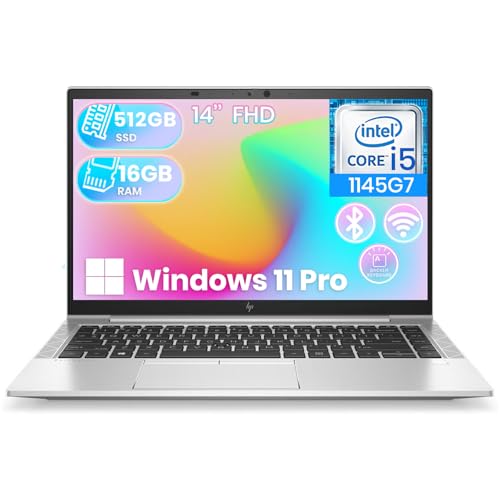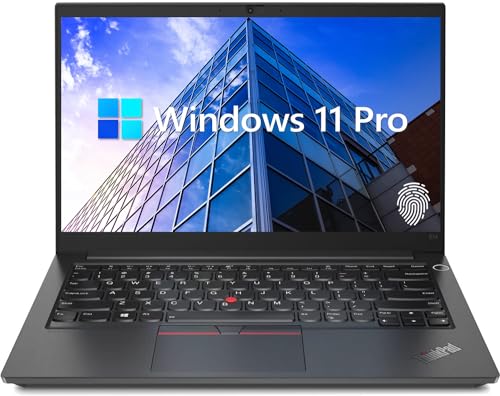
Knowing how to choose a business laptop is different from choosing a home machine, because a business laptop is a tool your income depends on: it must be reliable for years, secure by design, comfortable through long workdays, and easy for IT — even if IT is just you — to support. Consumer laptops chase thinness and headline specs; business laptops from lines like Lenovo’s ThinkPad, HP’s EliteBook, and Dell’s Latitude add durability testing, better warranties, security hardware, and parts availability that keep them working long after prettier machines retire.
This guide gives you the decision framework: the specifications that matter for office work, the business-class features worth paying for, the ones that are marketing, and how to size a purchase whether you are buying one laptop for yourself or standardizing a small team.
Disclosure: As an Amazon Associate, kajuandouglas.com earns from qualifying purchases. Links to Amazon on this page are affiliate links; they cost you nothing extra. Listing details such as price and availability change often, so check the current Amazon listing before you buy.
What Makes a Laptop a Business Laptop
Three things separate business models from consumer ones. First, build and testing: business lines are typically tested against durability standards, use sturdier hinges and chassis, and are designed to be opened and serviced — batteries, memory, and storage are often replaceable, which extends working life. Second, security hardware: fingerprint readers, IR cameras for face sign-in, TPM chips for encryption, and privacy screens are standard fare rather than luxuries. Third, support: longer warranty options with next-business-day on-site service, longer production runs so you can buy the same model next year, and manageability features for IT departments.
None of that requires giving up performance or portability. Modern business laptops are thin, light, and fast. What you give up is the absolute cheapest pricing and the flashiest consumer features; what you gain is a machine engineered for a five-year working life with minimal drama.
In this guide
What You Need to Decide Before Shopping
List the software the laptop must run and confirm its operating system requirements — most business software is Windows-centered, which is why business laptops overwhelmingly ship with Windows Pro rather than Home; the Pro edition adds domain and device management, BitLocker encryption control, and Remote Desktop hosting that companies rely on. Decide the screen size by travel pattern: 14 inches is the business standard for people who move, 15 to 16 inches suits desk-anchored workers who want screen room without a dock.
Set your support expectations honestly. If a dead laptop costs you billable days, the upgraded warranty with on-site service is not an upsell — it is the cheapest insurance in the purchase. If the laptop is one of several and a spare exists, standard support may be fine. Decide this before comparing prices, because support tiers change the real cost comparison between models.
How to Choose a Business Laptop in Six Steps
Step 1: Start with the business lines, not consumer models
Shortlist from the dedicated business families — ThinkPad, EliteBook, Latitude, and their peers — in the size class you need. These lines share the serviceability, security, and support advantages described above, and their mid-range models are the value sweet spot. Consumer models enter the conversation only for very small budgets, with eyes open about warranty and durability trade-offs.
Step 2: Specify for a five-year life
Choose a current mid-range or better processor (Core i5 / Ultra 5 or Ryzen 5 class minimum; i7 / Ultra 7 or Ryzen 7 for analysts, developers, and heavy multitaskers), 16GB of memory as the floor — 32GB for power users — and at least 512GB of SSD storage. Business software, browser-based tools, and years of files grow relentlessly; the machine that feels adequate in year one and starved in year three was underspecified, and upgrading a fleet is far costlier than buying correctly once.
Step 3: Prioritize the screen, keyboard, and webcam
Your team will stare at this screen all day: choose an IPS-type panel, at least Full HD, with brightness around 300 nits or more and a matte finish for office lighting. A comfortable backlit keyboard and a precise touchpad are productivity features, not comforts. Insist on a 1080p webcam with a privacy shutter and dual microphones — video calls are now core business infrastructure, and a poor camera taxes every meeting.
Step 4: Check ports and docking
Count what your workday connects: external monitors, USB accessories, wired networks, headsets. Prefer laptops with HDMI and USB-C with DisplayPort and power delivery, so a single-cable dock can run a full desk setup. Fewer dongles means fewer failures in client meetings. If you present often, a laptop that charges over USB-C also lets you borrow chargers in a pinch — a small, real-world resilience win.
Step 5: Require the security baseline
Non-negotiables: a TPM chip with full-disk encryption enabled, biometric sign-in (fingerprint or face), a webcam privacy shutter, and a Kensington-style lock slot if the laptop lives in shared spaces. These features cost little at purchase and are effectively impossible to retrofit. For regulated industries, ask about certified configurations and smart-card readers before shortlisting.
Step 6: Price the warranty as part of the laptop
Compare models with the same support tier applied — ideally three years with on-site service — because a cheap laptop plus an expensive failure is the worst of both worlds. For small fleets, standardizing on one model multiplies these benefits: one charger type, one dock, one spare-parts shelf, and knowledge that transfers between machines.
Gear for This Guide
Three verified business laptops show the range from value to flagship:

Lenovo ThinkPad E14 Gen 5 Business Laptop, 14″ FHD+ Display, AMD Ryzen 7 7730U (Beat i7-1255U), 16GB RAM, 512GB SSD, FP Reader, Backlit Keyboard, HDMI, RJ45, Wi-Fi 6, Windows 11 Pro, Black — A ThinkPad E14 Gen 5 configuration with 16GB of memory, a 512GB SSD, and a fingerprint reader — the business baseline done right. Check price on Amazon.

Lenovo ThinkPad T14 Gen 5 2024 Laptop, 8-Core AMD Ryzen 7 PRO 8840U, 14″ WUXGA IPS Touchscreen Display, AMD Radeon 780M Graphics, 32GB DDR5 1TB SSD, Backlit KB, FP, Thunderbolt 4, Wi-Fi 6E, Win11 Pro — A ThinkPad T14 Gen 5, from Lenovo’s flagship business line, with a WUXGA touchscreen and professional-grade build. Check price on Amazon.

Microsoft Surface Laptop for Business (2025), Windows 11 Pro Copilot+ PC, 13.8″ Intel Core Ultra 7 (Series 2), 16GB RAM, 512GB SSD Storage, Black — Microsoft’s Surface Laptop for Business, the premium Windows Pro option for executives who want polish with enterprise management. Check price on Amazon.
Common Mistakes When Buying Business Laptops
The costliest mistake is buying consumer laptops for a business because the sticker is lower, then paying the difference back in shorter warranties, depot-only repairs that take a week, non-replaceable batteries, and early replacements. The second is underspecifying memory and storage to hit a budget line — the savings are small, the daily tax is paid by your most expensive resource, your people’s time, for years.
A third mistake is ignoring the total setup: docks, monitors, chargers for home and office, and cases. A laptop purchased without its ecosystem creates a month of small frictions and extra orders. Finally, skipping the security baseline — especially encryption — because ‘we are too small to be targeted’ misunderstands how most breaches happen: opportunistically, to whoever left the door open.
Pro Tips for Fleet and Solo Buyers Alike
Buy the previous model year when a refresh launches; business lines change gradually, and the discount is real while parts and docks remain identical. Keep one spare laptop in any fleet larger than a handful — a loaner converts a hardware failure from a crisis into a ticket. And record serial numbers, warranty dates, and configurations in one document from day one; future you, mid-incident, will be grateful.
Solo professionals should treat themselves like a fleet of one: same standardization logic, same spare-charger discipline, same backup routine. The difference between a hobbyist setup and a professional one is rarely the laptop — it is the system around it.
Sizing the Purchase: One Laptop or a Fleet
The buying logic changes with quantity, and even small organizations benefit from thinking like a fleet. Buying one laptop is a product decision: pick the best machine for the person and the work. Buying five or fifty is a systems decision: standardize the model, the dock, the charger, and the warranty tier, because every variation multiplies support complexity, spare-parts inventory, and the knowledge each support person must carry. A fleet of identical machines is boring in the way that reliable infrastructure is boring — deliberately.
Standardization also buys negotiating and lifecycle advantages: the same model remains available for consistent replacements, accessories interchange freely when someone forgets a charger, and a single spare machine covers every desk in the office. Refresh in planned waves — a third of the fleet each cycle, for example — and the budget smooths while no one is stranded on ancient hardware.
Solo professionals should steal the fleet mindset at a scale of one: stay within one brand’s ecosystem across purchases so docks and chargers carry over, keep one documented configuration, and treat your own laptop with the same lifecycle discipline. The difference between a hobbyist and a professional setup is rarely the machine; it is whether a system exists around the machine.
Reading Business Laptop Model Lines Without a Decoder Ring
Business lines are organized in tiers, and learning the tiers of the major brands makes shortlisting fast. Lenovo’s ThinkPad runs from the value E series through the L and T mainstream to the X1 flagships and P workstations. HP’s EliteBook climbs from the 600 series through 800 to the 1000 flagships, with ZBook covering workstations. Dell’s Latitude mirrors the same ladder in its 3000, 5000, and 7000 series. The pattern across brands is consistent: lower tiers keep the security and serviceability DNA with costlier materials and features trimmed; flagships add the best screens, lightest chassis, and collaboration polish.
The value insight is that the business essentials — durability testing, TPM and biometrics, serviceable design, Pro operating system, support options — exist at every tier. What the tiers sell is refinement: weight, screen quality, battery size, and finish. A small business buying E-series or 600-series machines is not buying ‘worse security’; it is buying the same posture in a heavier jacket.
Compare within tiers across brands rather than across tiers within one brand, and the market becomes legible: three or four genuine contenders per tier, separated by keyboard feel, screen options, and support pricing. That is a comparison an afternoon can settle — which is exactly what a good buying framework should deliver.
Total Cost: The Spreadsheet That Tells the Truth
Build the honest comparison before purchasing: machine price, plus the warranty tier you will actually buy, plus dock and a second charger, plus a case, spread across the years you expect the laptop to serve. Business laptops routinely win this spreadsheet against cheaper consumer machines once downtime and earlier replacement are priced in — and the exercise exposes the false economies, like saving a small sum on memory that taxes a salaried employee’s every working hour for four years.
Include the exit in the calculation. Business machines hold resale and hand-down value: a four-year-old business laptop remains a credible spare, a loaner, or a donation with real utility, because it was built and supported for that horizon. Consumer machines at the same age are likelier to be e-waste with a swollen battery. Total cost includes what the machine is worth at the end, in money or in service.
Finally, price the risk you are retiring. One day of a professional unable to work costs more than most warranty upgrades; one lost unencrypted laptop costs more than the entire fleet’s security features. The spreadsheet rarely captures those fully — but a buyer who has at least named them will not make the classic mistake of optimizing the purchase price while ignoring the ownership.
Accessories and the Complete Working Setup
A business laptop is a system, and the accessories budget deserves the same deliberation as the machine. The dock is the centerpiece: a single-cable USB-C or Thunderbolt dock that drives two monitors, charges the laptop, and connects every peripheral turns a mobile machine into a desk workstation in one motion, hundreds of times a year. Buy the dock from the laptop’s manufacturer or a reputable specialist, rated for your monitor count and resolutions — a cheap dock that flickers one monitor will tax its user daily.
The second charger is the accessory nobody regrets: one lives at the desk, one lives in the travel bag, and the forgotten-charger morning disappears from your life. A quality case or a backpack with a genuinely padded compartment completes the physical kit. For roles that present or travel constantly, add a compact travel charger and the adapters your meeting rooms require, packed permanently rather than assembled per trip.
Price the whole system when comparing laptops, because ecosystems differ in cost: one brand’s dock and chargers may undercut another’s by enough to move a model comparison. The laptop’s sticker is the beginning of the invoice, and the buyers who total the system are the ones whose budgets survive contact with reality.
Buying Timing and Configuration Traps
Business lines refresh on predictable cycles, and the weeks around a refresh are when the previous model — usually ninety-five percent of the machine — sells at its lifetime low. A buyer without a hard deadline should hunt that window. Conversely, avoid buying a business laptop in its line’s final clearance if you need fleet consistency for years; a model about to be discontinued undermines the standardization that makes business buying smart.
Configuration traps hide in the options list. The base screen on many business models is a dim, narrow-gamut panel that no employee should stare at for five years — the screen upgrade is the one option never to skip. Memory configured as a single module forfeits dual-channel performance; choose the paired configuration. And the smallest storage tier is a false economy in an era of swelling software: the mid-tier SSD is the professional default for a reason.
Finally, read the warranty options as carefully as the hardware. The difference between depot and on-site service, and between one year and three, is the difference between a laptop that is a tool and a laptop that is a risk. Configure the support to match the machine’s importance, and the purchase is complete in the only sense that matters: it will still look wise in year three.
Choosing by Role: What Different Jobs Actually Need
The six steps in the main guide produce a sound general machine. Tuning the result to the role the laptop will serve prevents the two classic fleet errors: underpowered machines for heavy roles and expensive overkill for light ones.
Executives and frequent travellers
For leaders and road warriors, weight, battery endurance, build, and the quality of the webcam and microphones outweigh raw performance, because their work is communication and their office is wherever the day ends. A smaller screen in a superb chassis beats a larger screen in a heavy one, and the warranty’s on-site, next-day terms matter more than an extra increment of processor. These are also the users for whom a second, identical charger at home and in the travel bag pays for itself in the first month.
Developers, analysts, and data-heavy roles
Technical roles invert the priorities: memory headroom, sustained processor performance under long loads, storage speed, and a screen that can hold code or models without strain dominate the decision. These users should test sustained performance rather than headline speed, because a laptop that throttles after ten minutes of compiling or calculation is slower in the working day than a modest machine that holds its pace. Docking to multiple external displays is usually a requirement, not a preference, and should be verified with the actual monitors in use.
Sales, field, and client-facing roles
Field roles need durability, daylight-readable screens, battery life measured in customer visits rather than desk hours, and connectivity that does not depend on borrowed Wi-Fi. Client-facing work adds presentability: a machine that opens to a clean, professional impression at a customer’s table. For these roles, the drop it will eventually take and the presentation it will give next week both outrank benchmark scores, and a slightly older, tougher model often beats a newer, more delicate one.
Finance, legal, and compliance-sensitive roles
Where the work is regulated or confidential, the security baseline in the main steps becomes the starting specification rather than a step within it: hardware-backed security, manageable encryption, biometric sign-in, and an auditable update regime. These buyers should involve whoever owns compliance before the shortlist, not after, because a laptop that fails a regulatory requirement is not a bargain at any specification — it is a return waiting to happen.
Evaluating a Shortlist: Tests That Reveal the Truth
Specifications narrow the field; a few structured evaluations separate the finalists more reliably than further reading.
The working-day simulation
Wherever possible, put a candidate through a simulated day: the real applications, the real files, the real dock and monitors, a video call, and an hour on battery. Business laptops reveal themselves in transitions — waking from sleep with the dock attached, joining the call with the headset recognised, holding the large spreadsheet without complaint — far more than in any single task. A machine that handles your transitions gracefully will feel fast for years regardless of its benchmark position.
Keyboard, screen, and camera: the daily interfaces
Type a full page, not a sentence, on any finalist, because keyboard quality is a cumulative property that reveals itself over paragraphs. Read your actual documents on the screen at your actual working distance, in your actual lighting, including a window if your desk has one, since glare behaviour differs more between models than resolution does. And appear on a test call to a colleague, who will tell you honestly whether the camera and microphone present you as you intend to be presented — a judgement no specification sheet can make for you.
The support rehearsal
Before a fleet purchase, contact the maker’s business support once with a real question and observe the experience: how quickly a knowledgeable human arrives, and how the conversation feels. You are rehearsing the worst day of the laptop’s life, and the quality of that day is part of what the purchase price buys. Solo buyers can perform a smaller version of the same test and should weight the result seriously, because when a business laptop fails, the support experience becomes the product.
Standardisation, Spares, and the Fleet View
Even a two-person business benefits from thinking like a fleet, because the costs of variety are paid in support time, spare parts, and accumulated confusion rather than in the purchase price where they might be noticed.
The case for one model, honestly stated
Standardising on one model — or one model per role — means one charger type, one dock type, one set of drivers and images, and knowledge that transfers between users and their helpers. A failed machine can be swapped for a spare in minutes and the failed one repaired without urgency. The honest cost is that no individual gets the theoretically perfect machine for their exact taste, and the standard model must therefore be chosen for the fleet’s centre of gravity, with role-based exceptions made deliberately rather than by drift.
Spares as a line item, not an afterthought
One spare machine, one spare dock, and a small stock of chargers transform laptop failures from emergencies into errands. For a small business, the spare can be the previous generation’s retired machine, kept imaged and ready, rather than a new purchase. What matters is that the decision is made in calm times: the day a laptop dies before a deadline is the wrong day to discover the business owns no way to work around it.
Refresh planning and the exit of old machines
Plan the replacement rhythm when you buy, not when machines fail: a staggered cycle in which a fraction of the fleet renews each year smooths cost and keeps support knowledge current. Retired machines should be wiped to a recognised standard, their data migration verified, and their next life — spare, donation, resale, recycling — decided deliberately, because a business laptop’s exit is a data-security event as much as an administrative one.
Reading Between the Specification Lines
Business laptop listings are written to be compared, which means they emphasise what compares well. A few specification areas deserve translation from marketing into working reality.
Processor names and sustained reality
The same processor name can live in two laptops with very different sustained performance, because the chassis’s cooling decides how long full speed can be held. For bursty office work — documents, mail, browsing, calls — this barely matters and efficiency should win. For sustained work, look for evidence about the specific model’s cooling rather than the chip’s headline, and treat a thin chassis claiming workstation performance as a claim requiring proof, ideally the working-day simulation described earlier.
Memory and storage: the specifications that age
Of all specifications, memory and storage decide how a laptop feels in year three, because software’s appetite grows while the hardware stands still. Buy memory for the workload’s future, not its present, and prefer configurations that can be expanded where the model allows it — while remembering that many modern business machines solder memory permanently, making the initial decision final. Storage should be sized for the user’s real data plus the operating system’s growth, with cloud habits honestly assessed rather than optimistically assumed.
Screens: brightness and finish over resolution
For office work, a screen’s brightness, anti-glare finish, and comfort over eight hours matter more than a resolution figure beyond the mainstream. Very high resolutions on small screens tax battery and can shrink interface elements unhelpfully for some users, while a modest resolution with excellent brightness and viewing angles serves the working day better. Blue-light comfort features and flicker behaviour are worth more to the person who will stare at the panel for a career than a sharper number on the box.
The Buying Conversation: Questions to Ask the Seller
Whether buying from a manufacturer’s business store, a reseller, or a refurbisher, a short list of questions separates serious sellers from box-shifters and surfaces the costs that listings hide.
- What exactly does the warranty cover, where is the machine repaired, and what is the realistic turnaround or on-site commitment?
- How long will parts — batteries, keyboards, screens — remain available for this model?
- Is the memory expandable, and what is the largest supported configuration?
- Which dock is the intended partner for this model, and are there known limitations with multiple external displays?
- What is the returns process if the machine fails within the first month?
- For refurbished machines: what was replaced, what is the battery’s measured health, and what warranty does the refurbisher themselves stand behind?
Record the answers with the purchase documents. Promises made in a sales conversation have a way of becoming important eighteen months later, and the buyer who can quote them accurately is the buyer whose support call goes well.
After the Decision: Ordering, Checking, and the First Fortnight
Choosing ends at the order confirmation only in the narrowest sense. The machines that arrive deserve verification, because the gap between the laptop specified and the laptop delivered is a real, if unglamorous, category of business problem.
Verifying the delivered machine
On arrival, confirm the configuration against the order — processor, memory, storage, screen, and warranty terms — using the system’s own information pages, and run the machine through its paces before it is needed: dock, displays, camera, microphone, a full battery cycle. Manufacturing escapes and configuration errors are cheapest in week one, while exchanges are courtesies rather than negotiations. Register the warranty, record the serial and asset details, and file the documents where the fleet records live.
The burn-in fortnight
Treat the first two weeks as a proving period: keep the packaging, work the machine at full daily load, and note every friction while it is still returnable information rather than permanent character. A battery that disappoints, a fan that distracts, a keyboard that cramps — each is a legitimate datum, and a business purchase made carefully includes the right to act on it. Machines that pass the fortnight under real work almost never surprise their owners later, which is why the fortnight, like the setup that follows it, deserves to be a deliberate stage rather than an accident of enthusiasm.
Feeding the experience back into the standard
If the business buys more than once, the first machine’s fortnight is research for every later purchase. Record what delighted and what grated, update the standard specification accordingly, and let the fleet converge on machines chosen by accumulated evidence. This is how a small business ends up, within a few cycles, with a laptop standard that fits its work with a precision no review site could have supplied — because it was measured against the only workload that matters, its own.
The One-Page Decision Summary
For the reader who has absorbed the detail and wants the shape of the whole decision on a single page: begin in the business lines, because support, security, and longevity live there. Specify for a five-year life, weighting memory, the daily interfaces, and battery above benchmark theatre. Verify ports and docking against the desk the machine will actually serve. Treat the warranty as part of the machine and price it as such. Test finalists with a simulated working day, rehearse the support experience, and check the delivered machine as carefully as you chose it.
Do those things and the laptop largely disappears — into the work, which is where a business laptop belongs. The machines that demand attention after purchase are almost always the ones whose choosing skipped a step, and the steps, as this guide has tried to show, are neither long nor mysterious. They are merely easier to perform in the calm before the purchase than in the urgency after a failure, which is why you are reading them now.
Voices From the Field: What Owners Praise and Regret at Year Three
Specification guides, this one included, are written at the moment of purchase. The verdicts that matter arrive years later, and they are remarkably consistent about what turned out to count.
What owners praise
They praise the keyboard they stopped noticing, the battery that still holds a working day, the hinge that opens as it did when new, and the support call — there is usually exactly one — that was answered by someone who could help. They praise the charger that is everywhere because the fleet standardised, and the colleague’s identical machine that donated a dock during a crisis. Notably, they almost never praise the processor. Performance that was adequate stays adequate in memory; the interfaces and the support are what a laptop is remembered by.
What owners regret
They regret the memory they could not upgrade, the screen they squint at, the bargain warranty that repaired by post in a fortnight, and the consumer machine whose home-edition limitations surfaced at the worst administrative moment. They regret, above all, choosing by the number that was easiest to compare. The pattern is so regular it can be stated as a rule: business laptops are regretted at their interfaces and their support arrangements, and praised at exactly the same places — which is why this guide has weighted those unglamorous areas from its first step to this final page.
The lesson for the reader at the till
You are not buying the laptop in the shop; you are buying the laptop in year three, on the day of the deadline and the day of the failure. Choose the machine that serves those days — durable, supportable, comfortable, secure — and the ordinary days will take care of themselves, as they always do for a tool that was chosen with its whole life in view.
Special Cases: The Second Laptop, the Shared Laptop, and the Emergency Replacement
Three purchases follow different rules from the main decision, and recognising them prevents the main guide’s logic from being misapplied where it does not belong.
The travel or second machine
A second laptop for travel, presentations, or as a household spare should be chosen for compatibility above individuality: the same chargers, the same dock family, the same security and management tools as the main fleet. Its individual specifications can be modest, because its job is continuity, not primary production. The worst second machine is a fascinating stranger with its own cables and habits; the best is a quiet understudy that can step into the main role on the worst day of the year without rehearsal.
The shared or hot-desk machine
Laptops shared across a team need fast, clean account switching, storage discipline enforced by configuration rather than by trust, and a build that tolerates many hands. Choose them a step more durable than a personal machine and a step less personalised, and set the expectation that nothing private lives on them. Their success is measured in handovers that take seconds and in data that never mingles — administrative virtues that no benchmark records and every team feels.
The emergency replacement
When a machine dies before a deadline, the temptation is to buy whatever is available today. The fleet standard is the defence: the emergency purchase should be the standard model, from the fastest reputable channel, even at a modest premium, because a stranger machine costs more in setup, support, and eventual replacement than the premium ever will. If the standard is genuinely unobtainable, buy the closest machine in the same business line and record the deviation, so the fleet’s knowledge notes the exception rather than discovering it at the next crisis.
A Word on Timing: When in the Year, and When in the Product Cycle
Two timing questions recur in business buying, and both have calmer answers than sales pressure suggests. Within the product cycle, buying a model late in its run usually means mature firmware, known weaknesses, and keener pricing, while buying at launch means the longest support horizon and the least field knowledge; for business purposes, the mature end of a respected line is very often the sweet spot, because a fleet values proven behaviour over novelty. Within the year, align purchases with the business’s own rhythm — quiet periods for deployment, budget cycles for sanity — rather than with promotional noise, because the cost of deploying badly in a busy month exceeds any seasonal saving.
The deeper timing rule is about need rather than calendars: replace machines when their support, performance, or battery no longer serves the work, on the staggered rhythm the fleet plan describes, and not in response to launches. A business laptop is infrastructure, and infrastructure bought on a plan behaves like infrastructure. Bought on impulse, even excellent infrastructure behaves like a gadget — briefly delightful, quietly expensive, and due for replacement on somebody else’s schedule instead of yours.
Choose slowly where it matters — line, warranty, interfaces, security — and quickly where it does not, because the perfect business laptop does not exist and the excellent one is available this week. Then set it up properly, keep its records, and let it vanish into five years of work. A purchasing decision that ends in invisibility is the highest compliment business equipment can earn, and it is earned almost entirely before the box is opened.
Environmental and Disposal Considerations, Briefly and Honestly
A business laptop’s life should end as deliberately as it began. Before disposal or resale, migrate and verify the data, then wipe the storage to a recognised standard and record that it was done, because the machine’s last security duty is to its own contents. Consider the refurbishment channel seriously: business machines are the backbone of an excellent second-hand market precisely because they were built and maintained to the standards this guide describes, and a retired fleet machine in a student’s hands is a better ending than a shredder for equipment with years left in it. Where machines are genuinely finished, use certified recycling, and keep the paperwork with the fleet records. The business that chooses well, maintains honestly, and retires responsibly has extracted the full value of its decision — financial, practical, and otherwise — and can repeat the whole cycle with the confidence of a process that has been proven end to end.
Your shortlist is short, your questions are written, and your working day is the test that matters. Run it, trust what it tells you, and buy the machine your year three will thank you for.
That is the purchase this guide has been describing from its first step: not the fastest, not the cheapest, not the newest — the one that fits the work, the desk, the warranty, and the years, all at once.
Proceed, then — the work is waiting, and it deserves a proper tool.
Buy it well, and it will not ask to be thought about again for years.
Related Guides
- best business laptops in the top price band
- best Dell business laptops
- best compact business laptops
- best business laptops on a tighter budget
- best laptops for work, consumer alternatives included
- what makes a good business laptop, explained
- business laptop vs consumer laptop
Frequently Asked Questions
What is the difference between Windows Pro and Home for business?
Windows Pro adds the management and security controls businesses need: BitLocker drive encryption management, joining company domains and Azure directories, group policy, and hosting Remote Desktop connections. For a work laptop, Pro is the correct default; the price difference is small and some features cannot be added to Home later without an upgrade license.
How much RAM does a business laptop need?
16GB is the floor for a machine expected to last four to five years of office work — browser-based tools, office suites, and video calls are heavier than they look. Choose 32GB for developers, analysts working with large datasets, and anyone running virtual machines. Memory is the specification businesses most regret skimping on.
Are ThinkPads, EliteBooks, and Latitudes really better than consumer laptops?
For business use, yes — not in raw speed, but in the things that decide total cost: durability testing, serviceable designs, security hardware, longer and better warranty options, and model stability for fleets. A consumer laptop can be faster for the same money; a business laptop is built to still be working, and supportable, years later.
What screen size is best for a business laptop?
Fourteen inches is the standard recommendation for anyone who travels or moves between meetings: large enough to work on, light enough to carry all day. Choose 15 to 16 inches for desk-centered roles that rarely travel, or pair a 14-inch laptop with a dock and external monitors for the best of both patterns.
How long should a business laptop last?
Plan on four to five years of front-line service. Business lines are engineered and supported for that horizon, with parts and batteries available. Underspecified machines get replaced early for performance reasons; correctly specified ones usually retire because software support ends, not because they failed.
Should a small business standardize on one model?
Yes, once you pass a handful of machines. Standardization simplifies chargers, docks, spare parts, support knowledge, and imaging. Buy the same model while it is in production, keep one spare, and refresh in planned waves rather than one-off emergencies. Solo operators get the same benefit by staying within one brand’s ecosystem across replacements.
How important is a touchscreen on a business laptop?
For most roles, it is a preference rather than a requirement, and it usually costs weight, battery life, or money that other features would use better. It earns its place for presenters who annotate, field workers who sign and sketch, and anyone whose workflow genuinely involves touching the screen daily. Decide from observed work, not from the showroom, where every touchscreen feels delightful for the ninety seconds you are standing there.
Should a small business buy extended warranty or self-insure?
Compare the warranty’s cost against the realistic cost of one failure — repair plus the working days lost waiting for it — across the fleet’s life. For most small fleets, next-business-day on-site cover on the machines the business cannot function without is money well spent, while a solo operator with a working spare may rationally self-insure. The deciding factor is downtime tolerance, not repair cost alone.