Disclosure: this site may earn an affiliate commission when you buy through links on this page, at no extra cost to you.
A home movie projector asks a question no television ever does: how dark can you actually make your room? Everything else — the projector you should buy, the screen size you can honestly support, even whether 4K is worth paying for — flows downhill from that one answer. A bright, punchy projector that looks spectacular in a basement theater can look washed out and tired in a living room with white walls and a streetlight outside the window. A tiny portable projector that feels magical on a camping trip can feel like a toy the first time you try to fill a 120-inch screen with it.
That is why this guide is organized around rooms first and projectors second. The six picks below cover the realistic spread of home movie setups: a serious light-controlled theater, a family living room that doubles as a cinema on Friday nights, a bedroom or apartment where the projector has to live on a shelf, and the portable models people carry between rooms or out to the backyard. Each pick was chosen because it does one of those jobs genuinely well, not because it tops a specification chart.
One honesty note before we start: projector brightness numbers are the most gamed figures in home entertainment. Two projectors with similar lumen claims can look completely different in your room, because manufacturers measure differently and because contrast — the gap between the brightest white and the deepest black a projector can produce at the same time — matters as much as raw brightness once the lights go down. Throughout this guide, brightness is discussed in terms of what a room actually demands, not which box prints the biggest number.
What to look for in a home movie projector
Brightness, measured against your room, not a lab
Brightness is quoted in lumens, and for home use you will see two flavors: plain “lumens,” which can mean almost anything, and ANSI lumens, which follow a standardized measurement and are the only figures worth comparing across brands. As a working rule, a fully dark room with a matte screen is happy with somewhere around 1,000 to 1,500 ANSI lumens at screen sizes up to about 120 inches. A living room with some ambient light — lamps on low, curtains that leak a little daylight — wants closer to 2,000 to 2,500 ANSI lumens to keep the image from looking grey. A projector used in genuine daylight, or outdoors before full dark, needs everything it can get, and even then the honest advice is to wait for dusk.
There is a catch that catches people out: brightness and screen size fight each other. The same projector lighting a 100-inch screen will look noticeably dimmer stretched across 150 inches, because the same light is spread over more than twice the area. If your heart is set on a very large image, either darken the room properly or step up a brightness class. Do not buy a modest projector and a giant screen and expect both to be happy.
Resolution and what “4K” actually means here
Most affordable home projectors are natively 1080p, and many reach “4K” through pixel shifting — rapidly offsetting each frame so your eye assembles a sharper image than the chip natively holds. Pixel-shifted 4K is not a scam; at normal seating distances on screens up to about 120 inches it looks convincingly close to native 4K, and it costs far less. True native 4K projectors exist but live in a much higher price tier than anything in this guide. What matters more for movies is how the projector handles 24 frames-per-second film content, whether it accepts a 4K signal from your streaming stick or console (all six picks here do), and whether its HDR tone mapping keeps bright scenes from blowing out. A good 1080p projector with strong contrast will beat a weak “4K” projector with grey blacks every single movie night.
Throw distance and screen size
Throw ratio tells you how far back the projector must sit for a given image width. A standard-throw projector typically needs roughly 10 to 13 feet of distance for a 120-inch image. A short-throw model does it from a few feet, and ultra-short-throw models sit inches from the wall. Before buying anything, measure your room and check the manufacturer’s throw calculator for the exact model — a projector that cannot fill your screen from the shelf you actually own is a return waiting to happen. Also confirm the vertical lens shift or keystone range: lens shift corrects placement optically without degrading the image, while digital keystone correction shrinks the usable picture and softens it slightly. Ceiling mounting solves most placement problems permanently, which is why dedicated models in this guide assume it as an option.
Contrast and black levels
Movies live in the shadows. Star fields, night scenes, the dark half of a noir frame — a projector with weak contrast renders all of it as dark grey soup. LCD and DLP projectors achieve contrast differently, and dynamic irises complicate the published numbers, so treat contrast specs as rough orientation only. In practice: projectors with a mechanical iris or strong native contrast produce the inky blacks a dedicated theater wants, while bright living-room models trade some black depth for the punch needed under ambient light. Neither is wrong. They are built for different rooms, and this guide labels which is which.
Fan noise
A projector sits near your head and contains a fan cooling a very hot light source. Noise ratings in the low 30s decibels in eco mode are typical for good home models; cheap projectors can be dramatically louder. If the projector will sit on a coffee table two feet from the sofa, fan noise matters more than a few hundred lumens. Ceiling mounting and eco lamp modes both help, and laser and LED models tend to run steadier and quieter than lamp models at full power — though their eco modes matter less because the light source does not dim the same way.
Sound: built-in speakers versus a soundbar
Every projector here has built-in speakers, and on most of them those speakers are the weakest part of the product. Small drivers in a thin chassis cannot produce bass, and dialogue gets thin at movie volume. The portable lifestyle models are the honorable exception — several are designed as all-in-one entertainment boxes with surprisingly full sound for a bedroom. For any permanent setup, budget for a soundbar or an AV receiver and speakers; the projector’s job is the picture. Check that the projector offers HDMI ARC or eARC, or at least an optical or 3.5mm output, so getting sound out is painless.
Light source: lamp, LED, or laser
Traditional lamps are bright and cheap to buy into, but they dim over a few thousand hours and replacements cost real money. LED light sources last far longer and turn on instantly, but historically struggle to reach high brightness. Laser sits at the top: bright, long-lived, stable color over time, and priced accordingly. For a projector you will use several nights a week for years, the total cost of a laser or LED model often beats a lamp model once one replacement lamp enters the math.
Inputs, streaming, and gaming
Two HDMI ports is the practical minimum for a permanent setup — one for a streaming device or receiver, one for a console or Blu-ray player. Built-in smart platforms vary wildly in quality; many owners end up plugging in a streaming stick regardless, so do not overpay for a projector’s own interface. Gamers should look at input lag figures and whether the projector offers a low-latency mode at 1080p; movie-first models sometimes carry lag that fighting games will punish, while the gaming-leaning picks below handle it well.
In this guide
Quick comparison
| Projector | Best for | Light source | Resolution | Character |
|---|---|---|---|---|
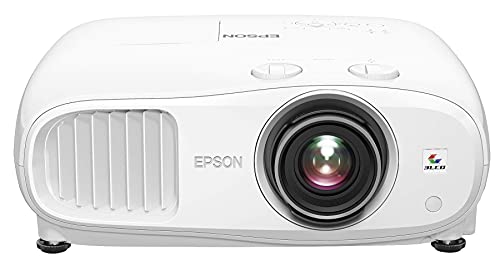
| Epson Home Cinema 3800 | Dedicated dark theater | Lamp | 4K pixel-shift | Deep contrast, flexible lens shift |
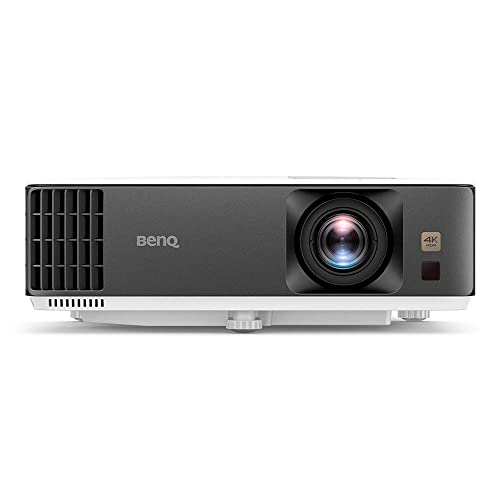
| BenQ HT2060 | Movie purists on a budget | LED | 1080p | Accurate color, low lag |
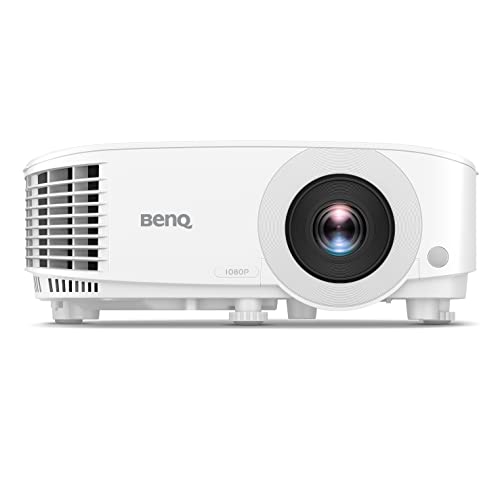
| Optoma HD146X | First projector, tight budget | Lamp | 1080p | Bright, simple, gaming-friendly |
| XGIMI HORIZON 20 Pro | Apartments and shelves | RGB triple laser | 4K | Bright all-in-one, optical zoom and lens shift |
| Samsung The Freestyle 2nd Gen | Portability and ceilings | LED | 1080p | Tiny, tilting, take-anywhere |
| Nebula Cosmos Laser 4K | Premium portable cinema | Laser | 4K pixel-shift | Bright laser, strong speakers |
The table is a map, not a ranking. Read the full reviews below with your own room in mind — the “best” projector here is the one whose strengths line up with your walls, your windows, and where the thing will actually sit.

Epson Home Cinema 3800
The Home Cinema 3800 is the projector in this guide that takes the traditional home theater brief most seriously: a bright, high-contrast image for a room you can darken, real lens shift so placement does not have to be perfect, and enough flexibility to work on a ceiling mount or a rear shelf. It uses Epson’s 3LCD technology with pixel shifting to put a 4K-resolution image on screen, and its rated brightness around 3,000 lumens gives it genuine headroom — enough to run in eco mode in a dark room, which quiets the fan and extends lamp life, while still filling a 120-inch screen with authority.
What separates the 3800 from cheaper bright projectors is contrast. Its dynamic iris works aggressively, and in dark scenes the difference is not subtle: black bars above and below a widescreen film actually look black rather than charcoal, and shadow detail in night scenes survives instead of crushing into murk. For movie lovers, this is the single most cinematic image in this roundup at its price tier, and it is why the 3800 anchors the “real theater” end of the list.
Placement flexibility is the other headline. The lens offers generous vertical and horizontal shift plus a wide zoom range, which means the projector can sit off-center on a shelf, or on a ceiling mount that was not drilled with millimeter precision, and still throw a square, full-resolution image without resorting to digital keystone. Anyone who has fought a fixed-lens projector into alignment will understand how much frustration that saves. Throw distance for a 120-inch image lands in the typical standard-throw band, roughly eleven to thirteen feet depending on zoom, so measure your room before committing.
Strengths
- Excellent contrast and black levels for its class, thanks to a capable dynamic iris
- Wide lens shift and zoom range make installation forgiving
- Brightness headroom allows eco mode in dark rooms — quieter fan, longer lamp life
- Strong HDR handling and color that looks natural without extensive calibration
- Full HD 3D support, a rarity now, for collectors with 3D Blu-ray libraries
Trade-offs
- Lamp-based, so a replacement lamp is a future cost heavy users should budget for
- Large and heavy compared with the lifestyle models here — it wants a permanent home
- Input lag is fine for casual gaming but not competitive with the gaming-leaning picks
- No built-in streaming platform worth using; plan on a streaming stick or receiver
Who it suits: the viewer building a genuine movie room — dark walls or at least blackout curtains, a fixed screen or painted wall, a soundbar or receiver already in place — who wants the most filmic image in this guide and will use it several nights a week. If your room cannot get dark, its contrast advantage goes to waste and a brighter, simpler model serves you better.

BenQ HT2060
The HT2060 makes a unfashionable argument: that a well-executed 1080p image with accurate color and genuinely good contrast beats a mediocre 4K image, and it makes that argument convincingly. Its 4LED light source produces color that covers the full Rec. 709 standard with calibration-grade accuracy out of the box, and because it is LED rather than lamp, it switches on instantly, runs for tens of thousands of hours without a replacement bulb, and holds its color as it ages instead of yellowing toward a lamp’s decline.
Filmmaker Mode and BenQ’s careful factory tuning mean skin tones look like skin — the thing you actually notice across a two-hour film, far more than edge sharpness. Black levels are strong for the price, helped by LED dimming that responds scene by scene. On screens up to about 110 or 120 inches, seated at a normal distance, most viewers in a side-by-side would pick the HT2060’s image over a budget pixel-shifted 4K model’s, because contrast and color are doing the heavy lifting in real movie content.
It is also quietly the best gaming projector in this guide. Input lag at 1080p is low enough for fast games, including a high-refresh mode that competitive players will appreciate, so the same projector can anchor a movie night and a game night without compromise settings buried in menus. Fan noise in eco mode is well controlled, and the compact chassis with modest vertical lens shift makes shelf placement in a living room realistic rather than a wrestling match.
Strengths
- Superb, accurate color for movies — the most “correct” image here
- LED light source: instant on, no lamp replacements, stable over years
- Very low input lag makes it a true dual-purpose movie and gaming projector
- Good contrast and black levels for its price tier
- Built-in speakers are a step above the usual projector afterthought
Trade-offs
- Native 1080p — on very large screens or close seating, pixel-shifted 4K rivals look finer
- Brightness around 2,300 lumens suits dim rooms, not sunlit living rooms
- Lens shift range is modest compared with the Epson 3800
- No built-in smart platform; a streaming stick is effectively required
Who it suits: the movie-first buyer on a mid-range budget whose room can be dimmed, who cares about color accuracy and will also plug in a console. It is also the pick for anyone who hates maintenance: there is no lamp to baby, no filter ritual, just a projector that turns on and looks right for years.

Optoma HD146X
The HD146X is the classic first projector: a bright, simple, single-chip DLP machine that costs less than the television it replaces in spirit, and turns any blank wall into a hundred-inch picture. Its brightness, rated around 3,600 lumens, is the headline — in a living room with the curtains drawn and a lamp or two still on, the HD146X keeps colors punchy where dimmer projectors fade to grey. For sports afternoons, kids’ movie nights, and rooms that never get truly dark, that brightness is not a luxury; it is the whole ballgame.
The DLP image has the technology’s characteristic crispness and motion clarity, and the projector’s gaming performance is a genuine strength: an enhanced gaming mode cuts input lag to levels that fast-paced games need, at full 1080p. Setup is refreshingly plain — a modest zoom, basic keystone, two HDMI ports — and the whole unit is light enough to move between a living room and a backyard screen without ceremony. It is the projector most likely to be bought on a Friday and projecting a film that same night.
The compromises are the honest ones for its budget tier. Black levels are the weakest of the dedicated models here; dark scenes in a dark room reveal the grey floor that DLP at this price cannot escape, and serious film fans will notice it in night scenes. A small percentage of viewers are sensitive to DLP rainbow artifacts — brief color fringes in high-contrast motion — and this single-chip design cannot fully avoid them. The built-in speaker is serviceable for a cartoon and inadequate for a blockbuster, and the lamp will eventually need replacing if the projector sees heavy daily use.
Strengths
- High brightness holds up in rooms that never fully darken
- Excellent input lag for gaming at this price
- Light, simple, and quick to set up anywhere
- Sharp, clean DLP image with good motion handling
- The most affordable route in this guide to a genuinely big picture
Trade-offs
- Black levels and contrast trail the Epson and BenQ in dark rooms
- Possible rainbow artifacts for sensitive viewers
- No lens shift, so placement takes more care; keystone softens the image
- Lamp replacement is a real future cost for heavy users
Who it suits: first-time projector buyers, families, sports fans, and gamers whose rooms have ambient light and whose priority is a huge, bright, fun image at the lowest sensible cost. If your viewing is mostly after dark with the lights fully off and you are particular about shadow detail, step up to the BenQ or Epson instead.

XGIMI HORIZON 20 Pro
The HORIZON 20 Pro represents the lifestyle projector grown up: a compact, handsome box built around an RGB triple laser light source, with a 4K image, Google TV with licensed Netflix built in, automatic setup that actually works, and speakers good enough that a soundbar becomes optional in a small room. Put it on a shelf, point it roughly at the wall, and autofocus and auto-keystone square up a sharp picture in seconds. For apartments and bedrooms where a ceiling mount is out of the question, that convenience is transformative — the projector stops being a project.
Picture quality is where this generation separates itself from earlier lifestyle models. The triple laser delivers rich, wide colour at a rated 4,100 ISO lumens — brightness in a different league from the dim shelf projectors of a few years ago, enough for a vibrant image well past 100 inches in a dim room and a watchable one with some light still in it. A 20,000:1 contrast figure, Dolby Vision support, and IMAX Enhanced certification signal the aim: not just a convenient picture, but a cinematic one. Gamers are looked after too, with input lag quoted at 1ms.
Placement is the other headline, because this model adds the optical tools lifestyle projectors usually skip. Optical zoom and lens shift mean the image can be sized and positioned by the lens rather than by digital correction, so a shelf that is not perfectly centred no longer costs resolution and soft corners. Screen alignment fits the image to a screen’s borders automatically, and obstacle avoidance tidies the picture around wall art. The built-in speakers remain among the best here alongside the Nebula’s — full enough for dialogue-driven films at sensible volumes.
Where it cannot follow the dedicated models is black level. In a dark room, its blacks still sit above the Epson 3800’s, and a fixed theater projector remains the connoisseur’s tool. Auto-keystone at extreme angles still crops the image — optical zoom and shift reduce how often you need it, rather than repealing the physics. And this performance sits at a premium tier, closer to installed projectors than to casual portables.
Strengths
- RGB triple laser brightness — 4,100 ISO lumens — transforms what a shelf projector can fill
- Optical zoom and lens shift: real placement flexibility without digital softening
- Google TV with licensed Netflix, Dolby Vision, and IMAX Enhanced support
- Automatic focus and keystone make setup nearly effortless
- Excellent built-in speakers
- No lamp replacements, ever
Trade-offs
- Black levels still trail the dedicated theater models in a fully dark room
- Premium pricing for the lifestyle category
- Heavy reliance on digital correction if placed at an extreme angle
- Larger and costlier than casual mini projectors
Who it suits: apartment dwellers, renters, and anyone whose “home theater” is a living room that must return to being a living room — a projector that lives on a shelf, sets itself up, sounds good, and now has the brightness for serious movie nights.

Samsung The Freestyle (2nd Gen)
The Freestyle is barely a projector in the traditional sense — it is a small cylinder on a cradle that tilts up to 180 degrees, weighs almost nothing, and is designed to throw a picture onto whatever surface is available: a wall, a slanted attic ceiling, the ceiling above your bed. That last trick is its signature. Watching a film projected overhead while lying down sounds like a gimmick until you try it, and for bedroom viewing it has converted plenty of skeptics. Auto focus, auto keystone, and auto leveling run every time you move it, so the picture squares itself up while you find the remote.
As a movie machine in the classic sense, it is the most limited pick here, and it is important to be clear-eyed about that. Brightness is modest — a few hundred ANSI lumens in standardized terms — which means a dark room is not optional, and image size should stay moderate, roughly 60 to 80 inches, for the picture to keep its snap. Resolution is 1080p, colors are pleasant rather than precise, and the single small speaker does its best. None of this is a flaw so much as physics: a projector this small and this portable is trading light output for freedom.
What it offers in exchange is a category of use no other pick touches. It runs Samsung’s smart platform with the major streaming apps, supports screen mirroring easily, and can be powered from a compatible USB-C battery pack for genuinely untethered viewing — backyard, campsite, a kid’s fort. The second-generation model adds a gaming hub for cloud gaming, which suits its casual character. Think of it as the projector you actually use on a whim, in places a real projector would never go.
Strengths
- Unmatched portability and a tilting design that projects onto ceilings
- Fully automatic setup every time it moves
- Proper smart platform with the streaming apps people actually use
- Can run from a USB-C power bank for outdoor and travel use
- Near-silent in a bedroom at night
Trade-offs
- Low brightness demands darkness and modest screen sizes
- 1080p with contrast well below the dedicated models
- Sound is thin — fine for a bedroom, lost outdoors
- Costs more than brighter budget projectors; you pay for the form factor
Who it suits: bedroom and dorm viewers, travelers, parents projecting cartoons on a playroom ceiling, and anyone who values spontaneity over spectacle. It is a second projector for most households, or a first projector for someone whose viewing is personal rather than cinematic.
Availability note: the current listing for this pick is a renewed unit, professionally inspected and restored rather than factory-new.
Nebula Cosmos Laser 4K
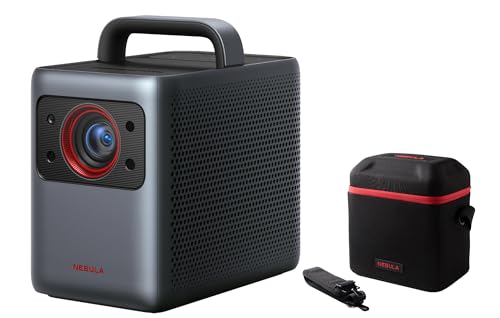
The Cosmos Laser 4K is Anker’s answer to a fair question: what if a portable projector stopped compromising? Its laser light source delivers around 2,200 ANSI lumens — real, standardized brightness in the same league as installed projectors — behind a 4K pixel-shifted image, in a box with a carry handle. That brightness changes what “portable” means: the Cosmos can fill a 120-inch screen in a dark room, hold its own against living-room ambient light at 100 inches, and start a backyard movie at dusk instead of full dark.
Laser brings the usual secondary gifts: instant on and off, no lamp to replace across a rated life measured in tens of thousands of hours, and color that stays put year after year. The built-in speakers are powerful by projector standards — a proper stereo pair with real volume — and the Android TV platform with an included streaming dongle arrangement covers the major apps. Autofocus and auto-keystone handle the portable routine competently, and the whole unit sets up on a coffee table or tripod in a couple of minutes.
It sits in a premium tier among portables, priced closer to installed projectors than to the Freestyle, and that invites the obvious comparison: for the same money, the Epson 3800 delivers deeper blacks and better installation flexibility in a fixed room. The Cosmos counters with freedom — it can be the living-room projector on Friday, the backyard projector on Saturday, and the holiday-house projector next month. Its black levels, while good for a portable, still trail a dedicated theater machine, and at its size and weight it is “luggable” rather than pocketable.
Strengths
- Laser brightness that rivals installed projectors — the brightest portable here
- 4K pixel-shifted image with strong color and no lamp to replace
- Powerful built-in stereo speakers
- Handle-and-go design suits indoor, backyard, and travel use
- Fast, automatic setup on any flat surface
Trade-offs
- Premium pricing for the portable category
- Black levels still behind a dedicated dark-room projector
- Bigger and heavier than lifestyle mini projectors
- Digital keystone at wide angles trims image quality, as with all portables
Who it suits: the buyer who wants one projector to do everything — serious movie nights at home, garden cinema in summer, trips away — and is willing to pay a premium tier price for brightness that makes all of it convincing. If the projector will never move, an installed model serves better; if it will live in three places, nothing else here does.
Real projectors versus lifestyle projectors: an honest dividing line
The projector market quietly split in two, and most disappointment comes from buying across the line. A “real” projector — the Epson, BenQ, and Optoma above — is an optical instrument first: a lens with meaningful zoom and shift, a light source sized for a big screen, and no interest in being furniture. It assumes a fixed home, rewards a proper screen, and looks its best in a room arranged around it. Its weaknesses are domestic: size, installation effort, and speakers that are an afterthought.
A lifestyle projector — the XGIMI, Samsung, and Nebula — is a consumer electronics product first: attractive, self-configuring, with a smart platform and real speakers, designed to be used casually and often. Its weakness is optical headroom. In a dark room at moderate size, the better lifestyle models look genuinely good, and most viewers would be happy. Push them to 130 inches, or against ambient light, and physics collects its debt.
Neither side is a trick. The mistake is expecting one to do the other’s job: buying a lifestyle projector as the heart of a dedicated theater, or installing a theater projector in a rental living room where it will be resented daily. Decide which life the projector will actually live, then buy the best example of that kind — which is exactly how the six picks above were chosen.
Setting up: screen, placement, and sound
Do you need a screen?
A smooth white wall works better than newcomers expect, and it is a perfectly reasonable way to start. A proper screen earns its money in three ways: a gain surface that returns more light to your seats, a flatness no painted wall matches (waves in drywall show up mercilessly at glancing projector angles), and black borders that measurably improve perceived contrast. For bright-room setups, an ambient-light-rejecting screen can transform a washed-out image, though good ones cost as much as a budget projector. Grey screens deepen blacks in rooms with some light spill, at a small cost to peak brightness. Start with the wall; upgrade when you know your size.
Placement rules that save headaches
Center the lens on the screen horizontally whenever possible, and let lens shift — not keystone — handle vertical offsets. Every degree of digital keystone costs resolution and sharpens nothing. Keep the projector’s exhaust away from seating; the warm air and fan noise both travel. If you ceiling-mount, run the power and HDMI cables before you finalize the mount position, and leave a service loop — the day you swap a cable, you will thank yourself. For portables, a small tripod beats a stack of books in every way that matters.
Sound without tears
For a fixed setup, run HDMI from the projector’s ARC or eARC port to a soundbar or receiver and let the television-style audio return handle everything; your streaming device plugs into the receiver or the projector’s second HDMI port. Bluetooth audio from a projector works but often carries enough delay to make lips and voices drift apart — some projectors and soundbars offer delay correction, and wired connections avoid the issue entirely. In a bedroom with a lifestyle projector, the built-in speakers are a legitimate endpoint, which is precisely what those models are designed for.
One more practical point about dialogue: films mix voices for a center channel that projector speakers do not have, so speech is folded into two small drivers firing from wherever the projector sits — sometimes behind you. If you find yourself riding the volume up for dialogue and down for action scenes, that is the mix and the speakers, not your hearing. A soundbar with a dedicated center channel or a clear-voice mode fixes it more completely than any setting on the projector itself, and it is the first upgrade most owners say they should have bought sooner.
best soundbars for dialogue clarity
best projectors for streaming
Choosing by room: four setups, four right answers
The dedicated theater room
If you have a basement, a spare room, or any space where blackout curtains or a windowless wall let you control light completely, buy for contrast and never look back. This is the Epson Home Cinema 3800’s natural habitat, with the BenQ HT2060 as the value alternative. In a dark room, brightness beyond a comfortable level is wasted — your eyes adapt, and what remains is black level, color accuracy, and the absence of fan noise. Run the projector in its eco or cinema mode, calibrate nothing more complicated than brightness and contrast with a test pattern, and spend the money you saved on the screen and the sound. Screen sizes from 110 to 135 inches suit most dedicated rooms, with seating placed so the screen fills roughly 30 to 40 degrees of your field of view — immersive without head-turning.
The family living room
The living room is the hardest brief in projection: windows, white ceilings, lamps, and a family that will not sit in a cave to watch a cartoon at 4 p.m. Brightness is the first priority here — the Optoma HD146X earns its place on punch alone — and the second is forgiveness: a setup that works when a streaming stick is the source and the kids run the remote. An ambient-light-rejecting screen helps more in this room than any projector upgrade. Accept that blacks will be greyish in daylight and genuinely good after dark; that is the living-room bargain, and for most families it is the right one. A soundbar under the screen completes a setup that replaces the television for everything except the brightest midday viewing.
The bedroom and the small apartment
Small rooms reward the lifestyle models. Throw distances are short, screens are modest — 70 to 100 inches is plenty from a bed or a small sofa — and the projector shares space with daily life, so appearance, quiet, and instant setup matter more than optical heroics. The XGIMI HORIZON 20 Pro on a shelf, projecting onto the wall opposite the sofa, is the template. In a bedroom, the Samsung Freestyle’s ceiling projection is a legitimate way to watch, not a party trick. Keep brightness expectations honest: these rooms are used after dark anyway, which is exactly when these projectors are at their best.
The backyard and the traveling cinema
Outdoor projection is governed by one rule: the show starts at dusk, not sunset. Even the Nebula Cosmos Laser 4K, the brightest portable here, fights a losing battle against a bright sky, but once twilight settles it will fill a 120-inch inflatable or folding screen with a picture that delights a garden full of people. Plan the practicalities: a stable tripod or table, an extension lead or battery power, a Bluetooth speaker placed near the screen (or a wired one, to avoid audio delay), and a realistic attitude to neighbors and light spill. The Freestyle on a power bank is the ultralight version of the same idea for camping and small gatherings.
HDR, color, and picture modes without the mystique
High dynamic range on a projector is not the same as HDR on a good television, and managing expectations here prevents disappointment. A television can produce highlights many times brighter than its average picture; a projector’s total brightness is spread across a huge screen, so its HDR is about tone mapping — intelligently compressing a bright HDR master into the projector’s range without crushing shadow detail or blowing out faces. The better models in this guide do this gracefully, and HDR films do look richer for it, but a well-mastered standard dynamic range Blu-ray on a good projector still looks superb. Do not buy a projector for its HDR badge; buy it for contrast and color, and let HDR be a bonus.
Color deserves similar demystification. What your eye rewards is accuracy — the sense that a red sweater, a skin tone, and a summer sky all sit in their natural places — more than raw saturation. Projectors that cover the full Rec. 709 color space, as the BenQ HT2060 does, deliver that accuracy for the HD and most streaming content you will actually watch. Wider color for HDR is valuable but secondary. And whatever you buy, use its cinema or filmmaker picture mode rather than the vivid or dynamic mode it ships with: the showroom modes push brightness and saturation at the expense of everything a film is supposed to look like, and switching modes is the single biggest free upgrade in this entire guide.
Screen size and seating distance
Bigger is not automatically better; matched is better. A useful starting point is to sit at a distance of roughly one to one-and-a-half times the screen’s width for a 16:9 image — close enough for immersion, far enough that pixels and screen texture disappear and your eyes can take in the frame without scanning. In practice: a 100-inch screen suits seating around 9 to 12 feet away, a 120-inch screen around 11 to 14 feet. Bedrooms and small rooms land naturally at 70 to 90 inches. Also mind image height: the center of the screen near eye level when seated keeps necks happy across a long film, and a screen mounted too high — above a fireplace, say — is the most common home cinema mistake of all.
Ownership: lamps, filters, and keeping the picture honest
A projector is a small appliance with a hot heart, and a little routine keeps it performing. Lamp models dim gradually — often noticeably after the first thousand hours — and a replacement lamp is a predictable cost of ownership that belongs in the purchase decision, not a surprise two years later. LED and laser models sidestep lamp swaps entirely, one of their strongest long-term arguments. All projectors draw cooling air through filters or vents that clog in dusty rooms; a vacuum and a soft brush every few months keeps airflow, brightness, and fan noise where they should be. Keep the lens clean with a blower and a microfiber cloth, never household glass cleaner, and give the unit ventilation space on every side — heat is the enemy of both light sources and electronics. Finally, if you ceiling-mount, write the lamp or filter service dates on a note inside a nearby drawer; the projector will not remind you, and gradual dimming is easy to mistake for your eyes adjusting.
Installation and cabling: the unglamorous decisions that matter
Most projector regret is not about the projector at all — it is about cables, mounts, and the shelf that turned out to be in the wrong place. Decide the projector’s home before you buy it. A ceiling mount gives the cleanest result for a dedicated model: the image geometry is set once, nobody walks through the beam, and the fan sits as far from ears as the room allows. It also commits you to running an HDMI cable and power to the ceiling, which is an afternoon’s work in some houses and a genuine project in others. A rear shelf or a high bookcase achieves nearly the same geometry with none of the drilling, provided the projector has the lens shift to aim down at the screen — another reason the Epson’s flexible lens earns its keep.
HDMI cable length is the trap inside the plan. Standard copper HDMI cables become unreliable at the lengths ceiling runs often need, especially for 4K signals; for runs beyond roughly 25 feet, an active optical HDMI cable is the dependable answer, and it must be installed in the correct direction, because those cables are one-way. Run a spare cable or a conduit while the ceiling or wall is open if you possibly can — the cost is trivial compared with reopening finished work later. Power deserves the same foresight: a surge protector at the projector is cheap insurance for a device that will hang, literally, over your movie nights for years.
Day-to-day living matters too. A projector with a lens cap that lives on a shelf will gather dust; a mounted one mostly will not. Remotes multiply — projector, soundbar, streaming stick — and a single universal remote or HDMI-CEC control, where the projector’s remote wakes the soundbar and the streaming device together, removes a small nightly friction that people underestimate until they have lived with three remotes on the sofa arm. None of this appears on a specification sheet, and all of it decides whether the projector gets used every night or only on special occasions.
So, which of the six should you buy?
If you have a room that goes dark and movies are the point, the Epson Home Cinema 3800 is the most complete cinema projector here, and the BenQ HT2060 is the connoisseur’s alternative — less bright, natively 1080p, but with color and contrast that flatter every film and a light source that asks nothing of you for years. If the room will not darken, or the budget is tight, or games share the screen, the Optoma HD146X’s brightness and speed make it the pragmatic family choice. If the projector must live in the room rather than rule it, the XGIMI HORIZON 20 Pro’s automatic setup and real speakers make it the one most people will use most often. If the viewing is personal, portable, and occasionally on a ceiling, the Samsung Freestyle is in a category of one. And if you want one machine that does the theater’s job at home and the garden’s job in summer, the Nebula Cosmos Laser 4K’s laser brightness justifies its premium tier. Every one of those sentences begins with the room, which is where this guide began — because with projectors, the room is the specification that decides all the others.
Three worked examples: matching projector, screen, and room
Abstract advice lands better with concrete rooms, so here are the three setups readers describe most often, worked through honestly. First, the basement conversion: a windowless room, 14 feet from wall to wall, seating at about 12 feet. A 120-inch screen fits that seating distance well, and a standard-throw projector mounted near the rear wall lands its image in range with zoom to spare. This is Epson 3800 or BenQ HT2060 territory — darkness is free here, so spend on contrast, add a fixed-frame screen and a soundbar with a subwoofer, and you have a room that embarrasses many commercial cinemas.
Second, the open-plan living room: seating 10 feet from the only wall that works, windows on the side wall, a ceiling nobody wants to drill. The screen becomes a 100-inch pull-down or a painted section of wall, and the projector is either a bright unit like the Optoma HD146X on a rear shelf — accepting some keystone care during setup — or a lifestyle model like the XGIMI HORIZON 20 Pro on a side table that appears on movie nights and vanishes after. Curtains on the side windows do more for this room’s picture quality than any projector upgrade at any price, and a soundbar is close to mandatory because the room’s acoustics are as open as its plan.
Third, the small bedroom: a bed against one wall, 8 feet of throw, and a viewer who mostly watches alone or as a couple. An 80-inch image is the honest target, and the choice is between the Freestyle’s ceiling projection — the film literally overhead, lights out, phone on the nightstand — and a HORIZON 20 Pro on the dresser throwing at the wall. Both work; the Freestyle is more fun and less bright, the XGIMI more conventional and far brighter. What does not work in this room is a big dedicated projector: it would overwhelm the space with heat, fan noise, and a picture larger than the room can seat anyone in front of.
Frequently asked questions
How many lumens do I actually need for a home movie projector?
Match the number to the room. A fully dark room is well served by roughly 1,000 to 1,500 ANSI lumens at screen sizes up to about 120 inches. A living room with curtains drawn but some light leaking in wants around 2,000 to 2,500 ANSI lumens. Daylight viewing is a losing battle for any home projector — even very bright models look washed out — so plan movie viewing for dim conditions and treat anything above that as a bonus. Always compare ANSI or ISO lumens, never a bare “lumens” claim, which can be inflated several times over.
Is a 1080p projector still worth buying, or should I insist on 4K?
At typical seating distances on screens up to roughly 110 inches, a high-quality 1080p projector with strong contrast and accurate color — the BenQ HT2060 is the example in this guide — looks better with real movies than a weak 4K model with grey blacks. Pixel-shifted 4K, used by the Epson and Nebula here, adds genuine fine detail and is worth it for larger screens and closer seating. Native 4K is a much higher price tier. Resolution is the third thing to optimize, after room darkness and contrast.
How far from the screen should the projector sit?
It depends on the model’s throw ratio, which is why every manufacturer publishes a throw calculator. As a rough guide, standard-throw models in this roundup need about 10 to 13 feet for a 120-inch image, and proportionally less for smaller screens. Measure your room first, decide your screen size, then confirm the specific model can produce that size from your shelf or mount position — including enough lens shift to align the image without digital keystone.
Can a projector replace my TV for everyday use?
It can, with conditions. Laser and LED models turn on instantly and tolerate daily use without lamp anxiety, and a bright model with an ambient-light-rejecting screen handles daytime viewing respectably. But a projector will never match a television’s contrast in a bright room, fan noise is part of the package, and casual channel-surfing feels different at 120 inches. Many households end up with both: the TV for news and daytime, the projector for films, sport, and events — which is, honestly, the best of both worlds.
Do I need a soundbar, or are built-in projector speakers enough?
For a permanent setup, plan on a soundbar at minimum — the speakers in dedicated projectors are designed for presentations, not cinema, and dialogue suffers first. The lifestyle models are the exception: the XGIMI HORIZON 20 Pro and Nebula Cosmos Laser 4K have speakers good enough for a bedroom or small living room. The Samsung Freestyle’s single small speaker is fine for personal viewing only. When in doubt, buy the projector first, listen for a week, and let your own ears make the case.
Choose the projector that fits the room you actually have — dark or bright, fixed or portable, cinema-serious or casually joyful — and the Friday-night premiere at home will take care of itself.