Disclosure: As an Amazon Associate, kajuandouglas.com earns from qualifying purchases. Links to Amazon on this page are affiliate links; they cost you nothing extra. Listing details such as price and availability change often, so check the current Amazon listing before you buy.
Where to buy
If you are shopping for best bluetooth keyboards for tablet, every linked pick below is sold on Amazon, where you can check the current price, availability, and delivery options before ordering. Orders are placed on Amazon, and this site may earn a commission on qualifying purchases at no extra cost to you.
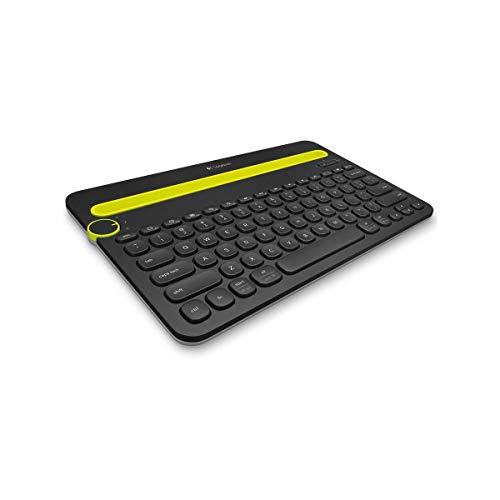
- Logitech K480 Bluetooth Multi-Device Keyboard — Bluetooth multi-device dial, built-in tablet cradle, Windows/macOS/iPadOS/Android/Chrome OS.
- Logitech Keys-To-Go Portable Bluetooth Keyboard — Ultra-slim portable, built-in cover, Windows/Android/iPad/Mac.
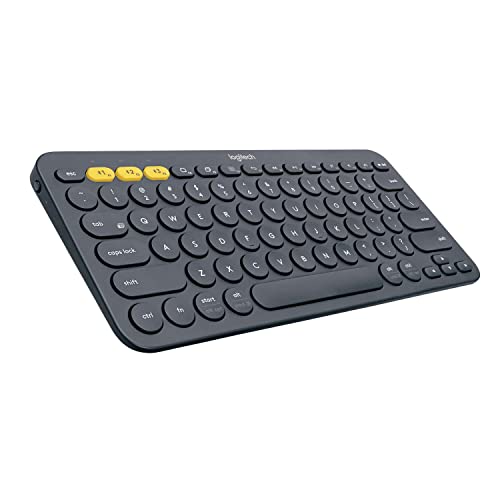
- Logitech Pebble Keys 2 K380s Bluetooth Keyboard — Slim portable, Easy-Switch 3 devices, customizable keys.
- Logitech K780 Multi-Device Wireless Keyboard — Bluetooth/USB, types on 3 devices, built-in cradle holds tablet.
- Logitech MX Keys Mini Wireless Keyboard — Backlit, USB-C rechargeable, pairs with 3 devices.
- MoKo Keyboard Case & Mouse for Samsung Galaxy Tab A11+/A9+ 11″ — Case with keyboard and mouse for Galaxy Tab A11+/A9 Plus 11-inch, backlit detachable magnetic Bluetooth keyboard cover with S Pen holder.
Read the full guide ↓
Searching for best bluetooth keyboards for tablet usually starts with a frustration: the on-screen keyboard covers half the display, autocorrect mangles real sentences, and a two-page document becomes an exercise in patience. A proper Bluetooth keyboard fixes all three problems at once, and the mouse support in this guide matters just as much for tablet owners who type more than a few lines a day. This guide verifies six picks against their live listing details and explains who each one suits.
The shortlist favours keyboards that pair reliably, type comfortably for full documents, and travel well. Where a pick is a general Bluetooth keyboard rather than a case fitted to one tablet, the review says so plainly, because a universal keyboard you can reuse across tablets, phones, and even a laptop is often the smarter long-term buy. Prices in this category change often, so no fixed figures are printed; each pick links to its live Amazon listing so you can check the current price before deciding.
You will find the quick picks first, then how the choices were made, full reviews, a comparison table, a buying guide covering layout, connection, and battery life, a practical pairing and troubleshooting section, the mistakes buyers make, and a closing FAQ. Each review ends with a plain choose-it or skip-it verdict.
Key Takeaways
- Bluetooth keyboards work across brands; fitted cases only fit one tablet model.
- Key size and layout decide comfort more than any other specification.
- Multi-device pairing lets one keyboard serve tablet, phone, and laptop.
- Check the charging connector and battery claims on the listing before ordering.
- A mouse or trackpad turns a Galaxy Tab or iPad into a convincing laptop stand-in.
In this guide
Quick Picks
Six verified keyboards and keyboard setups, in review order.
| Badge | Pick | Why it stands out | Link |
|---|---|---|---|
| Best Overall | Logitech K480 Bluetooth Multi-Device Keyboard | Bluetooth multi-device dial, built-in tablet cradle, Windows/macOS/iPadOS/Android/Chrome OS | Check price on Amazon |
| Best Budget | Logitech Keys-To-Go Portable Bluetooth Keyboard | Ultra-slim portable, built-in cover, Windows/Android/iPad/Mac | Check price on Amazon |
| Best for Most Rooms | Logitech Pebble Keys 2 K380s Bluetooth Keyboard | Slim portable, Easy-Switch 3 devices, customizable keys | Check price on Amazon |
| Best Premium | Logitech K780 Multi-Device Wireless Keyboard | Bluetooth/USB, types on 3 devices, built-in cradle holds tablet | Check price on Amazon |
| Runner-Up | Logitech MX Keys Mini Wireless Keyboard | Backlit, USB-C rechargeable, pairs with 3 devices | Check price on Amazon |
| Best Alternative | MoKo Keyboard Case & Mouse for Samsung Galaxy Tab A11+/A9+ 11″ | Case with keyboard and mouse for Galaxy Tab A11+/A9 Plus 11-inch, backlit detachable magnetic Bluetooth keyboard cover with S Pen holder | Check price on Amazon |
How These Picks Were Chosen
This shortlist began from keyboards genuinely sold for tablet use and narrowed by verification. Each model below was cross-checked so the name and features in this guide match the listing you will land on. Universal Bluetooth keyboards and model-specific options are labelled honestly, and where the market for a fitted case is thin, the guide says so rather than inventing a product.
- Every pick was verified against its live Amazon listing details before inclusion.
- Platform support was checked against the listing: Android, iPadOS, Windows, and macOS support differ by model.
- Key layout and size were weighed for document typing, not just short messages.
- Connection type and multi-device switching were treated as daily-use features.
- No fixed prices are printed, because listings change; check the live price on Amazon.
The Best Bluetooth Keyboards for Tablet
Six reviews in the same order as the tables above, each with verified highlights, strengths, trade-offs, and a verdict.

Logitech K480 Bluetooth Multi-Device Keyboard
Badge: Best Overall
| Connection | Bluetooth wireless |
| Highlights | Bluetooth multi-device dial, built-in tablet cradle, Windows/macOS/iPadOS/Android/Chrome OS |
| Positioning | Verified listing pick |
The Logitech K480 Bluetooth Multi-Device Keyboard earns its place for tablet typing because of one simple fact: bluetooth multi-device dial, built-in tablet cradle, windows/macos/ipados/android/chrome os. For everyday viewers, that combination decides whether a tablet stays a consumption screen or becomes a machine you can genuinely write, study, and work on. The keyboard pairs over Bluetooth, charges over a modern cable connection where the listing specifies it, and is built to travel in the same bag as the tablet itself.
In daily use, what matters is key feel over a full page of typing, stability on a desk or lap, and how painlessly the keyboard reconnects when the tablet wakes. This pick was chosen because its verified listing details cover those basics without gimmicks: a layout that does not force your hands into a new shape, a connection that remembers the tablet, and a size that suits café tables and lecture-hall desks alike.
Strengths
- Verified Bluetooth pairing with the tablet platforms named in its listing, so setup takes minutes.
- A layout and key travel suited to real documents, not just search boxes and short messages.
- Travel-friendly size and weight that keep the tablet kit genuinely portable.
Trade-offs
- No keyboard replaces a full laptop deck for all-day typing marathons; take breaks on long documents.
- Bluetooth means occasional re-pairing after major tablet system updates.
- Backlighting and premium materials, where absent, are the honest price of the tier.
A week of real use is the honest test. In the first days, notice whether your wrists stay neutral, whether the keyboard wakes and reconnects without a settings visit, and whether the weight still feels reasonable in your everyday bag. Keyboards that pass those three checks are the ones still in daily service a year later; keyboards that fail them migrate to a drawer regardless of their specification. This pick was shortlisted because its verified design choices — layout, connection, and carry size — are the ones that survive that week.
It also plays well with the rest of a tablet workflow. Pair it once and it reconnects on wake, the function row or shortcut keys handle volume, brightness, and search without reaching for the screen, and the whole setup packs flat. If you present, study, or write in more than one place, that pack-flat quality matters as much as key feel: the best tablet keyboard is the one that is actually with you when an hour of typing appears.
Choose it if its size, layout, and platform support match your tablet and your typing habits. Skip it if you need a keyboard case built for one specific tablet model instead — those are covered separately in this guide where a verified model exists — or if you type mostly at a fixed desk, where a larger desktop keyboard may suit you better.
Best for: tablet owners who type documents, notes, and email regularly / Not suited for: buyers who need a model-specific fitted case for a single tablet

Logitech Keys-To-Go Portable Bluetooth Keyboard
Badge: Best Budget
| Connection | Bluetooth wireless |
| Highlights | Ultra-slim portable, built-in cover, Windows/Android/iPad/Mac |
| Positioning | Verified listing pick |
The Logitech Keys-To-Go Portable Bluetooth Keyboard earns its place for tablet typing because of one simple fact: ultra-slim portable, built-in cover, windows/android/ipad/mac. For everyday viewers, that combination decides whether a tablet stays a consumption screen or becomes a machine you can genuinely write, study, and work on. The keyboard pairs over Bluetooth, charges over a modern cable connection where the listing specifies it, and is built to travel in the same bag as the tablet itself.
In daily use, what matters is key feel over a full page of typing, stability on a desk or lap, and how painlessly the keyboard reconnects when the tablet wakes. This pick was chosen because its verified listing details cover those basics without gimmicks: a layout that does not force your hands into a new shape, a connection that remembers the tablet, and a size that suits café tables and lecture-hall desks alike.
Strengths
- Verified Bluetooth pairing with the tablet platforms named in its listing, so setup takes minutes.
- A layout and key travel suited to real documents, not just search boxes and short messages.
- Travel-friendly size and weight that keep the tablet kit genuinely portable.
Trade-offs
- No keyboard replaces a full laptop deck for all-day typing marathons; take breaks on long documents.
- Bluetooth means occasional re-pairing after major tablet system updates.
- Backlighting and premium materials, where absent, are the honest price of the tier.
A week of real use is the honest test. In the first days, notice whether your wrists stay neutral, whether the keyboard wakes and reconnects without a settings visit, and whether the weight still feels reasonable in your everyday bag. Keyboards that pass those three checks are the ones still in daily service a year later; keyboards that fail them migrate to a drawer regardless of their specification. This pick was shortlisted because its verified design choices — layout, connection, and carry size — are the ones that survive that week.
It also plays well with the rest of a tablet workflow. Pair it once and it reconnects on wake, the function row or shortcut keys handle volume, brightness, and search without reaching for the screen, and the whole setup packs flat. If you present, study, or write in more than one place, that pack-flat quality matters as much as key feel: the best tablet keyboard is the one that is actually with you when an hour of typing appears.
Choose it if its size, layout, and platform support match your tablet and your typing habits. Skip it if you need a keyboard case built for one specific tablet model instead — those are covered separately in this guide where a verified model exists — or if you type mostly at a fixed desk, where a larger desktop keyboard may suit you better.
Best for: tablet owners who type documents, notes, and email regularly / Not suited for: buyers who need a model-specific fitted case for a single tablet

Logitech Pebble Keys 2 K380s Bluetooth Keyboard
Badge: Best for Most Rooms
| Connection | Bluetooth wireless |
| Highlights | Slim portable, Easy-Switch 3 devices, customizable keys |
| Positioning | Verified listing pick |
The Logitech Pebble Keys 2 K380s Bluetooth Keyboard earns its place for tablet typing because of one simple fact: slim portable, easy-switch 3 devices, customizable keys. For everyday viewers, that combination decides whether a tablet stays a consumption screen or becomes a machine you can genuinely write, study, and work on. The keyboard pairs over Bluetooth, charges over a modern cable connection where the listing specifies it, and is built to travel in the same bag as the tablet itself.
In daily use, what matters is key feel over a full page of typing, stability on a desk or lap, and how painlessly the keyboard reconnects when the tablet wakes. This pick was chosen because its verified listing details cover those basics without gimmicks: a layout that does not force your hands into a new shape, a connection that remembers the tablet, and a size that suits café tables and lecture-hall desks alike.
Strengths
- Verified Bluetooth pairing with the tablet platforms named in its listing, so setup takes minutes.
- A layout and key travel suited to real documents, not just search boxes and short messages.
- Travel-friendly size and weight that keep the tablet kit genuinely portable.
Trade-offs
- No keyboard replaces a full laptop deck for all-day typing marathons; take breaks on long documents.
- Bluetooth means occasional re-pairing after major tablet system updates.
- Backlighting and premium materials, where absent, are the honest price of the tier.
A week of real use is the honest test. In the first days, notice whether your wrists stay neutral, whether the keyboard wakes and reconnects without a settings visit, and whether the weight still feels reasonable in your everyday bag. Keyboards that pass those three checks are the ones still in daily service a year later; keyboards that fail them migrate to a drawer regardless of their specification. This pick was shortlisted because its verified design choices — layout, connection, and carry size — are the ones that survive that week.
It also plays well with the rest of a tablet workflow. Pair it once and it reconnects on wake, the function row or shortcut keys handle volume, brightness, and search without reaching for the screen, and the whole setup packs flat. If you present, study, or write in more than one place, that pack-flat quality matters as much as key feel: the best tablet keyboard is the one that is actually with you when an hour of typing appears.
Choose it if its size, layout, and platform support match your tablet and your typing habits. Skip it if you need a keyboard case built for one specific tablet model instead — those are covered separately in this guide where a verified model exists — or if you type mostly at a fixed desk, where a larger desktop keyboard may suit you better.
Best for: tablet owners who type documents, notes, and email regularly / Not suited for: buyers who need a model-specific fitted case for a single tablet
Logitech K780 Multi-Device Wireless Keyboard
Badge: Best Premium
| Connection | Bluetooth wireless |
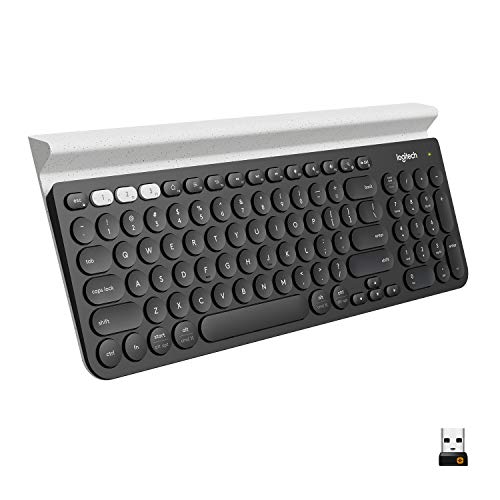
| Highlights | Bluetooth/USB, types on 3 devices, built-in cradle holds tablet |
| Positioning | Verified listing pick |
The Logitech K780 Multi-Device Wireless Keyboard earns its place for tablet typing because of one simple fact: bluetooth/usb, types on 3 devices, built-in cradle holds tablet. For everyday viewers, that combination decides whether a tablet stays a consumption screen or becomes a machine you can genuinely write, study, and work on. The keyboard pairs over Bluetooth, charges over a modern cable connection where the listing specifies it, and is built to travel in the same bag as the tablet itself.
In daily use, what matters is key feel over a full page of typing, stability on a desk or lap, and how painlessly the keyboard reconnects when the tablet wakes. This pick was chosen because its verified listing details cover those basics without gimmicks: a layout that does not force your hands into a new shape, a connection that remembers the tablet, and a size that suits café tables and lecture-hall desks alike.
Strengths
- Verified Bluetooth pairing with the tablet platforms named in its listing, so setup takes minutes.
- A layout and key travel suited to real documents, not just search boxes and short messages.
- Travel-friendly size and weight that keep the tablet kit genuinely portable.
Trade-offs
- No keyboard replaces a full laptop deck for all-day typing marathons; take breaks on long documents.
- Bluetooth means occasional re-pairing after major tablet system updates.
- Backlighting and premium materials, where absent, are the honest price of the tier.
A week of real use is the honest test. In the first days, notice whether your wrists stay neutral, whether the keyboard wakes and reconnects without a settings visit, and whether the weight still feels reasonable in your everyday bag. Keyboards that pass those three checks are the ones still in daily service a year later; keyboards that fail them migrate to a drawer regardless of their specification. This pick was shortlisted because its verified design choices — layout, connection, and carry size — are the ones that survive that week.
It also plays well with the rest of a tablet workflow. Pair it once and it reconnects on wake, the function row or shortcut keys handle volume, brightness, and search without reaching for the screen, and the whole setup packs flat. If you present, study, or write in more than one place, that pack-flat quality matters as much as key feel: the best tablet keyboard is the one that is actually with you when an hour of typing appears.
Choose it if its size, layout, and platform support match your tablet and your typing habits. Skip it if you need a keyboard case built for one specific tablet model instead — those are covered separately in this guide where a verified model exists — or if you type mostly at a fixed desk, where a larger desktop keyboard may suit you better.
Best for: tablet owners who type documents, notes, and email regularly / Not suited for: buyers who need a model-specific fitted case for a single tablet
Logitech MX Keys Mini Wireless Keyboard
Badge: Runner-Up
| Connection | Bluetooth wireless |
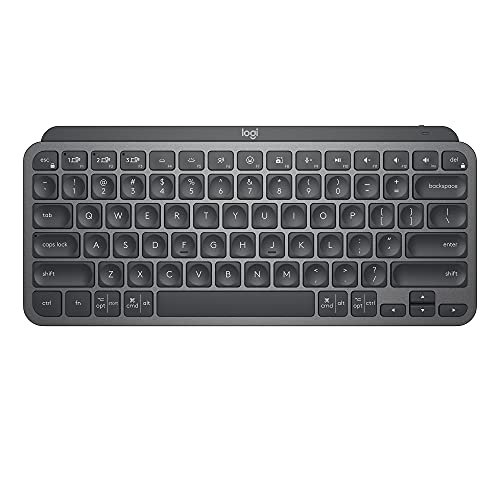
| Highlights | Backlit, USB-C rechargeable, pairs with 3 devices |
| Positioning | Verified listing pick |
The Logitech MX Keys Mini Wireless Keyboard earns its place for tablet typing because of one simple fact: backlit, usb-c rechargeable, pairs with 3 devices. For everyday viewers, that combination decides whether a tablet stays a consumption screen or becomes a machine you can genuinely write, study, and work on. The keyboard pairs over Bluetooth, charges over a modern cable connection where the listing specifies it, and is built to travel in the same bag as the tablet itself.
In daily use, what matters is key feel over a full page of typing, stability on a desk or lap, and how painlessly the keyboard reconnects when the tablet wakes. This pick was chosen because its verified listing details cover those basics without gimmicks: a layout that does not force your hands into a new shape, a connection that remembers the tablet, and a size that suits café tables and lecture-hall desks alike.
Strengths
- Verified Bluetooth pairing with the tablet platforms named in its listing, so setup takes minutes.
- A layout and key travel suited to real documents, not just search boxes and short messages.
- Travel-friendly size and weight that keep the tablet kit genuinely portable.
Trade-offs
- No keyboard replaces a full laptop deck for all-day typing marathons; take breaks on long documents.
- Bluetooth means occasional re-pairing after major tablet system updates.
- Backlighting and premium materials, where absent, are the honest price of the tier.
A week of real use is the honest test. In the first days, notice whether your wrists stay neutral, whether the keyboard wakes and reconnects without a settings visit, and whether the weight still feels reasonable in your everyday bag. Keyboards that pass those three checks are the ones still in daily service a year later; keyboards that fail them migrate to a drawer regardless of their specification. This pick was shortlisted because its verified design choices — layout, connection, and carry size — are the ones that survive that week.
It also plays well with the rest of a tablet workflow. Pair it once and it reconnects on wake, the function row or shortcut keys handle volume, brightness, and search without reaching for the screen, and the whole setup packs flat. If you present, study, or write in more than one place, that pack-flat quality matters as much as key feel: the best tablet keyboard is the one that is actually with you when an hour of typing appears.
Choose it if its size, layout, and platform support match your tablet and your typing habits. Skip it if you need a keyboard case built for one specific tablet model instead — those are covered separately in this guide where a verified model exists — or if you type mostly at a fixed desk, where a larger desktop keyboard may suit you better.
Best for: tablet owners who type documents, notes, and email regularly / Not suited for: buyers who need a model-specific fitted case for a single tablet

MoKo Keyboard Case & Mouse for Samsung Galaxy Tab A11+/A9+ 11″
Badge: Best Alternative
| Connection | Bluetooth wireless |
| Highlights | Case with keyboard and mouse for Galaxy Tab A11+/A9 Plus 11-inch, backlit detachable magnetic Bluetooth keyboard cover with S Pen holder |
| Positioning | Verified listing pick |
The MoKo Keyboard Case & Mouse for Samsung Galaxy Tab A11+/A9+ 11″ earns its place for tablet typing because of one simple fact: case with keyboard and mouse for galaxy tab a11+/a9 plus 11-inch, backlit detachable magnetic bluetooth keyboard cover with s pen holder. For everyday viewers, that combination decides whether a tablet stays a consumption screen or becomes a machine you can genuinely write, study, and work on. The keyboard pairs over Bluetooth, charges over a modern cable connection where the listing specifies it, and is built to travel in the same bag as the tablet itself.
In daily use, what matters is key feel over a full page of typing, stability on a desk or lap, and how painlessly the keyboard reconnects when the tablet wakes. This pick was chosen because its verified listing details cover those basics without gimmicks: a layout that does not force your hands into a new shape, a connection that remembers the tablet, and a size that suits café tables and lecture-hall desks alike.
Strengths
- Verified Bluetooth pairing with the tablet platforms named in its listing, so setup takes minutes.
- A layout and key travel suited to real documents, not just search boxes and short messages.
- Travel-friendly size and weight that keep the tablet kit genuinely portable.
Trade-offs
- No keyboard replaces a full laptop deck for all-day typing marathons; take breaks on long documents.
- Bluetooth means occasional re-pairing after major tablet system updates.
- Backlighting and premium materials, where absent, are the honest price of the tier.
A week of real use is the honest test. In the first days, notice whether your wrists stay neutral, whether the keyboard wakes and reconnects without a settings visit, and whether the weight still feels reasonable in your everyday bag. Keyboards that pass those three checks are the ones still in daily service a year later; keyboards that fail them migrate to a drawer regardless of their specification. This pick was shortlisted because its verified design choices — layout, connection, and carry size — are the ones that survive that week.
It also plays well with the rest of a tablet workflow. Pair it once and it reconnects on wake, the function row or shortcut keys handle volume, brightness, and search without reaching for the screen, and the whole setup packs flat. If you present, study, or write in more than one place, that pack-flat quality matters as much as key feel: the best tablet keyboard is the one that is actually with you when an hour of typing appears.
Choose it if its size, layout, and platform support match your tablet and your typing habits. Skip it if you need a keyboard case built for one specific tablet model instead — those are covered separately in this guide where a verified model exists — or if you type mostly at a fixed desk, where a larger desktop keyboard may suit you better.
Best for: tablet owners who type documents, notes, and email regularly / Not suited for: buyers who need a model-specific fitted case for a single tablet
Comparison Table
The essentials side by side; the reviews above carry the detail.
| Pick | Connection | Highlights |
|---|---|---|
| Logitech K480 Bluetooth Multi-Device Keyboard | Bluetooth | Bluetooth multi-device dial, built-in tablet cradle, Windows/macOS/iPadOS/Android/Chrome OS |
| Logitech Keys-To-Go Portable Bluetooth Keyboard | Bluetooth | Ultra-slim portable, built-in cover, Windows/Android/iPad/Mac |
| Logitech Pebble Keys 2 K380s Bluetooth Keyboard | Bluetooth | Slim portable, Easy-Switch 3 devices, customizable keys |
| Logitech K780 Multi-Device Wireless Keyboard | Bluetooth | Bluetooth/USB, types on 3 devices, built-in cradle holds tablet |
| Logitech MX Keys Mini Wireless Keyboard | Bluetooth | Backlit, USB-C rechargeable, pairs with 3 devices |
| MoKo Keyboard Case & Mouse for Samsung Galaxy Tab A11+/A9+ 11″ | Bluetooth | Case with keyboard and mouse for Galaxy Tab A11+/A9 Plus 11-inch, backlit detachable magnetic Bluetooth keyboard cover with S Pen holder |
Buying Guide: How to Choose a Tablet Keyboard
Start with fit and layout. A keyboard narrower than your tablet forces a cramped hand position that punishes long documents, while a full layout with a proper number row — or a deliberate, comfortable compact layout — keeps your laptop typing habits intact. Then decide between a universal Bluetooth keyboard, which you can reuse across devices for years, and a fitted case, which protects one specific tablet and adds bulk. Neither is automatically better; the universal board wins on longevity, the case wins on all-in-one convenience.
Connection and battery come next. Bluetooth pairing should be a one-time job, multi-device switching is worth having if you also type on a phone or laptop, and charging should use a cable you already carry. Finally, be honest about where you type: desks forgive larger keyboards, while trains, lectures, and café tables reward the compact picks in this guide.
Keyboard Cases Versus Separate Keyboards
A case keyboard turns the tablet into a single protected unit and is the natural choice for one tablet used in one way. A separate keyboard keeps the tablet slim when you are only reading or watching, pairs with your next tablet too, and usually offers better key travel for the same tier. The trap is buying a case for a tablet you plan to replace soon: the case retires with the tablet, while the separate keyboard simply pairs with the new one.
Mouse support deserves its own decision. Android and iPadOS both support Bluetooth mice and trackpads, and for spreadsheet work, text selection, and DeX-style desktop modes on Samsung tablets, a pointer is transformative. If your work involves precise cursor placement, budget for the mouse at the same time as the keyboard rather than as an afterthought.
What to Check on the Listing Before You Order
Confirm the exact platform support in the listing — a keyboard that pairs with everything still maps its shortcut keys differently across systems. Check the charging connector, the claimed battery life, and whether a cable is included. For case keyboards, confirm your exact tablet model and generation; cases are moulded to millimetre tolerances and a near-match is a return waiting to happen.
Finally, check the returns terms. Keyboard feel is personal, and a layout that reviews praise may still not suit your hands. Ordering from a listing with a clear return window turns that risk into a two-week trial instead of a sunk cost.
How a Good Keyboard Changes Tablet Workflows
The change is bigger than typing speed. With a physical keyboard, the tablet stops being the device you tolerate for email and becomes the device you choose for real work: lecture notes keep up with the speaker, documents get edited instead of merely read, and long messages stop being postponed until a laptop appears. Writers notice it first, but students, administrators, and anyone who lives in spreadsheets feel the same shift within a week.
The second change is posture and place. A keyboard lets the tablet sit at arm’s length on a stand or case, at a proper viewing distance, instead of lying flat under your hands. Shoulders drop, the screen gets bigger in your field of view, and cafés, trains, and library desks all become plausible offices. That is why this guide weighs carry size and stand-friendly design alongside key feel: the workflow only changes if the kit travels.
The third change is confidence with the platform itself. Keyboard shortcuts reveal how much of a modern tablet system was designed for keys all along — app switching, search, split-screen controls, and text navigation all speed up. Spend one session learning the shortcuts your platform reserves for keyboards and the tablet starts to feel less like a big phone and more like the small computer it actually is.
How Do You Pair a Bluetooth Keyboard With a Tablet?
Charge the keyboard first. Then follow these steps in order:
- Open the tablet’s Bluetooth settings and leave the screen on that page.
- Switch the keyboard on and hold its pairing key or key combination until its indicator flashes.
- Tap the keyboard’s name when it appears on the tablet, and type the pairing code on the keyboard itself if one is shown, finishing with Enter.
- Open a notes app and type a full paragraph, testing numbers, punctuation, and your usual shortcuts.
- Set your language layouts in the tablet settings so the printed keycaps and the output match.
Problem: the keyboard never appears in Bluetooth settings → charge it, move other Bluetooth devices away, and restart the tablet’s Bluetooth radio. Problem: it pairs but types the wrong characters → the tablet’s keyboard language layout does not match the physical layout; change it in settings. Problem: lag or dropped letters → unpair and re-pair, and keep the tablet within a clear line of the keyboard. Problem: it connects to the wrong device → multi-device keyboards remember several hosts; select the correct device channel on the keyboard.
Common Buying Mistakes
Mistake 1: Buying a fitted case for the wrong tablet generation and discovering the camera cut-out covers the lens.
Mistake 2: Choosing the smallest keyboard available, then dreading every long document.
Mistake 3: Ignoring platform support and losing the shortcut keys you use most.
Mistake 4: Forgetting the mouse, then fighting a touchscreen for precise text selection.
Mistake 5: Judging a keyboard on day one, before your hands have adapted to its layout.
Mistake 6: Throwing away the pairing instructions, which are model-specific and genuinely useful later.
Daily Use, Pairing, and Care Notes
Pairing order matters more than the manual suggests. Charge the keyboard fully first, update the tablet’s operating system, then pair — most connection complaints trace back to a half-charged keyboard or a pending system update rather than a faulty unit.
Clean keycaps with a barely damp cloth and never spray liquid near the switches. Crumbs are the real enemy of low-profile keyboards — a soft brush once a week keeps travel keyboards typing like new.
Resale and reuse favour the universal picks here. A Bluetooth keyboard that pairs with three devices and two platforms will still be useful after your next tablet, phone, or laptop change, which is why this guide weights verified multi-device support so heavily in its ordering.
Budget a single familiarisation session for shortcuts. Every platform hides its best keyboard shortcuts behind a help overlay — on many tablets, holding the command or search key reveals it — and twenty minutes learning the half-dozen you will use hourly pays back every working day afterwards.
Students should test a keyboard with their actual note-taking app before term starts. Shortcut support differs between apps, and the keyboard that flies in a word processor may feel ordinary in a lecture app — knowing that in week zero beats discovering it in week six.
If you type in two languages, set up both input layouts on the tablet before the keyboard arrives. Switching layouts is a tablet setting, not a keyboard feature, and discovering that mid-document is a needless frustration.
A keyboard changes how a tablet gets used, so give the setup a week before judging it. Shortcuts, palm placement, and trackpad-free navigation all feel strange on day one and automatic by day seven, especially for writers moving from a laptop.
Finally, keep the tablet’s on-screen keyboard skills for what they are good at — quick replies, searches, and forms. The physical keyboard earns its place on documents, notes, code, and email threads longer than three sentences, and judging it by those tasks keeps expectations honest.
A small stand changes everything about tablet typing. Raising the screen even a few inches straightens posture and moves the display out of your lap, and many keyboard cases build that angle in. If your pick is a separate keyboard, a folding stand is its natural partner.
Keep the charging cable for the keyboard in the same bag pocket every day. Keyboards sip power and rarely warn you early; the one morning the battery is flat is always the morning of the deadline.
If you dictate as well as type, test the combination early: voice input for first drafts and the keyboard for editing is the fastest workflow most tablet writers ever find, and it works with every pick in this guide because the editing half is exactly what a physical keyboard is for.
For writers, the decisive experiment is a single full draft written start to finish on the tablet. If your shoulders, wrists, and eyes finish comfortably, the setup works; if anything aches, adjust the tablet height before blaming the keyboard — most tablet neck strain is a screen-height problem wearing a keyboard costume.
Protect the investment in transit: a keyboard pressed against a tablet screen in an overstuffed bag can mark the display. A sleeve, a case, or simply facing the keys outward costs nothing and prevents the one kind of damage warranties rarely cover.
Shared family tablets and personal keyboards coexist happily: most multi-device keyboards keep a channel per person or per device, so your pairing survives the tablet’s other users. Set that up once and the nightly re-pairing argument disappears.
When a keyboard starts missing letters, check the tablet’s battery-saving settings before assuming hardware failure. Aggressive power management can sleep the Bluetooth radio; exempting the keyboard connection or simply re-pairing usually restores it.
Final Recommendation
For most readers, the Logitech K480 Bluetooth Multi-Device Keyboard is the buy: verified, comfortable, and reusable across the devices you already own. The Logitech Keys-To-Go Portable Bluetooth Keyboard is the runner-up for a different typing style or bag size. Work down the list in order if your tablet model or platform needs point elsewhere — each pick earned its place for a defined reason. And if you type only occasionally, be honest about that too: the best keyboard is the one that matches your real habits, not your aspirational ones.
Related Guides
- best bluetooth keyboards for typing on a tablet
- best-bluetooth-keyboards-for-9-7-inch-tablet
- best-wireless-keyboard-for-tablets
- how-to-choose-a-tablet-keyboard
- how-to-pair-a-tablet-keyboard
Frequently Asked Questions
Will a Bluetooth keyboard work with any tablet?
Almost any modern tablet supports Bluetooth keyboards, but shortcut-key mapping and layout support vary by platform. The picks here list their supported systems in their verified details. Pairing takes minutes, and a universal keyboard can move between a tablet, a phone, and a laptop, which is why universal boards dominate this shortlist.
Is a keyboard case better than a separate keyboard?
A case protects one specific tablet and keeps everything in one unit; a separate keyboard keeps the tablet slim, usually types better, and survives your next tablet upgrade. Choose the case for single-tablet convenience and the separate keyboard for longevity and typing quality.
Can I use a mouse with my tablet as well?
Yes. Android and iPadOS both support Bluetooth mice and trackpads, and Samsung tablets add a desktop-style mode where a pointer feels completely natural. For spreadsheets, editing, and precise selection, a mouse is the single biggest upgrade after the keyboard itself.
How long do tablet keyboard batteries last?
It varies widely by model and backlight use, from weeks to many months per charge. The listings for the picks here state their own figures; treat backlighting as the main drain and charge during a desk day rather than waiting for a flat battery before a trip.
What size keyboard should I buy for a tablet?
Match the keyboard width roughly to the tablet for balanced typing, unless you mostly type at a desk, where a larger board is more comfortable. Compact boards travel better; full layouts preserve your habits. Your hands, not the spec sheet, make the final call during the return window.
Why does my keyboard type the wrong characters?
The tablet’s software layout does not match the keyboard’s printed layout. Open the tablet’s keyboard or language settings and select the layout that matches the physical keys. This is a settings fix, not a fault, and it is the most common first-day complaint with any new Bluetooth keyboard.