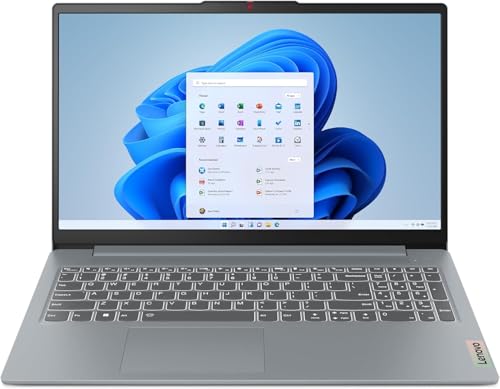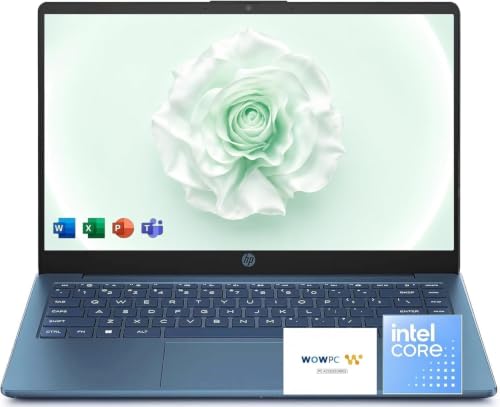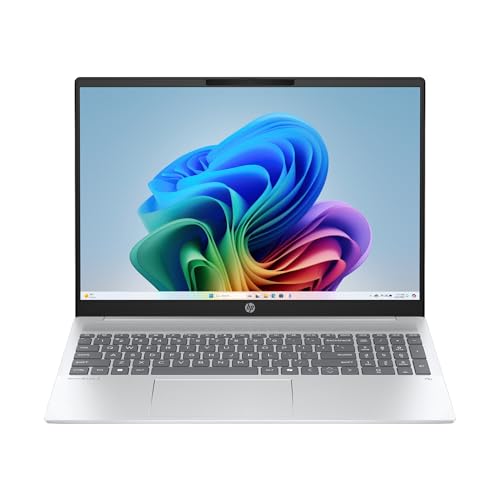
A laptop with dedicated graphics has a separate graphics card of its own, and that makes a real difference. The best laptops with dedicated graphics play modern games, handle video editing and 3D work, and run creative apps that integrated graphics cannot. This guide covers six laptops with dedicated graphics cards, from a value gaming laptop to a professional workstation, each checked against current listings with verified product details.
Every laptop here has a dedicated NVIDIA graphics card named in its specification, and each one serves a different buyer: the gamer, the student, the professional, and the creator all have a real option. The key is matching the graphics card to the work: a gaming card for games, and a professional card for engineering and design.
The prices vary widely across the six models, but the core promise is the same: a laptop that can do graphics work its integrated-only rivals cannot. A dedicated card means smoother games, faster renders, and a laptop that stays useful for longer.
In this guide
Quick picks: best laptops with dedicated graphics
| # | Product | Where to buy |
|---|---|---|
| 1 | ASUS ROG Strix G16 (2025) | Check on Amazon |
| 2 | HP Victus 15.6-inch RTX 3050 | Check on Amazon |
| 3 | ASUS TUF Gaming A16 | Check on Amazon |
| 4 | Acer Nitro V 15.6-inch | Check on Amazon |
| 5 | Alienware 16 Aurora RTX 5050 | Check on Amazon |
| 6 | Dell Precision 7680 | Check on Amazon |
How the picks were chosen
We started with laptops that explicitly name a dedicated NVIDIA graphics card in the listing, because the graphics card is the whole point. A laptop with only integrated graphics, or a listing that hides the graphics card, does not belong in this guide, and we excluded those even when they appeared in the same search results. Renewed listings were excluded too, since a used laptop is a different purchase from a new one.
Graphics performance came next. A dedicated card needs to be a real current or recent model, such as an RTX 3050, RTX 4050, RTX 5050, or RTX 5060, or a professional card such as the RTX 2000 Ada. We favored a mix of gaming and professional cards, from entry-level to flagship, so the list covers both kinds of buyer.
Finally, we balanced the list by maker and use. The six laptops cover ASUS, HP, Acer, Alienware, and Dell, with gaming laptops and a mobile workstation, so a buyer can choose by budget, display, and workload rather than settling for whatever is available.
Quick comparison
| Product | Standout feature | Best for |
|---|---|---|
| ASUS ROG Strix G16 (2025) | RTX 5060, 165Hz display | gamers who want strong dedicated graphics and a high-refresh display |
| HP Victus 15.6-inch RTX 3050 | RTX 3050, 144Hz, good value | students and casual gamers who want dedicated graphics on a budget |
| ASUS TUF Gaming A16 | RTX 4050, Ryzen 7, durable build | gamers and students who need a tough laptop with dedicated graphics |
| Acer Nitro V 15.6-inch | RTX 4050, 165Hz display | competitive gamers who want a 165Hz display on a budget |
| Alienware 16 Aurora RTX 5050 | RTX 5050, WQXGA 120Hz display | gamers who want a premium laptop with a sharp display |
| Dell Precision 7680 | RTX 2000 Ada, workstation power | engineers, designers, and creators who need professional graphics |

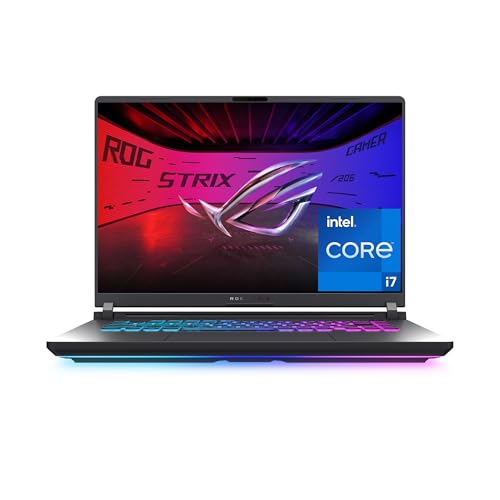
ASUS ROG Strix G16 (2025) Gaming Laptop
The ASUS ROG Strix G16 (2025) is the strongest gaming laptop in this roundup, and the one to pick when performance comes first. It pairs an NVIDIA GeForce RTX 5060 with an Intel Core i7-14650HX processor, 16GB of DDR5 memory, and a 1TB Gen 4 SSD, all behind a 16-inch FHD+ display running at 165Hz with a 3ms response time. Model G615JMR-AS74 is the configuration to look for, and it is built for a gamer who wants a modern dedicated graphics card in a full-size gaming laptop.
The 165Hz display is what makes the Strix G16 feel fast. Games run smoothly at high refresh rates, fast motion stays clear, and the 16:10 screen gives a little more vertical room for work as well as play. The RTX 5060 handles modern games at 1080p and 1440p settings, and the DDR5 memory and Gen 4 SSD keep loading times short. Wi-Fi 7 keeps the connection fast for online play, and Windows 11 Home is ready to go out of the box.
The Strix G16 suits a gamer who wants a powerful laptop that can also handle school or office work. The 16-inch screen is big enough for gaming and for multitasking, the keyboard is made for long sessions, and the cooling is built for sustained load. It is a full-size gaming laptop, so it is heavier than an ultrabook, but for a player who wants real graphics performance in a laptop, that trade is worth making.
Key specifications: ASUS ROG Strix G16 (2025); 16-inch FHD+ 16:10 165Hz/3ms display; NVIDIA GeForce RTX 5060; Intel Core i7-14650HX; 16GB DDR5; 1TB Gen 4 SSD; Wi-Fi 7; Windows 11 Home; model G615JMR-AS74.
Charge the laptop fully before the first use, run the Windows setup, and install the latest graphics drivers from the maker. Keep the vents clear so the cooling can work, and use the laptop on a hard surface when gaming so the fans can draw in air. Check for driver and firmware updates regularly, and keep the SSD with some free space so the system stays fast.
Strengths
- RTX 5060 dedicated graphics with a 165Hz display
- Fast Intel Core i7 processor with 16GB DDR5 memory
- 1TB Gen 4 SSD and Wi-Fi 7 for fast loading and online play
Trade-offs
- Full-size gaming laptop is heavier than an ultrabook
- Gaming design may look out of place in a formal office
- Fan noise rises under a heavy gaming load
A gamer who wants the strongest dedicated graphics in this list will choose the ROG Strix G16. It is the performance pick here.
Best for: gamers who want strong dedicated graphics and a high-refresh display / Not suited for: travelers who need the lightest possible laptop
Check price on Amazon: ASUS ROG Strix G16 (2025)

HP Victus 15.6" Full HD 144Hz Gaming Laptop
The HP Victus 15.6-inch gaming laptop is the value pick in this guide, and the one to choose when the budget matters as much as the graphics card. It pairs an NVIDIA GeForce RTX 3050 with an Intel Core i5-12450H processor, 16GB of RAM, and a 512GB PCIe SSD, behind a 15.6-inch Full HD display running at 144Hz. The backlit keyboard, Wi-Fi 6, and Windows 11 Pro round out a laptop that is ready for gaming, school, and work.
The RTX 3050 is a real dedicated graphics card, and it shows in games. It plays modern titles at 1080p with good settings, handles esports titles at high frame rates on the 144Hz display, and supports the graphics features that integrated graphics cannot. The 16GB of RAM keeps multitasking smooth, and the 512GB SSD holds the operating system and a handful of games with room to spare.
The Victus suits a student or a casual gamer who wants dedicated graphics without paying for a flagship. It is a full-size 15.6-inch laptop, so it works well on a desk, and the 144Hz display makes games feel smoother than a standard 60Hz screen. For a buyer who wants the cheapest real gaming laptop in this list, the Victus is the place to start.
Key specifications: HP Victus 15.6-inch Full HD 144Hz gaming laptop; Intel Core i5-12450H; NVIDIA GeForce RTX 3050; 16GB RAM; 512GB PCIe SSD; Wi-Fi 6; backlit keyboard; Windows 11 Pro.
Charge the laptop, run the Windows setup, and install the latest NVIDIA drivers. Keep the vents clear and use the laptop on a hard surface when gaming. Check for HP and Windows updates regularly, and keep some free space on the SSD so the system stays responsive.
Strengths
- Real RTX 3050 dedicated graphics at a value price
- 144Hz display makes games feel smoother
- 16GB RAM and 512GB SSD cover gaming and multitasking
Trade-offs
- RTX 3050 is the entry-level card in this list
- 512GB SSD fills up quickly with large games
- Plastic build feels less premium than metal laptops
A student or casual gamer who wants real dedicated graphics at a sensible price will pick the HP Victus. It is the value pick here.
Best for: students and casual gamers who want dedicated graphics on a budget / Not suited for: players who need the fastest graphics card available
Check price on Amazon: HP Victus 15.6-inch RTX 3050

ASUS TUF Gaming A16 Laptop
The ASUS TUF Gaming A16 is the durable pick in this roundup, and the one to choose when the laptop needs to survive daily carrying. It pairs an NVIDIA GeForce RTX 4050 with an AMD Ryzen 7 7445HS processor, 16GB of DDR5 RAM, and a 512GB SSD, behind a 16-inch Full HD+ display running at 145Hz. The TUF name stands for toughness, and the A16 is built to military-grade durability standards that suit a laptop carried to school, to work, and to a friend house.
The RTX 4050 is a solid mid-range dedicated graphics card, and it plays modern games well at 1080p with good settings. The Ryzen 7 processor handles multitasking and productivity work easily, and the 16GB of DDR5 memory keeps the system responsive when several apps are open. The 145Hz display makes games feel smooth, and the backlit keyboard helps during late-night sessions.
The TUF A16 suits a gamer or a student who needs a laptop that can take a knock. It is a 16-inch laptop, so it has room for a full keyboard and a large screen, and the durable build means it survives the bumps of daily life better than a thin ultrabook. For a buyer who wants a tough laptop with real graphics, the A16 is the right choice.
Key specifications: ASUS TUF Gaming A16 laptop; AMD Ryzen 7 7445HS; 16-inch Full HD+ 145Hz display; NVIDIA GeForce RTX 4050; 16GB DDR5 RAM; 512GB SSD; backlit keyboard; Windows 11.
Charge the laptop and run the Windows setup, then install the latest graphics drivers. Keep the vents clear and use the laptop on a hard surface for gaming. Update the drivers and Windows regularly, and keep the SSD with free space so the system stays fast.
Strengths
- RTX 4050 dedicated graphics with a 145Hz display
- Durable TUF build made for daily carrying
- Ryzen 7 processor with 16GB DDR5 for gaming and work
Trade-offs
- 16-inch size is heavier than a compact laptop
- 512GB SSD fills up quickly with large games
- TUF styling may look plain next to RGB gaming laptops
A gamer or student who needs a tough laptop with real graphics will choose the TUF A16. It is the durable pick here.
Best for: gamers and students who need a tough laptop with dedicated graphics / Not suited for: travelers who need an ultralight laptop
Check price on Amazon: ASUS TUF Gaming A16

Acer Nitro V Gaming Laptop
The Acer Nitro V is the high-refresh pick in this guide, and the one to choose when the display matters as much as the graphics card. It pairs an NVIDIA GeForce RTX 4050 laptop GPU with an Intel Core i5-13420H processor, 8GB of DDR5 memory, and a 512GB Gen 4 SSD, behind a 15.6-inch Full HD IPS display running at 165Hz. Model ANV15-52-586Z is the configuration to look for, and it is made for a gamer who wants smooth, fast play on a budget.
The 165Hz display is the standout feature. Games run at high frame rates on this screen, fast motion stays clear, and competitive titles feel more responsive than on a standard 60Hz display. The RTX 4050 handles modern games at 1080p well, and the Gen 4 SSD keeps loading times short. Wi-Fi 6 keeps online play stable, and the backlit keyboard helps in a dark room.
The Nitro V suits a competitive gamer or a student who wants a fast display without paying for a flagship laptop. The 15.6-inch size is the standard gaming laptop size, so it works well on a desk, and the IPS display keeps colors accurate from different viewing angles. For a buyer who values refresh rate, the Nitro V is the pick.
Key specifications: Acer Nitro V gaming laptop; Intel Core i5-13420H; NVIDIA GeForce RTX 4050 laptop GPU; 15.6-inch FHD IPS 165Hz display; 8GB DDR5; 512GB Gen 4 SSD; Wi-Fi 6; backlit keyboard; model ANV15-52-586Z.
Charge the laptop, run the Windows setup, and install the latest NVIDIA drivers. Set the display to 165Hz in the settings so games actually use the high refresh rate. Keep the vents clear, and check for driver updates regularly.
Strengths
- 165Hz IPS display for smooth, responsive gaming
- RTX 4050 dedicated graphics at a sensible price
- Gen 4 SSD and Wi-Fi 6 for fast loading and online play
Trade-offs
- 8GB RAM is the smallest in this list
- 512GB SSD fills up quickly with large games
- Plastic build feels less premium than metal laptops
A competitive gamer who wants a high-refresh display on a budget will pick the Acer Nitro V. It is the high-refresh pick here.
Best for: competitive gamers who want a 165Hz display on a budget / Not suited for: players who need lots of RAM or storage
Check price on Amazon: Acer Nitro V 15.6-inch

Alienware 16 Aurora Gaming Laptop
The Alienware 16 Aurora is the premium pick in this roundup, and the one to choose when design and display quality matter as much as performance. It pairs an NVIDIA GeForce RTX 5050 with an Intel Core 7 240H processor, 16GB of DDR5 RAM, and a 1TB SSD, behind a 16-inch WQXGA display running at 120Hz. The Alienware design is distinctive, with the clean lines and lighting the brand is known for, and the laptop feels premium from the moment it is opened.
The WQXGA display is sharper than a standard Full HD screen, which makes games and work look crisper. The RTX 5050 handles modern games well, and the 1TB SSD holds the operating system and a good number of games without needing an external drive. Wi-Fi 7 keeps the connection fast, and Windows 11 Home is ready out of the box. The 16GB of DDR5 memory keeps multitasking smooth.
The Alienware 16 Aurora suits a gamer who wants a premium laptop that looks as good as it plays. It works for gaming, for school, and for creative work, and the larger 16-inch screen gives room for multitasking. For a buyer who wants the most polished laptop in this list, the Aurora is the choice.
Key specifications: Alienware 16 Aurora gaming laptop; NVIDIA GeForce RTX 5050; Intel Core 7 240H; WQXGA 120Hz display; 16GB DDR5 RAM; 1TB SSD; Wi-Fi 7; Windows 11 Home.
Charge the laptop and run the Windows setup, then install the latest graphics drivers from the maker. Keep the vents clear and use the laptop on a hard surface when gaming. Check for Alienware and Windows updates regularly, and keep the SSD with free space.
Strengths
- Premium Alienware design with a sharp WQXGA display
- RTX 5050 dedicated graphics with 1TB SSD storage
- 16GB DDR5 and Wi-Fi 7 for smooth multitasking and online play
Trade-offs
- Premium design costs more than simpler gaming laptops
- 120Hz display is slower than the 165Hz screens here
- Full-size 16-inch laptop is heavier than a compact model
A gamer who wants a premium laptop with a sharp display and real graphics will choose the Alienware 16 Aurora. It is the premium pick here.
Best for: gamers who want a premium laptop with a sharp display / Not suited for: buyers on a tight budget
Check price on Amazon: Alienware 16 Aurora RTX 5050

Dell Precision 7680 Mobile Workstation Laptop
The Dell Precision 7680 is the workstation pick in this guide, and the one to choose when the laptop is for work as much as for play. It pairs an NVIDIA RTX 2000 Ada 8GB graphics card with a 20-core Intel Core i7-13850HX processor, 64GB of DDR5 memory, and a 1TB SSD, behind a 16-inch Full HD+ display. The RTX 2000 Ada is a professional graphics card, made for engineering, design, and creative work, and it handles 3D modeling, video work, and CAD alongside gaming.
The 64GB of DDR5 memory is the standout specification. It lets the Precision 7680 run large projects, virtual machines, and heavy multitasking without slowing down, and the 20-core processor keeps up with demanding work. The 1TB SSD holds the operating system and large project files, and Windows 11 Pro adds the management and security features a workplace needs.
The Precision 7680 suits an engineer, a designer, or a creator who needs a mobile workstation with a real professional graphics card. It is a 16-inch laptop, so it has room for a full keyboard and a large screen, and the workstation build is made for sustained heavy use. For a buyer who needs professional graphics power in a laptop, the Precision 7680 is the right choice.
Key specifications: Dell Precision 7680 mobile workstation laptop; 16-inch Full HD+; NVIDIA RTX 2000 Ada 8GB; Intel 20-core i7-13850HX; 64GB DDR5; 1TB SSD; Windows 11 Pro.
Charge the laptop and run the Windows setup, then install the latest NVIDIA drivers for the RTX 2000 Ada. Keep the vents clear and use the laptop on a hard surface for heavy work. Check for Dell and Windows updates regularly, and back up project files so a drive failure never costs work.
Strengths
- Professional RTX 2000 Ada graphics for engineering and design
- 64GB DDR5 memory for large projects and heavy multitasking
- 20-core processor and 1TB SSD for demanding work
Trade-offs
- Workstation price is higher than a gaming laptop
- Heavier than a thin-and-light laptop
- Professional graphics card is tuned for work, not just gaming
An engineer, designer, or creator who needs professional graphics in a laptop will choose the Dell Precision 7680. It is the workstation pick here.
Best for: engineers, designers, and creators who need professional graphics / Not suited for: casual gamers who want the cheapest gaming laptop
Check price on Amazon: Dell Precision 7680
Best laptops with dedicated graphics: what matters most
The graphics card is the first thing to confirm, because it is what this guide is about. Check that the listing names a dedicated NVIDIA card, such as an RTX 3050, RTX 4050, RTX 5050, RTX 5060, or RTX 2000 Ada, and that the card is a laptop GPU rather than a desktop card. A laptop with only integrated graphics will not play modern games or handle creative work the way these laptops do.
Memory and storage decide how the laptop behaves in daily use. Look for at least 16GB of RAM for gaming and multitasking, and a 512GB SSD at minimum, with 1TB better for a large game library. A laptop with too little memory will stutter when several apps are open, and a small SSD will fill up fast with modern games.
The display matters as much as the graphics card. A 144Hz or 165Hz display makes games feel smoother than a 60Hz screen, and a higher resolution such as WQXGA makes games and work look sharper. Check the refresh rate and the resolution before buying, and set the display to its highest refresh rate in the settings so games actually use it.
Cooling and size are the last checks. A laptop with a powerful graphics card needs good cooling, so check the vents and use the laptop on a hard surface when gaming. A 16-inch laptop has room for a bigger screen and better cooling, while a 15.6-inch laptop is a little more portable. Choose the size that fits the desk and the bag.
Buying guide: choosing laptops with dedicated graphics
Start with the work the laptop will do. A gamer needs a gaming graphics card such as an RTX 4050 or RTX 5060, while an engineer or designer needs a professional card such as the RTX 2000 Ada. A student who plays games and does schoolwork needs a gaming laptop with enough memory for both. Match the card to the work, not to the most expensive model in the list.
Memory comes next. Look for 16GB of RAM at minimum, and more for professional work or heavy multitasking. A laptop with 8GB of RAM will feel slow when several apps are open, and upgrading later is not always possible. Check whether the memory can be upgraded before buying, and prefer a laptop with room to grow.
Storage is the third check. A 512GB SSD holds the operating system and a handful of games, while a 1TB SSD holds a much larger library. Check the SSD size before buying, and remember that modern games are large. An external drive can add room later, but the internal SSD is where the games in rotation should live.
Finally, check the listing details. Confirm the exact model number and the graphics card, since one letter can mean a different laptop. A listing that says renewed or used is a different purchase from a new laptop, and the warranty and condition are different too. Buy from a listing that names the exact model you want, and keep the box and receipt in case the laptop needs warranty service.
Using and caring for your laptops with dedicated graphics
Set up the laptop on a hard, flat surface with the vents clear. Charge it fully before the first use, run the Windows setup, and install the latest graphics drivers from the maker. Check for Windows and maker updates, and set the display to its highest refresh rate so games use it.
Keep the laptop cool and clean. Dust builds up in the vents over time, and a dusty laptop runs hotter and louder than a clean one. Blow dust out of the vents every few months, keep the laptop on a hard surface when gaming, and do not block the vents with a pillow or a blanket.
Manage the storage so the system stays fast. Keep some free space on the SSD, uninstall games that are finished, and move large files to an external drive when the SSD fills up. A full SSD slows the whole laptop down, so check the free space regularly.
Common mistakes to avoid
The most common mistake is buying a laptop with integrated graphics by accident. A listing that does not name a dedicated graphics card, or that hides the graphics card in small text, is a warning sign. Check the full specification before paying, and confirm the exact graphics card model.
Another common mistake is buying too little memory. A laptop with 8GB of RAM feels slow when several apps are open, and a gaming laptop with too little memory will stutter in modern games. Look for 16GB at minimum, and more for professional work.
A third mistake is ignoring the display refresh rate. A gaming laptop with a 165Hz display that is set to 60Hz in the settings will not feel any smoother than a standard screen. Set the display to its highest refresh rate after setup, and confirm games are running at that rate.
Finally, do not block the vents. A gaming laptop on a bed or a pillow cannot draw in air, so it runs hot, throttles, and the fans get loud. Use the laptop on a hard surface when gaming, and keep the vents clear.
Budget and value
A value gaming laptop with an RTX 3050 is the best choice for a student or a casual gamer: real dedicated graphics at a sensible price, with enough performance for modern games at 1080p. The HP Victus in this list serves that buyer well, and it will last for years with basic care.
Spending more buys a faster graphics card, a better display, and more memory and storage. The ROG Strix G16 and the Alienware 16 Aurora in this list are the right choice for a gamer who wants the best performance and the best display. A workstation such as the Dell Precision 7680 costs the most, but it is made for professional work that a gaming laptop cannot do as well. Choose by the work, not by the price tag alone.
Final recommendation
For most buyers, the ASUS TUF Gaming A16 is the best all-round choice: a solid RTX 4050, a durable build, and a 145Hz display at a sensible size. If performance matters most, the ASUS ROG Strix G16 with its RTX 5060 is the fastest laptop here. If the budget is tight, the HP Victus is the cheapest real gaming laptop in this list. If the work is engineering or design, the Dell Precision 7680 is the only workstation here. Any of the six laptops will serve its buyer well, so choose by the graphics card, the display, and the work the laptop will do.
Frequently asked questions
What does dedicated graphics mean in a laptop?
Dedicated graphics means the laptop has a separate graphics card of its own, such as an NVIDIA GeForce RTX card, instead of relying on the processor built-in graphics. A dedicated card is much faster for games, video editing, and 3D work.
Is a laptop with an RTX 3050 good enough for gaming?
Yes, for 1080p gaming at good settings, an RTX 3050 plays modern games well. It is the entry-level card in this list, so it will not match an RTX 4050 or RTX 5060 in demanding titles, but it is a real dedicated graphics card and a big step up from integrated graphics.
How much RAM do I need in a laptop with dedicated graphics?
Look for 16GB of RAM at minimum for gaming and multitasking. A laptop with 8GB will feel slow when several apps are open, and professional work such as video editing or 3D modeling benefits from 32GB or more.
Can I upgrade the graphics card in a laptop?
In most laptops, the graphics card cannot be upgraded, since it is soldered to the motherboard. Choose the graphics card carefully before buying, since it will stay with the laptop for its whole life. Memory and storage can sometimes be upgraded, but the graphics card usually cannot.
What is the difference between a gaming laptop and a workstation?
A gaming laptop uses a gaming graphics card such as an RTX 4050 or RTX 5060, tuned for games. A workstation uses a professional graphics card such as the RTX 2000 Ada, tuned for engineering, design, and creative work, with drivers certified for professional apps.
Do gaming laptops get hot?
Yes, a laptop with a powerful graphics card generates heat, and the fans will be audible under a heavy gaming load. Keep the vents clear, use the laptop on a hard surface, and clean the vents regularly so the cooling can work properly.
Dedicated vs integrated graphics
The difference between dedicated and integrated graphics is the difference between a separate graphics card and graphics built into the processor. Integrated graphics share memory with the processor and are made for basic tasks such as web browsing, video playback, and office work. They can run older or light games, but they struggle with modern titles and creative work.
Dedicated graphics have their own memory and their own processing power, so they handle modern games, video editing, and 3D work far better. The gap is large: a laptop with an RTX 4050 plays games that an integrated-graphics laptop cannot run at all, and it renders video far faster. For anyone who plays games or does creative work, dedicated graphics are worth the extra cost and weight.
The trade-off is battery life and heat. A dedicated graphics card uses more power and generates more heat than integrated graphics, so a gaming laptop has a shorter battery life and louder fans. Most gaming laptops switch to integrated graphics for light work to save battery, and use the dedicated card only when it is needed.
Choosing the right display
The display is the part of the laptop you look at all day, so it deserves attention. A 144Hz or 165Hz display makes games feel smoother than a 60Hz screen, and the difference is visible in fast games and in everyday scrolling. A higher resolution such as WQXGA makes text and images sharper, which helps for work as well as games.
Screen size matters too. A 16-inch display gives more room for multitasking and for gaming, while a 15.6-inch display is a little more portable. An IPS panel offers better colors and viewing angles than a TN panel, which matters when the laptop is shared or viewed from the side.
Finally, check the display settings after setup. A gaming laptop with a 165Hz display that is set to 60Hz will not feel any smoother than a standard screen. Set the refresh rate to its highest value in the display settings, and confirm games are running at that rate.
Keeping a gaming laptop cool
A gaming laptop with a powerful graphics card generates heat, and keeping it cool is the key to keeping it fast. Use the laptop on a hard, flat surface so the vents can draw in air, and never block the vents with a pillow, a blanket, or a lap. A laptop stand or a cooling pad can help, but the simplest fix is a hard surface and clear vents.
Clean the vents regularly. Dust builds up inside the laptop over time, and a dusty laptop runs hotter and louder than a clean one. Blow dust out of the vents with compressed air every few months, and keep the laptop in a clean environment so dust does not build up as fast.
Finally, check the fan settings in the maker software. Most gaming laptops let the user choose between a quiet mode and a performance mode, and the right choice depends on the work. Use performance mode for gaming and quiet mode for light work, and monitor temperatures during the first long gaming session to confirm the cooling keeps up.
More guides from KajuanDouglas
Best 1070 Laptops for Mining Best 1080 HD Laptops for Photography Best Laptops for Under 1000 SSD