The best laptops around 500 prove that a sensible budget still buys a fast, comfortable everyday machine. The models in this guide pair modern processors with solid-state storage, full HD screens, and Windows 11, so everyday work feels quick rather than cramped. You will not find a gaming powerhouse or a featherweight ultrabook at this level, but you will find honest machines that open apps quickly, hold a charge through a workday, and handle video calls without stuttering. This guide compares six laptops around 500 across the things that matter most: processor, memory, storage, screen quality, keyboard comfort, and battery life, so you can pick the one that fits how you actually work.
Shopping at this level rewards patience. Two laptops can share a similar name yet differ in processor generation, memory, and storage, and those details decide whether a machine feels fast for years or slow within months. The picks below were chosen from current listings with verified specifications, favouring 8-core and 10-core processors where possible, at least 8GB of memory, and solid-state storage as standard. Each pick is described with its verified specifications, strengths, trade-offs, and the person it suits best, followed by a buying guide that explains how to weigh the compromises.
In this guide
Quick picks: best laptops around 500
| # | Product | Where to buy |
|---|---|---|
| 1 | Lenovo IdeaPad Slim 3 | Check on Amazon |
| 2 | HP 15 Laptop (Core i5) | Check on Amazon |
| 3 | Acer Aspire 3 A315-24P-R7VH | Check on Amazon |
| 4 | ASUS Vivobook 15 (Core 5 120U) | Check on Amazon |
| 5 | Dell Inspiron 15 3530 (i5-1334U) | Check on Amazon |
| 6 | HP Pavilion 15.6 (i5-1334U) | Check on Amazon |
How the picks were chosen
Every pick in this guide was chosen from current listings with verified specifications, and each one had to clear the same bar: a modern multi-core processor, at least 8GB of memory, solid-state storage, a full HD display, and Windows 11. Machines with older spinning hard drives or low-resolution screens were left out, because those two parts shape everyday speed and comfort more than any other.
Processor generation mattered more than brand. A current-generation Core 5 or Ryzen 7 chip handles multitasking, video calls, and browser tabs with room to spare, while an older chip can feel sluggish the moment several apps run together. Where a listing offered several configurations, the pick was judged on the configuration described in its verified title, not on the cheapest possible variant.
Screen, keyboard, and battery life were weighed alongside raw speed. A laptop you stare at for hours needs a clear full HD panel and a keyboard that stays comfortable through long typing sessions, and a machine that dies halfway through a lecture is no bargain at any budget. The six picks below balance those qualities differently, so the best choice depends on whether you value raw performance, a touchscreen, or a lighter everyday carry.
Keyboard and trackpad quality were checked in the same way as the internal specifications, because a laptop with a fast processor and an uncomfortable keyboard still frustrates its owner daily. Key travel, layout, and the presence of a numeric keypad all counted, as did the size and responsiveness of the trackpad, since these are the parts your hands touch for hours. A laptop that types well and points accurately earns its place even when its processor is not the fastest on the list.
Quick comparison
| Product | Key detail | Best for |
|---|---|---|
| Lenovo IdeaPad Slim 3 | 15.6-inch FHD 1920 x 1080 touchscreen | everyday multitasking, study, and office work |
| HP 15 Laptop (Core i5) | 15.6-inch FHD anti-glare display | home office work, study, and everyday browsing |
| Acer Aspire 3 A315-24P-R7VH | 15.6-inch Full HD | school, browsing, streaming, and cloud-based work |
| ASUS Vivobook 15 (Core 5 120U) | 15.6-inch Full HD display | office work, study, and multitasking with many open apps |
| Dell Inspiron 15 3530 (i5-1334U) | 15.6-inch FHD LED touchscreen | multitasking, study, and touchscreen everyday use |
| HP Pavilion 15.6 (i5-1334U) | 15.6-inch FHD touchscreen | remote work, business use, and heavy everyday multitasking |

Lenovo IdeaPad Slim 3 (Ryzen 7 5825U)
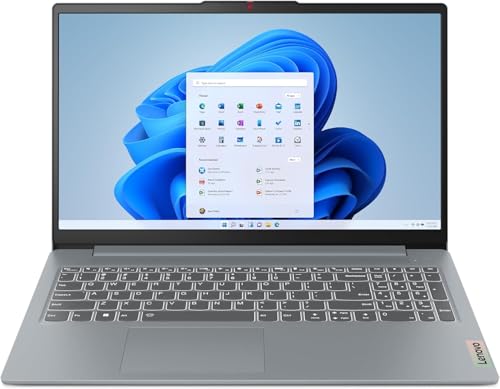
The Lenovo IdeaPad Slim 3 leads this guide because it pairs an 8-core Ryzen 7 processor with 16GB of memory and a 512GB solid-state drive, a combination that stays responsive when many browser tabs, documents, and video calls run at once. The 15.6-inch full HD touchscreen adds flexibility for scrolling, tapping, and signing documents, while the slim chassis keeps the machine easy to carry between rooms or across campus.
The Ryzen 7 5825U is the heart of this pick. Eight cores give it real headroom for multitasking, so switching between a spreadsheet, a video call, and a dozen browser tabs does not turn into a waiting game. The 16GB of DDR4 memory matches that processor well, and the 512GB SSD leaves room for a large document library, photo collection, and several sizeable applications without constant housekeeping.
Connectivity covers the everyday essentials, with Wi-Fi 6 for fast wireless, Bluetooth 5.2 for headphones and peripherals, and a 720p HD camera for video calls. Windows 11 Home comes installed, so the machine is ready to work from the first boot, and the touchscreen makes casual use feel natural, from scrolling long pages to tapping through presentations.
Key specs: 15.6-inch FHD 1920 x 1080 touchscreen, AMD Ryzen 7 5825U 8-core, 16GB DDR4, 512GB SSD, Wi-Fi 6, Bluetooth 5.2, 720p HD camera, Windows 11 Home
Strengths:
- 8-core Ryzen 7 processor handles heavy multitasking well
- 16GB of memory and a 512GB SSD give plenty of room to work
- Full HD touchscreen adds flexible ways to interact
Trade-offs:
- The slim chassis leaves little room for upgrades later
- A 15.6-inch screen makes this a full-size machine, not a compact one
- The 720p camera is adequate rather than impressive
This laptop fits students, office workers, and anyone who wants one machine for documents, browsing, streaming, and video calls. It suits people who keep many apps open and want the machine to keep up without complaint.
Best for: everyday multitasking, study, and office work
Not suited for: demanding games or heavy video editing
Check price on Amazon: Lenovo IdeaPad Slim 3

HP 15 Laptop (Intel Core i5, 15-dy2795wm)
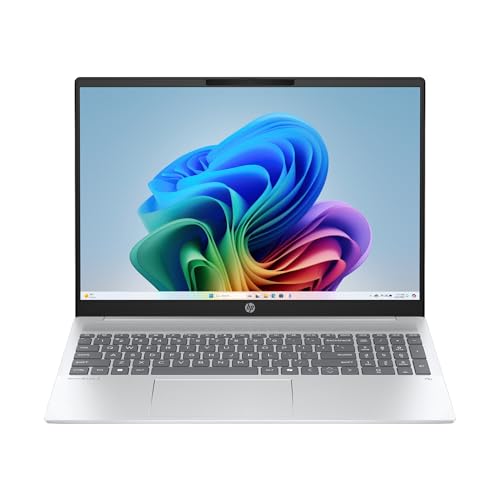
The HP 15 is a straightforward, well-balanced everyday laptop. Its Intel Core i5 processor, 8GB of memory, and 256GB PCIe SSD cover the daily routine comfortably: documents, email, web research, streaming, and video calls all run without drama. The 15.6-inch full HD anti-glare display stays readable in bright rooms, and the inclusion of USB-C and HDMI ports makes it easy to connect a second screen or a projector.
The anti-glare coating deserves a mention, because it genuinely helps in real rooms. Overhead lights and windows wash out glossy screens, but this panel keeps text readable without forcing you to hunt for a darker corner. The non-touch display keeps the lid lighter and the price in check, and the keyboard layout includes a numeric keypad, which matters for anyone who enters figures regularly.
Windows 11 Home with Copilot comes installed, and the machine ships in a natural silver finish that looks tidy on a desk or a kitchen table. With 256GB of solid-state storage, this is a machine for people who store most files in the cloud or on an external drive, and it rewards that habit with fast boots and quick app launches.
Key specs: 15.6-inch FHD anti-glare display, Intel Core i5, 8GB RAM, 256GB PCIe SSD, non-touch display, Intel UHD Graphics, USB-C, HDMI, Wi-Fi, Windows 11 Home, model 15-dy2795wm
Strengths:
- Anti-glare full HD screen stays readable in bright rooms
- USB-C and HDMI make connecting a second display easy
- Numeric keypad suits anyone who works with figures
Trade-offs:
- 256GB of storage fills up fast with large media libraries
- 8GB of memory limits very heavy multitasking
- The non-touch display offers no touchscreen option
This laptop fits home-office workers, students, and families who want a dependable daily machine. It suits people who value a clear screen and useful ports over a touchscreen or maximum storage.
Best for: home office work, study, and everyday browsing
Not suited for: large local media libraries or heavy multitasking
Check price on Amazon: HP 15 Laptop (Core i5)

Acer Aspire 3 A315-24P-R7VH (Ryzen 3 7320U)
The Acer Aspire 3 A315-24P-R7VH is the slim, no-nonsense pick in this guide. Its Ryzen 3 7320U quad-core processor and 8GB of LPDDR5 memory handle everyday tasks with ease, and the 128GB NVMe SSD keeps boot times and app launches short. The 15.6-inch full HD screen and Wi-Fi 6 connectivity round out a machine built for getting work done rather than showing off.
The slim design is the first thing you notice. At this budget, many laptops feel bulky, but the Aspire 3 keeps a tidy profile that slips into a bag without complaint. The Ryzen 3 7320U is a modern quad-core chip, so web browsing, office apps, streaming, and video calls all run smoothly, and the Radeon graphics handle casual media and light photo work.
Storage is the compromise here. A 128GB NVMe drive is fast, but it fills quickly if you store large photo or video collections locally. This machine makes most sense for people who live in the cloud, stream rather than download, and keep their files in online storage, where the fast drive and quick processor shine.
Key specs: 15.6-inch Full HD, AMD Ryzen 3 7320U quad-core, AMD Radeon Graphics, 8GB LPDDR5, 128GB NVMe SSD, Wi-Fi 6, Windows 11 Home, model A315-24P-R7VH
Strengths:
- Slim profile is easy to carry every day
- Modern quad-core processor with fast NVMe storage
- Wi-Fi 6 keeps wireless connections quick
Trade-offs:
- 128GB of storage is tight for large local libraries
- The Ryzen 3 chip is modest for heavy multitasking
- No touchscreen on this configuration
This laptop fits students and casual users who stream, browse, and work in the cloud. It suits people who want a slim, light machine and do not store large files locally.
Best for: school, browsing, streaming, and cloud-based work
Not suited for: storing large photo or video collections locally
Check price on Amazon: Acer Aspire 3 A315-24P-R7VH
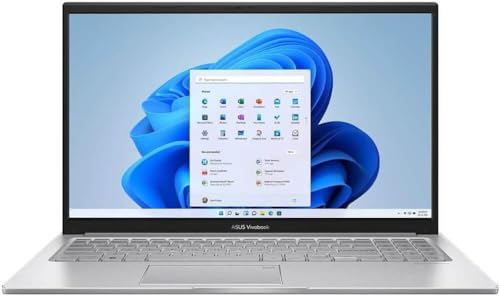
ASUS Vivobook 15 (Intel Core 5 120U)
The ASUS Vivobook 15 pairs a current-generation Intel Core 5 120U processor with 16GB of memory and a 512GB SSD, a combination that gives it more breathing room than most laptops at this level. The 15.6-inch full HD display is clear and comfortable for long sessions, and Wi-Fi 6 keeps connections fast on modern home networks.
The Core 5 120U is a sensible choice for everyday speed. It handles office suites, browser multitasking, and video conferencing without fuss, and the 16GB of memory means you can leave applications open rather than constantly closing them to free resources. The 512GB SSD is the other half of the story: it leaves space for a real software library and a large document archive.
The silver finish and clean design keep the Vivobook looking more expensive than its budget, and Windows 11 Home comes ready to go. This is a machine for people who want a little extra headroom without paying for it, and it delivers that headroom in the two places it counts most: memory and storage.
Key specs: 15.6-inch Full HD display, Intel Core 5 120U, 16GB RAM, 512GB SSD, Wi-Fi 6, Windows 11 Home
Strengths:
- Current-generation Core 5 processor with 16GB of memory
- 512GB SSD leaves room for apps and files
- Clean design that looks more expensive than its budget
Trade-offs:
- No touchscreen on this configuration
- Integrated graphics limit gaming ambitions
- The full-size chassis is not the lightest carry
This laptop fits office workers, students, and home users who want extra memory and storage headroom. It suits people who keep many apps and files on the machine itself.
Best for: office work, study, and multitasking with many open apps
Not suited for: gaming or graphics-heavy creative work
Check price on Amazon: ASUS Vivobook 15 (Core 5 120U)
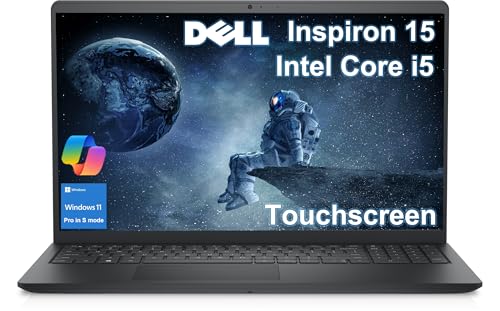
Dell Inspiron 15 3530 (Intel Core i5-1334U)
The Dell Inspiron 15 3530 brings a 10-core Intel Core i5-1334U processor and a 15.6-inch full HD touchscreen to this guide, a pairing that covers both performance and flexibility. The touchscreen makes scrolling, tapping, and presenting feel natural, while the 10-core processor keeps everyday multitasking smooth. Windows 11 Home comes installed, and the Inspiron line has a long record as a dependable family and office machine.
Ten cores change how a laptop feels under load. Background updates, antivirus scans, and browser tabs all compete for attention, and a 10-core chip absorbs that competition without the slowdowns a dual-core machine would show. The full HD LED touchscreen is bright and responsive, and it turns casual tasks like browsing photos or signing a document into quick taps rather than mouse work.
Configurations for this model vary, with different memory and storage options available, so buyers should confirm the configuration that matches their needs before ordering. The core of the machine stays the same either way: a capable 10-core processor, a clear touchscreen, and the familiar Inspiron build that suits desks, kitchen tables, and classrooms alike.
Key specs: 15.6-inch FHD LED touchscreen, Intel Core i5-1334U 10-core, Inspiron 15 3530, Windows 11 Home
Strengths:
- 10-core processor handles multitasking with ease
- Full HD touchscreen adds flexible interaction
- Long-running Inspiron line with a dependable record
Trade-offs:
- Memory and storage vary by configuration, so check before ordering
- A full-size 15.6-inch machine is not the most portable
- Integrated graphics are not built for demanding games
This laptop fits families, students, and office workers who want a touchscreen and a strong processor. It suits people who multitask heavily and like tapping as well as typing.
Best for: multitasking, study, and touchscreen everyday use
Not suited for: demanding gaming or portable ultra-light carry
Check price on Amazon: Dell Inspiron 15 3530 (i5-1334U)

HP Pavilion 15.6 (Intel Core i5-1334U)
The HP Pavilion 15.6 rounds out this guide with a strong all-round specification: a 10-core Intel Core i5-1334U processor, 16GB of memory, and a 512GB SSD, all behind a 15.6-inch full HD touchscreen. It is the most complete package here for anyone who wants performance, storage, and a touchscreen in one machine, and it runs Windows 11 Pro, which adds business-friendly features for work use.
The combination of 16GB of memory and a 512GB SSD is what sets this Pavilion apart. Memory and storage are the two upgrades that most affect how a laptop feels after a year of use, and this machine starts with generous amounts of both. The 10-core processor keeps everything responsive, from video calls to large spreadsheets, and the touchscreen adds a second way to work.
Wi-Fi 6 keeps wireless fast, the webcam covers video calls, and the long battery life claim in the listing points to a machine built to last through a working day. Windows 11 Pro adds features that suit remote workers and small businesses, making this the pick for anyone who wants a work-first laptop at an everyday budget.
Key specs: 15.6-inch FHD touchscreen, 10-core Intel Core i5-1334U, 16GB RAM, 512GB SSD, webcam, Wi-Fi 6, Windows 11 Pro
Strengths:
- 10-core processor with 16GB of memory and 512GB SSD
- Full HD touchscreen with Windows 11 Pro
- Strong all-round specification for work use
Trade-offs:
- A full-size machine that is heavier than compact laptops
- Integrated graphics limit gaming performance
- Touchscreen adds cost that pure typists may not need
This laptop fits remote workers, small-business users, and students who want a complete work machine. It suits people who value memory, storage, and a touchscreen together.
Best for: remote work, business use, and heavy everyday multitasking
Not suited for: demanding gaming or ultra-portable carry
Check price on Amazon: HP Pavilion 15.6 (i5-1334U)
Best laptops around 500: what matters most
Processor generation decides how long a laptop feels fast. A current-generation chip with six or more cores handles multitasking, video calls, and browser tabs far better than an older dual-core part, and it stays capable for longer. When comparing two laptops around 500, check the processor model and generation first, because that single detail shapes the everyday experience more than any other.
Memory and storage are the second priority. At least 8GB of memory keeps Windows 11 comfortable, and 16GB gives real headroom for heavy multitasking. Solid-state storage is non-negotiable: it makes booting, launching apps, and opening files feel instant, while an older spinning drive makes even a fast processor feel slow. A 256GB SSD is workable for cloud-first users, while 512GB suits people who store files locally.
Screen quality and keyboard comfort matter because you live with them every day. A full HD panel with an anti-glare coating stays readable in bright rooms, while a low-resolution screen strains the eyes. A comfortable keyboard with good travel keeps long typing sessions painless, and a touchscreen is a genuine bonus for scrolling and presenting, though it is not essential for everyone.
Weight and portability deserve a place in the decision, because a laptop that stays on a desk can be heavier than one that travels daily. A 15.6-inch machine gives a comfortable screen and keyboard, but it adds weight to a bag, while a lighter chassis with the same screen size costs more. If the laptop travels every day, the weight and the battery life matter as much as the processor, and a machine that is pleasant to carry gets used more than one that stays at home.
Buying guide: choosing laptops around 500
Start by listing what the laptop must do. Office work, study, and browsing need a solid processor, 8GB or more of memory, and a comfortable keyboard. Video editing or gaming need far more, and at this budget those uses will always involve compromise, so be honest about whether a desktop or a higher budget would serve better.
Check the exact configuration before ordering. Listings at this level often offer several memory and storage combinations under one product name, and the headline specification may not match the variant you select. Confirm the processor model, memory size, and storage size on the configuration you choose, and confirm whether the screen is touch or non-touch.
Think about ports and connectivity. USB-C, HDMI, and a full-size USB-A port cover most everyday needs, from external displays to printers and storage. Wi-Fi 6 is worth having on a modern home network, and Bluetooth support matters if you use wireless headphones or a mouse.
Weigh battery life against screen size. A 15.6-inch laptop gives a comfortable screen and keyboard, but it is heavier to carry than a 14-inch machine. If the laptop rarely leaves a desk, size is no penalty. If it travels daily, a lighter chassis and longer battery life deserve more weight in the decision.
Check the warranty and support before ordering, because a laptop is a purchase you live with for years. A standard one-year warranty covers manufacturing faults, while extended cover adds accidental-damage protection that suits students and families. Check whether support is available in your country and how long repairs take, because a laptop that spends a month in repair is no help during an exam or a deadline.
Using and caring for your laptops around 500
Keep the laptop cool and clean. Dust in the vents forces the fan to work harder and can make the machine throttle under load, so a quick blast of compressed air every few months helps. Use the laptop on a hard surface rather than a blanket or cushion, which blocks airflow and traps heat.
Look after the battery by avoiding constant full charges when possible. Modern laptops manage charging well, but leaving the machine plugged in at full charge for weeks on end still ages the battery faster than regular use. If the laptop mostly sits on a desk, unplugging it occasionally and letting the charge drop helps the battery last longer.
Keep storage tidy and software updated. A solid-state drive slows down when it is nearly full, so aim to keep at least a tenth of the drive free. Regular Windows updates and a sensible approach to installed software keep the machine fast and secure, and a backup of important files protects against the one failure no laptop can avoid forever.
Keep your files backed up, because a laptop can fail without warning and a backup is the only protection. An external drive or a cloud service both work, and the habit matters more than the tool: set the backup to run automatically, and check occasionally that it actually contains your files. A laptop around 500 is affordable to replace, but the documents and photos on it are not.
Common mistakes to avoid
The most common mistake is buying on screen size alone. A large screen looks appealing in a listing, but a low-resolution panel or a slow processor underneath it will frustrate you daily. Check the resolution, the processor generation, and the storage type before the screen size.
Another mistake is ignoring the configuration. Two listings can share a model name while differing in memory, storage, and processor, and the cheaper variant is often the one with half the memory. Always confirm the exact configuration, and be wary of listings where the headline specification does not match the selected variant.
A third mistake is expecting gaming performance at this budget. Integrated graphics handle casual games and media well, but demanding modern games need a dedicated graphics card that laptops around 500 do not offer. Buying for the work you actually do, rather than the games you might play, leads to a better machine.
A fourth mistake is buying too little storage and then filling it in the first month. A 128GB drive holds the operating system, a few applications, and a modest document library, but it fills quickly once photos, videos, and large applications arrive. If you store media locally, choose 256GB or more, and remember that a nearly full solid-state drive slows down as well as running out of room.
Budget and value
Around the 500 mark, the best value comes from balancing processor, memory, and storage rather than chasing one headline feature. A machine with a current processor, 8GB or more of memory, and a solid-state drive will feel fast for everyday work, while a machine that spends its budget on a touchscreen but pairs it with a weak processor will not.
Consider what you already own before spending more. If you have an external monitor, a laptop with HDMI or USB-C output gains a second screen for free. If you use cloud storage, a smaller SSD is no hardship. Spending the budget on the parts you cannot add later, like the processor and screen, is smarter than paying for storage you can expand with an external drive.
Think about total cost over three years. A laptop that stays fast for three years costs less per year than a cheaper machine that frustrates you into replacing it after eighteen months. The picks in this guide were chosen with that horizon in mind, favouring current processors and solid-state storage that age well.
Accessories deserve a small part of the budget. A wireless mouse, a protective sleeve, and a USB-C hub all make a laptop more useful, and they cost far less than upgrading the laptop itself. A sleeve protects the machine in a bag, a mouse saves the wrist during long sessions, and a hub adds the ports that slim laptops leave out.
Laptops around 500 for students
Students need a laptop that survives a backpack, a lecture hall, and a library session. Battery life matters most, followed by a comfortable keyboard and a screen that stays readable under fluorescent lights. A touchscreen is a bonus for annotating lecture slides, but it is not essential, and a 512GB SSD helps when course materials, projects, and media pile up.
For students, the Lenovo IdeaPad Slim 3 and the HP Pavilion in this guide stand out, because they combine strong processors with generous memory and storage. The Acer Aspire 3 suits students who work mostly in the cloud and want a slim carry, while the Dell Inspiron 15 3530 suits those who like a touchscreen for notes and presentations.
Laptops around 500 for home offices
A home-office laptop lives on a desk, so screen size and ports matter more than weight. A 15.6-inch full HD screen, HDMI output for a second display, and a numeric keypad all earn their keep, and Windows 11 Pro on the HP Pavilion adds features that suit remote work. A comfortable keyboard and a clear webcam round out the home-office checklist.
For home offices, the HP 15 and the ASUS Vivobook 15 are strong choices, with the Pavilion ahead for anyone who wants the touchscreen and Windows 11 Pro. Pair any of these with an external monitor and a wireless keyboard, and the setup rivals a desktop for everyday work.
Setting up your new laptop
When a new laptop arrives, spend an hour setting it up properly rather than rushing into work. Run Windows Update until no updates remain, uninstall any trial software you do not need, and sign in to your cloud storage so your files sync. Set up a backup, check the display brightness and scaling, and confirm the Wi-Fi and Bluetooth connections work with your headphones and peripherals.
Take a moment to check the configuration matches what you ordered. Open the system settings and confirm the processor model, the memory size, and the storage size against the listing, and run a quick check that the touchscreen, webcam, and speakers all work. Catching a wrong configuration in the first days makes a return or exchange far easier than discovering it months later.
Final recommendation
The best laptops around 500 in this guide cover the everyday range well. The Lenovo IdeaPad Slim 3 leads for all-round multitasking, the HP Pavilion 15.6 is the most complete work package, and the ASUS Vivobook 15 offers strong value with a current processor and generous storage. The HP 15 and Dell Inspiron 15 3530 cover the middle ground, while the Acer Aspire 3 suits cloud-first users who want a slim carry.
Choose by matching the machine to your routine. Heavy multitaskers should favour the 16GB models, cloud-first users can save with a smaller SSD, and touchscreen fans should look at the Lenovo, Dell, or HP Pavilion. Whichever pick you choose, confirm the exact configuration before ordering, and you will end up with a laptop that stays fast and comfortable for years.
A final thought: the best laptop around 500 is the one that matches your routine, not the one with the longest specification list. A student needs battery life and a comfortable keyboard, a home worker needs ports and a clear screen, and a multitasker needs memory and a strong processor. Match the machine to the routine, confirm the configuration, and the laptop will serve well for years.
One more consideration: buy the laptop when you need it, not when a sale promises a bargain. Models at this level change frequently, and waiting for a discount often means the configuration you wanted sells out. The picks in this guide are available now with verified specifications, and any of them will serve well for years of everyday work.
Frequently asked questions
Are laptops around 500 fast enough for everyday work?
Yes, for the work most people actually do. A current processor with 8GB or more of memory and a solid-state drive handles documents, email, browsing, streaming, and video calls comfortably. Heavy video editing or demanding games are a different matter and need a higher budget.
How much memory do I need in a laptop around 500?
At least 8GB for comfortable everyday use with Windows 11. If you keep many apps and browser tabs open, 16GB gives noticeably more headroom and helps the laptop stay fast for longer.
Is 256GB of storage enough?
It is enough if you store most files in the cloud or on an external drive. If you keep large photo or video libraries on the laptop itself, 512GB is a safer choice and avoids constant housekeeping.
Should I choose a touchscreen laptop?
A touchscreen is useful for scrolling, tapping, and presenting, and it suits students and casual users. If you mostly type, a non-touch screen costs less and often comes with a brighter anti-glare panel, so it is a matter of preference rather than necessity.
Do these laptops run Windows 11?
Yes, every pick in this guide ships with Windows 11 Home or Windows 11 Pro installed, so they are ready to work from the first boot with no upgrade needed.
What should I check before ordering?
Confirm the exact configuration: processor model, memory size, storage size, and whether the screen is touch or non-touch. Listings often offer several variants under one name, and the headline specification may describe a different variant than the one selected.
Can I upgrade the memory or storage later?
It depends on the model. Some laptops let you add memory or swap the solid-state drive, while others solder the memory to the board and leave no upgrade path. Check the service manual for the model you choose before assuming an upgrade is possible, and buy the memory and storage you need upfront if the machine cannot be upgraded.
How long will a laptop around 500 last?
With a current processor, 8GB or more of memory, and a solid-state drive, a laptop around 500 should feel fast for three to four years of everyday work. Battery life will fade gradually over that time, and keeping the software updated and the storage tidy helps the machine age well.
What is the difference between a laptop around 500 and a premium laptop?
A premium laptop adds a faster processor, a brighter screen, a lighter chassis, and longer battery life, but the everyday experience for office work, study, and browsing is close. A laptop around 500 covers the same tasks well, and the premium price buys refinement and speed for demanding work rather than a different kind of machine.