This site may earn an affiliate commission when you buy through links on this page, at no extra cost to you. That support keeps our research notes and buying guides free to read, and it never changes which phones we recommend or how frankly we describe their weaknesses.
The mid-range is where phone buying quietly got interesting. A few years ago, spending less than flagship money meant accepting a dim screen, a camera that fell apart indoors, and software updates that stopped almost before they started. That bargain has flipped. Today’s mid-range smartphones borrow the main cameras, bright OLED displays, and multi-year update pledges of phones costing far more, and the things they give up are mostly luxuries most people never use: titanium frames, 10x zoom lenses, and wireless charging speeds measured in marketing minutes.
That does not make the choice easy. The segment is crowded, the model names are confusingly similar, and every manufacturer cuts a different corner to hit its price. One phone keeps the great camera and drops the water resistance rating. Another keeps the rating and ships a processor that will feel slow in three years. A third looks like a bargain until you learn its update window ends before your payment plan does. This guide sorts through those trade-offs honestly, pick by pick, so you can match a phone to the way you actually live with one.
We have chosen six phones that represent the best of the current mid-range: a camera-first Google phone, two Samsungs at different strengths, a performance-leaning OnePlus, a design-led Nothing phone, and a big-screen Motorola. None of them is the right answer for everyone. Each one is the right answer for somebody specific, and we will tell you exactly who.
In this guide
Quick picks: best mid range smartphones
| # | Product | Where to buy |
|---|---|---|
| 1 | Google Pixel 8a | Check on Amazon |
| 2 | Samsung Galaxy A55 | Check on Amazon |
| 3 | OnePlus 12R | Check on Amazon |
| 4 | Motorola Edge 2024 | Check on Amazon |
| 5 | Samsung Galaxy A35 | Check on Amazon |
What to look for in a mid-range smartphone
Software updates: the spec that decides how long the phone lasts
If you read only one section of this guide, make it this one. The single biggest difference between a mid-range phone that feels like a bargain and one that feels like a trap is how long the manufacturer keeps it updated. Security patches protect your banking apps and your photos. OS upgrades keep features current and apps compatible. A phone that receives seven years of updates can genuinely be kept for five or six years; a phone abandoned after two becomes a liability while its hardware still works fine.
Google and Samsung now lead the mid-range here, with the Pixel 8a promised seven years of OS and security updates and Samsung’s Galaxy A-series close behind with four OS upgrades and five years of security patches. OnePlus and Motorola have improved but still trail, and that gap should factor into your decision if you keep phones for a long time. A slightly cheaper phone with half the support window is not actually cheaper per year of safe use.
Camera quality: one great lens beats three mediocre ones
Mid-range spec sheets love camera counts, but what matters is the main sensor and the processing behind it. A large main sensor with optical image stabilization will take better photos in restaurants, living rooms, and every other dim place phones actually get used than a trio of small sensors with a headline megapixel number. Ultrawide lenses in this class are useful for group shots and interiors but noticeably softer. Macro lenses on budget phones are mostly decoration. Dedicated zoom lenses are rare here, so expect digital cropping rather than true telephoto reach.
Processing style is the other half of the equation. Google’s computational photography leans into contrast and detail recovery, Samsung favors brighter and more saturated color, and OnePlus aims for a natural look that sometimes reads flat. None of these is objectively correct. Look at sample photos in the style you prefer before deciding, especially if you photograph people, because skin tone rendering differs more between brands than any lab measurement suggests.
Display: brightness matters more than resolution
Nearly every phone in this guide has an OLED screen, and that is good news: deep blacks, strong contrast, and good efficiency are now standard. What separates them is brightness outdoors and refresh rate. A panel that peaks high enough to read maps comfortably in direct sun is worth more than a small bump in resolution you will never see at arm’s length. A 120Hz refresh rate makes scrolling and animations feel fluid in a way that is hard to give up once you have lived with it, though it does cost some battery. All six picks here offer high refresh rates, so the real question is outdoor visibility and how the screen is tuned.
Battery life and charging: two different promises
Battery capacity numbers cluster tightly in this class, so real-world endurance depends more on processor efficiency and software tuning than on the milliamp-hour figure. In practice, every pick here should get a typical user through a full day, and the lighter user through a day and a half. Charging is where the field splits. OnePlus charges dramatically faster than the rest, refilling most of the battery during a morning routine. Google and Samsung charge more conservatively. Wireless charging, once a flagship exclusive, appears on the Pixel 8a and the iPhone SE but is missing from several Android rivals, which matters if you already own charging pads.
Performance: enough, and for how long
Mid-range processors handle messaging, browsing, photography, and streaming without breaking a sweat. The differences show up in two places: demanding games, and longevity. A stronger chip like the ones in the Pixel 8a and OnePlus 12R will still feel responsive in year four; a modest chip may start to hesitate as apps grow heavier. If you play graphics-intensive games, prioritize the OnePlus or the Pixel. If your phone is a communication and camera tool, every chip here is sufficient, and you should spend your attention on updates and cameras instead.
Build, water resistance, and the extras
An IP67 or IP68 rating means a phone shrugs off rain, splashes, and an accidental dunk, and it is worth having if you work outdoors or have small children. Plastic frames and backs are common in this class and are not a flaw; they are lighter and survive drops better than glass, even if they feel less premium. Storage deserves a thought too: several of these phones lack microSD slots, so buy the capacity you need up front. Finally, check the small things that affect daily life: fingerprint reader placement, speaker quality for calls on speakerphone, and whether the phone supports the 5G bands your carrier actually uses.
Quick comparison
| Phone | Best for | Standout strength | Main compromise |
|---|---|---|---|
| Google Pixel 8a | Camera lovers, long keepers | Photography and seven years of updates | Slower charging, thicker bezels |
| Samsung Galaxy A55 | Buyers wanting a premium feel | Metal frame, balanced everything | No wireless charging, modest zoom |
| OnePlus 12R | Gamers and heavy users | Flagship-grade speed, very fast charging | Shorter update window, weaker ultrawide |
| Nothing Phone 2a | Design fans on a budget | Clean software, distinctive style | No telephoto, plastic build |
| Motorola Edge 2024 | Media watchers | Big bright curved display, clean Android | Shortest update commitment |
| Samsung Galaxy A35 | Value hunters who want Samsung | Great screen and support for less | Slower processor than the A55 |
With the criteria settled, here are the six phones, each examined for what it does well, where it cuts corners, and who should buy it.
The best mid-range smartphones, reviewed

Google Pixel 8a: the camera and update champion
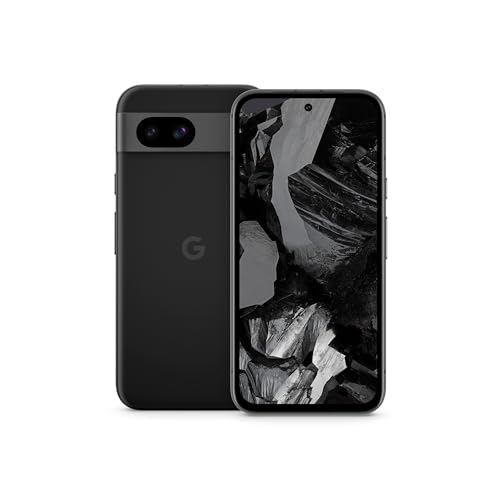
The Pixel 8a is the phone we recommend first to most people, and the reason is simple: it removes the two biggest risks of buying mid-range. Its camera rivals phones costing far more, and its software support outlasts everything else in this guide. Google’s Tensor G3 processor, the same family of chip found in its flagship line, drives a photo pipeline that consistently produces the most reliable point-and-shoot results in the class. Skin tones look natural, night photos hold detail without turning into watercolor, and the processing rescues shots that other phones in this price band would ruin.
The 6.1-inch OLED display runs at 120Hz and gets bright enough for comfortable outdoor use, a meaningful step up from its predecessor. The design is rounded and friendly, with a matte plastic back that grips well and hides fingerprints. Inside, the feature list is generous for the class: wireless charging, an IP67 rating, an in-display fingerprint reader, and Google’s full suite of AI-assisted tools including call screening, voice transcription, and photo editing features that genuinely save imperfect pictures.
Strengths: The main camera is the best in this guide for still photography, full stop, and the seven-year update commitment (OS, security, and feature drops) is unmatched at this level. Call screening alone saves its owners real time every week. The phone is also a comfortable one-handed size, increasingly rare in a market of giants.
Trade-offs: Charging is slow by modern standards, both wired and wireless, so overnight charging becomes a habit rather than an option. The bezels around the screen are noticeably thicker than rivals, giving it a slightly dated face. The ultrawide camera is fine rather than great, and the Tensor chip, while quick in daily use, runs warmer than competitors under sustained gaming loads and throttles sooner.
Who it suits: Anyone whose phone is primarily a camera and a communication tool, and anyone who keeps a phone for four years or more. Parents photographing kids indoors will notice the difference in the first week. If you value a phone that gets better and stays secure for years, this is the mid-range pick positioned squarely in the middle of the segment’s pricing, and it earns it — check price on Amazon.
Check price on Amazon: Google Pixel 8a

Samsung Galaxy A55: the premium-feeling all-rounder
The Galaxy A55 is what happens when Samsung decides the mid-range should feel like the flagship range. Its aluminum frame is a first for the A-series and it changes the in-hand impression completely: this is a phone that feels dense, cool, and expensive, with an IP67 rating to back up the impression. The 6.6-inch Super AMOLED display is excellent — bright, smooth at 120Hz, and color-rich in the way Samsung panels reliably are.
Performance from the Exynos 1480 is a clear step above the Galaxy A35 below it in Samsung’s own line, handling multitasking and moderate gaming without complaint. The camera system is balanced rather than brilliant: a stabilized 50-megapixel main camera that produces bright, pleasing, slightly saturated photos, a competent ultrawide, and a macro lens you will use twice. Samsung’s One UI software is the most feature-complete in this guide, with deep customization, a proper ecosystem story if you own Galaxy Buds or a Galaxy Watch, and a support promise of four OS upgrades and five years of security updates.
Strengths: Build quality leads the class, the display is superb, battery life is consistently strong across two-day light use, and microSD expansion survives here when so many rivals have dropped it. Samsung’s update policy is second only to Google’s among these picks, and its retail and carrier availability makes it easy to buy and easy to get repaired.
Trade-offs: There is no wireless charging, which stings in a phone that otherwise apes flagships. Charging speeds are middling. The camera, while dependable, does not match the Pixel 8a in tricky light, and the phone is a touch heavy. One UI also duplicates many Google apps, which some buyers find cluttered until they spend an afternoon tidying it.
Who it suits: Buyers who want one phone that does everything well and feels like a quality object doing it. It is the safest recommendation for someone upgrading from an older Galaxy who wants familiarity with better hardware, and it sits in the middle of the mid-range price band — check price on Amazon.
Check price on Amazon: Samsung Galaxy A55

OnePlus 12R: flagship speed, mid-range compromises
The OnePlus 12R makes a different bet from everyone else here: spend the budget on speed. Its Snapdragon 8 Gen 2 processor was a flagship chip barely a generation ago, and it shows. Apps open instantly, games hold high frame rates, and the phone feels fast in the way that makes other mid-range devices feel considered rather than quick. The 6.78-inch AMOLED display is large, bright, and fluid, and the battery is the biggest story of all — a large cell paired with extremely fast wired charging that takes the phone from empty to comfortably charged during a shower and breakfast.
That charging speed changes behavior. Owners of this phone stop thinking about battery percentage, because a ten-minute top-up buys hours. The main camera, a 50-megapixel Sony sensor with stabilization, is genuinely good in daylight and respectable at night. OxygenOS is clean, quick, and largely free of bloat, with an alert slider on the side that remains one of the most satisfying hardware touches on any phone.
Strengths: Performance per dollar is the best in this guide, charging is in a different league from Google and Samsung, and the display is flagship-grade. Battery endurance is excellent even for heavy users. For gamers on a budget, nothing else here comes close.
Trade-offs: The ultrawide camera is a noticeable step down from the main one, and there is no telephoto. Water resistance is only splash-level rather than full immersion protection. The update commitment — three OS upgrades and four years of security patches — trails Google and Samsung significantly, which matters for long-term owners. There is no wireless charging, and the curved screen edges divide opinion.
Who it suits: Heavy users, mobile gamers, and anyone who has been frustrated by a slowing phone. If you replace phones every two to three years and want those years to feel fast, the 12R is the mid-range pick at the upper end of the segment’s pricing that justifies itself on speed alone — check price on Amazon.
Check price on Amazon: OnePlus 12R
Nothing Phone 2a: style and clean software for less
The Nothing Phone 2a is the easiest phone in this guide to recognize across a room. Its transparent back, centered camera pair that looks like a pair of eyes, and the light-up Glyph interface around the cameras give it a personality that the rest of the industry abandoned years ago. Under the design sits a sensibly chosen phone: a Dimensity 7200 Pro processor that handles daily tasks and moderate gaming smoothly, a bright 6.7-inch AMOLED display at 120Hz, and a 5,000mAh battery that reliably finishes the day with room to spare.
The software deserves special mention. Nothing OS is one of the cleanest Android experiences available at any price — fast, monochrome-styled if you want it, free of the duplicate apps and advertising that creep into some rivals, and committed to three OS upgrades and four years of security updates. The Glyph lights, which flash in patterns for calls, timers, and notifications, turn out to be more useful than gimmicky: the phone becomes glanceable face-down on a desk, and many owners find themselves picking it up less.
Strengths: Design and software polish far beyond its price tier, which sits at the budget end of the mid-range. Battery life is strong, the main camera is capable in good light, and the overall experience feels intentional in a way that phones assembled from a parts list rarely do.
Trade-offs: The build is plastic, including the frame, and there is no formal high-level water resistance rating and no wireless charging. The ultrawide camera is average. Carrier support in the US requires a check before buying: the Phone 2a works best on T-Mobile-based networks, and buyers on other carriers should verify band compatibility carefully, because official US carrier availability has historically been limited for the brand.
Who it suits: Younger buyers and design-conscious users who want a phone that looks and feels different without paying flagship money, and anyone allergic to cluttered software. Verify your carrier first, then enjoy the most characterful phone in this guide — check price on Amazon.
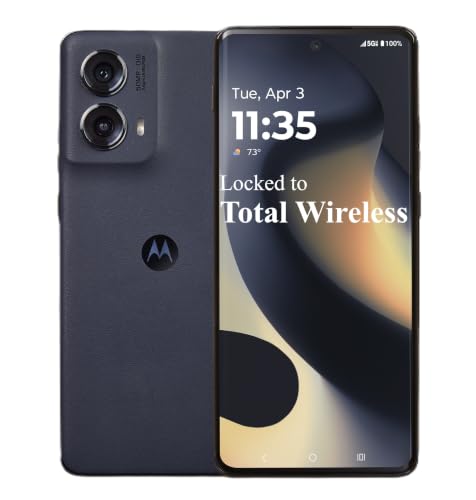
Motorola Edge 2024: the big-screen media pick
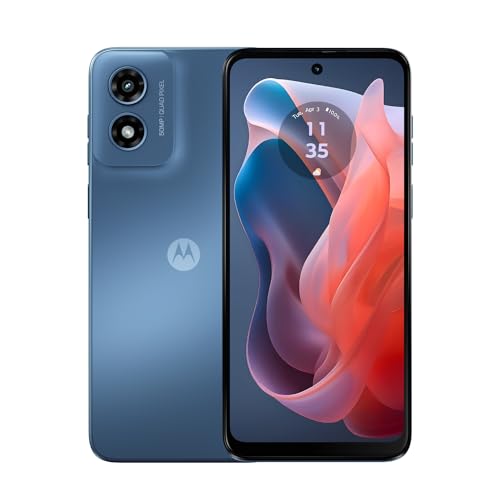
The Motorola Edge 2024 is built around its screen. The 6.6-inch pOLED display curves gently at the edges, runs at 144Hz — the smoothest in this guide — and makes video, scrolling, and games feel lush. For buyers whose phone is primarily a personal television, that matters more than benchmark scores. The Snapdragon 7s Gen 2 inside is a mid-range chip in the honest sense: perfectly smooth in daily use, adequate for casual gaming, and not the choice for demanding titles at high settings.
Motorola’s software approach is nearly stock Android with a handful of genuinely useful gestures — chop the phone twice for the flashlight, twist it for the camera — and very little clutter. The 50-megapixel main camera with stabilization performs well in daylight and decently at night. The phone carries an IP68 rating, unusual at its price, and supports wireless charging, another feature several pricier rivals here omit. Battery life is solid, and wired charging is respectably quick.
Strengths: The display is the best here for watching video, the software is clean, water resistance is top-tier, and wireless charging is included. It is also frequently discounted, which can move it from the middle of the mid-range toward budget territory and change its value calculation entirely.
Trade-offs: Motorola’s update policy is the weakest in this guide — expect a shorter OS upgrade path and slower security patches than Google or Samsung offer, which limits how long we would comfortably keep the phone. The curved edges cause occasional accidental touches and make screen protectors fiddly. The ultrawide camera doubles as a macro and is merely okay at both.
Who it suits: Streamers, readers, and social scrollers who live on their screens and charge wirelessly, and who tend to upgrade every two to three years anyway. If long-term software support is your priority, look at the Pixel or the Galaxies instead — check price on Amazon.
Check price on Amazon: Motorola Edge 2024

Samsung Galaxy A35: Samsung quality at the value end
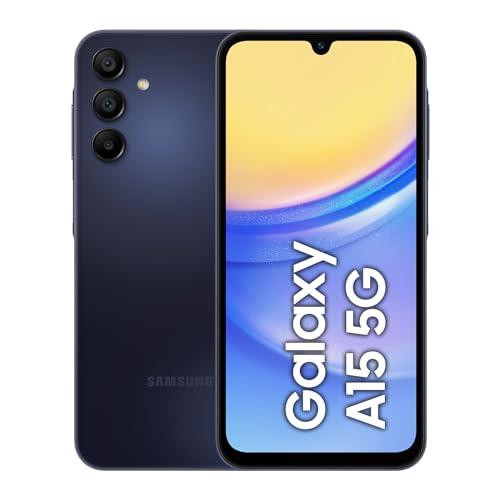
The Galaxy A35 answers a fair question: how much of the A55 experience can you get for meaningfully less money? Most of it, it turns out. The A35 shares the same excellent 6.6-inch Super AMOLED 120Hz display family, the same 5,000mAh battery size, the same IP67 water resistance, the same microSD expansion, and the same strong update promise of four OS upgrades and five years of security updates. Photos from its stabilized 50-megapixel main camera are bright and shareable, and Samsung’s camera software remains the most forgiving for casual shooters.
The savings show up in the frame, which is plastic rather than aluminum, and in the processor, an Exynos 1380 that handles everyday work perfectly well but shows its limits in heavy games and rapid-fire photo processing. In daily life — messaging, maps, social apps, streaming — most users would struggle to tell the A35 from its pricier sibling. The difference appears at the extremes, not in the routine.
Strengths: Nearly all of Samsung’s mid-range virtues at the budget-friendly end of the segment: display, battery, water resistance, expandable storage, and a support window that embarrasses several pricier phones in this guide. It is the easiest phone here to buy on carrier plans and promotions.
Trade-offs: The processor is the ceiling — keen gamers should look at the OnePlus 12R. There is no wireless charging, charging speeds are ordinary, and the design, while tidy, is anonymous next to the Nothing Phone 2a. The macro camera is filler.
Who it suits: Sensible buyers who want a dependable Samsung that will stay secure for years without paying for metal frames and extra horsepower they will never use. For families buying two or three phones at once, the savings compound — check price on Amazon.
Check price on Amazon: Samsung Galaxy A35
What you give up versus a flagship — and what you don’t
Understanding the mid-range means understanding the flagship premium honestly. What extra money actually buys at the top end is a short list: better zoom cameras with dedicated telephoto lenses, brighter screens at the extreme end, premium materials like titanium and the latest glass, the absolute fastest processors, faster wireless charging, and occasionally satellite messaging. For many buyers, that list is mostly bragging rights. Zoom beyond 3x is the one item with real everyday value, and even that depends entirely on whether you photograph distant subjects.
What the extra money no longer buys is a better core experience. The phones in this guide make calls, run apps, shoot family photos, navigate, stream, and last the day exactly as flagships do. Their main cameras in good light are close enough that blind comparisons routinely embarrass the expensive phones. The honest gap is at the edges: low-light zoom, sustained gaming, and the last few percent of polish. If your usage lives in the center rather than at the edges, the mid-range is not a compromise — it is simply the rational tier.
There is also a longevity argument that cuts in favor of these phones. Because Google and Samsung now support their mid-range devices for five to seven years, the old wisdom that flagships last longer no longer holds automatically. A Pixel 8a will receive security updates longer than some flagships from other brands sold at twice its price. Judge each phone by its written update policy, not by its price tag.
Update policies, side by side in plain language
Since support windows decide how long these phones stay safe, it is worth stating them plainly. The Pixel 8a leads with seven years of OS upgrades, security updates, and feature drops from launch. The Galaxy A55 and A35 follow with four OS upgrades and five years of security patches. The Nothing Phone 2a promises three OS upgrades and four years of security updates. The OnePlus 12R offers three OS upgrades and four years of security patches. The Motorola Edge 2024 trails the field with the shortest commitment, which is the main reason we steer long-term keepers elsewhere despite its lovely screen.
Translate those numbers into ownership. Bought today, the Pixel remains a safe primary phone well into the next decade. The Samsungs cover a typical four-to-five-year ownership comfortably. The OnePlus and Nothing phones suit a three-to-four-year cycle. The Motorola fits a two-to-three-year cycle. None of these is a wrong answer — but the price should be judged against the years of safe use it buys, and on that per-year basis the Pixel and the Galaxy A35 look even stronger than their shelf prices suggest.
Camera reality check: where mid-range stands
Daylight photography has effectively been solved at this level. Every phone here will produce sharp, colorful, social-ready photos in good light, and the differences require pixel-peeping to spot. The separation begins as light falls. The Pixel 8a’s processing pulls clean, detailed night shots that the others cannot consistently match, particularly of people, where its skin tones and motion handling stand out. The Galaxy phones produce bright, punchy night photos that some shooters prefer at thumbnail size but soften on inspection. The OnePlus is fast and reliable in the day, a step behind at night. Nothing and Motorola deliver pleasant results that occasionally struggle with dynamic range when a bright window meets a dim room.
Video follows a similar pattern: all six record capable 4K footage from the main camera, stabilization is good across the board for walking shots, and the Pixel and Samsungs handle switching between lenses most gracefully. If video of kids’ sports from the sideline is your use case, be aware that digital zoom on all of these softens quickly — walk closer, or accept that true zoom remains the flagship tax.
Battery life in real routines
Lab numbers aside, the lived experience breaks into three tiers. The OnePlus 12R and Galaxy A55 are the endurance leaders, routinely ending heavy days with charge to spare, and the OnePlus adds its party trick of refilling in minutes rather than hours. The Pixel 8a, Nothing Phone 2a, and Galaxy A35 are dependable full-day phones for typical use, landing in the red only on travel days heavy with maps, photos, and hotspot use. The Motorola Edge sits comfortably in that same full-day group, its efficient display helping offset heavy video use.
The practical advice is about charging habits more than capacity. If you charge overnight on a nightstand, every phone here works, and the slow chargers from Google and Samsung stop mattering. If your life is opportunistic — charging in airports, cars, and coffee shops in short bursts — the OnePlus 12R’s fast charging is a genuine quality-of-life feature that owners consistently cite as the thing they could not give up.
Buying advice: timing, storage, and carrier checks
Mid-range phones are discounted more aggressively and more often than flagships, so patience pays. Prices typically soften a few months after launch and around major sale events, and last year’s model — still supported for years in the Pixel and Galaxy cases — often becomes the smartest buy in the whole market the day its successor appears. Never pay launch price for a mid-range phone unless you need it that week.
Buy storage generously on the models without microSD slots, which is most of them. Photos and videos accumulate faster than anyone predicts, and a phone that fills up in year three wastes the long update window you paid for. The Galaxy A55 and A35 are the exceptions here, still accepting memory cards, which makes their base storage easier to live with.
Finally, verify carrier compatibility before ordering, particularly for the Nothing Phone 2a and for any imported variant of these models. Check that the phone supports your carrier’s main 5G bands and is certified for its network if you rely on features like Wi-Fi calling. The Samsungs, Pixel, OnePlus, and Motorola are widely sold through US carriers and retailers, which simplifies both purchase and warranty support.
How these six phones earned their places
The mid-range market contains dozens of models, and narrowing it to six required some firm filters. Every phone here is sold officially in the US through major retailers or carriers, because warranty support and network certification matter more than a small saving on a grey-market import. Every phone has an OLED display with a high refresh rate, an IP67 rating or better with one deliberate exception we flag clearly, and at least three years of security updates ahead of it. Phones that failed those tests — and several popular ones did, usually on updates — were cut regardless of how attractive their hardware looked.
We also weighted the things owners actually complain about after a year: slowing performance, abandoned software, cracked glass backs on phones that cost too much to repair, and batteries that fade early. A phone that reviews well in launch week but ages badly is a poor recommendation, and the mid-range is full of them. The six survivors are not the six most exciting launches of the year. They are the six we would hand to a family member with our own money, which is the only test that ultimately matters in a buying guide.
Portraits, ultrawides, and selfies: the rest of the camera story
Main cameras get the attention, but the secondary lenses shape daily shooting more than spec sheets admit. Portrait modes on all six phones are competent in daylight, with the Pixel 8a producing the most natural background blur and edge detection around hair, and the Galaxy phones a close second. Indoors, portrait modes everywhere in this class soften noticeably, and the honest advice is to use the main camera and crop instead — the larger sensor gathers far more light than the portrait pipeline can fake.
Ultrawide quality spreads the field. The Galaxy A55 and Pixel 8a deliver usable ultrawides for interiors and landscapes. The OnePlus 12R, Nothing Phone 2a, and Motorola Edge use smaller ultrawide sensors that are fine for bright scenes and noticeably grainy at dusk. Front cameras matter for video calls as much as selfies: the Pixel and Galaxy phones render skin tones most faithfully, while the Motorola’s high-resolution front camera flatters in good light and struggles in dim rooms. If your phone is your primary camera for family events, these secondary differences — not the headline main sensor — are where you will feel the gap between picks.
Connectivity details that are easy to overlook
All six phones support sub-6GHz 5G on the major US carriers, but the details differ in ways that matter to specific buyers. The Pixel 8a supports both physical SIM and eSIM and handles carrier switching gracefully, which frequent travelers appreciate. Samsung’s A-series supports eSIM on US models as well and pairs it with strong band support for rural coverage. The OnePlus 12R is sold unlocked and works across carriers, though buyers should confirm millimeter-wave expectations — most mid-range phones, this one included, skip the fastest but least available flavor of 5G, which in practice almost nobody can use anyway.
Wi-Fi generations vary: the Pixel 8a and OnePlus 12R support newer Wi-Fi standards that pair well with recent home routers, while the others sit a generation behind with no real-world penalty on typical home connections. Bluetooth audio quality depends on codec support; Samsung and Google cover the common high-quality codecs, and aptX support on the Snapdragon-powered OnePlus benefits owners of premium wireless earbuds. None of these details should headline a purchase, but if you keep a phone for five years, the connectivity you buy today is the connectivity you live with in year five.
Battery health: making any of these phones last
Whichever pick you choose, how you treat the battery in year one decides how the phone feels in year four. Lithium batteries age fastest when held at full charge in heat, so the overnight charge on a slow charger — the pattern Google and Samsung’s modest charging speeds encourage — is actually gentler than repeated fast-charge cycles. Several of these phones include battery-protection settings that cap charging at eighty or eighty-five percent; for desk workers who charge daily, enabling that cap can noticeably slow long-term wear, at the cost of some daily headroom.
The OnePlus 12R deserves a specific note: its very fast charging generates more heat, but the company rates the battery for an unusually high number of full cycles, and in practice owners who use the fast charger daily report healthy batteries well past the two-year mark. The general rules hold across all six: avoid leaving the phone on a hot dashboard, do not panic about occasional fast charging, and expect a battery replacement — available for all of these models through their makers’ service networks — to make a three-year-old phone feel new again for far less than a replacement device.
Which phone for which person
The parent with a camera roll full of kids: the Pixel 8a. Its processing forgives motion and dim school gyms better than anything else here, and its seven years of updates mean it can later be handed down and still be safe. The Galaxy A55 is the runner-up if that parent already lives in Samsung’s ecosystem.
The commuter who streams and reads for two hours a day: the Motorola Edge 2024. The big, smooth, curved display is the best seat in this guide for video, and wireless charging suits a desk-and-train routine. Buy it knowing the software support is the trade-off, and plan on a three-year horizon.
The gamer and the power user: the OnePlus 12R, and it is not close. Flagship-grade processing, a large bright screen, and charging that refills during a coffee break make it the performance pick by a wide margin. Accept the weaker ultrawide as the price of speed.
The buyer furnishing a whole family: the Galaxy A35. Its price tier makes buying two or three painless, the update window protects less technical users for years, and Samsung’s retail footprint means a cracked screen is a same-week problem, not a research project.
The style-conscious minimalist: the Nothing Phone 2a. Clean software, a design with actual ideas behind it, and the lowest price in this guide. Confirm carrier compatibility first if you are not on a T-Mobile-based network.
The one-phone-for-everything professional: the Galaxy A55. Metal build for client-facing polish, strong battery, expandable storage for a large offline library, and Samsung’s mature software for work profiles and multitasking. It is the pick least likely to embarrass its owner in any single scenario.
The used flagship question
Every mid-range guide owes its readers this comparison: should you buy last year’s flagship used instead? Sometimes, yes — a discounted flagship from a brand with a long update policy can be excellent value. But weigh what the used route quietly removes: battery health is unknown, warranty is short or absent, water resistance seals age, and the remaining update window may be shorter than a new Pixel 8a’s despite the flagship’s higher original price. The phones in this guide arrive with full warranties, fresh batteries, and their entire support lives ahead of them. For most buyers, that certainty is worth more than a used flagship’s zoom lens.
Software experience: six phones, six philosophies
Hardware in this class has converged; software has not, and the interface you stare at for years deserves as much scrutiny as the processor. Google’s Pixel software is the most opinionated about helping you: call screening answers spam before it reaches you, the recorder app transcribes conversations in real time, and photo tools quietly fix faces and lighting. It is the smartest software here, and its quarterly feature drops mean the phone periodically gains abilities it did not ship with.
Samsung’s One UI is the most complete. It offers the deepest customization, a mature split-screen and multitasking system, Samsung’s own gallery, browser, and health ecosystem, and modes and routines that automate the phone around your day. That completeness cuts both ways: there are duplicate apps for almost everything Google provides, and new owners should budget an hour to disable, hide, and organize. After that hour, it is arguably the most capable software in the guide.
OnePlus’s OxygenOS and Motorola’s near-stock Android sit at the opposite pole: fast, light, and close to Google’s design language, with small thoughtful additions rather than parallel ecosystems. Nothing OS splits the difference, layering a distinctive dot-matrix visual identity over a clean Android base. None of these approaches is wrong. The question is whether you want your phone to be a helpful assistant, a complete toolbox, or an appliance that disappears — and the answer should steer your choice as much as any camera comparison.
Call quality, speakers, and the unglamorous essentials
Reviewers chase cameras, but phones still make calls, and the basics vary more than the marketing suggests. Earpiece clarity is good across all six, with the Galaxy phones and Pixel a shade ahead in noisy environments thanks to aggressive noise suppression. Speakerphone performance follows the same pattern. For media, the stereo speakers on the Galaxy A55, OnePlus 12R, and Pixel 8a are noticeably fuller than the Motorola’s and Nothing’s setups, which are adequate for podcasts and passable for video but thin for music.
Haptics — the vibration feedback that makes a phone feel tight and responsive — are an underrated divider. The Pixel 8a and OnePlus 12R have crisp, precise vibration motors that make typing and gestures feel premium. The Galaxy phones are close behind. The Motorola and Nothing phones use softer motors that feel a generation older. It is a small thing you will feel a hundred times a day, and it is one of the few places where the budget end of this guide genuinely feels budget.
Total cost of ownership: the price beyond the price
The shelf price is the beginning of what a phone costs, not the total. Add a case and screen protection, because a single cracked display on any of these models can cost a meaningful fraction of the phone’s value, and mid-range repair pricing, while lower than flagship repairs, is not trivial. Samsung and Google benefit from the widest third-party repair networks, which keeps both price and turnaround time down. Motorola parts are reasonably available. Nothing, as the youngest brand here, has the thinnest service footprint, which buyers far from a service center should weigh.
Then divide by years of supported use. A phone kept safely for six years under a long update policy costs dramatically less per year than a cheaper phone replaced after two because its software was abandoned or its battery died without a viable replacement path. This is the arithmetic that makes the Pixel 8a and Galaxy A35 punch above their prices, and it is why this guide keeps returning to update policies: they are not a spec-sheet nicety, they are the denominator of the phone’s real price.
Security and privacy in the mid-range
Biometric security is standard across the guide: all six offer fingerprint unlocking, with the in-display readers on the Pixel, Galaxy phones, OnePlus, and Nothing being quick and reliable, and face unlock available as a convenience on most. For banking-grade assurance, the fingerprint readers are the option to trust; face unlock on these Android models is generally a convenience feature rather than a high-security one.
Privacy controls have largely equalized thanks to Android’s permission system: every phone here can restrict location, microphone, and camera access per app, and shows indicators when sensors are active. The differences are in data philosophy rather than settings. Google’s phones tie deeply into Google services in exchange for their smart features. Samsung adds its own account layer. Nothing and Motorola collect comparatively little beyond the Android baseline. None of these phones is a privacy outlier in either direction, but buyers who minimize data sharing will find the lighter-touch software of the Motorola and Nothing phones marginally more aligned with that preference.
Accessories: what is worth adding, and what to skip
A mid-range phone plus the right two accessories usually serves its owner better than the same phone surrounded by a drawer of gadgets. The first essential is a case matched to your life rather than your taste: slim clear cases suit careful desk workers, while anyone on job sites, trails, or toddler duty should buy genuine drop protection and treat it as insurance, because mid-range screens are cheaper to protect than to replace. The second is a screen protector fitted on day one, ideally before the factory film comes off, since the glass on these phones is tough but not immune to the sand and keys of real pockets.
Charging accessories deserve thought because most of these phones ship without a charger in the box. A single good USB-C charger with enough wattage for the phone’s fastest speed — modest for the Pixel and Galaxy phones, considerably higher to unlock the OnePlus 12R’s full pace — plus a cable rated for that speed covers home use. A second, slower charger for the nightstand is arguably the better long-term buy for battery health, and a car charger matters more than a third wall brick for most people. Wireless charging pads make sense only for the Pixel 8a and Motorola Edge among these picks, and buying pads for a phone that cannot use them is the classic accessory mistake of this segment.
Audio is the other planned purchase, because none of these phones has a headphone jack. A USB-C to 3.5mm adapter keeps existing wired earbuds alive for a few dollars and sounds perfectly fine; Bluetooth earbuds are the more convenient long-term answer, and every phone here supports them well. Skip the rest until a need proves itself: camera lens attachments, gaming triggers, and elaborate desk stands almost always end up unused, while a simple car mount and a small power bank for travel days earn their keep within the first month. Spend on the case, the protector, and the charger — the unglamorous trio that protects the phone and the battery you are counting on for years.
Trade-ins and resale deserve a mention in the same breath, because mid-range phones hold value unevenly. Samsung and Google models benefit from constant carrier and retailer trade-in promotions, which can quietly turn an old phone into a large share of a new one’s cost. Motorola and Nothing phones depreciate faster on the open market, which argues for buying them on discount in the first place and keeping them longer rather than flipping them early. Whatever you buy, keeping the box, the cable, and the phone in a case from day one preserves the trade-in grade — a small discipline that routinely pays for the accessories themselves when upgrade day arrives.
Frequently asked questions
How long will a mid-range phone actually last?
Physically, any phone in this guide should last four to five years with a case and a battery replacement around year three if needed. The real limit is software support: the Pixel 8a’s seven-year window makes it the longest-lived option, the Galaxy A55 and A35 cover about five years of secure use, and the Motorola Edge 2024 is best treated as a two-to-three-year phone. Match the phone’s update window to how long you honestly keep devices.
Is the Pixel 8a or the Galaxy A55 better?
Choose the Pixel 8a for photography, the longest software support, and Google’s call-screening and AI features in a smaller body. Choose the Galaxy A55 for its more premium metal build, expandable storage, bigger screen, and Samsung’s ecosystem features. Neither is a wrong choice; they are optimized for different priorities, and both sit in the middle of the mid-range price band.
Can a mid-range phone handle gaming?
Yes, with one standout. The OnePlus 12R, with its former-flagship Snapdragon chip, runs demanding games at high settings comfortably and is the clear choice for gamers. The Pixel 8a and Galaxy A55 handle popular titles well at moderate settings. The Galaxy A35, Nothing Phone 2a, and Motorola Edge are fine for casual gaming but will need settings turned down in the heaviest games.
Do any of these phones have a headphone jack or expandable storage?
None of the six keeps the 3.5mm headphone jack — wired listeners will need a USB-C adapter or Bluetooth earbuds, a genuine loss this whole segment has accepted. Expandable storage survives on the Galaxy A55 and Galaxy A35 via microSD; the other four should be bought with the storage you expect to need for the phone’s whole life.
When is the best time to buy a mid-range phone?
A few months after launch, during major sale events, and in the weeks right after a successor is announced, when the outgoing model — still years from the end of its support window in the Pixel and Galaxy cases — drops in price while remaining a fully capable phone. Mid-range launch prices are the worst value in the market; discounted mid-range prices are often the best.
Every phone in this guide will make its owner happy if it is matched to the right priorities, so decide whether yours are the camera, the years of support, the speed, or the screen, and let that single answer choose for you — because the best mid-range smartphone is not the one with the longest spec sheet, but the one whose particular compromises you will never actually notice.