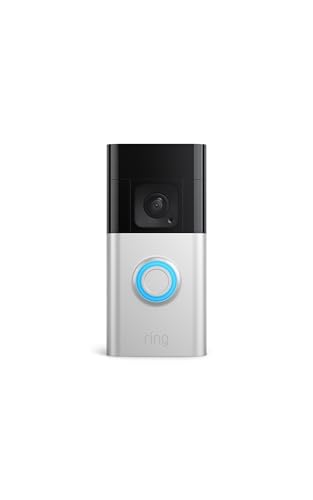
This article contains affiliate links, and kajuandouglas.com may earn an affiliate commission when you buy through them, at no extra cost to you.
A doorbell camera is the one smart home device that lives at the worst possible address for WiFi. Your router sits somewhere inside the house, usually in a living room or office, while the doorbell sits outside, on the far side of a brick wall, a steel door frame, insulated siding, or all three stacked together. Every other gadget you own gets to complain about signal from the comfort of the indoors. The doorbell has to push live video through your exterior wall, in the rain, at the exact moment a delivery driver is already walking back to the truck. That is why this guide treats the connection itself as the main event. Plenty of roundups rank doorbells by resolution and call it a day. Here, the ranking question is different: which of these cameras will actually stay connected at your front door, wake up fast enough to catch the person who rang, and keep working through a winter on the power source you can realistically give it?
That framing matters because the most common doorbell disappointment is not a bad picture. It is a doorbell that goes offline twice a week, misses the first three seconds of every event, or drains its battery in a month because it spends all day straining to hold a weak signal. A camera fighting for WiFi works harder, retries uploads, and wakes its radio more often, and all of that shows up as battery drain and delayed notifications. So the picks below were chosen and ordered with connection behavior in mind: how each model handles marginal signal, whether it can run on existing doorbell wiring so power never becomes the weak link, how it stores video when the network stumbles, and how much of the porch it can actually see once it is mounted.
There are six picks, and they split along the two decisions you have to make before anything else. The first is power: battery models you can mount in ten minutes with no wiring at all, and wired models that draw constant power from a doorbell transformer and never need charging. The second is storage: cloud subscriptions that keep clips online and searchable, versus local storage that keeps footage in your home and skips the monthly bill. Neither fork has a universally right answer. Renters and people with no existing doorbell wiring usually land on battery plus cloud. Homeowners with a working transformer often do better wired, with a chime that rings through the house. Read the what-to-look-for section first if you are still deciding, because the honest answer for your house depends on three things you can check this week: the WiFi signal strength at your front door, whether you have working doorbell wiring, and how you feel about subscriptions.
What to look for in a WiFi doorbell camera
Start with the signal at the door, not the spec sheet
Before you fall for any camera, stand at your front door with your phone, close the door, and check the WiFi signal where the doorbell will mount. Most phones show signal strength in their WiFi settings, and free analyzer apps will show it in dBm. As a rough guide, anything stronger than about -60 dBm is comfortable for a doorbell. Between -60 and -70 dBm, most models work but battery models will drain faster and live view may take longer to load. Weaker than -70 dBm at the mounting spot, and you should plan to fix the network first, because no doorbell brand repeals physics. Exterior walls are the usual culprit: brick, stone, stucco over metal lath, and foil-backed insulation all eat signal, and a metal front door can shadow the exact spot where the doorbell sits. If your signal is marginal, the fixes in the network section below — moving the router, adding a mesh node near the front of the house, or choosing a doorbell with a plug-in chime that doubles as a WiFi bridge — will do more for reliability than upgrading to a fancier camera.
Band choice matters too. The 2.4 GHz band travels farther and passes through walls better than 5 GHz, which is why most doorbells lean on it, and why a doorbell that looks slower on paper can be the more reliable one in practice. If your router combines both bands under one network name, most doorbells sort it out on their own, but during setup it helps to be near the router for the first handshake and then walk the doorbell out to the door. A model that connects cleanly and reports its signal strength honestly in the app, so you can see the number rather than guess, saves real troubleshooting time later.
Battery versus wired power is a lifestyle decision
Battery doorbells win on installation. You charge the pack, stick or screw the mount by the door, and you are done, which makes them the default for renters, for houses whose old doorbell wiring died years ago, and for doors where the bell was never wired in the first place. The cost of that freedom is maintenance. Depending on traffic, temperature, and signal strength, a battery doorbell needs charging somewhere between every few weeks and a few times a year, and the spread between those extremes is mostly your house, not the brand. A busy front door on a weak signal in a cold climate is the hardest case there is. Cold is worth singling out: lithium batteries lose capacity in freezing weather, and some models refuse to charge at all until they warm up, so a January cold snap can take a battery doorbell offline even at a healthy charge percentage.
Wired doorbells trade a harder first hour for years of not thinking about power. If your home has a working doorbell transformer, a wired model draws continuous power, which unlocks things battery models ration: pre-roll recording that captures the seconds before motion triggers, longer clips, more frequent snapshots, and in some cases continuous recording. Wired models also tend to wake faster, because the camera is not sleeping as deeply to protect a battery. The catch is the transformer itself. Many older homes have small transformers that were sized for a simple mechanical chime, and a video doorbell under load can outdraw them, producing the classic symptoms of humming chimes, random reboots, and a doorbell that dies on the coldest night of the year. Checking the transformer’s rating, which is printed on its casing in the basement, garage, or coat closet where it hides, and upgrading it if it is undersized is the least glamorous and most valuable step in a wired install.
Some models hedge the bet. A few battery doorbells can also be wired, so the transformer trickle-charges the pack and the battery covers the gaps. A few wired-first models carry a small internal battery to ride out short outages. If you are unsure which camp you are in, a hybrid model is the safest buy, because it lets you start on battery today and wire it later when an electrician is already visiting for something else.
Field of view decides whether you see the package or just the person
The signature doorbell frustration of the delivery era is a camera that films a courier’s face beautifully while the package lands completely out of frame at their feet. That is a field-of-view problem. A traditional wide, landscape view shows the street and the visitor’s head and shoulders, but crops the ground in front of the door. Taller, squarer views — often described as head-to-toe — stretch the vertical field so the frame includes the doorstep itself. If package theft or simple delivery confirmation is your main reason for buying, the vertical field of view matters more than another notch of resolution. Check the stated field of view in degrees and the aspect ratio: squarer ratios see more of the porch floor. Mounting height plays along too. Doorbells are usually mounted around 48 inches from the ground, and a wedge mount that angles the camera slightly down or toward the walkway can fix a door that sits at an angle to the path visitors actually use.
Resolution, night vision, and the seconds before the event
Resolution numbers sell doorbells, but what you actually review is a short clip, often at night, of someone who did not pose. Within the normal range — from solid 1080p up through the sharper 2K-class sensors on several picks here — the practical differences are how much you can zoom into a face or a license plate and how the camera handles backlight when the porch is shaded and the street is bright. High dynamic range earns its keep at front doors, which are some of the most backlit spots in any home. Night vision comes in two flavors: infrared, which renders a clear black-and-white image, and color night vision that uses a spotlight or ambient light. Infrared is usually sharper at distance; a small spotlight gives color and doubles as a mild deterrent, at the cost of more power draw on battery models.
Just as important is what happens before the clip officially starts. Doorbells decide to record using motion sensors, and there is always a delay between a person entering the frame and the recording catching up. Better models buffer a few seconds of video so the clip begins before the trigger. Wired models can afford generous buffers; battery models keep them short. If your door opens directly onto a sidewalk, where people pass through the frame in two seconds, that buffer is the difference between a useful clip and a video of someone leaving.
Storage: cloud convenience versus local control
Every pick here records somehow, but the footage has to live somewhere. Cloud plans store clips on the maker’s servers, which buys you easy sharing, rich notifications with thumbnail previews, person and package detection powered by server-side processing, and footage that survives even if someone steals the doorbell itself. The trade-offs are the ongoing subscription, the fact that basic recording features are often paywalled, and clips leaving your home network. Local storage keeps video on a memory card, a hub inside the house, or the doorbell itself. There is no monthly bill and footage stays home, but you typically give up some smart detection polish, and if the storage is in the doorbell rather than an indoor hub, a stolen doorbell takes its evidence with it.
The honest way to choose is to think about what you will do after an incident. If you want to hand police a clip from your phone in two minutes from anywhere, cloud storage earns its fee. If you mainly want to know whether a package arrived and who keeps letting their dog use your lawn, local storage does that job without a subscription. Several picks below support one model cleanly and a couple straddle both, so match the storage to your habits rather than buying the camera first and discovering the paywall later.
Notifications, chimes, and living with the thing
A doorbell earns its place in daily life through small interactions. When someone presses the button, your phone should alert you quickly enough to answer while they are still standing there, and two-way talk should connect without a five-second negotiation. Houses also need an audible ring indoors: wired models can ring your existing mechanical or electronic chime, while battery models rely on a plug-in chime accessory, a compatible smart speaker, or your phone alone — and phone-only ringing fails exactly when your phone is in another room on silent. Smart detection filters matter as much as speed. Person, package, vehicle, and animal detection, plus motion zones you draw yourself, are what stand between a helpful doorbell and one that buzzes forty times a day for passing trucks until you mute it and miss the real event.
best cameras for security at home
In this guide
Quick comparison
| Doorbell | Power | Storage style | View | Best for |
|---|---|---|---|---|
| Ring Video Doorbell Pro 2 | Wired | Cloud plan | Head-to-toe, radar motion | Homes with good wiring that want the sharpest motion tracking |
| Google Nest Doorbell (battery) | Battery or wired | Free short cloud history, plan for more | Tall view, smart alerts included | Google Home households and renters who want smart alerts without a plan |
| Arlo Video Doorbell 2K | Battery or wired | Cloud plan | Square head-to-toe | Wide porches and anyone who wants a siren and wide view |
| Blink Video Doorbell 2K+ | Battery or wired | Cloud plan or local hub | Head-to-toe | Budget-minded homes and Alexa households wanting long battery life |
| Eufy Video Doorbell E340 | Battery or wired | Local, no subscription | Dual cameras, head-to-toe plus package cam | Anyone refusing subscriptions who still wants package detection |
| Ring Battery Doorbell Plus | Battery | Cloud plan | Head-to-toe | Renters who want Ring features without touching wiring |
The table is a map, not a verdict. The right pick depends on your wiring, your signal, and your storage preference, and the reviews below call out the connection and installation behavior that decides whether each one thrives at a real front door.
The picks
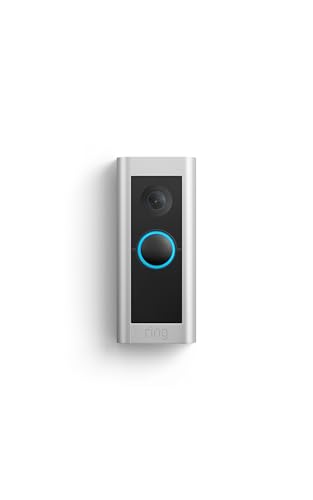
Ring Video Doorbell Pro 2 — the wired benchmark for motion accuracy
The Pro 2 is what happens when a doorbell stops guessing about motion. Instead of relying only on a passive infrared sensor and pixel changes, it uses radar-based 3D motion detection that measures how far away a moving object is, so you can draw a threshold in distance rather than a zone on a picture. In practice that means the camera can be told, in effect, to care about things within the porch and to ignore the street beyond it, which cuts the passing-car alerts that train people to ignore their doorbell app. Combined with a tall, head-to-toe view and crisp 1536p-class video, it produces some of the most usable clips in this roundup: faces at the door, packages on the step, and an aerial-style motion map in the app that shows where visitors walked.
Because it is wired-only, the Pro 2 never sleeps the way battery models do. It keeps a rolling buffer, so recordings start before the trigger moment, and live view opens quickly. It also rings your existing chime, which keeps the house side of the experience normal for family and guests. The installation is the honest catch. You need working doorbell wiring and a transformer with enough capacity, and Ring is blunt in its documentation that undersized transformers cause trouble. Budget the time to find your transformer, read its rating, and replace it if it is one of the small legacy units. On the network side, the Pro 2 supports both WiFi bands, and at a front door with a strong router presence it is rock solid; at the far end of a long house it benefits from the same mesh-node-near-the-door advice as every other pick here.
Storage is cloud-only through Ring’s subscription tiers, which unlock video history, person and package alerts, and richer notifications. Without a plan, you get live view and real-time alerts but no recorded history, so treat the subscription as part of the purchase rather than an optional extra. There is no local storage option at all, and no Apple HomeKit support, which steers some households elsewhere.
Strengths: radar-based motion detection that dramatically reduces nuisance alerts; head-to-toe view that keeps packages in frame; fast wake and pre-roll thanks to constant wired power; excellent app polish and a deep accessory ecosystem, including plug-in chimes.
Trade-offs: wired-only installation with a real transformer requirement; recordings require an ongoing subscription; no local storage fallback if your internet drops.
Who it suits: homeowners with healthy doorbell wiring who are tired of false alerts and want the most precise motion detection in the group. If your front door faces a busy street, this is the pick that respects your attention, so check price on Amazon.
Condition note on this pick: the listing currently available is a Like-New unit of the Ring Wired Doorbell Pro, the model originally sold as the Video Doorbell Pro 2, offered under the programme Amazon runs for pre-owned devices.

Google Nest Doorbell (battery) — the smartest alerts without a subscription
Google’s battery doorbell makes a different bet from Ring: it puts the intelligence on the device. Person, package, animal, and vehicle detection run locally, which means the smart alerts that other brands lock behind subscriptions work here without paying a monthly fee, and they keep working with a calm speed that cloud-dependent detection sometimes lacks. You also get a few hours of event history free, held on the device itself, which quietly doubles as a safety net: if your WiFi drops, the doorbell keeps recording events locally and uploads them when the connection returns. For a guide that cares about connections, that onboard backup is a genuinely thoughtful design decision, because front doors are exactly where connections drop.
The camera uses a tall 3:4 view designed for head-to-toe coverage, and its video, while not the highest resolution on paper in this group, is well processed, with good HDR for shaded porches. Installation is as easy as this category gets: charge it, mount the base, click the doorbell in. It can also be wired to an existing transformer, which keeps the battery topped up and enables a traditional chime, and that hybrid arrangement is the sweet spot for owners who have wiring but do not want to commit to a wired-only model. Battery life is respectable in moderate traffic, though like all battery models it shortens when the doorbell strains for signal or the weather turns bitter.
The compromises live in the app and the ecosystem. Everything runs through Google Home, which is clean and improving but still gives you fewer fine-grained controls than the dedicated apps of rivals, and if your household is built on Alexa or HomeKit, this doorbell will feel like a guest. The free history is short, measured in hours, so anyone who wants weeks of searchable clips will end up on the Nest Aware subscription anyway, which adds longer history and familiar-face detection. There is also no separate plug-in chime from Google; you ring the house through Google’s smart speakers or your phone, which is fine in a Google household and a gap in any other.
Strengths: person, package, animal, and vehicle alerts with no subscription required; onboard storage that keeps recording through WiFi outages; flexible battery or wired power; clean footage with strong HDR.
Trade-offs: free cloud history is brief; Google Home only, so no Alexa or HomeKit; indoor ringing depends on Google speakers or phones.
Who it suits: renters and Google Home households who want genuinely smart alerts without a monthly bill, and anyone whose front-door WiFi is flaky enough that onboard backup recording matters. It is the easiest recommendation in this list for most people, so check price on Amazon.

Arlo Video Doorbell 2K — the widest eye on the porch
Arlo’s second-generation doorbell leads with its view. The square, 1:1-style frame with a very wide diagonal field of view sees more of the porch in both directions than most rivals: the visitor, the package at their feet, and a good stretch of the walkway on either side. If your door sits in a corner, or visitors approach from the side rather than straight on, that width is not a spec-sheet flourish; it is the difference between seeing someone arrive and seeing them already at the door. The 2K HDR video is sharp, the built-in siren can be triggered from the app or set to sound on tamper, and the doorbell can call your phone like an actual phone call when pressed, which remains one of the fastest ways to answer a ring.
Flexibility is the other half of the appeal. The current model runs on a rechargeable battery or can be wired to a transformer, and wiring it enables a pre-roll buffer and support for an existing chime through an accessory. It connects directly to your WiFi without requiring a hub, which keeps the setup simple, though Arlo also offers an optional security hub that adds local storage for those who want it. In signal terms it behaves like its peers: happy on a healthy 2.4 GHz connection, quicker to complain at the edge of coverage, and noticeably thirstier on battery when the signal is poor. Its motion detection is camera-based with smart alerts for people, packages, vehicles, and animals delivered through the Arlo Secure subscription.
That subscription is the main caveat. Arlo’s cloud plan is effectively required to record and review video history, and its pricing has crept up over the years, so go in with eyes open about the running cost. The battery is also built into the unit in a way that means charging involves popping the whole doorbell off its mount, leaving the doorway unwatched for the charging window unless you wire it. And while direct-to-WiFi is convenient, households with an Arlo hub from a camera system should confirm which features route through the hub for the most stable connection.
Strengths: exceptionally wide, square head-to-toe view; sharp 2K HDR video; built-in siren; battery or wired power with direct WiFi connection and an optional hub for local storage.
Trade-offs: cloud recording effectively requires the subscription; charging removes the doorbell from the wall; running costs are among the higher ones here.
Who it suits: homes with wide or corner porches where visitors approach at an angle, and owners who value the broadest possible view plus a siren. If seeing the whole porch matters more than minimizing subscriptions, check price on Amazon.

Blink Video Doorbell 2K+ — the battery-life bargain, sharpened
Blink’s doorbell is the pragmatist of the group. It does the core job — see who is at the door, get an alert, talk to them — at the lowest commitment in the roundup, and it sips power while doing it. Run on its lithium AA batteries, it can go for many months, and in gentle conditions far longer than the rechargeable models, because the whole system is designed around sleeping deeply and waking briefly. That efficiency makes it a quiet favorite for second doors, side entrances, rental properties, and vacation homes where nobody is around to recharge anything.
The installation story is equally unfussy. It mounts with two screws, works entirely on battery, or can be wired to an existing chime circuit if you have one. The interesting connection detail is Blink’s Sync Module, a small plug-in hub that sits inside the house and handles the doorbell’s communication duties. That arrangement is a genuine advantage at problem front doors: the hub can be positioned where indoor WiFi is strong, and the doorbell talks to the hub over a frugal long-range link rather than fighting the exterior wall to reach a distant router on its own. This system bundles the Sync Module Core in the box to play that hub role. Owners who want a subscription-free recording path can instead pair the doorbell with a Sync Module 2 and a USB drive for local storage, though reviewing local clips in the app is a slower, less polished experience than the cloud.
You give things up for the price and battery life. The current generation records in 2K with a head-to-toe frame, so faces and packages at the base of the door both stay in view, and its two-way audio is clearer than the old 1080p model’s. What still trails the premium picks is polish: night footage softens at distance, motion detection is basic without the subscription, live view can take a beat to spin up, and two-way talk has more lag than the premium picks. Blink lives in Amazon’s ecosystem, which means Alexa integration is seamless and everything else is an afterthought.
Strengths: outstanding battery life measured in months; 2K head-to-toe video at a budget position; Sync Module design sidesteps weak front-door WiFi, with a local-storage path via the Sync Module 2; painless install on battery or wired; the lowest overall cost of ownership in the group.
Trade-offs: night footage trails the premium field at distance; local storage needs the optional Sync Module 2 and clip review is clunky; smart detection features need the cloud plan; two-way talk lags the flagships.
Who it suits: budget-minded buyers, landlords, and anyone covering a second door or a property they rarely visit. If you want a doorbell you can install and forget for a season at a time, check price on Amazon.
Generation note on this pick: this guide covers the current Blink Video Doorbell 2K+ generation, the successor to the original 1080p model, and the listing linked here is that 2K+ system with the Sync Module Core included.
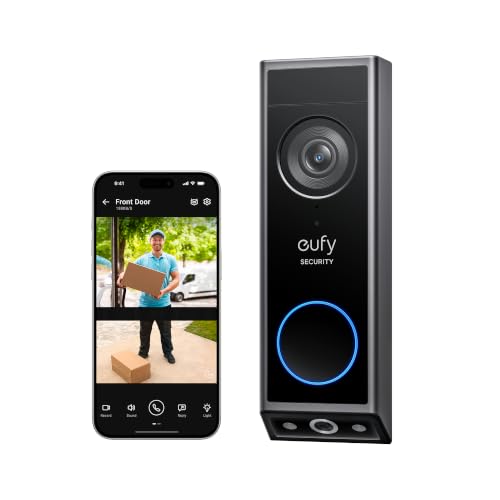
Eufy Video Doorbell E340 — two cameras, zero subscription
The E340 solves the package problem with hardware instead of hope. It carries two cameras: a main 2K camera for the visitor, and a second camera pointed down at the doorstep that exists solely to watch the ground where packages land. Between the two, there is no blind spot at the base of the door, which is precisely where single-camera doorbells, even tall-view ones, can still lose a small parcel tucked against the wall. The downward camera even lights the step at night. For households whose doorbell exists mainly to receive deliveries, this is the most direct answer in the roundup.
The second headline is storage. The E340 records to local storage with no subscription required, and Eufy’s person and package detection runs on the device rather than in a paid cloud. You can run it on its removable battery — removable being the operative word, because you can swap in a spare pack in seconds instead of leaving the door unwatched while a built-in battery charges — or wire it to a transformer for continuous power and an existing chime. It also pairs with Eufy’s HomeBase hub, which expands local storage and can act as the indoor chime, and that hub arrangement has a connection benefit too: the hub lives indoors on your network, giving the doorbell a closer, more reliable partner than a router two rooms away. Used standalone, the doorbell connects to WiFi directly like the others.
The trade-offs are mostly about ecosystem and polish. Eufy’s app is capable but busier and less refined than Ring’s or Google’s, the unit is chunkier than single-camera rivals because of everything it carries, and its smart-home reach beyond Alexa and Google Assistant is limited. Local storage also means your footage is only as safe as the hub or device holding it, and remote access to clips depends on Eufy’s app infrastructure rather than a full cloud archive. None of that dents the core proposition, but heavy smart-home users should weigh it.
Strengths: dual cameras eliminate the doorstep blind spot; full local recording and smart detection with no subscription; swappable battery or wired power; HomeBase option adds storage, a chime, and a closer network partner.
Trade-offs: bulkier hardware; app polish trails the leaders; limited ecosystem beyond Alexa and Google; footage safety depends on your local hardware.
Who it suits: delivery-heavy households that refuse subscriptions on principle. If you want package detection and recorded history without ever seeing a monthly charge, check price on Amazon.

Ring Battery Doorbell Plus — Ring’s ecosystem without the wiring
The Battery Doorbell Plus exists for the large group of people who want into Ring’s ecosystem — the app, the accessories, the neighborhood alerts, the easy chime options — but whose front door has no working wiring, or whose landlord has opinions about them installing any. It brings the features that used to be wired-only in Ring’s line down to a battery model: a tall head-to-toe view in a square frame, sharp 1536p-class video, color pre-roll that captures a few seconds before the motion event in color, and package alerts through the Ring subscription. The battery is a removable pack shared with other Ring devices, so a charged spare turns a recharge into a ten-second swap.
As a battery device, its connection behavior deserves an honest paragraph. It lives on 2.4 GHz WiFi, and at doors with marginal signal it will show the usual symptoms first among this group alongside the other battery models: slower live view, occasional missed quick events, and battery drain that accelerates because the radio works harder to stay associated. The mitigations are the ones this guide keeps returning to — a mesh node or extender positioned inside near the front of the house transforms it — and Ring’s plug-in chime with WiFi-extending behavior in some versions exists precisely because Ring knows where doorbells struggle. If your signal at the door is strong, none of this applies and the Plus is simply a very good battery doorbell with the deepest accessory bench in the business.
Like the Pro 2, it records only to Ring’s cloud, so the subscription is effectively mandatory if you want history, and there is no local storage escape hatch. It cannot ring a mechanical chime on battery power, so budget for a plug-in Ring Chime or plan to answer through Echo devices and phones. Motion detection is the standard camera-and-sensor kind rather than the Pro 2’s radar, which means busier streets will generate more alerts to tune away with zones and sensitivity.
Strengths: head-to-toe square view and color pre-roll in a battery model; removable, swappable battery pack; unmatched accessory and chime ecosystem; strong app and fast alerts on a healthy network.
Trade-offs: cloud-only recording with a required subscription for history; 2.4 GHz only, so weak-signal doors need network help; no mechanical chime support on battery power.
Who it suits: renters and wiring-free households who want Ring’s polish and head-to-toe coverage without an install project. If your doorstep signal is decent and your door has no wires, check price on Amazon.
Fixing the front door’s WiFi problem
Since the connection decides so much of the experience, it is worth treating the network as part of the installation rather than an afterthought. Start by measuring. Stand outside with the front door closed — the closed door is part of the path the signal travels — and check the signal at the exact mounting height. If it is weak, work through the fixes in order of effort. First, router placement: moving the router even a few feet, out of a cabinet, off the floor, or to the side of the house nearer the front door, routinely buys more improvement than any accessory. Routers radiate poorly through the clutter we hide them in, and front doors are often simply at the far end of a long signal path that passes through the kitchen, with its metal appliances, on the way.
Second, consider a mesh system or a single extender node placed inside the house near the front, ideally with line of sight down the hall to the door. The node does not need to be fast; it needs to be close, because the doorbell’s problem is the last few feet through the exterior wall, and a node ten feet inside that wall shortens the weak leg dramatically. Third, look at doorbells and chimes that bridge the gap themselves. Plug-in chimes that extend WiFi toward the door, and hub-based systems like Blink’s Sync Module and Eufy’s HomeBase, all move the doorbell’s conversation partner indoors and closer, which is the same trick from the product side. Fourth, if your router offers band steering and a doorbell keeps dropping during setup, temporarily separating the 2.4 GHz network or using the router’s IoT network for the doorbell often ends the argument, since the doorbell will live its whole life on the long-range band anyway.
One warning about extenders: the cheapest plug-in repeaters halve throughput and add latency, which a doorbell tolerates better than most devices, but they can also create a separate network name that confuses setup. A mesh node on the same network is the cleaner fix when the budget allows. And if your internet itself is the weak link — slow upload speeds are common on older cable and DSL plans — remember that every doorbell uploads its clips. A household running several cameras on a thin upload pipe will see delays no doorbell can fix, which is another quiet argument for local storage at camera-heavy homes.
Installation notes that save a second attempt
Mounting height and angle decide what the camera sees more than any setting does. The standard guidance is to mount the doorbell about 48 inches from the ground, which frames an average adult’s face while keeping the doorstep in view on tall-view models. Doors that sit sideways to the walkway — common on porches where the door is on the side wall — benefit from an angled wedge mount that turns the camera toward the approach path; most brands include or sell a wedge, and using it is the difference between filming visitors and filming the street. For battery models, think about the charging routine before you mount: you will be removing the unit or its pack every so often, so a mount you can reach without a step stool is a mount you will actually maintain.
Wired installs have their own checklist. Turn off the breaker for the doorbell circuit before touching wires. Photograph the transformer and chime wiring before disconnecting anything. Confirm the transformer rating, and if it is an old low-power unit, replace it as part of the job rather than as a second job after a week of random reboots. Inside the chime box, some wired doorbells need a small included jumper or power kit installed across the chime terminals; skipping it produces the classic faint buzzing chime. Finally, weatherproofing: the doorbell itself is weather-resistant, but the mounting spot matters — a door under a deep porch roof lives an easier life than one on an exposed wall taking driven rain, and a bead of care around a wired connection keeps corrosion out of the terminals that your video quality quietly depends on.
best range extender wifi for doorbell cameras brick
Living with a doorbell through the seasons
A few patterns show up in nearly every owner’s first year. Battery models ask for their first recharge sooner than expected, because a new doorbell gets tested constantly and its motion zones are not yet tuned; after the novelty fades and the zones exclude the street, battery life stretches noticeably. Winter is the honest test: cold reduces battery capacity, holiday delivery traffic multiplies events, and early darkness means more night-vision recording, all at once. Wired owners skip that drama but should still check the app after storms and outages, since a doorbell that reconnected to a flaky network may sit on a weak band until restarted. Once or twice a year, wipe the lens and the motion sensor window with a soft cloth — porch dust and spider webs are the leading cause of mysterious night alerts, because a web across the lens glows in infrared and sways in the breeze like a tiny ghost with a schedule.
Privacy settings deserve the same seasonal attention. Audio recording can be disabled where local rules or neighborly caution suggest it, activity zones can be trimmed so the camera ignores a neighbor’s yard, and most apps let you share access with family members at different permission levels rather than handing out your password. If your doorbell overlooks a shared space in a condo or townhouse, a conversation with the neighbors and a narrow motion zone go further than any feature on the box.
Answering the door from anywhere: latency and two-way talk
The moment that defines a doorbell is the ten seconds after someone presses it. You are upstairs, or at work, or in the grocery store; your phone buzzes; you tap the notification; and then the system either puts you face to face with your visitor while they are still standing there, or it shows you a loading spinner until they give up and leave. That delay, called latency, is where the connection theme of this guide stops being abstract. Every step in the chain adds time: the doorbell waking, the clip or live stream reaching the maker’s servers, the alert reaching your phone, and the return stream opening when you answer. On a strong home network with a wired doorbell, the whole sequence can feel nearly instant. On a weak front-door signal with a sleeping battery model, it can stretch long enough that the conversation never happens.
You can influence more of that chain than you might expect. The biggest factor is the doorbell’s link to your router, which is why the network fixes earlier in this guide matter more than any single product choice. The second is your phone’s own connection; answering over a congested cellular link adds delay no doorbell can remove. The third is power: wired doorbells and hub-assisted models stay closer to awake, so they start the conversation sooner. When you read the picks above, that is the practical meaning behind phrases like fast wake and pre-roll. They are not spec-sheet decorations. They describe whether you will actually speak to the courier who needs a gate code, or watch them leave in a recording afterward.
Audio quality deserves a sentence of its own, because two-way talk fails quietly. A doorbell mounted beside a busy street, or under a metal porch roof that reflects sound, can be hard for visitors to hear even when the video is perfect. Models differ in speaker volume and microphone direction more than their listings admit, and the honest test is a real conversation at arm’s length on a windy day. Quick-reply messages — the prerecorded “please leave the package by the door” responses several picks offer — are a genuinely useful fallback when you cannot talk live, and they work even when your own connection is too poor for a conversation. If you regularly receive deliveries while away, treat quick replies as a first-class feature rather than a gimmick.
Sharing access, guests, and the rest of the household
A doorbell is rarely a one-person device, and how a system handles other people quietly shapes daily satisfaction. Every pick here lets you invite family members or housemates to the app, but the details differ: some give shared users nearly full control, others let you limit whether they can change settings, review history, or only receive alerts. Households with a dog walker, a cleaner, or teenage kids coming home to an empty house should set this up deliberately rather than sharing one login, because individual accounts mean you can revoke one person’s access without changing everyone’s password, and alert settings can differ per person — the household member who works from home rarely wants the same notification volume as the one who commutes.
Integration with the rest of the smart home follows the same pattern of ecosystems mattering more than individual features. In an Alexa household, a Ring or Blink doorbell can announce visitors on Echo speakers and show the live feed on a screen-equipped device when the bell rings, which solves the indoor-chime problem elegantly. Google’s doorbell does the same trick with Google speakers and displays. Arlo and Eufy cover the major voice assistants competently without belonging to either camp. What almost none of them do is play equally well everywhere, so if your home already leans one way, letting the ecosystem cast the deciding vote between two otherwise close picks is a rational way to choose. The doorbell is the device your household will interact with most often; it should live where your other devices already live.
Finally, a word about the footage itself. Doorbell video is intimate data: it logs when you leave, when your kids get home, and when the house sits empty. Use an account password you do not reuse elsewhere, turn on two-factor authentication in whichever app you choose, and think once about retention — how long clips are kept, and whether old footage should auto-delete. Cloud plans keep history for a set window and then erase it; local systems keep whatever fits on the card or hub until it is overwritten. Neither default is wrong, but both deserve a conscious decision rather than a shrug, especially in homes where the doorbell watches a shared driveway or a neighbor’s frontage as well as your own door.
Frequently asked questions
Why does my doorbell camera keep going offline at the front door?
Almost always, the signal reaching the mounting spot is weaker than it looks on your phone indoors. Exterior walls, metal doors, and distance combine to drop the signal below what live video needs, so the doorbell disconnects and reconnects in a cycle. Check the signal outside with the door closed, then move the router closer, add a mesh node near the front of the house, or choose a system whose hub or chime sits indoors and talks to the doorbell over a shorter hop. Battery models show this failure first because a struggling radio also drains the pack.
Is a battery doorbell or a wired doorbell better?
Neither is better in the abstract; they suit different houses. Battery models install in minutes anywhere and suit renters and doors without wiring, but they need periodic charging, sleep more deeply so they can miss the first moment of an event, and suffer in deep cold. Wired models need a working transformer of adequate size, then reward you with constant power, faster wake times, pre-roll video, and no charging routine for years. If your home already has healthy doorbell wiring, wired is the lower-effort life. If it does not, battery is not a compromise so much as the practical choice.
Do I have to pay a subscription for a doorbell camera to be useful?
It depends on the brand’s storage model. Cloud-first doorbells from Ring and Arlo treat the subscription as the price of recorded history, so without it you mostly get live view and instant alerts. Google’s doorbell includes smart alerts and a short event history without a plan. Eufy and Blink, with local storage through a hub or module, can record and save clips with no monthly fee at all, at the cost of a less polished review experience. Decide which model you prefer before buying, because the camera and its storage economics are a package deal.
What does head-to-toe view actually get me?
A taller, squarer frame that includes the ground directly in front of your door, so you can see a package sitting on the step and a visitor’s full figure instead of just their head and shoulders. It matters most for delivery confirmation and package theft, and it is the feature to prioritize if that is why you are buying. A standard wide view still shows faces and the walkway well; it simply crops the bottom of the scene where parcels land.
Will a doorbell camera work during an internet outage?
Mostly no, with a couple of honorable exceptions. Cloud doorbells cannot upload clips or send alerts while the internet is down, though they reconnect and resume afterward. Google’s battery doorbell keeps recording events to its onboard storage during an outage and uploads them later, and local-storage systems like Eufy’s and Blink’s keep saving footage at home even if remote viewing pauses. If outages are common where you live, local or onboard storage is more than a budgeting preference; it is a reliability feature.
For the household that has read this far, the short version is simple: measure the signal at your door, be honest about your wiring, pick the storage model you can live with, and any of these six will serve you well — but measure first, because at the front door the network is the product, and the right doorbell is the one still happily connected on the coldest, busiest night of the year.