Disclosure: As an Amazon Associate, kajuandouglas.com earns from qualifying purchases. Links on this page are affiliate links; they cost you nothing extra. Prices and availability change often, so check the current Amazon listing before you buy.
Every mechanical keyboard owes its personality to a hundred small machines working under the keycaps, and keyboard switches explained properly means understanding one of those machines completely — its parts, its physics, and the vocabulary the hobby uses to argue about it. A switch is not a button. It is a sprung, sliding, electrical mechanism with a designed feel, and the differences between switches that look identical in photographs can be the difference between a keyboard you love and one you tolerate. This page is the ground floor: read it once and every other switch guide on this site becomes easier.
A note on what this page is not. It sells nothing and links to no products, deliberately: it is the reference the other guides point back to when they say the fundamentals. When you finish here, the family surveys — the Gateron, Kailh, Cherry, and boutique guides linked at the end — will read like applications of principles you already hold, which is exactly the order in which keyboard knowledge wants to be acquired.
Key Takeaways
- A mechanical switch registers a press when its stem pushes two metal contacts — the leaf — together; everything else about the switch shapes how that moment feels and sounds.
- The three great families are linear (smooth all the way), tactile (a bump in the travel), and clicky (a bump plus a deliberate sound mechanism).
- Actuation force, bottom-out force, actuation point, and total travel are the four numbers that sketch a switch’s personality before you ever touch it.
- The stem’s shape writes the feel, the spring sets the weight, the housing governs wobble and much of the sound, and the leaf performs the electrical act itself.
- MX-style compatibility is a stem-and-socket standard, which is why switches from dozens of makers fit the same boards.
In this guide
Keyboard Switches Explained: Anatomy of One Switch
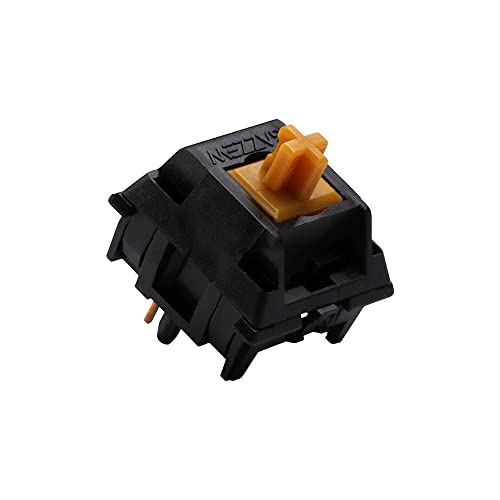
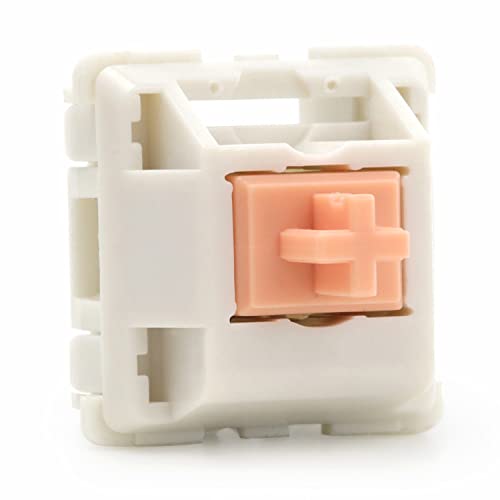
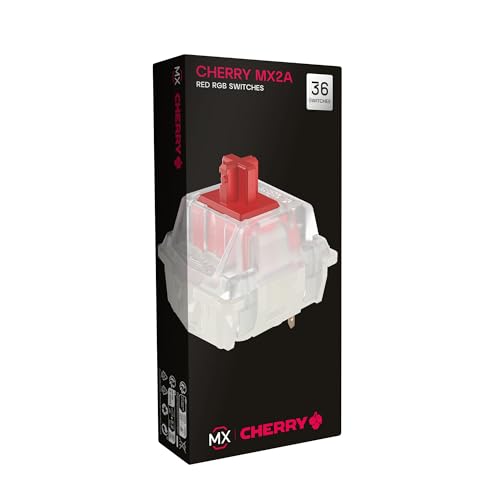
Take a switch apart — the craft guides teach the opening — and five citizens emerge. The top housing is a cap with a window, sometimes clear to let a board’s light through, that holds the assembly together and guides the stem’s exit. The stem is the moving part your keycap rides on: a cross-shaped post on top, a body that slides in the housing, and legs underneath whose shape is the switch’s signature. The spring sits under the stem, compressed as you press, and its resistance is most of what your finger reads as weight. The leaf is a pair of gold crosspoint metal contacts fixed in the bottom housing, waiting for the stem’s leg to press them into their meeting. The bottom housing cradles all of it, carries the two metal pins that connect to the keyboard’s circuit board, and — on 5-pin switches — adds two plastic legs that locate the switch in the board.
The press, narrated slowly, goes like this. Your finger loads the keycap; the stem begins to slide down its rails; the spring compresses and pushes back with growing insistence. Partway down, the stem’s leg reaches the leaf and persuades its two contacts to touch: the circuit closes, the keyboard’s controller notes the event, and the character exists. Your finger, unaware of the exact millimetre, continues to the bottom of travel, where the stem’s pole meets the housing floor — bottom-out. Release, and the spring replays the journey upward; at the reset point the contacts part, and the key is ready to mean something again. Every specification in the hobby is a measurement taken somewhere along that narration.
The Four Numbers That Sketch a Switch
Actuation force is the pressure at which the contacts meet, expressed in grams of force, and it is the number most listings lead with. Bottom-out force is the pressure at the end of travel, always higher, and it is the number your fingers actually live with across a day, because most typists bottom out most presses. A switch described only by its actuation force is a story half told; the pair of numbers together sketch the spring’s whole argument. Actuation point is the depth at which the meeting happens — commonly around two millimetres into a total travel of about four — and total travel is the full journey to the floor. Shorter-travel designs exist, in the speed and low-profile families, and they compress all four numbers into a brisker gesture.
Two more terms complete the sketch. Pre-travel is the distance before actuation, the free fall before the switch means anything; some typists want it minimal, others want its forgiveness. Hysteresis is the gap between the actuation point on the way down and the reset point on the way up — a small, deliberate dead zone that stops a hovering finger from machine-gunning the same character. It is also the gap that rapid-trigger technologies exist to abolish, a plot thread the Hall effect comparison picks up. Learn these six quantities and you can read any switch’s listing the way a musician reads a key signature: not the whole performance, but its governing mood.
The Three Families: Linear, Tactile, Clicky
Linear: the straight road
A linear switch’s stem legs are smooth, so nothing interrupts the journey: force rises with the spring alone, from first touch to bottom-out, in one continuous gesture. Linears are the quietest family by birth and the smoothest by reputation, and they dominate gaming because repeated presses meet no obstacle and no ambiguity. Their demand on the typist is trust — no bump confirms the press, so the screen becomes the confirmation. Their failure mode is monotony: a linear board can feel, to a tactile devotee, like typing on a hundred identical sighs. Reds and Blacks, named for their classic spring weights, are the family’s founding citizens, and the modern linear renaissance — factory lubes, new stem materials, long-pole experiments — is the hobby’s most active frontier.
Tactile: the bump in the road
A tactile switch’s stem carries legs with a shaped profile, and as those legs pass the leaf, resistance rises into a bump — a moment where the press must gather itself — then releases into a short fall. The bump is the confirmation linears withhold: you feel the actuation happen. Bumps vary by architecture from the gentle nod of a mainstream Brown to the long, rolling swell of the panda family compared elsewhere on this site, and the variation is written entirely in the leg’s geometry and the leaf’s tension. Tactiles are the typist’s classic choice and the family’s middle kingdom: feedback without a soundtrack, character without commitment to volume.
Clicky: the bump with a press agent
A clicky switch adds a sound mechanism to the tactile event. The traditional design uses a click jacket — a loose collar on the stem that snaps downward when the leg releases it, striking the housing with a bright tick. Kailh’s Box clickies use a click bar instead, a tensioned metal strip the leg flicks in passing, producing the crisper double click the Box guide celebrates. Either way, the click is engineered theatre: it confirms the press to the ears as the bump confirms it to the fingers, and it makes the switch a citizen of exactly one kind of room — the kind whose other occupants have consented. Clickies are the smallest family by sales and the largest by personality per switch.
Beyond the Three: Silent, Speed, and Specialty Designs
Silent switches are not a fourth family but a treatment applied across families: silicone dampening pads on the stem absorb the bottom-out and top-out impacts, leaving a switch whose travel keeps its personality while its voice drops to a thud. Silent linears and silent tactiles both exist, and the trade — a slightly cushioned landing — is examined in the silent-switches survey on this site. Speed switches shorten the actuation journey for gaming, a geometry change rather than a feel family. Low-profile switches compress the entire anatomy into half the height for slim boards, a separate ecosystem with its own sockets. Optical and Hall effect switches replace the leaf with light or magnetism, changing the sensing while keeping much of the furniture; they have their own comparisons on this site, and the fundamentals in this page — stems, springs, travel, weight — remain the vocabulary those technologies are described in.
Springs: The Switch’s Second Author
If the stem writes the feel’s plot, the spring writes its tone. Spring weight is the obvious variable, but spring length is the subtle one: a longer spring of the same rated weight arrives preloaded, so the press begins firmer and the force curve flattens — the switch feels more present from the first millimetre. Dual-stage springs, with two coil densities in one body, stage the press into chapters. Spring material and winding govern the metallic ring some springs sing with, which is why spring lubrication exists as a craft. When owners describe two switches with identical stems as different animals, the spring is usually the unlisted co-author, and when a switch feels almost right, a spring swap is the cheapest revision in the hobby.
Housings, Materials, and the Sound of Plastic
Housing materials are the switch’s acoustics department. Nylon, the classic, voices a switch deep and warm. Polycarbonate speaks brighter and lets light through for illuminated boards. Modern blends — POM, UHMWPE, and proprietary recipes — chase lower friction and specific tones, and the boutique market treats housing plastic the way winemakers treat grape varieties. The housing’s tolerances govern stem wobble, the side-to-side play that tall keycaps amplify, and its internal rails set the ceiling on smoothness that lubrication then approaches. None of this is visible in a listing photograph, which is why experienced buyers read housing materials the way cooks read ingredient lists: the dish is in there, if you know the cuisine.
The MX Standard: Why Everything Fits
The cross on top of the stem is the most consequential shape in the hobby. Cherry’s MX stem pattern became, through patent expiry and industry adoption, the universal keycap mount and the centre of a socket standard: switches from dozens of manufacturers share the stem cross, the housing footprint, and the two-pin electrical layout, differing in everything else. That standard is why a board can host a hundred personalities, why keycaps migrate between boards for decades, and why this site’s family guides can compare a German incumbent, a Chinese insurgent, and a boutique collaboration in one table. Standards are invisible when they work; the entire custom keyboard world is what this one looks like working.
How to Choose Your First Switch Family
Begin with your room, because it eliminates a family without regret: shared walls and sleeping households retire the clickies, however charming. Continue with your work: long-form typing rewards the tactile’s confirmation, gaming rewards the linear’s unobstructed repetition, and mixed lives are why the middle weights of both families sell in the volumes they do. Then consult your hands honestly — light springs for gentle hands and long days, heavier springs for deliberate typists and heavy ones — and treat any strong opinion you hold before touching a switch as a hypothesis. The tester is the laboratory where hypotheses go to become knowledge: a row of switches, a paragraph typed on each, a week of living with the finalist. Every guide on this site ends at that laboratory door, because it is where reading stops and knowing starts.
Force Curves: Reading a Switch’s Biography as a Graph
Enthusiasts plot switches as force curves — force on the vertical axis, travel on the horizontal — and the plot is worth learning to read because it is the switch’s whole autobiography in one line. A linear draws a clean ascending slope, the spring’s signature unembellished. A tactile draws the same slope with a hill in it: the climb as the leg meets the leaf’s resistance, the crest, the sudden fall as the bump releases, then the slope resuming toward bottom-out. A clicky draws the hill with a cliff and a small acoustic annotation where the jacket or bar fires. The return journey draws a second, lower line, and the gap between the down-line and the up-line is friction made visible — the smoother the switch, the closer the two lines embrace.
Three reading skills unlock the graph. First, the hill’s address: a bump that begins immediately feels present and demanding, a bump that begins mid-travel feels like a confirmation encountered on the way somewhere. Second, the hill’s shape: a broad, rounded crest rolls, a narrow spike snaps, and typists’ fiercest loyalties attach to that distinction. Third, the slope’s steepness at the end: the bottom-out force your fingers will meet ten thousand times a week. A reader fluent in curves can shortlist switches from measurements alone and reserve tester time for finalists — which is precisely how the hobby’s reviewers work, and why their sound tests begin with graphs.
Wobble, Scratch, and Ping: The Three Imperfections
Switch criticism has a small, precise vocabulary of flaws, and each names a different physical event. Wobble is the stem’s lateral play inside the housing — visible when a keycap rocks under a resting finger, felt as imprecision at the start of a press. Scratch is rail friction, the hiss of stem against housing guides that lubrication exists to civilise. Ping is the spring’s metallic after-ring, a tiny bell struck at each press’s end. A switch review that names these three separately is a review that can be acted on, because each has its own remedy: wobble by tighter housings or films, scratch by lube, ping by spring treatment. A review that says only that a switch feels cheap is a review that has not yet learned to listen, and the fundamentals in this page are the listening lessons.
A Short History of the Switch
The mechanical switch predates the personal computer’s ubiquity, born in the era when a keyboard was industrial equipment and each key was expected to survive a career. Cherry’s MX design, arriving in the nineteen-eighties, standardised the form: the cross stem, the two-pin layout, the colour-coded personalities. Alps Electric’s switches powered a rival tradition, beloved in vintage boards to this day. Then came the membrane decades, when keyboards became cheap, flat, and forgettable, and the mechanical switch survived in niches — industrial controls, point-of-sale terminals, and the desks of typists who refused to surrender. The renaissance of the twenty-tens, driven by gaming and then by a broader craft culture, restored the switch to the centre of the desk and multiplied its makers: the incumbents, the insurgents whose catalogues fill this site’s family guides, and the boutique collaborators whose small runs sell out in minutes. The fundamentals have not changed since the MX drew them. Everything else — materials, sealing, sensing, sound — is commentary on a forty-year-old drawing that got the important things right.
Membrane, Scissor, and Mechanical: The Neighbouring Technologies
Most keyboards in the world are not mechanical, and the comparison clarifies what mechanical means. A membrane keyboard presses a conductive pad through a rubber dome onto a circuit sheet: the whole board shares one mechanism, mushy by architecture, inexpensive by destiny. A scissor keyboard — the laptop standard — stabilises each keycap with a small X-frame over a similar dome, gaining thinness and a crisper short travel while keeping the dome’s essential feel. A mechanical keyboard gives every key its own complete switch: spring, stem, contacts, housing. The per-key mechanism is why mechanical boards feel designed rather than assembled, why one key can be repaired without retiring the board, and why the switch — the subject of this entire page — exists as a purchasable, swappable, arguable object at all.
How a Switch Is Made, and Why Tolerances Are the Whole Story
A switch is injection-moulded plastic, a stamped spring, and a formed leaf, assembled by machines at a pace that makes the unit price possible. The miracle is not the design but the consistency: a hundred switches in a pack must feel like one switch a hundred times, across mould cavities, production days, and spring batches. Tolerance — the permitted deviation in every dimension — is where that consistency is won or lost, and it is the invisible line item separating the market’s tiers. A stem a few hundredths of a millimetre loose in its housing is wobble you can feel. A spring wound a fraction off its rate is a key that types louder in the hand than its neighbours. Boutique makers sell, at bottom, tighter tolerances and the inspection regimes that enforce them; budget makers sell tolerances that are merely good, at volumes that forgive them. Understanding this reframes every switch purchase: you are buying a distribution of a hundred small machines, and the maker’s discipline decides how wide that distribution spreads.
The Glossary, Gathered in One Place
- Actuation point: the depth in the travel where the press registers.
- Bottom-out: the end of travel, where the stem meets the housing floor — and the force there.
- Top-out: the return’s end, where the stem meets the top housing, with its own small sound.
- Leaf: the paired metal contacts whose meeting is the electrical event.
- Stem: the moving part — cross post above, body and legs below.
- Pole: the stem’s underside cylinder, whose landing is the bottom-out’s voice.
- Pre-travel: the journey before actuation; post-travel, the journey after it.
- Hysteresis: the deliberate gap between actuation and reset depths.
- Chatter: a fault — one press registering as several, usually a tired leaf’s confession.
- Film: a thin pad fitted between housing halves to tighten and deepen a loose switch.
- Frankenswitch: a hybrid built from two switches’ parts, the hobby’s folk engineering.
- Thock and clack: the community’s acoustic poles — deep and rounded against bright and sharp.
Glossaries are usually where explanations go to be embalmed, but this one is a working tool: every term above appears in the wild, in listings and reviews and the guides this page supports, and a reader who holds them can follow any switch conversation in the hobby without a translator. Keep the page bookmarked for the terms rather than the prose; that is what reference pages are for.
Sound: Why Switches Sing and Cases Conduct
A switch’s sound is a duet it performs with everything around it. The switch contributes the events — the pole’s landing, the top-out’s tick, the spring’s ring, the click mechanism’s performance — and the board contributes the acoustics: plate material, case volume, foam, and the desk beneath, each amplifying some frequencies and absorbing others. This is why the same switch sounds noble in one board and ordinary in another, and why switch reviews that ignore the test board are weather reports without a location. For the fundamentals, hold the division clearly: if a noise happens during travel, it is friction; at the bottom, it is landing; at the top, it is return; after the press, it is the spring. A listener who can place a noise in that timeline can diagnose any board they will ever own, which is a more durable skill than memorising any single switch’s reputation.
Myths the Fundamentals Retire
Four myths circulate wherever switches are sold, and the anatomy in this page retires each. The first holds that actuation force is a switch’s weight, full stop — retired by the bottom-out force your fingers actually meet. The second holds that a switch’s colour is a universal language; colours are conventions within families, not laws across them, and two makers’ Browns can be strangers. The third holds that more expensive switches are more durable; durability lives in the leaf’s rating, which is generous across nearly the whole market, while price buys tolerance and finish. The fourth holds that gaming switches make gamers faster in some general sense; the honest version is narrower — shorter travel and rapid-reset technologies help specific inputs in specific genres, and the rest is the player’s own practice wearing a specification as a costume. Fundamentals are unglamorous, and their reward is immunity to marketing, which compounds for a lifetime of purchases.
The Switch in the Hand: A Guided First Examination
Abstract knowledge sets properly when the hands have held the object, so this explainer ends its teaching with an exercise that costs one loose switch. Hold it to the light and name the parts aloud: top housing, stem cross, the window where a light would shine. Press it slowly against a fingertip and narrate the journey — the spring’s rising argument, the bump or its absence, the landing. Press it beside your ear and place each sound in the timeline this page taught. Now press it a hundred times quickly and notice how the character blurs into texture, which is the switch your typing will actually live with. That five-minute examination teaches more than its brevity suggests, and it scales: the same narration, applied to a tester row, is the evaluation method every guide on this site assumes. The fundamentals are not really known until they have been felt at least once, slowly, on purpose.
Where to Go From the Ground Floor
The principles above are the load-bearing walls; the rest of this site’s switch coverage is the house built on them. The family surveys apply the vocabulary maker by maker — gateron switches complete guide, kailh switches a comprehensive guide, and the Box family’s own volume at kailh box switches complete guide. The head-to-heads stage the families against each other, from cherry mx versus gateron which is better to the five-house parliament. The craft guides turn knowledge into action: how to lube keyboard switches for tuning, removing and replacing switches on a hot swappable keyboard for surgery. And the sensing revolutions get their hearings in hall effect versus mechanical switches and optical versus mechanical switches compared. Read in any order from here; the ground floor holds them all.
Switch Feel Across a Typing Day
One fundamental rarely makes it into listings because it cannot be printed: a switch’s feel is not constant across the day it is used in. Morning hands are fresh and read a bump as information; evening hands are tired and read the same bump as labour. A heavy tactile that delights at nine can bully at five, and a featherweight linear that felt vague at breakfast can feel merciful by dinner. This is why every evaluation protocol on this site insists on the week rather than the hour, and why a switch chosen for a whole life should be tested at the day’s tired end as well as its bright beginning. The fundamentals include the typist, whose specifications — hand size, strength, injury history, sheer mileage — belong on the same page as the switch’s. A switch is only ever half of a keystroke; the other half is a person, and explainers that forget the person explain less than they claim.
Actuation, Debounce, and the Electronics Downstream
The switch’s story ends at the leaf, but the keystroke’s story continues, and one downstream concept belongs in a complete explainer: debounce. Metal contacts, meeting at speed, do not close cleanly — they bounce, electrically, for a few milliseconds, chattering between states before settling. The keyboard’s controller waits out that bounce with a debounce interval, a tiny delay that confirms the press is a decision rather than a vibration. Debounce is why a failing switch’s chatter and a controller’s settings can imitate each other, and why optical and magnetic sensing — which have no contacts to bounce — advertise their cleanliness in this department. The fundamentals reader should file debounce beside hysteresis: both are small, deliberate imperfections in the signal path that exist to keep a physical mechanism honest in a digital world, and both are invisible until the day one of them misbehaves and a key begins typing in doubles.
The Switch as a Designed Object
Step back from the mechanism and a switch is a piece of industrial design with an unusual brief: it must be felt ten thousand times a day and noticed as little as possible, except by the people who choose to notice it professionally. Its designers work in millimetres and grams, in plastic blends and spring wire, and their canvas is a four-millimetre journey that a fingertip traverses in a blink. That so much human ingenuity — sealing chambers, click bars, magnetic rails, dampening pads — has been lavished on that journey says something true about the keyboard’s place in modern life: it is the instrument through which most knowledge work passes, and its smallest component repays obsession in proportion to its use. The explainer’s final fundamental is therefore a perspective: a switch is not a commodity that happens to be small, but a tool that happens to be tiny, and it deserves the same seriousness as any tool a craftsperson touches all day.
A Reader’s First Tester, Specified
Since every path in this explainer ends at a tester, the tester itself deserves specification. A useful first block holds nine to twelve switches: the three families at a middle weight, the three families at a weight that interests you, one silent representative, one speed representative, and one or two wildcards the internet argues about. Mount them in a row, cap them identically, and keep the block beside the keyboard for a month rather than judging it in an afternoon — switches reveal themselves in odd moments, during a deadline, in a game, in the tired hour. Label each position on the block’s underside, because a month of reaching for the third switch from the left is a month of data only if the third switch has a name. When the block has taught its lessons, it becomes the household’s reference library, lent to friends at exactly the moment their own curiosity ignites.
North, South, and Other Orientations
Boards mount their switches facing one of two directions, named for where the switch’s LED window points, and the orientation leaks into several practical corners of switch life. Keycap profiles can interfere with north-facing switches at full travel — a famous fitment footnote — while south-facing boards flatter shine-through legends differently and change how light leaves the housing window. The switch itself does not care; the ecosystem around it does, which is why the explainer mentions orientation among the fundamentals: it is one of the invisible specifications that explains why the same switch can feel and sound subtly different in two boards, and why a careful buyer’s questions always include the board’s orientation alongside its socket type. Small facts, faithfully collected, are what fundamentals are made of.
The Environmental Footnote
A complete explainer should count the switch’s costs as honestly as its virtues. A mechanical board carries a hundred mechanisms where a membrane board carries one sheet, and its manufacture spends correspondingly more material and energy. The defence is longevity and repairability: the mechanical board is serviced at the level of the single key, its switches migrate between boards for years, and its second-hand market is deep and liquid. A switch’s environmental story is therefore mostly a story about time — a component rated for a working lifetime, in a hobby that keeps its artefacts in circulation, asks less of the world across a decade than a sealed disposable replaced three times. Buyers who care about such ledgers will find the mechanical switch, for all its small plastic abundance, an unusually defensible citizen.
The Fundamentals, Compressed to a Card
For the reader who keeps references, the whole explainer folds into a card. A switch is a spring-loaded stem sliding in a housing, pressing contacts together at a designed depth with a designed force. Its feel is written by the stem’s legs, its weight by the spring, its voice by its materials and its room. Its families are linear, tactile, and clicky; its treatments include silence and speed; its standard is the MX cross that lets a hundred makers share one socket. Its numbers are actuation and bottom-out, travel and reset. Its flaws are wobble, scratch, and ping, each with a remedy. And its choice is made by room, by work, and by hand — tested, never guessed. Everything else in the hobby is elaboration, and elaboration is a pleasure best enjoyed on a foundation that does not move. This page is the foundation; the card is its pocket edition.
Why This Page Sells Nothing
A closing word about the empty shop window, because regular readers of this site will notice it. Every other guide in this cluster argues for particular switches, with verified listings and prices to check, because those pages exist to help a reader buy well. This page exists to help a reader understand, and understanding is easier to trust when nothing is for sale inside it. The families, makers, and mechanisms named here are named as examples of principles, in the proportions the principles require. When you leave for the family guides, you will find the commerce there — honest, verified, and clearly labelled — and you will arrive at it knowing what a stem leg is. That sequence, comprehension before commerce, is the explainer’s whole design, and it is offered as a small model of how the hobby itself prefers to be learned.
Switches and the Hands They Serve: An Ergonomic Coda
The fundamentals end where they began — under a fingertip — with a word about bodies. Typing is a repetitive act performed at industrial volumes by hands that vary enormously, and switch choice is one of the few ergonomic variables a typist fully controls. Lighter springs reduce the cumulative load of a day’s presses; a bump can reduce bottom-out force by teaching the finger to stop at the confirmation rather than slamming to the floor; a well-matched board disappears from its owner’s awareness, which is the ergonomic ideal. None of this is medical advice, and hands with real symptoms deserve professional counsel rather than a switch guide’s. But the direction of the relationship is a fundamental too: the right switch is partly a comfort decision, and comfort, compounded across a career of keystrokes, is not a soft consideration. It is the hardest one there is.
The Next Forty Years of the Four-Millimetre Journey
The switch’s future is already visible in outline. Sensing will keep diversifying — magnetic and optical designs refining their manners, contact switches defending their territory on feel and price. Materials will keep their quiet arms race, each new blend promising the friction of ice and the voice of mahogany. Manufacturing tolerances will tighten at every tier, because they always do, and the market’s floor will rise to meet what was premium a decade ago. Through all of it, the fundamentals in this page will hold, because they are not features but physics: a stem, a spring, a journey, a meeting of contacts or its analogue, judged by a hand that knows what it likes. Explainers age when they chase products. This one has chased principles, and principles keep.
A Final Exercise in Listening
Close the explainer the way the guided examination opened it: with a single press, performed slowly, wherever you are reading this. If a mechanical board is within reach, choose its most ordinary key and take the journey at quarter speed, naming the chapters as they pass — the spring’s first argument, the travel’s texture, the bump or the smooth road, the landing, the return’s small farewell. You now hold the vocabulary for every event in that second of travel, which means you hold the hobby’s master key: not a switch, but a way of paying attention to switches. Everything the family guides and comparisons go on to say will land on ears that can hear it. That was the point of the ground floor, and the ground floor is yours.
Postscript: The Switch You Are Typing On Now
One last fundamental hides in plain sight: whatever board sits in front of you already has switches with names, families, and specifications, whether or not anyone ever told you. Looking them up — in the board’s documentation, or by the housing’s printing the next time a cap comes off — is the cheapest education in the hobby, because it converts your daily typing retroactively into experience with a known instrument. Every future comparison you read will be anchored by that first identified switch, the way a wine drinker’s palate is anchored by the first bottle they ever learned the name of. Start there, with the board already on the desk and the switches already under the caps, because the fundamentals were never really about shopping. They are about attention — and attention, once paid to a four-millimetre journey, has a way of improving every journey that follows it. The catalogue, the testers, and the arguments will all still be waiting when the anchor is set, and they will mean more for it.
Frequently Asked Questions
How are switch colours organised?
By convention within families rather than by law across the industry. Red almost always means a medium linear, Black a heavier linear, Brown a tactile, and Blue a clicky — a shorthand inherited from the MX original’s lineup. Beyond those four, colours become each maker’s private poetry: silvers suggest speed, yellows suggest a favoured linear, and pandas suggest a whole philosophy. Read the colour as a first guess and the listing’s own description as the verdict, because the guess is a dialect and the description is the document. Two switches sharing a colour across brands should be treated as acquaintances, not twins, until their springs and stems have been separately introduced. The colour gets you to the right neighbourhood of the catalogue; only the specifications get you to the right house, and only a tester tells you whether you want to live there, sign the long lease, and invite your friends over to press the doorbell and argue, knowledgeably and at generous, glossary-assisted, entirely enjoyable length, about the spring, the stem, the housing, the travel, the force curve, and the leaf inside it.
Where can I see switches compared with prices and links?
In the family guides and head-to-head comparisons linked throughout this page, where verified listings accompany each recommendation. This explainer keeps its own hands clean of commerce so that its principles can be trusted without an asterisk; the moment a reader wants a particular switch rather than an understanding of switches, the sibling guides are one click away and considerably more opinionated, as buying guides should be and explainers should not.
Do I need to understand all of this to buy a good keyboard?
No — good keyboards are sold to people who never learn a word of it, and they type happily for years. Understanding buys something else: the ability to fix what dissatisfies you with a targeted change instead of a new board, to read a review and know which sentences are about you, and to spend money inside the hobby with aim. It is the difference between owning a keyboard and knowing one, and readers who have scrolled this far have usually already chosen which of those they prefer. Welcome, either way, to the smaller and more interesting of the two clubs — the one whose members can name the parts of the thing under their fingers and say, precisely, what they would change about it and why.
Is there a single best keyboard switch?
There is a best switch for a hand, a room, and a workload — a verdict that must be re-derived for every reader, which is why this site publishes comparisons instead of coronations. The fundamentals narrow the field honestly: your room retires the clickies or welcomes them, your work argues for a family, your hands arbitrate the weights. What survives that narrowing, tested on a block for a week, is your best switch, and it will not be your neighbour’s. The hobby’s healthiest sentence is also its shortest answer: it depends, and here is how to find out.
What should I read after this explainer?
Follow your curiosity’s loudest voice. If a family caught your attention, its survey is next — the Gateron, Kailh, and Box guides are all linked from the section above. If the sensing revolutions intrigued you, the Hall effect and optical comparisons stage those debates properly. If your hands are already itching, the lubing and swapping guides convert reading into craft. There is no wrong order from the ground floor; there is only the order your own questions insist on.
What is a switch tester, and do I need one?
A tester is a small block or board holding one of each switch you are considering, so your fingers can compare them directly. You need one exactly to the extent that you intend to spend money on switches — which is to say, if a full set is in your future, a tester is the cheapest insurance in the hobby. Readers who type happily on a board they already own and plan no changes can admire testers from a distance, the way one admires other people’s workshop tools.
Can switches improve my typing speed?
Indirectly and modestly, when the switch removes an obstacle — a bump that bullies tired hands, a weight that fights your technique, a scratch that distracts. No switch installs skill, and the speed gains owners report after a well-matched change are mostly the sound of friction leaving a system: fewer errors, less hesitation, a rhythm allowed to settle. Practice remains the engine; the switch is the road surface, and good surfaces let engines show what they have.
What is the best switch type for a beginner?
The middle of each family exists for beginners: a medium linear for the gaming-leaning, a mainstream tactile for the typing-leaning, at middle weights that forgive every technique. Beginners should avoid the extremes — the heaviest tactiles, the lightest linears, the loudest clickies — not because extremes are bad but because they are opinions, and a beginner’s first switch should be a baseline that later opinions can be measured against. The second switch a person buys teaches more than the first, precisely because the first was ordinary.
Why do switches of the same type feel different?
Because type names only the family of the bump — present, absent, or audible — while the experience is written by leg geometry, spring length and weight, housing material and tolerance, and factory lubrication, all varying independently. Two linears can differ as much as a linear and a gentle tactile. This is the deepest reason testers outsell reviews: the category fits in a word, and the switch does not.
What is the difference between a switch and a keycap?
The keycap is the labelled hat your finger touches; the switch is the mechanism beneath it that registers the press. Keycaps are interchangeable decoration and ergonomics — profile, material, legend. Switches are the feel, the sound, and the electrical event. A keyboard’s personality is mostly its switches wearing its keycaps, which is why the hobby shops for the two separately and argues about them in different threads.
Do heavier switches reduce typing mistakes?
They reduce one species of mistake — the accidental press from a resting or brushing finger — by demanding more intent per keystroke. They can increase another species, the fatigue error that arrives in hour three of a heavy board’s day. The honest answer is that accuracy follows the match between spring and hand, which is why testers exist and why the middle weights are the population centre of the entire market.
What does hot-swappable mean for switches?
It means the board’s sockets grip the switches’ pins without solder, so switches can be pulled and replaced with a simple tool, as the swap guide on this site demonstrates. The switch itself is the same citizen it would be in a soldered board; only its tenure changes. Hot-swap is a property of the board, not of the switch, and it is the feature that turned switch choice from a purchase into a hobby.
How long do mechanical switches last?
The contact mechanisms are rated for tens of millions of presses, which translates, at any human typing volume, into many years — typically far beyond the owner’s curiosity about other switches. Springs and stems age gracefully, housings outlast fashions, and the usual reason a switch leaves a board is preference rather than failure. The leaf is a consumable the way a bridge is a consumable: technically, eventually, and rarely on your schedule.
Are expensive switches better than cheap ones?
They are different in ways that can be named — tighter tolerances, better factory lubrication, more consistent springs, more interesting materials — and whether those differences are better depends on the buyer’s sensitivity to them. The market’s floor has risen remarkably; an inexpensive modern switch is a good switch. The premium tiers buy refinement at the margins, and the margins are exactly where enthusiasts live. Neither purchase is a mistake; confusing one’s own sensitivity is the only error available.
Can I mix switch families on one keyboard?
Yes, and mixed boards are a mature tradition: linears on the gaming cluster, tactiles on the letters, something calm under the spacebar. The discipline is zoning — one personality per district — so the board reads as an instrument with registers rather than a drawer of accidents. Many owners discover their true preference by exactly this method, one mixed board teaching them more than five uniform ones.