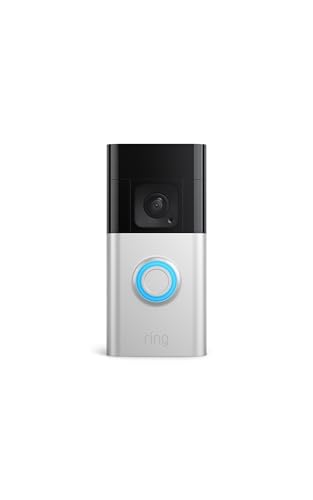
The wired vs wireless doorbell camera comparison confuses people because ‘wired’ and ‘wireless’ each describe two different things: how the camera gets power, and how it sends video. Nearly all doorbell cameras send video over Wi-Fi — they are wireless for data. The real choice is power: a battery (or plug-in) camera you install yourself, versus a hardwired camera drawing power from your existing doorbell circuit.
This comparison clarifies the terminology, then weighs installation, running costs, reliability, chimes and who should choose which. One safety point frames everything: hardwired installation involves a doorbell transformer connected to mains electricity, so it is a job for a licensed electrician. Battery and plug-in models are the DIY options, and for most homes they are also the practical ones.
Disclosure: As an Amazon Associate, kajuandouglas.com earns from qualifying purchases. Links to Amazon on this page are affiliate links; they cost you nothing extra. Listing details such as price and availability change often, so check the current Amazon listing before you buy.
Quick Verdict
Choose wireless (battery) if you want to install it yourself this weekend, rent your home, or have no existing doorbell wiring — and accept recharging the battery periodically. Choose wired if you never want to think about batteries, want your existing mechanical chime to ring, and are happy to pay an electrician for a safe, permanent installation. Plug-in models split the difference where an outdoor socket is available.
In this guide
Gear for This Guide
Verified examples on the wireless side of this comparison — wired models should be selected with your electrician’s input on compatibility:

Ring Battery Doorbell Plus (2nd Gen), Head-to-toe HD+ video — Ring’s Battery Doorbell Plus is the wireless archetype: mount, connect to Wi-Fi, done — with battery swaps or recharges as the only maintenance. Check price on Amazon.

eufy Security Video Doorbell E340 Kit with Chime, 2K FHD, Built-In 8GB — eufy’s E340 kit is interesting because it can run on battery or be hardwired later by a professional, keeping both paths open. Check price on Amazon.
Wired vs Wireless Doorbell Camera at a Glance
Power is the real axis of this comparison:
| Criterion | Wireless (battery / plug-in) | Wired (hardwired) |
|---|---|---|
| Installation | DIY in under an hour; screws or adhesive | Licensed electrician required for transformer/mains work |
| Power maintenance | Recharge or swap battery periodically (battery models) | None — continuous power from the circuit |
| Chime | Phone alerts, smart speakers, plug-in chime | Usually rings your existing mechanical chime |
| Placement freedom | Anywhere with Wi-Fi reach | Only where doorbell wiring exists |
| Renters | Ideal — removable, minimal holes | Generally not permitted or practical |
| Recording behaviour | Battery models may limit clip length/frequency to save power | Continuous power allows richer pre-roll and longer clips |
| Running costs | Your time for charging | Electrician’s fee at install; no charging routine |
Installation: The Deciding Difference
A battery camera installs with a bracket, a few screws and an app — renters do it with adhesive mounts and take it when they leave. A plug-in model adds only a cable to an outdoor socket. A hardwired camera replaces your existing doorbell button and connects to the low-voltage doorbell wires, which are fed by a transformer wired into your mains supply. Verifying the transformer’s compatibility, and any work on the transformer or mains side, is electrical work: hire a licensed electrician, who will also confirm your mechanical chime suits the camera. Budget that professional fee into the wired option’s true price.
Homes without existing doorbell wiring cannot choose wired without first having a circuit installed — again, an electrician’s project, not a weekend task. This is why battery models dominate: most doors simply have no circuit waiting, or the household cannot modify the building.
Day-to-Day Living With Each
Battery life is the wireless tax. Depending on traffic and settings, a battery doorbell needs charging at intervals from weeks to months; busy street-facing doors pay more often. In exchange, you get total placement freedom and zero installation cost. Wired owners never think about power, and their cameras can afford power-hungry behaviours — longer clips, pre-event recording buffers, more frequent motion checks — that battery models ration. Both types depend equally on Wi-Fi quality at the door; wired power does not mean wired data, a point marketing blurs constantly.
Chimes split the household experience. Wireless systems announce through phones, smart speakers and plug-in chimes, which is flexible but depends on those devices being on and audible. Wired systems keep the familiar mechanical ding-dong exactly where it always was — a genuine advantage in households with children, elderly residents or anyone whose phone is often silent.
Reliability and Video Behaviour
Given equal Wi-Fi, both types record comparable video. The differences are behavioural: battery models sleep between events and wake on motion, which can clip the first moment of an approach if positioning and sensitivity are poor; wired models, always powered, typically capture a few seconds before the trigger. Cold weather temporarily reduces battery capacity, so winter is the wireless camera’s hardest season. Wired cameras avoid all of that but inherit the home’s wiring as a failure point — an ageing transformer or chime fault needs the electrician’s return visit, not an app setting.
Who Each Option Suits
Wireless suits renters, new-build homes without doorbell circuits, listed or delicate buildings where drilling is limited, and anyone who values a same-day DIY install. Wired suits owner-occupiers with an existing, healthy doorbell circuit who hate battery maintenance and love their mechanical chime — with an electrician booked for the fitting. Households in between should look at plug-in models or dual-power cameras that start on battery and can be hardwired professionally later, keeping both futures open.
The Middle Paths: Plug-In and Dual-Power Models
The comparison’s clean lines blur usefully in the middle. Plug-in wireless cameras take power from an outdoor socket, eliminating battery chores while keeping DIY installation — ideal where a socket exists near the door or can serve through a weatherproof outlet. Their constraint is the cable: routing it neatly and safely, away from the door’s swing and foot traffic, is the whole craft of the install, and homes without an outdoor socket are excluded unless an electrician adds one — at which point the wired comparison reopens.
Dual-power doorbells run on battery now and accept hardwiring later, or trickle-charge their battery from the doorbell circuit to stretch intervals dramatically. These suit owners mid-renovation, renters who will become owners, and anyone whose electrician visit is planned for other work anyway. They cost a little more and complicate nothing that matters, which is why they are the recommendation this guide gives the genuinely undecided.
Solar accessories form the third middle path for battery models in sunny positions: a small panel that tops the battery up and can stretch charging intervals from weeks to seasons. Shaded north-facing doors gain little, and the panel needs its own sensible positioning, but for the right door it quietly deletes the battery chore that is wireless ownership’s only real tax.
What the Electrician Actually Does (and Why It Costs)
Understanding the professional job clarifies its price. The electrician verifies your existing doorbell transformer’s output suits the camera — many older transformers are too weak for camera loads — replaces it if needed at the mains-connected unit, confirms the mechanical chime is compatible or fits a workaround, and connects the camera at the door. Each step involves the boundary between low-voltage doorbell wiring and the mains supply that feeds the transformer, which is precisely the boundary DIY guidance must not cross.
Booked alongside other electrical work, the marginal cost of a doorbell fitting falls considerably, which is a practical planning tip for renovating households: add the doorbell camera to the electrician’s existing visit. Ask for the transformer and chime details to be written on the invoice; future troubleshooting — yours or a support agent’s — starts from exactly those facts.
After a professional install, your responsibilities are the same app setup, positioning checks and alert tuning as any owner. The wired advantage is invisible infrastructure; the wireless advantage is that the infrastructure was never needed. Neither absolves the owner from the setup work that makes the system good.
Resale, Renovation and Future-Proofing
Wired cameras become part of the house: they impress buyers mildly, remain for the next owner, and raise the account-transfer housekeeping of resetting and removing the device from your app when you sell. Wireless cameras leave with you in minutes, which renters and frequent movers should weight heavily. Renovations argue for patience — if walls will open or an electrician is coming anyway, the wired route’s cost and disruption fall, and conduit decisions made then serve cameras for decades.
Future-proofing cuts the other way technologically: battery and Wi-Fi standards evolve in the device you can swap in ten minutes, while a wired installation’s value is its permanence. The pragmatic synthesis most households land on: wireless now, installed thoughtfully; wired later if renovation invites it; and an ecosystem choice — the app and platform — made carefully at the first purchase, because that, more than the power source, is the decision you will live inside daily.
Total Cost Over Five Years, Honestly Framed
Framing rather than figures, since prices move: the wireless path concentrates cost in the camera itself, plus your time in charging and, eventually, a replacement battery or unit years out. The wired path adds a professional installation fee at the start and removes time costs thereafter. Subscriptions, if chosen, cost the same on both paths and can exceed the hardware difference over five years — which is why the subscription decision in our choosing guide deserves more deliberation than this power decision usually gets. Households that price the whole system, power included, rarely regret either route; households that price only the camera sometimes regret both.
Reliability Scenarios: Outages, Storms and Holidays
Power cuts silence both types’ remote features, because the router dies with the house; battery cameras with local storage keep the most function, recording through the outage for later review. Storms test mounts and weather sealing rather than power choices. Holidays test batteries: a wireless camera at an empty house records a quiet door and sips power, while the same camera at a full house works its busiest week of the year — charge before guests arrive. Wired owners skip that thought entirely, which is, in the end, the entire wired proposition: fewer thoughts. Price your own attention honestly when choosing, because it is the currency both systems spend.
Looking More Closely at the Details That Decide It
Most discussions of comparing hardwired and battery doorbell cameras by installation, upkeep and daily reliability stay at the level of headlines, yet the outcome is usually decided by smaller details that only appear once you live with the decision. Three of those details deserve attention before anything else: the word wireless describing data for almost every model, while power is the real divide, how renovation, moving home or replacing a door changes the calculation, and video responsiveness when a camera must wake from battery-saving sleep. None of them looks dramatic on a specification sheet. Together they decide whether your doorbell sips power from a transformer or asks for a charger every few weeks, and whether it wakes instantly or misses the visitor.
Start with the word wireless describing data for almost every model, while power is the real divide. Both kinds send video over Wi-Fi, so judge them by how electricity reaches the camera, not by the badge on the box. Live with each idea for a week in your head: the wired unit drawing from the hall transformer, the battery unit draining a little with every alert. A short note about how often your door actually rings will settle the argument better than any confident claim about typical battery life.
Points to keep in mind
- Judge the word wireless describing data for almost every model, while power is the real divide in your own setting before trusting a general verdict.
- Treat how renovation, moving home or replacing a door changes the calculation as a first-order factor, not a footnote.
- Write down, in one plain sentence, whether you are accepting battery charging, transformer wiring, or a slower wake-up at the door.
Then consider how renovation, moving home or replacing a door changes the calculation. Households usually discover the permanence problem late, often only after the return window has closed or the installation is finished. Test the wired option at its edges instead: the door replaced next year, the flat you will leave in spring, the transformer nobody can locate. A power choice that only works in average conditions will fail the renter, the renovator and the seller, who between them generate most of the complaints in this comparison.
Finally, weigh video responsiveness when a camera must wake from battery-saving sleep alongside the first two rather than in isolation. Instant wired wakefulness can mean a permanent circuit to maintain, and the freest battery placement can mean a half-second of sleep at the crucial moment. A mature decision about wired versus wireless comparison names that trade-off out loud. Naming it lets you choose the compromise your doorway needs, instead of discovering in six months that you bought the wake-up delay you did not want.
How This Plays Out in Real Situations
Abstract advice becomes useful when it meets a real household, so consider a holiday home visited rarely, where unattended reliability matters most. At a holiday home the priority is rarely the cleverest camera; it is whether the power basics survive contact with an ordinary unattended month. Keep the power plan plain at first: a supply that cannot run flat unnoticed, an alert that proves the system is alive, and only then refinements. Owners of rarely visited homes often find a modest hardwired setup outperforms an ambitious battery one that demands a visit nobody can make.
Contrast that with a renter who cannot alter wiring and may move within a year. Tenancy rewrites the priorities, because permission and portability now matter more than permanence. A wired compromise that barely mattered to an owner becomes the whole decision here, while the instant wakefulness everyone praised in reviews fades into irrelevance. This is why copying a friend’s conclusion about wired versus wireless comparison so often disappoints: the friend optimised for a life that is not quite yours, with rooms, routines and patience that differ from your own.
Points to keep in mind
- Compare wired and wireless doorbells against your actual door frame, wiring age, and patience for charging.
- Ask both camps about upkeep, then judge by your wiring.
- Let the door you will still have in five years, not the door you are replacing next spring, decide how permanent the wiring should be.
A third pattern appears with a busy family door where a battery model needs charging surprisingly often. At a busy door, the household wants the decision settled quickly, because a battery that dies between school runs teaches everyone to distrust the bell. Ten minutes spent counting a normal week’s rings and motion events prevents the monthly charging surprise that follows an optimistic guess. If your door is that busy, put wired endurance or a genuinely large battery above every clever extra.
There is also the quieter case of a house with a working wired bell and a chime everyone loves. The new camera works, the app behaves, yet the house feels faintly wrong because the ring everyone loved has changed or vanished. A hardwired camera that hums with the old transformer, a battery model that silences the beloved chime, a ring that reaches the app but not the hallway: each is small, and together they decide whether the new bell feels like an upgrade. Naming the exact friction points at its remedy, whether that is a compatible chime setting, a plug-in receiver, or keeping the wired circuit.
A Practical Method You Can Repeat
When opinions conflict, a repeatable method settles the question of comparing hardwired and battery doorbell cameras by installation, upkeep and daily reliability better than another hour of reading. The method has four moves. First, state the power job in one sentence: what feeds this camera, who maintains it, and what happens in an outage. Second, gather evidence in that exact setting. Third, change or compare one variable at a time. Fourth, judge each option against the criteria you wrote before opening a product page, so one glowing battery claim cannot quietly move the goalposts.
In practice that means actions such as these: choose the power system your household will maintain without resentment; think about the next door, move or renovation, not only this installation; and establish what wiring and chime you actually have before comparing models. Each is deliberately unglamorous. Their strength is sequence: circuit first, chime second, camera third, so the comparison stops being a beauty contest between boxes. Followed in order they leave evidence you can retrace if the result surprises you. Jumbled together in one weekend, they produce the familiar result where both camps were half-tested and neither was understood.
Points to keep in mind
- be honest about whether anyone will remember regular charging
- test Wi-Fi at the door, because both camps depend on it equally
- include professional installation in the hardwired side of the ledger
Equally important is what to record. Useful notes for wired versus wireless comparison include the date and time, the place, what else was happening at the time, and a simple verdict in your own words. Across a week those notes expose what one test cannot: the battery sagging on the coldest night, the chime buzzing at a particular hour, the outage that showed which type kept recording. Comparisons built on those patterns stay sound, and if a transformer or battery fails early, dated notes are exactly what a warranty claim needs.
Expect the honest comparison to take a little longer than picking the shinier box. The patience is repaid the first winter, when your chosen system is still running while hasty buyers are returning theirs. Most people do not need more information about wired versus wireless comparison; they need their own information, gathered calmly in their own setting, and this method is simply a way of collecting it without drama.
Living With the Decision Over Time
The first week with any choice about comparing hardwired and battery doorbell cameras by installation, upkeep and daily reliability is a poor predictor of the first year. In week one the battery reads full, the wired install still feels new, and no charging or outage has yet tested either claim. Judge the choice at six months instead: the battery has been charged several times or the transformer has hummed through a storm season, and the system still has to work without your enthusiasm.
Long-term satisfaction usually rests on unexciting qualities connected to recording behaviour during power cuts and broadband outages and existing chime behaviour differing sharply between power types. Qualities like a transformer that never needs thinking about, a battery you can swap in gloves, and a chime that rings during an outage decide whether the setup serves you or becomes a chore. When you compare the two camps, weight those lasting qualities above launch-day features, because a reviewer tests a doorbell for days while you will live with its power system for years. Ask anyone who has run either system through a full winter what still bothers them, and the answer is almost never the headline feature that persuaded them.
Points to keep in mind
- Wired owners should test transformer health yearly; wireless owners should rotate charging before holidays arrive.
- After six months, wired users praise consistency while wireless users praise installation freedom most.
- Switch camps only if renovations expose wiring or charging genuinely becomes a weekly burden.
Maintenance deserves a plan rather than good intentions. Put the two systems’ chores on the calendar you already keep: battery swaps beside the smoke-alarm test, a transformer check beside the annual boiler service. That gentle rhythm prevents the large irregular crisis, and it keeps your evidence fresh: you notice drift early, while it is still a tweak, instead of late, when it has become a replacement decision. In the context of wired versus wireless comparison, that plan mainly means keeping an eye on long-term upkeep: contacts and transformers on one side, batteries on the other before it turns into a bigger problem.
Finally, leave the power choice open to revision when your life changes. Moving home, changing work, a new household member or a new device can all reorder the priorities around wired versus wireless comparison. A battery doorbell that suited a rented flat is not a failure because a bought house with a sound transformer now rewards wiring. Going back to your charging and outage notes turns that switch into a quick, informed upgrade instead of another month of conflicting advice.
Mistakes to Avoid and Signs You Chose Well
Power-choice regrets follow a pattern too, so the familiar wired-versus-battery traps come first here. One is this: assuming wireless means no wires, no charging and no upkeep at all. Another, just as common, is the opposite excess — expecting either type to record usefully through a long power cut. And a third, quieter error is choosing hardwired permanence for a door that is about to be replaced. Look at the three and they share a root: each is an attention lapse about power rather than a lack of intelligence. Every one begins when a single vivid factor, usually the word wireless itself or a dramatic outage story, is allowed to stand in for the whole picture of daily power at your door.
Avoiding them does not require expertise, only a pause. Before you commit to a camp, challenge it directly: what would have to be true about this circuit or this battery for the choice to disappoint me, and have I checked it? Which ordinary power moment, the flat battery in January, the tripped breaker, the transformer that predates the house, have I not yet tested or inspected? What am I assuming about hardwired power removing charging but requiring a suitable existing circuit that I have not verified? Ten minutes of hostile questioning, aimed at your own favourite option, is the cheapest insurance available in the whole process of comparing hardwired and battery doorbell cameras by installation, upkeep and daily reliability.
Points to keep in mind
- Argue against your preferred power route before you commit.
- Judge success by quiet, ordinary evidence over several weeks.
- Try small corrections before concluding that replacement is necessary.
How will you know the decision was right? Watch for ordinary evidence: how easily the setup adapts when you move or renovate; how often human intervention is needed across a full year; and chime reliability for people inside the house. None of these announces itself with fanfare. You notice them as absences: the charging reminder that never ruins a weekend, the outage nobody noticed, the chime that simply always rings. That quiet reliability is what the power decision actually buys, and it is a more trustworthy verdict than any claim printed on the box.
When the power evidence disappoints, respond in proportion before rewiring anything. Many disappointments with wired versus wireless comparison yield to a small correction — a setting, a position, a habit, an accessory — rather than a complete replacement. Work through the small corrections first, one change at a time with a week of door traffic after each, using the method described above. Keep a full power-system swap for structural mismatches, such as a battery fitted to a door busy enough to drain it weekly. Keeping that order of attack will save you more over the years than any single wired-versus-wireless tip in this guide.
One More Round of Checks Before You Settle
Before you settle the power question, borrow the endurance check that long-term owners run, weighing winter battery drain against transformer health even when both routes look workable. It concerns battery freedom balanced against cold weather and busy-door drain and long-term upkeep: contacts and transformers on one side, batteries on the other, two aspects that reveal themselves slowly. Test both deliberately: simulate your hardest ordinary week, a cold snap with a houseful of visitors, and watch charging, waking and recording without intervening. The aim is not fault-hunting but learning where your chosen power system’s comfortable limits lie, while changing camps is still cheap.
Tell the rest of the household what those checks revealed about charging and outages. A setup for wired versus wireless comparison is a household system, not a personal gadget, and other people’s routines will find edges yours never touches. Hearing their complaints in the first fortnight, while the choice can still change, stops the slow drift into a dead doorbell nobody mentions that later gets blamed on the camera itself. Settle together who owns the charging chore or the circuit checks, note it where a guest or a new household member can find it, and treat that note as part of the installation.
Points to keep in mind
- Drain-test a battery loaner through one busy week before deciding.
- Write down your transformer rating and battery size in one place both camps would need.
- Stop weighing the two camps once your door’s traffic and your tolerance for charging have clearly picked a winner.
Then stop optimising. Every power comparison reaches a point where one more review trades real life for a gain nobody at your door will ever feel. If your own doorstep evidence, the log of easy months and survived outages you have been keeping, says the system works, then let it work. Put the comparison away and save your attention for something in the house that genuinely misbehaves. A later round of power checks can wait until your routine, your home or your devices change, and your notes will make that round shorter than this one was. With wired versus wireless comparison, that stopping point usually arrives once how easily the setup adapts when you move or renovate stops changing from week to week.
Worked Examples That Make the Trade-Offs Concrete
One power story teaches more than specifications, so follow it closely. Imagine a renovation project where walls and doors are being changed anyway. Faced with open walls, most people reach for the most capable camera instead of settling the power route while the electrician is already there. Yet the binding constraint in that picture is usually recording behaviour during power cuts and broadband outages, and no amount of spending elsewhere relaxes it. That example only resolves well when the power route is decided while the walls are open, because a battery fitted out of habit in a freshly wired doorway is decoration, however enjoyable the unboxing felt.
What to watch for
- Name the power bottleneck before weighing camps.
- Translate every example into your own circuit, your own door traffic and your own tolerance for charging before trusting it.
- If you keep blaming the camera for a dead battery, the power choice is wrong, not the camera.
Now change one variable: imagine a household comparing total effort over five years rather than the first weekend. The cameras and the comparison advice stay exactly the same, yet the correct camp flips, because how the household values its weekends has changed. This is the single most transferable lesson in the whole subject of comparing hardwired and battery doorbell cameras by installation, upkeep and daily reliability: context is not a detail around the decision, it is the decision. Read every wired-versus-wireless verdict against your own circuit and your own door, and distrust any advice that insists those details do not matter.
A third example works as a warning. Picture a household that skipped the early checks, committed quickly, and spent the following month applying fixes for comparing purchase prices while ignoring an electrician or replacement batteries and then for expecting either type to record usefully through a long power cut. Each remedy bought a quieter week, because each calmed the symptom it aimed at while the wrong power camp underneath stayed exactly as it was. The cost was not only money; it was confidence. By the time the household finally tested its circuit and counted its door traffic properly, nobody trusted their own power decisions any more. These examples exist so your household skips that sequence entirely: test the power at the real door, with the real household, before committing to a camp.
Use these examples as templates rather than stories. Swap their details for your own transformer, your own door traffic and your own moving plans, then run the same reasoning again. If a different camp wins once your transformer and traffic go in, the comparison has just shown you what your household truly values. If the same camp wins under several versions of your life, you have found a robust choice, one worth committing to and keeping through the next door or the next house. Applied to wired versus wireless comparison, the detail that most often changes the conclusion is video responsiveness when a camera must wake from battery-saving sleep.
A Decision Flow When You Feel Stuck
Indecision about wired versus wireless comparison usually means two good criteria are pulling in opposite directions, not that you lack information. When that happens, stop researching and start ranking. Write your power criteria down, the four to six that genuinely matter, from zero charging to outage behaviour, and force them into a strict order. Ranking feels forced for the first minute, then it suddenly bites, because rival power systems rarely fail across the board: each falls down on one criterion, and the ranking tells you whether that criterion sits at the top of your list or near the bottom.
What to watch for
- Order your power priorities before weighing any more routes.
- Cross out any power option that fails a genuine household deal-breaker, then test what survives at your own door, in writing.
- If reliability and convenience tie, existing healthy wiring quietly tips the decision toward wired.
Next, apply a simple elimination pass connected to how renovation, moving home or replacing a door changes the calculation. Strike off any option that fails a true power deal-breaker, and be strict about the word: a deal-breaker means a flaw that will still irritate you on a plain weekday next winter, not a line that merely looks weak in a comparison chart. This pass is often brutal and always useful. What remains is a handful of options you can genuinely test at your door, and confidence built on those tests is the kind that lasts.
Then test the survivors against behaviour during the busiest week your door normally sees and total cost and effort once installation and upkeep are included in your own setting, on the same day if you can, so conditions stay comparable. Jot a score beside each test straight away, while the charging chore and the wake-up delay are still fresh in your mind. Most people are startled by how different that written score looks from the verdict they were carrying in their heads, because memory keeps the dramatic outage while notes keep the typical week, and your door lives through typical weeks.
If the two camps still tie, break the tie on daily-life grounds and feel no guilt about it: which power system is kinder to maintain, simpler for a partner to manage, and easier to replace if it fails in year three? A dead heat between the two camps is common, and at that point the honest truth is that either will serve your doorway perfectly well. Picking a camp today and living with it beats spending another week hunting for a difference your daily door traffic will never reveal. For wired versus wireless comparison, the easiest option to live with is usually the one that handles how renovation, moving home or replacing a door changes the calculation with the least fuss.
Seasonal, Household and Long-Term Angles Worth Planning For
Conditions change across the year, and a decision about comparing hardwired and battery doorbell cameras by installation, upkeep and daily reliability that is tested in only one season carries hidden risk. Cold snaps drain batteries that cruised through summer, storm season tests transformers and outages together, and holiday traffic doubles the rings at exactly the wrong moment. Testing all four seasons beforehand is impossible, so ask the winter question out loud: in the darkest, busiest week of your year, will this battery, transformer and chime still cope?
What to watch for
- Cold winters punish wireless batteries, while summer storms test wired transformers and surge protection instead.
- Explain the charging or wiring routine to a houseguest; confusion signals the wrong choice here.
- Either way, budget attention for upkeep: batteries, firmware, seals, and occasional transformer checks alike.
Households also change from inside. A power setup chosen for one confident user gets inherited by partners, children, parents, guests and carers, each with different patience and different habits. The setups that last are the ones a newcomer can make sense of cold: a battery whose swap is obvious, a wired unit that asks nothing of anyone, and one short note explaining who charges what. When you evaluate wired versus wireless comparison, spend one minute imagining the least technical person in your life facing it alone. That minute is a surprisingly accurate quality test.
Count the total effort each power system will ask of you across its whole working life, not just the effort of installation day. Count the ongoing attention honestly: the battery swaps, the contact cleaning, the transformer checks, the spare battery, and ask whether that rhythm fits the time your household has. A power system that wants weekly attention from a household that can only offer monthly attention will slowly fall out of use, however elegant its engineering. Matching the upkeep rhythm to the household matters just as much as matching the power system to the door. With wired versus wireless comparison, the recurring effort worth counting most honestly is the effort tied to recording behaviour during power cuts and broadband outages.
Finally, think about the exit before you need it. When you move or upgrade, can the wired unit be left safely for the next owner and the battery unit simply unclipped and taken with you? Keep a note of the transformer location and the battery type you settled on, so a future swap stays a calm job rather than detective work. That is not pessimism; it is what turns one purchase into accumulated household knowledge, so the next decision about wired versus wireless comparison starts from experience instead of from a search box.
Questions Worth Asking Before You Spend Anything
Answering a few questions about circuits, charging and chimes now prevents most costly power-choice mistakes later. First: what exactly is the power problem I am solving at this door, stated without naming any product or camp? If your problem statement names a brand or a battery size, rewrite it until it describes your doorway instead: no circuit at the door, a beloved chime to keep, a tenancy that forbids drilling. Solutions chosen for a life-shaped problem age far better than solutions chosen for a catalogue-shaped one, especially with wired versus wireless comparison.
What to watch for
- Describe the power problem from the doorway, not the catalogue.
- Write down the circuit and chime facts you already know, and mark the untested ones honestly.
- Ask who else is affected, especially anyone who would inherit the charging chore, before the decision is final.
Second: what evidence do I already have? You know more about your own door’s power situation than you credit yourself with. You know whether a transformer exists, which hours the door is busiest, which routines never change and which household members will resist anything complicated. Getting that power knowledge onto paper before you shop stops a confident sales pitch from overwriting it. Mark the gaps in that evidence honestly as gaps: a gap you can see can be tested at the door, while an assumption you never noticed quietly becomes the foundation of a bad power choice. For wired versus wireless comparison, that existing evidence usually includes what you already know about long-term upkeep: contacts and transformers on one side, batteries on the other in your own setting.
Third: when, not if, this power system needs attention in a year, what will you actually do about it? Batteries fade, transformers hum louder with age, doors get replaced, networks change, children grow. A choice with a calm answer to that question, involving steps like choose the power system your household will maintain without resentment, is worth more than a choice with a slightly better specification and no answer at all. A power choice you can service, swap or upgrade without an electrician’s emergency visit is a resilient choice, even though resilience never appears in a feature list.
Fourth, and last: who else should have a say? Decisions about comparing hardwired and battery doorbell cameras by installation, upkeep and daily reliability often affect people who were not in the room when the research happened, and their late objections can sink an otherwise sound setup. Ask the household early, while both camps are still on the table: here is the charging or wiring I am considering, what would annoy you about it? The final camp may be the very one you first favoured, but it will be a choice the household has accepted, and accepted power systems get maintained while resented ones get quietly abandoned.
Related Guides
- best 18650 battery for doorbell cameras
- best security cameras for front door
- best security cameras for home without subscription
- best security cameras for apartments
- how to choose a doorbell camera
- how to install a doorbell camera
- doorbell camera vs security camera
Frequently Asked Questions
Does ‘wireless’ mean the camera needs no power at all?
No. Wireless refers to data — video travels over Wi-Fi — and to the absence of a power cable on battery models. Battery cameras still need periodic recharging, and plug-in wireless models still need a socket. Only the video connection is cable-free in every case; always ask how a given model is powered before buying.
Can I install a wired doorbell camera myself?
You should not. Wired models connect to a doorbell circuit fed by a mains-powered transformer, and verifying or modifying that transformer and wiring is a licensed electrician’s work. The safe DIY routes are battery and plug-in models. If you want wired, book an electrician — many will also confirm chime compatibility and position the camera correctly while they are there.
How often will I charge a wireless doorbell camera?
It depends on how much your door records. Quiet doors can run for months per charge; busy, street-facing doors with generous motion settings may need charging every few weeks, and cold weather shortens intervals. Tight motion zones and person-only recording extend battery life dramatically, whatever the model.
Will a wired doorbell camera work during a power cut?
Generally no — it depends on your home’s electricity, and your Wi-Fi router will be down too, so remote features stop regardless of camera type. Some wired models include small backup batteries for brief outages. Battery cameras keep recording locally through an outage but still cannot reach your phone until Wi-Fi returns.
Can a battery doorbell ring my existing chime?
Typically not a mechanical chime — that requires the wired circuit. Battery systems use phone alerts, smart speaker announcements or a plug-in chime accessory, which most makers offer. If the mechanical chime’s sound matters to your household, that is a genuine argument for the professionally installed wired route.
Which is cheaper overall, wired or wireless?
Wireless is cheaper to start: no electrician, minimal hardware beyond the camera. Wired costs more upfront — camera plus professional installation — but removes battery maintenance entirely. Subscriptions, where chosen, cost the same for both. Over many years the totals converge; choose on lifestyle fit rather than small long-term savings.
How long should I trial each power type before choosing?
For most households, a focused week of ordinary use tells you more than a month of occasional reading about comparing hardwired and battery doorbell cameras by installation, upkeep and daily reliability. Test the finalists through a busy weekend, a dark evening and one genuine charging moment if one occurs, keep the short notes described above, and then decide. Dragging the trial out rarely flips the outcome; it mostly delays a verdict your own doorstep log has already delivered.
What should I blame first if my chosen doorbell keeps failing?
Return to the simplest explanation before replacing anything. Recheck the basics connected with professional installation costs and the electrician’s role with transformers, repeat your most reliable test in your most familiar setting, and change one variable only. If a calm retest at your own door still disappoints, the mismatch is probably built into the power choice itself, and your notes will pinpoint whether it is the circuit, the battery or the chime that failed you.
Is paying more for dual-power flexibility worth it here?
Only when the higher tier improves something your own routine actually stresses, such as plug-in and dual-power models sitting between the two camps. If your own notes show the frustration actually comes from charging chores or a humming transformer, extra camera features will change nothing you feel at the door. Judge any pricier tier against the evidence from your own door, not against the best-case demonstration in the manufacturer’s video.