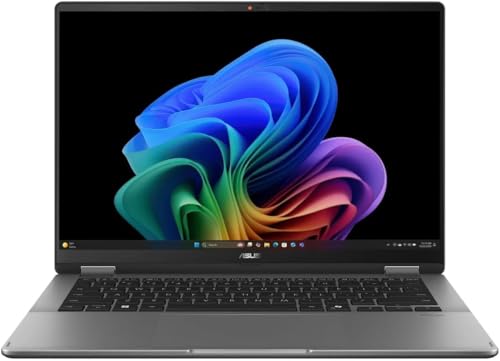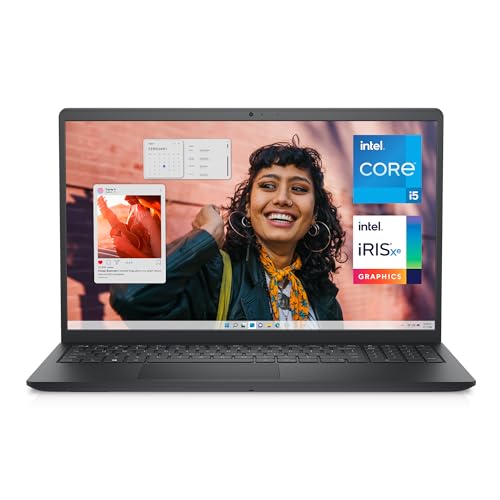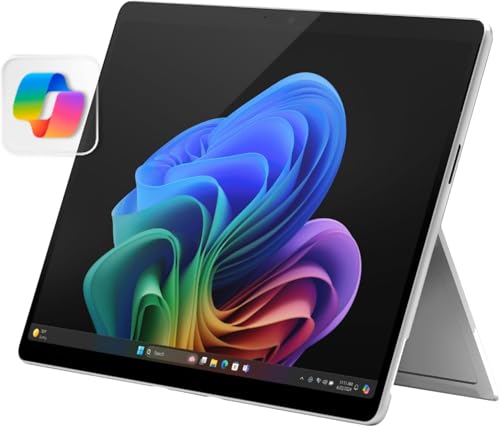
Asking what is a 2 in 1 laptop sounds simple until you shop for one and meet a crowd of near-relatives: convertibles, detachables, hybrids, tablets with keyboards and laptops that merely have touch screens all competing for the same label. The clean definition is this: a 2-in-1 laptop is a full laptop, running a complete desktop operating system with a proper keyboard, that can physically transform into a tablet form, either by folding its keyboard away on a 360-degree hinge or by detaching the screen entirely. That transformation, plus a touch screen and usually pen support, is what separates the category from ordinary touch laptops. This explainer defines the two designs, explains the modes and pen systems, clarifies what a 2-in-1 is not, and shows where the form genuinely earns its place in a student’s bag, a professional’s travel kit or a household’s single shared machine.
Disclosure: As an Amazon Associate, kajuandouglas.com earns from qualifying purchases. Links to Amazon on this page are affiliate links; they cost you nothing extra. Listing details such as price and availability change often, so check the current Amazon listing before you buy.
What Is A 2 In 1 Laptop: What Matters Most
A 2-in-1 laptop is a full Windows or ChromeOS laptop whose body converts into a tablet: convertibles fold 360 degrees, detachables separate from their keyboards. It offers laptop power and software with tablet postures for notes, reading, drawing and presenting, usually with touch and active pen support. It is not merely a laptop with a touch screen, and it is not a tablet with a keyboard accessory, though the borders meet in the middle.
In this guide
What You Need to Know First
- Clarity on the two designs: convertible versus detachable
- Whether pen input matters to you, which decides which models qualify
- Your postures: desk typing, sofa reading, standing presenting, travel
- The ordinary laptop specs underneath: processor class, memory, storage, battery
- Awareness of the compromises: tablet-mode weight and hinge or keyboard trade-offs
The Explanation, Step by Step
Start with the definition that excludes the impostors
A 2-in-1 must do both jobs in one device: full laptop, with a real keyboard and desktop operating system, and a usable tablet, with the keyboard folded away or removed and touch as the primary input. A laptop that only adds a touch screen to a fixed clamshell is a touch laptop, a fine thing but a different category, because it can never become a tablet. A tablet with an accessory keyboard is tablet-first, with a mobile operating system and a keyboard that is an add-on rather than half the machine. The transformation is the definition, and it explains both the category’s appeal and its engineering compromises.
Meet the convertible: the folder
Convertibles keep the keyboard attached on a hinge that rotates a full 360 degrees, passing through laptop mode, a tent mode that stands like a small display, a stand mode with the keyboard face-down as a base, and tablet mode with the keyboard folded flat behind the screen. The design keeps ports, battery size and keyboard quality close to a normal laptop, at the cost of tablet mode that is thicker and heavier than a true tablet and keys you can feel under your fingers when holding it, disabled but present. This is the mainstream 2-in-1 and the default recommendation for students and professionals.
Meet the detachable: the separator
Detachables split into a self-contained tablet, holding the processor, battery and screen, and a keyboard that connects magnetically or by a dock and sometimes adds ports or a second battery. The tablet half is the lightest, purest tablet experience in the category, while the keyboard half ranges from excellent rigid docks to flexible covers that prefer desks to laps. Detachables suit travellers and tablet-first users who need a real keyboard and desktop software regularly but not constantly. Check lap usability and port counts carefully, because this design trades exactly those for its elegance.
Understand the modes as tools, not gimmicks
Each posture solves a real situation. Laptop mode is for writing and working. Tent mode presents to a small group, follows a recipe or hosts a video call in tight spaces like plane trays and kitchen counters. Stand mode suits watching and pen work with the keyboard tucked away. Tablet mode is for reading, annotating, drawing and sofa use. Owners who use two or more modes weekly extract the category’s value; owners who never fold own an expensive hinge. When you evaluate a 2-in-1, rehearse your own week against those four postures honestly.
Add the pen, the category’s second half
Most 2-in-1s support an active pen with pressure sensitivity and palm rejection, and for many owners the pen is the point: handwritten notes that become searchable text, annotated readings, sketched diagrams, signed documents and drawn art, all inside full desktop applications. Pens may be included, sold separately, rechargeable or stored in a slot on the machine. If pen work is among your purposes, judge models by their pen system as a primary spec, because a 2-in-1 with a mediocre pen is a laptop with a party trick, while one with a great pen is a paper notebook that syncs itself.
Weigh the compromises with open eyes
A 2-in-1 asks small payments for its versatility: a little more weight than an equivalent clamshell, a tablet mode heavier than a dedicated tablet, glossy screens, and on detachables, keyboard and port compromises. Its desktop operating system is also less touch-optimised than a tablet’s, so pure tablet leisure feels less polished. Against that, one device replaces two, runs everything, and adapts to postures no single-form device can reach. The category thrives because for students, field workers, presenters and travellers, that trade is not close. For a desk-bound typist, it is equally not close, in the other direction.
How Touch and Pen Input Actually Work on a Laptop
A touch laptop replaces the simple display of a regular machine with a layered panel: the screen itself, a digitiser that senses finger or pen position, and protective glass on top. Capacitive sensing reads the tiny electrical change a fingertip causes, which is why gloves and ordinary pens do not register, while active pens communicate their own position, pressure and tilt to a dedicated digitiser layer. That distinction explains most buying confusion: a screen that works beautifully with a finger may offer only crude pen input, and handwriting or drawing quality depends on the pen technology, not the display resolution. Palm rejection is software and sensor work combined, letting you rest a hand on the glass while writing. Hinges complete the system on convertibles, either folding a full 360 degrees or detaching entirely, and each design trades rigidity, weight and port layout differently. Judge a touch laptop by the input method you will actually use, because finger navigation, note-taking and illustration are three different requirements wearing one label.
Where Touch Genuinely Helps, and Where It Does Not
Touch earns its place in specific moments: scrolling long documents in tablet mode on a train, annotating a PDF with a pen during a lecture, sketching an idea before it fades, signing a form without a printer, or presenting while standing and tapping through slides. It is less convincing at a desk, where reaching forward to a vertical screen tires the arm and smudges the panel, and where a good touchpad or mouse is faster for precise work. Battery and weight also pay a small tax for the digitiser and glass, and glossy touch panels reflect more light than matte regular screens. The honest test is your own week: count how often you would fold the machine back, pick up a pen or tap rather than click. If those moments are daily, touch is a feature you will use for years. If they are hypothetical, a regular laptop with a better screen or larger battery for the same money may serve you better.
Caring for a Touch Screen and Its Hinges
A touch panel is the most handled surface on any laptop, so it collects skin oil, dust and the occasional splash, and it is also the most fragile and expensive part to replace. Clean it powered off, with a dry or barely damp microfibre cloth, never with household glass sprays that can damage coatings, and never by pressing hard on one spot. The hinges on a convertible work harder than on any other laptop style, cycling through laptop, tent, stand and tablet positions, so open and close the lid from the centre, keep crumbs and grit away from the hinge line, and avoid carrying the machine by its screen corner. Cases and sleeves matter more here too, because pressure on the lid in a crowded bag flexes the glass. Treat the pen as part of the machine: store it in its slot or loop so its tip is protected, and replace worn tips before they scratch. Gentle habits add years to a mechanism that cannot be serviced cheaply.
Touch Settings, Calibration and Accessibility
Modern operating systems rarely need manual calibration, because panels leave the factory aligned and the system compensates automatically, but the settings around touch still reward attention. Sensitivity, palm rejection behaviour, pen button assignments, flick and gesture controls and the on-screen keyboard all live in the pen and touch settings, and five minutes there can fix annoyances owners tolerate for years. Accessibility options deserve a look even if you do not need them daily: larger touch targets, touch feedback visuals and hold-to-right-click timing make the machine friendlier for anyone sharing it. When touch misbehaves, the cause is usually software rather than the panel itself: a disabled device in the device manager, a driver update that stalled, a screen protector lifting at one corner, or moisture on the glass. Work through settings, drivers and a clean, dry screen before assuming hardware failure, because genuine digitiser faults are the least common explanation and the most expensive one to chase first.
A Short History and the Vocabulary Around It
The modern 2-in-1 emerged in the early 2010s as laptops answered the tablet boom, first with twisting and sliding experiments, then settling on the two surviving designs: the 360-degree convertible popularised by long-running convertible families, and the detachable refined by tablet-first professional lines. ChromeOS joined Windows in the category, adding simpler, cheaper convertibles popular in education. The vocabulary stabilised with usage: convertible means the folder, detachable means the separator, hybrid is a loose synonym for either, and 2-in-1 is the umbrella term retailers use for both. Pen technology standardised around a few active systems with thousands of pressure levels. Understanding those five words decodes every listing in the category, and protects you from the two classic mis-buys: the touch clamshell sold with tablet dreams, and the tablet sold with laptop promises, neither of which is a true 2-in-1 at all.
When you are ready to compare complete machines rather than individual settings, start with our roundup of the best laptops for under 500 dollars touch screen and keep our roundup of the best laptops for artists under 500 open in a second tab. Reading a settings guide and a buying roundup side by side stops the most common mistake in this whole topic: changing software or hardware in isolation, without checking whether the rest of the machine actually supports the change you have in mind.
Gear for This Guide

Microsoft Surface Pro 2-in-1 Laptop/Tablet (2024) — Microsoft Surface Pro 2-in-1 Laptop/Tablet (2024), Windows 11 Copilot+ PC, 13″ Touchscreen OLED Display, Snapdragon X Elite (12 Core), 16GB RAM, 1TB Storage, Platinum. Check price on Amazon before you decide, because configurations and availability change often.

Lenovo Yoga 7i 2-in-1 w/Ultra 7 — Lenovo Yoga 7i 2-in-1 w/Ultra 7, 16G RAM, 1TB SSD, 14″ OLED, Yoga Pen | Copilot+ PC with Intel Core Ultra 7 256V Processor, 14” WUXGA 100%DCI-P3 HDR 500 Touchscreen, 5MP IR Cam, Wi-Fi 7, Win 11 Pro. Check price on Amazon before you decide, because configurations and availability change often.

ASUS Zenbook 14 Q425MA-U71TB – Intel Ultra 7 155H – 14″ OLED Touch – 16GB Ram – 1TB SSD – Win 11 – Q US English Keyboard – 1 Year Warranty — ASUS Zenbook 14 Q425MA-U71TB – Intel Ultra 7 155H – 14″ OLED Touch – 16GB Ram – 1TB SSD – Win 11 – Q US English Keyboard – 1 Year Warranty. Check price on Amazon before you decide, because configurations and availability change often.

LG gram 14-inch 2in1 Lightweight Laptop — LG gram 14-inch 2in1 Lightweight Laptop, Intel Evo Edition – AI-Enabled Intel Core Ultra 7 Processor, Windows 11 Home, 32GB RAM, 2TB SSD, Touch IPS Display, Black. Check price on Amazon before you decide, because configurations and availability change often.
Common Misconceptions
- Calling any touch screen laptop a 2-in-1, when a fixed clamshell can never become a tablet.
- Assuming the pen is included and pressure-sensitive on every model, when both vary and must be checked.
- Judging tablet mode by a 16-inch convertible’s weight and condemning the whole category for one size’s physics.
- Buying a detachable for lap-based train work without testing its keyboard stability in that posture.
Pro Tips
- If handwriting matters, test the pen in a shop with your actual note application; feel beats specifications here.
- Choose 13 to 14 inches for genuine tablet use; larger convertibles are desk machines with a folding talent.
- Check where the pen stores and how it charges; a pen that lives in a slot is a pen that is present when needed.
- Look for a keyboard that disables reliably in tablet mode and a hinge that holds tent mode without sagging.
How This Connects to the Decisions Around It
No specification lives alone, and the idea explained here touches the choices on every side of it. Sizing one component changes what another can achieve, a limit in one pool masquerades as a fault in a different one, and the marketing order of a spec sheet rarely matches the order of real-world importance. That is why experienced buyers read machines as systems: they ask what feeds what, what limits what, and where the ceiling actually sits for their own workload rather than for a benchmark’s. It is also why the cheapest upgrade is so often information, a measurement of your own usage taken before money moves. Carry that habit beyond this topic. Whenever a future purchase or problem presents a single confident number, ask what it leaves out, what it interacts with and what your own evidence says. The explanation you have just read gives you the vocabulary for this subject; the habit gives you every subject that follows it.
Putting It All Together
Keep this explanation beside you the next time a listing, a salesperson or a forum thread tries to reduce the topic to one number, because the pattern you have learned, define the terms, separate the pools and limits that get confused, size for your real habits, and check the escape routes, generalises to almost every specification argument in consumer technology. Numbers describe machines; behaviour over years is what you live with. If a decision still feels unclear, gather the one piece of personal evidence the guide asked for, your actual usage in your actual applications, and let it arbitrate. Manufacturers will keep inventing new headline figures. A buyer who understands the mechanics underneath them stays unhurried, and usually ends up with the right machine at the right configuration the first time.
Inside the Machine: How the Modes Are Engineered
The modes described in the main guide are not marketing positions; they are engineering commitments, and understanding them explains both the category’s strengths and its price. A convertible’s hinge must hold the screen at any angle, survive tens of thousands of cycles, route display and touch cables through a moving joint, and still feel like a normal laptop hinge in ordinary use — which is why good convertible hinges feel deliberately firm and why hinge quality is the fastest physical test of a machine’s seriousness. A detachable makes the opposite commitment: the entire computer lives behind the screen, so the tablet half carries the processor’s heat, the battery’s weight and the ports, while the keyboard becomes an accessory that may contain nothing more than keys, or may add its own battery and ports. Every difference you feel between the two families — balance on the lap, weight in the hand, behaviour on a desk — is those two commitments expressing themselves.
The software performs its own engineering in parallel. Sensors report the machine’s posture and mode; the system responds by disabling the keyboard when it folds behind the screen, summoning touch-friendly interfaces in tablet mode, adjusting performance and cooling for a device being held rather than docked, and managing the pen’s palm rejection according to how the machine is configured. When these transitions are polished, the device feels like one intelligent object. When they are clumsy — a keyboard that stays live against your fingers, a screen that rotates late, a fan that roars in tablet mode — the category’s promise leaks away through a dozen small frictions. This is why experienced reviewers spend so much time flipping machines rather than benchmarking them: in this category, the transitions are the product.
The Pen, Taken Seriously as a Technology
A 2-in-1’s pen is not a pointer; it is a separate input instrument with its own physics. Active pens communicate with a digitiser layer in the display that tracks position many times per second, senses how hard the tip presses and, on better systems, the angle of tilt, while the machine simultaneously learns to ignore the hand resting naturally on the glass. The felt qualities users describe — latency, smoothness, whether a line begins exactly where the tip lands — emerge from that whole chain, which is why two machines with similar paper specifications can feel remarkably different to write on, and why handwriting must be tested in person wherever possible. Pens also divide into those that charge, those that use replaceable batteries and those that draw power from the machine through the screen itself, and the distinction matters practically: a pen that is flat when you need to sign a document teaches its owner, once, to value the systems that are always ready or that store in a charging garage built into the machine.
Who Makes Them and How the Ranges Divide
Nearly every major laptop maker fields 2-in-1 ranges, and they divide along the same lines as the wider market. Business ranges emphasise durability, security, serviceability and docking, with pens aimed at annotation and signatures. Consumer ranges emphasise screens, speakers, design and value, with pens aimed at creativity and study. Premium creative lines push pen fidelity and colour quality to their category’s ceiling. The useful buyer’s insight is that the category label guarantees only the folding or detaching trick; everything that decides ownership satisfaction — hinge, pen, screen, battery, support — still has to be chosen within the category, using the same discipline as any laptop purchase. A 2-in-1 is a form, not a quality tier, and treating it as a tier is the beginner’s error this guide exists to prevent.
A Short History: How the Category Earned Its Place
The idea is older than its name. Swivelling-screen laptops served niche professional roles years before touch became mainstream, and early tablet computers asked users to choose between pen computing and ordinary software — a choice most declined. The modern 2-in-1 arrived when several maturities coincided: touch interfaces became an everyday expectation rather than a novelty, processors grew efficient enough to run full desktop software in thin, fan-quiet bodies, solid-state storage removed the fragility that had punished portable machines, and operating systems learned to serve both keyboard and touch without embarrassing either. The category’s first generations were rightly criticised as compromises in search of a purpose. Its current generations are better understood as the mainstream laptop’s own evolution, absorbing the tablet’s lessons about immediacy and input while keeping the keyboard, ports and software depth that work requires. Knowing that history calibrates expectations usefully: you are not buying an experiment, but you are buying the youngest branch of the laptop family, and its conventions — pen standards, hinge designs, mode software — are still settling, which is one more reason to buy from makers with a track record in the form.
Specifications Translated: Reading a 2-in-1 Listing
Listings for these machines bury their decisive details, so learn where to dig. The pen line matters most: whether a pen is included, which pen standard the machine uses, and whether features such as tilt and pressure are supported by both the pen and the panel, since a mismatch quietly disables the feature you imagined. The hinge and modes line deserves equal attention — which modes the design truly supports, whether the keyboard detaches or folds, and what happens to ports and battery in each configuration. Screen listings should be read for brightness and finish before resolution, for the reasons this series repeats: a convertible lives in varied light, held at varied angles, and its panel must survive that life. Finally, weigh the machine in its travelling form — detachable owners must add the keyboard’s weight to the tablet’s headline figure before comparing with a convertible’s single number — because brochures quote the lightest legal configuration and your bag will carry the honest one.
Common Buying Regrets, and the Questions That Prevent Them
- Buying a touch-only clamshell and calling it a 2-in-1, then discovering it cannot fold, detach or take a proper pen. Ask: does it convert, and is the pen active?
- Assuming the pen is in the box. Ask: is the pen included, and if not, which exact model does this machine pair with?
- Judging tablet mode by a photograph. Ask: what does it weigh, complete, in the hand, for a ten-minute read?
- Ignoring the lap test on detachables. Ask: where is the weight, and does the stand work where I actually sit?
- Forgetting the desk. Ask: how does it dock, drive a monitor and charge — in one cable, or in a small ceremony of adapters?
Each regret on that list was preventable by one question asked before purchase, which is the most encouraging fact in this entire guide. The category is not confusing because it is dishonest; it is confusing because one name covers two architectures, several pen systems and four modes, and the buyer’s job is simply to refuse the single label and inspect the specific machine. Do that, and a 2-in-1 stops being a gamble and becomes what it should be: a deliberate choice of shape, made with the same confidence as any other laptop decision.
2-in-1 Laptops in Education, Work and Healthcare Settings
The category’s adoption patterns reveal its nature better than advertising does. In education, convertibles earned their place because one device can be a research laptop in the morning, a handwritten worksheet at noon and a reading tablet in the evening, all under one management system a school can actually run. In field and service work, tent and tablet modes turned laptops into shared surfaces — a plan reviewed with a client, a form signed on the spot, a manual consulted with the keyboard folded safely away from a workbench. In healthcare and other regulated settings, pen input and convertible forms suit work that happens standing, moving and documenting at the point of care, while business-grade models supply the security and management those environments demand. Notice the common thread: in every successful deployment, the second mode is not a novelty but the answer to a posture the work itself imposes. That is the most reliable predictor of whether a 2-in-1 will delight or merely cost more — whether your own work has postures a clamshell cannot serve.
The Vocabulary, Completed: Terms You Will Meet in Listings
Digitiser
The layer in or beneath the display that senses finger and pen position. Its quality decides accuracy, edge behaviour and pen feel more than any marketing term on the page.
Palm rejection
The system’s ability to ignore the hand resting on the screen while the pen writes. Good palm rejection is what makes digital handwriting feel like paper rather than like negotiation.
Garage
A slot in the machine’s body where the pen stores and, on many models, charges. A garaged pen is dramatically harder to lose and far more likely to be charged at the moment of need.
Kickstand
The folding support on detachable designs that holds the screen upright. Its range of angles and its stability on soft surfaces are worth testing, because on a detachable, the stand is the hinge.
With those terms in hand, any listing in this category becomes readable at a glance, and the machine behind the marketing can be judged on the qualities this guide has argued for from the start: honest modes, a serious pen, a hinge or stand worthy of its job, and laptop fundamentals that never asked the folding trick to excuse them.
How Long a 2-in-1 Should Last, and What Decides It
A well-bought 2-in-1 should be planned as a four-to-six-year device, and the factors that decide whether it achieves that span are mostly visible at purchase. Software support length sets the ceiling, as it does for every modern computer. The hinge or detachable connector sets the mechanical horizon, which is why their feel deserves the scrutiny this guide recommends. The battery sets the practical horizon for anyone who works away from desks, favouring models with serviceable replacement. And the pen ecosystem sets a quieter horizon of its own: a machine whose pen and tips remain available stays fully itself for years, while one tied to a discontinued accessory slowly reverts to being merely a laptop. None of these horizons can be extended much after purchase, which sounds stern but is actually the category’s kindness: everything that matters about a 2-in-1’s longevity is knowable on the day you buy it, by a buyer who knows which questions the category requires. You now know them, and a machine chosen by those questions has every chance of still folding, writing and working long after its launch reviews are forgotten.
Setting Up a New 2-in-1 So the Modes Become Habits
Ownership of this category rewards a deliberate first week, because modes that are not set up become modes that are not used. Begin by arranging each mode’s home: your reading and media applications gathered for tablet mode, your note application pinned where the pen can reach it in one tap, your presentation tools ready in tent mode. Set the pen’s buttons to the two actions you perform most, and practise the physical transitions — fold, detach, reattach, dock — until they are muscle memory rather than small ceremonies. Decide where the pen lives when not in use and enforce that geography from day one; pens are lost in the first month, in bags and sofa cushions, far more often than they wear out in the third year. Finally, revisit the arrangement after a month of real use and promote the modes you actually inhabit to the centre of the setup, demoting the ones you imagined. A 2-in-1 configured around its owner’s measured habits feels less like two devices compromising and more like one device that has learned its person — which is the experience the entire category has been promising since its first hinge folded.
Questions Worth Asking Owners, Not Just Reviewers
If you know anyone who owns a machine on your shortlist, their answers to three questions will outvalue most published reviews. First: which mode do you actually live in, and did it surprise you? Owners’ mode honesty exposes the gap between imagined and real use more reliably than any specification. Second: what happened when something went wrong — a lost pen, a hinge concern, a battery at year three — and how did the maker respond? Support stories are the biography of a brand, told in the only chapters that matter. Third: would you buy the same architecture again, convertible or detachable, knowing what you know? That answer separates satisfaction with a model from satisfaction with a form, and the form is what you are really choosing. Gather those three answers from even two owners and your decision acquires the one ingredient no guide can supply: testimony from a life resembling yours, measured across the years a review cannot wait for.
The Category’s Next Few Years, and What They Mean for Buyers Now
The direction of travel is visible in current machines: pen latency and fidelity keep improving toward the feel of dedicated drawing tablets, hinges and detachable connectors grow more durable and more refined, and operating systems continue sanding the edges off mode transitions. None of that makes today’s well-chosen machine a poor purchase, because the category’s core experience — a real laptop that becomes a writing and reading surface when the moment asks — is already mature where it matters. Buyers paralysed by the next generation’s promises should remember what the improvements are: refinements of feel, not revolutions of function. A machine whose pen, hinge and screen satisfy your hands today will satisfy them for years, and the work, study and creativity it enables in the meantime is worth incomparably more than the marginal elegance of waiting. Buy for the life you are living now, in the form that flatters it, and the category will take care of its own future without your anxiety’s assistance.
One Device, Examined From Every Side: A Closing Synthesis
Step back and the category resolves into a single, intelligible idea. A 2-in-1 laptop exists because human work is not one posture: we type at desks, read in chairs, present standing, sketch at tables and sign wherever the document finds us. The clamshell laptop, for all its refinement, serves the first of those postures supremely and the rest by apology. The tablet serves the middle postures beautifully and the first by accessory. The 2-in-1 refuses the apology in both directions, accepting a little weight, a little cost and a little complexity to be genuinely present in every posture its owner actually uses. Whether that refusal is worth its price is not a technology question at all. It is a census of your own postures across a week — and now you know how to take that census, how to read the machines that answer it, and how to tell the serious members of this young, useful category from the ones merely folding for applause.
Take that census before your next purchase conversation and bring its results with you, written down if necessary. A buyer who can say — truthfully, from a week of noticing — how often they would write by hand, present standing, read in an armchair and type at a desk does not need to be sold a 2-in-1 or talked out of one. The answer is already in the census, and the machine that matches it will feel less like a purchase and more like a recognition: the shape your working life was asking for, finally available in a single, well-chosen device.
That recognition is worth one more moment of care at the point of purchase: buy the pen at the same time if it is separate, buy the case that fits the folded form, and register the warranty while the receipts are still warm. A 2-in-1 arrives as a system, and owners who assemble the whole system on day one — rather than discovering its missing pieces across the first term — are the ones whose reviews, years later, read like love letters to a hinge.
In the end, the question in this guide’s title has a shorter answer than its length suggests. A 2-in-1 laptop is a laptop that takes your whole working posture seriously — desk, lap, armchair, lectern and train table alike — and pays for that seriousness with engineering you can test in a shop in fifteen minutes. Test it, match it to your census, and the definition stops being something you read and becomes something you own.
And when the machine is home and the modes have become habits, notice how rarely you think about the category at all. That disappearance is the design succeeding: a tool so matched to its owner’s postures that it stops being a topic and becomes simply the computer. Every explainer in this series hopes for that ending for its subject, and few categories earn it as completely as this one, in the hands of a buyer who chose its shape on purpose.
File that census with the machine’s paperwork when the purchase is made, and let the pair of documents travel together. Years later, at a repair counter, a resale listing or a successor’s shortlist, the two of them together — what was bought, and the life it was bought for — will tell the whole story of the decision in thirty seconds, and will usually confirm what its owner suspected all along: that it was, in the fullest sense, the right shape.
Related Guides
- our roundup of the best work laptops for under with touch screen
- our roundup of the best laptops for photo editing under 500
- our roundup of the best touch laptops for gaming under 600
- how to clean the screen of a touch screen laptop
- how to fix a laptop touch screen not working
Frequently Asked Questions
What is the difference between a 2-in-1 and a touch screen laptop?
Transformation. A touch screen laptop is a conventional clamshell that accepts finger input; its keyboard never leaves the typing position. A 2-in-1 physically converts, folding its keyboard behind the screen or detaching from it, to become a tablet with touch and usually pen as the main input. The distinction matters because the tablet postures, reading, annotating, presenting in tent mode, are the entire reason the 2-in-1 category exists and commands its premium. If you never want those postures, the touch clamshell is the honest, cheaper machine.
Are 2-in-1 laptops as powerful as regular laptops?
Yes in the mainstream: convertibles use the same processors, memory and storage classes as comparable clamshells and run identical software identically, because the operating system and internals are laptop-standard. Detachables sometimes choose efficiency-focused chips to keep the tablet half cool and light, so check the specific model for demanding work. Thermal design in thin convertible bodies can trim sustained performance slightly versus a thick gaming laptop, but for study, office, creative and light gaming work, a 2-in-1 gives up nothing that its users miss.
Do 2-in-1 laptops come with a pen?
Some do, many support one sold separately, and a few offer touch only. Inclusion varies by model and sometimes by region, so it must be verified per listing rather than assumed from the category. Where handwriting or drawing is a purpose, confirm the pen is an active model with pressure sensitivity and palm rejection, check whether it is in the box, and note how it charges and stores. The pen is half the product for note-takers; treat its details with the same seriousness as memory or storage.
What are the disadvantages of a 2-in-1?
Weight and thickness in tablet mode compared with a true tablet, glossy screens, a modest price premium over equivalent clamshells, hinge or keyboard compromises depending on design, and a desktop interface that is less touch-native than a tablet’s. Battery life is competitive but rarely class-leading. None of these are hidden; they are the published price of versatility. Buyers whose week uses the modes and the pen pay it gladly, and buyers whose week does not should not pay it at all.
Who should buy a 2-in-1 laptop?
Students who mix typed essays with handwritten notes and annotations, professionals who present and travel, field and healthcare workers who alternate standing input with desk work, artists who want desktop software behind a pen, and households buying one shared machine for every posture from desk to sofa. The common thread is variety within a single week. A buyer whose computing is one posture, at one desk, with one input method gains nothing from the transformation and should spend the premium on screen, battery or storage instead.
Can a 2-in-1 replace both a laptop and a tablet?
For most owners, that is exactly what it does, with the tablet half of the bargain being good rather than ultimate: fine for reading, notes, media and browsing, heavier and less app-rich than a dedicated tablet. Power tablet users, especially artists committed to tablet-native applications and readers who hold a device one-handed for hours, may still prefer a separate tablet. Everyone else gets one device, one charger and one set of files, which is the consolidation the category promises and, judged fairly, delivers.