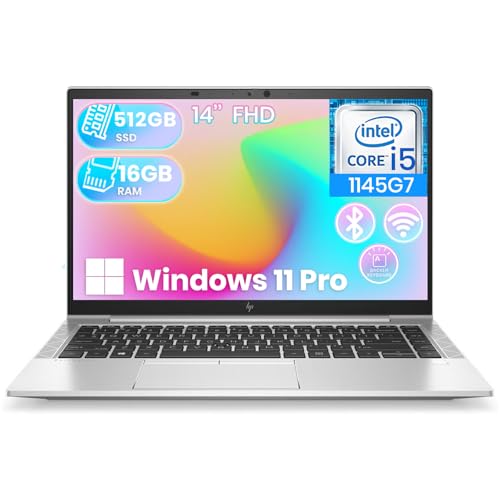
So what makes a good business laptop? Not the fastest processor or the thinnest chassis — a good business laptop is the one that disappears into your workday for four or five years: reliable every morning, secure without nagging, comfortable through long sessions, and fixable on the rare day it fails. It is a professional tool judged by uptime and total cost, not by launch-day benchmarks.
This explainer unpacks the qualities that separate genuine business machines from consumer laptops in business clothing: durability engineering, security architecture, serviceability, support, and the everyday ergonomics of screen, keyboard, and camera. Understanding these qualities lets you evaluate any model — from any brand — on the criteria that decide its working life.
Disclosure: As an Amazon Associate, kajuandouglas.com earns from qualifying purchases. Links to Amazon on this page are affiliate links; they cost you nothing extra. Listing details such as price and availability change often, so check the current Amazon listing before you buy.
What Makes a Good Business Laptop? Start With Durability
Business laptops are designed against durability test regimes — the best-known being military-standard methods covering drops, vibration, dust, humidity, and temperature extremes. Passing a test protocol does not make a laptop indestructible, but it signals a design process that expects the machine to be carried daily, knocked occasionally, and used for years. Reinforced hinges rated for tens of thousands of open-close cycles, spill-resistant keyboards on many models, and chassis materials chosen for stiffness rather than showroom shine are the visible results.
Durability is also an economic feature. A laptop that survives four to five years of front-line service, then hands down to lighter duties, costs far less per year than a cheaper machine replaced at year two. When you evaluate build quality in person, flex the lid, press the keyboard deck, and work the hinge: a good business laptop feels like a tool — tight, dense, and unremarkable in the best way.
In this guide
Security Architecture: Built In, Not Bolted On
A good business laptop treats security as hardware, not just software. The foundation is a TPM chip that guards encryption keys, enabling full-disk encryption that protects data even if the drive is removed. Layered on it: biometric sign-in through fingerprint readers or IR cameras, webcam privacy shutters, optional integrated privacy screens, and firmware protections that verify the boot process has not been tampered with.
Equally important is what the architecture enables at the organizational level: remote management, policy enforcement, and the ability to lock or wipe a lost machine. A consumer laptop can approximate much of this with careful setup; a business laptop is born with it, documented and supported. For anyone handling client, financial, or health information, that difference is not a preference — it is a professional obligation.
Serviceability and Support: The Qualities You Meet on Bad Days
Every laptop eventually needs something: a battery at year three, more memory when the workload grows, a fan, a keyboard after an accident. Business laptops are designed for those days — panels that open with screws, replaceable batteries and drives, published service manuals, and parts that remain available. Support matches the design: multi-year warranties, next-business-day on-site options, and service networks that treat downtime as the emergency it is.
Consumer support, typically a year of mail-in depot service, is built for a different risk profile. The quality that makes a business laptop ‘good’ is precisely this: the bad days are short. When you compare prices, compare them with equivalent support attached, or you are not comparing the machines — you are comparing a machine with a machine plus an insurance policy.
Everyday Ergonomics: Screen, Keyboard, Camera
The unglamorous truth of business computing is that productivity lives in three components: a matte, bright-enough screen that does not strain eyes through an eight-hour day; a keyboard with real travel and a layout that does not move keys to surprising places; and a webcam-and-microphone pair that makes you look and sound professional on calls. Business lines invest here deliberately, because their buyers — companies purchasing by the hundred — measure these things across fleets.
Battery life and port selection complete the daily picture. A good business laptop clears a full workday of mixed use unplugged, charges over USB-C so any modern charger works in a pinch, and connects to a desk with a single dock cable. None of these qualities photographs well. All of them compound, quietly, into years of frictionless work.
Common Misconceptions About Business Laptops
The first misconception is that ‘business laptop’ is a marketing label for ordinary laptops at higher prices. The durability testing, security silicon, serviceability, and support tiers described here are concrete and costly to provide; the label corresponds to a genuinely different product philosophy. The second misconception is the reverse snobbery — that business laptops are dull, slow machines. Current lines offer top-tier processors, excellent displays including OLED options, and thin designs; they simply spend their budgets on longevity before flair.
Third: that a small business or solo professional does not need these qualities. The opposite is true. A large company absorbs a laptop failure with spare machines and an IT desk; a solo professional absorbs it with lost billable days. The smaller the operation, the more the reliability and support qualities matter, not less.
The Specification Floor, Revisited by Role
The qualities in this guide express themselves differently by job, and a good business laptop is ultimately role-shaped. The road warrior’s version weights battery, weight, and durability, accepting a 14-inch screen as the price of mobility. The analyst’s version weights memory and screen real estate, living docked with monitors. The executive’s version weights camera, microphone, and finish, because the machine appears on every call and in every meeting room. Same category, three different ‘good’ laptops — which is why fleets standardize by role profile rather than pretending one configuration fits all.
What does not vary by role is the floor: current-generation mid-range processing, 16GB of memory, solid-state storage with headroom, encryption and biometrics, and support that answers in business time. Below that floor, a laptop is not a cheaper business laptop — it is a different, lesser tool wearing the category’s name, and the savings reappear as friction with interest.
Role-based thinking also disciplines the extras. A privacy screen is essential for the consultant on trains and pointless for the bookkeeper in a private office. A workstation GPU is the product for the engineer and dead weight for everyone else. ‘Good’ is a fit between machine and work, and the fit is the buyer’s real job.
How to Evaluate a Business Laptop in Fifteen Minutes
Qualities become concrete in a hands-on routine. Type a paragraph of real text: the keyboard’s travel, layout sanity, and deck flex announce themselves immediately. Open and close the lid one-handed and feel the hinge’s resistance curve. Lift the machine by one corner — chassis stiffness, or its absence, is unmistakable. Then read the specification for the three unchangeables: processor generation, memory configuration and solder status, and the screen’s brightness and gamut figures.
Check the service story with two questions: can the battery be replaced, and what does the three-year on-site warranty cost on this model? The answers separate genuine business machines from consumer models in business clothing faster than any badge inspection. Finally, confirm the security inventory physically: fingerprint reader or IR camera, webcam shutter, lock slot, and TPM in the specification.
Fifteen minutes of this routine, applied to any model from any brand, will place it correctly on the business spectrum. That is the practical payload of understanding what makes a business laptop good: you stop needing brand folklore, because you can interrogate the machine itself.
The Long View: Five Years With the Machine
Project the purchase forward. In year one, every laptop is fast and every battery is young; the qualities in this guide are invisible. In year three, the business laptop gets a battery or a memory upgrade and continues; the consumer machine’s sealed battery fades and its warranty is a memory. In year five, the business laptop hands down to a lighter role or sells into a healthy refurbished market, its data wiped through the same management tools that protected it in service.
Total the experience honestly: the business laptop cost more on one invoice and less across sixty months — in downtime avoided, in support that arrived tomorrow instead of next week, in the incident that encryption converted from breach to inconvenience. ‘Good’ in this category is a time-word. It describes not how the laptop performs in the review, but how it behaves across the years when no one is reviewing it.
That is the standard to buy against. The professionals who standardize on these machines are not paying for logos; they are buying the quiet years — and quiet years are the most valuable output any business tool produces.
The Invisible Quality: Consistency Across a Fleet
One quality rarely appears in reviews because reviewers test single machines: consistency. A good business laptop is the same laptop next quarter and next year — same model, same dock, same image, same behavior — so that knowledge compounds across an organization. Every employee’s troubleshooting helps every other employee; every spare part fits every desk; every new hire’s machine is a known quantity. Manufacturers sustain business models for long production runs precisely to sell this consistency, and fleets pay for it gladly.
Consistency also disciplines the manufacturer. A model sold to enterprises for years accumulates firmware fixes, driver maturity, and a knowledge base that a nine-month consumer model never develops. The business laptop you buy in the model’s second year is a measurably more polished product than its launch self — an ownership curve that runs opposite to the consumer world’s.
Individual buyers can borrow the principle: stay within a line across purchases, and your docks, chargers, and hard-won knowledge carry forward. The fleet of one still benefits from being a fleet.
Where Business Laptops Are Heading
The category’s direction clarifies which qualities are permanent. Neural processing units for on-device AI are arriving across business lines, aimed at meeting effects, transcription, and the local assistants now shipping with operating systems — useful, and properly a tiebreaker rather than a headline. Sustainability has become a procurement criterion: recycled materials, repairability commitments, and take-back programs now appear in enterprise tenders, pushing the serviceability this guide praises from virtue to requirement.
What is not changing is the core: durability, security architecture, serviceability, support, and ergonomic honesty. Processors will rename themselves, screens will gain new acronyms, and the good business laptop will remain the one that disappears into the work for five quiet years. Buy the qualities, not the news cycle, and the machine will still be right when the news cycle has forgotten it.
Ports, Docks and the Desk You Actually Work At
A business laptop rarely lives alone. It lives on a desk with a monitor or two, a keyboard, a headset for calls, a network cable in older offices, and a dock that is supposed to make the whole arrangement connect with one cable. That daily docking life is one of the clearest places where a good business machine separates itself from a consumer machine with similar headline specifications. The question is not simply how many ports the chassis carries. The question is whether the ports are placed sensibly, whether the charging port survives being plugged and unplugged twice a day for years, whether the machine can drive the monitors your role actually uses without adapters stacked on adapters, and whether it wakes from sleep on the dock reliably instead of presenting a black external screen and a small morning puzzle.
Test this before you commit to a model for yourself or for a team. Connect the dock you actually own, close the lid if that is how you work, and run a full video call while a large file copies in the background. Business laptops that are designed for this life handle it boringly, which is exactly the point. Machines that were designed primarily as standalone entertainment devices often reveal their priorities here: one shared port doing charging, display and data at once, fan noise that rises sharply under docked load, or a hinge and cable layout that makes the desk feel improvised. None of these flaws appears on a specification sheet, and all of them are felt every working day.
What to check on connectivity before you buy
- Whether charging happens over a widely available standard connector, so a forgotten charger is an inconvenience rather than a crisis.
- Whether the machine drives two external displays at the resolutions your desk uses, without forcing lower refresh rates or mirrored output.
- Whether at least one older-style USB port remains for the headsets, presentation clickers, security keys and legacy devices offices still circulate.
- Whether the network story is honest: a wired port on the machine or on the dock you will actually carry, not a dongle that lives in a drawer in another building.
- Whether port placement keeps cables clear of the mouse side you use, a small ergonomic detail that matters across thousands of hours.
Travel changes the calculation again. A machine that is perfect on its home dock can be awkward in a client meeting room where the only display cable is an older connector and the only power socket is across the room. Good business design anticipates that second environment: modest weight, a charger that is compact enough to carry without resentment, and enough on-board ports that a short meeting does not require unpacking a hub. When you evaluate a shortlist, spend as much time picturing the borrowed meeting room as picturing your own desk, because reliability in unfamiliar rooms is a large part of what professional buyers are paying for.
Performance in Business Terms: Snappy, Quiet and Predictable
Business performance is often misunderstood as raw speed, when the working experience is really about predictability. Most professional workloads — documents, spreadsheets, browser-based systems, email, video calls, light data work — do not need the fastest processor available. They need a machine that stays responsive when all of those things happen at once, that does not become loud in a quiet meeting, and that does not throttle dramatically after twenty minutes because its cooling was designed for short bursts in a showroom. A good business laptop therefore pairs a sensible mid-range processor with adequate memory, fast storage, and cooling tuned for sustained, unobtrusive work rather than for benchmark theatre.
Memory deserves particular honesty here. Modern collaboration tools, browsers with many tabs, and operating system background services have quietly raised the comfortable floor. A machine that feels adequate in its first month with a light software load can feel strained in its third year after two major application updates and a change of role. That is why experienced buyers treat memory as longevity insurance: choosing the higher memory configuration at purchase is usually cheaper and always simpler than discovering, mid-contract, that a whole fleet needs replacing a year early. Storage follows the same logic. The drive should be fast enough that updates, searches and large file opens never become the story of the day, and large enough that staff are not forced into risky local workarounds when shared drives fill up.
Graphics is the area where restraint most often pays. Integrated graphics handles ordinary office work, multiple displays and video calls comfortably, and it preserves battery life and quiet operation. Dedicated graphics earns its place for defined roles: engineering visualisation, video production, advanced data modelling, and design work with large files. Buying dedicated graphics for an entire fleet because one team needs it is a common and expensive generalisation. The better pattern, and a hallmark of mature business ranges, is a shared platform with role-specific variants, so support, docks and accessories stay common even where the internal specification differs.
Noise, heat and the meeting-room test
Ask a simple question that specification sheets never answer: what does this machine sound like in a small meeting room during a video call with screen sharing? Fan noise that is acceptable at home becomes a distraction when a microphone sits inches from the exhaust. Heat matters in the same practical way. A chassis that becomes uncomfortably warm on the lap during a train journey, or that blows hot air directly onto the mouse hand, erodes the feeling of quality far more than a modest difference in processor generation ever will. Wherever possible, live with a shortlisted machine for a day of your real work before standardising on it. An hour of ordinary tasks reveals more about business suitability than any synthetic test.
Battery Life as a Working Pattern, Not a Headline Number
Advertised battery figures describe a light, controlled workload that few professionals actually live. The useful question is narrower and more personal: will this machine get through your longest realistic day away from a charger, with your applications, your screen brightness and your call schedule? A consultant moving between client sites, a manager in back-to-back meetings, and an analyst who is desk-based except for one weekly trip have genuinely different battery needs, and a good business purchase names which pattern it is buying for instead of chasing the largest number in a comparison table.
Charging behaviour matters almost as much as capacity. Fast top-up charging turns a thirty-minute gap between meetings into meaningful working time, and charging over a common standard means a borrowed charger in another office is likely to work. Battery health features also belong in the business conversation. Machines that spend most of their lives plugged into docks benefit from settings that limit sustained full charge, which slows long-term wear. Over a four or five year life, that quiet feature can be the difference between a battery that still supports a half-day away from the desk and one that demands a replacement or tethers its owner to a socket.
Finally, consider the end of the battery story at purchase time, not at failure time. Is the battery replaceable through service, what does that service involve, and how long will parts remain available? A business laptop is a long-term asset, and its battery is its most predictable wear item. Models designed with that reality in mind — accessible service, published parts support, and health reporting the user can actually find — age gracefully. Models that treat the battery as sealed and forgettable tend to become e-waste conversations earlier than their processors ever required.
Buying for Roles: Four Worked Profiles
The travelling manager
Prioritise weight, battery endurance, camera and microphone quality, and painless docking at headquarters. Performance needs are modest, but the machine must never embarrass its owner in a client room: instant wake, reliable display output, and a keyboard that handles long email and document sessions without fatigue. A privacy screen may be worth more to this profile than any processor upgrade, because the work routinely happens in public places.
The analyst and power user of office software
Large spreadsheets, many simultaneous applications and multiple monitors define this life. Memory and screen real estate matter most, followed by sustained performance under load and a dock that drives the full desk setup from one cable. A larger display, or a smaller machine permanently paired with good external monitors, both work; the mistake is a small, dim screen asked to carry detailed numerical work alone for years.
The field and site worker
Durability moves to the top of the list, alongside legibility in bright conditions, battery life away from power, and ports that tolerate dust, gloves and hurried connections. Weight still matters, but it is secondary to surviving the environment. For this profile, the extended warranty and accidental damage cover are not upsells; they are part of the product, and the purchase should be judged with them included.
The small-business owner buying one machine that does everything
Without an IT department, simplicity and support access dominate. Choose a model with strong local service options, straightforward backup, and enough memory and storage to avoid a mid-life upgrade conversation you would have to manage yourself. Resist the most specialised options in the range. The versatile middle of a business line, bought with a longer support term, is almost always the calmest ownership experience for a one-person fleet.
Across all four profiles the pattern repeats: define the working day first, let it rank the qualities, and only then compare specifications. That order of operations is, in the end, what makes a business laptop good — not any single feature, but the fit between a thoughtfully built machine and the work it was honestly bought to do.
Ownership Costs Beyond the Purchase Price
Professional buyers learn, usually after one painful fleet cycle, that the purchase price is the smallest honest number in a laptop decision. The real cost includes deployment time, support contacts, downtime during repairs, replacement accessories, early retirements caused by underspecified memory or storage, and the productivity drag of machines that technically still work but have become slow enough that staff avoid demanding tasks on them. A good business laptop attacks every one of those lines. A standardised image deploys in minutes rather than hours. Docks and chargers shared across the range mean a failed accessory is replaced from a drawer, not ordered and awaited. Parts availability measured in years means a broken screen in year four is a repair, not a write-off.
Downtime deserves its own arithmetic because it is where cheap machines become expensive in ways finance teams feel but rarely attribute correctly. When a knowledge worker loses a day to a failed laptop, the organisation loses far more than the repair bill: meetings are missed, deadlines slip, support staff spend hours on workarounds, and a loan machine must be configured, delivered and later wiped. Multiply one such day across a fleet and across a four-year cycle, and the reliability difference between a business range and a consumer range stops being an abstraction. This is why warranty terms with on-site service, where a technician comes to the worker rather than the worker posting a machine away for a week, are treated by experienced buyers as a core specification rather than an optional extra.
There is also a quieter cost in inconsistency. When every employee has a different model bought at a different time from a different range, support knowledge fragments, spare parts multiply, and every troubleshooting call starts from zero. Business lines exist to prevent exactly that: long production runs, stable configurations, and models that remain orderable in the same form for extended periods. A good business laptop, judged at fleet level, is partly a logistics decision. It promises that the hundredth machine behaves like the first, that the dock bought this year fits the replacement bought next year, and that the support team can build genuine expertise instead of perpetual first encounters.
Accessibility and Inclusive Design in a Work Machine
A quality that rarely appears in business laptop marketing, but matters deeply in real workplaces, is how well the machine serves people with different bodies, eyesight, hearing and working styles. A good business laptop offers a keyboard with clear legends and enough travel to type accurately without looking, a display that reaches comfortable brightness without glare and supports operating system scaling without blurring, and ports and controls placed where they can be found by touch. These are not niche considerations. Over a workforce of any size, and over a working life of any length, they describe a substantial share of everyday experience.
Software and hardware meet here. Modern operating systems carry strong accessibility features — magnification, contrast themes, voice control, captioning for calls — but the hardware decides how usable they feel. A poor microphone makes live captions unreliable. A dim, reflective screen defeats magnification in a bright office. A trackpad that is small or imprecise makes alternative input methods harder rather than easier. When organisations evaluate machines for a diverse workforce, the most reliable method is also the simplest: put shortlisted machines in front of the staff who will use them, including staff who use accessibility features daily, and listen more than you measure. Their verdicts on keyboards, screens and call quality will predict satisfaction more accurately than any laboratory figure.
Inclusive design also includes the unglamorous realities of shared and hot-desking environments. Machines that sign in quickly with biometrics, that separate work profiles cleanly, and that can be wiped and redeployed confidently between employees protect both the organisation and the next user. A laptop that changes hands gracefully across a team, a school year or a staff departure is demonstrating a business quality as real as its processor: it respects the fact that work is done by changing people, not by a single idealised user in a product photograph.
Environmental and Disposal Questions Worth Asking
The final stage of a business laptop’s life is part of its quality too, and responsible buyers now ask about it at purchase rather than at disposal. How much recycled material does the chassis use, how repairable is the design, and does the maker offer a take-back or refurbishment path? These questions matter commercially as well as ethically. Machines that can be repaired economically stay in service longer, machines with available parts hold residual value, and a clear end-of-life process with certified data destruction protects the organisation from the serious risk of data leaving on a retired drive.
Data handling at retirement deserves emphasis because it is the point where convenience most often defeats policy. Drives should be wiped through a verified process or removed and destroyed where the data demands it, and the management platform should retire the device record at the same time so a disposed machine does not linger as a phantom in security reports. A good business platform makes this orderly: encryption keys held centrally mean a wiped machine is provably clean, and asset records connect the physical device, its user history and its disposal certificate. Asking a supplier to describe that whole chain, before you buy, separates vendors who have thought about ownership from vendors who have only thought about the sale.
None of this requires perfection or the most expensive option in any catalogue. It requires treating a business laptop as what it actually is: a four or five year commitment that touches productivity, security, support, accessibility and disposal every single week. Machines bought with that full picture in mind rarely disappoint, because the disappointments in business computing almost always come from the parts of the picture nobody examined.
Reading Reviews and Specifications Without Being Misled
Most laptop reviews are written for individual buyers choosing a machine for mixed home use, and their priorities — entertainment speakers, gaming benchmarks, the thinnest possible chassis — overlap only partly with business needs. Reading them usefully means translating. A review that praises a glossy, vivid screen for films may be describing a liability in a bright office. A review that criticises a business machine for modest speakers or a conservative design may be marking down exactly the qualities a workplace values. The specification sheet needs the same translation. Processor generation and core counts tell you little without knowing the cooling design that decides sustained performance. Display resolution tells you little without brightness and finish. Weight tells you little without the charger included in the comparison, since some makers quote the machine alone and others the travelling total.
A more reliable evaluation method is to build a small scorecard from your own working day and score every candidate against it in the same order. Include sign-in speed and reliability, keyboard comfort across a long writing session, screen readability in your brightest workspace, call quality from your actual meeting rooms, docking behaviour with your actual monitors, fan noise under your actual load, and the weight of machine plus charger in the bag you actually carry. Ten minutes per item produces a comparison that predicts ownership satisfaction far better than aggregate review scores, because it measures the machine in your conditions rather than in a laboratory’s. Where a physical trial is impossible, look for long-term follow-up reviews and fleet-user reports rather than launch-day impressions; business quality reveals itself over months, in hinges, batteries and support encounters, not in unboxing week.
The Buying Conversation: Questions That Reveal a Good Supplier
Finally, judge the channel as well as the machine. Ask how long the exact model will remain available, how spare parts and batteries are supplied in years three to five, what the repair process looks like in your region, and whether evaluation units are available for a pilot group. Suppliers of genuine business lines answer these questions with documents and timelines. Suppliers of consumer machines in business clothing answer with discounts. A small pilot — a handful of machines placed with representative staff for a month, with structured feedback on the scorecard above — remains the cheapest insurance in the entire purchase, routinely preventing the most expensive mistake in business computing: standardising confidently on the wrong machine.
Bring the same discipline to timing. Business ranges refresh on predictable cycles, and buying at the very end of a model’s run can be excellent value provided parts support is confirmed in writing, while buying at launch pays a premium for novelty a workplace rarely needs. What matters is not the calendar but the support horizon that remains after purchase. A good business laptop, in the fullest sense this guide has built, is a machine whose maker, seller and support system are all still standing behind it in its final year of service — and a buyer who checks that before purchase almost never has to discover it afterwards.
Warranty, Insurance and the Bad-Day Plan
Every laptop purchase is also a bet on what happens on the worst day of its life, and good business buying prices that day in advance. Standard warranties cover defects; they do not cover the dropped bag, the spilled coffee or the cracked screen in an airport. Accidental damage protection exists precisely because professional machines travel, and for staff who work on site, on trains or in schools and hospitals, the probability of one physical incident across four years is high enough that the cover should be evaluated as part of the machine’s cost rather than dismissed as an optional extra at checkout. The relevant comparison is never the premium alone. It is the premium against the combined cost of one screen replacement, the days of downtime while it is arranged, and the loan equipment and support time consumed in between.
Service level matters as much as coverage scope. A next-business-day on-site commitment and a collect-and-return service measured in weeks produce entirely different working lives from the same hardware failure. Read the actual terms for your region, because the same brand can offer markedly different service through different channels and countries. Ask, too, how repairs are handled for the components that fail most: screens, keyboards, batteries and fans. Machines designed for service can have those parts replaced quickly, sometimes on site in a single visit. Machines designed primarily for thinness may need depot repair for the same faults, and that difference, multiplied across a fleet, is a business quality as concrete as any benchmark.
Insurance and warranty also interact with data. Before any machine leaves for repair, its drive should be backed up and, where policy requires, removed or wiped, and the support process should state clearly who is responsible for that step. Good suppliers make this routine. They also make the status of a repair visible, so a manager can tell an employee honestly when their machine will return instead of relaying silence. When you evaluate a shortlist, spend one conversation entirely on failure: what breaks, what it costs, how long it takes, and what happens to the data. The candour and specificity of the answers will tell you, with unusual reliability, whether you are looking at a good business laptop or merely a fast one.
A Final Checklist You Can Use in the Shop or the Tender
- The chassis feels rigid, the hinges are smooth and firm, and the keyboard and trackpad suit a full day of real typing.
- Security hardware is present and will be enabled by default: encryption support, biometric sign-in, webcam privacy and firmware protection.
- Memory and storage are sized for the final year of service, not the first month, with upgrade or configuration options where the range allows.
- The display is bright enough for your brightest workspace, with a finish that controls reflections, and the camera and microphones handle a real call well.
- Docking works with one cable on your desk, drives your monitors at full quality, and wakes reliably from sleep.
- Battery life matches your longest realistic day away from power, and charging is fast and based on a common standard.
- Service terms, parts availability and accidental damage options are documented for the whole intended lifespan.
- The exact model will remain available long enough to keep a fleet consistent, and a pilot group has lived with it before standardisation.
Work through that list in order and most purchasing mistakes become impossible, because each item corresponds to a failure that real business users actually experience, rather than to a specification that merely photographs well. What makes a good business laptop, in the end, is not a secret ingredient. It is the disciplined accumulation of these unglamorous qualities in one machine, chosen by a buyer who ranked the working day above the brochure.
Refurbished and Previous-Generation Business Laptops
One route to genuine business quality on a limited budget deserves an honest mention: the previous generation of a proper business range, or a professionally refurbished unit from the same lines. Because these machines were built for serviceability, parts support and long production runs, they age more gracefully than consumer models and remain supportable after newer ranges launch. The checks are the same ones this guide has used throughout, applied with extra care: confirm remaining update and parts support in writing, test battery health rather than assuming it, verify that security hardware meets current requirements, and buy through a channel that offers a real warranty. Chosen that way, an older business laptop is often a better work tool than a new consumer machine at the same outlay, because the qualities that matter at work were built into it from the start.
Related Guides
- best business laptops in the top band
- best Dell business laptops
- best compact business laptops
- best business laptops on a budget
- best laptops for small business
- how to choose a business laptop
- business laptop security features explained
Frequently Asked Questions
What is the most important quality in a business laptop?
Reliability over time — the combination of durable construction, sensible specifications, and support that fixes problems fast. A business laptop’s value is measured in uninterrupted workdays across four or five years. Performance matters, but only up to the point where your workload runs comfortably; beyond that, durability and support return far more value.
Do business laptops really last longer than consumer laptops?
In front-line service, generally yes. They are tested to harsher standards, built to be serviced, and supported with parts for longer. A well-kept consumer flagship can also serve for years, but the business lines are engineered and warrantied for that horizon as their normal case rather than as a lucky outcome.
Which specifications define a good business laptop today?
A current mid-range or better processor, 16GB of memory as the floor, at least 512GB of SSD storage, a matte IPS screen at Full HD or better with solid brightness, a 1080p webcam, USB-C charging and docking, and full-disk encryption with biometric sign-in. That specification, in a business chassis with a three-year on-site warranty, is the professional standard.
Are business laptops good for personal use too?
Very much so, especially for people who keep laptops a long time and value keyboards and durability over entertainment features. Many professionals buy business models as personal machines for exactly the longevity reasons in this guide. The trade-offs are price and a plainer aesthetic, plus screens tuned for office comfort rather than media punch on some configurations.
What does MIL-STD testing on a laptop actually mean?
It means the design was subjected to a set of standardized environmental tests — things like drops, vibration, dust exposure, and temperature extremes — based on a military test-methods standard. It is a signal of durability engineering, not a guarantee of survival in any specific accident, and brands vary in how many tests they run. Treat it as evidence of intent and process, not as armor.
Why do business laptops cost more than consumer models with similar specs?
Because the spec sheet omits the expensive parts: durability testing and construction, security hardware, Windows Pro licensing, serviceable design, longer production runs, parts availability, and multi-year on-site support options. Compare cost per year of supported working life — the honest business metric — and the gap usually closes or reverses.