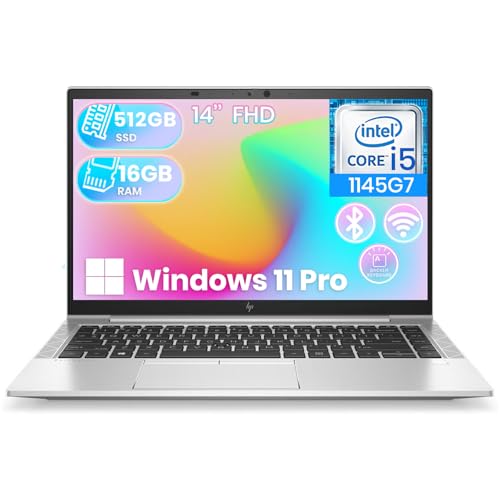
The thinkpad vs elitebook debate is the classic business-laptop rivalry: Lenovo’s ThinkPad line against HP’s EliteBook line, the two flagship families that outfit most of the world’s companies. Both are durability-tested, security-rich, serviceable, and supported for years. The differences are in the details professionals feel daily — keyboard philosophy, pointing devices, display options, docking ecosystems, and how each line is structured from value models to flagships.
The quick verdict: choose ThinkPad if the keyboard is your primary tool, you value the TrackPoint, or you want the widest range from the value E series to the X1 flagship line. Choose EliteBook if you prefer HP’s sleek aluminum designs, its collaboration features, and its Sure Start security story. Honestly, at the flagship level this is a preference decision, not a quality one — and this guide maps the preferences precisely.
Disclosure: As an Amazon Associate, kajuandouglas.com earns from qualifying purchases. Links to Amazon on this page are affiliate links; they cost you nothing extra. Listing details such as price and availability change often, so check the current Amazon listing before you buy.
ThinkPad vs EliteBook at a Glance
Both lines cover 13 to 16-inch sizes and convertible variants; the table captures philosophy more than any single model.
| Criterion | Lenovo ThinkPad | HP EliteBook |
|---|---|---|
| Line structure | E (value), L, T, X, X1 (flagship), P (workstation) | 600/800 series, 1000 series flagship, mobile workstations under ZBook |
| Keyboard reputation | Benchmark keyboards; deep travel; TrackPoint nub | Excellent modern keyboards; no pointing stick |
| Build | Carbon fiber / magnesium flagships; utilitarian black | Aluminum unibody designs; more conventional styling |
| Security branding | ThinkShield suite; discrete TPM; privacy screens (Privacy Guard) | HP Wolf Security; Sure Start self-healing BIOS |
| Collaboration | Solid webcams and mics; human presence detection on flagships | Strong focus: 5MP cameras, AI noise reduction on many models |
| Docking | USB-C / Thunderbolt docks; mechanical docks largely retired | USB-C / Thunderbolt docks; HP dock ecosystem |
| Serviceability | Excellent; published manuals; keyboard often replaceable | Very good; serviceable designs across the line |
| Best for | Keyboard-centric professionals, fleets, Linux users | Design-conscious professionals, heavy video-call users |
In this guide
Gear for This Guide
Two verified ThinkPads anchor the Lenovo side; EliteBook models vary so much by configuration that we discuss them in prose rather than pin a single listing:

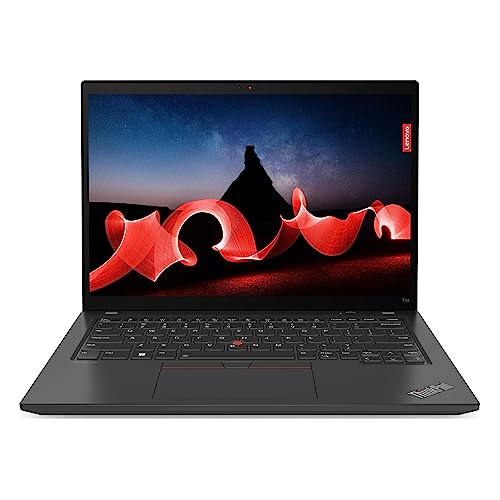
Lenovo ThinkPad T14 Gen 5 2024 Laptop, 8-Core AMD Ryzen 7 PRO 8840U, 14″ WUXGA IPS Touchscreen Display, AMD Radeon 780M Graphics, 32GB DDR5 1TB SSD, Backlit KB, FP, Thunderbolt 4, Wi-Fi 6E, Win11 Pro — A ThinkPad T14 Gen 5 — the archetypal ThinkPad: 14-inch, Ryzen PRO power, touchscreen option, and the famous keyboard. Check price on Amazon.

Lenovo ThinkPad X1 Carbon Gen 13 Aura Edition w/Ultra 7, 32GB RAM, 1TB SSD — A ThinkPad X1 Carbon Gen 13 Aura Edition — Lenovo’s flagship thin-and-light, the EliteBook 1000 series’ direct rival. Check price on Amazon.
Keyboard and Input: The Deepest Difference
ThinkPad keyboards are the industry’s reference standard: sculpted keycaps, generous travel, and a layout professionals memorize and refuse to give up. The TrackPoint — the red pointing nub in the keyboard’s center — lets users move the cursor without leaving the home row, and its devotees consider it non-negotiable. Even the value E series delivers a keyboard most consumer laptops cannot match, which is why writers and coders gravitate to the line.
EliteBook keyboards are genuinely good — crisp, quiet, and backlit — but they follow modern low-travel conventions and offer no pointing stick. HP invests the difference in the touchpad and collaboration hardware: large, smooth pads, and on many models, presence-aware features and better stock webcams. If your hands live on the keyboard, ThinkPad wins this section; if your day is calls and touchpad work, EliteBook’s package is very competitive.
Design, Displays, and Build
EliteBooks generally look more contemporary: machined aluminum, thinner bezels, and finishes that sit comfortably in a design studio. ThinkPads favor a utilitarian black aesthetic — the X1 Carbon’s carbon-fiber weave is the exception — prioritizing lightness and durability over fashion. Both lines pass extensive durability testing, offer matte IPS displays as the business standard, and scale up to high-resolution and OLED options at the flagship tier.
On displays, compare per model rather than per brand: both lines include some mediocre base panels in value configurations and excellent panels above them. Check brightness and color coverage on the exact configuration, insist on at least 300 nits, and consider HP’s Sure View or Lenovo’s Privacy Guard integrated privacy screens if you work with sensitive material in public — both brands offer the concept under different names.
Security and Manageability
Both lines meet the enterprise baseline — TPM, biometrics, encryption support, webcam shutters — and then differentiate with their security suites. HP emphasizes Wolf Security and Sure Start, a self-healing BIOS that recovers from firmware attacks automatically. Lenovo counters with ThinkShield, a broad umbrella covering supply-chain, firmware, and privacy features. In practice, both satisfy corporate security teams; the deciding factor for fleets is usually the management ecosystem the company already runs, not a feature gap.
For Linux users, ThinkPads have a long-standing edge in community support and certified configurations on many models, which is why they dominate developer fleets. EliteBooks run Linux well on mainstream configurations too, but the depth of documentation and community knowledge tilts Lenovo’s way.
Who Each Option Suits
Choose ThinkPad if typing feel is sacred, if you want the TrackPoint, if your organization develops on Linux, or if you are buying across the widest price span — the E series delivers the business essentials at prices EliteBook’s lower series only sometimes match. Choose EliteBook if you prefer a modern aluminum design, spend your life on video calls and want HP’s collaboration polish, or your company’s standards and support contracts already run through HP.
For individuals buying one machine, the honest advice is to type on both if you possibly can. These are the two best business lines in the world, separated by feel and ecosystem rather than quality, and the one whose keyboard and screen your hands and eyes prefer is the right one.
Value Tiers and Workstations: Beyond the Flagships
Most comparisons fixate on flagships, but most purchases happen in the value and mainstream tiers, where the rivalry has a different texture. Lenovo’s E series is famously aggressive: genuine business essentials — security, serviceability, that keyboard — at prices that pressure HP’s lower EliteBook series hard. HP answers with design polish and collaboration features that trickle down further than Lenovo’s equivalents. A buyer equipping a small team should compare E-series ThinkPads against the EliteBook 600 series directly; the flagship debate is a distraction at that budget.
At the workstation end, both brands leave their main lines: Lenovo’s P series and HP’s ZBook line carry professional graphics certifications for CAD and engineering software, ECC memory options, and the cooling to sustain them. Between these, the decision is usually made by the software vendor’s certified-driver list and the organization’s existing fleet — the machines themselves are comparably serious tools.
Convertibles split similarly: Lenovo’s X1 Yoga lineage and HP’s EliteBook x360 models both deliver pen-capable business 2-in-1s. Pen feel, hinge quality, and weight differ in hand more than on paper. As with the main comparison, the tiers rhyme; the details of feel decide.
Ownership: Support, Parts, and Fleet Reality
Companies rarely switch between these lines casually, and the reasons are instructive for individual buyers too. Support ecosystems — warranty processes, parts pipelines, dock inventories, IT familiarity — accumulate around a standard. Both brands offer comparable headline support: multi-year warranties, next-business-day on-site options, and global service networks. The practical differences emerge in regional execution and in how painless configuration and deployment tooling feels to the team running it.
Parts availability is where both shine against the consumer world: batteries, keyboards, screens, and fans for mainstream models remain obtainable for years, and service manuals are published. A five-year-old ThinkPad or EliteBook is a maintainable asset; that shared trait matters more to total cost than any difference between them, and it is why the refurbished market is stocked with both.
For the individual buyer, the ownership lesson is to buy into whichever line you can support locally: the brand whose service you can reach, whose parts your repair shop stocks, and whose chargers your colleagues carry. Ecosystems are a feature, and the best ecosystem is the one already around you.
The Decision, Compressed
Strip the comparison to its load-bearing differences. Keyboard and TrackPoint versus design and collaboration polish. Lenovo’s breadth and Linux depth versus HP’s security branding and camera investment. Everything else — durability, serviceability, support, security baseline, docking — is a draw at a high level. A decision framework that ends in a draw on substance and a verdict on feel is not a failure of analysis; it is an accurate map of a mature rivalry.
So the final advice is empirical: put your hands on both keyboards, look at both screens in your lighting, and price both with identical memory, storage, screen class, and warranty. Then buy the one your hands chose, from the tier your budget dictates, and spend the energy you saved not agonizing on the things that actually differentiate ownership — setup, security, backups, and the work itself.
Pricing Patterns and How to Buy Either Line Well
Both lines price with a business logic that rewards informed buyers. List prices are opening positions: manufacturer business stores run frequent promotions, previous-generation models discount steeply at refresh time, and the refurbished channel offers both lines at fractions of original cost with warranties attached. The configuration discipline matters more than the haggling: buy memory and storage correctly at purchase (especially where a model limits later upgrades), take the screen upgrade, and price the three-year on-site warranty into every comparison or the comparison is fiction.
Within each line, the value often sits one tier below the flagship. Lenovo’s T series delivers the essential ThinkPad experience — keyboard, durability, serviceability — without the X1’s carbon-fiber premium. HP’s 800 series similarly carries the EliteBook essence below the 1000 series’ flagship pricing. Buyers who internalize the tier structure stop overpaying for halo models whose advantages their work will never touch.
And a note for switchers: chargers, docks, and accessories differ enough between ecosystems that a fleet switching brands should budget the transition honestly. The laptops are rivals; their ecosystems are commitments. Price the whole commitment, then commit without nostalgia.
What Owners Actually Say After Three Years
Long-term owner reports for both lines converge on a pattern more useful than launch reviews. ThinkPad owners praise keyboards that feel identical in year three, hinges that never loosened, and the TrackPoint they cannot surrender; their complaints cluster on mediocre base screens in value configurations and a design language that has never once turned a head. EliteBook owners praise machines that still look presentable in client meetings, strong speakers and cameras, and quiet fans; their complaints target HP’s software bundle habits and the occasional ambitious port reduction.
Both owner groups share the deepest satisfaction, and it is not about either brand: parts were available, the battery could be replaced, the warranty answered. The rivalry’s real product is a class of machine that respects its owner’s time across years — and on that metric, the honest verdict of three-year owners is that you cannot buy wrong between them, only buy the wrong tier or configuration.
That is why this guide ends where it began: type on both if you can, configure carefully, and then stop comparing. The remaining differences will not compound; the work you do on the machine will.
Model-by-Model Thinking: Matching Series to Workloads
The main comparison treats the two families as wholes. Buyers, however, purchase specific series, and the families’ internal ranges overlap so extensively that the right series in either line beats the wrong series in the other.
The ultralight flagships
At the top, Lenovo’s X1-class machines and HP’s lightest EliteBooks compete for the executive traveller with carbon and magnesium constructions, excellent screens, and prices that assume the buyer values grams. Between these flagships the decision is almost purely ergonomic and preferential: keyboard feel, screen finish, and the specific port selection. Neither is a mistake; both are statements that the buyer’s work is mobile and their budget is serious, and the ladder of ownership beneath them is where the families’ characters diverge more measurably.
The mainstream workhorses
The T-series ThinkPads and the mid-range EliteBooks are where fleets actually live: balanced weight, serviceable designs, docking ecosystems, and prices a finance department can contemplate in quantity. Here the comparison rewards scrutiny of the specific generation — keyboard revisions, screen options, and port selections change year to year in both lines — and of the warranty terms bundled by the channel you buy through, which can differ more between sellers than between the laptops themselves.
Workstations and the power end
Lenovo’s P-series and HP’s Z-class mobile workstations serve engineering, data, and creative workloads with certified graphics and serious cooling. At this level the badge matters less than the certification list for your specific applications and the thermal evidence for your specific configuration. Buyers here should test with their own models and renders, because workstation performance under sustained load is a property of the individual chassis in a way that office performance simply is not.
The value tiers and the refurbished legends
Both families shed their mainstream models into the refurbished market in enormous numbers, and a three-year-old T-series or EliteBook, professionally refurbished with a fresh battery, is one of the great value propositions in all of computing. Between the two at this level, condition and refurbisher quality outweigh lineage entirely. The families’ shared presence in this market is itself a verdict: machines do not flood the refurbishment channel unless they were built to survive their first careers.
Daily Life Details: The Small Differences That Compound
Comparisons are decided by specifications and lived in details. These are the ones owners of each family mention after the first year, when the spec sheets have been forgotten.
Chargers, docks, and the ecosystem at your desk
Both families have converged on USB-C charging and docking, which has quietly dissolved an old category of lock-in — but each retains its own dock designs, firmware habits, and multi-monitor behaviours. A buyer with an existing desk ecosystem should test the candidate machine on their actual dock and displays, because the difference between the families at a real desk is often one quirk: a wake-from-sleep behaviour, a monitor that needs reseating, a dock that wants its firmware updated by one brand’s tool and not the other’s. Small things, daily things — the category this whole comparison keeps returning to.
Webcams, microphones, and the meeting impression
Both lines now offer cameras and audio well beyond the era that made laptop webcams a joke, with privacy shutters and presence detection appearing across ranges. The differences that remain are in processing taste and microphone tuning, which are best judged by appearing on a call to a colleague from the actual rooms you work in. For professionals whose presence is substantially virtual, this test deserves the same seriousness as the keyboard test, and it occasionally decides between otherwise equal configurations.
Noise, heat, and the lap test
Fan character differs between individual models more than between families, but it is worth auditioning: a machine whose fans whine under a video call will be resented in a way no benchmark can repay. Run the candidate under a sustained load in the shop or during the return window, in a quiet room, and listen as a colleague on a call would hear it. Heat on the lap and on the left palm-rest belongs to the same audition. These are five-minute tests with five-year consequences.
Switching Families: What It Costs and What It Teaches
Many buyers arrive at this comparison as defectors from one family to the other. Their experience is useful evidence, because they have paid the comparison’s tuition in full.
What defectors report
ThinkPad owners moving to EliteBook praise the screens and the polish, miss the keyboard and the pointing stick for a month, and then largely stop missing them. EliteBook owners moving to ThinkPad praise the keyboard and the serviceability, adjust to a plainer aesthetic, and report the same one-month curve in reverse. The symmetry is the finding: the families’ differences are real, learnable, and smaller than the loyalty each inspires. Almost nobody defects twice for the same reason, because the second purchase is made with the knowledge that adaptation is cheap and the fundamentals — build, support, parts — are honourably matched.
The fleet-switching calculus
For a business, switching families means new docks where proprietary ones remain, new spare parts, new support relationships, and a period of mixed-fleet complexity. That cost is occasionally worth paying — a support relationship that has failed, a pricing structure that has moved — but it should be paid for a reason that will still look like a reason in three years. Individual switchers can follow their hands and their preferences freely; fleets should require the case to be made in writing, because the fleet’s memory is longer than any individual’s enthusiasm.
Loyalty, honestly assessed
There is nothing irrational about preferring the family whose keyboard your fingers learned on, whose support line has rescued you, whose refurbished market you know. Familiarity is a genuine feature, paid for in adaptation time whenever it is surrendered. The irrationality begins only when loyalty forbids the tests — the typed page, the support rehearsal, the working-day simulation — that might reveal the other family has quietly become the better answer for your current work. Hold the loyalty; run the tests anyway. The families themselves, to their credit, keep earning their followings the same way: one working day at a time.
Battery Life and Power: The Honest Comparison
Owners ask about battery life more than about any other practical property, and it is the comparison where model, configuration, and workload overwhelm family identity most completely.
Why the badge cannot answer this
Within each family, battery capacity varies by model, screen choice drinks more than processor choice, and the same machine can double or halve its endurance between a day of documents and a day of video calls with the screen at full brightness. Cross-family league tables built on single configurations mislead in both directions. The useful comparisons are like-for-like: similar screen size and class, similar battery capacity, your workload — and on that honest basis the families trade victories by model and by year, which is another way of saying the question should be asked of two shortlisted configurations, never of two logos.
Charging ecosystems and the travel reality
Both families’ convergence on USB-C charging has equalised the travel experience more than any other recent change: one compact charger can now serve either machine, a phone, and a tablet, and a borrowed charger in a client’s office is likely to work. Fast-charging behaviour differs by model and is worth checking if your pattern is short stops rather than long desks. Battery health management — charge limits for desk-bound machines, calibration tools, honest health reporting — is present in both ecosystems and deserves enabling in either, because the battery you protect is the battery that survives to year four.
Replaceability: the long-game difference
Where the families’ shared business heritage shows is at the battery’s end of life: in much of both ranges, the battery is a replaceable part with a part number, orderable years later, rather than a glued-in verdict on the machine’s lifespan. Verify it for your specific model, since the thinnest flagships in both lines make their own compromises, but know that the question itself — can this battery be replaced, by whom, at what notice — separates business machines from the consumer field more reliably than any benchmark, and it is a question both of these families were built to answer well.
Reliability Data and Its Limits
Buyers searching for a verdict often reach for reliability statistics. Such numbers exist — from repair depots, fleet managers, and surveys — and they deserve a careful reading rather than a headline one.
What the numbers can and cannot say
Published reliability figures blend model years, configurations, and user populations into single percentages that describe fleets, not the individual machine on your desk. They consistently place both of these families in the industry’s healthier tier, and they consistently fail to separate them by a margin that survives scrutiny of the methods. The rational conclusion is not that reliability is a myth but that it is a threshold: both families clear it, after which the individual model’s reputation, the specific generation’s known issues, and the warranty standing behind your purchase carry more predictive weight than any brand-level table.
The known-issue check: research that actually works
For any specific model year, search the owner communities and support forums for recurring complaints — a keyboard revision, a hinge, a firmware behaviour — because concentrated, repeated reports about one configuration are real signal in a way that brand averages are not. Apply the same check to both families’ candidates with the same scepticism, including scepticism about single dramatic stories. This ten-minute habit, performed at shortlist stage, has saved more buyers from the wrong machine than any reliability league table ever published.
Your own evidence: the fleet you already know
If your organisation has run either family, its own repair history outranks every external source: it reflects your users, your environment, your support channel, and your handling. Count the incidents, note their kinds, and let that local data anchor the decision — while remembering that a small fleet’s history is a small sample, and one bad year for one model is a story about that model, not about a family’s soul. Evidence, proportion, and the willingness to update: the same virtues this whole comparison has recommended for keyboards and screens apply to statistics too.
The Verdict by Buyer: Who Should Buy Which, Finally
After the keyboards, the docks, the batteries, and the statistics, the comparison resolves into portraits. Find yours, and notice how rarely the answer is the badge alone.
Buy the ThinkPad if…
Your fingers live on the keyboard and its feel is a working condition, not a preference. You value the pointing stick’s niche mastery, a serviceable machine you or any technician can open with confidence, and a design language that treats discretion as a feature. You are buying into the refurbished ecosystem as a user or a seller, and you want the deepest bench of parts, docks, and accumulated community knowledge in the business. Your work is text, code, analysis, and years — the T-series and X1 heartland, where this family’s reputation was earned one deadline at a time.
Buy the EliteBook if…
Your work presents — to clients, to cameras, to rooms where the machine’s polish is part of the message. You value HP’s security presentation and its management story as your organisation tells it, screens and audio tuned for the meeting-heavy life, and a design that reads contemporary without shouting. You are standardising a team whose days are calls and collaboration, and you want the machine that makes those days feel considered. Your loyalty, like the ThinkPad buyer’s, will be repaid in the currency this comparison keeps identifying as the real one: uneventful years.
Buy either, with a clear conscience, if…
Your workload is the broad professional middle — documents, browsers, calls, travel, the occasional heavy lift — and both shortlisted models pass your tests: the typed page, the dock rehearsal, the support call, the working-day simulation. In that wide and honourable territory, the families are matched closely enough that the deciding factors should be the specific generation’s merits, the channel’s warranty, and your own hands’ verdict. Anyone who tells you one of these families is simply superior for the ordinary professional is selling something, and it is probably not a laptop.
Closing: What This Rivalry Actually Teaches
Step back from the badges and the comparison offers a larger lesson about mature technology. When two competitors have refined the same idea for decades — the durable, serviceable, professional laptop — their differences migrate from the fundamental to the personal: feel, taste, ecosystem, memory. That migration is good news disguised as indecision, because it means the category itself has been solved to a standard where a careful buyer can hardly go wrong, and can therefore spend their care where it still matters: on the specific model, the specific warranty, and the specific fit between the machine and the life it will serve.
So run the tests, trust your hands, interrogate the support, and then commit to whichever family wins your evidence — and commit fully, because a fleet or a career built on either, chosen deliberately and maintained honestly, will be repaid in the only currency these machines have ever really traded in: working days that simply work, stacked into years. The rivalry will continue without your anxiety. Your work, on either machine, is the point of both of them.
Generations and Timing: Buying the Right Year of Either Family
Because both families revise annually, the comparison has a temporal dimension that spec-for-spec matchups ignore: which generation of each line you buy can matter as much as which line.
New, nearly new, and the sweet spots
The current generation offers the longest support horizon and the newest ports and processors; the previous generation, bought as it clears, often offers ninety percent of the machine for a substantially kinder price, with its quirks already documented by a year of owners. For business purposes the nearly-new purchase is chronically underrated, because businesses value the documented and the proven in a way the consumer market, chasing launch days, does not. The refurbished tier below that — the two-to-four-year-old mainstream models — extends the same logic to its conclusion, and both families feed it generously, which is why this guide keeps returning to that market as the value hunter’s natural habitat in either badge.
Reading a generation’s reputation
Each model year of each family accumulates a reputation among owners: a keyboard revision praised or mourned, a screen option to seek or avoid, a firmware that matured or a hinge that did not. This folk knowledge is searchable, specific, and worth ten minutes at shortlist stage for any model you are considering, new or used. It is also the level at which this comparison should properly be conducted — not ThinkPad versus EliteBook in the abstract, eternal sense, but this year’s T-series against this year’s EliteBook, for your workload, at your channel’s prices. Abstractions inspire loyalty; generations earn it, one model year at a time.
The long view for a fleet standard
Organisations standardising on either family should expect to re-run this comparison every refresh cycle, lightly, rather than treating the standard as permanent. Families drift: a generation disappoints, a support organisation changes hands, a pricing structure moves. The standard that survives is the one re-earned periodically against the alternative, and the business that keeps the comparison alive — a shortlist, a typed page, a support rehearsal, every few years — gets the best of both families across a decade: whichever one is, at that moment, actually better for its work.
Hands-On: The One-Afternoon Test Between These Two
This comparison, more than most, can be settled by direct experiment, because its decisive properties live in the hands and the ears rather than in the specifications.
The test protocol
With one candidate from each family, in as close a configuration as the shop allows: type the same full page on both, at your real speed, and note not which keyboard wins but how your hands feel at the page’s end. Work each pointing device through a small, precise task — selecting text, placing a cursor in a spreadsheet’s heart — because precision work is where the stick and the pad argue their cases most eloquently. Join the same video call from both, to a colleague who will judge your image and audio blind. Carry each machine in one hand across the room, open each one-handed, and run each under a sustained load in the quietest corner available, listening as your future colleagues will listen.
Scoring what you felt
Write the scores down the same day, in words rather than numbers: hands, ears, eyes, and the support call if you made one. Then sleep on it, because keyboard preferences in particular can reverse overnight as fingers reflect. What survives the night is your answer, and it will be a better answer than this or any comparison can give you — not because the general evidence in these pages is worthless, but because it exists precisely to bring you to the test that only you can perform. Two honourable families, one pair of hands: the hands decide.
For the Record: Where Each Family’s Fans Are Simply Right
It is worth ending the rivalry by conceding, plainly, the strongest true claim of each side. ThinkPad loyalists are right that the keyboard tradition is real, that serviceability has been a creed there longer and deeper than almost anywhere, and that a machine culture which treats durability as identity produces laptops that age with unusual grace. EliteBook loyalists are right that polish is not superficial when your work is presentation, that HP has made security a visible, marketable virtue in a way that raised the whole industry’s conversation, and that a business laptop can be an object of genuine design pride without surrendering any professional substance. Both claims are true, simultaneously, about two excellent families — which is why the comparison has no loser, only a choice, and why the choice, made with evidence and owned with confidence, is the actual conclusion of this guide.
Choose, then, without anxiety and without apology to the other family’s faithful. Both machines will open on your desk tomorrow and simply work, and both will still be working when this year’s louder technologies are forgotten. What will differ is the feel of the keys under your fingers at the thousand deadlines between now and then — and that, you now know how to judge for yourself, in one afternoon, with your own hands as the final and only necessary authority.
The Guide in One Breath
Two families, one professional idea, executed with different accents: the ThinkPad speaks in keyboards, serviceability, and understatement; the EliteBook in polish, presentation, and a security story told loudly and well. Their fundamentals — build, support, parts, longevity — are matched closely enough that your hands, your desk, your workload, and your support rehearsal should cast the deciding votes, in that order. Run the tests, write down what your hands report, and buy the winner of your evidence rather than the winner of the internet’s longest argument. Then stop comparing, because the machine on your desk, whichever badge it wears, has work to do — and so, if this guide has done its job, do you.
Whichever family you choose, choose its mainstream heartland unless your work genuinely lives at an extreme, keep its records, maintain it lightly, and let it accumulate the one specification no manufacturer can print: a history of days on which it simply did its job. In five years, that history — not the badge, not the benchmark, not this comparison — is what you will actually own. Buy the machine that will write it with you, and get to work.
May your keys stay crisp, your battery honest, your support calls short, and your deadlines met — on whichever of these two honourable machines earns the place on your desk. The rivalry continues; your work, properly equipped, continues further.
One practical farewell: whichever machine you buy, order the charger your desk and your bag both need, register the warranty the day it arrives, and type something that matters on it within the first hour. Machines become ours through use, and these two families, above most, reward owners who simply get on with the work they were built for.
Desk, dock, deadline: whichever machine sits at the centre of yours, may it earn, year after uneventful year, the highest praise a business laptop can receive — that you never had to think about it at all.
Type the page. Make the call. Trust what you learn. Then buy, and let two great families return to what they do best: disappearing beneath the work of the people who chose them.
Your hands already know more about this decision than any forum does. Give them the final word, and they will not waste it.
Either way, you are choosing between two of the most proven tool lines in personal computing — a fortunate problem, honestly come by, and one your evidence is now fully equipped to settle.
The desk is ready when you are.
Choose with your hands, buy with your head, and work with your whole attention — the machine will match it.
Related Guides
- best business laptops in the top band
- best Dell business laptops, the third contender
- best business laptops on a budget
- best compact business laptops
- best laptops for business and personal use
- business laptop vs consumer laptop
- how to choose a business laptop
Frequently Asked Questions
Which is more reliable, ThinkPad or EliteBook?
Both lines sit at the top of business reliability, with durability testing, serviceable designs, and multi-year support. Reliability differences between individual models and configurations outweigh the brand difference. Buy either with the upgraded on-site warranty and the practical reliability experience converges further — failures become next-day fixes instead of ordeals.
Why do programmers prefer ThinkPads?
A combination of the keyboard, the TrackPoint, strong Linux support and certification on many models, and decades of community knowledge. Developer culture also compounds itself: teams standardize on what their members already know. EliteBooks are perfectly capable development machines; the ThinkPad preference is about ecosystem and input, not capability.
What do the ThinkPad series letters mean?
Roughly: E is the value line, L the mid-range fleet line, T the mainstream professional standard, X the thin travel line, X1 the flagship family including the Carbon, and P the mobile workstations with professional graphics. Knowing the letters lets you compare across years: a T-series from last year usually beats an E-series from this year in build and features.
Does HP’s Sure Start actually matter?
It is a real feature with a real purpose: it protects and automatically recovers the BIOS firmware, an attack surface most users never think about. For regulated industries and large fleets it is a meaningful checkbox. For a solo professional, it is a nice assurance rather than a deciding factor — your encryption, updates, and backups matter far more day to day.
Which has better battery life?
It varies by model, screen, and battery size more than by brand. Both lines offer configurations that comfortably clear a workday and configurations — high-resolution screens, top processors — that do not. Compare the exact configurations’ tested results, and favor the efficiency-tier processors and standard-resolution screens if runtime is your priority.
Can I dock both to the same desk setup?
Modern models from both lines dock over USB-C or Thunderbolt, so a standards-based dock can serve either — convenient in mixed fleets and hot-desking offices. Proprietary extras differ, but the single-cable desk experience is equivalent. If you switch brands at refresh time, your dock investment usually survives.
Which family holds its value better for resale?
Both hold value unusually well thanks to the refurbishment market’s appetite for them, with mainstream models in good condition, with healthy batteries and complete chargers, commanding the strongest prices in either line. Flagship ultralights depreciate faster in percentage terms, as flagships do. Between the families, condition, specification, and documentation move the price more than the badge — a well-kept example of either is a liquid asset by laptop standards.
Can I use the same USB-C dock for both a ThinkPad and an EliteBook?
In most modern cases, yes: standard USB-C and Thunderbolt docks generally drive displays, peripherals, and charging across both families, which has made mixed fleets and family switching far less painful than in the proprietary-dock era. Verify the power delivery matches each machine’s requirements and test multi-monitor behaviour with your specific displays, because firmware quirks survive standardisation at the margins.
If both are equal for my work, is there any tiebreaker left?
Yes: the support experience in your country and through your channel, tested with one real call before purchase. When products converge, service is the remaining product, and it varies by region and reseller more than by family. Buy the machine whose worst day — the failure, the call, the wait — you have rehearsed and found acceptable. That rehearsal is the most underused tiebreaker in all of business purchasing.