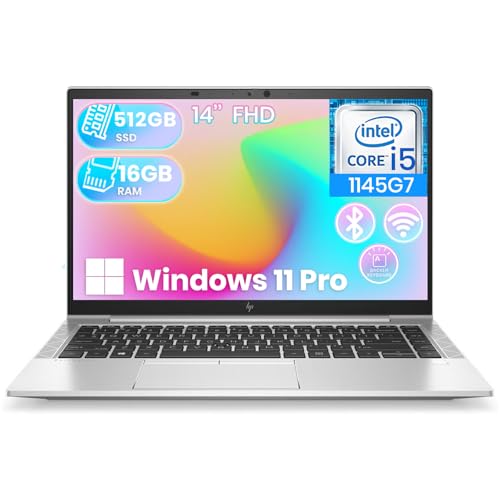
The business laptop vs consumer laptop choice looks simple on a spec sheet — similar processors, similar screens, very different prices — and that is exactly the trap. The two categories are engineered for different lives. Business laptops (ThinkPad, EliteBook, Latitude and their peers) are built for durability, security, serviceability, and long support. Consumer laptops are built for shelf appeal: thinner, prettier, sometimes faster for the money, and designed around a shorter, gentler life at home.
The quick verdict: if the laptop earns money, holds client data, travels for work, or must last four to five years with minimal fuss, buy the business laptop. If it is a personal machine for home use, media, and light work — or the budget is truly tight — a good consumer laptop serves well. The comparison below shows where the price difference actually goes, so you can judge whether it buys anything you need.
Disclosure: As an Amazon Associate, kajuandouglas.com earns from qualifying purchases. Links to Amazon on this page are affiliate links; they cost you nothing extra. Listing details such as price and availability change often, so check the current Amazon listing before you buy.
Business Laptop vs Consumer Laptop at a Glance
The pattern to notice: business laptops spend money on time — years of service — while consumer laptops spend it on the first impression.
| Criterion | Business Laptop | Consumer Laptop |
|---|---|---|
| Build and testing | Durability-tested chassis, reinforced hinges | Style-first; durability varies widely by model |
| Security | TPM, biometrics, privacy features standard | Biometrics on premium models; basics elsewhere |
| Operating system | Windows Pro standard | Windows Home standard |
| Serviceability | Replaceable battery, RAM, SSD on most models | Often sealed; soldered components common |
| Warranty and support | Multi-year, on-site options, business priority | Typically one year, mail-in depot service |
| Model stability | Same model sold for years; fleet-friendly | Models refresh and vanish quickly |
| Ports and docking | Generous ports, one-cable dock ecosystems | Fewer ports; adapters commonly needed |
| Price and value | Higher upfront, lower lifetime cost for work | Lower upfront, higher performance per dollar at purchase |
In this guide
Gear for This Guide
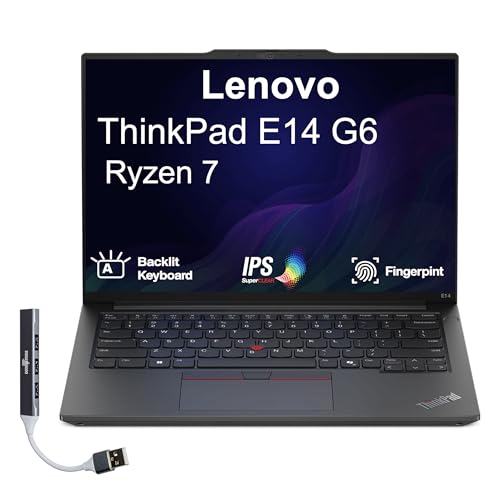
Two verified listings with similar headline specs show how differently the categories spend their budgets:

Lenovo ThinkPad E14 Gen 6 Business Laptop 14.0″ IPS WUXGA Display (AMD Ryzen 7 7735U, 16GB DDR5, 512GB PCIe SSD, AMD Radeon, Fingerprint, 2 Thunderbolt 4, WiFi 6E, BT 5.1, Win 11 Pro) w/Dockztorm Hub — A ThinkPad E14 Gen 6 business laptop with DDR5 memory and a fingerprint reader — the business side of this comparison in concrete form. Check price on Amazon.
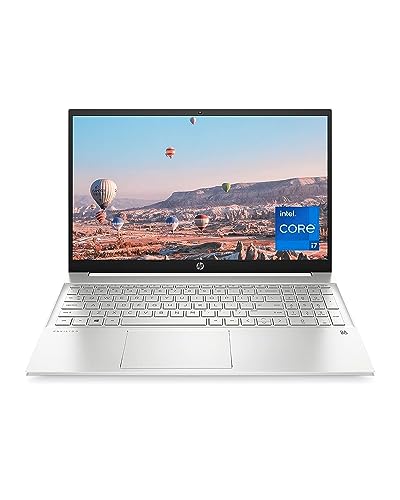
HP Pavilion 15 Laptop, 11th Gen Intel Core i7-1165G7 Processor, 16 GB RAM, 512 GB SSD Storage, Full HD IPS Micro-Edge Display, Windows 11 Pro, Compact Design, Long Battery Life (15-eg0025nr, 2021) — An HP Pavilion 15 consumer laptop with comparable headline specifications — the consumer side, aimed at home and student buyers. Check price on Amazon.
Build Quality and Longevity
Business laptops are tested against durability standards — drops, vibration, humidity, hinge cycles — and built with service in mind: screws instead of glue, replaceable wear parts, and published service manuals. That is why five-year-old business laptops populate offices and refurbished markets everywhere: they were designed to survive being carried, docked, and opened daily for years. Their keyboards are typically rated for spills in the sense of drainage channels on flagship models, and their hinges are engineered for tens of thousands of cycles.
Consumer laptops span a wide range: premium consumer flagships are beautifully built, while budget models use flexible plastics and hinges that loosen within a couple of years. Few are designed to be opened, and many solder memory and storage permanently. None of this matters much for a laptop that lives on a home desk; all of it matters for one that crosses the city daily and must not fail during a client presentation.
Security, Management, and the Operating System
Business laptops ship with Windows Pro and a security baseline consumer models treat as optional: TPM chips for encryption keys, fingerprint readers and IR cameras, webcam shutters, and often privacy screens and smart-card options. For companies, they add manageability — the ability for IT to configure, update, and if necessary wipe machines remotely — and hardware-level protections that regulated industries require.
A consumer laptop can be secured well by a careful owner, as our security guide shows, but you are assembling the baseline yourself and sometimes paying for a Pro upgrade to get BitLocker management and domain features. For a solo professional, that assembly is an afternoon’s work; for a business buying twenty machines, the business line’s out-of-box posture is worth real money.
Support, Warranty, and Total Cost
Here the price gap explains itself. Business support offers multi-year warranties with next-business-day on-site repair: a technician comes to you, and the laptop is back in service in days. Consumer support is typically a one-year mail-in warranty: the laptop leaves for a depot and returns in a week or two. For a home user that is an inconvenience; for a business, two weeks without a machine costs more than the support upgrade ever would.
Total cost over four to five years therefore often favors the business laptop for work use: fewer replacements, less downtime, parts and batteries still available, and a resale or hand-down value at the end. The consumer laptop wins the honest comparison only when its life is genuinely lighter — home use, student years, or as a secondary machine.
Who Each Option Suits
Choose the business laptop if it is your work machine, if you run a team of any size, if you handle client or regulated data, if you travel with it, or if you keep laptops four years or more. Choose the consumer laptop for home and family use, for students on tight budgets who accept the support trade-offs, for media and light gaming where consumer models often offer better screens and graphics for the money, and for anyone whose ‘office’ is a sofa.
The genuinely hard case is the solo professional on a budget. The pragmatic answer: a previous-generation or refurbished business laptop frequently beats a new consumer laptop at the same spend for work purposes — you inherit the build, security, and serviceability that made it a business machine, at a consumer price.
Performance, Screens, and the Spec-Sheet Illusion
On paper, a consumer laptop often wins: a faster processor tier, a brighter headline screen specification, more storage — at a lower price. The illusion is in what the sheet omits. The consumer machine’s processor may be configured to a lower sustained power, its beautiful screen may be glossy and fatiguing in office light, and its storage may be a slower class of SSD behind the same capacity number. Business machines are specified conservatively because their buyers measure fleets over years; consumer machines are specified competitively because their buyers compare listings for minutes.
Graphics invert the pattern honestly: consumer gaming lines offer dedicated GPUs at prices business lines never attempt, because businesses do not buy frame rates. A buyer whose work is video or 3D should compare within the workstation sub-lines of the business families — where professional graphics live — rather than concluding the categories differ in capability. They differ in intent, and intent determines where the money sits.
The mature way to read any listing in either category: identify the three components you cannot change (processor, soldered memory, screen), verify them exactly, and treat everything replaceable as negotiable. Business laptops simply make more of the machine negotiable — which is the whole philosophy in one sentence.
The Hybrid Worker Case: One Laptop, Two Lives
Most buyers are not pure cases: the laptop works all day and streams, browses, and manages family photos at night. Does the hybrid life change the verdict? Less than marketing suggests. A business laptop handles personal use effortlessly — browsers and media do not care about the badge — and its keyboard, screen, and battery serve evenings as well as workdays. What it will not do is game seriously or win style contests, and its price includes support a household may never use.
The consumer laptop’s hybrid risk runs the other way: it games and gleams, but its warranty downtime, sealed battery, and Home-edition limits tax the work half of its life — the half that pays for it. For a hybrid buyer whose income touches the machine, the business model’s boring virtues protect the revenue-generating use, and the personal use loses nothing that matters.
The genuine exception is the creator hybrid — the photographer, editor, or streamer whose personal and professional work is the same visual work. For them, premium consumer and creator lines with top-tier screens and graphics can be the right tool, secured and backed up with business discipline. Categories serve people, not the reverse; know which description is yours.
Buying Channels and Refurbished Value
Where you buy shapes what you get. Business laptops sell through manufacturer business stores and resellers with configuration options — memory, storage, warranty tier — that retail consumer listings rarely offer. Configuring correctly at purchase is cheaper than upgrading later, so the channel itself is a feature: if a store will not let you choose the warranty and memory, it is selling you the consumer experience regardless of the badge.
The refurbished channel deserves its reputation as the value champion for work machines. Off-lease business laptops return from corporate fleets in quantity, get graded and warrantied by reputable refurbishers, and sell at consumer prices while retaining business build, security, and serviceability. For startups, students entering professions, and anyone whose budget and standards disagree, this channel is where they reconcile.
Whichever channel you choose, verify the same facts: exact model and configuration, warranty terms in writing, battery health policy for refurbished units, and return terms. The category decision gets the philosophy right; the channel decision determines whether the philosophy arrives in the box.
The Student and Family Middle Ground
Two buyer groups live permanently between these categories and deserve direct advice. Students need durability and battery like business users, buy on budgets like consumers, and face a four-year horizon that punishes flimsy machines. For them, the refurbished business laptop is often the single best answer in the market: professional build and serviceability at a student price, with the caveat to confirm battery health and budget for a possible replacement battery in year two.
Families buying a household machine should weight the decision by the machine’s second job. A laptop that only streams, browses, and does homework is a consumer laptop’s home turf, and paying for fleet manageability buys nothing. The moment the same machine carries a parent’s freelance work, client files, or the family business’s accounts, the calculus flips — the business model’s security and support stop being corporate luxuries and become household insurance.
The pattern generalizes: categories follow consequences. Ask not what the laptop is called, but what its failure, loss, or compromise would cost — in money, in days, in data — and buy the category whose engineering answers that cost. That question, honestly answered, has never steered a buyer wrong.
Environmental and Resale Considerations
The categories diverge at the end of life in ways worth pricing at the beginning. Business laptops are built to be disassembled, which makes them repairable, upgradeable, and ultimately recyclable in fact rather than in slogan; their long parts availability keeps them in service instead of landfill, and a healthy refurbishment market gives them second and third owners. A machine that serves three owners across a decade is an environmental argument no materials list can match.
Consumer laptops, particularly sealed designs with glued batteries, too often exit service when a single consumable part fades — an outcome that wastes the entire machine’s embodied cost over a battery. Premium consumer models are improving, and buyers who care can check repairability information before purchase; the information increasingly exists for those who ask.
Resale value tracks the same divide. Business models hold value because the refurbishment market trusts their construction and can source their parts. When you total a purchase across its whole life — service years, second life, residual value — the business laptop’s higher first price frequently becomes the lower whole-life cost, in currency and in waste alike. It is the rare comparison where the responsible choice and the economical one coincide.
Scenario Head-to-Heads: The Same Buyer, Two Machines, Five Years
The categories blur in the showroom, so judge them across time instead. Follow a single buyer — a self-employed consultant — through five years with each type, and the structural differences stop being abstract.
Year one: the honeymoon both machines share
Both machines are fast, both screens delight, and the consumer laptop, bought with the higher headline specifications, may even feel like the cleverer purchase. The business machine’s advantages in this year are nearly invisible: a warranty that has not been called, a keyboard wearing nothing, security features quietly doing nothing dramatic. Anyone judging the categories at month six will call it a draw or award it to the consumer machine, and anyone who has owned both knows the comparison has not started yet.
Year three: the divergence
By year three the consumer machine’s battery has thinned noticeably, its consumer support line treats its owner as a hobbyist with a hobbyist’s urgency, and a failed hinge or keyboard means a repair measured in weeks or a replacement measured in regret. The business machine’s battery is replaceable in minutes, its parts are still stocked, its support contract answers as a business, and its operating system’s edition has quietly accommodated the accountant’s requirements and the client’s security questionnaire without argument. Nothing dramatic has happened to either machine. That is precisely the point: the categories differ in the accumulation of ordinary years, not in dramatic events.
Year five: the exit
At replacement, the business machine enters a thriving second-hand and refurbishment market that values its durability, its standard parts, and its documented supportability — it has a second life and a residual value. The consumer machine, its battery tired, its model already obscure to the parts trade, is worth its weight as a spare screen for the household. Total cost, counted across the whole story rather than at the till, routinely surprises the buyer who thought the comparison ended at purchase. It never ends at purchase. That is the comparison.
The Middle Ground: Pro-Sumer, Creator, and Other Hybrids
Between the categories sits a growing territory of machines that borrow from both, and buyers deserve a map of it rather than a warning to avoid it.
What the hybrids genuinely offer
Premium consumer and creator lines often match business machines for build and screens while exceeding them for graphics and media work, and some include the professional operating system edition or offer it as an option. For the solo creative professional whose work is visual and whose support needs are modest, such a machine can be the correct answer that neither pure category supplies. The questions to ask are the business questions — parts availability, warranty terms and turnaround, security hardware — applied without prejudice to whichever badge the machine wears.
Where hybrids quietly fall short
The gaps appear in the unglamorous columns: manageability features absent, docking ecosystems thinner, model availability shorter, so the identical replacement or the spare part in year four becomes a research project. None of this matters to a buyer who replaces machines on a short cycle for creative reasons. All of it matters to a buyer expecting business-class longevity from a consumer-class support structure. The hybrid is not a trick; it is a trade, and it rewards buyers who know which side of it they are on.
Gaming machines as accidental business laptops
A special case deserves naming: the gaming laptop pressed into business service for its power. Its performance is real, but its battery life, weight, fans under load, and presentation in a client’s boardroom all argue the opposite case, and its support is a consumer channel. Occasionally — the developer who games, the engineer whose models and whose hobby coincide — it is the honest right answer. As a default business choice bought for benchmark numbers, it is the spec-sheet illusion wearing its most colourful disguise.
Operating Systems and Software: The Difference That Arrives by Email
The main guide covers the professional edition’s features; this section covers how the difference is actually experienced, because it rarely announces itself at purchase.
The questionnaire moment
For many small businesses, the distinction arrives as a client’s security questionnaire, an insurer’s requirement, or a collaboration platform’s device policy: encryption managed and provable, sign-in policies enforceable, updates controllable. The professional edition answers these as routine; the home edition answers some with workarounds and others not at all. A business that never faces such a moment may never feel the difference. A business that faces it with the wrong edition feels it all at once, at the worst time, in front of the client who sent the questionnaire.
Updates, control, and the working week
Professional editions grant control over when updates apply and restarts occur — a small administrative power that reads as nothing in a feature list and as everything on the morning of a presentation. Consumer machines optimise for the household’s convenience, which is a different and legitimate goal; the friction arises when a business’s schedule is subordinated to it. Control is the recurring theme of the business category, in software as in support: the professional tools assume a professional’s calendar is an asset worth respecting.
The Environmental and Longevity Argument
There is a version of this comparison that has nothing to do with money, and for many buyers it is becoming the deciding one.
Service life as the environmental variable
A laptop’s environmental cost is dominated by its manufacture, so the machine that serves six years and then serves a second owner is, by a wide margin, the lighter footprint — regardless of small differences in materials or packaging. Business machines are built for exactly that biography: repairable, parts-supported, refurbishable. Consumer machines replaced on a short cycle because a battery faded or a part vanished multiply their manufacturing cost across the same working period. Longevity is not a compromise between performance and planet; in this category it is simply what quality looks like when measured in years instead of in benchmarks.
Repairability as a published property
Both categories are improving under regulatory and customer pressure, but the business lines remain the reference: service manuals published, parts listed and sold, batteries and storage reachable by design. When comparing individual models, the repairability evidence is findable and worth the finding — a machine designed to be opened will be opened successfully, by you or by any technician in any town, for the whole of its life. A machine designed to be sealed will be retired by its first internal failure, whenever that arrives.
The second-hand ecosystem as proof
Markets do not lie about durability. The thriving trade in refurbished business laptops exists because those machines survive to be traded, in volumes that support an industry of testers, parts suppliers, and warranties. A buyer choosing a business machine is, whether they intend it or not, buying into that ecosystem — its parts, its knowledge, its resale values — while a buyer choosing a consumer machine is largely buying a single, self-contained object. Ecosystems outlast objects, and the difference compounds across every year of ownership.
Decision Framework: Five Questions That Settle It
For the reader who wants the whole comparison distilled into an honest self-interview, these five questions, answered truthfully, almost always produce the right category.
- Will this machine hold data whose loss or exposure would genuinely harm the business? If yes, the business category’s security and management stop being optional.
- What does a week without this laptop cost, in money or in commitments missed? If the answer frightens you, buy the support structure, not just the machine.
- How long do you honestly keep laptops? Short, disciplined replacement cycles soften the business case; long service sharpens it to a point.
- Will the machine need to dock, present, and travel as a professional instrument, or live a gentler, desk-bound life?
- Are you buying for the workload you have, or for the benchmarks you enjoy reading? Answer carefully — the categories separate exactly here.
Three or more answers leaning professional make the business machine the rational purchase even at its premium, because the premium buys precisely the properties those answers value. A clean sweep the other way — light data, low downtime cost, short cycles, gentle use — makes the consumer machine a perfectly respectable choice, and this guide’s respect for it is genuine: the wrong purchase is not the cheaper category, it is the category chosen against the evidence of your own answers.
What the Comparison Means for Specific Buyers
General frameworks settle most cases; these portraits settle the ones readers actually write in about, where the categories’ edges meet real lives at odd angles.
The freelancer whose laptop is the business
For the solo professional, downtime is not an inconvenience but a revenue event, and data loss is not a mishap but an existential one. That arithmetic pushes decisively toward the business category: the support contract, the encryption and management, the replaceable battery, the refurbishability. The freelancer should also hear the comparison’s quieter lesson — that the business machine’s higher price is partly an insurance premium, and insurance is correctly judged by the disaster it prevents, not by the years in which nothing happened.
The growing team buying its fifth laptop
At five machines, variety stops being charming. The team that standardised early on a business line now reaps identical chargers, one support relationship, and knowledge that transfers; the team that bought five bargains owns five separate support universes. The comparison at fleet scale is not close, and it widens with every hire — which is why the time to choose the business category is before the fleet exists, when switching costs nothing but a decision.
The home professional and the household blur
Remote work has dissolved the boundary the categories were named for: the machine on the kitchen table runs a business by day and a household by night. For this buyer the honest answer is often a business machine used with consumer grace — its security and support serving the work, its life shared with the family’s streaming and homework. The categories describe machines, not people, and a person whose life crosses the line should buy the machine built for the half of the day where failure costs more.
The bargain hunter, addressed respectfully
There is a buyer for whom the consumer machine at a steep discount is genuinely right: light data, gentle use, a short intended life, and the skills to manage its limitations personally. This guide’s argument was never that consumer machines are bad; it is that their price is honest only when their limitations are priced in too. The bargain hunter who has read this far and still chooses the discount, eyes open, is not the cautionary tale of this comparison. The cautionary tale is the buyer who never knew there was a comparison to make.
The Verdict, Stated as Plainly as It Can Be
Business and consumer laptops are not better and worse versions of one product. They are two products, engineered around two different promises: the consumer machine promises the most impressive first year for the money; the business machine promises the most dependable five. Every difference in this guide — build, security, support, parts, price, resale — is one of those promises expressing itself in a different department.
Choose by deciding which promise your life actually needs kept. If your laptop is a tool your income leans on, whose failure would echo, whose data matters, and whose years you intend to count in fives rather than in ones, the business promise is the one written for you, and its premium is the sound of the promise being priced. If your needs are lighter and your cycle shorter, the consumer promise may serve you beautifully and honestly. The only indefensible choice is the unexamined one — and a reader who has come this far has, by definition, already declined to make it.
Reading the Signs in Your Current Machine
If you are undecided between categories for your next purchase, your current laptop has been collecting the evidence for years. Interrogate it before you shop, because its biography is the most personal data in this entire comparison.
What your old laptop is telling you
How did it fail, or how is it failing? If the answer is a battery, a part, a support experience, or an accumulation of small physical defeats, you have been living the consumer category’s long-term costs — or the business category’s absence — and the next purchase should answer them. If it never really failed at all, merely aged past its software, your use is gentle enough that either category can serve, and the decision can be made on price and preference with a clear conscience. If it was replaced while still working, ask what actually drove the replacement: a genuine workload change argues for re-specification, while a vague dissatisfaction argues for reading this guide’s five questions once more, slowly.
The data and downtime audit
Recall, honestly, the worst technology day of the last three years: what broke, what it cost, how long recovery took, and whether the machine’s category helped or hindered at each step. That single day’s evidence outweighs a season of reviews, because it is denominated in your currency — your clients, your deadlines, your tolerance. Buyers who perform this audit rarely need persuading afterward, in either direction. The comparison stops being about laptops and becomes what it always secretly was: a decision about how much fragility your working life can afford, made by the only person who knows the answer.
A Note to the Buyer Who Has Already Decided Wrong Once
Many readers arrive at this comparison carrying a previous mistake: the consumer machine dying expensively in year two of a business that depended on it, or the business machine bought at a premium for a hobby that never needed it. Both mistakes are tuition, and both are common enough to deserve a word of absolution: the categories are marketed to blur, the differences are deliberately quiet at the moment of purchase, and the information that separates them — of the kind assembled here — is rarely offered at the point of sale. What matters is that the second purchase be made with the first one’s evidence in hand. A buyer who has paid tuition and learned is, from here on, the best-equipped buyer in the market, and the machine they choose next tends to serve them for a very long time.
How to Test the Categories in a Single Afternoon
Reading ends; evidence begins. A buyer torn between the categories can generate more decision-quality information in one structured afternoon than in a month of comparison articles, this one included.
The afternoon, planned
Shortlist one machine from each category at the honest top of your budget for each — remembering that the business machine’s budget should include its warranty as the consumer machine’s should include its likely earlier replacement. Handle both: type a full page on each, open and close them twenty times, carry each around the shop or the house in one hand, and read your own documents on both screens. Then make two phone calls: one to each maker’s support line, with a real question, timed and judged. Finally, price the whole stories — five years, one battery, one likely repair, the operating system edition you actually need — rather than the two boxes.
Reading the afternoon’s evidence
Notice which machine your hands kept returning to, which support call left you calmer, and which five-year figure surprised you. Those three impressions, honestly recorded, are the comparison performed on the only sample that matters: you. If they point the same way, the decision is made and further research is procrastination wearing diligence’s clothes. If they conflict, weight the five-year figure and the support call above the showroom’s charm, because you will live with the first two long after the third has faded — a weighting this guide has applied, in one form or another, on every page.
The Categories in Ten Years: A Brief, Careful Forecast
Buyers sometimes ask whether the distinction itself will survive, and the honest answer is that it is already evolving. Consumer machines adopt business virtues — better builds, professional editions offered at purchase, longer support — while business machines adopt consumer graces of design and screen. The likely future is a spectrum rather than a border, priced by the support and longevity wrapped around the hardware rather than by the hardware alone. That evolution changes nothing about how to buy today: read the promises, price the whole story, test the support, and choose the point on the spectrum where your working life actually sits. The labels will keep moving. The method will not.
One Final Case: The Machine That Has to Do Everything
Consider the buyer this comparison ultimately serves best: the professional whose single laptop must present to clients on Monday, survive a site visit on Tuesday, run the business’s accounts on Wednesday, stream the family’s film on Friday, and still be answering support’s questions in year four. No consumer machine is built for that biography, and no business machine is embarrassed by it — which is why, when one laptop must do everything a working life contains, the business category is not the cautious choice but the honest one. Buy the machine whose promise matches the life, keep its records, maintain it lightly, and let the category question close behind you. It was never really about two kinds of laptop. It was about the one life the laptop has to carry — yours, entire.
The Guide in One Breath
Decide what your laptop’s failure would cost, how long you will keep it, and what its data is worth — then buy the promise that matches: the consumer machine’s brilliant first year, or the business machine’s dependable five. Price the whole story, including the battery, the repair, the warranty, and the exit. Test the support before you need it. And remember, whenever the showroom tries to settle the question with a benchmark, that laptops are not remembered for their fastest day. They are remembered for their worst one — and for whether, on that day, they and the organisation behind them were built for your working life or merely sold to it.
Keep your current machine’s lessons somewhere you will find them at the next purchase, because this comparison is not one you should have to win twice. The categories will have shifted, the models will all be new, and the showroom will be exactly as persuasive as it was this time — but you will walk in knowing which questions decide the matter, what a whole story costs, and how your own working life votes. That knowledge, more than any single laptop it will ever buy you, is the durable asset this guide was trying to build.
So run the five questions, make the two support calls, price the five years honestly, and then buy once, buy deliberately, and turn your attention back to the work the machine exists to serve. The right category, chosen with open eyes, disappears beneath that work for years — and a decision that disappears because it was right is the best kind of decision there is.
And if a colleague asks you, a year from now, which kind of laptop they should buy, you will find yourself asking them about their data, their downtime, and their years — the questions this guide taught you — because you will have become what every good comparison hopes to create: not a partisan of a category, but a judge of fit.
Choose the promise your life needs kept, and keep the receipt, the records, and the perspective. The machine will handle the rest, for exactly as long as its category promised — which, chosen well, is a very long time indeed.
That is the comparison, complete: two promises, one working life, and a decision that — made on evidence rather than on a benchmark — you will not need to revisit until the machine itself, years from now, politely asks to be replaced.
Buy well, keep the records, and let the years deliver the verdict.
The work is waiting, and it deserves the right machine beneath it.
Decide once, decide well.
Your future self thanks you.
Related Guides
- best business laptops in the top band
- best business laptops on a budget
- best compact business laptops
- best laptops for business and personal use
- best laptops for work
- how to choose a business laptop
- what makes a good business laptop
Frequently Asked Questions
Why are business laptops more expensive with the same specs?
Because the specification sheet omits what you are paying for: durability testing, security hardware, Windows Pro, serviceable construction, longer and better warranties with on-site service, and years of model and parts availability. Judged on processor and memory alone they look overpriced; judged on cost per working year for a business, they usually are not.
Can I use a consumer laptop for my small business?
You can, and many do at the start. Secure it properly — encryption, updates, backups, unique passwords — and accept the trade-offs: Home edition limitations, depot warranty downtime, and components that may not be replaceable. As the business grows, the first hire is usually when the business line starts paying for itself.
Do business laptops have worse screens and graphics?
Historically they prioritized matte, office-friendly screens over glossy media panels, but current business models offer excellent displays including high-resolution and OLED options. For gaming and heavy graphics, consumer gaming lines remain stronger. For office work, a business laptop’s screen is chosen for eight-hour comfort, which most people prefer once they have tried both.
Are refurbished business laptops a good buy?
Often the best value in laptops, period. Off-lease business machines were built for durability, are easy to service and upgrade, and sell for a fraction of their original price. Buy from reputable refurbishers with a warranty, check battery health policy, and confirm the exact specifications. For work use, a refurbished flagship business laptop beats a new budget consumer model in most respects.
What is the difference between Windows Pro and Home in practice?
Pro adds BitLocker encryption management, the ability to join company domains and cloud directories, group policy controls, and hosting Remote Desktop sessions. For a business laptop these are working tools, not trivia. Consumer machines ship with Home to cut cost; the upgrade exists but erases part of the consumer model’s price advantage.
How long do business laptops stay supported with parts?
Business lines are typically produced for extended runs and supported with parts, batteries, and docks for years after — a core part of their fleet appeal. Consumer models may be discontinued within a year, after which batteries and model-specific parts get scarce. If you keep machines long or buy in fleets, that support tail is a decisive practical difference.
If I buy a consumer laptop, can I upgrade it to the professional operating system later?
Usually yes, through an in-place edition upgrade that keeps your files and applications, at the cost of the edition’s licence. That makes the operating system the most forgivable difference between the categories — the one that can be corrected after purchase. The hardware, support, and parts differences cannot be retrofitted, which is why they deserve the greater weight in the original decision.
Are business laptops always heavier and uglier than consumer ones?
No, though the stereotype has history. Current business ultraportables are among the lightest, most restrained machines made, because their buyers travel and present constantly. The honest difference is priority: consumer design chases thinness and novelty slightly harder, business design keeps ports, serviceability, and durability in the frame. Judge individual models with your eyes and hands rather than inheriting a decade-old caricature of either category.
Do business laptops make sense for students?
Often, yes — particularly refurbished ones. A student gains the durability for years of bags and libraries, the keyboard for years of essays, and a price, in the refurbished market, that undercuts new consumer machines of far lesser build. The cautions are weight in some models, modest graphics for gaming, and battery condition, which should be verified or budgeted for replacement. As a value proposition for serious study, few purchases in this entire category are easier to defend.