Knowing how to fix mirrorless camera overheating matters because mirrorless design invites it: a sensor that never sleeps, cinema-grade video processing, and a compact sealed body with no fan and little metal to spare. The result, on a warm day in a heavy video mode, is the temperature warning and an eventual shutdown — usually at the worst moment of the event. The encouraging truth is that most overheating is manageable: recording mode, airflow, power source and shooting rhythm each move the limit substantially, and firmware has quietly rescued several notorious models.
This guide proceeds in safe order — settings, environment, workflow, accessories — with no case-opening, no cold packs sweating condensation into the mount, and no warranty adventures. It also helps you test your own camera’s honest envelope at home, so a wedding or a school play never becomes the experiment. The general-camera version of this advice lives in how to fix camera overheating when filming; what follows is tuned to mirrorless bodies specifically.
Disclosure: As an Amazon Associate, kajuandouglas.com earns from qualifying purchases. Links to Amazon on this page are affiliate links; they cost you nothing extra. Listing details such as price and availability change often, so check the current Amazon listing before you buy.
Likely Causes, Most Common First
Mirrorless overheating is a heat budget problem. The usual contributors, most common first:
- Heavy video modes — high resolutions, high frame rates, oversampled and high-bitrate recording — running sensor and processor at full tilt
- Continuous live view and autofocus computation even between takes, so the body never truly idles
- Hot ambient conditions, direct sun, and still air defeating the small body’s passive cooling
- The rear screen folded flat against the body, trapping heat over the warmest surface
- Slow memory cards prolonging processor work, and in-body battery power adding its own heat under load
- Tight cases, cages that insulate, and grips that cover the body for entire sessions
In this guide
Step-by-Step Fixes in Safe Order
Apply in order and re-test after each step with your longest realistic take; most mirrorless overheating surrenders by Step 3.
Step 1: Lighten the recording mode and set the temperature threshold
Heat follows data. For long takes, choose 4K30 over 4K60, standard bitrates over maximum-quality codecs, and line-skipped or pixel-binned modes over oversampled ones when your camera offers the choice — the image remains excellent while the sensor and processor workload falls sharply. Check the setup menu for a temperature-threshold or ‘high temp’ recording option: many mirrorless bodies ship set conservatively, and the manufacturer’s own higher setting legitimately extends record times. Disable pre-recording, high-frame-rate standby and unused wireless radios, all of which keep the sensor and processors warm between takes.
Step 2: Open the body up to the air
Articulate the rear screen away from the body — folded flat, it blankets the surface the body most needs to radiate from. Remove silicone skins and tight half-cases for long sessions. Keep the camera shaded: on a tripod outdoors, a white cloth draped over the body (clear of vents, controls and the lens’s focus ring) reflects the sun load that otherwise overwhelms the thermal budget. Indoors, aim a small fan across the camera position; moving air is the cheapest cooling upgrade in video. Never apply cold packs or refrigerated anything to the body — the condensation risk inside the mount and around the sensor is worse than the heat.
Step 3: Move the battery’s heat out of the body
A battery discharging hard inside a sealed body is a heater at the camera’s core. For static work, power the camera from a mains adapter/dummy battery or a USB power-delivery power bank if your model supports powered recording — the battery bay empties or idles, and run times stretch impressively. For mobile work, rotate two or three batteries at natural breaks; a rested battery returns cool. Retire batteries that run noticeably hotter than their siblings or show any swelling, and favour genuine or reputable power — cheap cells run hot and lie about capacity.
Step 4: Fix the card and the firmware
Fit cards rated well above your codec’s sustained write speed; a card at its limit keeps the write pipeline at maximum effort for the entire take. Format in-camera before important shoots rather than deleting files piecemeal. Then check firmware: mirrorless manufacturers have repeatedly improved thermal behaviour by update — extending limits, refining warnings and optimising processing — so an un-updated body may be fighting with one hand tied. Update with a full battery, following the maker’s instructions exactly.
Step 5: Shoot like a thermal professional
Rhythm is a cooling system. Break long coverage into segments with genuine pauses — powering down or at least stopping live view between takes lets the body shed heat it cannot lose while working. On multicam or event work, alternate bodies so each rests. Rehearse your worst case at home: same mode, similar room temperature, and time the warning’s arrival; then plan the real shoot inside that envelope with margin. Professionals are not using magically cool cameras; they are using tested ones within known limits.
Step 6: Add accessories that export the heat
When the work genuinely demands long, heavy recording, export the labour. An external recorder takes encoding load and heat off the camera over HDMI. Model-specific cooling-fan accessories that mount behind the flipped screen have become a legitimate category for popular mirrorless bodies, measurably extending record times — choose reputable makers and fit them per instructions. A metal cage can act as a partial heatsink on some bodies, though wrap-around designs can also insulate; verify by test, not by hope. Beyond these, the honest accessory is a second, fan-cooled video body sharing the day’s load.
Why Mirrorless Cameras Run Hot by Design
A DSLR’s sensor slept between frames; a mirrorless sensor previews, meters, focuses and often stabilises continuously, and video turns that simmer into a boil — 4K60 oversampled recording is among the heaviest workloads in consumer electronics, performed inside a weather-sealed box designed to keep the weather (and, incidentally, the heat) in. Cinema cameras solve this with size, vents and fans; hybrid bodies solve it with limits. Neither approach is a scandal. Your camera’s warning is a thermostat doing its job, and the craft lies in arranging modes, air and power so the thermostat stays silent during the takes that matter.
Ambient temperature dominates outcomes more than brand debates suggest: the same body may record indefinitely in a cool studio and warn inside twenty minutes on a summer beach. Log your own tests with the temperature noted, and treat published limits as cool-laboratory figures. Tropical and desert shooters should default to lighter modes and external power as a standing configuration, not an emergency response.
Gear That Can Help
A video-oriented hybrid with sensible mode choices, and an action camera for the coverage that would cook a hybrid — assigning each job to the body built for it is the final fix:

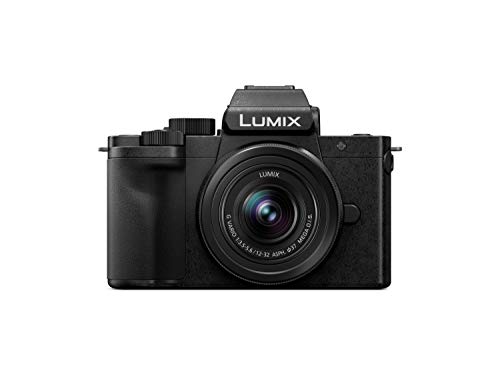
Panasonic LUMIX G100 4K Mirrorless Camera — Check price on Amazon. A solid, widely available option that fits this guide; confirm the exact kit contents and lens mount on the listing before ordering.

GoPro HERO13 Black Action Camera — Check price on Amazon. A solid, widely available option that fits this guide; confirm the exact kit contents and lens mount on the listing before ordering.
When to Get Professional Repair or Replace It
Book service when overheating breaks pattern: warnings within minutes in light modes in a cool room, shutdowns without the graded warnings the manual describes, a body that stays hot while powered off and idle, or any battery that swells, smells or becomes too hot to hold comfortably. Those suggest component faults, damaged batteries or compromised internal heat paths — none of which settings can fix. Stop using a suspect battery immediately; it is a consumable, not a troubleshooting project.
Replace or supplement the camera when honest testing shows it performing exactly to its class limits but your work has outgrown them — all-day high-resolution recording, outdoor summer events, continuous streaming. Add a fan-cooled camcorder or cinema body for the heavy lifting and keep the hybrid for stills and short-form video; that division is how most production kits evolve, and it protects both the work and the equipment.
How to Prevent It Next Time
Prevention is configuration plus rehearsal: keep a ‘long-take’ setup saved (lighter codec, threshold set, radios off, screen out), test every firmware update and new card before important work, and carry shade and a small fan in the standard kit. Protect the body from heat at rest — a camera stored in a hot car starts every shoot thermally handicapped, one of the core warnings in how to protect a mirrorless camera. Log ambient temperature against record times once per mode, and overheating will never surprise you on location again.
How to Fix Mirrorless Camera Overheating on Set: A Production Routine
Working sets treat thermals as a scheduled resource, and the routine is worth copying at any scale. Before the shoot: bodies configured to the day’s modes, firmware current, cards formatted, batteries charged and rotated in a numbered order so rested cells are identifiable. During the shoot: a crew member (or a phone timer, if you are the crew) tracks continuous-record stretches on the hero camera, the second body stays powered down and cool as a genuine reserve, and shade and airflow are part of the lighting setup rather than afterthoughts — a fan placed for the talent’s comfort can serve the camera too, with its noise noted for the audio plan.
After the shoot: log what happened — mode, ambient temperature, minutes to warning — while memory is fresh, because that log becomes next shoot’s plan and, aggregated, your personal database of what your bodies actually do. Productions that run this routine stop experiencing overheating as an event and start experiencing it as a specification, which is the entire transformation this guide aims for.
When the Answer Is a Different Camera: Cooling Architectures Compared
If supplementation becomes necessary, know what you are buying. Fan-cooled cinema and camcorder bodies move air through sealed light paths and record indefinitely in modes that stop hybrids — at the cost of size, fan noise management and a stills experience that is usually secondary. Some hybrid lines now include actively cooled models that keep the stills-first design while adding a fan — the category to watch if your work is genuinely half stills, half long video. Action cameras sidestep the problem with small sensors and short-take design, covering the angles rather than the ceremony.
The decision rule mirrors the rest of this guide: quantify your requirement first (longest continuous take, heaviest mode, hottest venue), test candidate bodies against exactly that requirement — rented, in your conditions — and buy the architecture that passes with margin. Overheating is one of photography’s most testable problems; nobody needs to solve it by faith, forum or return window.
Reading the Warning Signs: Thermal Behaviour Before Shutdown
A mirrorless camera rarely goes from healthy to halted without speaking first. Learning its thermal language lets you intervene at the stage where a small adjustment saves the shoot, rather than at the shutdown where only waiting helps.
The warning ladder
Most bodies escalate politely: first a temperature indicator appears, then recording limits shorten or features quietly restrict themselves, and only then does the camera stop a recording or refuse to start one. Treat the first icon as information, not alarm — it is the camera telling you its remaining thermal budget at current settings, in current conditions. The correct response is the lightest intervention that changes the trajectory: shade, airflow, a pause between clips, a mode adjustment. Photographers who answer the first warning rarely meet the last one.
Distinguishing heat from other failures
Not every mid-shoot stop is thermal. A recording that ends at a suspiciously round duration may be a file or card limit; a camera that stops and immediately restarts happily in a cool room was probably hot; one that misbehaves cold, with errors, is telling a different story about cards, firmware, or hardware. The diagnostic habit that separates them is the controlled test described in this guide’s later sections: same settings, cool room, timed result. Heat is a reproducible, environment-dependent fault, and testing for it should be equally methodical.
Keeping a thermal log on serious work
Professionals shooting long-form video learn their specific body’s limits the way they learn its battery life: by recording them. Note the ambient conditions, the mode, and the time to first warning across a few shoots, and a personal thermal profile emerges that no review can give you, because it includes your lenses, your cards, your handling, and your climate. That log converts overheating from an ambush into a schedule — you will know, before the day begins, which jobs the camera can hold and which need the mitigations planned in advance.
Heat Sources Inside the Camera, Ranked by Contribution
The fixes in the main steps work because they address real heat sources. Ranking those sources clarifies why some interventions transform a camera’s endurance while others barely move it.
The sensor and processor: the furnace
Reading a high-resolution sensor at video frame rates and processing that torrent into compressed files is the dominant heat source, and it scales brutally with resolution and frame rate. This is why stepping down a mode is the single most powerful intervention available: it does not merely reduce the load, it reduces the fundamental work the camera’s two hottest components perform every second. Cropped recording modes that read less of the sensor, and frame rates halved, extend endurance out of proportion to how small the change feels in the menu.
The screen, the finder, and the radios
The rear screen run bright, the electronic finder, and wireless connections each add a steady thermal and battery load that matters over long sessions. None rivals the sensor, but together they decide close contests — the shoot that would have finished at fifty-eight minutes instead of stopping at fifty-five. Dimming the screen between takes, letting the camera sleep during pauses, and disabling unused wireless are therefore legitimate thermal tools, not merely battery superstition, on long hot days.
The battery: a heat source inside the walls
A working battery warms itself, and it warms the body that encloses it, which is why the main steps’ advice about external power and dummy batteries transforms endurance so dramatically on static setups: it relocates an entire heat source outside the camera. The same logic explains why a fresh, healthy battery runs a camera cooler than an elderly one working harder to deliver the same power — battery condition is a thermal variable, and a swelling or unusually hot battery is a safety matter that ends the discussion and the battery’s service immediately.
Planning Shoots Around Heat: A Professional Workflow
On work where failure is expensive, heat is planned for like light or sound — in advance, on paper, with contingencies — rather than discovered with an audience watching.
The pre-shoot thermal audit
Before the day, answer four questions: How long are the longest continuous takes the job truly needs? What will the ambient conditions be at the camera’s position, including sun load and airflow? Which of the camera’s modes meets the delivery requirement with the least thermal cost? And what is the fallback — a second body, an external recorder, a rest schedule — if the first warning arrives early? Most overheating disasters are visible in this audit days before they happen, because the mismatch between a job’s continuous-recording demand and a body’s known limits is rarely subtle once it is written down.
Two bodies and the rotation method
Productions that cannot pause often solve heat by rotation: two bodies alternating takes, each resting and cooling while the other works. Rotation also covers battery changes and card swaps without dead air, which is why it persists even on sets whose cameras could theoretically record all day. For solo operators, a humbler version of the same idea — a planned intermission, a second angle covered by a simpler camera during the main body’s rest — achieves much of the resilience at a fraction of the production scale.
Communicating limits before they arrive
The professional move that surprises beginners is telling the client or the director about thermal limits in advance, framed as scheduling: the ceremony can be covered continuously, the speeches will be recorded in sections with natural pauses, the midday exterior interview will be kept to shorter takes. Clients accept structured plans gracefully and ambushes badly, and a camera’s honest limits, presented early, read as expertise. Heat management, fully grown, is as much communication as it is engineering.
Camera Settings Audit: The Complete Thermal Checklist
When a body overheats sooner than expected, work through its settings as an auditor rather than changing things at random, because thermal loads hide in menus most owners never open after the first month.
The recording menu, line by line
Confirm the actual recording resolution and frame rate rather than assuming them, check whether a high-frame-rate or oversampled mode has been left active from a previous project, and review the codec choice, since the most compressed options work the processor hardest. Check the temperature threshold setting covered in the main steps and record its position, so experiments have a known baseline. Note whether pre-recording or high-quality standby modes are keeping the sensor working between takes — convenience features that hold the camera at readiness also hold it at temperature.
The power and display menus
Screen brightness set for a bright day and never reduced, short sleep timers disabled for a studio session and never restored, wireless left searching indefinitely: each is a small, constant thermal tax. On a body with a thermal reputation, restoring sane power behaviour is worth real minutes of recording. This audit takes five minutes with the manual’s menu map, and it should precede any conclusion that the camera itself is at fault, because a surprising share of overheating bodies are simply configured to run hot.
Firmware as a thermal variable
Manufacturers revise thermal behaviour in firmware more often than they advertise, adjusting thresholds, fan curves on equipped bodies, and recording limits as field data accumulates. A body several versions behind may be enforcing limits its maker has already relaxed, or missing an efficiency improvement to its codecs. Checking firmware belongs in the audit before any accessory is bought or any body condemned, and release notes mentioning recording time or temperature deserve reading in full rather than skimming.
Environmental Extremes: Desert, Tropics, and the Cold Paradox
Most thermal advice assumes a temperate room. The photographers who most need this guide often work where the room is the problem.
Heat and sun as a combined load
In hot climates the camera begins every recording already close to its limits, and direct sun on a dark body can add the equivalent of a mode step-up in thermal load. Shade the camera as you would shade yourself, treat a parked car as an oven that no camera should wait inside, and schedule the longest takes for the coolest hours the production allows. Bodies rest meaningfully faster in moving air and shade than on a still, sunlit table, so even the geography of a rest break is a thermal decision.
Humidity’s quiet contribution
Humid heat feels worse to cameras as it does to people, because the air’s capacity to carry heat away from a warm surface falls as it saturates. Coastal and tropical shoots should budget shorter continuous takes than identical work inland, and equipment moving between air-conditioned interiors and humid exteriors needs its condensation pause — a fogged sensor is not an overheating problem, but it stops the same shoot just as completely, and the two are often confused in the field.
Cold weather’s false comfort
Cold ambient air genuinely extends recording endurance, and winter videographers enjoy thermal headroom their summer colleagues envy. The costs arrive elsewhere: batteries surrender their charge early, screens slow, and the camera returning indoors carries the condensation risk described above. Enjoy the thermal gift while respecting its invoice, and never let a body that ran cool all day outdoors be sealed into a warm, humid bag the moment it comes inside.
Choosing Your Next Camera With Thermal Eyes
Everything in this guide inverts into buying criteria for the videographer whose work has outgrown a body’s thermal envelope. Reading specifications thermally is a skill the overheating experience, however unwelcome, has already taught you.
What to look for in the next body
Active cooling — a fan within the body — is the headline feature for long-form recording, and bodies built around it publish recording limits in hot conditions that passive bodies cannot approach. Beyond the fan, look for evidence rather than claims: tested continuous recording times at your resolution, in stated ambient temperatures, from reviewers who run cameras to shutdown. Note the body’s size and material with new respect, because thermal mass and surface area are specifications too, written in millimetres and grams rather than in the features list.
Matching the body to the work, honestly
A hybrid body that overheats at ninety minutes is not a failed cinema camera; it is a stills camera with a generous video capability, and the mismatch lives in the assignment, not the engineering. The buying question that prevents a repeat of the problem is the pre-shoot audit’s question, asked at the shop: what are my longest continuous takes, in my hottest conditions, at my delivery resolution? A body chosen against that written answer will not surprise you, whichever badge it wears.
The two-system answer
Some working photographers settle the matter by division of labour: the beloved hybrid for stills and short-form video, a video-first body for the long-form work. It sounds extravagant until the cost of one failed, unrepeatable recording is counted honestly. For most readers of this guide, the mitigations in the main steps will extend their current camera’s useful video life by years — but knowing when the honest answer is different hardware is part of fixing overheating too, and this guide would be incomplete if it pretended otherwise.
A Calm Closing Protocol for Hot Days
Pull the whole guide together into the sequence experienced operators run without thinking, so it is available to you as a single habit rather than a list to recall under pressure.
Before the shoot, audit the settings, charge and check the batteries, and decide the longest take the job needs. At the location, position for shade and air before positioning for light, open the body up, and set the lightest mode that meets the delivery requirement. During the work, answer the first thermal warning with the smallest effective change, rest the camera in moving air between takes, and keep the spare body, card, or recorder plan warm rather than theoretical. After the shoot, let the camera cool before it is sealed into a bag or a car, and write the day’s thermal facts into your log while they are fresh.
Followed in order, that protocol converts overheating from the emergency that ends shoots into the managed variable that merely shapes them — which is the realistic summit of this subject. The camera will still have limits. You will simply never be surprised by them again, and an unsurprised photographer is a working one.
Accessories Revisited: What Actually Moves the Needle
The main steps introduce heat-exporting accessories; owners facing a market of gadgets deserve a cooler-headed ranking of what earns its bag space.
The genuinely effective
External power through a dummy battery removes an internal heat source and solves the battery-swap interruption in the same move, making it the first accessory for any static setup. A small fan positioned to move air across the body — whether a purpose-made camera fan or a production fan already on set — addresses the body’s surface, which is where passive cooling happens. Shade, the least purchasable accessory of all, outperforms most of the catalogue: a body kept out of direct sun starts every take with a thermal advantage no gadget can confer afterwards.
The situational and the theatrical
Cooling plates and stick-on heat sinks offer modest gains that vary with fit and contact, worth trying on a known problem body and worthless as a general purchase. Tilting the screen away from the body, opening every door the design allows, and removing grips that insulate the base cost nothing and belong in the routine before any money moves. The theatrical category — accessories that promise transformation without addressing sensor load, airflow, or sun — can be recognised by their silence on those three subjects, and avoided with the money kept for the second battery or the external recorder that actually changes the day.
Recording externally, assessed completely
An external recorder moves compression work and its heat outside the body and often unlocks longer, higher-quality recording, at the cost of bulk, cables, and another battery ecosystem to manage. For interview and event rigs that already live on tripods, it is frequently the correct professional answer. For run-and-gun work, its friction can exceed its thermal gift. Judge it as a workflow purchase with a thermal benefit, not as a thermal purchase alone, and it will be bought — or declined — for the right reasons.
When Heat Reveals a Fault: Warranty and Service Judgement
A final distinction this guide owes its readers: the line between a camera working at its design limits and a camera failing to meet them.
Benchmarks of reasonable behaviour
A healthy body, in a cool room, at mainstream recording settings, with a sound card and battery, should record far beyond the durations that trigger complaints in the field. If yours cannot — if it warns within minutes under gentle conditions, if its body heats unevenly or alarmingly in one spot, if a battery emerges hotter than the camera — the problem has left the territory of technique. Document the behaviour with the controlled test, note firmware and serial details, and present the evidence to the maker or a service centre. Thermal faults are diagnosable, and evidence is the language in which they are believed.
While you wait: working around a suspect body
If the camera must keep working until service, lean entirely on the mitigations: lightest modes, external power, rotation with rests, ruthless shade. Keep takes short and irreplaceable moments covered by a second device, even a phone, because a suspect body owes you no loyalty. And retire any battery implicated in abnormal heat immediately and permanently — that instruction has no exceptions anywhere in this guide.
Heat and the Hybrid Shooter: Protecting the Stills Work Too
Most thermal anxiety belongs to video, but the hybrid shooter — stills all morning, filming all afternoon — faces a subtler problem: a camera that begins its video work already warm from hours of live view, bursts, and chimping in the sun.
Managing the handover between modes
Give the camera a genuine rest at the transition: powered down, in shade, screen closed, while you scout or set the video position with your eyes instead of the finder. Even ten honest minutes of rest returns a meaningful share of the thermal budget. Resist rehearsing the video take repeatedly at full settings; rehearse framing and movement with the camera in a lighter mode or off, and spend the hot settings only on takes that count. Directors of one learn this economy quickly, because the camera’s temperature at the first real take is decided by everything the rehearsal consumed.
Stills habits that keep the body cool
During the stills portion, let the camera sleep between sequences rather than holding it awake in live view, shade it under your body or a hat during pauses, and avoid leaving it on a sunlit surface mount-up like a solar panel. None of this constrains the photography in any way that matters, and the accumulated saving is the difference, at four in the afternoon, between a body that films the speeches and a body that files a temperature warning during the vows. Thermal management, seen whole, is not a video technique at all — it is the day-long stewardship of a working temperature, practised by photographers who know their camera is a heat engine as well as a light one.
The Thermal Interview: Questions to Ask Before Any Filming Job
Freelancers and in-house videographers alike can prevent most thermal trouble in the first conversation about a job, by asking the questions that reveal a production’s true recording demands before accepting its schedule.
Ask what must be captured continuously and what merely must be captured; the difference is often half the day. Ask where the camera will sit — in sun or shade, in still air or moving — and who controls that position. Ask what the delivery format genuinely requires, because productions routinely request the camera’s maximum out of habit rather than need, and a negotiated, deliverable specification is a thermal plan in itself. Ask what happens, contractually and practically, if a take must pause, so that the answer is agreed in daylight rather than negotiated beside a warm camera in front of an audience.
None of these questions diminishes the work; productions respect operators who surface constraints early, because every craft on a set has them and the schedule is built from exactly such honesty. The camera’s thermal limits, raised in the first conversation, are professionalism. Raised in the middle of the ceremony, they are an incident. The whole of this guide, in a sense, exists to move that conversation earlier — into the planning, the settings audit, the log book — where heat is just another production variable, handled by people who expected it.
So test your camera in the cool and the calm, log what it tells you, plan the hot days before they arrive, and spend your attention on the filming itself. Overheating will still exist — physics insists — but it will exist as a known boundary on a map you drew, rather than as weather that happens to you. Every professional who works in heat, of any kind, eventually learns the same lesson; this guide simply offers it to you before your camera teaches it the expensive way.
One Body, Many Climates: A Travelling Videographer’s Notes
The videographer who travels for work meets every thermal condition in this guide within a single year, and develops a portable routine worth borrowing wholesale. The camera bag carries a small cloth for shade, a compact fan, and the external power kit as standard, not as special equipment. Each new location earns a five-minute thermal rehearsal on arrival — a test recording at working settings, in the actual position, while there is still time to reposition, renegotiate, or re-plan. Hotels are scouted for the cool room and the shaded balcony with the same eye as for the view. None of this appears in the finished film, and all of it is in the finished film, in the negative space of the shutdown that never happened. Heat, for the travelling professional, is simply another property of place — like light, like sound — and places, handled with respect and preparation, can almost always be worked with.
Keep the log, trust the protocol, and remember that a camera resting in the shade between takes is not a camera failing to work. It is a camera being managed by someone who intends to finish the day — which is the only definition of professional that the temperature has ever cared about.
Bookmark the protocol, keep the log honestly, and let the next hot day find you prepared rather than surprised. The photographers whose work survives summer, deserts, and wedding season are not the ones with the coolest cameras. They are the ones who understood, earliest, that temperature is a material to be worked with — like light, like time — and who planned their craft around its nature instead of against it.
Work with the heat, and the work gets finished. That is the whole secret, and now it is yours.
Related Guides
- best mirrorless cameras for photography
- best mirrorless cameras for travel
- best mirrorless cameras under 1000 for stills
- best mirrorless cameras for professionals
- best mirrorless cameras for landscape photography
Frequently Asked Questions
Does overheating damage a mirrorless camera?
The shutdown system exists to prevent damage, and occasional warnings are the design working, not failing. Chronic operation at thermal limits is still worth avoiding: heat accelerates battery ageing and makes paid work a lottery. If warnings appear on most shoots, treat it as a configuration problem to solve with this guide — lighter modes, airflow, external power — rather than a personality trait of the camera to endure.
Why does my camera record all day in 1080p but shut down in 4K?
Because 4K recording multiplies the sensor readout and processing work several-fold, and high frame rates multiply it again. The heat generated crosses what a compact sealed body can shed, while 1080p stays within budget indefinitely on most models. This is normal physics across brands, not a fault in your unit — which is why mode choice is Step 1 of every fix, including this one.
Do cooling fan accessories actually work?
Model-specific fans that blow air across the body’s rear — especially behind an articulated screen — demonstrably extend recording times in independent tests, sometimes dramatically in warm rooms. They add bulk, a little noise near microphones, and one more battery or USB power draw to manage. For interview and event shooters they are a rational purchase; for occasional short clips, the free fixes in Steps 1–3 usually suffice.
Will recording to an external recorder prevent overheating?
It often extends recording substantially because the camera stops encoding and writing internally, shedding a major heat source. The sensor and processor still run, so it is an extension, not immunity — test your model. Set the camera’s HDMI output to the clean, information-free mode your recorder expects, and confirm whether your body lifts its internal record limit when no card recording is taking place; behaviour varies by model.
How can I test my camera’s real recording limit?
Reproduce your worst realistic case at home: the mode you depend on, a room at the warmest temperature you expect, the screen and grip arranged as you shoot, and a fresh battery. Record and note when warnings appear. Repeat for your fallback mode. Those two numbers — not forum claims — define your planning envelope. Re-test after firmware updates, which have improved several models’ limits significantly.
Is it safe to raise the temperature threshold setting?
Yes, when the setting is provided by the manufacturer in the menu — it is a designed operating point, trading a warmer body for longer recording, with the shutdown protection still active above it. The camera will feel hot to the touch at the higher setting, which is expected. What is not safe is defeating thermal protection by unofficial means or continuing to use a battery that becomes excessively hot; those leave the designed envelope entirely.
My camera overheats even when taking stills. Is that normal?
It is unusual enough to investigate. Stills shooting gives the sensor and processor rest between frames, so thermal shutdowns during ordinary stills work suggest aggravating conditions — extreme ambient heat, direct sun on the body, a failing battery running hot, or very heavy continuous live-view use. Reproduce the problem in a cool room with a different battery and card; if it persists, the camera has a fault worth a service visit rather than a workaround.
Does using a battery grip help or hurt overheating?
It depends on where the power comes from. A grip holding the working battery moves some heat slightly further from the sensor but keeps it inside the overall assembly, so gains are modest. The significant improvement comes from power that leaves the body entirely — a dummy battery fed from an external source — which is why static and studio setups favour that arrangement for long recordings.
Is it safe to keep using a camera that regularly reaches its thermal limit?
Within its designed behaviour, yes: the warnings and shutdowns are the protection working, and a camera that cools and resumes normally is doing what it was built to do. The cautions are about pattern changes — limits arriving much sooner than they used to, heat concentrated in one spot, batteries running hot — which suggest developing faults rather than honest limits. Track your body’s normal behaviour in your log, and let deviations from that normal, not the mere existence of a limit, trigger concern.