The rtx 4060 vs rtx 4070 laptop question is the defining mid-range gaming laptop decision of this generation, because both chips appear in the same chassis from the same brands, often separated by a modest price step that may or may not be worth paying. Both laptop GPUs carry 8GB of video memory and support the same feature set, including DLSS with frame generation, so the difference is raw capability: the 4070 has more cores and higher potential power limits, translating to a real but not enormous performance lead that varies a lot by laptop model. This comparison explains where the gap shows up, where it vanishes, and which buyers should pay the step-up and which should keep the money for memory, storage or a better screen.
Disclosure: As an Amazon Associate, kajuandouglas.com earns from qualifying purchases. Links to Amazon on this page are affiliate links; they cost you nothing extra. Listing details such as price and availability change often, so check the current Amazon listing before you buy.
RTX 4060 Vs RTX 4070 Laptop: What Matters Most
The laptop RTX 4070 is typically around a fifth faster than the laptop RTX 4060 when both are given generous power limits, and the gap can shrink to very little when the 4070 is in a slim, low-power chassis. Both share 8GB of video memory and identical features. Pay for the 4070 in a well-cooled machine aimed at 1440p or high-refresh 1080p; save with the 4060 for 1080p play, thin machines, or when the step-up money buys a better display instead.
| Criterion | Option A | Option B |
|---|---|---|
| Typical performance | Strong at 1080p, capable at 1440p with upscaling | Roughly a fifth faster at equal power limits |
| Video memory | 8GB | 8GB, identical |
| Features | DLSS, frame generation, ray tracing | Identical feature set |
| Best resolution | 1080p high refresh | 1440p, or high-refresh 1080p in heavy titles |
| Value pattern | The value choice in most chassis | Worth it in well-cooled, high-power models |
In this guide
What to Compare Before You Decide
- The exact laptop models you are comparing, with their GPU power limits
- Your target: 1080p high refresh, or 1440p, on the built-in screen or a monitor
- The games you play and whether they support DLSS and frame generation
- The total price difference between the two complete machines, not just the chips
- How long you plan to keep the laptop, since the GPU cannot be upgraded
The Comparison, Criterion by Criterion
Understand what actually differs between the chips
The laptop 4070 carries more CUDA cores and a wider performance ceiling than the laptop 4060, while both ship with 8GB of GDDR6 memory and the same architecture features: DLSS upscaling, frame generation, ray tracing hardware and the same video encoders. That shared memory capacity is the headline caveat of this whole comparison, because at higher resolutions and texture settings both chips can meet the same memory ceiling. The 4070 is a faster engine with the same size fuel tank.
Check the power limit of each specific laptop
Laptop versions of both chips are configured across wide wattage ranges, and performance follows power closely. A high-power 4060 in a thick, well-cooled chassis can close much of the gap to a low-power 4070 in a slim machine, and occasionally embarrass it in sustained sessions. Manufacturers publish the GPU power figure in full specifications; reviews confirm it under load. Never compare these chips without the wattage of the two actual machines on your shortlist.
Judge 1080p and 1440p separately
At 1080p, both chips are strong, and in esports titles both can saturate high-refresh screens, making the 4070’s extra cost hard to feel. In demanding single-player games at 1080p the 4070 buys higher settings or a smoother margin. At 1440p the balance shifts: the 4070’s extra cores earn their keep, especially with upscaling quality modes, while the 4060 increasingly leans on DLSS and reduced settings. External-monitor players should judge at the monitor’s resolution, not the laptop panel’s.
Weigh ray tracing and frame generation honestly
Both chips support the same ray tracing and frame generation features, so this is not a features decision. The 4070 simply has more headroom to use them: ray-traced effects at playable rates are more realistic on the 4070, particularly at 1440p. Frame generation helps both chips smooth out processor-limited scenes but adds a little latency and works best from a healthy base frame rate, which again favours the stronger chip in heavy titles. If ray tracing is a priority feature for you, that pushes toward the 4070.
Price the whole machine, not the chip step
Brands bundle the 4070 with better screens, more memory or larger storage in some models and not others, so compare complete configurations. The step is good value when it buys the GPU plus a better panel in a chassis that can cool it. It is poor value when the 4070 model is a slim design with a low power limit and a worse screen than the 4060 alternative. Also price the 4060 machine with 32GB of memory and a larger drive; for some players that complete package is the better laptop.
Match the choice to your keeping horizon
A laptop GPU is forever, so time horizon changes the maths. Keeping a machine four or five years argues for the 4070’s headroom, because games will only grow heavier and the extra cores age more gracefully. Replacing every two to three years argues for the 4060 and banking the difference toward the next machine. Neither chip escapes the shared 8GB memory limit, so ultra-long horizons should temper expectations for both at high resolutions.
Battery, Noise and the Real Cost of Portable Power
Every gaming laptop is a compromise between a desktop replacement and a machine you can actually carry. Expect modest battery life away from the wall when gaming, because the discrete graphics chip alone can draw more than a whole ultraportable laptop uses. Fan noise follows the same physics: smaller fans must spin faster to move the same air, so thin machines are louder under load, and a headset or a sensible fan curve is part of the ownership experience rather than an afterthought. Weight figures also hide the power brick, which on high-wattage models can add a substantial chunk to your bag. None of this makes gaming laptops a bad choice; it makes them a specialised one. Buyers who mostly play at one desk should weigh that honestly against a desktop, while buyers who move between rooms, campuses or work trips get something no desktop can offer. Matching the machine to the real usage pattern is the single highest-value decision in this category.
Software Settings That Quietly Decide Your Frame Rate
Long before hardware limits appear, software decides how a gaming laptop behaves. The graphics driver control panel chooses which GPU renders each game, and laptops left on automatic sometimes run demanding titles on the integrated graphics. Windows power mode, the brand control centre performance profile and the in-game resolution scale are three separate levers that stack, so a machine can feel slow simply because one of them is set to a quiet or battery profile. Background software matters too: overlays, capture tools, cloud sync and launchers updating other games all compete for the same processor time. A clean baseline, with drivers current, one performance profile chosen deliberately and background apps trimmed, solves a surprising share of complaints that get blamed on hardware. Change one setting at a time and test in the same game scene, otherwise you will never know which lever actually helped, and you may undo a good change while chasing a bad one.
How Heat, Power and Performance Connect
A gaming laptop is a small box that has to do two contradictory jobs at once: run a processor and a graphics chip at full speed, and move the heat those chips produce out through vents that are only a few millimetres tall. When either chip passes its temperature limit, firmware quietly lowers its clock speed, a behaviour called thermal throttling, and frame rates fall even though nothing in the game has changed. Power limits matter just as much: the same graphics chip can be configured by different brands at very different wattages, which is why two laptops with identical spec sheets can perform noticeably differently. Understanding this triangle of heat, power and clock speed explains almost every behaviour owners describe as mysterious, from fans that surge during loading screens to performance that is excellent for ten minutes and mediocre after an hour. Any fix, upgrade or purchase decision that ignores thermals is treating a symptom. Start with airflow, dust, surface and fan behaviour, then look at software, and only then consider hardware changes.
Reading Gaming Laptop Specs Without the Marketing
Spec sheets reward careful reading. The graphics chip model is only the start: its configured power range, the memory it carries and whether the laptop has a MUX switch or Advanced Optimus to route frames directly to the display all change real performance. Processor core counts look dramatic, but most games still lean on a handful of fast cores, so sustained clock speed under load matters more than the headline number. Memory should be judged on capacity, speed and whether it runs in dual-channel mode with two matched sticks, because a single stick can quietly cost measurable frame rate in CPU-limited scenes. Storage speed affects loading and texture streaming more than raw frame rate, yet a nearly full drive slows everything through background maintenance. Finally, the display is part of the performance chain: a fast panel cannot show frames the GPU never renders, and a powerful GPU is wasted on a dim, slow screen. Judge the machine as a system, not a list.
Who Each Chip Suits, Without the Forum Noise
Choose the laptop RTX 4060 if you play at 1080p, favour esports and well-optimised titles, want a thinner or quieter machine, or found a high-power 4060 model with a clearly better screen for less money. It is the value champion of this generation and satisfies the majority of laptop gamers completely. Choose the laptop RTX 4070 if you play demanding single-player games, target 1440p on the internal or an external display, care about ray tracing, or plan to keep the machine for many years, provided the specific model gives it a generous power limit and cooling to match. The trap on both sides is the badge purchase: a starved 4070 bought for its name, or a 4060 bought for 1440p ultra ambitions it cannot sustain. Judge the complete laptop at your resolution, and this decision becomes straightforward arithmetic rather than tribal loyalty.
When you are ready to compare complete machines rather than individual settings, start with our roundup of the best laptops for light gaming under 800 and keep our roundup of the best gaming laptops for under 750 open in a second tab. Reading a settings guide and a buying roundup side by side stops the most common mistake in this whole topic: changing software or hardware in isolation, without checking whether the rest of the machine actually supports the change you have in mind.
Gear for This Guide

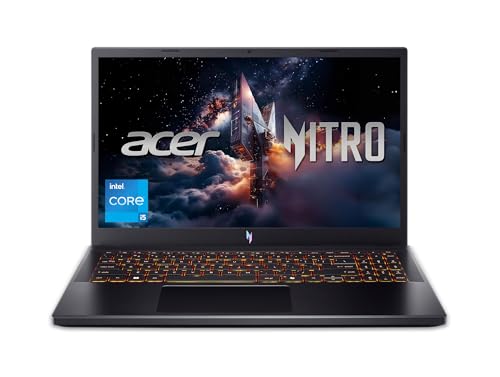
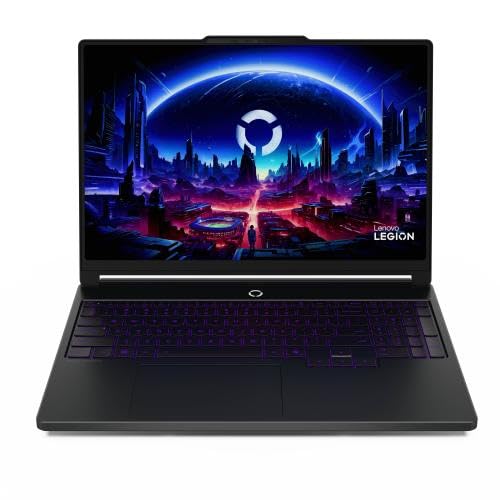
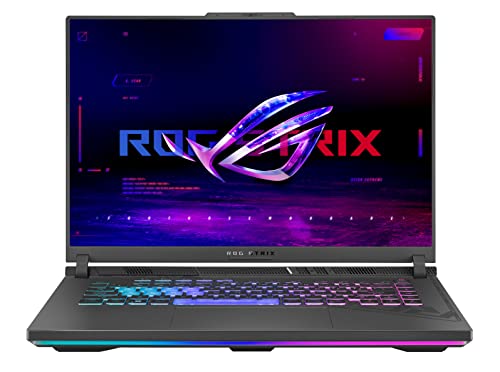
ASUS ROG Strix G16 Gaming Laptop — ASUS ROG Strix G16 Gaming Laptop, 165Hz Display, NVIDIA® GeForce RTX™ 4060, Intel Core i7-13650HX, 16GB DDR5, 1TB PCIe Gen4 SSD, Wi-Fi 6E, Windows 11, G614JV-AS74. Check price on Amazon before you decide, because configurations and availability change often.

ASUS ROG Strix G16 (2023) Gaming Laptop — ASUS ROG Strix G16 (2023) Gaming Laptop, 16” 16:10 FHD 165Hz, GeForce RTX 4070, Intel Core i9-13980HX, 16GB DDR5, 1TB PCIe SSD, Wi-Fi 6E, Windows 11, G614JI-AS94, Eclipse Gray. Check price on Amazon before you decide, because configurations and availability change often.

msi Katana 15 15.6” 165Hz QHD Gaming Laptop: Intel Core i7-13620H — msi Katana 15 15.6” 165Hz QHD Gaming Laptop: Intel Core i7-13620H, NVIDIA Geforce RTX 4070, 16GB DDR5, 1TB NVMe SSD, Cooler Boost 5, Win 11: Black B13VGK-2000US. Check price on Amazon before you decide, because configurations and availability change often.
Common Mistakes
- Comparing the chips by name alone without checking each laptop’s GPU power configuration.
- Assuming the 4070 has more video memory; in laptops both carry 8GB, which limits both at high settings.
- Paying the 4070 step inside a slim chassis where its power limit erases most of the advantage.
- Ignoring the screen bundled with each option, when the panel difference may matter more daily than the chip difference.
Pro Tips
- If two models are close in price, the one with the higher GPU power limit and better cooling is the faster real-world machine regardless of badge.
- For 1440p external-monitor play, budget the 4070 and use DLSS quality mode as your default in heavy titles.
- 4060 buyers should put the saved money into 32GB of memory or a 1TB drive before any other upgrade.
- Check sustained benchmarks at the twenty-minute mark, not launch peaks, when a review offers both.
How to Break a Tie When the Scores Feel Even
When a comparison stays balanced after honest scoring, break the tie with three practical tests rather than more research. First, the regret test: imagine discovering a year from now that you chose wrong, and notice which wrongness stings more, because that reveals which advantage you actually valued. Second, the ecosystem test: total the accessories, software and habits each option disrupts or preserves, since switching costs are real even when they are boring. Third, the trial test: handle both options physically if you possibly can, in a shop or through a generous returns window, because five minutes of hands-on evidence routinely outweighs five hours of comparison articles, including this one. If the tie survives all three tests, choose the option with the better warranty, the easier return path or the stronger resale, and stop researching. At that level of closeness, the decision has stopped being about the products and become about permission to finish, which this paragraph hereby grants.
Putting It All Together
If you are still torn after working through the criteria, return to the two questions that settle most of these decisions in practice: which option covers your non-negotiable tasks without a workaround, and which one fits the places and postures where you actually spend your computing life. Score those honestly and the remaining differences are usually smaller than the anxiety around them. Both options in this comparison are mature, capable products with millions of satisfied owners, which means the risk is not buying a bad device; it is buying the other person’s right device. Choose yours, configure it generously enough to last, and spend the energy you saved on the work and play the machine was bought for.
Why Laptop Versions Complicate This Comparison
On desktops, a model number maps to a known card. In laptops, the same name spans a range of power limits set by each manufacturer, and that range matters as much as the step between the two chips. Any honest comparison has to hold both truths at once: what the silicon offers, and what the chassis lets it do.
The power-limit overlap zone
A laptop 4060 configured at the top of its power range and a laptop 4070 configured at the bottom of its range are much closer in real games than their names suggest — in some titles, effectively level. The 4070’s advantage grows as its power allowance rises, because its extra cores need feeding. This creates the comparison’s central rule: a specific 4060 laptop can be a better buy than a specific 4070 laptop, and the spec sheets’ headline names will not tell you. The wattage figures in detailed specifications and reviews will. Shortlist by chassis and power configuration first, then by chip name, and the comparison suddenly becomes tractable.
What the extra silicon actually buys
The 4070 carries more shading cores, more memory bandwidth through its wider memory bus, and the same memory capacity as the 4060 in laptop form. In practice that translates to a performance advantage that is real but modest at the resolutions laptop screens use — most visible in demanding titles at higher settings and resolutions, least visible in esports titles where both chips are already far beyond the screen’s refresh rate. Both support the same generation of upscaling and frame-generation features, so the software toolkit does not separate them; the separation is raw throughput, and it is a difference of degree rather than of kind.
Memory capacity: the shared ceiling
Both laptop chips ship with the same graphics memory capacity, which simplifies one decision and complicates another. It simplifies because neither holds a longevity advantage in memory-hungry textures; it complicates because buyers hoping the step up buys future-proofing in memory will not find it here. At laptop resolutions with sensible texture settings and upscaling, the shared capacity serves both well today; players who dock to high-resolution external monitors and chase maximum textures in the newest releases are the ones who will feel the ceiling first, on either chip.
Game-by-Game: Where the Gap Shows and Where It Vanishes
Esports and competitive titles
In the games where frame rates run into the hundreds — shooters and sports titles at competitive settings — both chips saturate high-refresh laptop screens, and the 4070’s advantage is a larger number in a benchmark overlay that the screen cannot display and the player cannot feel. Competitive buyers should spend the difference on the screen, the keyboard and the network instead. The one exception is the player who docks to a very high-refresh external monitor and plays at higher resolutions; there, headroom becomes visible again, and the stronger chip earns its place.
Demanding single-player releases
Ray-traced, open-world and cinematic titles are where the 4070 justifies itself: at native laptop resolutions with high settings, its extra throughput can be the difference between upscaling’s quality mode and its balanced mode, or between a stable sixty and a wavering one. Even here, the gap is a settings nudge, not a different game — the 4060 plays the same titles beautifully with one or two settings adjusted and upscaling engaged. Judge by the specific games you play, using benchmarks of your exact laptop configurations where they exist, because chassis differences can rival chip differences.
Creators who also game
For video editing, 3D work and streaming, the comparison shifts: both chips carry the same modern media engines and hardware encoding, so timelines and streams feel similar, while rendering workloads that scale with cores favour the 4070 in proportion to its extra silicon. If the laptop earns money, time saved in renders is a concrete return on the step up; if it only plays, the return is measured in settings sliders. Let the machine’s day job vote.
The Chassis Around the Chip Decides the Rest
Cooling and sustained performance
A 4070 in a thin chassis with modest cooling may sustain less of its potential through a long session than a 4060 in a thick, well-ventilated one. Reviews that test sustained gaming, surface temperatures and noise describe the machine after twenty minutes, which is the machine you live with. When two candidate laptops differ in both chip and chassis class, you are not choosing between chips at all — you are choosing between designs, and the design usually deserves the deciding vote.
Screens paired with each chip
Manufacturers bundle screens with graphics tiers, and the bundles can invert the sensible choice: a 4060 model paired with an excellent high-refresh, high-colour screen may serve you better daily than a 4070 model whose saving was made on the panel. Since both chips drive external monitors equally well in features, the built-in screen matters most to those who play on it — which is most laptop gamers, most of the time. Compare the whole specification of the two machines in front of you, not the badge on the palm rest.
Battery, size and the travelling kit
Higher-tier configurations often arrive in larger chassis with larger adapters. If the laptop travels weekly, the total carried weight and the adapter’s bulk belong in this comparison beside the frame rates. A slightly slower machine that is actually with you outearns a faster one left at home — the recurring theme of every laptop decision, and no less true for being familiar.
The Verdict Framework
Choose the 4060 configuration when your games are competitive or moderately demanding, when the specific 4060 laptop is a high-power, well-cooled design, when its screen is the better of the two in front of you, or when the saving funds memory, storage or the monitor you will use daily. Choose the 4070 configuration when your library leans on demanding releases at high settings, when you dock to a high-resolution display, when creative workloads share the machine, or when the specific 4070 laptop is also the better chassis. In both cases, verify the power configuration of the exact model, because in this comparison the fine print is not fine — it is the headline, written small. The chip name opens the conversation; the watts, the cooling and the screen finish it.
Thermals and Acoustics: The Difference Nobody Benchmarks First
Because the 4070 can draw more power in high-wattage designs, it can also produce more heat and fan noise in those designs — or, in a well-cooled chassis, deliver its extra performance at the same acoustic cost as a 4060 working flat out. The relationship between chip tier and noise is therefore not a ladder but a design question, and it deserves direct attention because noise is the specification owners experience most and research least.
Same chassis, two chips: what changes
Where a maker sells both chips in one chassis, the cooling system is shared, and the comparison sharpens: the 4070 version converts the same airflow into more performance, typically running similar temperatures with fans working somewhat harder at full load, or delivering 4060-level performance more quietly if you cap it. That last point is underappreciated — a stronger chip at a capped frame rate often runs cooler and quieter than a weaker chip straining to hold the same rate, because it works further inside its efficiency range. If your games are capped and moderate, the 4070 can be the quieter purchase; if your games are uncapped and maximal, it will be the louder one. The chip did not change; your usage did.
Thin designs and the starved 4070
In slim chassis, both chips are power-limited, and the 4070’s extra silicon is the most starved — its advantage compresses toward the 4060’s as the wattage ceiling drops, while its price premium does not compress at all. This is the comparison’s clearest value trap: a thin 4070 laptop can cost a clear tier more than a well-fed 4060 in a thicker chassis while performing within a few percent of it, sometimes behind it in sustained sessions once thermals settle. The defence is the discipline this guide keeps returning to: compare measured, sustained performance of the exact models, in long tests, and let the badge argue with the data if it wants to.
Resolution Scaling: Where Each Chip Belongs
At the built-in screen
Most gaming laptops pair these chips with screens in the middle resolution band, and there the 4060 is genuinely sufficient for high settings in the majority of current titles with upscaling at quality settings, while the 4070 adds headroom that shows in the most demanding releases and in ray-traced modes. If your library is a mix, the 4060’s sufficiency is the story; if your library is specifically the showcase titles played at launch, the 4070’s headroom is not a luxury but the difference between settings tiers you care about.
DOCKED: external monitors rewrite the answer
Connect a high-resolution external monitor and the pixel count the chip must drive roughly doubles compared with the built-in screen, moving both chips down a settings tier and widening the gap between them. The 4070’s extra bandwidth and cores earn more here, and ray tracing at external resolutions becomes a 4070 conversation. Buyers whose gaming is mostly docked should weight this section heavily and the built-in screen section lightly; buyers who rarely dock should do the reverse. The same two chips produce opposite verdicts depending on which screen the frames are for — which is why universal verdicts in this comparison are always wrong somewhere.
Frame generation and the smoothness question
Both chips support the same frame-generation technology, which synthesises intermediate frames to raise displayed smoothness. It helps both equally in feature terms, but it builds on the base frame rate the chip can render: the 4070’s higher base gives frame generation better material and lower latency at the same displayed rate. In practice this slightly widens the 4070’s advantage in the demanding titles that support the feature, and does nothing in the many titles that do not. Treat it as a tiebreaker in the 4070’s favour for showcase gaming, not as a reason to choose either chip by itself.
The Money Question, Asked Precisely
Strip the comparison to its transaction: the 4070 configuration costs a premium over a comparable 4060 configuration, and the premium buys a performance increment that is modest at laptop resolutions, larger when docked, and occasionally erased entirely by chassis and power-limit choices. The premium is well spent when your games are the demanding kind, your screen ambitions are external, or the 4070 model is also the better-built machine. It is poorly spent when it is paid for the badge inside a starved chassis, for esports titles that cannot use it, or at the cost of the screen, memory and storage you touch every day. Price the two complete laptops in front of you — never the two chips in the abstract — and ask what else the premium could buy within the same machine. If the answer is “a clearly better screen and double the storage”, the 4060 configuration is probably your laptop. If the answer is “nothing I need”, the 4070 has earned its premium honestly. That is the whole comparison, and it was never really about the numbers in the names.
Longevity: Which Ages Better Across a Console Generation
Games grow heavier across the years of a console generation, and the question of which chip ages better has a subtler answer than the benchmark gap suggests. The 4070’s extra throughput is a real cushion: as requirements climb, it holds target settings longer before the settings sliders start their retreat. Against that, both chips share the same memory capacity, and memory ceilings — when a generation’s textures outgrow the pool — tend to arrive as a cliff rather than a slope, striking both at the same moment. The realistic summary: the 4070 buys time in the settings dimension, neither buys time in the memory dimension, and upscaling’s steady improvement has historically extended both chips’ useful lives beyond what their launch-era numbers predicted. If you keep laptops for many years and play new releases throughout, the 4070’s cushion is a genuine, if modest, longevity argument. If you replace on a shorter rhythm, you will sell either chip while it is still capable, and the cushion’s value passes to the next owner — priced, partially, into your resale.
The Used Market and Last Generation’s Shadow
No comparison happens in a vacuum: both chips compete against the previous generation’s higher tier at used and discounted prices, and against each other’s discounts as the model year ages. A discounted 4070 laptop can undercut a launch-priced 4060 one, inverting the value story entirely, and last generation’s flagship chip in a good chassis remains a legitimate rival to both for buyers whose games do not need the newest frame-generation features. The discipline that survives all this churn is the one this guide opened with: compare complete, specific laptops — power configuration, chassis, screen, measured sustained performance — at the prices actually asked on the day you buy. Model names are organising labels for a conversation; the conversation itself is always about particular machines, and the buyer who insists on having it at that level rarely makes the wrong choice between these two very capable chips.
What Reviewers Measure and What You Should Copy
You can run a home version of the professional comparison with nothing but your two candidate machines’ trial periods or a friend’s hardware and a method. Choose three scenes: the most demanding area of your most demanding game, a representative stretch of your most-played title, and a menu-to-gameplay transition where stutter shows. Run each scene three times on each machine at identical settings, note the average and the low points, and record temperatures and fan character alongside. Identical settings matter more than identical scenes’ difficulty — a comparison where one machine quietly ran a different resolution is a story, not a measurement. Half an hour of this tells you more about your two specific laptops than a week of reading about their chips, because it measures the whole machine — power limits, cooling, screen — in your games, in your room. The chips’ names will try to make the decision feel abstract and hierarchical. Your three scenes make it concrete, and concrete is where good purchases live.
Two Buyers Revisited: The Comparison in Miniature
Consider the esports player first: a competitive shooter, a high-refresh built-in screen, settings low, frame rates in the hundreds on either chip. For this buyer the 4070’s premium purchases benchmark numbers the screen cannot show, while the same money in a better panel, a lighter chassis or a second year of warranty returns value every single session. The verdict is not close. Now the showcase player: the year’s most demanding releases, ray tracing on, docked half the week to a high-resolution monitor, settings prized over portability. Here the 4060 asks for compromises in exactly the experiences the machine was bought for, and the 4070’s headroom is the product itself. The verdict is equally unclose, in the opposite direction. Between these poles sit most buyers, and their answer is written by whichever pole their library leans toward — a leaning that an honest hour with their own play history reveals more reliably than any review. The chips are close enough that the buyer’s life, not the silicon, is the deciding specification. That was true at the start of this comparison; it is simply undeniable by the end of it.
The Tiebreakers Nobody Lists
When two specific laptops — one of each chip — sit within a hair of each other on measured performance and price, decide on the things reviews mention in passing and owners mention forever. The keyboard’s feel across a long evening. The trackpad you will use on every train. The fan’s character at the load your games actually impose, which one owner calls a whoosh and another calls a whistle. The hinge’s confidence, the lid’s flex, the webcam’s adequacy for the calls between games. The maker’s support reputation in your country, tested by owners rather than promised by pages. These are not soft criteria indulged when the hard ones run out; they are the substance of ownership, experienced daily, long after the benchmark difference between the chips has faded into a number neither of you can recall. A tie between machines is the market telling you the silicon question is settled. Believe it, and choose the laptop you would rather live inside.
What to Do While You Decide: The Borrowed Week
If the decision resists analysis, borrow time instead: a friend’s machine for an evening, a store’s return window used as an honest trial, a previous-generation loaner that teaches you your real settings and titles. Play your actual library, at your actual settings, in your actual room, and watch where each tier’s frame rates land in the scenes you frequent. An evening of lived data outweighs a month of comparative reading, because the question was never which chip is stronger — that was answered in the first paragraph of every review — but whether the strength is visible in your games, on your screen, at your settings. Visibility is a property of your life, not of the silicon, and only the borrowed week can measure it. Decide after it, quickly, and let the machine you keep start its real work.
A Closing Word on Choosing Between Near Equals
Comparisons between close rivals have a way of magnifying small differences into identities, until buyers feel they are declaring allegiance rather than purchasing a laptop. Resist the inflation. These are two strong chips separated by a modest, conditional margin, sold inside machines that differ in a hundred ways larger than the margin. The buyer who chooses either, for reasons drawn from their own games, screens and rooms, has chosen correctly by the only standard that will matter in three years: whether the laptop still feels like the right tool. Let that standard rule, and this comparison ends not with a winner but with something more useful — a decision you will not need to revisit.
Related Guides
- our roundup of the best laptops for gaming under 2000
- our roundup of the best gaming laptops for under 1000 usd
- our roundup of the best laptops for gaming and school under 1000
- how to optimize for gaming a gaming laptop
- how to upgrade the ram on a gaming laptop
Frequently Asked Questions
How much faster is the laptop RTX 4070 than the 4060, really?
With both chips at generous power limits, expect roughly a fifth more performance on average across demanding games, with the gap growing at 1440p and shrinking at 1080p or in processor-limited titles. Configuration matters enormously: a low-power 4070 and a high-power 4060 can end up close. Treat any single percentage with suspicion and look at benchmarks of the two exact laptops you are choosing between, in the games you actually play.
Do both chips really have the same video memory?
Yes. Laptop versions of both the RTX 4060 and RTX 4070 carry 8GB of GDDR6 memory. That is adequate for 1080p and workable at 1440p with sensible texture settings and upscaling, but it is the shared ceiling of this tier. Players determined to max textures at 1440p for years should know the limit applies equally to both chips and plan settings accordingly rather than expecting the 4070 to escape it.
Is the 4070 worth it for esports titles?
Usually not. Games like competitive shooters and MOBAs are comparatively light, and a laptop 4060 already drives them at very high frame rates at 1080p, often into processor-limited territory where the stronger GPU adds nothing. Your money works harder in a faster-refresh screen, more memory or a better keyboard. The 4070 earns its price in heavy, graphics-led games, not in the esports catalogue.
Which chip is better for a laptop I will keep for five years?
The 4070, in a chassis that feeds and cools it properly. Its extra cores provide headroom that matters more with every year of heavier releases, and since the GPU cannot be upgraded, buying the ceiling you can afford is rational for long horizons. Pair it with 32GB of memory and generous storage so the rest of the machine ages as gracefully. Even so, expect to lean on upscaling and sensible settings in later years on either chip.
Does the 4070 run hotter or louder?
At the same power limit in the same chassis, the two chips behave similarly. In practice 4070 models often allow higher power limits, which means more heat for the cooling to shed and potentially more fan noise at full tilt. Slim 4070 designs restrict power to stay quiet, trading away performance. Read the noise and temperature section of reviews for your exact models; the chassis decides this more than the chip does.
Should I wait for newer models instead of choosing between these?
There is always a next generation, and both of these chips remain capable, widely available and well understood, with mature drivers and plenty of model choice. Buy when you need the machine and judge the two complete laptops in front of you. Waiting makes sense only if your current setup still serves you well and a confirmed launch is weeks away, not as a permanent strategy.
Is the laptop 4070 worth it over the 4060 for 1440p gaming?
At that resolution its extra throughput and bandwidth show more clearly than at 1080p, especially in demanding titles and when docked to an external monitor. It remains a difference of settings headroom rather than of playability — the 4060 plays the same games with upscaling and a notch or two of adjustment.
Why do some 4060 laptops beat 4070 laptops in reviews?
Power limits and cooling. A 4060 run at its full power allowance in a well-cooled chassis can match or pass a 4070 starved in a thin, low-wattage design, particularly in long sessions. This is why the exact model’s measured performance matters more than the chip name.
Do both support the same features?
Yes — they share a generation, including its upscaling and frame-generation technologies and media engines. The choice between them is purely about throughput, power configuration and price, not about feature access, which is what makes the chassis and wattage questions so decisive.