The gaming laptop vs gaming pc decision is really a decision about where your gaming life happens, because on paper the desktop wins most spec-sheet arguments and the laptop still sells in huge numbers for good reason. A desktop offers more performance for the same money, quieter cooling and upgrades for years. A laptop offers the entire hobby in a bag: screen, keyboard, battery and machine, ready in a dorm, a flat-share, a hotel or a partner’s house. This comparison works through performance, cost, noise, upgrades and daily life honestly, so you can pick based on your actual routine rather than a forum argument. Neither answer is wrong; the wrong answer is buying the one that does not fit where you sit.
Disclosure: As an Amazon Associate, kajuandouglas.com earns from qualifying purchases. Links to Amazon on this page are affiliate links; they cost you nothing extra. Listing details such as price and availability change often, so check the current Amazon listing before you buy.
Gaming Laptop Vs Gaming Pc: What Matters Most
Choose a gaming PC if you play at one desk, want the best performance per pound spent, value quiet cooling and plan to upgrade parts over years. Choose a gaming laptop if you move between places, lack a permanent desk, need one machine for work or study and play, or simply value being able to pack your whole setup in minutes. Many households eventually own the laptop first and add a desktop later.
| Criterion | Option A | Option B |
|---|---|---|
| Performance per money | Desktop ahead: higher power limits and cooling | Laptop behind on raw speed, but fully playable |
| Portability | Fixed at one desk | The whole setup travels in a bag |
| Noise and heat | Larger fans run quieter | Smaller fans work harder under load |
| Upgrades | GPU, CPU, memory and storage over years | Usually memory and storage only |
| What is included | Tower only; monitor and peripherals extra | Screen, keyboard, battery and speakers built in |
In this guide
What to Compare Before You Decide
- An honest map of where you will actually play, week by week
- Whether you already own a monitor, keyboard and desk setup
- Your total budget including screen and peripherals, not just the box
- How long you expect the machine to serve before replacement
- Whether one machine must also handle work, study or family duties
The Comparison, Criterion by Criterion
Compare performance honestly, chip name by chip name
Desktop and laptop parts share names but not power budgets. A desktop graphics card can draw far more power and shed far more heat, so it runs faster than the laptop part with a similar name, and the gap widens in long sessions where laptop cooling saturates. Judge by benchmarks of the exact laptop model against the exact desktop configuration, not by matching labels. If you need a specific frame rate at a specific resolution, work backwards from measured results on both sides.
Add up the true total cost
A laptop’s sticker is nearly the whole cost: screen, keyboard, speakers, webcam and battery are inside it. A desktop build must add a monitor, keyboard, mouse, speakers or headset and often a desk and chair to reach the same readiness, which narrows the apparent price gap considerably at the entry level. At higher budgets the desktop pulls ahead again, because its performance scales better with spending. Price both complete setups before deciding which is the value option for you.
Weigh noise, heat and the room you play in
A desktop’s large fans and open airflow run quieter and keep the room cooler in summer than a laptop exhausting at full tilt beside your keyboard. In a shared flat, a small bedroom or a home office used for calls, that difference is felt daily. Laptops have improved, and a headset hides much of it, but physics has not been repealed: small fans spin faster. If you play late in a quiet house, weight this criterion heavily.
Decide how much upgrades matter to you
A desktop is a platform: graphics card, memory, storage, even the processor can be replaced across years, spreading cost and keeping the machine current. A laptop typically allows memory and storage upgrades only; the GPU and CPU are permanent, so its gaming lifespan is set on day one. Buyers who enjoy tinkering and plan a five-to-seven-year horizon get real value from the desktop path. Buyers who replace a whole machine every few years anyway lose little by choosing the laptop.
Score portability against your real calendar
Count the places you genuinely game or need the machine: a second home, LAN sessions with friends, work trips, a campus, a living-room TV. Each real destination is points for the laptop that no benchmark captures. Conversely, a laptop that never leaves one desk is paying the portability tax, in cost, noise and performance, for a benefit never used. Be specific about the last three months of your life rather than an imagined future of travel.
Factor in the second-machine effect
A gaming laptop doubles as your everyday computer everywhere, which can eliminate a second purchase entirely. A desktop usually implies a cheap laptop or tablet still exists for the sofa, train and meetings. For students and renters, one capable laptop is often the rational total spend even though the desktop wins the pure gaming comparison. Households with an existing everyday laptop should score this the other way.
Reading Gaming Laptop Specs Without the Marketing
Spec sheets reward careful reading. The graphics chip model is only the start: its configured power range, the memory it carries and whether the laptop has a MUX switch or Advanced Optimus to route frames directly to the display all change real performance. Processor core counts look dramatic, but most games still lean on a handful of fast cores, so sustained clock speed under load matters more than the headline number. Memory should be judged on capacity, speed and whether it runs in dual-channel mode with two matched sticks, because a single stick can quietly cost measurable frame rate in CPU-limited scenes. Storage speed affects loading and texture streaming more than raw frame rate, yet a nearly full drive slows everything through background maintenance. Finally, the display is part of the performance chain: a fast panel cannot show frames the GPU never renders, and a powerful GPU is wasted on a dim, slow screen. Judge the machine as a system, not a list.
Battery, Noise and the Real Cost of Portable Power
Every gaming laptop is a compromise between a desktop replacement and a machine you can actually carry. Expect modest battery life away from the wall when gaming, because the discrete graphics chip alone can draw more than a whole ultraportable laptop uses. Fan noise follows the same physics: smaller fans must spin faster to move the same air, so thin machines are louder under load, and a headset or a sensible fan curve is part of the ownership experience rather than an afterthought. Weight figures also hide the power brick, which on high-wattage models can add a substantial chunk to your bag. None of this makes gaming laptops a bad choice; it makes them a specialised one. Buyers who mostly play at one desk should weigh that honestly against a desktop, while buyers who move between rooms, campuses or work trips get something no desktop can offer. Matching the machine to the real usage pattern is the single highest-value decision in this category.
Software Settings That Quietly Decide Your Frame Rate
Long before hardware limits appear, software decides how a gaming laptop behaves. The graphics driver control panel chooses which GPU renders each game, and laptops left on automatic sometimes run demanding titles on the integrated graphics. Windows power mode, the brand control centre performance profile and the in-game resolution scale are three separate levers that stack, so a machine can feel slow simply because one of them is set to a quiet or battery profile. Background software matters too: overlays, capture tools, cloud sync and launchers updating other games all compete for the same processor time. A clean baseline, with drivers current, one performance profile chosen deliberately and background apps trimmed, solves a surprising share of complaints that get blamed on hardware. Change one setting at a time and test in the same game scene, otherwise you will never know which lever actually helped, and you may undo a good change while chasing a bad one.
How Heat, Power and Performance Connect
A gaming laptop is a small box that has to do two contradictory jobs at once: run a processor and a graphics chip at full speed, and move the heat those chips produce out through vents that are only a few millimetres tall. When either chip passes its temperature limit, firmware quietly lowers its clock speed, a behaviour called thermal throttling, and frame rates fall even though nothing in the game has changed. Power limits matter just as much: the same graphics chip can be configured by different brands at very different wattages, which is why two laptops with identical spec sheets can perform noticeably differently. Understanding this triangle of heat, power and clock speed explains almost every behaviour owners describe as mysterious, from fans that surge during loading screens to performance that is excellent for ten minutes and mediocre after an hour. Any fix, upgrade or purchase decision that ignores thermals is treating a symptom. Start with airflow, dust, surface and fan behaviour, then look at software, and only then consider hardware changes.
Who Each Option Suits, in Practice
The gaming PC suits the settled player: one desk, long sessions, a taste for upgrading, and ears that appreciate quiet. It is also the right answer for very high refresh competitive play, heavy simulation with many peripherals, and creators who game and render on the same machine. The gaming laptop suits the mobile player: students between home and campus, professionals who travel, renters without a spare room, and anyone whose gaming happens in more than one postcode. It also suits the living-room gamer who docks to a TV and puts the machine away afterwards. Notice that both profiles are about life logistics more than loyalty to a form factor. The players who regret their choice almost always bought against their routine: the desktop that stranded gaming in a cold spare room, or the laptop that never moved and throttled through every summer. Match the machine to the calendar and the chair, and either choice performs well.
When you are ready to compare complete machines rather than individual settings, start with our roundup of the best gaming laptops for under 750 and keep our roundup of the best laptops for gaming and school under 1000 open in a second tab. Reading a settings guide and a buying roundup side by side stops the most common mistake in this whole topic: changing software or hardware in isolation, without checking whether the rest of the machine actually supports the change you have in mind.
Gear for This Guide

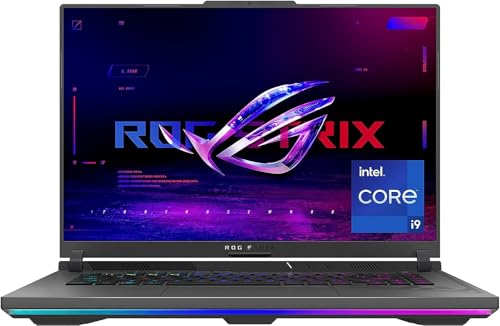
ASUS ROG Strix G16 (2023) Gaming Laptop — ASUS ROG Strix G16 (2023) Gaming Laptop, 16” 16:10 FHD 165Hz, GeForce RTX 4070, Intel Core i9-13980HX, 16GB DDR5, 1TB PCIe SSD, Wi-Fi 6E, Windows 11, G614JI-AS94, Eclipse Gray. Check price on Amazon before you decide, because configurations and availability change often.

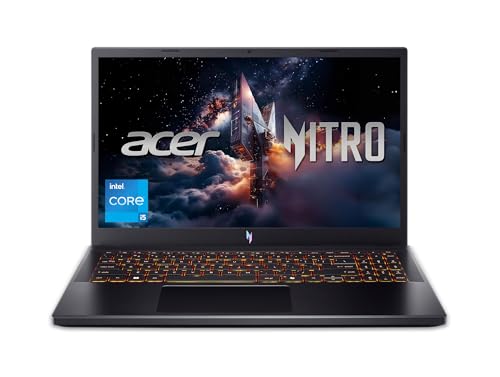
Acer Nitro 5 Gaming Laptop — Acer Nitro 5 Gaming Laptop | AMD Ryzen 7 6800H | GeForce RTX 3070 Ti GPU |15.6″ QHD 165Hz IPS Display | 16 GB DDR5 RAM | 1 TB PCIe SSD | Killer Wi-Fi 6 | 4-Zone RGB Backlit Keyboard. Check price on Amazon before you decide, because configurations and availability change often.
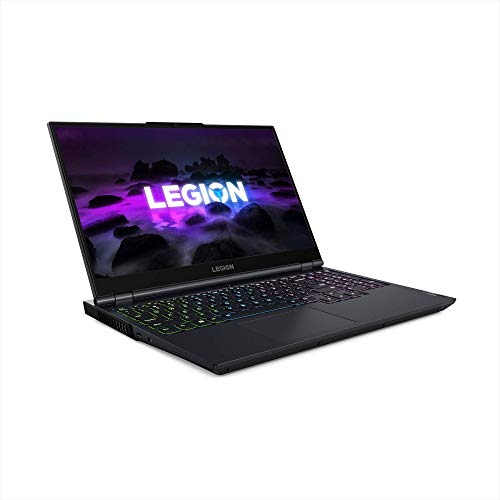
Lenovo Legion 5 Gaming Laptop — Lenovo Legion 5 Gaming Laptop, 15.6″ FHD Display, AMD Ryzen 7 5800H, 16GB RAM, 512GB Storage, NVIDIA GeForce RTX 3050Ti, Windows 10H, Phantom Blue. Check price on Amazon before you decide, because configurations and availability change often.
Common Mistakes
- Comparing a laptop’s price against a desktop tower alone, forgetting the monitor and peripherals the desktop still needs.
- Assuming identical chip names mean identical performance across the two form factors.
- Buying a desktop for a home where gaming realistically happens in three different rooms.
- Buying a flagship laptop for pure desk use, then never once enjoying the portability that justified its compromises.
Pro Tips
- If budget allows only one machine and your life is mobile, buy the laptop now and a monitor later; the reverse order strands you.
- Renters: a laptop plus a good headset often beats a desktop plus furniture you must move every year.
- Desktop buyers should budget for the monitor with the same care as the graphics card; it is the part you look at.
- Laptop buyers who mostly play docked should prioritise cooling and port selection over thinness.
How to Break a Tie When the Scores Feel Even
When a comparison stays balanced after honest scoring, break the tie with three practical tests rather than more research. First, the regret test: imagine discovering a year from now that you chose wrong, and notice which wrongness stings more, because that reveals which advantage you actually valued. Second, the ecosystem test: total the accessories, software and habits each option disrupts or preserves, since switching costs are real even when they are boring. Third, the trial test: handle both options physically if you possibly can, in a shop or through a generous returns window, because five minutes of hands-on evidence routinely outweighs five hours of comparison articles, including this one. If the tie survives all three tests, choose the option with the better warranty, the easier return path or the stronger resale, and stop researching. At that level of closeness, the decision has stopped being about the products and become about permission to finish, which this paragraph hereby grants.
Putting It All Together
If you are still torn after working through the criteria, return to the two questions that settle most of these decisions in practice: which option covers your non-negotiable tasks without a workaround, and which one fits the places and postures where you actually spend your computing life. Score those honestly and the remaining differences are usually smaller than the anxiety around them. Both options in this comparison are mature, capable products with millions of satisfied owners, which means the risk is not buying a bad device; it is buying the other person’s right device. Choose yours, configure it generously enough to last, and spend the energy you saved on the work and play the machine was bought for.
Five-Year Ownership Stories: How Each Choice Ages
Specifications describe day one. Most of the difference between a gaming laptop and a gaming PC reveals itself across years two to five, as games grow heavier, components age and your own life changes shape. Thinking in stories rather than specs exposes the trade honestly.
The desktop’s upgrade staircase
A desktop bought today can climb a staircase: a graphics card in year three restores its youth, memory and storage grow as needed, a monitor upgrade transforms it without touching the tower. Each step costs a fraction of a new machine and spreads the spending across the years when it is needed. The staircase is the desktop’s deepest advantage, and it compounds — by year five the desktop may contain little of the original build yet never required a single large purchase after the first. The cost of the staircase is that you must be willing to climb it: opening the case, choosing parts, and accepting that a self-built or upgraded machine’s troubleshooting is your job.
The laptop’s single-arc life
A gaming laptop lives one arc: glorious at first, adequate in the middle years as settings drift from high toward medium, and eventually retired whole, because its graphics — the part that ages fastest — cannot be replaced. Memory and storage upgrades extend the comfortable middle, and an external monitor can refresh the experience, but the arc’s shape is fixed at purchase. This is not a condemnation; it is a budgeting fact. The laptop buyer should either buy enough graphics headroom to make the arc long, or embrace a shorter replacement cycle and buy modestly each time. The expensive mistake is paying flagship money for an arc and then expecting a staircase.
Failure, repair and downtime
When a desktop component fails, you replace that component, often within days, and the rest of the machine’s value survives untouched. When a gaming laptop’s main board or graphics fails outside warranty, the repair can approach the machine’s remaining value, and the whole asset is at risk in one event. Laptops also travel, and travel adds drops, spills and theft to the risk register. None of this forbids the laptop choice — portability may be worth every bit of it — but an honest comparison prices the risk in, through warranty choices and care, rather than discovering it at the repair counter.
Scenario Head-to-Heads
The student between home and halls
Term-time in a small room, holidays at home, library and friends’ flats in between: the laptop wins this scenario outright, because the gaming life and the study life are the same machine in the same bag, and a desktop would spend its life in the wrong place half the year. The desktop’s counter — a cheap laptop plus a desktop at home — splits the budget into two mediocre machines and strands the games wherever the student is not. For genuinely mobile lives, the comparison is not close, and the laptop’s compromises are simply the price of having your games exist where you do.
The settled player with a dedicated desk
One home, one desk, games played in one chair: here the desktop’s advantages stack unopposed. More performance for the money, a big monitor chosen independently, quiet cooling, the upgrade staircase, and peripherals that never move. The laptop’s portability buys nothing this player uses, while its costs — noise at the desk, a small screen or a dock’s compromises, the fixed arc — are paid daily. The settled player’s only laptop argument is space: in a genuinely tiny flat where the desk is also the dining table, a machine that folds away has a real claim, and it should be made honestly as a space decision.
The hybrid worker who travels monthly
A few days a month away, gaming mostly at home: this is the contested middle. A desktop plus discipline — cloud saves, a modest travel device for light games — serves the home majority best. A strong laptop serves both lives adequately and simplifies everything to one machine, one save library, one set of settings. The decider is the travel gaming itself: if hotel evenings genuinely include serious gaming, the laptop earns its compromises; if travel gaming is a fond idea that happens twice a year, buy for the desk and let the idea go.
The living-room and family player
gaming that happens on the television, with family around, favours whichever machine lives gracefully by the TV. A laptop connects in seconds and leaves with you; a small-form-factor desktop can live there permanently and quietly. Families also share machines, and a laptop’s ability to be claimed, moved and put away has domestic value no benchmark measures. Consider who else uses the machine and where arguments about it will happen — the social logistics of a household are a real specification.
The Costs Nobody Puts in the Comparison Table
- Peripherals: the desktop needs monitor, keyboard, mouse and speakers bought separately; the laptop includes adequate versions of all of them. Compare total systems, not towers against laptops.
- The second screen: most laptop gamers eventually buy an external monitor for home, narrowing the desktop’s display advantage and adding to the laptop’s true cost.
- Electricity and heat: a powerful desktop warms a small room noticeably during long sessions; a laptop sips by comparison. In hot climates this is a comfort line item.
- Resale shape: desktops sell as parts with steady demand; gaming laptops sell whole, depreciating faster but finding buyers easily while current.
- Your time: building and maintaining a desktop is a hobby for some and a chore for others. Price your own hours honestly on whichever side they fall.
A Decision Method That Ends the Debate
Write down your last twenty gaming sessions: where you sat, what you played, how long each lasted. The list, not your imagination, is your gaming life. If most sessions happened in one place with room for a desk setup, the desktop’s case is proven by your own data. If they scattered across places, or the next two years will scatter them — a move, a course, a job with travel — the laptop’s case is equally proven. Then check the budget against the winner’s true total cost, peripherals included, and check the loser’s strongest argument one last time to be sure it does not secretly describe your life. Decided this way, the choice tends to stay decided, because it was never really about the machines. It was about where your life happens, and you are the only benchmark that knows.
The Middle Paths: Hybrids Worth Considering
The debate is usually framed as a binary, but several hybrid arrangements capture much of both sides, and for some households the hybrid is not a compromise but the actual answer.
Desktop at home, laptop as the traveller you already own
Many households already own a modest laptop for work or study. Pairing a gaming desktop with that existing machine — using cloud saves and the same game library — covers home gaming at full strength and travel gaming at whatever level the modest machine manages, which for older and lighter titles is surprisingly far. The total cost can undercut one powerful gaming laptop while outperforming it at home. The arrangement fails only when travel gaming must be the newest games at high settings — a real need for some, a romantic idea for most, and worth interrogating honestly before it steers the whole purchase.
The small-form-factor desktop
A compact desktop narrows the laptop’s portability argument without surrendering the desktop’s economics: it moves between rooms and even houses far more easily than a tower, drives a television gracefully, and keeps replaceable, upgradeable parts. It still needs a screen and peripherals wherever it lands, so it is portable like furniture rather than like a laptop — but for the player whose “travel” means between two fixed desks, or between the study and the living-room TV, it can be the sweet spot the binary debate hides.
External graphics and docks: the honest assessment
External graphics enclosures promise a thin laptop that becomes a gaming rig at a desk. The reality is narrower: the connection taxes performance, the enclosure and card together cost desktop money, and compatibility quirks reward patient owners. For the specific user who must have one thin machine for work and can accept the tax for desk gaming, it works; as a general recommendation it usually loses to either a gaming laptop or a desktop on value. Name it, price it honestly, and let it win only where its one-machine logic is truly decisive.
Second-Order Differences That Owners Feel Daily
Keyboards, screens and the ergonomics of hours
A desktop’s ergonomics are chosen piece by piece and can be excellent; a laptop’s are a bundle you accept, with the screen and keyboard locked at one distance from each other — a compromise most owners solve with a stand and an external keyboard at a desk, quietly rebuilding a desktop around the laptop. Neither is a criticism; it is a reminder that the laptop’s headline convenience includes an ergonomic negotiation the desktop never asks for, and that the negotiation’s cost — stand, keyboard, monitor — belongs in the comparison’s totals.
Repairability and the right to fix your own machine
Desktops are the most repairable computers in ordinary life: standard parts, available everywhere, swappable with a screwdriver and a video. Gaming laptops vary from friendly (slotted memory and storage, documented service manuals) to hostile (soldered everything, glued batteries). If you keep machines long and fix them yourself, the desktop’s openness is a genuine feature, and among laptops the serviceable models deserve a premium in your shortlist that spec sheets will never suggest.
Noise in the household ecosystem
A desktop under a desk, metres from your ears and everyone else’s, can be built nearly silent at gaming loads with large, slow fans. A gaming laptop at the same performance is a small, fast-fanned device at arm’s length, audible across a quiet room. In households where gaming happens beside a sleeping partner, a studying child or a television others are watching, this difference is not a footnote — it is sometimes the whole decision, and it favours the desktop more decisively than any benchmark in this comparison.
Resale, Hand-Me-Downs and the End of the Story
Machines leave your life eventually, and the manner of their leaving differs. A desktop disassembles into value: its graphics card, storage, monitor and case each find buyers or second lives, and a desktop also hands down gracefully — a graphics upgrade for you becomes a whole gaming machine for a younger sibling or child. A gaming laptop leaves whole: easier to sell in one transaction, harder to upgrade for a second owner, and its battery’s age shadows every negotiation. Households that cascade technology down through the family extract years of extra value from the desktop pattern; single owners who sell and upgrade extract simplicity from the laptop pattern. As with everything in this comparison, neither is superior — they are different shapes of value, and the right one is the one shaped like your life. Decide by your calendar, your rooms, your household and your years, and whichever badge is on the machine, you will have bought the correct computer.
The Environmental and Space Ledger
Two practical accounts rarely appear in this comparison and decide it quietly in small homes. The first is space: a desktop claims a permanent territory — desk depth for a monitor at a healthy distance, floor or desk volume for the tower, cable geography behind it all — while a gaming laptop claims a shelf and returns the desk to other duties daily. In a studio flat, that reclaimed territory is worth real money and real peace, and it can outweigh a desktop’s performance advantage without any dishonesty in the accounting. The second account is energy and heat: a high-end desktop under gaming load draws several times a laptop’s power and returns it all as room heat, which in a small or warm room is an air-conditioning cost and a comfort cost across a summer. Neither account appears in benchmarks; both appear in lives. If either describes your home, weight it as a first-class criterion, because a decision that ignores the room the machine lives in is only half a decision.
What Each Machine Teaches You
A final, underrated difference: the desktop teaches its owner how computers work — parts, compatibility, cooling, troubleshooting — because it invites intervention at every level. The laptop teaches its owner selection and stewardship: choosing well once, then maintaining a sealed system thoughtfully. Both educations are valuable, and people differ in which they want from their hobby. If the tinkering is part of the joy, that joy is a desktop feature no laptop specification can match; if the games are the joy and the machine should disappear beneath them, the laptop’s sealed simplicity is equally a feature. Be honest about which hobby you actually have. The machines are both excellent at being themselves, and the only losing move in this entire comparison is buying one while secretly wanting the life of the other.
The Decision for Households With Children Growing Into Gaming
Families face a version of this choice with a longer horizon: a first gaming machine for a child becomes, in sequence, the child’s machine, the household’s spare, and possibly a younger sibling’s inheritance. The desktop’s cascade advantage is at its strongest here — its parts upgrade as the child’s ambitions grow, and the whole machine hands down with a graphics refresh that makes it feel new again. The laptop’s counter is supervision and space: a machine that can be used in shared rooms, put away, and carried to grandparents has a domestic logic that a desk-bound tower cannot match, and for younger players the portability is often the parents’ deciding feature rather than the child’s. There is no universal answer, but the family’s honest questions are: where will this machine be used, who else will use it, and what happens to it in three years. Answer those, and the form factor chooses itself — as it does, in the end, for every buyer in this comparison, once the questions are asked in the right order: life first, machine second.
How to Run the Numbers for Your Own Household
End the comparison with arithmetic, done on one page, in your own handwriting if that helps it stay honest. Column one, the laptop: machine, the monitor you will probably add, the peripherals it needs, the warranty you will actually buy, and a replacement year pencilled at the arc’s end. Column two, the desktop: tower, monitor, keyboard, mouse, speakers or headset, and a graphics refresh pencilled at year three. Column three, the hybrid if it tempts you: the desktop plus the travel arrangement you already own, priced at what it truly costs, which may be nothing. Now annotate each column with the non-money facts this guide has raised — where you play, who else uses it, how noisy the room can be, how long each machine will be loved. The page will not make the decision for you, but it will prevent the commonest failure in this entire comparison, which is comparing a laptop’s full price against a tower’s partial one and calling the result analysis. Decisions made on complete pages tend to stay made, and a decision that stays made is worth more than a marginally better one that gets relitigated at every new release — because the relitigation, unlike the machines, never produces a single frame.
What the Next Five Years of Games Will Ask of Both
Look forward, finally, at what games themselves are becoming, because the machines must serve the software’s future rather than its past. Releases grow more demanding in step with console generations, and the mid-generation refresh of expectations — higher base resolutions, heavier effects, larger worlds — lands on both form factors impartially. The desktop absorbs it by upgrade; the laptop absorbs it by the headroom bought at purchase and the settings sliders’ retreat. Streaming and cloud gaming hover over both as a partial hedge: a service that renders elsewhere can extend an ageing laptop’s relevance for the titles it supports, and can give a desktop household a travel option without a second machine — though neither replaces local hardware for the latency-sensitive or the connection-poor. The buyer’s translation is unchanged by the forecast: purchase for the games of the next two years at the settings you actually enjoy, keep the desktop’s staircase or the laptop’s headroom as your answer to year four, and refuse to buy either machine as a bet on a decade. Hardware serves the near future well and the far future not at all, and contentment in this comparison belongs to owners who bought for the horizon that exists.
The Regret Audit: Checking In After Six Months
Whichever machine you chose, audit the decision once, six months in, with the same honesty that made it. Count where your sessions actually happened against where you predicted they would. Note what the machine does that you never use, and what you wish it did that it cannot. Most owners discover the prediction was right in shape and wrong in a detail or two — a travel pattern overestimated, a desk that became permanent sooner than expected — and the audit converts those details into the next purchase’s brief rather than into regret about this one. A few discover a genuine mismatch, and for them the audit’s value is timing: six months in, the machine’s resale is strong and the correction is affordable, while six years in it is merely a story. Decide by your calendar, verify by your calendar, and correct by your calendar if the evidence demands it. That rhythm — decide, verify, adjust — is the mature form of the whole comparison, and it outlasts any single machine.
A Closing Word on Deciding Well
Notice what the best deciders in this comparison share: they stopped researching while the research was still interesting, because they recognised that the remaining questions were about their own lives and could only be answered there. No review can tell you whether your spare room will become an office, whether your travel will grow, or whether your household will forgive a fan. Those answers were always in your calendar, your floor plan and your family, and once consulted honestly, they end the debate with a finality no benchmark achieves. Buy the machine your life describes, use the return window to confirm the description was true, and then let the subject rest — the games, after all, were the point, and both machines, chosen this way, play them beautifully.
Related Guides
- our roundup of the best laptops for gaming under 2000
- our roundup of the best gaming laptops for fortnite under 1000
- our roundup of the best gaming laptops for under 1000 usd
- how to fix a gaming laptop that overheats
- how to clean a gaming laptop
Frequently Asked Questions
Is a gaming laptop weaker than a gaming PC with the same specs?
In practice yes, because the shared names hide different power limits and cooling capacity. The laptop versions run within a much smaller thermal and power envelope, so sustained performance is lower, particularly in long sessions. The gap varies by tier and model, which is why exact-model benchmarks matter. None of this makes laptops slow in absolute terms; current models play modern games very well. It means the spec sheet alone cannot settle this comparison.
Which is cheaper over five years?
It depends on upgrade behaviour. A desktop owner who replaces one graphics card mid-life usually spends less for more performance across five years. A desktop owner who never upgrades may spend similarly to a laptop owner who replaces once, while the laptop owner also had portability throughout. Count the complete setup cost on both sides, including monitors and the second everyday device a desktop household often still buys, before declaring a winner.
Can a gaming laptop replace a desktop entirely?
For many players, yes. Docked to a monitor, keyboard and mouse, a modern gaming laptop is a complete gaming and work station, and undocking takes seconds. The honest limits are noise under load, no GPU upgrade path, and lower sustained performance than a desktop of similar cost. If those three do not bite your routine, the laptop-only life is entirely workable and thousands of players live it happily.
What about a mini PC or console instead?
A games console is the value champion for pure living-room play and pairs well with a cheap laptop for everything else; that combination beats both options here for some households. Mini PCs share the laptop’s integrated, hard-to-upgrade nature with less portability. They are worth considering, but they do not change the core question: fixed desk performance and upgrades, or one machine that goes everywhere with you.
Which holds its value better?
Desktop parts, especially graphics cards, have active second-hand markets and can be sold individually, which softens upgrade costs. Gaming laptops sell as complete units and depreciate faster, though well-kept models from known brands still move easily. Neither is an investment. Buy the one that fits your life and extract value by using it for years, not by planning its resale.
I travel for work but game at home. Which way should I lean?
If the travel machine only needs email, documents and video, a light cheap laptop plus a home desktop is the classic split and each device excels at its job. If you want to game in hotels too, the gaming laptop becomes the single-machine answer and earns its compromises. Your hotel evenings are the deciding data point, so answer that honestly and the rest of the decision usually falls into place.
Can a gaming laptop connect to a big monitor and feel like a desktop?
Mostly, yes: with a monitor, keyboard and mouse it becomes a desk setup with one cable to freedom. The differences that remain are fan noise at arm’s length, the fixed internal hardware, and sometimes the port’s limits on the monitor’s resolution and refresh — all checkable before purchase.
Which is better value after three years?
Typically the desktop, because its graphics can be refreshed for a fraction of a new machine’s cost while the laptop’s cannot. The laptop’s value case rests on the years of portability it delivered meanwhile — value measured in use, not in the year-three ledger alone.
I can only afford one machine for work and play. Which way?
If your work is mobile, the laptop — it is the only candidate that does both jobs in both places. If your work is desk-bound and light, price a desktop for play plus the modest laptop you may already own for everything else before assuming one gaming laptop must carry it all.