If you are asking what is a good tablet screen size, the short answer is that 10 to 11 inches suits most people, because it balances readable screen space with a tablet you can hold comfortably and carry without thinking. But the useful answer depends on what you do: readers and travellers often prefer smaller, artists and split-screen workers prefer larger, and the numbers on the box — measured diagonally, like TVs — do not tell you the whole story about shape.
This explainer covers how screen size is measured, why aspect ratio changes what a given size feels like, and how each size class maps to real activities: reading, films, notes, drawing, children’s use and laptop-style work. It ends with a simple method for choosing your size in a shop or from your sofa, using books and paper you already own.
Disclosure: As an Amazon Associate, kajuandouglas.com earns from qualifying purchases. Links to Amazon on this page are affiliate links; they cost you nothing extra. Listing details such as price and availability change often, so check the current Amazon listing before you buy.
The Direct Answer by Use Case
For reading books, news and comics in hand, 8 to 9 inches is the sweet spot — light, one-handable, close to a paperback’s feel. For the general-purpose mix of browsing, video, email and apps, 10 to 11 inches is the mainstream answer and the size to default to when unsure. For films on a stand, split-screen work, drawing and note-taking with room to rest your palm, 12 to 13 inches earns its bulk. Anything larger behaves like a laptop screen that happens to have touch, and should be chosen deliberately for desk-based work.
In this guide
How Screen Size Is Measured — and What It Hides
Tablet sizes are quoted as the diagonal of the display in inches, the same convention as TVs and phones. Two tablets with the same diagonal can have quite different screen areas because shape matters: a squarer 4:3 screen (classic iPad proportions) shows more of a document page, while a wider 16:10 screen fits films with smaller black bars but is narrower in portrait. Doubling the diagonal roughly quadruples the area, which is why a 13-inch tablet feels vastly bigger than a 10-inch one even though the number is only thirty percent larger.
Resolution and sharpness are separate from size. A large screen with modest resolution looks softer up close; a small screen with high resolution looks crisp. For reading, sharpness at your normal holding distance matters more than raw inches. Brightness and panel type matter too — a bright 10-inch screen beats a dim 12-inch one for films and outdoor use every time.
Gear for This Guide
One verified model for each of the three size classes:

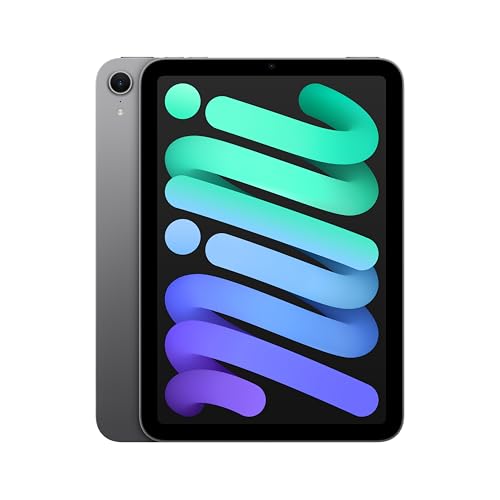
Apple iPad mini (A17 Pro): Apple Intelligence, 8.3-inch Liquid Retina Display, 128GB, Wi-Fi 6E, 12MP Front/12MP Back Camera, Touch ID, All-Day Battery Life — Space Gray — the iPad mini at 8.3 inches is the reference compact tablet — the size class built for one-handed reading and coat-pocket portability. Check price on Amazon.
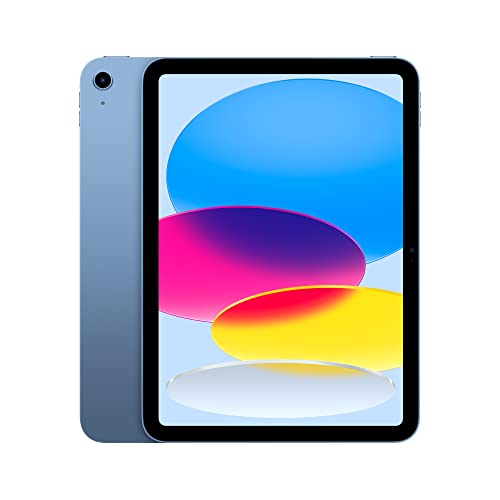
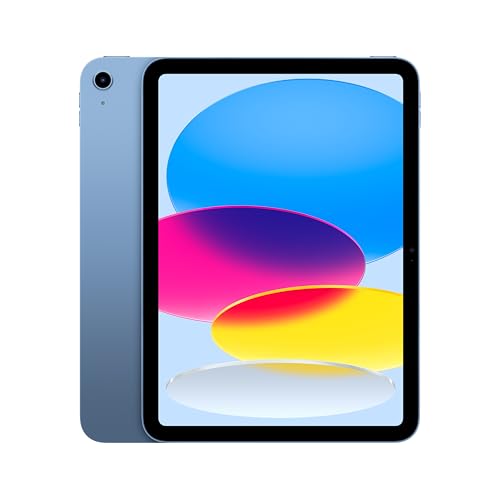
Apple iPad (10th Generation): with A14 Bionic chip, 10.9-inch Liquid Retina Display, 64GB, Wi-Fi 6, 12MP front/12MP Back Camera, Touch ID, All-Day Battery Life – Blue — the standard iPad at 10.9 inches represents the mainstream class most buyers should start from. Check price on Amazon.

Samsung Galaxy Tab S10+ Plus 12.4” 256GB Android Tablet, Moonstone Gray — Samsung’s Galaxy Tab S10+ at 12.4 inches shows the large class, aimed at split-screen work, drawing and stand-up video. Check price on Amazon.
Tablet Screen Sizes by Activity
A practical mapping of size classes to the jobs they suit best:
| Size class | Typical diagonals | Best for | Watch out for |
|---|---|---|---|
| Compact | 7–9 inches | Reading, travel, children’s use, one-handed browsing | Cramped split-screen and typing; films feel small |
| Mainstream | 10–11 inches | All-round use: video, browsing, email, notes, light games | Two-handed for long reading sessions |
| Large | 12–13 inches | Drawing, split-screen work, films on a stand, sheet music | Weight; awkward in bed or on crowded trains |
| Extra large | 14 inches and up | Desk-based creative and laptop-replacement work | Portability is mostly gone; price climbs steeply |
Worked Examples: Matching Size to a Real Week
Consider a commuter who reads for forty minutes each way and watches a downloaded episode at lunch. The mainstream 10.9-inch tablet works, but the compact model is lighter in the hand for the whole reading time and disappears into a jacket pocket — for that week, smaller is better. Now consider a student who splits the screen between lecture slides and handwritten notes: the mainstream size makes both halves cramped, while a 12- to 13-inch screen gives each app the space of a compact tablet. Same person, different dominant task, different right answer.
Families sharing one tablet for films on a stand, video calls with grandparents and children’s homework usually land happily on the mainstream size, because it is the only class that does everything adequately. The pattern to copy: identify the single activity you will do most, choose the class that serves it best, and accept the compromise everywhere else.
Weight, Cases and the Forgotten Variables
Size is a proxy for weight, and weight is what your wrists actually experience. Large tablets approach the weight of small laptops once a protective case is added, and a keyboard case pushes them past it. If the tablet will be held — reading, browsing on the sofa, children’s use — total weight with its case matters more than the screen diagonal. If it will mostly sit on a stand or desk, size is nearly free and you should buy the bigger screen.
Also check the bezels and aspect ratio against your content. Video-first buyers should favour wider screens; document- and web-first buyers, squarer ones. And if you wear reading glasses or have low vision, a larger screen at the same resolution shows larger text by default, which can matter more than any specification on the box.
Common Misconceptions About Tablet Screen Size
The first misconception is that bigger is simply better — in reality every size increase trades portability and comfort for space. The second is comparing diagonals across different aspect ratios as if they were equal areas. The third is assuming resolution must rise with size to stay sharp; at tablet viewing distances, mainstream resolutions remain crisp on large screens for video and reading. Finally, people often buy for the holiday flight or the one big project, then live with the wrong size for the other fifty weeks of the year. Buy for your typical week.
What Is a Good Tablet Screen Size for You? A Simple Way to Decide
Cut or find paper roughly matching the classes: a paperback for compact, a sheet of A5 or a small magazine for mainstream, A4 paper for the large class. Hold each where and how you actually use a tablet — in bed, at the kitchen counter, on the train — and imagine your main activity on it. Ten minutes of this tells you more than an hour of specifications. If you remain torn between two sizes, choose the smaller one: tablets earn their keep by being taken everywhere, and the size you carry is the size you use.
Screen Size for Specific Readers and Viewers
Ebooks are happiest on compact tablets, whose weight approximates a paperback and whose page size approximates one too; serious readers who also annotate may step up to mainstream sizes with a pen. Comics and graphic novels invert the preference: full-page art wants the largest screen you can hold, and colour work rewards the better panels of mainstream and large models. Magazines and PDFs — fixed-layout documents that cannot reflow — scale directly with screen size, so anyone reading scanned documents, sheet music or textbooks should weight size heavily: a page shown at near-real size is a different experience from one pinched and zoomed.
Video viewers should think in terms of the image, not the diagonal: on a wide-aspect tablet, a widescreen film fills most of the display, while on a squarer tablet the same diagonal yields a smaller picture between black bars. Two mainstream tablets with identical diagonals can differ noticeably in film size purely through shape. If films dominate, favour wide screens; if documents dominate, favour square ones; if both matter, the mainstream diagonal in either shape is the compromise the market has settled on.
Gamers split by genre: strategy, puzzle and card games play beautifully at any size, while action games with on-screen controls need room for thumbs that do not cover the playfield — mainstream or large. Children playing and learning benefit from mainstream sizes that accommodate two small hands and shared viewing with a parent, in a case with a handle that makes the effective size manageable.
Trying Sizes Without a Shop
If you cannot handle the devices, simulate them. Manufacturers publish exact dimensions; cut cardboard or paper to the full device outline — not just the screen — for each candidate size, add a book or two behind it to approximate cased weight, and live with each cut-out for an evening in your real reading chair, bed and kitchen. It feels faintly ridiculous and works remarkably well, because size regret is physical, not intellectual: your wrists and lap deliver the verdict specifications cannot.
Check the software fit too. Split-screen usefulness arrives at mainstream sizes and flourishes at large ones; if your plan involves notes beside a document, judge sizes by whether both halves remain legible in the simulation. Video-call framing, keyboard size in landscape, and how the device sits on your lap or stand all reveal themselves in the cardboard test.
Finally, remember the return window is part of the decision system. Buy from a seller with a fair returns policy, live with the tablet intensively for the first week in your real routines, and exchange sizes without sentimentality if your hands vote against your head. Size is the one specification you are allowed to learn by experience.
Size Traps to Avoid
Trap one: buying the largest screen for a single annual use — the long flight, the one presentation — and carrying its weight for fifty weeks. Trap two: assuming children need small tablets; they need durable ones, and often handle mainstream sizes happily with the right case. Trap three: matching your phone’s growth — phones crept larger for pocket reasons that do not apply to tablets, and a tablet is not a big phone but a different tool. Trap four: ignoring the case’s contribution; a rugged case can add the effective bulk of a whole size class, so judge the cased device, not the naked specification.
Aspect Ratio: The Size Behind the Size
Two screens with identical diagonals can differ in area by a fifth purely through shape, and the shape decides what fits. A 4:3 screen is nearly square: documents, web pages and books sit naturally, and in landscape it stacks two portrait-ish apps side by side comfortably. A 16:10 screen is a cinema shape: films fill it, but portrait reading feels narrow and documents show fewer lines. A 3:2 screen splits the difference and has become the productivity favourite for that reason. When comparing two tablets, compare their shapes against your content before their diagonals against each other.
Shape also decides keyboard quality in landscape: wider tablets fit wider on-screen keyboards, which matters if you type on glass often. And it decides how the tablet feels in one hand in portrait — narrower is grippier. None of this appears in the headline size, all of it appears in your first week of ownership, which is why the cardboard simulation in this guide should be cut to the candidate’s true outline, shape included, rather than a generic rectangle of the right diagonal.
Size and Accessibility
For users with low vision, screen size interacts with scaling: a larger screen at strong scaling shows fewer words per page but each comfortably, and most find mainstream-to-large tablets the first devices they can read for pleasure without strain. Touch targets grow with the same scaling, helping users with motor difficulties — tremor, arthritis, reduced precision — more than any case or stylus accessory can. If the tablet is for someone with these needs, buy the size with them present if possible, set the scaling together in the shop, and let their hands and eyes cast the deciding vote.
For children with developing motor skills, the logic inverts slightly: smaller, lighter tablets are easier to hold steadily, but larger touch targets help accuracy — the mainstream class in a grippy case is the usual resolution. For users who read with the tablet mounted — musicians, cooks, wheelchair users with tray mounts — size is constrained by the mount and the viewing distance, and the correct method is to measure the mount, not to debate the diagonal.
Hands, Arms, and the Physics of Holding a Screen
Why minutes matter more than millimetres
- Screen size discussions usually stop at diagonal inches, but your arms experience weight, width, and balance. A tablet that is delightful for a ten-minute recipe check can become a wrist ache across a two-hour film, and the difference is rarely the headline weight: it is how that weight is distributed, whether the bezels give your thumbs a resting place without touching the screen, and whether the case you add doubles the burden. When testing sizes, hold the bare tablet and then hold it in the case you would actually use, because you are choosing the combination, not the showroom object.
- Grip width matters as much as weight for smaller hands and for children. A narrower tablet that can be held securely in one hand while the other turns pages or carries a bag is, for readers and commuters, functionally lighter than a wider one of the same mass. Retailers rarely list width prominently, yet it decides whether the tablet is a one-hand or two-hand device for you, and therefore where and how often it gets used. Measure your comfortable grip against the shortlisted widths before falling for a diagonal.
Stands, laps, and tray tables: the unheld life
- Most tablet hours are not held at all: they are propped on kitchen counters, balanced on laps, mounted on tray tables, and stood on desks. Each setting has a size logic. Kitchen use favours a screen large enough to read a recipe at arm’s length through steam and splashes. Lap use favours a size that sits stable without constant correction. Tray tables impose a hard ceiling: the largest tablets crowd the space and angle awkwardly, while mid-size screens sit as if the tray were designed for them, because increasingly it was.
- Before choosing, rehearse your three most common settings with objects of similar size: a book, a chopping board, a magazine. It sounds homespun and it works, because size regret is spatial, not technical, and your rooms and furniture are the specification that matters. Owners rarely return tablets for their processors; they return them, or quietly stop using them, because the size never fitted the life it was bought into.
Size by Activity, With the Trade-Offs Spelled Out
Reading deeply: books, documents, and study
- For reading, the question is not how much text fits but how the page feels. Small and mid-size tablets approximate a paperback’s page and weight, suiting novels and long reading sessions in chairs and beds. Larger screens reproduce a full document page at near print size, which transforms PDF study, sheet music, academic papers, and forms: no pinching, no panning, annotations at natural scale. Students and professionals who live in documents should try reading a real page of their own material at each size, because the difference between adequate and effortless is visible in one page.
- Eye comfort interacts with size in a way worth knowing: a larger screen held at a comfortable distance can be kinder than a small screen held close, because your eyes focus further away and the text can be larger without shrinking the page. Readers with changing eyesight often find the step up in size restores reading pleasure that settings alone could not. If reading is the tablet’s main job, buy for the page you read most, and let video and browsing adapt, which they do gracefully at almost any size.
Film, television, and shared viewing
- Video is the activity that most rewards size and most punishes it in transit. At home, a large screen turns a tablet into a personal cinema for kitchens, baths, workshops, and beds, and its speakers usually improve with size too. Shared viewing pushes larger still: two people on a train or a child and parent at a table need width more than they need sharpness. But every inch added is an inch carried, and the tablet that is perfect on the sofa may be the one left behind on the trip where it would have shone.
- Letterboxing softens the arithmetic: films are wider than tablet screens, so part of any display is black bars, and the effective picture grows more slowly than the diagonal suggests. Compare actual picture height on your favourite content if video is the priority, and remember that a mid-size tablet with excellent speakers and a bright screen often beats a larger, dimmer, tinnier one for real viewing pleasure. Size is one ingredient of cinema, not the recipe.
Drawing, notes, and the working canvas
- For pen work, size is canvas. Artists and designers feel small screens as constraint: tools crowd the drawing, the hand covers the reference, and zooming becomes a rhythm that breaks concentration. A large screen approximates the sketchbook and the A4 page, and split-screen reference beside canvas becomes practical. Note-takers are split by habit: lecture notes and meeting notes thrive on mid-size screens that sit politely on desks and laps, while annotators of full documents want the page at natural size.
- Test with your own hand and your own software if you can. Draw a scene, write a page, annotate a document at each candidate size, and notice where your hand rests and whether the interface leaves the work room to breathe. Pen users keep tablets for years and use them daily, so this is the activity where a size mistake compounds most faithfully. The right canvas disappears; the wrong one is negotiated with on every page.
- Choose width and weight for your hands, not just diagonal inches for your eyes.
- Rehearse your three common settings, kitchen, lap, and travel, with similar-sized objects.
- Document readers and musicians gain most from large screens; novel readers are happiest in the middle sizes.
- Pen users should test a full page of real work at each size before deciding.
Children, Older Readers, and Shared Screens
Sizing for small hands and growing readers
- Children’s tablets live in small hands, short arms, and energetic environments. Mid and smaller sizes are easier for children to hold securely, carry between rooms, and use at tables sized for them, and the inevitable drops travel a shorter distance from smaller heights. A very large tablet in a child’s hands is a sail in a storm: impressive, unwieldy, and one gust from the floor. Match the size to the child’s current hands rather than buying a size to grow into, because tablets in families cascade naturally and a too-large device teaches only frustration.
- For shared family viewing and homework, the middle sizes again prove their diplomacy: large enough for two heads over a video or a parent helping with homework, small enough for the child to manage alone. Add the case’s bulk to your thinking, since a rugged child’s case adds size and weight of its own, and the combination is what small arms will actually lift.
Sizing for comfort in later life
- Older readers and viewers often benefit from the larger end of the range for the opposite reason: text and images can be genuinely large without constant zooming, touch targets are more forgiving, and video calls show faces at a size that makes conversation natural. Weight is the counterweight in every sense, so the sweet spot is often a large screen in a light body, used mostly propped on stands and cushions rather than held. A good stand is part of the size decision for any reader who will not hold the tablet for long.
- Set up matters as much as size here: text scaling, contrast, and a home screen with a few large, clear icons do more for an older user’s confidence than any specification. When buying for a parent or relative, choose the size their rooms and furniture suggest, deliver it configured, and resist the flagship temptation; clarity and lightness serve them better than power they will never invoke.
The Decision, Compressed Into a Method
The two-tablet truth and the one-tablet compromise
- Many households discover that their ideal is two sizes: a large tablet that lives at home as a shared screen and workstation, and a small one that travels in bags and hands. If your budget and life genuinely span both, the pair can cost less than one flagship forced to compromise everywhere. But if one tablet must do everything, the middle of the range remains the great compromise for a reason: big enough for film and documents to feel generous, small enough to hold, carry, and use anywhere without negotiation.
- Whichever you choose, protect the decision from second-guessing by testing the size against your worst case, not your best: the longest reading session, the smallest bag, the fullest tray table, the smallest hands in the house. A size that survives your worst case will delight you in all the others, and a size chosen for a showroom moment will spend years apologising. Measure your life, then measure the screen, in that order.
Aspect Ratio and Resolution: The Size Behind the Size, Continued
Why two tablets with the same diagonal feel different
- Diagonal measurements hide shape. A tall, narrow tablet and a squarer one can share a diagonal while offering very different experiences: the narrow shape favours reading columns, browsing, and one-handed holding, while the squarer shape gives documents, drawings, and split-screen work more usable width. When you compare sizes, compare width and height figures too, and picture your main content on each shape: a document page, a film, a drawing canvas, a web page. The shape that wastes least of your content is your shape, whatever the diagonal says.
- Resolution interacts similarly. On any modern tablet the sharpness is ample for reading and video at normal distances, and chasing the highest figure matters less than brightness, contrast, and how the screen handles reflections in your rooms. A slightly smaller screen with excellent brightness will be chosen daily over a larger dim one, because use follows comfort. Size gets a tablet shortlisted; the quality of what the size displays gets it loved.
Trying sizes in a shop like an owner
- In a shop, perform ownership, not inspection. Sit down if you can, hold the tablet as you would at home, open a book and read a full page, play a film clip with dialogue, write a paragraph with the pen if you will use one, and slip the tablet into the bag you brought, because you did bring it, having read this far. Two minutes of this theatre teaches more than twenty of specification comparison, and it is remarkable how quickly a size that looked ideal on a stand reveals itself as wrong for your hands, or vice versa.
- If buying online, use the returns window as your showroom and be decisive within it: live with the tablet properly for several days, in all its intended settings, and exchange it if the size argues with your life. Retailers expect size exchanges in this category more than any other, because everyone learns size by living with it. The only poor outcome is keeping a size you negotiate with daily out of inertia, while the window quietly closes.
Size and the Rest of the Specification Sheet
How size changes battery, speakers, and price
- Size is never a free-standing choice, because the rest of the tablet scales with it. Larger bodies hold larger batteries, so endurance often holds or improves despite the bigger screen, and they give speakers room to sound fuller, which is why large tablets so often impress in video demonstrations. They also cost more at every tier and weigh more with every accessory, and their cases, bags, and stands must all be sized up with them. When you step up a size, you are stepping up an entire ecosystem of physical commitments, and the honest comparison prices and weighs the whole entourage.
- Smaller tablets have their own compounding virtues: they fit the bags and pockets of real life, they are the ones actually carried to the café, the train, and the garden, and a device carried is a device used. The best size, repeated because it is the whole argument of this guide, is the one that disappears into your routines. A theoretically superior screen that stays home loses to an adequate one that goes everywhere, every day of the year.
Split-screen and the productivity threshold
- There is a size threshold below which split-screen work is a party trick and above which it becomes a genuine method: two apps side by side, each with room to be itself. Writers researching, students pairing a text with notes, cooks pairing a recipe with a timer and a conversion chart, all cross this threshold in the middle-to-large sizes. If your intended use includes working in pairs of apps, weight size more heavily than any other single factor, and test the exact pairing you have in mind, because app behaviour in split view varies and the pairing you need is the only one that counts.
- Below the threshold, a tablet is a single-focus instrument, which is not a criticism: single focus is the tablet’s native genius for reading, drawing, and media. The mistake is buying a small tablet for a two-app workflow, or a large one for pure one-handed reading, because in both cases the size fights the job daily. Let the workflow’s shape, one window or two, held or propped, set the size, and the rest of the specification sheet can be ordinary without disappointing you.
Regret Patterns: What Owners Actually Say Later
Too big, too small, and just right in hindsight
- Owners who regret size fall into two honest camps. The too-big camp bought for the showroom film and discovered the carrying, holding, and propping reality; their tablets became furniture, admired and stationary. The too-small camp bought for portability and discovered their documents, drawings, and split-screen ambitions straining at the edges; their tablets became companions to a laptop they had hoped to leave behind. Both camps describe the same root cause: the size was chosen for one moment of the day instead of the whole of it.
- The just-right owners share a method rather than a size: they rehearsed their real settings, tested with their real content and hands, and chose for their worst case. Their sizes differ wildly from each other, which is the point. There is no universally good tablet screen size, and this guide’s title question has a personal answer that your rooms, bags, hands, and habits hold. The work of this article has been to give you the method; the measurement, happily, is yours to take.
Size Decisions for Specific Purchases
The only tablet in the house
- A household’s sole tablet is a diplomat: it must read in bed, entertain on trains, display recipes, host video calls with family, and survive children, all in one body. Diplomacy argues for the middle sizes with a good case and stand, because every extreme sacrifices one of its constituencies. Buy the screen quality generously within that size, since everyone will look at it for everything, and buy storage for the household’s combined habits rather than one person’s. The only-tablet decision is the one place where compromise is not a failure of nerve but the correct engineering answer.
- Revisit the decision when the household changes: the arrival of a second tablet liberates both, letting one specialise large for home and one small for travel. Many households evolve exactly this way, promoting the original middle tablet to travel duty when a larger home screen arrives. Choosing the middle first is therefore not a dead end but the natural first move in a longer game, which is another reason it remains this guide’s default answer for the undecided.
The second screen for a laptop worker
- If the tablet’s job is to accompany a laptop, as a reading device, a second display, a note-taker in meetings, and a travel screen, its size should complement rather than duplicate the laptop. A mid-size tablet covers the companion roles without competing for bag space, and its independence for reading and media justifies it on days the laptop stays home. Workers tempted by the largest size for desk pairing should check their actual desk: two large screens side by side is a workstation that must be arranged, powered, and sat at, and many discover the companion they actually use is the one that fits beside the keyboard, not the one that rivals the monitor.
- Whichever size you choose for this role, the stand and case decide its desk manners, and the pen decides its meeting value. Buy those with the tablet, test the full arrangement in your real workspace within the returns window, and let the lived week, not the product page, confirm the size. A companion device earns its place by being reached for, and reach is a physical fact about size, weight, and where the thing can live.
Outdoor, Travel, and Bright-Light Realities
Size beyond the sofa
- Take the tablet outside and the size equation gains new variables. In bright light, a larger screen can be angled and shaded more easily and text can be set larger without losing the page, which favours size for garden readers and travellers. Against that, larger tablets catch wind, fill bags, and demand two hands in queues and crowds. Commuters learn quickly that the best travel size is the one that can be produced, used, and stowed one-handed in a moving carriage, and that is rarely the largest screen in the shop, however cinematic it looked on the stand.
- For holidays, weigh the tablet’s roles honestly: films on the journey favour the middle sizes that fit tray tables, reading by the pool favours whatever you can hold above a lounger for an hour, and maps and guides favour a screen you can read at arm’s length in sunlight while walking. One size must serve all three, which is why the middle of the range owns the holiday category too. Buy the case that stands, grips, and survives sand for that size, and your travel tablet is chosen completely, rather than merely purchased.
A Final Fitting: The Weekend Test
Living with a size before it is final
- If your retailer allows exchanges, treat the first weekend as a fitting, not a honeymoon. Use the tablet in bed and in the kitchen, on the sofa and at the desk, in the bag and on the journey, with your own books, films, documents, and pen work, at the hours you actually use such things. Note the moments the size helps and the moments it argues, in writing, because memory edits generously by Monday. A size that argues twice a day will argue twice a day for years, and the exchange window is the cheapest that argument will ever be to settle.
- If the size passes the weekend, stop shopping. Size anxiety is a renewable resource online, and there will always be a voice suggesting the inch you did not buy. Your rooms, hands, and habits have voted with evidence, and the correct response to evidence is confidence. Fit the case, set the stands where they belong, and let the tablet begin the long, unremarkable service that a well-fitted size provides, noticed only in its absence on the days you reach for it and it is, as always, exactly right.
Size and Accessibility: Larger Targets, Kinder Distances
When bigger is a genuine aid
- For users with low vision, tremor, or motor difficulties, screen size is an accessibility feature before it is a luxury. Larger screens offer larger touch targets that forgive imprecise taps, text that can be set generously without losing the page’s shape, and controls that sit further apart and are harder to hit by accident. Paired with the platform’s accessibility settings, text scaling, bold text, contrast options, and voice control, a well-chosen larger tablet can restore independent reading, communication, and media to someone a small screen had quietly excluded. When buying for accessibility, test the complete combination in person, because the interaction of size and settings is personal and cannot be inferred from either alone.
- The counterweight, as ever, is literal: the device must be holdable or proppable by its user, and a stand, cushion, or mount chosen with the tablet is part of the accessibility equipment, not an afterthought. Occupational therapists and low-vision services often have strong, practical views on size for particular conditions, and their advice outranks any general guide, including this one. Size, chosen with the user’s body in the room, is respect expressed in inches.
Related Guides
- best tablets for watching movies
- best tablets for reading
- best tablets for note taking
- best tablets for Netflix
- how to choose a tablet
- tablet stylus types explained
- Wi-Fi vs cellular tablet
Frequently Asked Questions
What is the most popular tablet screen size?
The 10- to 11-inch class is the mainstream best-seller across all major makers, because it balances screen space, weight and price for the widest range of uses. If you have no strong pull toward reading one-handed or working in split-screen, this is the class to default to.
Is a 10-inch tablet big enough for films?
Yes, for personal viewing at arm’s length a 10- to 11-inch screen is satisfying, especially with a stand and decent speakers. A wider aspect ratio model fills more of the screen with the film itself. For regular two-person viewing across a room, a larger tablet helps, but at that point a TV is usually the better tool.
Which size is best for note-taking and drawing?
Larger is generally better: 11 inches is workable, while 12 to 13 inches gives room for the document plus your resting palm and toolbars, closest to a sheet of A4 or letter paper. Compact tablets suit quick jottings but cramp extended handwriting. Pair the size with a proper active stylus for palm rejection.
Is a bigger tablet better for older users?
Often, yes. A larger screen shows bigger text at comfortable reading distances and gives larger touch targets, which helps both vision and dexterity. The trade-off is weight for handheld use, so a mainstream 11-inch model in a stand case is a common sweet spot for older users who read and video-call.
Does screen size affect battery life?
Larger screens draw more power, but larger tablets also house larger batteries, so real-world endurance ends up broadly similar across classes from the same maker. Brightness habits affect battery life more than size does. For travel, a compact tablet still wins overall because it charges faster from small power banks.
What size tablet is best for children?
Compact to mainstream — roughly 8 to 10 inches — suits children best: light enough for small hands, big enough for learning apps and video. The case matters more than the exact size; choose a rugged model with a handle or stand, and the screen size becomes a secondary decision.
Is a bigger tablet always better for watching films?
Not always. A larger screen gives a bigger picture, but brightness, contrast, and speaker quality shape the experience just as much, and letterboxing means the picture grows more slowly than the diagonal. A bright, good-sounding mid-size tablet is often more enjoyable than a larger dim one, and it travels better. Choose the largest size that fits your rooms, bags, and hands, then prioritise screen and sound quality within it.
What size tablet is best for a child?
For most children, a small to mid-size tablet in a rugged case is easiest to hold, carry, and use at a table, and survives family life best. Very large tablets are unwieldy in small hands. Match the size to the child’s current hands rather than buying to grow into, and remember the case adds size and weight of its own to whatever you choose.
Does screen size affect battery life?
Larger screens generally draw more power, but larger tablets also carry larger batteries, so real-world endurance depends on the model, brightness, and use. In practice, most tablets of any size last a full day of mixed use. If battery matters most, compare measured endurance for video playback on the exact models you are considering rather than assuming size decides it.