The ipad vs android tablet decision is less about which platform is better in the abstract and more about which one fits your phone, your apps and your budget habits. iPads offer one maker, long software support and the deepest library of tablet-optimised apps. Android tablets offer many makers, wider price spread, expandable storage on many models, and freedom to organise the device your way. Both are mature, capable platforms in 2026.
This comparison works through the criteria that actually differ — apps, updates, hardware choice, stylus support, file handling and long-term cost — with a clear verdict for the common buyer types at the end. Prices are deliberately not compared model-by-model, because line-ups change constantly; instead we compare the tiers and what each tier buys you on each side.
Disclosure: As an Amazon Associate, kajuandouglas.com earns from qualifying purchases. Links to Amazon on this page are affiliate links; they cost you nothing extra. Listing details such as price and availability change often, so check the current Amazon listing before you buy.
Quick Verdict
Choose an iPad if you use an iPhone, want the strongest tablet app library, plan to draw or take notes with a top-tier stylus, or want the longest software support. Choose an Android tablet if you use an Android phone, want microSD expansion or a wider range of sizes and budgets, prefer flexible file handling, or want features like a bundled stylus at mid tiers. Neither choice is wrong; mismatching the platform to your phone and apps is the only real mistake.
In this guide
Gear for This Guide
Verified reference models for each side of the comparison:
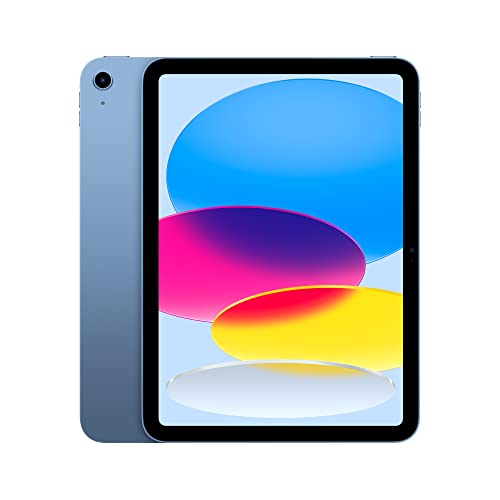
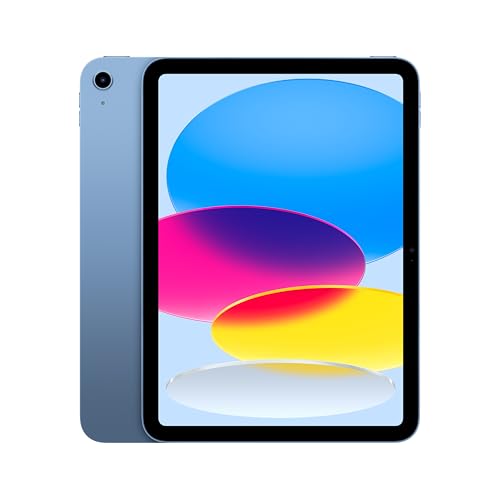
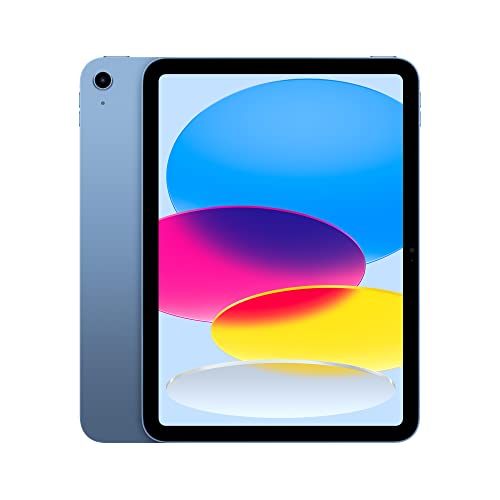
Apple iPad (10th Generation): with A14 Bionic chip, 10.9-inch Liquid Retina Display, 64GB, Wi-Fi 6, 12MP front/12MP Back Camera, Touch ID, All-Day Battery Life – Blue — the standard iPad represents the iPadOS side: one polished hardware line, the largest tablet app library and long update support. Check price on Amazon.

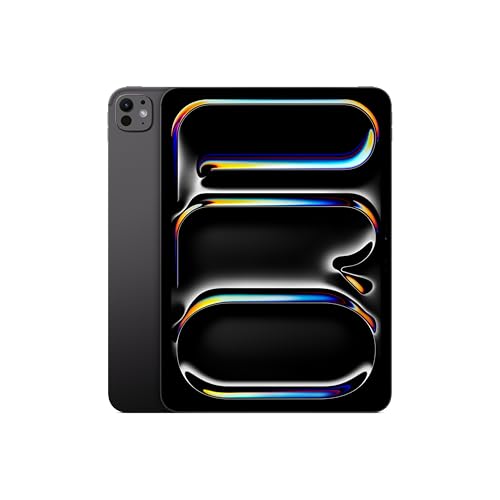
Apple iPad 11-inch: A16 chip, 11-inch Model, Liquid Retina Display, 128GB, Wi-Fi 6, 12MP Front/12MP Back Camera, Touch ID, All-Day Battery Life — Blue — the current entry iPad with the A16 chip shows how far the base tier has come for school, media and everyday apps. Check price on Amazon.

Samsung Galaxy Tab S9 11” 128GB WiFi 7 Android AI Tablet, Snapdragon 8 Gen 2 Processor, AMOLED Screen, Durable Design, S Pen Included, Long Battery Life, Auto Focus Camera, US Version, 2023, Graphite — Samsung’s Galaxy Tab S9 is the Android flagship reference, with an AMOLED display and an S Pen included in the box. Check price on Amazon.

Samsung Galaxy Tab S9 FE 10.9” 128GB WiFi Android Tablet, Large Display, Long Battery Life, Powerful Processor, S Pen, 8MP Camera, Lightweight Durable Design, Expandable Storage, US Version,2023,Gray — the Galaxy Tab S9 FE shows the Android mid tier, where an included S Pen and expandable storage are common advantages. Check price on Amazon.
iPad vs Android Tablet at a Glance
The structural differences, before we go criterion by criterion:
| Criterion | iPad (iPadOS) | Android tablet |
|---|---|---|
| App library | Largest selection of tablet-optimised apps, especially creative and education | Huge overall library; some apps are scaled-up phone versions |
| Software updates | Long, uniform support across the line for many years | Varies by maker; flagships now promise several years, budget models fewer |
| Hardware choice | One maker, a few sizes, premium build throughout | Many makers, sizes from compact to very large, every tier |
| Storage expansion | No card slot; choose capacity at purchase | microSD slot on many models for cheap media storage |
| Stylus | Apple Pencil range, excellent for art and notes, bought separately | S Pen included with many Samsung models; other pens vary |
| File handling | Improved but still app-centred and sandboxed | Open file system, easy USB and external drive use |
| Phone pairing | Seamless with iPhone: messages, calls, photos, handoff | Closest with the same maker’s Android phone |
| Customisation | Limited home-screen and default-app control | Launchers, widgets and defaults are freely changeable |
Apps and Ecosystem
Tablet-optimised software remains the iPad’s strongest card. Creative tools, music production, education apps and many games are designed for the iPad’s screen first, and some professional apps exist only there. Android’s library is enormous, but a share of apps are phone layouts stretched to fit, which matters for productivity software more than for streaming and browsing. If your life runs through Google services — Gmail, Drive, Photos, YouTube — both platforms run them well, though Android integrates them natively.
Ecosystem gravity is real: an iPad beside an iPhone shares messages, calls, clipboard, photos and AirDrop-style transfers with zero configuration, and Samsung tablets offer a similar pairing with Galaxy phones. Cross-platform households manage fine, but they give up those small daily conveniences. Check your three most-used paid apps on the other platform before switching; re-buying a library is a hidden switching cost.
Hardware Choice and Value
Apple sells a tight ladder — standard iPad, iPad mini, iPad Air, iPad Pro — all aluminium, all with strong processors, differing mainly in screen quality, pen support and power. Android spreads wider: Amazon-adjacent budget models, Lenovo and Samsung mid-range tablets that bundle pens and card slots, and Samsung flagships that match iPad Pro hardware including AMOLED screens. The practical effect: at the premium end the platforms are peers, in the middle Android often bundles more accessories, and at the budget end Android offers far more choice — with far more variation in quality, so maker reputation matters.
Long-term value tilts toward whichever device keeps receiving updates. iPads historically receive many years of iPadOS updates across the whole line. Android flagships from major makers now commit to several years of system and security updates too, but budget Android tablets may stop much sooner. A tablet abandoned by updates ages badly regardless of its processor, so weigh the update promise as a core specification, not fine print.
Stylus, Drawing and Note-Taking
For drawing and handwriting, both platforms have excellent options. Apple Pencil models offer low latency, tilt and pressure sensitivity with deep support in art and note apps. Samsung’s S Pen is battery-free, included with many Galaxy Tab models rather than sold separately, and equally capable for notes and sketching, though the very top end of professional art software leans iPad. Cheaper Android tablets vary widely: some support good active pens, others only basic capacitive styli with no palm rejection, which ruins handwriting. Always verify the exact pen technology a model supports before buying for notes.
Files, Multitasking and Laptop Duties
Android behaves more like a computer: a visible file system, straightforward USB drive support, and easy moving of files between apps. iPadOS has improved its Files app but still thinks in terms of apps owning their data. For multitasking, both split the screen between two apps; Samsung adds a desktop-style mode on external displays with some models, while iPads offer Stage Manager windowing on higher tiers. Either platform handles documents, mail and video calls happily; heavy file management and niche desktop software still belong to a real laptop.
Who Each Option Suits
Pick the iPad if you own an iPhone, draw or take handwritten notes seriously, want a tablet that stays updated for many years, or are buying for school ecosystems built around iPads. Pick Android if you own an Android phone, want card-slot storage for media, need a specific size or budget the iPad line skips, or value a bundled pen and flexible files. Families mixing platforms often standardise on whichever the children’s school uses, which is a perfectly good deciding vote.
Gaming, Media and Reading on Each Platform
For gaming, both platforms run the major titles, but the iPad’s uniform hardware makes it the safer bet for demanding games, which are optimised for a handful of iPad configurations; Android’s variety means flagship tablets game superbly while budget models vary. Subscription game services exist on both sides. For media, the contest is closer than reputation suggests: Samsung’s AMOLED flagships are arguably the finest film screens in the category, while the iPad counters with excellent speakers on higher tiers and every streaming app imaginable. Decide by holding your likely tier, not the flagship, in mind.
Reading splits by library rather than hardware. Kindle books read everywhere; Apple Books only on Apple devices; library-lending apps work on both. Comic and manga readers are spoilt on both platforms. Where Android quietly wins is flexibility: sideloading reading apps, varied screen shapes including book-like proportions from some makers, and cheap compact models that make superb dedicated readers. Where the iPad wins is consistency — every iPad screen is good, while Android reading quality depends entirely on the model you pick.
For video calling and family communication, both run every major app; the iPad benefits if the family is on FaceTime, Android if the family lives in Google Meet or WhatsApp. Camera placement matters more than platform here — centre-stage-style framing on newer iPads suits landscape calls at a table, while many Android tablets still place the camera for portrait use.
Switching Platforms: What Actually Moves
People overestimate switching pain for data and underestimate it for purchases. Photos, documents, mail and passwords move well if they live in cross-platform services — Google Photos, cloud drives, streaming libraries and a password manager all follow you. What does not move: app purchases, in-app content tied to the old store, Apple Books libraries, and message histories locked to one ecosystem. Tally your paid apps before switching; for most people the re-buy list is short and cheap, for a few creative professionals with deep iPad app investments it is decisive.
Accessories strand too. A Pencil does not follow you to Android, an S Pen does not follow you to iPad, and fitted keyboard cases fit nothing else you will ever own. Universal Bluetooth keyboards and headphones cross over freely, which is one more argument for universal accessories when a platform switch might be in your future.
The adjustment period is real but short: gestures, settings locations and multitasking habits differ, and most switchers are fluent within a fortnight. The durable differences are the structural ones in the comparison table — updates, expansion, file handling — not the daily gestures. Choose on structure; your fingers will adapt to either.
The Verdict by Buyer Type
iPhone owners who draw, study or want a decade-proof purchase: iPad, at the highest tier your budget comfortably reaches, because longevity is its dividend. Android phone owners who value storage expansion, bundled pens and choice of sizes: a Galaxy Tab or a reputable Lenovo, checking the update promise twice. Mixed households buying a shared family tablet: the platform of the children’s school, or whichever parent will administer it prefers — administration enthusiasm beats theoretical superiority.
Budget-first buyers should compare specific models rather than platforms, because Android’s spread includes both the best-value tablets in the category and some genuinely poor ones, while the iPad’s floor is higher in both price and quality. Creative professionals should start from their essential app and let it choose the platform. Everyone else should buy the tablet that pairs with their phone and stop second-guessing: the ecosystems are both good enough that the pairing convenience is the tiebreaker that matters daily.
Prices and Tiers, Without the Numbers
Because this comparison avoids fixed prices, think in tiers. At the entry tier, Android competes alone — the iPad line starts higher — and the contest is between many Android models of varying quality, where maker reputation and update promises do the sorting. At the mainstream tier, the standard iPad meets Samsung’s and Lenovo’s mid-range: the iPad offers the stronger app library and longevity, the Android models counter with bundled pens, card slots and sometimes better screens. Comparing these two shelves honestly, accessory by accessory, is where most buyers should spend their deliberation time.
At the premium tier, iPad Pro and Galaxy Tab flagships converge in capability and total cost once pens and keyboards are added, and the choice returns to ecosystem and specific features — the iPad’s creative software depth against Samsung’s desktop-mode flexibility and included pen. Neither premium buyer is making a mistake; both are buying excellent hardware whose differences are philosophical.
The trap tier is the deep-discount Android tablet with no update commitment and an unknown maker: it undercuts everything and ages in dog years. The platform comparison cannot save a buyer there, because the fault is not Android — it is the specific product. Whatever platform you choose, choose a maker who will still be answering for the device in three years.
For Schools, Families and Shared Use
Schools standardise, and their standard should be your standard if the tablet is for a pupil: the apps, management and homework systems are built around one platform, and swimming against it makes a child the class’s technical exception. Ask the school; the answer ends the debate for that purchase. For family sharing at home, Android’s multi-user profiles are a genuine structural advantage — separate spaces for parents and children on one device — while iPads approach sharing through family accounts and guided features rather than true separate logins.
Parental-control depth exists on both, implemented differently: Apple’s Screen Time integrates with the family group across devices, Google’s Family Link does similar work across Android and Chromebooks. The better system is the one matching the phones the parents already carry, because controls that live in an ecosystem the parents never open do not get used.
For a tablet bought for an elderly relative, the platform of the relative’s most tech-capable family member is the right platform — support familiarity beats every specification in this comparison. Set it up on whichever side of the fence your family’s help desk already lives, and the tablet will be used instead of feared.
Apps in Real Life: Where the Gap Shows and Where It Vanishes
Tablet-optimised apps versus stretched phone apps
- The oldest criticism of Android tablets was that many apps were phone interfaces stretched across a larger screen, wasting the space and feeling unfinished. That gap has narrowed a great deal: major apps for video, reading, office work, social media, and creativity now offer proper large-screen layouts on both platforms, and modern Android itself encourages adaptive designs that rearrange themselves for tablets and foldables. For the mainstream set of apps most people live in, either platform feels native and complete, and the difference that once decided this comparison has largely dissolved for everyday use.
- Where a gap persists is at the specialist edges. Certain professional creative tools, music production apps, and niche professional software appear on one platform first, exclusively, or in a fuller form. If your work or serious hobby depends on a named application, that application is your platform decision, full stop: check its exact feature set on each side, including file import, plug-in or accessory support, and export options, because the headline ‘available on both’ can hide a version missing the one feature you need.
Games, subscriptions, and in-app purchases
- Gaming is strong on both, with the same major titles and services, but households should note that purchases rarely cross over. An app or game bought on one platform stays there, and subscriptions bought through one store are managed there too. A family that has spent years building a library on one side has a real, if unglamorous, switching cost, and it grows with every child profile and every season pass. Tally the library before switching platforms for a tablet, especially if the tablet is for a child whose games and creative apps represent real accumulated value.
- Also compare how each platform handles family sharing and parental approval. Both offer family libraries and purchase approval for children, but the details differ in what can be shared, how allowances work, and how a parent manages it all from their own phone. If the tablet is a family purchase, spend ten minutes reading those specifics for your household’s exact mix of phones, because a tablet that fights the family’s existing phones on sharing will irritate everyone weekly.
Hardware Choice: One Maker’s Vision Versus a Whole Market
What variety actually buys you
- Android tablets come from many makers at every size and price tier, with features Apple does not offer: memory card expansion on many models, a wide spread of screen sizes including very small and very large, rugged and waterproof designs, and budget models that make a serviceable first tablet for a child. That variety means the Android side can almost always match a specific requirement, unusual aspect ratio, a particular port, a bundled keyboard at a keen price, in a way a single maker’s range cannot.
- The iPad range answers with consistency: a small number of models, each supported for years, with accessories that fit predictably and performance that tends to lead its price class. Fewer choices make buying simpler and second-hand selling easier, and the uniformity means cases, pens, and keyboards are everywhere. Neither philosophy is wrong; they suit different buyers. The shopper with a specific, unusual requirement should exploit Android’s variety, while the shopper who wants the decision made well and simply will feel at home with the narrower range.
Screens, speakers, and build across the ranges
- Both platforms offer excellent displays at their upper tiers, with high refresh rates, wide colour, and laminated panels, and both offer perfectly pleasant screens at entry level. The differences that matter day to day are brightness for outdoor use, speaker quality for video, and whether the tablet’s shape suits how you hold it. Android’s variety again cuts both ways: somewhere in the market is a tablet optimised for exactly your priority, but you must do the finding, while the iPad’s fewer models make the trade-offs explicit and easy to compare.
- Build quality at the entry level deserves a specific warning on both sides. The cheapest tablets from unknown makers can disappoint in screen, battery, and update support regardless of platform badge, and the Android name alone guarantees nothing about a particular device’s quality. Buy from makers with a support record, check the update commitment for the exact model, and treat an unbelievably cheap large tablet as the compromise it necessarily is, wherever it is sold.
- Mainstream apps now feel native on both platforms; specialist apps still decide the choice for professionals.
- Purchases and subscriptions do not cross platforms, so tally your existing library before switching.
- Android offers variety: sizes, card slots, rugged designs, and keen bundles. The iPad offers consistency and long support.
- At entry level, the individual maker’s quality matters more than the platform name.
Working Life: Files, Multitasking, and External Screens
Moving files on and off the tablet
- Android tablets generally behave like open systems with files: plug in storage, browse a real file structure, and move documents between apps with little ceremony. That openness suits people who handle files from many sources, download attachments, manage media libraries, or connect the tablet to other equipment. The iPad’s file handling has improved steadily and now manages everyday document work well, but it remains more app-centred, and workflows that treat the tablet as a general-purpose file hub tend to feel smoother on the Android side.
- Test your own workflow rather than trusting general claims. The spreadsheet from your employer, the shared drive your team uses, the signing and returning of documents, the uploading of large files: run each through the platform you favour, on the actual apps involved. Twenty minutes of this testing is worth more than any comparison table, because file friction is personal, depending on your services and habits, and it is the friction you will meet every working day.
Multitasking styles and desk setups
- Both platforms split the screen, float windows, and drive external displays, but with different philosophies. Android, especially on larger tablets from makers who add desktop modes, leans toward freeform windows and a laptop-like desk experience. The iPad offers a more curated windowing system that some find limiting and others find calm and predictable. If the tablet will dock at a desk with a monitor, keyboard, and mouse, check the exact behaviour of your shortlisted models: which resolutions they drive, whether the external screen mirrors or extends, and how your main apps behave on the big display.
- Remember the accessories in this equation. A tablet that will work at a desk needs a keyboard with a trackpad you can type on for hours, and those differ in quality more than the tablets do. Budget for the keyboard as part of the platform decision, try typing a long passage on it if you can, and remember that a wonderful tablet with a miserable keyboard is, for desk work, a miserable computer.
Ownership Over Years: Updates, Repairs, and Resale
How each side ages
- iPads are known for long software support, commonly receiving updates for many years, which keeps them secure and compatible with current apps deep into their lives. Android support varies by maker and model, from excellent on flagship ranges with explicit multi-year commitments to minimal on budget devices. The practical rule is to buy the commitment, not the platform: check the stated update policy for the exact model in your basket, count from its launch date, and let that number compete directly with the iPad’s record.
- Repairs and batteries follow a similar pattern. A widespread model from a major maker, on either platform, is easier and cheaper to repair and to find cases, screens, and batteries for years later. Obscure models become orphans. Resale values have historically favoured iPads, which matters if you upgrade often, while Android’s lower entry prices matter more if you buy once and keep the device until it retires to the kitchen. Match the platform to your actual ownership rhythm.
The verdict, sharpened
- Choose an iPad if you live in its maker’s ecosystem, value long support and a simple decision, need its exclusive or best-in-class creative apps, or want the strongest pen experience for notes and drawing. Choose an Android tablet if you want choice of size and price, memory expansion, open file handling, a desktop-style mode, or a specific feature the narrower range does not offer, and buy from a maker with an explicit update commitment. Households can also mix happily: the platforms share the same cloud services for photos, documents, and streaming, so a family is not a monarchy that must swear to one flag.
- What you should not do is choose by tribal loyalty or by a single benchmark. The right answer is assembled from your phone, your apps, your files, your budget shape, and the years you intend to keep the device. Assemble it honestly and either platform will serve you well, because the modern tablet market’s real story is that both sides grew up, and the loser in this comparison is only the buyer who did not check their own requirements first.
Scenario Verdicts: Six Buyers, Six Answers
The artist and the note-taker
- For drawing and handwriting, begin with the pen, because the pen is the product. The leading pen systems on both sides are excellent, with low latency, pressure sensitivity, and palm rejection that makes long sessions comfortable. The iPad’s advantage is the depth of its drawing and design app library, where several professional tools are at their best or exclusive. Android answers with superb pens bundled in the box on many models, larger screens for the money, and strong note apps. An artist committed to a particular application should follow it; a note-taker choosing fresh will be happy on either side and should let price, size, and ecosystem settle it.
- Whichever side you choose, budget for the pen as a first-class purchase, test a full page of writing and a sketch with shading before committing, and check how the pen charges and stores. A pen that lives in a bag’s bottom instead of attached to the tablet will be absent at the moment of inspiration with comic reliability, on both platforms equally.
The traveller and the commuter
- Travel rewards battery life, offline media, and a tablet that syncs with the phone in your pocket. If your phone is one platform, its sibling tablet shares chargers, apps, messages, and photo libraries with the least friction, which matters in departure lounges. Android travellers gain from memory card slots that swallow a film library without paying for storage tiers, and from the wide choice of compact models. iPad travellers gain from the ecosystem’s polish and the long update life that keeps a travel companion secure on hotel networks for years.
- Both sides should be set up for travel before the trip: downloads completed on home Wi-Fi, backups current, device-finding tested, and a case that protects in a bag’s compression. The platform matters less than the preparation, and the traveller who prepares either tablet properly will outperform the one who bought the theoretically better device and packed it carelessly.
The household replacing an old tablet
- When a family tablet dies and must be replaced, the household’s history decides most of the answer. The apps, games, books, and subscriptions already owned live on one platform, and the children’s progress and the grandparents’ familiarity live there too. Switching platforms at replacement time means repurchasing and reteaching, which occasionally is worth it for a step change in price or features, but should be a conscious decision with the costs counted, not an accident of a shop offer.
- If the old tablet’s platform served the household well, the modern equivalent on the same side, bought with a fresh case and a verified backup of anything transferable, is usually the happiest ending. Use the change to fix the old setup’s known irritations: more storage if it was always full, a bigger screen if everyone squinted, better controls if the children have grown. Replacement is a chance to correct, not merely to repeat.
Myths That Refuse to Die on Both Sides
Myth: one platform is for work and the other for play
- This division was always exaggerated and is now simply out of date. Both platforms run full office suites, serious creative tools, video editing, and demanding games, and both can disappoint a professional whose one essential application lives elsewhere. The useful question was never which platform works, but which applications you work in, and that question has a factual answer you can check in an afternoon. Buyers who ask it buy well on either side; buyers who buy the myth buy a second tablet within a year.
- The same applies in reverse to entertainment. Reading, films, music, and games are excellent on both, with differences in speaker tuning and screen shape mattering more than platform. A household choosing a media tablet should compare the actual models’ screens and sound, hold them, and listen to dialogue, rather than assuming the platform decides the experience. The device in your hands is the product; the platform is its plumbing.
Myth: switching platforms loses everything
- Switching costs are real but routinely overstated. Photos, documents, music, and streaming libraries kept in cross-platform services move with you, and both platforms offer migration tools for the basics. What genuinely stays behind is app purchases, some game progress, and the muscle memory of years. Those are worth counting, especially a child’s game library or a professional’s app collection, but they are a calculable cost, not a catastrophe, and sometimes the right new device is worth paying it once.
- You can also lower future switching costs starting today, on whichever platform you choose: keep photos and documents in services that run everywhere, favour apps with their own cross-platform accounts for important data, and be deliberate about large in-app purchases. Portability is a habit as much as a feature, and owners who practise it choose their next tablet freely, which is the strongest negotiating position a buyer can have.
Myth: the more expensive tablet is the better tablet
- Price buys performance headroom, screen quality, and support length, but it does not buy fitness for your purpose. A flagship’s power is wasted on reading and browsing, while its price could have bought a mid-range tablet, its pen, its keyboard, and its case with change. Conversely, an entry-level tablet asked to edit video or run a business will tax its owner daily. The right comparison is never price against price, but the complete kit for your actual tasks against the years you will keep it, on each platform.
- Judge by cost per year of front-line service. A tablet that serves five years in your main role, on either platform, is cheaper than one replaced in two because its updates ended or its storage filled. That arithmetic routinely favours the mid-range model with the long update commitment over both the bargain that fades and the flagship that idles, and it is the closest thing this comparison has to a universal answer.
Setting Up Either Platform to Feel Like Home
The first-week essentials, whichever you choose
- Both platforms reward the same setup discipline: updates first, accounts in order, backups verified, security enabled, and a home screen arranged around your real habits. Both punish the same neglect: a tablet still signed into a seller’s account, backups assumed rather than checked, and a child handed an adult’s session. The guides elsewhere in this series apply almost word for word to either platform, because good ownership is platform-blind even when marketing is not.
- Where setup differs, it differs in services: which photo library, which assistant, which store your purchases live in. Decide those deliberately during setup rather than drifting into defaults you will fight later. A household that standardises its services can even run both platforms in peace, sharing photos and documents through common ground while each person keeps the tablet that suits their hands.
Accessories and Pens: The Ecosystem You Touch
Keyboards, cases, and the cost of completion
- The tablet you buy is a slab; the tool you use is the slab plus its keyboard, pen, case, and stand, and those differ between platforms in price, quality, and variety. One platform’s official keyboard may be superb and costly while its third-party market is thin; the other may offer a dozen keyboards at every price, of which three are excellent. Price the full working kit for each finalist as you would price a car with its necessary options, and type on the actual keyboards if your work involves words, because a keyboard you dislike will quietly relegate a fine tablet to video duty.
- Cases and protection follow the same logic. A popular model on either platform enjoys a deep accessory market, quick availability, and competitive prices; an obscure model strands its owner with one ill-fitting case. When you choose a tablet, you are choosing its accessory future, and that future should be inspected with the same care as its processor. Check today, not hopefully, that the pen tips, keyboard, and case style you want exist for the exact model in your basket.
Chargers, cables, and household peace
- A small, practical harmony matters in shared homes: if the tablet shares a charging standard and cable with the household’s phones, chargers multiply magically in every room and the tablet is always fed. If it needs its own special charger, that charger will travel, vanish, and be mourned. Both platforms now largely use common connectors on recent models, which has mercifully demoted this from a deciding factor to a checklist item, but older and budget models still vary, and a household buying several devices should standardise deliberately.
- The same peace applies to services. A family whose photos, music, and books live in cross-platform services can buy each member the tablet that suits them, platform notwithstanding. A family deeply invested in one maker’s services should probably stay within them for tablets too, not from loyalty but from the daily compound interest of everything simply appearing where it is expected. Ecosystems are not traps when they are chosen knowingly and their conveniences are real.
Second-Hand and Hand-Me-Down Wisdom for Both Platforms
What to check on a used tablet, whichever badge it wears
- The used market rewards the same checks on both platforms: confirm the tablet has been signed out and reset by its owner so no activation lock waits for you, check battery health where the system reports it, inspect the screen for touch dead spots by dragging an icon slowly across every corner, and confirm the exact model’s update status before money moves. A used flagship still inside its support window is one of the best values in all of consumer technology, on either side of this comparison.
- Accessories decide used value too: a tablet arriving with its pen, keyboard, and case is a working system, while the bare slab will cost you the difference at retail. Sellers who kept boxes and receipts are telling you how the device was treated. Buy the owner’s habits as much as the hardware, and let a suspiciously incomplete sale, no charger, no story, no willingness to demonstrate it signed out, end the negotiation regardless of platform or price.
Related Guides
- best Android tablets for gaming
- best tablets for note taking
- best tablets for note taking with a stylus
- best tablets for reading
- how to choose a tablet
- tablet stylus types explained
- tablet vs laptop
Frequently Asked Questions
Which lasts longer, an iPad or an Android tablet?
Physically, both last for years. Software support decides useful life: iPads receive updates uniformly for a long period, while Android support depends on the maker — flagship Samsung and Google models now promise several years, budget models often fewer. Check the stated update commitment for the exact model before buying.
Can I use my Android apps on an iPad, or the reverse?
Apps do not transfer between platforms; you download the iPadOS or Android version from that platform’s store. Most popular apps exist on both and sync your data through your account, but paid apps generally must be bought again. Make a list of your essential apps and confirm each exists on the platform you are moving to.
Which is better for drawing, iPad or Android?
Both are genuinely good. The iPad pairs Apple Pencil hardware with the deepest professional art-app library. Samsung’s Galaxy Tab line includes the S Pen in the box and handles notes and sketching beautifully. For professional illustration the iPad usually wins on software; for notes and casual art, either delights — avoid budget Android tablets with only capacitive pen support.
Are Android tablets cheaper than iPads?
Android spans a wider range, from very cheap media tablets to flagships priced like iPad Pros. In the middle tiers Android often includes a pen or more storage at the same spend. The honest comparison is tier by tier, including accessories — an iPad plus a Pencil can cost more than an Android tablet with a pen bundled.
Which is better for kids?
Both offer strong parental controls. Fire and Android tablets include inexpensive, rugged kids’ editions and flexible profiles, while iPads benefit if the school uses them and Family Sharing is already set up. Choose based on the school’s platform and the controls you prefer, and budget for a rugged case either way.
Can either replace a laptop?
For mail, documents, browsing, video calls and media, yes — especially with a keyboard case. For specialised desktop software, heavy file management or professional workflows, both remain companions rather than replacements. Android’s open file handling and Samsung’s desktop mode edge ahead for laptop-like use; the iPad edges ahead on creative apps.
Can an iPad and an Android tablet share files and photos easily?
Yes, through cloud services rather than direct loyalty. Photos, documents, and notes kept in cross-platform services are available on both, and files can be moved with cloud drives, email, or a computer as intermediary. What does not transfer is app purchases and some app-specific data, so the sharing question is really about where you keep your material, and keeping it in portable services makes any future switch far easier.
Which platform is better for children?
Both offer strong parental controls, child accounts, and content filtering. The deciding factors are usually which platform the parents already use, since controls are managed from the parent’s phone, and the availability and price of suitably rugged hardware. Android’s wider range includes more inexpensive and child-specific models, while the iPad offers a deep library of respected educational and creative apps. Either works well when the controls are set up before the tablet is handed over.
Do Android tablets really get fewer updates than iPads?
It depends entirely on the maker and model. Flagship Android tablets from major makers now carry explicit commitments spanning many years of system and security updates, while budget models may receive few. iPads have a consistently long record across the range. Compare the written commitment for the exact models you are choosing between rather than relying on the platforms’ reputations.