Disclosure: As an Amazon Associate, kajuandouglas.com earns from qualifying purchases. Links to Amazon on this page are affiliate links; they cost you nothing extra. Listing details such as price and availability change often, so check the current Amazon listing before you buy.
Where to buy
Shoppers comparing the best soundbars for roku tv can buy every linked pick in this guide on Amazon, where you can check the current price, availability, and delivery options before ordering. Prices and stock change often, so the listing — not any guide — is the final word at checkout. Orders are placed with Amazon, and qualifying purchases through these links may earn a commission at no extra cost to you. The shortlist below is in the same order as the full reviews that follow.
- Roku Streambar Pro — Best Overall: Streaming and sound in one device, with private listening via the remote
- Roku Streambar SE — Best Budget: The cheapest tidy route to both streaming and clearer TV sound
- Hisense HS2100 — Best Value: Wireless subwoofer and virtual surround at an entry tier
- Polk Signa S2 — Best for Dialogue: VoiceAdjust gives dialogue its own volume control
- Yamaha SR-C30A — Best Compact: A separate wireless sub at an entry tier, sized for small TVs
- JBL Bar 500MK2 — Best for Bass: Strong bass and simple setup with no rear speakers to manage
Read the full guide ↓
Finding the best soundbars for roku tv should be simple, and instead it is a maze of look-alike listings, recycled model names, and specifications quoted in whatever way flatters the seller. This guide cuts through it. We compared the leading options for Roku TV owners, checked their specifications against manufacturer information, and shortlisted the six that genuinely earn a place — each for a different kind of buyer, so the right choice for Roku TV owners is in here.
Every linked pick below was verified against a live Amazon listing through the Creators API when this guide was prepared, and its listing title is recorded in the sources file that accompanies this article. Where no single listing could be verified with confidence — or where the honest answer is a type of product rather than one model — the pick is presented prose-only and says so plainly. You will find no invented models, no borrowed specifications and no prices printed in this guide, because prices move; the listing is where you check the number that matters.
Read the reviews in order if you want the guided tour, or jump to the comparison table if you already know your priorities. Either way, start from the verdict lines: each pick states who it is best for and who should skip it, and those two lines will eliminate half the shortlist for most readers within a minute.
Key Takeaways
- Best overall: Roku Streambar Pro — Streaming and sound in one device, with private listening via the remote.
- Start from fit, not fame: the verdict line under each pick (best for / not suited for) is the fastest honest filter in this guide.
- Compatibility first: Buying a bar with more channels than your room can place helps nobody, and ignoring the TV’s port list is the classic way a new bar ends up returned.
- Check the live listing: variants and bundles change; confirm the exact version described here before you order.
In this guide
Quick Picks
| Award | Pick | Headline specifications |
|---|---|---|
| Best Overall | Roku Streambar Pro | Format: Soundbar with built-in 4K streaming; Streaming: Roku 4K/HD/HDR player built in |
| Best Budget | Roku Streambar SE | Format: Compact soundbar with built-in streaming; Streaming: Roku 4K/HD/HDR player built in |
| Best Value | Hisense HS2100 | Channels: 2.1 with wireless subwoofer; Formats: Dolby Audio, DTS Virtual:X |
| Best for Dialogue | Polk Signa S2 | Format: Ultra-slim bar plus wireless subwoofer; Dialogue: VoiceAdjust technology |
| Best Compact | Yamaha SR-C30A | Format: Compact bar plus wireless subwoofer; Dialogue: Clear Voice processing |
| Best for Bass | JBL Bar 500MK2 | Channels: 5.1; Formats: Dolby Atmos with MultiBeam 3.0 |
How These Picks Were Chosen
We began from the questions Roku TV owners actually ask when shopping for Roku TV owners, then gathered the models and options that recur across manufacturer line-ups and verified listings. Anything we could not verify against a live listing was either dropped or demoted to a clearly labelled prose-only pick, because a buying guide that invents its products is worse than no guide at all.
Each survivor was then judged on the things ownership actually involves: the specification that decides daily satisfaction in this category, the quality of the maker’s supporting ecosystem, the honesty of its listing, and the clarity of its audience. Six picks made the cut. They are not six versions of the same product — they are six different answers, and the differences between them are the point of the guide.
Badges were assigned after the comparisons, not before. Best Overall went to the pick we would hand to the widest range of Roku TV owners without caveats; the other badges name the specific job each remaining pick does better than the rest. Where a pick has a real limitation, the review states it in the trade-offs rather than burying it, because a limitation you know about is a compromise, while one you discover later is a betrayal.
The Best Soundbars For Roku Tv
Six picks, six different answers. Each review follows the same order — what it is, the specifications that matter, where it shines, where it compromises, and the verdict — so you can compare like with like as you read.

1. Roku Streambar Pro — Best Overall
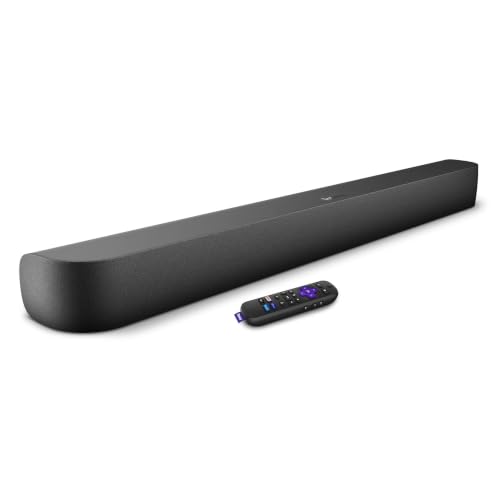
Best Overall. The Streambar Pro is two upgrades in one box: a soundbar plus a full Roku 4K streaming player, with a voice remote that has a headphone jack for private listening. For a Roku TV it feels native; for any TV it replaces a streaming stick and the speakers at once.
| Format | Soundbar with built-in 4K streaming |
| Streaming | Roku 4K/HD/HDR player built in |
| Remote | Roku Voice Remote with headphone jack |
| Audio | Cinematic sound processing, Bluetooth |
Consider the Format (Soundbar with built-in 4K streaming) alongside the rest of the specification: it is a deliberate trade, chosen to serve the audience this model was built for. Start with the Streaming: Roku 4K/HD/HDR player built in. That single line tells you more about how this soundbar will behave day to day than any marketing summary, and it is the first thing to compare against the rivals above. The Remote — Roku Voice Remote with headphone jack — is worth a second look, because it shapes the experience in ways you will notice weekly rather than once.
Living with the Roku Streambar Pro is where its character settles. The design choices behind the specification — the controls, the materials, the way it handles the boring daily moments rather than the impressive first ones — are consistent with the audience named in the verdict below. Nothing about it feels accidental: it is a product that knows its buyer, and buyers inside that description tend to stay satisfied long after the novelty of a new purchase fades.
The Roku Streambar Pro also holds up well to shared use. Households, passengers, training partners or colleagues can pick it up and get reasonable results without a tutorial, which matters more than it first appears: a product only its owner can operate is a product that gets left behind whenever someone else is involved.
Strengths
- Streaming and sound in one device, with private listening via the remote
- The specification is stated plainly on its listing, which makes honest comparison against the other picks here straightforward
- It is aimed squarely at Roku households and older TVs needing both streaming and sound, and that focus shows in the details
Trade-offs
- You are buying into Roku’s platform, ads and interface included
- It is not the right tool for Viewers loyal to a different streaming platform, and no setting changes that
- As with every pick here, the exact bundle and variant on the listing should be confirmed before ordering
Best for: Roku households and older TVs needing both streaming and sound. Not suited for: Viewers loyal to a different streaming platform.

2. Roku Streambar SE — Best Budget
Best Budget. The Streambar SE is the small-room version of Roku’s two-in-one idea: a compact bar with front-facing speakers, built-in 4K streaming and Roku’s speech-clarity modes. It suits bedroom and kitchen TVs where the built-in speakers are the weakest link.
| Format | Compact soundbar with built-in streaming |
| Streaming | Roku 4K/HD/HDR player built in |
| Design | Front-facing speakers in a compact bar |
| Audio | Speech clarity and volume modes |
Start with the Format: Compact soundbar with built-in streaming. That single line tells you more about how this soundbar will behave day to day than any marketing summary, and it is the first thing to compare against the rivals above. The Streaming — Roku 4K/HD/HDR player built in — is worth a second look, because it shapes the experience in ways you will notice weekly rather than once. On paper, the Design reads as Front-facing speakers in a compact bar; in practice that translates into a product that knows exactly which job it is doing.
Living with the Roku Streambar SE is where its character settles. The design choices behind the specification — the controls, the materials, the way it handles the boring daily moments rather than the impressive first ones — are consistent with the audience named in the verdict below. Nothing about it feels accidental: it is a product that knows its buyer, and buyers inside that description tend to stay satisfied long after the novelty of a new purchase fades.
There is a confidence to the Roku Streambar SE in ordinary use that specification tables cannot capture. It feels sorted — assembled, tuned and finished by a maker who understood the assignment — and that feeling survives contact with real rooms, real vehicles and real routines, which is where lesser products quietly come apart.
Strengths
- The cheapest tidy route to both streaming and clearer TV sound
- The specification is stated plainly on its listing, which makes honest comparison against the other picks here straightforward
- It is aimed squarely at Bedrooms, kitchens and small second TVs, and that focus shows in the details
Trade-offs
- Compact drivers limit bass and volume for larger rooms
- It is not the right tool for Main living-room movie setups, and no setting changes that
- As with every pick here, the exact bundle and variant on the listing should be confirmed before ordering
Best for: Bedrooms, kitchens and small second TVs. Not suited for: Main living-room movie setups.

3. Hisense HS2100 — Best Value
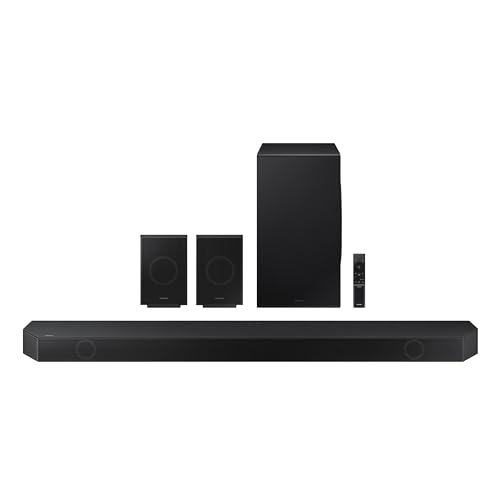
Best Value. Hisense’s HS2100 is the value workhorse: 2.1 channels with a wireless subwoofer, Dolby Audio decoding and DTS Virtual:X processing to widen the sound, controlled by the TV remote over HDMI ARC. It pairs naturally with Hisense and Roku TVs but works with anything.
| Channels | 2.1 with wireless subwoofer |
| Formats | Dolby Audio, DTS Virtual:X |
| Connections | HDMI ARC, Bluetooth 5.3 |
| Control | Remote included |
The Channels — 2.1 with wireless subwoofer — is worth a second look, because it shapes the experience in ways you will notice weekly rather than once. On paper, the Formats reads as Dolby Audio, DTS Virtual:X; in practice that translates into a product that knows exactly which job it is doing. Consider the Connections (HDMI ARC, Bluetooth 5.3) alongside the rest of the specification: it is a deliberate trade, chosen to serve the audience this model was built for.
Living with the Hisense HS2100 is where its character settles. The design choices behind the specification — the controls, the materials, the way it handles the boring daily moments rather than the impressive first ones — are consistent with the audience named in the verdict below. Nothing about it feels accidental: it is a product that knows its buyer, and buyers inside that description tend to stay satisfied long after the novelty of a new purchase fades.
Finally, the Hisense HS2100 is easy to recommend without caveats to the audience named below, and that is rarer than it sounds. Every product in this guide involves compromise somewhere; this one’s compromises sit in places its intended buyer is least likely to visit, which is the definition of a well-aimed design.
Strengths
- Wireless subwoofer and virtual surround at an entry tier
- The specification is stated plainly on its listing, which makes honest comparison against the other picks here straightforward
- It is aimed squarely at Budget living rooms and Hisense/Roku TV owners, and that focus shows in the details
Trade-offs
- Virtual:X widens sound but cannot place effects behind you
- It is not the right tool for Dedicated movie rooms chasing real surround, and no setting changes that
- As with every pick here, the exact bundle and variant on the listing should be confirmed before ordering
Best for: Budget living rooms and Hisense/Roku TV owners. Not suited for: Dedicated movie rooms chasing real surround.

4. Polk Signa S2 — Best for Dialogue
Best for Dialogue. Polk’s Signa S2 has been a budget staple for years: an ultra-slim bar that will not block the TV’s remote sensor, a wireless subwoofer, and VoiceAdjust dialogue control with its own level setting. It is the straightforward answer to thin TV sound at an entry price tier.
| Format | Ultra-slim bar plus wireless subwoofer |
| Dialogue | VoiceAdjust technology |
| Connections | HDMI ARC, optical, Bluetooth |
| Design | Low-profile bar that clears TV screens |
On paper, the Format reads as Ultra-slim bar plus wireless subwoofer; in practice that translates into a product that knows exactly which job it is doing. Consider the Dialogue (VoiceAdjust technology) alongside the rest of the specification: it is a deliberate trade, chosen to serve the audience this model was built for. Start with the Connections: HDMI ARC, optical, Bluetooth. That single line tells you more about how this soundbar will behave day to day than any marketing summary, and it is the first thing to compare against the rivals above.
Living with the Polk Signa S2 is where its character settles. The design choices behind the specification — the controls, the materials, the way it handles the boring daily moments rather than the impressive first ones — are consistent with the audience named in the verdict below. Nothing about it feels accidental: it is a product that knows its buyer, and buyers inside that description tend to stay satisfied long after the novelty of a new purchase fades.
Ownership, week to week, is where the Polk Signa S2 makes its quiet case. The controls fall where you expect them, the routine around it — charging, connecting, cleaning, storing — asks little, and it gets on with its job without demanding attention. That ordinariness is a compliment: products in this category are tools, and the best tools are the ones you stop noticing.
Strengths
- VoiceAdjust gives dialogue its own volume control
- The specification is stated plainly on its listing, which makes honest comparison against the other picks here straightforward
- It is aimed squarely at Budget buyers who mainly want clearer, fuller TV sound, and that focus shows in the details
Trade-offs
- No Dolby Atmos and a basic remote and feature set
- It is not the right tool for Atmos seekers and feature completists, and no setting changes that
- As with every pick here, the exact bundle and variant on the listing should be confirmed before ordering
Best for: Budget buyers who mainly want clearer, fuller TV sound. Not suited for: Atmos seekers and feature completists.

5. Yamaha SR-C30A — Best Compact
Best Compact. The SR-C30A pairs a slim, compact bar with a separate wireless subwoofer, so small TVs get real low-end support without a wide bar dominating the stand. Yamaha’s Clear Voice mode makes it a quiet star for dialogue-heavy viewing.
| Format | Compact bar plus wireless subwoofer |
| Dialogue | Clear Voice processing |
| Connections | HDMI ARC, optical, Bluetooth |
| Design | Slim bar for smaller TVs |
Consider the Format (Compact bar plus wireless subwoofer) alongside the rest of the specification: it is a deliberate trade, chosen to serve the audience this model was built for. Start with the Dialogue: Clear Voice processing. That single line tells you more about how this soundbar will behave day to day than any marketing summary, and it is the first thing to compare against the rivals above. The Connections — HDMI ARC, optical, Bluetooth — is worth a second look, because it shapes the experience in ways you will notice weekly rather than once.
Living with the Yamaha SR-C30A is where its character settles. The design choices behind the specification — the controls, the materials, the way it handles the boring daily moments rather than the impressive first ones — are consistent with the audience named in the verdict below. Nothing about it feels accidental: it is a product that knows its buyer, and buyers inside that description tend to stay satisfied long after the novelty of a new purchase fades.
Day to day, the Yamaha SR-C30A behaves like a product designed by people who used it themselves. The small frictions that plague this category — awkward controls, fussy connections, unclear feedback — have mostly been thought away, and what remains is a straightforward routine that new owners settle into within days rather than weeks.
Strengths
- A separate wireless sub at an entry tier, sized for small TVs
- The specification is stated plainly on its listing, which makes honest comparison against the other picks here straightforward
- It is aimed squarely at Small TVs and desks where a wide bar will not fit, and that focus shows in the details
Trade-offs
- The compact bar’s soundstage is narrower than full-width bars
- It is not the right tool for Large rooms needing a wide, cinematic stage, and no setting changes that
- As with every pick here, the exact bundle and variant on the listing should be confirmed before ordering
Best for: Small TVs and desks where a wide bar will not fit. Not suited for: Large rooms needing a wide, cinematic stage.

6. JBL Bar 500MK2 — Best for Bass
Best for Bass. The Bar 500MK2 takes a simpler route: a single bar using MultiBeam processing to widen the soundstage, a hefty 10-inch wireless subwoofer, and PureVoice processing to keep dialogue intelligible. No rears to charge, no cables to run — just a big step up from TV speakers.
| Channels | 5.1 |
| Formats | Dolby Atmos with MultiBeam 3.0 |
| Subwoofer | 10-inch wireless subwoofer |
| Dialogue | PureVoice 2.0 |
Start with the Channels: 5.1. That single line tells you more about how this soundbar will behave day to day than any marketing summary, and it is the first thing to compare against the rivals above. The Formats — Dolby Atmos with MultiBeam 3.0 — is worth a second look, because it shapes the experience in ways you will notice weekly rather than once. On paper, the Subwoofer reads as 10-inch wireless subwoofer; in practice that translates into a product that knows exactly which job it is doing.
Living with the JBL Bar 500MK2 is where its character settles. The design choices behind the specification — the controls, the materials, the way it handles the boring daily moments rather than the impressive first ones — are consistent with the audience named in the verdict below. Nothing about it feels accidental: it is a product that knows its buyer, and buyers inside that description tend to stay satisfied long after the novelty of a new purchase fades.
What owners tend to praise about the JBL Bar 500MK2 is consistency. It does the same thing, the same way, every time, and in a category full of temperamental gadgets that reliability becomes the feature everything else hangs from. It will not surprise you often, in either direction, and for most buyers that is precisely the point.
Strengths
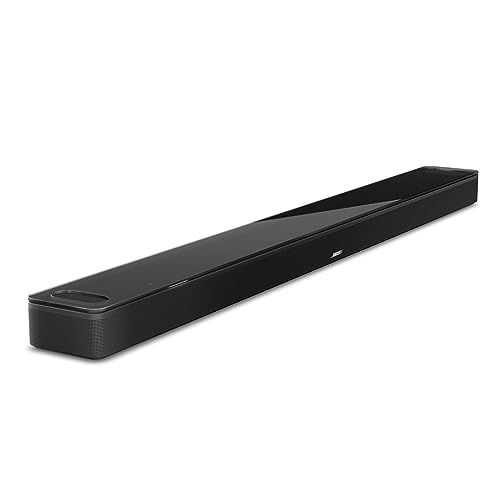
- Strong bass and simple setup with no rear speakers to manage
- The specification is stated plainly on its listing, which makes honest comparison against the other picks here straightforward
- It is aimed squarely at Living rooms wanting simple, bassy, better-than-TV sound, and that focus shows in the details
Trade-offs
- Surround is processed rather than physical, so effects stay in front of you
- It is not the right tool for Purists who want discrete rear channels, and no setting changes that
- As with every pick here, the exact bundle and variant on the listing should be confirmed before ordering
Best for: Living rooms wanting simple, bassy, better-than-TV sound. Not suited for: Purists who want discrete rear channels.
Comparison Table
| Pick | Award | Key specification | Best for |
|---|---|---|---|
| Roku Streambar Pro | Best Overall | Format: Soundbar with built-in 4K streaming | Roku households and older TVs needing both streaming and sound |
| Roku Streambar SE | Best Budget | Format: Compact soundbar with built-in streaming | Bedrooms, kitchens and small second TVs |
| Hisense HS2100 | Best Value | Channels: 2.1 with wireless subwoofer | Budget living rooms and Hisense/Roku TV owners |
| Polk Signa S2 | Best for Dialogue | Format: Ultra-slim bar plus wireless subwoofer | Budget buyers who mainly want clearer, fuller TV sound |
| Yamaha SR-C30A | Best Compact | Format: Compact bar plus wireless subwoofer | Small TVs and desks where a wide bar will not fit |
| JBL Bar 500MK2 | Best for Bass | Channels: 5.1 | Living rooms wanting simple, bassy, better-than-TV sound |
The table compresses; the reviews explain. If two picks are still tied after the table, read their trade-off lists side by side — the right choice is usually the one whose compromises you mind least.
Buying Guide: How to Choose the best soundbars for roku tv
Choosing well in this category is less about finding a mythical best product and more about matching a real product to your space, your existing equipment and your habits. The three considerations below decide satisfaction more reliably than any single specification, and they apply to every pick in this guide.
HDMI ARC and eARC Are the Connections That Matter
A soundbar lives or dies by its connection to the TV. HDMI eARC carries full-quality audio from the TV and lets the TV remote control the bar’s volume, which is the setup almost everyone should aim for. Optical is the fallback for older TVs and works well, but loses the remote integration and some formats. Before you buy, confirm which ports your TV actually has, because the finest bar in this guide cannot fix a missing eARC socket.
Dialogue Clarity Beats Raw Power for Most Rooms
Most people buy a soundbar because speech is hard to follow, not because explosions are too quiet. Centre-channel design, voice-enhancement modes and careful tuning matter more for that problem than total wattage. If voices are your complaint, weight the picks with dedicated dialogue features heavily, and remember that a bar you can understand at low volume is worth more than a louder bar you cannot.
Subwoofers and Rear Speakers Change the Room, Not Just the Sound
A wireless subwoofer adds the low end that makes films feel physical, and rear speakers create genuine envelopment that no single bar can fully imitate. Both need power outlets and floor or shelf space, so measure the room before you fall for a full system. Renters and tidy-room households often do better with a strong single bar, while dedicated movie rooms reward the full kit.
How to Read a Listing Before You Order
Product listings in this category reward slow reading. Confirm the exact model name and variant first, because near-identical names hide real differences; then check what is actually in the box, since included accessories vary between sellers of the same product. Read the specification list against the table in the review above, and treat any number that disagrees as a question to resolve before ordering, not after. Finally, glance at the delivery and returns terms. None of this takes long, and it prevents almost every avoidable disappointment this category produces.
How Do You Set Up a Soundbar for the First Time?
A soundbar setup is mostly cable order and one TV menu, done once and forgotten.
- Place the bar centred under the TV. Keep the bar at the front edge of the stand so sound is not reflecting off the furniture surface.
- Connect HDMI to the ARC or eARC port. Use the TV socket labelled ARC or eARC specifically; other HDMI ports will not carry TV sound back to the bar.
- Set the TV audio output to the bar. In the TV sound menu choose the HDMI output and, where offered, passthrough or eARC mode.
- Run the room calibration if offered. Several picks measure the room with a microphone routine. Run it with the room quiet and seating in place.
- Test with dialogue, not an action scene. Play a talk-heavy scene at your normal volume. If speech is clear there, everything else will follow.
If something misbehaves during the first session, work through the boring causes in order — power, connections, settings, placement — before concluding the product is faulty. In this category the large majority of first-day problems are setup problems, and most of them surrender to the checklist above plus ten patient minutes.
Common Buying Mistakes
Buying for the headline specification. Headline numbers are chosen to sell, not to inform. The pick that wins a specification contest can still be wrong for your room, vehicle or routine, which is why every review in this guide leads with who the product suits.
Skipping the compatibility check. Connectors, dimensions, platforms and mounting patterns are unglamorous and absolutely decisive. Five minutes confirming them before ordering prevents the most common and most avoidable returns.
Forgetting the extras the setup needs. Cables, mounts, stands, adapters and installation time belong in the real cost. A pick that includes what you need can be better value than a cheaper pick that sends you back to the store twice.
Judging in the first ten minutes. Placement, settings and a short settling-in period change results noticeably. Set the product up properly and live with it briefly before deciding it is wrong.
Matching nothing to anything. Components work as systems. An excellent product paired with the wrong amplifier, source or space will disappoint, while a balanced mid-tier system usually delights.
Ignoring the return window. Buy from a listing whose return terms you have actually read, keep the packaging until you are sure, and test the things you cannot change later while returning is still easy.
What Owners Notice After the First Month
The first week with any product in this category is about novelty; the first month is about truth. By then the setup is forgotten, the routine is set, and the qualities that remain visible are the ones the reviews above spent their words on: whether it still feels effortless, whether the compromises chosen at purchase time still look wise, and whether it has quietly become part of the furniture of your day. That is the standard these six picks were held to. A product that delights on day one and irritates by day thirty is a failed purchase wearing a good first impression, and the shortlist was built to exclude exactly that pattern wherever the evidence allowed it.
More to Know Before You Buy
Finally, remember that this category rewards balance over extremes. The products remembered fondly years later are rarely the loudest, thinnest, brightest or cheapest; they are the ones that did everything asked of them without drama. Every pick here clears that bar, which is why the guide spends its words on fit and character rather than on ranking tiny differences. Choose the one whose description sounds like your life, set it up carefully, and it will very likely stay chosen.
Warranty and support deserve a paragraph of their own, because they are the part of the purchase you only meet when something has already gone wrong. Before ordering, note the warranty length on the listing, whether the maker handles support directly, and how spare parts and accessories are sold. None of the picks here comes from a maker who hides those answers, but the ease of the process still varies, and five minutes of checking now is worth an hour of frustration in month fourteen.
There is also a honest point to make about diminishing returns in this category. The step from a poor product to a good one is dramatic; the step from good to excellent is real but smaller, and it costs proportionally more. That is why this guide keeps a strong value pick in every shortlist and describes the premium options in terms of specific gains rather than vague superiority. Spend where the gain touches your daily use, and save where it only touches a specification sheet.
Consider, too, how the product will be used on your worst day, not your best. The rushed morning, the crowded room, the long drive, the guests arriving in twenty minutes: that is the environment your purchase actually lives in. Picks that stay composed, simple and forgiving under those conditions are the ones owners recommend to friends. Several reviews above quietly reward exactly that quality, and it is worth weighting heavily if your life is more worst-day than showroom.
One more practical habit separates satisfied buyers from frustrated ones: measure and verify before the box arrives. Dimensions, clearances, cable lengths, mounting patterns, case sizes, port locations — whichever apply — take minutes to confirm against the listing and your space, and they are nearly free to fix before ordering and genuinely annoying afterwards. The specification tables in the reviews exist partly for this; use them as a checklist, not just as reading material.
If you are upgrading rather than buying first-time, name the single thing your current setup does worst and let that choose for you. Every pick in this guide is the answer to a slightly different complaint, and the badges map to those complaints deliberately. An upgrade chosen to fix your loudest frustration satisfies out of proportion to its cost, while an upgrade chosen for general betterness often feels strangely flat once the newness wears off.
Environmental basics matter more than their reputation suggests. Heat, humidity, dust, direct sun and cramped ventilation shorten the life of equipment in this category quietly and steadily. Where a pick will live is part of what you are buying for, so if your space is hostile, favour the designs described as robust, simple to clean and tolerant of being moved, over the designs that assume a calm, dedicated room.
Accessories are the tail that wags many purchases in this category. The mount, case, cable, strap, stand or second unit you will want next month is part of this month’s decision, and ecosystems differ widely in what exists and what it costs. A pick surrounded by available, fairly priced accessories is a pick you can grow with; a slightly better product in a bare ecosystem can become a dead end. The stronger platforms in this guide earned part of their place on exactly that ground.
And a word about timing: in a mature category like this one, waiting rarely transforms the decision. Line-ups evolve gradually, and the pick that suits you today will very likely still suit you after the next announcement. Buy when your current setup is genuinely limiting you, set the new one up properly, and then stop reading reviews for a while — the surest way to enjoy any of these picks is to use it instead of auditing it.
It is worth being honest about how these products age. The models in this guide were chosen partly for the maturity of their designs: established platforms, available accessories and makers with a track record of supporting what they sell. That support matters in year two and three, when a strap, cable, pad or firmware update decides whether the product still earns its place or gets replaced. When two picks look equal on the day you buy them, the one with the healthier ecosystem around it is usually the one you will still be happy with later.
Room, vehicle and routine acoustics quietly dominate results in this category. Hard surfaces, open space, road noise and background conversation all push in different directions, and no specification sheet knows your environment. That is why the reviews describe character and best use rather than declaring a single winner for everyone: the same product that is perfect in a quiet study can be wrong for a kitchen, a workshop or a shared family room. Match the description to your loudest, least forgiving environment and the choice usually makes itself.
A sensible way to use this guide is to shortlist two picks, not six. Take the Best Overall as the default, then find the one pick whose strengths answer your specific complaint about your current setup, and compare those two closely in the table and the reviews. Buyers who compare six products exhaust themselves on differences that do not matter to them; buyers who compare two, chosen well, usually decide quickly and regret rarely.
Setup effort is a real cost and it is unevenly distributed across this shortlist. Some picks are working within minutes of opening the box; others repay an hour of careful placement, configuration or fitting with results the quick options cannot reach. Neither approach is superior in the abstract. Be honest about which buyer you are, because the finest product in this guide is the one you will actually set up properly, not the one with the most impressive ceiling you never reach.
Listings change quietly over time: bundles shift, included accessories come and go, and model years blur together. Before ordering, read the exact listing for the pick you chose and confirm the variant, size, colour and included parts match what the review describes. This takes two minutes and prevents the most frustrating class of disappointment, which is receiving a near-identical but wrong version of the right product.
Think about the second year when you compare these picks. Consumables, wear parts, batteries, straps, pads, cables and cleaning all recur, and their cost and availability differ between brands far more than the products do at first glance. A pick that is slightly less exciting today but cheap and easy to maintain often wins the ownership contest outright. The reviews flag where a design makes maintenance easy or awkward, and those lines deserve more weight than they usually get.
If you are buying for someone else, weight simplicity and forgiveness above peak performance. The picks described as easiest to live with, with the clearest controls and the fewest setup demands, make the best gifts in this category, because the recipient’s experience is dominated by daily friction rather than ceiling performance. Buy the version of excellence they will notice every day, not the specification they will never test.
Final Recommendation
For most Roku TV owners, the answer is the Roku Streambar Pro: it earned Best Overall by being the pick with the fewest caveats attached to the widest range of buyers. Start there, and only move away from it when a specific line in another review describes your situation better than the general case does.
If value is the deciding factor, the Roku Streambar SE is the pick to study hardest: it keeps the essentials that matter and gives up mainly the refinements. And whichever of the six you choose, do the final check on the live listing — variant, included parts and current terms — because that two-minute habit is the difference between the product reviewed here and a near namesake.
Related Guides
- best wireless soundbars for tv
- best soundbars for movies
- best soundbars for ps5
- best soundbars for voice clarity
- best soundbars under 1000
- best soundbars for lg cx
Frequently Asked Questions
What is the best soundbar overall? For most buyers, the Roku Streambar Pro. It took Best Overall in this guide because it balances the specification that matters, everyday usability and a clear audience better than any other pick here.
Which pick suits Roku TV owners best? Match yourself against the verdict lines first. The Roku Streambar Pro is the default answer for Roku TV owners, while the other badges exist precisely for the cases where the default does not fit — style, budget, space or a specific feature.
What should I check before buying a soundbar? Three things: compatibility with what you already own, the physical fit for your space, and the exact variant on the live listing. Buying a bar with more channels than your room can place helps nobody, and ignoring the TV’s port list is the classic way a new bar ends up returned.
Is the premium pick worth it over the value pick? The Roku Streambar Pro justifies its tier with capability and finish you can feel daily, while the value picks in this guide keep the essentials. If you will use the product weekly for years, the premium tier usually earns its keep; for occasional use, value wins honestly.
Why are some picks not linked to a product? Where no single listing could be verified with confidence, or the honest recommendation is a type of product rather than one model, the pick is presented prose-only and labelled as such. We would rather link less than link carelessly.
Where should I buy, and how do I check the current price? Every linked pick in this guide is sold on Amazon. Use the Check Price on Amazon buttons in the reviews to see the current price and availability on the live listing, since prices change and this guide deliberately prints none.