The best screensavers for android phones are the apps that turn an idle screen into something worth looking at, and a good screensaver app does more than decorate: it keeps the screen useful, readable, and personal. A screensaver on an Android phone is usually a live wallpaper or a clock that appears when the phone is idle or charging, and the six apps in this guide cover the styles most buyers actually want, from elegant black-and-gold backgrounds to ocean scenes, bright 4K art, festive Christmas and Halloween themes, and a big retro clock. Each app is checked against current listings with verified product details.
Every app here is a genuine screensaver or live-wallpaper app sold for Android phones, and each one serves a different buyer: a phone that looks premium, a calm ocean scene, a bright work of art, a festive screen for the holidays, or a clock that is readable from across the room. The six apps cover a range of styles, so you can choose by the way you actually use the phone rather than by a screenshot alone.
In this guide
Quick picks: best screensavers for android phones
| # | Product | Where to buy |
|---|---|---|
| 1 | Luxury Black Gold Wallpapers HD | Check on Amazon |
| 2 | Blue Wallpapers | Check on Amazon |
| 3 | Abstract and Colorful Art 4K Wallpapers | Check on Amazon |
| 4 | Christmas Backgrounds | Check on Amazon |
| 5 | Halloween 2023 Screensaver Wallpaper Phone | Check on Amazon |
| 6 | Retro Digital Clock Screensaver | Check on Amazon |
How the picks were chosen
We started with apps that are explicitly screensaver or live-wallpaper apps for Android phones, because the app type is the whole point of this guide. A screen protector, a phone case, or a book about Android apps is not a screensaver, and we excluded those even when they appeared in the same search results. We also excluded apps made only for television, since this guide is about phones, and we favored apps whose listings say they work on phones.
Style and usefulness came next. A good screensaver should look good on a phone screen, where the images are small and the icons and widgets sit on top, and it should stay pleasant to look at day after day without tiring the eyes. We favored apps with clear themes and sharp images, because a blurry or cluttered wallpaper makes the phone harder to use. A clock screensaver earned its place by being useful as well as decorative, since a big readable clock turns idle time into something practical.
Finally, we balanced the list by style and season. The six apps cover elegant, calm, bright, festive, spooky, and practical styles, so a buyer can choose by taste and by season rather than settling for whatever is available. A screensaver is a personal choice, and the best one is the one that makes you smile every time the phone wakes up.
Quick comparison
| Product | Standout feature | Best for |
|---|---|---|
| Luxury Black Gold Wallpapers HD | Elegant black and gold live backgrounds for premium phones | buyers who want an elegant, premium look on the home screen |
| Blue Wallpapers | HD live ocean and aesthetic backgrounds for the phone | buyers who want a calm ocean scene on the home screen |
| Abstract and Colorful Art 4K Wallpapers | Neon 3D backgrounds in 4K, for phone and TV | buyers who want bright, colorful art on the phone and the TV |
| Christmas Backgrounds | Live, 4K, and offline Christmas wallpaper for phone and tablet | buyers who want a festive Christmas screen that works offline |
| Halloween 2023 Screensaver Wallpaper Phone | Spooky Halloween screensaver wallpapers made for the phone | buyers who want a spooky Halloween screen |
| Retro Digital Clock Screensaver | Retro classic digital clock and date, big clock for phone, tablet, and TV | buyers who want a big, readable clock on the screen |

Luxury Black Gold Wallpapers HD, Elegant Live Backgrounds for Premium Phones
The Luxury Black Gold Wallpapers HD app is the elegant pick in this list, offering live black and gold backgrounds made for premium phones. Black and gold is a classic combination that looks good on an AMOLED screen, where the black parts of the image stay truly dark and the gold details stand out, and the live backgrounds add gentle movement without distracting from the icons and widgets on top. The app is built for phones, so the images are sized for a phone screen rather than a television.
A wallpaper app is only as good as its images, and this one focuses on a single style done well: elegant, dark, gold-accented backgrounds that suit a phone used for work as well as for everyday use. The live element keeps the screen feeling alive without the busy motion of a video wallpaper, and the dark backgrounds are easy on the eyes in a dim room. A buyer who wants a phone that looks premium every time it wakes up will find this app the right choice.
Key specifications: Luxury Black Gold Wallpapers HD app with elegant live backgrounds for premium phones; live wallpaper app for Android phones.
Install the app from the Amazon Appstore, open it, and follow its setup steps to choose a wallpaper and set it as the live background on the phone. Check the app permissions before granting them, and set the wallpaper on the home screen first so you can see how it looks before applying it to the lock screen as well.
Strengths
- Elegant black and gold style that suits an AMOLED screen
- Live backgrounds with gentle movement, not busy video
- Images made for premium phones, sized for a phone screen
Trade-offs
- One style only, so it suits buyers who like black and gold
- No seasonal or holiday themes in this app
- A live wallpaper uses more battery than a still image
A buyer who wants a phone that looks elegant and premium every time it wakes up will pick Luxury Black Gold Wallpapers HD. It is the elegant pick here.
Best for: buyers who want an elegant, premium look on the home screen / Not suited for: buyers who want a busy animated scene or a seasonal theme
Check price on Amazon: Luxury Black Gold Wallpapers HD
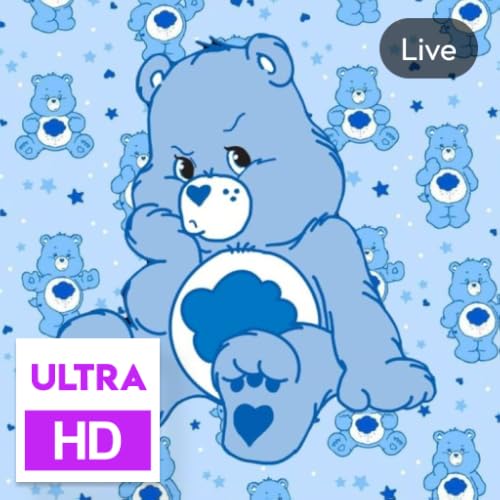
Blue Wallpapers, HD Live Ocean and Aesthetic Backgrounds for Your Phone
The Blue Wallpapers app is the calm pick in this list, offering HD live ocean and aesthetic backgrounds for the phone. Ocean scenes are a natural fit for a phone wallpaper: blue tones that look good on any screen, gentle motion that suits a live background, and images that stay pleasant to look at day after day without tiring the eyes. The HD images are sharp on a modern phone screen, and the live element keeps the home screen feeling alive.
A good wallpaper app should be easy to use, and this one keeps the focus on the images: choose a background, set it as the live wallpaper, and the phone does the rest. The ocean themes suit a buyer who wants a relaxing screen, and the aesthetic backgrounds cover a range of blue tones from deep ocean to light sky. A buyer who checks the phone often will appreciate a background that stays calm and pleasant rather than one that demands attention.
Key specifications: Blue Wallpapers app with HD live ocean and aesthetic backgrounds for the phone; live wallpaper app for Android phones.
Install the app from the Amazon Appstore, open it, and follow its setup steps to choose a wallpaper and set it as the live background on the phone. Check the app permissions before granting them, and preview the wallpaper on the home screen before applying it to the lock screen as well.
Strengths
- Calm ocean themes that stay pleasant to look at every day
- HD images that are sharp on a modern phone screen
- Simple setup: choose a background and set it as the live wallpaper
Trade-offs
- Blue themes only, so it suits buyers who like ocean colors
- A live wallpaper uses more battery than a still image
- No dark or black-and-gold themes in this app
A buyer who wants a calm, relaxing ocean scene on the home screen will pick Blue Wallpapers. It is the calm pick here.
Best for: buyers who want a calm ocean scene on the home screen / Not suited for: buyers who want a dark theme or a busy animated scene
Check price on Amazon: Blue Wallpapers

Abstract and Colorful Art 4K Wallpapers, Neon 3D Backgrounds, Live Wallpaper for Phone and TV
The Abstract and Colorful Art 4K Wallpapers app is the bright pick in this list, offering neon 3D backgrounds and live wallpaper for the phone and the TV. The abstract art style suits a buyer who wants the phone to stand out: bold colors, 3D shapes, and 4K detail that looks sharp on a modern screen. The same app works on the phone and the TV, so the home screen and the living room can share the same style.
A 4K wallpaper makes a real difference on a high-resolution phone screen, where a low-resolution image would look soft or blurred. The neon 3D backgrounds are designed to look good at full size, with colors that stay vivid without washing out the icons and widgets on top. A buyer who likes color and wants a phone that feels personal will find this app the right choice, and the TV support means the same art can dress up the living room too.
Key specifications: Abstract and Colorful Art 4K Wallpapers app with neon 3D backgrounds; live wallpaper for phone and TV; 4K images.
Install the app from the Amazon Appstore, open it, and follow its setup steps to choose a wallpaper and set it as the live background on the phone or the TV. Check the app permissions before granting them, and preview the wallpaper on the home screen before applying it to the lock screen as well.
Strengths
- Bold, colorful abstract art that makes the phone stand out
- 4K images that stay sharp on a high-resolution screen
- Works on the phone and the TV, so one style covers both
Trade-offs
- Bright colors do not suit buyers who want a calm screen
- A live wallpaper uses more battery than a still image
- Abstract art is a matter of taste, so preview it first
A buyer who wants a bright, colorful phone that stands out will pick Abstract and Colorful Art 4K Wallpapers. It is the bright pick here.
Best for: buyers who want bright, colorful art on the phone and the TV / Not suited for: buyers who want a calm or minimal screen
Check price on Amazon: Abstract and Colorful Art 4K Wallpapers

Christmas Backgrounds, Live, 4K and Offline Wallpaper, Aesthetic, Cute and Preppy Themes for Phone and Tablet
The Christmas Backgrounds app is the festive pick in this list, offering live, 4K, and offline wallpaper with aesthetic, cute, and preppy themes for the phone and the tablet. Christmas is the season when a phone screen gets dressed up the most, and this app covers it with live backgrounds that move gently, 4K images that stay sharp, and an offline mode that works without a connection. The themes range from classic festive scenes to cute and preppy styles, so there is a background for every taste.
The offline support is a practical advantage: once the wallpapers are downloaded, the app works without mobile data or Wi-Fi, which suits a buyer who travels or who wants to save data. The 4K images look sharp on a modern phone screen, and the live element keeps the home screen feeling festive without the busy motion of a video wallpaper. A buyer who changes the wallpaper with the seasons will find this app the right choice for December, and the tablet support means the same themes can dress up a second device too.
Key specifications: Christmas Backgrounds app with live, 4K, and offline wallpaper; aesthetic, cute, and preppy themes for phone and tablet.
Install the app from the Amazon Appstore, open it, and follow its setup steps to choose a wallpaper and set it as the live background on the phone or the tablet. Check the app permissions before granting them, and preview the wallpaper on the home screen before applying it to the lock screen as well.
Strengths
- Live, 4K, and offline modes, so it works without a connection
- Aesthetic, cute, and preppy themes for every taste
- Works on the phone and the tablet
Trade-offs
- Seasonal themes only suit part of the year
- A live wallpaper uses more battery than a still image
- Christmas themes are a matter of taste, so preview them first
A buyer who wants a festive Christmas screen that works offline will pick Christmas Backgrounds. It is the festive pick here.
Best for: buyers who want a festive Christmas screen that works offline / Not suited for: buyers who want a year-round, non-seasonal theme
Check price on Amazon: Christmas Backgrounds
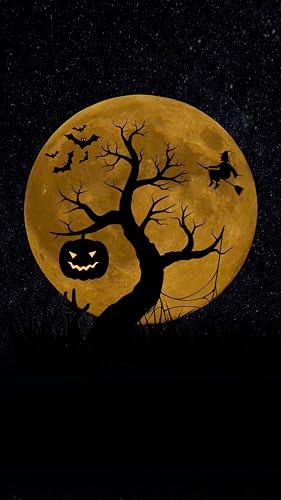
Halloween 2023 Screensaver Wallpaper Phone, Spooky Phone Screensaver
The Halloween 2023 Screensaver Wallpaper Phone app is the spooky pick in this list, offering Halloween screensaver wallpapers made for the phone. Halloween is the other season when a phone screen gets dressed up, and this app covers it with spooky themes that suit the holiday: dark scenes, Halloween imagery, and a screensaver style that turns the phone into a small piece of the decoration. The app is built for the phone, so the images are sized for a phone screen.
A seasonal wallpaper app should be easy to use, and this one keeps the focus on the images: choose a spooky background, set it as the screensaver wallpaper, and the phone does the rest. The Halloween themes are fun rather than frightening, which suits a buyer who wants a festive screen for October without anything too dark for everyday use. A buyer who changes the wallpaper with the seasons will find this app the right choice for Halloween.
Key specifications: Halloween 2023 Screensaver Wallpaper Phone app with spooky screensaver wallpapers for the phone.
Install the app from the Amazon Appstore, open it, and follow its setup steps to choose a wallpaper and set it as the screensaver on the phone. Check the app permissions before granting them, and preview the wallpaper on the home screen before applying it to the lock screen as well.
Strengths
- Halloween themes made for the phone screen
- Fun, festive style that suits October without being too dark
- Simple setup: choose a background and set it as the screensaver
Trade-offs
- Seasonal themes only suit October
- No year-round themes in this app
- A live wallpaper uses more battery than a still image
A buyer who wants a spooky Halloween screen will pick Halloween 2023 Screensaver Wallpaper Phone. It is the spooky pick here.
Best for: buyers who want a spooky Halloween screen / Not suited for: buyers who want a year-round, non-seasonal theme
Check price on Amazon: Halloween 2023 Screensaver Wallpaper Phone

Retro Digital Clock Screensaver, Retro Classic Digital Clock and Date, Simple Big Clock for Phone, Tablet and TV
The Retro Digital Clock Screensaver is the useful pick in this list, offering a retro classic digital clock and date with a simple big clock for the phone, tablet, and TV. A screensaver that shows the time is the oldest kind of screensaver, and it is still the most useful: a big, readable clock that turns the phone into a bedside clock or a desk clock when it is charging. The retro style gives the clock a classic look that suits a desk or a bedside table.
The giant clock is the point of this app, and it works because the digits are large enough to read from across the room. The app works on the phone, the tablet, and the TV, so the same clock can appear on whichever screen is nearby. A buyer who charges the phone on a stand or on the bedside table will find this app the most useful in the list, since it turns idle time into a clock that is always visible.
Key specifications: Retro Digital Clock Screensaver app with retro classic digital clock and date; simple big clock for phone, tablet, and TV.
Install the app from the Amazon Appstore, open it, and follow its setup steps to choose a clock style and set it as the screensaver on the phone, tablet, or TV. Check the app permissions before granting them, and set the clock size and style before leaving the phone on the charger or the stand.
Strengths
- Big, readable clock that works as a bedside or desk clock
- Retro classic style that suits a desk or a bedside table
- Works on the phone, the tablet, and the TV
Trade-offs
- A clock screensaver shows no photos or art
- The retro style is a matter of taste
- A screensaver that stays on uses more battery than a dark screen
A buyer who wants a big, readable clock on the screen while the phone charges will pick Retro Digital Clock Screensaver. It is the useful pick here.
Best for: buyers who want a big, readable clock on the screen / Not suited for: buyers who want a photo wallpaper or an animated scene
Check price on Amazon: Retro Digital Clock Screensaver
Best screensavers for android phones: what matters most
The device support is the first thing to confirm, because a screensaver app that works on a television may not work the same way on a phone. Check that the listing says the app works on phones, and look at the description for the devices it supports. An app that says it works on phones and tablets is a safe choice for an Android phone, while an app made only for a television will not dress up the phone at all. A listing that hides the supported devices is a warning sign.
Image quality decides how the screensaver looks on a modern phone screen. A 4K or HD wallpaper stays sharp on a high-resolution display, while a low-resolution image looks soft or blurred when it fills the screen. Check the image quality in the listing, and preview the wallpaper on the home screen before applying it to the lock screen as well. A screensaver that looks good in a small screenshot may look different at full size, so the preview matters.
Battery use is the other daily reality. A live wallpaper with moving images uses more battery than a still image, because the phone keeps redrawing the screen, and a screensaver that stays on while the phone charges uses power too. Check the app settings for a battery-saving mode or a still-image option, and choose a live wallpaper only if the movement is worth the extra battery use. A still wallpaper is the safer choice for a phone that already struggles to last the day.
Permissions are the last check before installing. A screensaver app needs permission to set the wallpaper, and some apps ask for more: access to photos, to the network, or to other parts of the phone. Check the permissions before granting them, and do not grant access an app does not need to do its job. A wallpaper app has no reason to read your contacts or your messages, so a request for those permissions is a warning sign.
Style is a personal choice, but it is worth thinking about how the screensaver works with the rest of the phone. A dark wallpaper suits an AMOLED screen, where the black parts stay truly dark, and it is easier on the eyes in a dim room. A bright wallpaper suits a buyer who wants the phone to stand out, but it can make icons harder to see if the image is busy behind them. Choose a style that works with your icons and widgets, not against them.
Buying guide: choosing screensavers for android phones
Start with the style, because a screensaver is a personal choice and the right one depends on what you like to look at. An elegant black-and-gold wallpaper suits a phone used for work, a calm ocean scene suits a buyer who checks the phone often, and a bright abstract wallpaper suits a buyer who wants the phone to stand out. Decide the style first, then compare apps inside it, rather than buying the app with the most downloads.
Check the device support and the image quality before buying. Confirm the app works on Android phones, and check whether the images are HD or 4K, since a low-resolution image will look soft on a modern screen. Preview the wallpaper on the home screen before applying it to the lock screen, and check the app settings for a battery-saving mode if the wallpaper is live rather than still.
Read the description carefully, since screensaver apps vary more than they appear to. Some apps are live wallpapers that move, some are still images, and some are clocks that show the time when the phone is idle. Check whether the app needs an internet connection to work, since an offline app is more useful when traveling, and check whether the app includes ads, since an ad-supported app may show ads on the lock screen.
Check the permissions before installing. A screensaver app needs permission to set the wallpaper, and it may need network access to download new images, but it does not need access to contacts, messages, or other personal data. Do not grant permissions an app does not need, and uninstall any app that asks for more than its job requires. A wallpaper app that wants to read your messages is a warning sign.
Finally, check the seller and the listing details before paying. Confirm the exact app name, since similar names can mean different apps, and check the description for the devices it supports. A paid app is usually a one-time purchase, so check whether the price covers all the themes or only some of them. Buy from a listing that names the exact app you want, and keep the receipt in case the app does not work as described.
Using and caring for your screensavers for android phones
Set the screensaver up carefully on the first day. Install the app, open it, and follow its setup steps to choose a wallpaper and set it as the live background on the phone. Preview the wallpaper on the home screen first so you can see how it looks with your icons and widgets, then apply it to the lock screen as well if you like it. Check the app settings for brightness, movement, and battery options before settling on a choice.
Keep the screensaver working well by managing the battery. A live wallpaper uses more battery than a still image, so switch to a still wallpaper if the phone struggles to last the day, and turn off the live motion when the battery is low. Check the app settings for a battery-saving mode, and restart the phone once a week to clear temporary files and refresh the system.
Look after the phone screen and the screensaver will look after you. Clean the screen regularly with a soft cloth, since dust and fingerprints show up more on a dark wallpaper than on a bright one. Fit a screen protector if the phone does not have one, since a scratched screen spoils even the best wallpaper. Keep the software updated, since updates often include battery and performance fixes.
Change the screensaver with the seasons. A Christmas wallpaper suits December, a Halloween wallpaper suits October, and a calm ocean scene suits the rest of the year. Changing the wallpaper every few months keeps the phone feeling fresh without buying a new device, and it costs nothing but a minute of your time. Keep a few favorite wallpapers saved in the app so you can switch back easily.
Common mistakes to avoid
The most common mistake is buying a screen protector when you wanted a screensaver. The two are different products with similar names: a screen protector is a physical film that covers the screen, while a screensaver is an app that shows images on the screen. Check the listing carefully, and do not buy a pack of tempered glass when you wanted a wallpaper app. A listing that talks about 9H hardness and bubble-free installation is a screen protector, not a screensaver.
Another common mistake is installing an app made only for television. A screensaver app for a Fire TV or a smart TV will not dress up an Android phone, and it may not install on the phone at all. Check the devices in the listing before buying, and favor apps that say they work on phones and tablets. A listing that mentions only television is a warning sign.
A third mistake is ignoring the permissions. A screensaver app that asks for access to contacts, messages, or other personal data is asking for more than its job requires, and granting those permissions puts your data at risk. Check the permissions before installing, and uninstall any app that asks for more than it needs. A wallpaper app has no reason to read your messages.
Finally, do not forget the battery. A live wallpaper with moving images uses more battery than a still image, and a screensaver that stays on while the phone charges uses power too. If the phone struggles to last the day, switch to a still wallpaper or turn off the live motion, and check the app settings for a battery-saving mode. A screensaver should make the phone nicer to use, not harder to keep charged.
Budget and value
A screensaver app is one of the cheapest ways to make a phone feel new, since most apps cost little and a single app can change the look of the phone every day. Pair a good wallpaper app with a clean home screen layout, and the result is a phone that feels personal and fresh without buying a new device. The money saved can go to a case or a screen protector, which protect the phone itself.
Spending a little more on a paid screensaver app buys sharper images, more themes, and no ads, which is worth it if the phone screen is something you look at all day. A free app with ads may show ads on the lock screen, which spoils the look you paid for with your attention. Choose by the images and the style, not by the price alone, and preview the wallpaper before buying.
Final recommendation
For most buyers, the Luxury Black Gold Wallpapers HD app is the best all-round choice among the best screensavers for android phones: elegant black-and-gold live backgrounds made for premium phones, with gentle movement that suits an AMOLED screen. If a calm screen matters most, the Blue Wallpapers app offers relaxing ocean scenes in HD. If the screensaver should also be useful, the Retro Digital Clock Screensaver turns the phone into a big, readable clock while it charges. Any of the six apps here will dress up an Android phone well, so choose by the style you like, and check the device support before you buy.
Frequently asked questions
What is a screensaver for an Android phone?
A screensaver for an Android phone is an app that shows images, live wallpapers, or a clock on the screen when the phone is idle or charging. It is different from a screen protector, which is a physical film that covers the screen. A screensaver app decorates the screen, while a screen protector protects it.
Do screensavers use more battery?
A live wallpaper with moving images uses more battery than a still image, because the phone keeps redrawing the screen. A still wallpaper uses no more battery than the normal home screen. Check the app settings for a battery-saving mode, and switch to a still wallpaper if the phone struggles to last the day.
Can I use a screensaver app on a tablet or a TV?
It depends on the app. Some screensaver apps work on phones, tablets, and TVs, while others work only on phones or only on TVs. Check the devices in the listing before buying, and favor apps that say they work on the devices you own.
Are screensaver apps safe to install?
Most screensaver apps from the Amazon Appstore are safe, but check the permissions before installing. A screensaver app needs permission to set the wallpaper, and it may need network access to download new images, but it does not need access to contacts or messages. Do not grant permissions an app does not need.
What is the difference between a screensaver and a live wallpaper?
A live wallpaper is a kind of screensaver: an animated background that moves on the home screen. A screensaver is the broader term, covering live wallpapers, still wallpapers, and clock displays that appear when the phone is idle. On an Android phone, the two terms are often used for the same thing.
Screensavers vs screen protectors
The two products share a name and nothing else, and confusing them is the most common mistake buyers make. A screen protector is a physical film, usually tempered glass, that sticks to the screen and guards it against scratches and cracks. A screensaver is an app that shows images, live wallpapers, or a clock on the screen when the phone is idle. One protects the glass, the other decorates the display, and a buyer who wants one and buys the other will be disappointed.
The listings make the difference clear if you read them. A screen protector listing talks about 9H hardness, bubble-free installation, and packs of two or three films. A screensaver app listing talks about wallpapers, live backgrounds, themes, and devices. Check the listing before buying, and do not trust the search results alone, since a search for screensavers returns both kinds of products mixed together.
The practical advice is simple: buy both if you need both. A screen protector guards the glass, and a screensaver app decorates the display, and the two work together without conflict. Fit the screen protector first, then install the screensaver app, and the phone will be protected and personal at the same time.
Choosing a screensaver style
A screensaver style should match the way you use the phone, because the home screen is something you look at dozens of times a day. A dark wallpaper suits an AMOLED screen, where the black parts stay truly dark, and it is easier on the eyes in a dim room. A bright wallpaper suits a buyer who wants the phone to stand out, but it can make icons harder to see if the image is busy behind them. A calm wallpaper suits a buyer who checks the phone often and wants a screen that stays pleasant.
Seasonal styles are worth trying, since changing the wallpaper with the seasons keeps the phone feeling fresh. A Christmas wallpaper suits December, a Halloween wallpaper suits October, and a calm ocean scene suits the rest of the year. Changing the wallpaper every few months costs nothing but a minute of your time, and it makes an old phone feel new again.
The clock style is the most practical choice. A big, readable clock turns the phone into a bedside clock or a desk clock when it is charging, and it is useful every time you glance at the phone. A buyer who charges the phone on a stand or on the bedside table will get more use from a clock screensaver than from any wallpaper, since the time is always visible.
More guides from KajuanDouglas
Best Android Phones Comparison Best Mini Android Phones Best Android Phones Ever