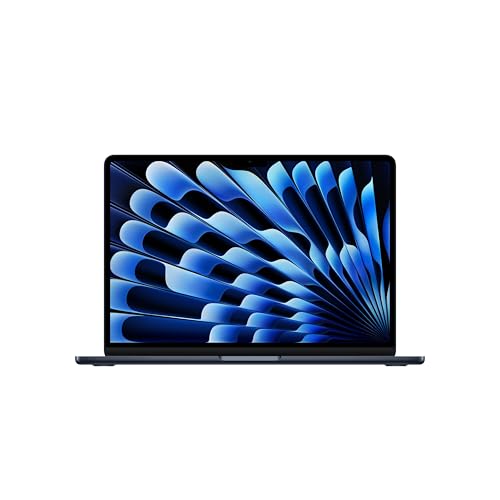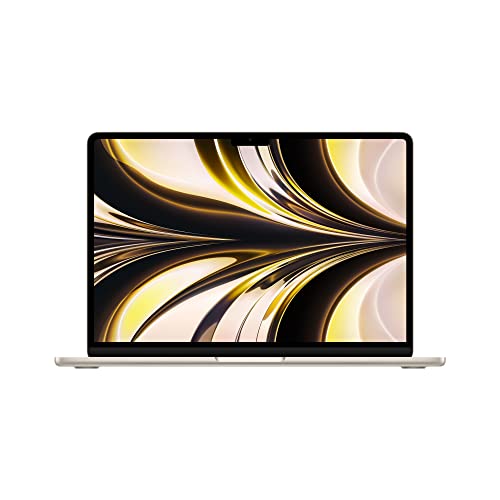
Learning how to choose a student laptop is less about chasing the fastest processor and more about matching a machine to four years of real student life: lectures, library sessions, group projects, part-time work and the occasional game or film. The laptops that disappoint students rarely fail on benchmarks; they fail on battery by lunchtime, weigh too much by week three, or run out of storage in year two. This guide orders the decisions the way experience says they matter: your course’s software requirements first, then battery, weight and durability, then the performance and storage that keep the machine feeling quick, and finally the ecosystem choice between Windows, macOS and ChromeOS. Follow it in order and you will buy once, correctly.
Disclosure: As an Amazon Associate, kajuandouglas.com earns from qualifying purchases. Links to Amazon on this page are affiliate links; they cost you nothing extra. Listing details such as price and availability change often, so check the current Amazon listing before you buy.
How To Choose A Student Laptop: What Matters Most
Start from your course: if it needs specific software such as engineering, design or statistics packages, that dictates the operating system and power level. Otherwise prioritise a full day of real battery life, a weight you can carry happily, 16GB of memory and at least 512GB of storage, a bright screen and a good keyboard. A mid-range machine bought well beats a powerful machine bought carelessly for student life.
In this guide
What You Need
- Your course’s published software requirements, if any
- An honest daily pattern: how many hours away from a charger, how far you walk
- Your total budget including a case, backup storage and any required software
- Whether you already own a phone or tablet ecosystem you like
- A shortlist habit: compare complete machines, not headline specs
Step by Step: How To Choose A Student Laptop
Step 1: Let your course software set the boundaries
Check your department’s guidance before anything else. Many engineering, architecture, computer science, design and data courses assume Windows or specify applications that do not run on ChromeOS, and some run best with a discrete graphics chip or generous memory. Arts, humanities and social science courses usually need only a browser, documents and video calls, which every platform handles. This one check can eliminate whole categories and saves the most expensive mistake in student buying: a lovely machine that cannot run the required package in week two.
Step 2: Make battery life a first-class spec
Judge battery by independent reviews and owner reports of real mixed use, not the manufacturer’s best-case figure, and aim for a machine that covers your longest day with margin. Campus outlets are contested territory, and a laptop that dies at 3pm reorganises your whole afternoon around charging. Consider USB-C charging where offered, because compatible chargers are everywhere and one charger can serve phone and laptop. Battery health also ages, so a machine that only just lasts today will not last in year three.
Step 3: Weigh the machine, literally
You will carry this laptop thousands of times. The difference between a light machine and a heavy one, plus its charger, is felt in shoulders and in whether you bother bringing it at all, and a laptop left in your room helps nobody. Visit a shop if you can and lift the shortlist with one hand. Larger screens help split-screen research but add weight and drain battery; for most students a 13 to 14 inch machine is the travel-friendly sweet spot, with 15 to 16 inches suiting desk-based courses.
Step 4: Specify memory and storage for four years, not one term
Choose 16GB of memory for a Windows or Mac machine you intend to keep; it is the level at which browsers, documents, calls and coursework coexist without slowdowns, and it cannot always be upgraded later. For storage, 512GB is the comfortable choice once photos, offline media, applications and a few years of files accumulate, while 256GB demands active cloud habits. Check upgradeability: a machine that accepts a later storage or memory upgrade forgives a tight budget today.
Step 5: Choose the operating system that fits your life
Windows offers the widest software compatibility and the broadest price range. macOS suits students invested in Apple’s ecosystem and offers strong battery life and build quality on current models, at higher entry prices. ChromeOS is the budget and simplicity champion for browser-based courses, with long battery life and minimal maintenance, but it cannot run traditional desktop applications. None is universally best; the right answer is the one your course software and your existing devices point to.
Step 6: Check the student-life details
A keyboard you can type essays on for hours, a screen bright enough for sunlit libraries, a webcam and microphone that flatter you in seminars, and ports that match your world, HDMI for presentations and USB-C for modern accessories, all matter weekly. Look for a sturdy hinge and a chassis that survives bag life, spill-resistant keyboards where offered, and a warranty with accidental damage cover if your budget stretches. Finally, check student discount programmes from the manufacturers, which are often the single biggest saving available to you.
Protecting the Machine and the Work on It
Student laptops face risks office machines never meet: crowded bags, shared desks, spilled drinks, borrowed chargers and accommodation where doors are not always locked. Physical protection starts with a padded sleeve or a bag with a suspended laptop compartment, and with the habit of never leaving the machine visible in a parked car or an empty library seat. Digital protection matters just as much: full-disk encryption, a screen lock that engages quickly, current updates and two-step verification on the main accounts cover most realistic threats. Find-my-device features should be switched on before they are needed, and the serial number recorded somewhere separate. Backups complete the picture, because protection is not only about stopping loss but about recovering fast when something still goes wrong. A student who can restore files to a borrowed machine in an hour has effectively insured their grades, not just their hardware.
What Student Work Actually Demands From a Laptop
Student computing looks light on paper and is heavier in practice. A typical day stacks a browser with dozens of research tabs, a word processor, a PDF reader, a video call, a learning platform and music, all at once, often on battery, often on congested campus Wi-Fi. That pattern rewards memory and a responsive solid-state drive far more than raw processor muscle, and it punishes machines with small batteries or dim screens used in bright lecture halls. Reliability is the hidden spec: a laptop that fails during exam week costs far more than the difference between two models. Durability, a keyboard that survives four years of essays, ports that match classroom projectors and a charger that is cheap to replace all belong on the checklist beside the processor. Students also keep machines longer than most buyers, so a model that can accept a memory or storage upgrade later holds its value in a way a sealed, minimal configuration does not.
Battery Life, Weight and the Campus Day
A student laptop lives in a bag, not on a desk. Every extra few hundred grams is felt on the walk between buildings, and every hour of real battery life is one less hunt for a free outlet in the library. Advertised battery figures are measured under gentle conditions, so treat them as a comparison tool rather than a promise, and favour machines whose owners consistently report a full class day without charging. Screen size is the trade-off that drives weight: larger panels help with split-screen research and spreadsheets, smaller panels travel better and sip power. Charging over USB-C, where offered, is an underrated convenience because one charger can serve the laptop, phone and tablet, and a borrowed charger in a study group is more likely to fit. Judge these daily-life factors with the same seriousness as benchmark numbers, because they decide whether the laptop is present and usable when the work actually happens.
Software, Accounts and Staying Organised From Week One
The first hour with a new student laptop shapes the next four years. Signing in with the account your school issues unlocks its storage, email and app licences, and setting up automatic cloud backup of the documents folder means a lost or broken machine is an inconvenience rather than a lost semester. A password manager removes the temptation to reuse one weak password across the library portal, email and banking. Learn the handful of keyboard shortcuts for your system, set the browser to restore the previous session, and create one folder structure for modules or subjects before the first assignment lands. None of this needs paid software: both Windows and ChromeOS and macOS include backup, sync and note tools that are good enough for coursework. Students who skip setup and improvise usually pay for it later in duplicated files, missed deadlines and frantic searches through downloads folders the night before submission.
A Realistic Priority Order for Student Budgets
When money forces trade-offs, cut in this order: processor tier first, because mid-range chips handle coursework easily; screen resolution second, because a good 1080p-class panel serves study perfectly; storage third only if you are disciplined with cloud storage; and never cut battery, memory below 16GB on a keeper machine, or build quality, because those three decide daily happiness for years. The classic misallocation is the opposite: a flashy processor in a heavy, dim, short-lived chassis that its owner resents by half-term. If a single sentence could govern student laptop buying, it would be this: buy the machine that is easy to carry, lasts the day, and feels quick in ordinary tasks, and let the benchmark charts go. Course requirements are the only legitimate exception, and they announce themselves clearly in your department’s guidance.
When you are ready to compare complete machines rather than individual settings, start with our roundup of the best student laptops for under 500 and keep our roundup of the best laptops for programming under 1000 open in a second tab. Reading a settings guide and a buying roundup side by side stops the most common mistake in this whole topic: changing software or hardware in isolation, without checking whether the rest of the machine actually supports the change you have in mind.
Gear for This Guide
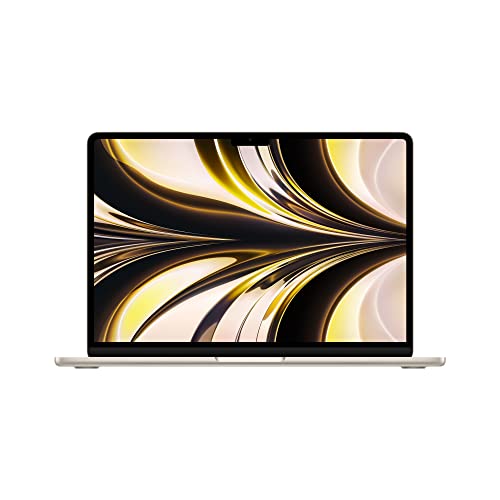
Apple 2022 MacBook Air Laptop with M2 chip: Built for Apple Intelligence — Apple 2022 MacBook Air Laptop with M2 chip: Built for Apple Intelligence, 13.6-inch Liquid Retina Display, 8GB RAM, 512GB SSD Storage, Backlit Keyboard, 1080p FaceTime HD Camera; Starlight. Check price on Amazon before you decide, because configurations and availability change often.

Acer Aspire 5 Slim Laptop — Acer Aspire 5 Slim Laptop, 15.6″ Full HD IPS Display, 10th Gen Intel Core i5-10210U, 8GB DDR4, 256GB PCIe NVMe SSD, Intel Wi-Fi 6 AX201 802.11ax, Fingerprint Reader, Backlit KB, A515-54-59W2, Silver. Check price on Amazon before you decide, because configurations and availability change often.

Lenovo IdeaPad Slim 3 – Everyday Laptop – Lightweight – Windows 11-15.6″ FHD – 8GB Memory – 256GB Storage – AMD Ryzen 5 7520U – Abyss Blue — Lenovo IdeaPad Slim 3 – Everyday Laptop – Lightweight – Windows 11-15.6″ FHD – 8GB Memory – 256GB Storage – AMD Ryzen 5 7520U – Abyss Blue. Check price on Amazon before you decide, because configurations and availability change often.

Acer Chromebook Spin 514 Convertible Laptop — Acer Chromebook Spin 514 Convertible Laptop, 14” Full HD Touchscreen Ryzen 3 3250C, 4GB DDR4 Memory, 64GB eMMC Flash Memory. Check price on Amazon before you decide, because configurations and availability change often.
Common Mistakes
- Buying for the first term’s needs and discovering the year-three dissertation, datasets or design projects overwhelm the machine.
- Choosing a heavy gaming-class laptop for a walking campus, then leaving it behind most days.
- Ignoring the course software list and buying a platform that cannot run a required application.
- Spending the whole budget on the laptop and nothing on a protective sleeve, backup and accidental damage cover.
Pro Tips
- Manufacturer education stores and back-to-school periods routinely beat general retail pricing for students.
- A refurbished business-class laptop from a reputable seller is the connoisseur’s budget move: durable, upgradeable and cheap to repair.
- If family are contributing, ask for the warranty and accessories as the gift; they are the parts students skip and regret.
- Keep the box and receipts; student insurance and warranty claims both go smoother with them.
A Worked Example, From Start to Finish
Imagine the process applied to one ordinary owner rather than a test bench. They begin by writing down what success looks like in one sentence, work through the steps in order without skipping the preparation that feels skippable, and pause at the verification stage instead of declaring victory at the first encouraging sign. Two adjustments are usually needed: one step takes longer than expected, and one assumption made at the start turns out to be wrong in a small, correctable way. That is not failure; that is the normal texture of doing this properly, and it is why the guide separates preparation, execution and verification so deliberately. By the end, the result is checked rather than hoped for, the notes exist for next time, and the owner understands their own machine measurably better than when they started. Every reader’s details will differ from this example, but the shape of a good outcome rarely does: prepare honestly, change one thing at a time, verify under real conditions, and write down what you learned while it is still fresh enough to be accurate.
Putting It All Together
Work through the steps in order, test the result in your real routine for a few days, and adjust the one or two choices that your own use proves wrong rather than restarting the whole process. The guidance in this guide reflects how these machines behave across years of ownership, not just on day one, which is why the unglamorous details, placement, profiles, backups and habits, carry as much weight as the headline specifications. Keep your receipts, your notes and your original parts where parts were changed, revisit the related guides when your needs shift, and remember that a well-matched, well-kept laptop of any tier serves its owner better than a flagship that fights its owner’s life. That fit, more than any single feature, is what you were really choosing.
Choosing by Degree: What Different Courses Actually Demand
Humanities, social sciences and law
Your workload is reading, writing, research databases and long documents, and almost any sound modern laptop serves it. Spend your priorities on the keyboard you will write a dissertation on, a screen that is kind across long reading sessions, battery life for library days, and enough storage for years of PDFs and drafts. Performance headroom is the least of your worries; comfort is the whole game, because your degree will be typed, and the machine that makes typing pleasant will quietly raise the quality of everything you submit.
Business, economics and data-adjacent courses
Spreadsheets grow teeth on these courses: large models, statistics packages and the occasional database or programming module. Favour memory, a screen with room for columns, and a machine whose number-crunching stays composed when a model recalculates across thousands of rows. Check the software list for your specific modules rather than assuming the browser covers it, because one required desktop statistics package can redraw your whole shortlist in an afternoon.
Engineering, computer science and architecture
These courses prescribe hardware most honestly: development environments, virtual machines, simulation and design tools with real appetites for memory, storage speed and, in defined modules, graphics capability. Read the department’s published guidance as a specification floor, not a suggestion, and ask current students which machines struggle in second year when projects grow. Buy for the final-year workload where your budget allows any foresight at all, because upgrading mid-degree is the most expensive way to own a laptop.
Medicine, sciences and laboratory courses
Expect a mixture: data analysis, image-heavy materials, specialist viewers and software for placements or laboratory work, often with institutional systems that assume particular platforms. Portability to placements and battery life across long teaching days compete with raw capability, and institutional IT guidance deserves early consultation, since some clinical and laboratory systems are delivered through managed environments with their own device expectations.
Art, design, media and music
Your laptop is a studio: colour-honest screens, generous fast storage for project files and media, and the specific creative applications your course is built around decide everything. Confirm the exact software titles, check whether teaching assumes a particular platform, and treat external backup as part of the purchase, because a portfolio is the least replaceable coursework any student produces.
The Money Conversation: Budgeting Across the Whole Degree
Price a student laptop across its whole service, not its first term. The honest basket includes the machine in the configuration you will still respect in year three, a protective case or sleeve, backup through a cloud plan or an external drive, and a realistic allowance for one mishap — a replacement charger, a cracked screen excess, a battery in the final year. Against that basket, set the cost of the alternative strategy: a cheaper machine replaced midway, which usually costs more in total, lands its disruption in your busiest year, and strands you migrating files during assessment season. Education discounts, refurbished business-grade machines through reputable channels, and previous-generation models all deserve consideration inside this arithmetic, because student budgets are real and the goal is not the most expensive laptop but the one whose total degree cost is lowest per day of reliable service. Buy the machine once, properly, at the start — that sentence, boring as it sounds, is the distilled financial wisdom of every student who has done it the other way.
Second-Hand, Refurbished and Handed-Down Machines: An Honest Guide
Not every student laptop is bought new, and the alternatives deserve respect rather than apology when they are chosen with open eyes. Professionally refurbished business laptops are the connoisseur’s route: built for service, widely available with real warranties, and usually stronger in keyboard, ports and durability than a new consumer machine at the same outlay. Their honest costs are battery wear — budget for a replacement or verify health before purchase — and older screens and cameras. A handed-down family machine can be an excellent first-year answer provided it passes three tests: it still receives security updates, its battery survives a library session, and its storage and memory run your course software without misery; a fresh setup and, where the design allows, a modest memory or storage upgrade can give such a machine a second academic life. The route to avoid is the unknown-history bargain with no warranty and no returns, because a student’s laptop is infrastructure, not a hobby, and infrastructure bought on luck tends to collect its debt during assessment week.
Where to Buy and When: The Student Calendar
Timing and channel shape value in this market more than in most. Back-to-school periods bring the year’s most honest competition on exactly the configurations students need, and education stores add institutional pricing for those who verify their status. Buying a few weeks before term, rather than during its first chaotic days, buys you the setup week this series recommends and a returns window that is still open when lectures reveal the truth about your course’s software. Choose channels with workable returns and accessible warranty service in the town you will actually live in; the best specification in the country is a poor bargain if its only service route is a postal journey measured in weeks during term. Finally, keep the paperwork — receipts, warranty terms, serial numbers — in your backed-up files from day one. Students who can produce proof of purchase in thirty seconds get repairs; students who cannot, get delays, and the difference is decided entirely in the calm of purchase week.
The Fifteen-Minute Final Check Before You Pay
- Course software confirmed against the department’s list, with platform and any specialist requirements satisfied in writing, not assumed.
- Memory and storage sized for the final year of the course, not the first term, with upgradeability checked where the budget is tight.
- Battery life honest for a full teaching day, and the machine-plus-charger weight acceptable in the bag you will actually carry.
- Keyboard, screen and camera tested or verified for the writing, reading and video calls that dominate student life.
- Total basket priced — case, backup, warranty decisions included — and compared against the replace-mid-degree alternative.
- Returns window and local service route confirmed, paperwork destined for your backed-up files.
Run that check and the purchase stops being a gamble on a spec sheet and becomes what it should be: the calm procurement of the tool your degree will be written on. Choose it once, choose it for the whole course, and then close the shopping tabs and go and enjoy the last of the holidays — the machine’s work, and yours, starts soon enough.
Peripherals and the Desk You Will Actually Study At
A student laptop’s life is split between the bag and the desk, and the desk half deserves a small, deliberate budget of its own. A stand or a stack of books that raises the screen, paired with an inexpensive external keyboard and mouse, transforms long writing sessions from a posture endurance test into sustainable work, and costs less than the physiotherapy for ignoring it. A second charger that lives at the desk removes the daily unpacking ritual and the forgotten-charger mornings that follow it. Headphones with a decent microphone serve the library, the shared house and the video call simultaneously, and are the peripheral students consistently rank as their best purchase after the laptop itself. None of this needs to arrive on day one; it needs to be planned, in priority order, so that the first term’s small windfalls and birthday rescues have somewhere useful to go. Judge each addition by hours of contact: the things your hands, eyes and ears touch for thousands of hours deserve investment before anything decorative, a rule that will serve you in every equipment decision long after graduation.
The Decision for Parents and Gift-Buyers
Many student laptops are bought by parents or given as gifts, and that transaction has its own wisdom. Buy for the course, not for the giver’s nostalgia or the receiver’s gaming ambitions, and involve the student in the configuration decisions they will live with for years — weight, keyboard feel and screen size are personal in ways no specification settles. Resist both failure modes of generosity: the underpowered bargain that will be quietly resented by Christmas, and the flagship bought for a course that needs a workhorse, whose premium would have served better as the peripherals, warranty and backup that protect the degree itself. The most loving specification is the durable middle: memory and storage for the final year, a warranty that survives student life, accidental cover considered honestly, and the setup week protected in the calendar before term. A laptop given that way is not really a gadget at all. It is four years of someone else’s deadlines, carried without drama — which is to say, it is exactly the gift intended.
Gaming, Creativity and the Honest Second Life of a Student Machine
Students are people, and their laptops will game, edit video, make music and store a social life alongside the coursework; a buying guide that pretends otherwise produces machines optimised for a fiction. The honest approach is to name the second life and budget for it openly. Moderate gaming is compatible with study on most mid-range machines, especially if expectations about settings are sane; heavy gaming is a different purchase with different cooling, graphics and weight, and conflating it with a library-friendly study machine usually produces a device that is mediocre at both and heavy at everything. Creative hobbies deserve the same candour: the student who edits the society’s videos weekly has a legitimate storage and screen requirement that belongs in the main specification, not in the small print. What matters is that the second life is chosen rather than smuggled — costed, weighed and carried knowingly — because the machine that disappoints is almost always the one bought for one life and silently expected to live another.
Support Ecosystems: The University’s Own Safety Net
Before finalising any choice, map the support that surrounds it, because a student laptop’s real warranty is partly institutional. Most universities run IT help desks that will troubleshoot software, network and account problems free and patiently; many run or endorse repair routes, loan schemes for students whose machines fail at critical moments, and campus stores whose service desks understand student deadlines in their bones. A machine bought through channels aligned with that ecosystem — or at least serviceable within it — carries a hidden specification no listing shows: help that is physically present in the town where you study. Ask the questions during freshers’ week rather than during a crisis: where do students take a dying laptop here, what loan options exist in assessment periods, which problems does the help desk solve best? File the answers with your warranty paperwork. The students who navigate a mid-degree hardware failure calmly are rarely the ones with the most expensive machines; they are the ones who knew, in advance, exactly where help lived.
Environmental and Resale Thinking for a Four-Year Purchase
A student laptop bought well is also a small exercise in responsibility. Machines chosen for durability and serviceability stay in use longer, cascade to siblings or second-hand buyers with real life left in them, and hold resale value that can fund a graduate’s next step. Before buying, glance at the repairability story and the availability of batteries and parts for the model in its later years; at the point of eventual sale or hand-down, a verified wipe and a tidy reset protect your data and gift the next owner a clean start. Even the packaging has a second act: keep the box if storage allows, because machines travel, get repaired and get sold more safely in their original armour. None of this should override the educational fundamentals — a laptop that fails the course fails everything — but where two machines tie on the fundamentals, the one designed to be repaired, resold and reused is the better citizen and, not coincidentally, usually the better-built machine in the first place.
End where every good purchase in this series ends: with the work itself. Picture the first essay, the first lab report, the first all-afternoon library session, and buy the machine that serves those pictures without drama, at a total cost your budget survives, from a channel that will still be helping you in year three. That machine exists at almost every budget once the priorities in this guide are ranked honestly — and finding it was never about luck. It was about describing a student’s real life accurately, and refusing to buy for any other.
What Students Actually Regret: Patterns From the Other Side of the Degree
Ask final-year students about their first-year laptop purchases and the regrets cluster with unusual consistency. Almost nobody regrets spending on memory, storage or a warranty. Almost everybody who skimped on battery life regrets it by the first winter of library days, and everybody who bought the heavy gaming machine for a humanities degree has opinions about their own shoulders. The too-small screen chosen for portability is regretted by the students whose courses turned out to be spreadsheet-shaped; the bargain machine with the miserable keyboard is regretted in direct proportion to the word count of the degree. The pattern underneath is the one this guide opened with: students regret under-buying the qualities their daily work touches — endurance, comfort, capacity — and over-buying the qualities their imagination touched in the shop. Let their hindsight mark your paper. Rank the daily qualities first, fund them properly, and let the exciting specifications queue politely behind the boring ones that will actually decide whether you love this machine in its final year as much as its first.
A Word on Confidence: You Are Allowed to Stop Researching
There is a point in every student laptop purchase where further research stops adding information and starts adding only anxiety, and it arrives earlier than the internet suggests. Once the course requirements are confirmed, the daily qualities ranked, the basket priced and the channel chosen, the remaining differences between your finalists are smaller than the difference between a machine bought calmly in August and one bought in a panic in October. Choose, buy, set it up with the care the companion guide describes, and redirect the research energy into the degree the laptop was bought to serve. The students who thrive are not the ones with the theoretically optimal machines. They are the ones whose machines were ready, backed up and boringly reliable from the first seminar — and that outcome is decided far more by the calm of the purchase than by its final decimal place.
One more pattern from the far side of the degree deserves a sentence of its own: nobody, in anyone’s recollection, has ever regretted learning where their files were backed up. Machines were dropped, stolen, drowned in bag-bottle incidents and retired by spilled coffee across every faculty, and the students who shrugged those events off were uniformly the ones whose coursework lived in two places. Whatever else your budget forces you to compromise — and every budget forces something — let it never be that. Choose the laptop you can afford, then protect the work on it like the degree depends on it, because in the most literal sense available, it does.
Final Word: The Laptop as the Quiet Member of Your Course
The best student laptop, a term in, is the one you have stopped thinking about. It is charged when you reach for it, fast enough that software never enters your excuses, organised enough that any file from any week surfaces in seconds, and backed up well enough that its own mortality has become a logistical detail rather than an academic threat. Every section of this guide — the course check, the daily qualities, the honest basket, the calm channel, the regrets of those who went before — exists to purchase exactly that unremarkability. Buy it deliberately, set it up properly, protect it as the companion guide describes, and then forget it entirely in favour of the work it was bought to carry. That forgetting, earned in advance, is the true specification of a student laptop chosen well.
If a single sentence from this guide survives to the shop, let it be this one: buy for the final year, carry for every day, and back up like it matters. A student who shops by that sentence will make a good decision with almost any shortlist in front of them, because the sentence contains the whole method — foresight about capacity, honesty about daily weight and comfort, and respect for the work the machine exists to protect.
Finally, give yourself permission to like the machine you chose. Students sometimes spend their first term apologising for a sensible purchase because a flatmate’s device has a flashier specification for a different life. Your laptop was bought against your course, your bag, your light and your budget, and by those measures — the only ones that will attend your lectures — it was chosen well. Confidence, in equipment as in coursework, is a performance feature, and you have earned yours the honest way: by deciding on evidence.
So close the comparison documents, keep the checklist, and buy the machine. Somewhere in a library not yet built into your routine, a future version of you is opening it for the thousandth time, on an ordinary morning, with a deadline behaving itself and a battery that still tells the truth — and feeling, without quite knowing why, that student life is manageable. It is manageable, in part, because of the unglamorous care taken in the purchase you are about to make. That is the whole secret, and it is yours now.
Choose it, then, and let the choosing be the last anxious thing about it. The degree ahead will supply enough genuine challenges to deserve your worry; the laptop should never be one of them, and after the work you have done in this guide, it will not be.
Buy with that confidence and one last piece of timing: leave a week between the purchase and the first lecture, not for the machine’s sake but for yours. A laptop that has been set up, backed up and used for one real piece of work before term begins arrives at that first seminar as a colleague. A laptop unboxed the night before arrives as a stranger, and strangers, however powerful their specifications, are not who you want beside you when the degree starts asking its questions.
Trust the checklist over the comment sections, finally, because comment sections are written by people describing their own courses, their own bags and their own budgets, in reviews posted in their first excited week. Your evidence is better than theirs on every axis that matters to you: it is yours, it is current, and it was gathered against the degree you are actually about to live. Shop by it, and let the internet argue with itself.
It was gathered, in fact, in the only laboratory that will ever test your laptop under your exact conditions — your life — and its results outrank every other data in this purchase, permanently.
Related Guides
- our roundup of the best laptops for a student under 500
- our roundup of the best laptops for college student under 700
- our roundup of the best laptops for engineering students under 1000
- how to protect a student laptop
- how to fix a slow student laptop
Frequently Asked Questions
How much should a student spend on a laptop?
Enough to reach the quality floor: a machine with 16GB of memory, a solid-state drive of at least 256GB and preferably 512GB, a good screen and a battery that lasts a real day. Below that floor, savings turn into daily friction. Above it, extra spending buys comfort and longevity rather than capability for most courses. Set the budget by the floor for your course’s needs, use education discounts aggressively, and remember a machine that lasts four years costs less per year than a cheap one replaced in two.
Is a Chromebook enough for university?
For browser-based courses, genuinely yes: documents, research, learning platforms, video calls and note-taking all run well, battery life is excellent and prices are low. The limits are traditional desktop applications, some specialist course software, offline power tools and serious gaming. Read your course’s software list as the deciding document. If it names desktop applications, a Chromebook becomes a risky main machine, though it remains a fine second device.
Mac or Windows for students?
Follow your course first: some software is Windows-only, and a few creative pipelines favour Mac. Beyond that it is ecosystem and budget. MacBooks offer excellent battery life, screens and resale value, and pair naturally with an iPhone. Windows machines offer more choice at every price, easier upgrades and repairs, and better gaming. Both run the everyday student stack of browser, documents and calls flawlessly, so there is no wrong answer once course software is satisfied.
How long should a student laptop last?
Aim for the full degree: three to four years minimum, ideally with the battery still covering a library day at the end. Machines bought at the sensible floor, 16GB of memory, solid-state storage, decent build, usually manage this comfortably, while minimum-spec bargains often feel tired by year two. Looking after the battery, keeping storage from filling completely and one mid-life cleanup of dust and software go a long way toward the full term.
Do I need a touchscreen or 2-in-1 for notes?
Only if you will genuinely handwrite or annotate. Pen-equipped convertibles are wonderful for mathematics, sciences, languages and annotating readings, and some students take all their notes that way. Others try it for a fortnight and type forever after. If your subjects involve diagrams, equations or sketching, the feature earns its premium. If your notes are text, a better keyboard and battery serve you more for the same money.
Should I buy before term starts or wait for sales?
Back-to-school pricing is reliably competitive, and arriving with a set-up, backed-up machine beats shopping during freshers’ week. Buy once your course requirements are confirmed, use education pricing, and leave a week to set up accounts, backup and software before lectures begin. Waiting indefinitely for a marginally better deal while starting term on a failing machine is the false economy to avoid.