Disclosure: As an Amazon Associate, kajuandouglas.com earns from qualifying purchases. Links to Amazon on this page are affiliate links; they cost you nothing extra. Listing details such as price and availability change often, so check the current Amazon listing before you buy.
Ask what can a smartwatch do and the honest answer is: more than most owners ever use, but a core set of things that quietly reorganise your day. A modern smartwatch is a notification filter, an activity and sleep companion, a payment card, a timer, a music controller and — for some owners — a phone substitute for an hour at a time. The trick is knowing which of those jobs matter, because that is what separates a watch that earns its wrist from an expensive step counter.
This explainer walks through the real capabilities in plain terms — communication, wellness and activity, payments and keys, apps and assistants, safety features — and ends with the limitations, because knowing what a smartwatch cannot do is half of deciding whether to buy one.
The short answer: A smartwatch shows and triages your phone’s notifications, tracks activity, workouts, heart rate and sleep as wellness trends, pays contactlessly, controls music, runs timers and alarms, hosts apps and a voice assistant, and — in LTE models — can call and message without your phone nearby. It complements a phone rather than replacing one.
What Can a Smartwatch Do
In this guide
Gear for This Guide

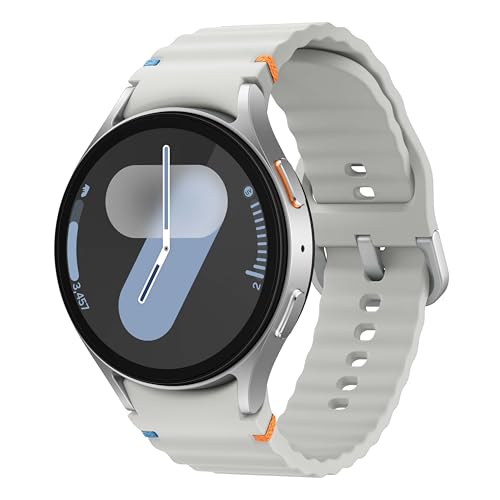
Apple Watch Series 10 GPS — A full-capability example: apps, payments, assistant, rich notifications and deep phone integration. Check price on Amazon.

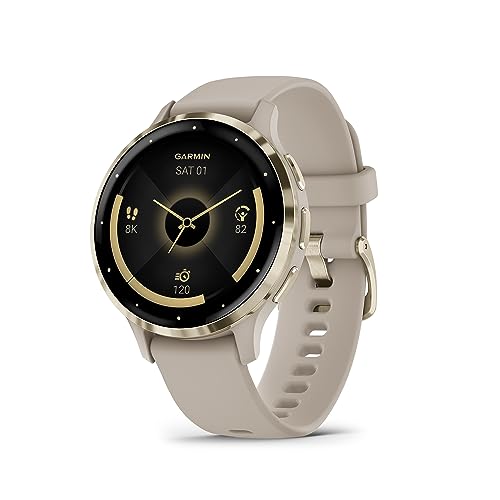
Garmin epix Gen 2 Smartwatch — The sport-leaning end of capability: advanced training features, maps and a touchscreen AMOLED display. Check price on Amazon.
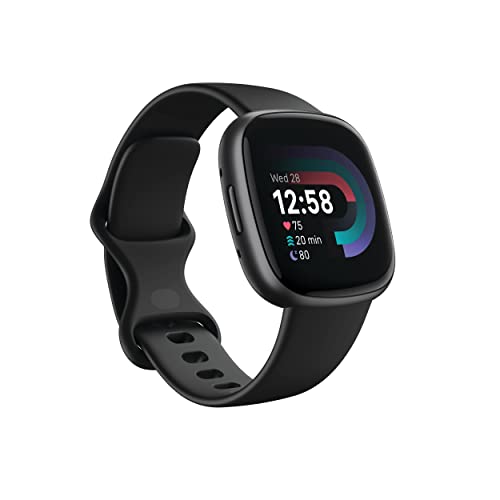
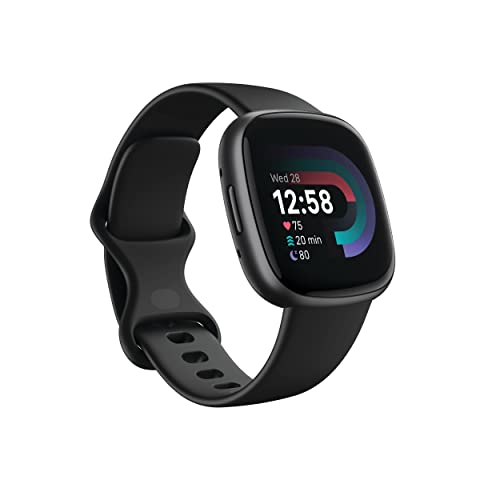
Google Fitbit Versa 4 Fitness Smartwatch — The wellness-leaning end: activity, sleep and everyday tracking with lighter smart features. Check price on Amazon.
Communication: the Notification Filter
The smartwatch’s most-used job is also its least glamorous: it filters your phone’s interruptions. A glance at the wrist replaces pulling out a phone for every buzz, and the watch lets you triage — reply to the message that matters with a quick response, voice dictation or a tiny keyboard, dismiss the rest, and leave your phone in your pocket or another room. Calls can be answered on the wrist too, speaker-and-mic style, which is genuinely useful when your hands are full, dirty or gloved, even if nobody chooses it as their primary phone.
This filtering is why setup discipline matters: a watch mirroring every app becomes a distraction machine, while a watch restricted to people and priorities becomes the calmest technology you own. Owners consistently report that the watch reduces total phone pickups — the screen stays dark, the scroll never starts — which is a benefit nobody advertises and everybody notices.
Activity and Wellness Tracking
Every smartwatch tracks steps and activity goals, most track workouts with GPS routes for outdoor exercise, and nearly all estimate heart rate, sleep duration and sleep patterns through the night. Presented in their phone apps as trends, these numbers help people notice their own patterns: the effect of a late night on the next day, a resting heart rate easing down as fitness builds, a weekly activity rhythm that dips every Thursday. That pattern-spotting is the genuine wellness value of the category.
It is important to hold the right frame: these are consumer wellness estimates, not medical measurements, and a watch is not a diagnostic device. Used as a mirror for habits — move more, sleep more regularly, notice recovery — the tracking motivates real behaviour change, which is where any health benefit actually comes from. Sport-focused models like sport-capable watches like the Garmin epix in our sport roundup add training load, recovery guidance and detailed sport profiles for people whose exercise is structured and serious.
Payments, Tickets and Keys
Contactless payment from the wrist is the feature owners most often describe as unexpectedly delightful: a double-press and a tap replaces the wallet dig at tills, gates and coffee counters, and it works even when your phone is in a bag. Many watches also store loyalty cards, boarding passes and event tickets as scannable codes. Some ecosystems extend to unlocking — your computer as you approach, your front door with a compatible lock, even car keys on supported vehicles — turning the watch into a small, worn master key.
Apps, Music and the Voice Assistant
Smartwatches run scaled-down apps: weather, timers, alarms, calculators, maps with wrist-tap directions, translation, and companions to the phone’s major apps. Music is controllable from the wrist for phone playback, and many watches store music or stream it (with LTE) directly to earbuds, which is the runner’s favourite configuration. The voice assistant handles the classic hands-busy jobs — set a timer, send a text, convert a measurement, start a workout — faster by voice than any phone interaction.
Set expectations by screen size: these apps are for seconds-long interactions. Anything longer — reading articles, browsing, composing long messages — belongs on the phone, and the watch is honest about that division of labour. The watch’s apps answer the question ‘what do I need right now, in five seconds?’ and that constraint is a design strength, not a failure.
Safety and Independence Features
Many watches can detect hard falls or car crashes and offer to contact emergency services, can share your location with trusted contacts during activities, and hold emergency medical information accessible to first responders. LTE models extend independence furthest: calls, messages and location without the phone present, which is why they are popular for children not yet ready for a phone and for older relatives who want a simple, worn line to help. These features sit quietly unused for most owners — and are the entire point of the device for a few.
What a Smartwatch Cannot Do (or Does Badly)
It cannot replace your phone: the screen is too small for long reading, typing or photography, battery limits heavy use, and most models depend on the phone for setup and much of their data. It cannot measure your health like a medical device, however many sensors it carries. It will not stay charged for a fortnight unless you buy a battery-focused model and accept its simpler screen and software. And it cannot make you fitter — it can only show you, kindly and persistently, what you actually did, which turns out to be the nudge many people needed.
Understanding those limits makes the buying decision clearer: you are purchasing convenience, awareness and gentle accountability, worn on the wrist. Judged on those terms, the category succeeds. Judged as a tiny phone, it disappoints — which is why the buyers in the best smartwatches for fitness who thrive are the ones who bought it for the jobs in this article, and why how to choose a smartwatch frames the choice around your routine rather than a feature checklist.
Everyday Micro-Jobs: Where the Watch Quietly Wins
Beyond the headline features sits a layer of five-second jobs that owners end up valuing most. Timers for cooking, laundry and parking meters, set by voice without touching a phone with wet or floury hands. A torch on the wrist for hotel rooms and keyholes. Finding your phone by making it ring from the sofa’s depths. Checking the weather as you dress, the calendar as you leave, a transit time as you walk to the stop. A calculator, a stopwatch, a breath reminder, a remote shutter for group photos. None of these justifies a purchase alone; together they form the texture of convenience that makes owners replace a broken watch within the week rather than shrug and return to a bare wrist.
There is also the phone-hygiene effect: because the watch handles the five-second jobs and filters the notifications, the phone stays pocketed more, and the ambient scroll — news, feeds, shops — loses its hourly invitations. Many owners describe the watch, paradoxically, as the purchase that reduced their total screen time. A device bought for doing more ends up valued for interrupting less, which may be the most honest summary of what a smartwatch can do.
Differences Between Platforms, Briefly
The capabilities in this article are the category’s common ground, but platforms flavour them. Apple Watch leans into phone integration, apps and services within Apple’s world. Wear OS watches lean into Google services, maps and assistant smarts. Garmin’s watches lean into sport depth and battery, with smart features present but secondary. Fitbit leans into wellness presentation and simplicity. When you read any ‘what can it do’ list — including this one — mentally append ‘on this platform’ to each item, and verify the two or three capabilities you care about most against the specific watch you are considering, because the gap between the category’s promise and a given model’s reality usually hides in exactly those favourite features.
For Work: the Professional Wrist
At work, the watch earns its place in quieter ways than any advertisement shows. Calendar alerts that tap your wrist in a meeting without a phone lighting up the table. Two-factor authentication codes read at a glance while your hands stay on the keyboard. A silent vibrating alarm that wakes you without waking a partner on early shifts. Timers for presentations, pomodoros and laboratory steps. Quick voice notes captured in corridors and warehouses where a phone is impractical. None of these is a headline feature, and together they describe why knowledge workers who try a smartwatch for a month rarely return it: the watch removes a hundred small frictions that each cost three seconds and a thread of attention.
For Travel: the Companion at Its Best
Travel compresses the watch’s virtues. Boarding passes on the wrist while hands hold luggage and passports. Time zones that update themselves as you land. Walking directions that tap your wrist at the corner instead of demanding a phone held aloft in a strange city. Payments in foreign currencies without the wallet archaeology. Sleep tracking that shows you, kindly, what the red-eye did to you, and activity rings that argue for a walk after a day in transit. If you travel often, weight these features heavily in the buying decision — they are the difference between a watch that is a gadget at home and a companion abroad.
The Honest Bottom Line
A smartwatch can filter your interruptions, mirror your habits back at you, pay, navigate, time, remind and occasionally rescue. It cannot replace your phone, your doctor or your discipline. Bought for the first list with clear eyes about the second, it is one of the most satisfying small technologies of the last decade — and the owners who love theirs are, without exception, the ones who set it up to do a few things well rather than everything at once.
Frequently Asked Questions
Can a smartwatch work without a phone?
Partly. Setup and management require a phone, and GPS-only models need the phone nearby for calls, messages and data. LTE models can call, message and stream independently once set up, and any watch can track workouts and tell the time alone. Think of it as a companion that can run errands, not a phone replacement.
Can a smartwatch track my sleep?
Yes — worn overnight, it estimates sleep duration and stages and shows trends in its app, alongside related signals like resting heart rate. Many owners find the patterns genuinely useful for improving sleep habits. Remember it is a wellness estimate, not a clinical sleep study, and the watch must be comfortable enough — and charged enough — to wear all night.
Can I pay with a smartwatch?
On most modern models, yes, via their payment system (such as Apple Pay, Google Wallet or Samsung Pay), provided your bank supports it. Setup happens in the companion app, and paying is a button press and a tap of the wrist. It is one of the features owners end up using most.
Does a smartwatch need its own data plan?
Only the LTE/cellular models use one, as a monthly add-on to your phone plan, and only if you activate it — a cellular-capable watch also works happily as a GPS-only watch without a plan. GPS-only models never need a plan; they use your phone’s connection.
Can a smartwatch make calls?
Yes. Near your phone, it can answer and make calls through the phone’s connection using its speaker and microphone. LTE models can do so independently. Wrist calls are best for short, practical conversations — hands busy, phone in another room — rather than long chats.
Will a smartwatch help me get fitter?
It can support the process: activity goals, workout tracking and visible trends make your habits concrete, and many people find that motivating. The watch itself changes nothing — the behaviour it encourages does. Owners who check their trends and act on them get value; owners who ignore the app get an expensive watch.
A Day in the Life: The Watch’s Hours, Hour by Hour
Feature lists describe a watch the way a dictionary describes a language; a day shows what it actually says. Follow a well-configured smartwatch through one ordinary day and its capabilities arrange themselves into the pattern owners actually buy.
It begins before you do: the silent alarm that wakes you by vibration without waking the household, and the sleep summary waiting with the night’s shape — duration, consistency, the trend against your week — offered as information rather than judgement. The morning glance delivers the day in one screen: weather for the hour you will leave, the first appointment with its travel time, the reminders you set last night when your memory could not be trusted. On the commute it is the ticket or the payment at the barrier, the podcast in the earbuds controlled without the phone leaving your pocket, and the message from your partner answered with three words dictated at a red light. At work it is the filter standing between you and the phone’s river: the important buzz, the rest silence, the meeting warning felt rather than heard, the stand reminder you grumble at and obey. At lunch it pays. At the gym it becomes the session’s instrument — workout started in two taps, music phone-free, heart and pace on the wrist, the record already synced when you reach the showers. In the evening it dims itself into the household’s peace: focus mode with the school run’s end, the timer for the pasta, the torch for the garden path, the phone left charging in another room while the watch keeps the family’s thread — a call from the teenager, answered on the wrist, in the middle of washing up.
None of those moments is remarkable alone, and the list contains no miracles. That is the point. A smartwatch’s capability is not a spectacle but an accumulation of small removals: of friction, of phone-checks, of minor forgettings. Judged by its best feature it will always disappoint someone; judged by its ordinary day, it explains why owners who configure it well tend to keep wearing the category for life.
What the Watch Does for People Whose Hands Are Busy
Some of the watch’s most devoted owners share a circumstance rather than a demographic: their hands are professionally or domestically occupied, and the phone — in a pocket, a bag, another room, or forbidden by hygiene — is effectively far away even when it is near. For these users the watch is not a convenience but an adaptation, and its capabilities deserve describing in their terms.
Cooks dictate timers and conversions with floury hands and answer the door’s message without touching a screen. Clinicians and carers, whose phones must stay pocketed and whose hands wash a dozen times a day, read the urgent alert at a glance and let the rest wait. Parents of infants, whose hands are a baby’s furniture for months, triage the world from the wrist: the call that matters taken, the shopping list dictated, the nap timer running, the photograph of the sleeping child requested from the phone left across the room. Tradespeople on ladders and under houses feel the vibration the ringing phone in the van would never give them, and decide from the wrist whether the climb down is warranted. Drivers keep eyes forward while the watch carries navigation prompts and the call that cannot wait for the services.
In each case the capability at work is the same small set — glanceable alerts, voice input, timers, calls, payments — but the value is transformed by the hands’ unavailability. When you assess what a smartwatch can do, assess it against your own hands’ day: the more occupied they are, the more the wrist earns.
The Watch as a Key, a Wallet and a Ticket: Identity on the Wrist
A quieter revolution in the watch’s repertoire is its career as a carrier of identity and entitlement: the things you once proved with cards, keys, tickets and passes, increasingly presented from the wrist with a tap or a code.
Payments lead, and their wrist form has a particular grace: no wallet, no phone, no pockets required, which is why runners, swimmers and parents at the school gate adopt it first and evangelise it loudest. Transit follows the same tap into daily infrastructure in the cities that support it, turning the commute’s barrier into a non-event. Tickets and boarding passes move the queue’s paperwork onto the wrist, where it cannot be left in the other coat. Building and vehicle access are arriving unevenly — some workplaces, hotels and cars already accept the watch as a credential — and their spread depends on institutions more than on the watch, which is ready before the world is.
The honest caveats belong here too: acceptance varies by place and provider, a flat battery presents nothing at all, and a lost watch must be suspended with the same promptness as a lost wallet, which the companion app makes a matter of moments when the owner knows the procedure in advance. Set up thoughtfully, the identity career is among the watch’s most habit-forming; owners describe the first week of tapping for everything, and the mild bereavement of the first day they forget the watch and must queue, dig and present like it is the previous decade.
What the Watch Does for Sleep, Rest and Doing Nothing
A device famous for activity has an under-sung second career in rest, and for many owners it is the half they would surrender last. The watch is the household’s gentlest alarm, its most patient sleep companion and its most persuasive advocate for the radical act of stopping.
Sleep tracking, framed as this site always frames it — pattern and companionship, not clinical measurement — gives owners the two insights that actually change behaviour: how consistent their hours are, and what their evenings do to their nights. The wind-down routines that accompany it on modern platforms, dimming and quieting the watch as bedtime approaches, make the device an ally of the intention rather than another glowing exception to it. During the day, the same philosophy appears as breathing prompts some owners love and others disable, stand and movement reminders that function as micro-rests, and focus modes that defend an afternoon’s deep work or an evening’s family time with the same impartiality.
Even the watch’s idleness is designed: the always-on face at rest, showing time and the one or two facts its owner chose, is the device practising the discipline it preaches — present, quiet, and asking nothing. A smartwatch can do a great many things, as this guide has catalogued, but the owners who keep theirs longest are often those who discovered that its finest capability is knowing, because its owner taught it, when to do nothing at all.
The Limits, Collected: An Honest Appendix
Every capability in this guide has a shadow, and collecting the limits in one place protects buyers from the brochure version of the device. The screen is small, and everything that needs room — maps in earnest, photographs, documents, the web — is a compromise performed under duress. The battery is small, and everything the watch does spends from the same modest purse, so its capabilities are a budget to be allocated, not a feast to be grazed. The connection is borrowed: without its phone, or its own cellular plan, the watch’s world shrinks to what it carries, and several of its proudest tricks are the phone’s tricks, relayed.
Its sensing is estimative: steps, sleep stages and energy figures are modelled approximations, valuable as trends and companionship, and not a basis for medical decisions on any wrist at any price. Its attention is a tax as well as a filter, and an unconfigured watch — every app shouting, every hour — is a small tyrant that owners rightly abandon. And its lifespan is a computer’s lifespan, ended by software calendars rather than by mechanical failure, so its capabilities have a term as well as a price.
None of this diminishes the device; it defines it. A smartwatch is a glanceable, wearable, phone-extending instrument of small conveniences and gentle awareness, and within that definition it is genuinely excellent. Ask it to be that, configure it to be that, and what it can do will please you daily. Ask it to be a phone, a clinic or a computer, and the disappointment that follows belongs not to the watch but to the question.
What the Watch Does in Emergencies and Difficult Moments
Beyond convenience, the watch has a serious repertoire that owners hope never to use and are profoundly glad exists. Emergency calling from the wrist — including, on cellular models, without the phone — puts a summoning device on the one part of the body almost never separated from its owner, including in the shower, on the trail and in the night. Fall detection on supported models can prompt and, if its wearer cannot respond, place the call and share the location with emergency contacts; framed responsibly, it is a reassurance feature for active older people and their families rather than a guarantee, and it works best when its setup — contacts, information, the conversation about it — has been done in calm times.
Quieter emergencies belong here too: the torch that finds the fuse box in a power cut, the compass and backtrack that return a walker from a fogged hillside, the loud alert that summons help across a house or a garden, the medical information a first responder can read from the wrist when its owner cannot speak. None of these will headline a keynote, and together they form the part of the answer to this guide’s question that owners describe, afterwards, in a different tone of voice. A device that is merely convenient is easy to leave in a drawer; a device that once helped in a bad moment is worn with something closer to loyalty, and that loyalty, earned in the difficult minutes, explains the category’s hold on its owners better than any feature list.
The Watch at Work: Professional Uses Beyond the Buzz
Workplaces have quietly developed their own smartwatch grammar, and it extends well beyond notifications. The watch is the meeting professional’s discreet instrument: the silent nudge that the next appointment begins in ten minutes, the calendar’s next event readable mid-conversation without the phone’s social cost, the timer that keeps a presentation honest. For people who move for a living — warehouse, hospital, site, kitchen, classroom — it is the reachable screen in environments where phones are pocketed, gloved, washed or banned, carrying checklists, alerts and communications into places the phone cannot follow.
Two-factor authentication deserves its own sentence, because for many professionals it is the watch’s killer application: the approval prompt tapped on the wrist, dozens of times a week, without hunting for the phone, converts a security chore into a reflex and measurably improves the security it serves by making the secure path the easy path. Add the voice recorder for the thought that arrives while driving, the calculator on the wrist of everyone who has ever stood in a shop aisle doing arithmetic on their fingers, and the translation phrase spoken into the cuff in a foreign pharmacy, and the professional portrait completes itself: not a smaller phone, but a purpose-built instrument for the moments when hands, eyes and attention are already employed elsewhere.
What the Watch Does for Travel, Weather and the Great Outdoors
Travel concentrates the watch’s talents the way pressure concentrates flavour. It is the boarding pass and the gate change, felt on the wrist in a crowd where the phone is buried; the second time zone that keeps home present without arithmetic; the weather at the destination read at a glance while the other hand holds the case; the translation phrase, the currency conversion, the compass bearing back to the hotel through an unmapped old town. Its alarms respect hotel nights and early trains without waking a travelling companion, its payment tap works at barriers and cafés where the wallet is zipped deep in a bag, and its battery, sipping through a day of light duties, is the last device in the luggage to need the shared charger.
Outdoors, the repertoire turns elemental: route recording that brings the walk home as a map, altitude and ascent for the hill day, storm alerts and sunrise times for people whose plans are written by the sky, and backtrack features that retrace a route when the path and the fog disagree. None of this replaces the phone, the map or the judgement of the person wearing it, and this guide’s framing holds: the watch is a companion instrument, glanceable and present, whose outdoor value is that it works at the speed of a wrist-raise while the weather does whatever it intends. Travellers and walkers who configure theirs deliberately — offline maps and music loaded, faces set for the trip, chargers in the hand luggage — routinely name it the most useful object they packed, ahead of items ten times its size.
What Children and Older Relatives Get From a Watch
The question in this guide’s title has special answers at the ends of the age range, where the watch serves people for whom a phone is too much, too little or not yet. For children, on family-managed models, the watch is communication with guard rails: calls and messages with people the family approves, location the family has discussed, school hours respected by automatic quiet, and activity encouragement dressed as play — all without the open internet, the app economy and the social platforms that make a first phone a negotiation. It is, for many families, the right-sized first connected device, and its limitations are precisely its virtues.
For older relatives, the watch’s gifts invert: not restriction but reach. Large, glanceable time and alerts; a call for help that lives on the wrist rather than on a pendant in another room; fall prompts on supported models; medication and appointment reminders configured by family with consent; a payment tap that spares arthritic hands the card wallet’s fiddling; and the quiet reassurance, on both ends of the family, that a thread exists. Set up with the care this site’s guides describe — big text, short notification lists, charging as a household ritual — the watch becomes independence equipment, and the question of what it can do receives its most humane answer: it can let people live their own lives, in their own homes, for longer, with the people who love them one vibration away.
What a Smartwatch Will Do Next: Reading the Category’s Direction Honestly
A guide to what a device can do owes a short, careful look forward — careful, because prediction in this category is a graveyard of confident nonsense, and honest because the direction of travel is genuinely visible in the present. The trends a buyer can rely on are continuations rather than miracles: sensing that grows more capable and more passive, gathering the ordinary patterns of a life with less asking; independence that deepens as radios, batteries and on-device intelligence improve, so the watch borrows the phone less each generation; identity that expands as more doors, vehicles and services accept the wrist’s credential; and interfaces that lean harder on voice and glance as the screen reaches the limit of what a wrist can host.
What should a buyer do with this? Mostly, ignore it at purchase time, in the specific sense this site always intends: buy the watch whose present capabilities fit your present days, from a platform whose support will carry it honourably, and let the future arrive as software and successors rather than as a reason to overbuy today. The one future-proofing that works is ecosystem health — a platform that will still be updating your watch in three years — and it is available now, in both major camps, to anyone who checks the support calendar before the feature list. The watch of the future will do more; the watch of the present, well chosen and well configured, already does the thing its owners actually prize, which is to make an ordinary day run a little more smoothly than the day before it.
Learning Your Watch: The First Month’s Curriculum
Because the honest answer to this guide’s question is so long, new owners rarely discover their watch’s full repertoire by accident; they discover the five features the setup offered and stop. A gentle curriculum for the first month fixes that without turning ownership into homework: one new capability a week, tried inside real life. Week one, the basics worn smooth — notifications tamed, face chosen, charging placed. Week two, payments and passes, proved at one calm till. Week three, the phone-free exercise, with music loaded and earbuds paired at home first. Week four, the quiet powers: finding the phone, the torch, the voice assistant’s timers and lists, the focus modes that defend the evening.
Owners who run this curriculum arrive at month two with a watch fitted to their life rather than to its defaults, and — just as valuable — with a clear list of capabilities they have honestly tried and honestly do not need, which is the list that makes the next purchase, years later, a precision instrument instead of a fresh gamble. The watch can do a great deal, as this guide has spent its length enumerating; the curriculum is how a particular owner finds out which of those things were always meant for them.
That discovery — personal, evidence-based, a month in the making — is the real answer to the question in this guide’s title. The catalogue version belongs to everyone; the curriculum version belongs to you, and it is the one you will still be using, and occasionally still extending, years after the box and the receipt have been recycled.
The Watch in the Home: Intercom, Remote and Household Instrument
At home, the watch takes on duties its outdoor reputation never mentions. It is the remote that is never lost down the sofa: pausing the television, adjusting the music in the kitchen from the garden, answering the doorbell’s camera from the bath. It is the household intercom on platforms that support wrist-to-wrist or room-to-room messages, sparing the staircase shout. It is the timer with three simultaneous counts for the Sunday roast, the shopping list that accepts dictation at the fridge door, the light switch for the stairs at midnight and the torch that makes the trip safe.
These domestic powers share a trait with the watch’s other quiet virtues: each is worthless as a headline and priceless as a habit. Nobody buys a watch to pause a song from the shower; everybody who can, does, forever. When you tot up what a smartwatch can do, leave a column for the home, because for owners whose lives are substantially domestic — parents, carers, cooks, the gloriously house-proud — that column quietly becomes the longest one in the ledger.
Count the home column honestly and a pattern emerges that this whole guide has been circling: the watch’s powers are worth most where life is actually lived, in kitchens and gardens and school runs, rather than in the keynote’s imagined adventures. Fit the device to those places, and its catalogue of abilities stops being a list and becomes a description of your own, slightly smoother, days.
Teaching Someone Else What Their Watch Can Do
The final capability worth recording is not the watch’s but its owner’s: the ability to pass the knowledge on. Nearly every smartwatch household contains an informal teacher — the person who set up a parent’s watch, who showed a partner the payment tap, who gets the call when a face changes mysteriously — and the curriculum in this guide is designed to be taught as easily as it is learned. Teach in the order life demands, not the order the menus list: time and alerts first, calls and messages second, payments and passes when confidence allows, and the quiet powers — find my phone, torch, focus modes — as the rewards that make the student feel the device is theirs.
Above all, teach the philosophy with the features: that the watch serves at the owner’s pleasure, that every buzz is negotiable, and that a capability unused is not a failure but a preference. Owners who learn that lesson early keep their watches for years and teach it onward in their turn, which is how a gadget becomes, in the best sense, a household tradition rather than a household chore.
And that may be the most complete answer available to the question this guide set out to answer. A smartwatch can inform, remind, record, pay, guide, guard, translate, unlock, summon and soothe — but its defining capability, the one all the others serve, is simpler: it can be there, on the wrist, in the moment, asking little and offering much, for the whole of an ordinary life.
Presence, in the end, is a discipline as much as a capability, and the watch rewards owners who practise it: who configure the interruptions, curate the glances, and keep the device in its proper place as the quietest member of the household’s staff. Do that, and the question of what it can do will keep answering itself, in small useful ways, for as long as you care to wear it.
That is a remarkable amount of service from an object smaller than a matchbox, and it is available, in full, to anyone willing to spend one thoughtful setup hour and one curious first month in its company.
Spend them, and the watch will spend years repaying the investment, one small, well-timed usefulness at a time.
It is, when the accounting is done honestly, one of the best bargains in modern personal technology.
Bargains of that kind are rarely announced; they accumulate. The watch that finds the phone, pays for the coffee, times the pasta, records the walk, guards the night and wakes its owner gently has not performed six tricks — it has performed one trick six hundred times, which is the trick of being useful at the exact scale of a human day.
Wear one with that understanding, and the question in this guide’s title will never need asking again — not because the answer stopped growing, but because you will be living it, daily, at a glance.
Related Guides
Can a smartwatch help me find my phone?
Yes, this is one of its most-used small powers. Most watches can make the paired phone play a sound, even when the phone is on silent, from anywhere within connection range — and some can show its last known location or guide you toward it. Owners routinely rank this among the features they would miss most, ahead of far grander capabilities.
Can a smartwatch control smart home devices?
Generally yes, within its ecosystem. Watches can typically switch lights, adjust thermostats, run scenes and answer compatible doorbells through their platform’s home app or voice assistant, provided the accessories belong to the same ecosystem. It is one of the most satisfying uses of the voice assistant, since the wrist is always present when the phone is not.
Does a smartwatch work for swimming and showers?
Most current models are water-resistant enough for showers and pool swimming, with swim tracking and water-ejection features on many, but ratings describe fresh water at modest pressures: hot tubs, saunas, high-pressure water and diving are beyond ordinary models, and resistance fades as seals age. Rinse the watch in fresh water after swimming and dry it before charging.