Asking how much ram does a gaming laptop need sounds like it should have a one-number answer, and the honest version is nearly that simple: 16GB is the current sweet spot, 32GB is the comfortable long-term choice, and 8GB is a compromise that only makes sense with a clear upgrade path. Behind those numbers sit real mechanics worth understanding: what memory actually does during play, why two sticks beat one of the same size, why video memory is a separate pool with separate limits, and how your other habits, streaming, browsers, mods and creative apps, change the requirement. This explainer walks through each layer with worked examples, so you can size memory for the games and the life you actually have, instead of copying a number from a forum signature.
Disclosure: As an Amazon Associate, kajuandouglas.com earns from qualifying purchases. Links to Amazon on this page are affiliate links; they cost you nothing extra. Listing details such as price and availability change often, so check the current Amazon listing before you buy.
How Much RAM Does A Gaming Laptop Need: What Matters Most
For a new gaming laptop in 2026, choose 16GB as two matched sticks for pure gaming, or 32GB if you stream, mod, keep many apps open or plan to keep the machine for years. Eight gigabytes is playable for light and older titles but increasingly tight, and only sensible if the machine lets you upgrade later. Memory speed matters far less than capacity and dual-channel configuration.
In this guide
What You Need to Know First
- Your current or planned games list, especially any heavy open-world or simulation titles
- Whether you stream, record or voice-chat while playing
- How many browser tabs and apps typically share your machine
- Whether the laptop’s memory is upgradeable or soldered
- Your keeping horizon: two years and out, or four-plus years of service
The Explanation, Step by Step
Understand what system memory does during a game
System RAM holds the game world, assets waiting for the GPU, the operating system and everything else running. When it fills, the system swaps data to storage, and that exchange is slow enough to cause the hitches and stutters players describe as random. A game can therefore be GPU-capable and still feel rough on a memory-starved machine. Watching memory use in Task Manager during your heaviest game tells you more than any generic chart: sustained use near the ceiling means capacity is your bottleneck.
Separate system RAM from video memory in your mind
The graphics chip has its own dedicated memory, 8GB on current mid-range laptop GPUs, which holds textures and frame data. System RAM cannot rescue a game that exceeds video memory, and video memory cannot rescue a system out of RAM; they fail differently and are fixed differently. Texture settings mostly tax video memory, while world size, mods and multitasking tax system RAM. Knowing which pool a symptom belongs to stops you buying the wrong upgrade.
Learn why two sticks beat one
Memory runs in channels, and two matched sticks let the processor read through both at once, widening the data path. In processor-limited games, a single-stick machine can trail an identical dual-channel machine by a margin you can feel, even with the same total capacity. This is why the classic budget trap, one 16GB stick, is quietly slower than two 8GB sticks, and why adding a matched second stick is the highest-value upgrade in all of laptop gaming.
Size for your real multitasking, not an idealised session
Benchmarks assume a clean machine. Real sessions add a browser with research tabs, a chat app, voice, a launcher updating another game and maybe recording software. Each is small; together they routinely claim several gigabytes. If that describes your evenings, 16GB is your floor rather than your target, and 32GB stops the whole question from ever arising. Be honest about your habits, because memory sizing is one place where optimism gets punished nightly.
Judge 8GB, 16GB and 32GB as distinct tiers
Eight gigabytes plays esports and older titles acceptably, but modern releases increasingly list 16GB as their recommended level and some stutter hard below it; choose 8GB only in an upgradeable machine you plan to fix soon. Sixteen gigabytes runs everything current well in dual channel. Thirty-two gigabytes adds multitasking luxury, mod headroom, creative-app comfort and years of future-proofing. Sixty-four is for workstations and specific professional loads, not gaming gains.
Check upgradeability before you compromise
If budget forces a choice today, an upgradeable 8GB or single-stick machine you can complete later beats a sealed 16GB machine only when you truly will upgrade; a sealed 16GB beats a sealed 8GB every time. Confirm slot count and soldered status in the service manual for your exact model. This single check converts memory from a permanent gamble into a staged purchase, and it should happen before money changes hands.
Software Settings That Quietly Decide Your Frame Rate
Long before hardware limits appear, software decides how a gaming laptop behaves. The graphics driver control panel chooses which GPU renders each game, and laptops left on automatic sometimes run demanding titles on the integrated graphics. Windows power mode, the brand control centre performance profile and the in-game resolution scale are three separate levers that stack, so a machine can feel slow simply because one of them is set to a quiet or battery profile. Background software matters too: overlays, capture tools, cloud sync and launchers updating other games all compete for the same processor time. A clean baseline, with drivers current, one performance profile chosen deliberately and background apps trimmed, solves a surprising share of complaints that get blamed on hardware. Change one setting at a time and test in the same game scene, otherwise you will never know which lever actually helped, and you may undo a good change while chasing a bad one.
How Heat, Power and Performance Connect
A gaming laptop is a small box that has to do two contradictory jobs at once: run a processor and a graphics chip at full speed, and move the heat those chips produce out through vents that are only a few millimetres tall. When either chip passes its temperature limit, firmware quietly lowers its clock speed, a behaviour called thermal throttling, and frame rates fall even though nothing in the game has changed. Power limits matter just as much: the same graphics chip can be configured by different brands at very different wattages, which is why two laptops with identical spec sheets can perform noticeably differently. Understanding this triangle of heat, power and clock speed explains almost every behaviour owners describe as mysterious, from fans that surge during loading screens to performance that is excellent for ten minutes and mediocre after an hour. Any fix, upgrade or purchase decision that ignores thermals is treating a symptom. Start with airflow, dust, surface and fan behaviour, then look at software, and only then consider hardware changes.
Reading Gaming Laptop Specs Without the Marketing
Spec sheets reward careful reading. The graphics chip model is only the start: its configured power range, the memory it carries and whether the laptop has a MUX switch or Advanced Optimus to route frames directly to the display all change real performance. Processor core counts look dramatic, but most games still lean on a handful of fast cores, so sustained clock speed under load matters more than the headline number. Memory should be judged on capacity, speed and whether it runs in dual-channel mode with two matched sticks, because a single stick can quietly cost measurable frame rate in CPU-limited scenes. Storage speed affects loading and texture streaming more than raw frame rate, yet a nearly full drive slows everything through background maintenance. Finally, the display is part of the performance chain: a fast panel cannot show frames the GPU never renders, and a powerful GPU is wasted on a dim, slow screen. Judge the machine as a system, not a list.
Battery, Noise and the Real Cost of Portable Power
Every gaming laptop is a compromise between a desktop replacement and a machine you can actually carry. Expect modest battery life away from the wall when gaming, because the discrete graphics chip alone can draw more than a whole ultraportable laptop uses. Fan noise follows the same physics: smaller fans must spin faster to move the same air, so thin machines are louder under load, and a headset or a sensible fan curve is part of the ownership experience rather than an afterthought. Weight figures also hide the power brick, which on high-wattage models can add a substantial chunk to your bag. None of this makes gaming laptops a bad choice; it makes them a specialised one. Buyers who mostly play at one desk should weigh that honestly against a desktop, while buyers who move between rooms, campuses or work trips get something no desktop can offer. Matching the machine to the real usage pattern is the single highest-value decision in this category.
Worked Examples From Real Game Types
A competitive shooter session with voice chat typically sits comfortably inside 16GB total system use, which is why esports players rarely complain about memory. A modern open-world release with a browser open for a map, a chat app and recording running can push total use well past that, and owners feel it as stutter when entering new areas. Heavily modded games are the extreme case: texture and script mods inflate memory appetite beyond the base game’s design, and 32GB machines simply absorb what makes 16GB machines swap. Simulation and strategy titles with large late-game worlds behave similarly. The pattern to learn is that genre and habits, not the word gaming, set your number. List your three most-played titles, add your usual background apps, and size for that total rather than for an abstract average gamer who does not exist.
When you are ready to compare complete machines rather than individual settings, start with our roundup of the best laptops for gaming under 900 and keep our roundup of the best laptops for gaming and school under 1000 open in a second tab. Reading a settings guide and a buying roundup side by side stops the most common mistake in this whole topic: changing software or hardware in isolation, without checking whether the rest of the machine actually supports the change you have in mind.
Gear for This Guide

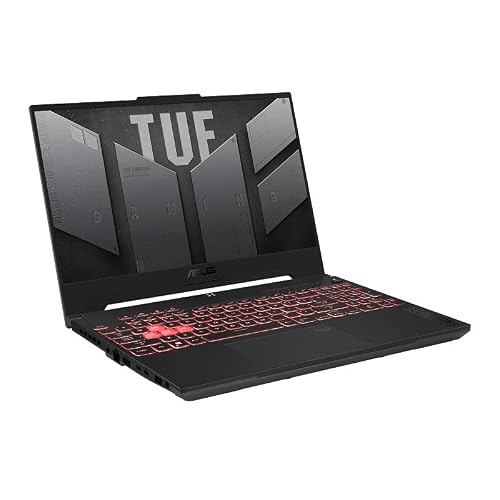
ASUS TUF Gaming A15 (2023) Gaming Laptop — ASUS TUF Gaming A15 (2023) Gaming Laptop, 15.6” FHD 144Hz, 100% sRGB Display, GeForce RTX 4060, AMD Ryzen 7 7735HS, 16GB DDR5, 1TB PCIe SSD, Wi-Fi 6, Windows 11, FA507NV-EH74. Check price on Amazon before you decide, because configurations and availability change often.
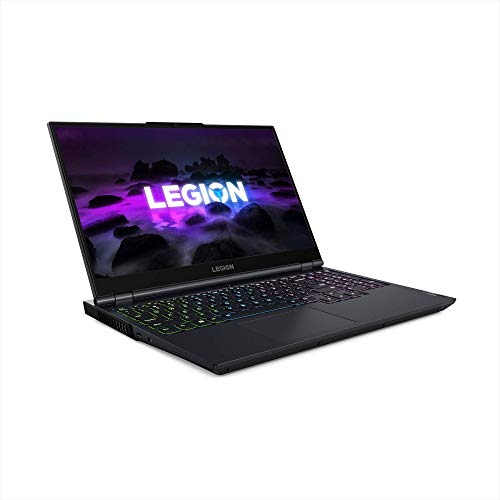
Lenovo Legion 5 Gaming Laptop — Lenovo Legion 5 Gaming Laptop, 15.6″ FHD Display, AMD Ryzen 7 5800H, 16GB RAM, 512GB Storage, NVIDIA GeForce RTX 3050Ti, Windows 10H, Phantom Blue. Check price on Amazon before you decide, because configurations and availability change often.

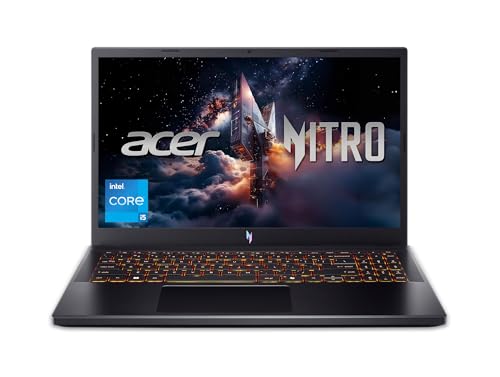
Acer Nitro 5 Gaming Laptop — Acer Nitro 5 Gaming Laptop | AMD Ryzen 7 6800H | GeForce RTX 3070 Ti GPU |15.6″ QHD 165Hz IPS Display | 16 GB DDR5 RAM | 1 TB PCIe SSD | Killer Wi-Fi 6 | 4-Zone RGB Backlit Keyboard. Check price on Amazon before you decide, because configurations and availability change often.
Common Misconceptions
- Confusing system RAM with the GPU’s video memory and upgrading one to fix the other’s limit.
- Buying a single large stick and unknowingly running in single-channel mode for years.
- Assuming faster-rated memory transforms performance, when capacity and channel configuration matter far more on laptops.
- Choosing a soldered 8GB configuration because the launch price looked attractive.
Pro Tips
- On Windows, the Performance tab of Task Manager shows your total, your slots used and your current speed in ten seconds.
- If you already own a single-stick machine, a matched second stick is usually the cheapest real upgrade in gaming.
- Streamers and creators should treat 32GB as their starting point, not their upgrade ambition.
- When comparing two laptops, prefer the one whose memory you can change; it forgives a wrong guess today.
How This Connects to the Decisions Around It
No specification lives alone, and the idea explained here touches the choices on every side of it. Sizing one component changes what another can achieve, a limit in one pool masquerades as a fault in a different one, and the marketing order of a spec sheet rarely matches the order of real-world importance. That is why experienced buyers read machines as systems: they ask what feeds what, what limits what, and where the ceiling actually sits for their own workload rather than for a benchmark’s. It is also why the cheapest upgrade is so often information, a measurement of your own usage taken before money moves. Carry that habit beyond this topic. Whenever a future purchase or problem presents a single confident number, ask what it leaves out, what it interacts with and what your own evidence says. The explanation you have just read gives you the vocabulary for this subject; the habit gives you every subject that follows it.
Putting It All Together
Keep this explanation beside you the next time a listing, a salesperson or a forum thread tries to reduce the topic to one number, because the pattern you have learned, define the terms, separate the pools and limits that get confused, size for your real habits, and check the escape routes, generalises to almost every specification argument in consumer technology. Numbers describe machines; behaviour over years is what you live with. If a decision still feels unclear, gather the one piece of personal evidence the guide asked for, your actual usage in your actual applications, and let it arbitrate. Manufacturers will keep inventing new headline figures. A buyer who understands the mechanics underneath them stays unhurried, and usually ends up with the right machine at the right configuration the first time.
Where Your RAM Actually Goes During a Gaming Session
Memory questions become clearer when you follow the gigabytes. A modern gaming session is never just the game: the operating system, the launcher, voice chat, a browser with guides and streams, recording or overlay tools and background services all hold memory simultaneously, and the game competes with all of them.
A typical session, accounted
The operating system and its services comfortably occupy several gigabytes before you launch anything. Add a launcher and its overlay, a chat application, and a browser left open — the normal furniture of a gaming evening — and a noticeable share of a smaller memory configuration is spoken for before the game starts. The game itself then wants room for its world, textures it manages in system memory, and the assets it streams from storage. When the total demand approaches capacity, the system begins swapping to storage, and that is the moment smooth play turns into hitching: not a low average frame rate, but pauses and stutters as the machine shuffles data. This accounting is why two machines with identical graphics can feel different in the same game — one has headroom for the whole session, the other only for the game.
Why minimum specifications mislead
A game’s stated minimum memory describes the game alone, on a clean system, at minimum settings, being merely able to run. It does not describe your session, your browser, or your recording software, and it certainly does not describe the same game after two years of content updates. Treat published minimums as a floor for the game in isolation and recommended figures as closer to a real session — then add your own habits on top. Players who stream, record, mod heavily or keep work applications open alongside games live in a different memory economy from players who close everything, and both are right to buy differently.
Dual channel: the capacity question’s twin
How memory is arranged matters alongside how much there is. Two matched modules in dual channel deliver substantially better bandwidth than one module of the same total capacity, and the difference shows in frame-rate minimums and in any workload using integrated graphics. A laptop sold with a single module is therefore doubly limited — less capacity and half the memory pathway — and often the best-value upgrade in all of gaming laptops is adding the matching second module. When comparing two laptops of equal headline capacity, the one with two modules is quietly the faster machine.
Capacity by Player Profile
The focused player
You play one game at a time, close other applications, and your library is esports and mainstream titles. A moderate, dual-channel configuration serves you fully; your frame rates are decided by graphics and cooling, not memory, and extra capacity would sit idle. Spend accordingly — your money works harder on the screen and the graphics configuration.
The multitasking player
Your sessions include voice chat, a browser, music, maybe a stream playing on the second screen, and games that are themselves large. This is the profile that outgrows modest memory first, and the symptoms arrive as stutters when switching tasks and hitching in busy game areas rather than as outright errors. The comfortable tier above the focused player’s is your correct home, and it is cheaper to buy it in the laptop than to retrofit it later on models where memory is soldered.
The creator-player and the heavy modder
Recording, streaming, editing footage of your own sessions, running mod lists that load thousands of extra assets, or keeping creative applications resident — each multiplies memory demand, and together they justify the generous tier without apology. Modded games in particular can exceed their unmodded memory appetite several times over. If this is you, capacity is not future-proofing; it is present-tense equipment, and the only real question is whether your chosen model’s ceiling and slots accommodate it.
Symptoms: Telling Memory Shortage from Other Problems
- Likely memory: stutter when alt-tabbing or when new areas load, games that smooth out after you close the browser, system sluggishness for a minute after quitting a big game, memory usage pinned near full in monitoring tools during play.
- Likely graphics instead: uniformly low frame rates that improve immediately when resolution or settings drop, with memory usage comfortable throughout.
- Likely storage instead: long loading screens and texture pop-in on a machine with memory to spare, especially with the game on a nearly full or ageing drive.
- Likely thermal: performance that starts strong and decays over twenty minutes, recovering after a break — heat, not capacity.
The diagnostic habit that settles arguments is watching memory usage during your heaviest real session. If it sits comfortably below capacity while problems persist, stop shopping for memory and look at the other suspects. If it presses against the ceiling exactly when the stuttering starts, you have found your upgrade, and it is one of the few upgrades whose effect you can predict with confidence before spending.
Buying and Upgrading Decisions
Soldered versus slotted changes the advice
On a laptop with memory slots, a moderate purchase today keeps an easy upgrade open tomorrow, and the rational move is to buy for now. On a laptop with soldered memory, the purchase is final, and the rational move reverses: buy for the machine’s whole life, including the heavier games and habits of year three. Establish which design you are buying before applying any capacity advice, including this guide’s — the same number is a fine choice in one chassis and a trap in the other.
Speed, latency and other second-order questions
Beyond capacity and channel configuration, memory speed and timings offer small, real, but second-order gains on gaming laptops, and platform support caps what the machine will use regardless of what the modules could do. Chasing exotic memory specifications for a laptop is poor value next to getting capacity and dual channel right. The exception is integrated-graphics gaming, where memory is also the graphics memory and speed genuinely matters — but a gaming laptop with a dedicated graphics card, the subject of this guide, keeps its texture memory separate and cares far less.
The answer, compressed
Enough RAM is the amount that lets your whole session — game, system and habits together — run without swapping, arranged in two matched modules, in a machine whose upgrade path you have checked. For most players today that lands on the comfortable mainstream tier; for multitaskers and creators it lands a tier above; for almost nobody does the maximum available configuration earn its cost in games alone. Buy headroom for your habits, not for a number, and the memory question stops being a question for the life of the machine.
RAM and the Rest of the System: Interactions That Matter
Memory does not work alone, and three interactions decide how a given capacity actually feels in a gaming laptop. Understanding them prevents both under-buying and the opposite waste.
Memory and the graphics card’s own pool
A dedicated graphics card carries its own fast memory for textures and frame data, and when that pool overflows — at high resolutions and texture settings — the excess spills into system memory across a slower connection, producing stutters that look exactly like system memory shortage. The diagnostic separation matters: if reducing texture settings or resolution cures the stutter while system memory showed headroom, the ceiling was graphics memory, and system RAM upgrades would not have touched it. This is the most common misdiagnosis in the whole memory conversation, and the texture-setting test is its antidote.
Memory and storage speed
When system memory does run short, the machine swaps to storage, and the drive’s speed decides how painful that is: a fast solid-state drive makes swapping a stutter, while a slow or nearly full drive makes it a freeze. This is why some machines with modest memory feel acceptable and others with the same capacity feel broken — and why keeping the drive comfortably below full is a memory intervention in disguise. It is also why memory shortage symptoms can improve after a storage cleanup, a result that confuses owners who did not know the two systems were covering for each other.
Memory and the processor’s integrated graphics
On systems where the integrated graphics are active — battery play, certain display routings — system memory is shared with the graphics, and the memory you bought is quietly partitioned. A configuration that is comfortable when the dedicated card drives everything can feel tight in integrated mode. If you game on battery or your laptop routes its screen through the integrated chip, weight capacity and dual-channel configuration more heavily than this guide’s general advice, because your memory is doing two jobs and should be specced for both.
Future Games and the Direction of Travel
Requirements creep is real but slow
Game memory requirements rise across a console generation, then plateau, then rise again. A laptop bought early in a generation with the comfortable tier of its day usually serves the whole generation; one bought late with the minimum tier feels the plateau’s end. The practical translation: buy one tier above the minimum that serves you today if the machine is soldered or intended for many years, and buy exactly for today if it is slotted and upgradable, because the upgrade path is itself the future-proofing and it charges nothing until needed.
Engines, streaming and open worlds
The direction of game design — larger streamed worlds, denser assets, more simultaneous systems — all leans on memory as the staging area between storage and graphics. Titles built around seamless streaming are the first to punish tight memory with pop-in and hitching even when average frame rates look fine. If your library leans toward these showcase open-world releases, treat memory the way you treat graphics: as a headline specification, not an afterthought, and read the recommended — not minimum — figures for the specific games you are buying the machine to play.
The resale and hand-me-down angle
A laptop’s memory configuration follows it into its second life. Machines with comfortable, dual-channel memory remain pleasant general computers years after their gaming prime, which is when they get handed to family or sold; machines at the minimum tier age into frustration for even ordinary use as operating systems and browsers grow. If your machines cascade through a household, capacity bought today is doing quiet work in year six on someone else’s desk — a return no benchmark will ever show you, but a real one.
Deciding in the Shop: A Two-Minute Method
Open your current machine’s task view during your heaviest real session and note the memory committed. Add the weight of habits you are growing into — streaming, recording, modding — honestly rather than hopefully. Compare that figure against the configurations in front of you, requiring comfortable headroom rather than a bare exceed, and confirm the arrangement is dual-channel. Then check whether the machine is slotted or soldered and apply the rule: slotted forgives a modest choice, soldered demands the generous one. Two minutes, four checks, and the memory question — which fills more forum pages than almost any other in gaming laptops — is answered for your machine, your games and your habits, which are the only terms it was ever really asking about.
RAM Questions From Specific Corners
The VR player
Virtual reality adds a compositor, tracking services and the game itself to the memory bill, and VR’s intolerance of stutter — a dropped frame in VR is felt in the stomach, not just seen — makes headroom a comfort feature rather than a luxury. VR players should spec memory a tier above their flat-screen equivalent and treat dual channel as mandatory, because the platform’s overhead is constant whether the game is light or heavy.
The laptop-as-desktop player
If the laptop docks to multiple monitors with work applications resident all day and games in the evening without a restart, your memory serves two shifts. The evening session inherits the day’s accumulated applications, and the honest capacity is the one that fits both lives at once — or the discipline of a restart before gaming, which is free and underrated. Choose consciously between the capacity and the habit; choosing neither is how machines feel mysteriously tired by evening.
The esports minimalist
At the other pole, the player whose machine does one thing — a single competitive title, everything else closed — can run a modest configuration without apology and should resist upselling with a clear conscience. Your monitoring will show headroom, your frame rates are decided elsewhere, and money not spent on memory is money available for the screen and peripherals your genre actually rewards. The principle cuts both ways, which is how you know it is a principle: spec to the measured workload, never to the forum’s anxiety in either direction.
Errors, Stability and the Memory You Never Notice
Healthy memory is invisible, and that invisibility is worth a paragraph because it explains the category’s psychology: nobody praises RAM, they only curse its absence or its faults. Marginal memory — a module slightly out of specification, a pairing the platform tolerates but does not love — announces itself as random, unreproducible crashes that owners blame on games, drivers and fate. If a machine’s behaviour is haunted in that particular way, memory testing belongs early in the diagnosis, not last. And when you buy, the boring virtues — matched kits, maker compatibility lists, standard profiles — are precisely the ones that purchase invisibility. The best memory decision is the one you never have to think about again, and reaching it is a matter of respecting the unglamorous details this guide has walked through: capacity for your real session, two matched modules, a checked upgrade path, and monitoring that turns a guessing game into a measurement.
Checking Your Own Machine: The Five-Minute Audit
Every claim in this guide becomes personal with one audit, and it is worth describing as a ritual because owners who perform it stop guessing permanently. Restart the machine so the slate is clean. Open your heaviest game and your normal entourage — chat, browser, recording tools, whatever your real sessions include. Play into the busiest area you know for ten minutes. Then look at the memory figures your system reports: the total in use, and more importantly the committed figure, which includes what the system has promised to applications. If committed memory presses against your installed capacity, the machine is borrowing from storage and your upgrade case is proven. If it sits comfortably below, your memory is sufficient and any performance complaint lives elsewhere. Write the two numbers down with the date and the game. That scrap of data is worth more than any recommendation in this guide, including the tier advice — because it is not advice about gaming laptops in general. It is a measurement of yours.
RAM in the Broader Budget
Finally, place memory in the queue of things money can buy a gaming laptop, because it is rarely first. Graphics configuration and screen decide the experience’s ceiling; cooling decides how much of that ceiling survives a long session; storage decides how much of your library is present; memory decides whether the whole assembly stutters under the weight of your habits. Fund them roughly in that order, and memory’s turn comes when the audit says so — which, for multitaskers, creators and the soldered-machine buyer, is immediately, and for the focused player may be never. A budget allocated by evidence rather than by anxiety is the thread that runs through every section of this guide, and memory — the least glamorous specification on the sheet — turns out to be its purest example: measurable in five minutes, decisive when short, invisible when sufficient, and a waste only when bought for a workload you do not have.
Memory and the Second Life of the Machine
Plan for the laptop’s whole biography, because memory decisions echo longest at its end. In year four and five, the gaming frontier will have moved on, but the machine’s second career — as a family computer, a study laptop, a media and browsing machine for someone less demanding — will be judged entirely on responsiveness, and responsiveness in old age is memory and storage wearing their years well. A machine that leaves its gaming prime with comfortable dual-channel memory and a healthy drive remains a pleasure in its second life; one that was specced at the minimum becomes e-waste with a working screen. This is not an argument for over-buying today — the focused player’s modest configuration has its own honest logic — but it is an argument for counting the second life in the first purchase, especially on soldered machines where the decision cannot be revisited. The cheapest time to give a laptop a long life is the day it is bought, and memory is where that gift is mostly given.
RAM Advice for Buyers of Specific Budgets
Budget tiers deserve direct translation, because “it depends” is true and unhelpful at a checkout. At the value end, protect dual channel above all: a matched pair of modest modules outperforms a single larger one in games, and it is usually the cheaper configuration as well — if a value model ships single-channel, its upgrade path is the first money you should plan to spend. In the middle, buy the comfortable tier in the machine and spend nothing further; your remaining budget belongs to the screen and storage. At the premium end, where machines are soldered and kept for years, take the generous tier at purchase without apology, because it is the only chance you will get and the premium tier’s whole proposition is a long, untroubled life. Across all tiers the audit remains the referee: if your measured session fits, it fits, whatever the tier — and a buyer armed with their own committed-memory figure can walk past a great deal of confident upselling in both directions.
A Word for Buyers Torn Between Memory and Storage
The commonest checkout dilemma in this category pits the memory tier against the storage tier, and the audit resolves it as it resolves everything else. Memory shortage announces itself as stutter and swapping during play — an active, moment-to-moment misery. Storage shortage announces itself as library management — deleting a game to install another, an occasional, schedulable inconvenience. Active misery outranks schedulable inconvenience: if both are tight, fund memory first and let the library be curated until storage can be upgraded, which on slotted machines is the easier retrofit of the two anyway. The exception is the machine whose memory audit shows comfortable headroom; then storage is the honest constraint and deserves the money without a contest. Evidence first, as ever — but when the evidence is tied, buy relief from the pain you feel during the game, not the one you feel before it.
Related Guides
- our roundup of the best laptops for gaming under 2000
- our roundup of the best laptops for gaming and work under 1000
- our roundup of the best gaming laptops for under 750
- gaming laptop vs gaming pc
- how to fix fps drops on a gaming laptop
Frequently Asked Questions
Is 16GB of RAM enough for gaming in 2026?
Yes, for the large majority of players and titles, provided it runs as two sticks in dual channel. Current releases are designed around 16GB as the recommended level, and a clean gaming session fits comfortably. The pressure comes from everything around the game: browsers, chat, recording and launchers. If your sessions are game-plus-nothing, 16GB serves you well. If your sessions look like a small broadcasting studio, step to 32GB and stop thinking about it.
Will 32GB make my games faster than 16GB?
In most titles, peak frame rates barely move, because the GPU sets those. What 32GB improves is consistency under real conditions: fewer stutters when new areas load, smoother behaviour with apps open alongside, and headroom for mods and future releases. Think of it as removing a ceiling rather than raising the floor. Players upgrading from single-channel 16GB to dual-channel 32GB feel both effects at once, which is why the upgrade has such a strong reputation.
What does dual channel actually mean?
It means the processor can talk to two memory sticks in parallel, doubling the width of the data path compared with one stick. Games limited by the processor, and integrated graphics that share system memory, benefit most visibly. Two matched 8GB sticks therefore outperform one 16GB stick in many games despite equal capacity. When you buy or upgrade, matched pairs are the goal, and your laptop’s manual shows which slots form a pair.
Can I add RAM to any gaming laptop?
No. Many gaming models have two standard SO-DIMM slots, but some solder part or all of their memory, and slimmer designs are the usual suspects. The service manual or a teardown of your exact model settles it. If slots exist, the upgrade is a fifteen-minute job with a screwdriver and a matched kit. If memory is soldered, the capacity you buy is the capacity you retire with, so size it generously at purchase.
Does RAM speed matter much on a laptop?
A little, and mostly in processor-limited scenarios, but it ranks third behind capacity and dual-channel operation. Laptops also cap supported speeds, so exotic fast kits simply run at the system’s limit. Buy the standard speed your machine supports in a matched kit and put any leftover budget toward capacity, storage or the GPU tier. Chasing memory speed is a desktop hobby that transfers poorly to laptops.
How do I check how much RAM my games are using?
Open Task Manager’s Performance tab while your heaviest game runs in a demanding area, and look at total memory in use and the committed figure. If use sits near your installed total and the drive is active during stutters, you have found a capacity problem. Hardware monitoring overlays can log the same data in-game. Check your worst-case game, not the menu screen, because menus understate real play by a wide margin.
Is 16GB enough for gaming in the next few years?
For focused play — one game, modest background load — yes, especially in dual channel, though the comfortable margin is narrowing as games and systems grow. Multitaskers, streamers and heavy modders already feel its limits in the biggest titles, and soldered-machine buyers should weigh the tier above for a long ownership.
Does RAM speed matter as much as capacity?
No. Capacity and dual-channel configuration decide whether the machine swaps and stalls; speed and timings tune the margins. Get capacity right first, in two matched modules, and let speed be whatever the platform officially supports — chasing faster modules for a laptop is poor value.
Can too much RAM hurt performance?
Not in any way you would measure: unused memory simply idles, and systems use spare capacity for caching that mildly helps. The real cost of excess is the purchase price and, on slotted machines, the opportunity cost of money that storage or a better screen would have used better.